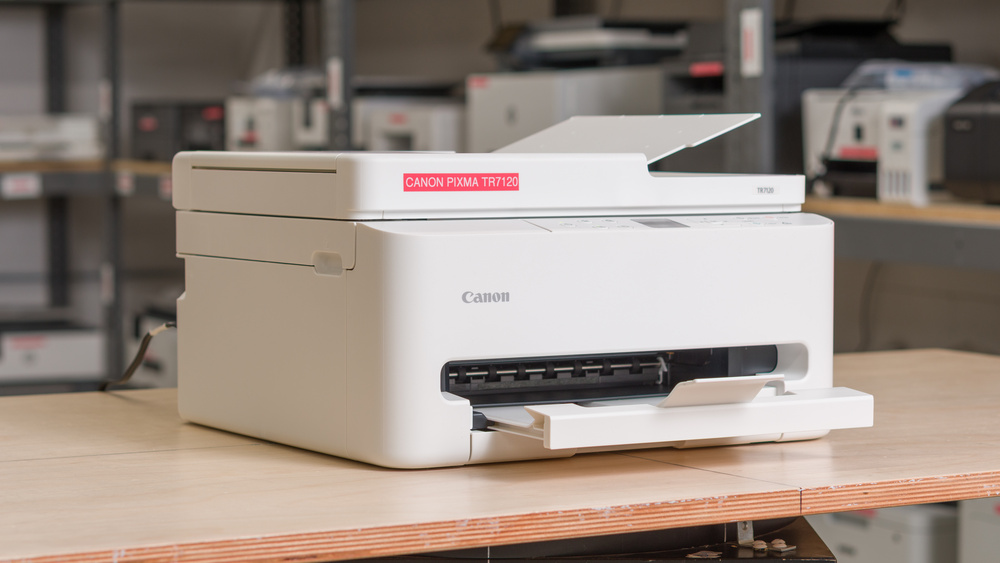
The Canon PIXMA TR7120 is an affordable all-in-one inkjet printer. It connects via USB or Wi-Fi and supports Apple AirPrint and Mopria Print Service. It comes with a scanner that includes an automatic document feeder, but it doesn't offer fax functionality and only allows manual duplex scanning, so you have to flip pages yourself when scanning double-sided sheets. The printer uses a two-cartridge ink system with one black and one tri-color cartridge and works with Canon's PG-295 and CL-286 ink cartridges.
Two other variants are available: the Canon PIXMA TS6520 and the Canon PIXMA TS4320. You can take a look at the Differences Between Variants section for more details.
Our Verdict
The Canon PIXMA TR7120 is a decent home printer. It delivers very good print quality all around and includes all the functions you may need, like an ADF for the scanner and connectivity options for pretty much every device. It's also small enough to fit in any room, even if you don't have much free space. Its main drawback is its disappointingly low page yields. Not only will you need to swap the cartridges relatively often if you have regular printing needs, but the color inks are also included in a single cartridge, so you may need to swap it even if only one color is empty. Thankfully, high-yield cartridges help increase the lifespan of each cartridge.
Automatic document feeder.
Automatic duplex printing.
Decent connectivity options.
Mobile app support.
Produces high-quality documents.
Very good scan quality with the proper settings.
Low page yield.
Middling black-and-white printing speeds. slow to print color documents.
Can clog if it's left unused.
Scanning with the automatic document feeder produces scans that lack detail.
The Tri-color cartridge design forces you to swap all colors even if only one is emptied.
The Canon PIXMA TR7120 is a passable choice for small office use. It has a solid build and supports Wi-Fi and USB connectivity. It produces high-quality black-and-white and color documents, but printing multi-page color jobs is slow. Automatic duplex printing is supported, so you don't need to flip pages when printing double-sided. The printer includes an automatic document feeder, which helps when scanning long documents, but it doesn't support faxing or duplex scanning. Another big drawback is this printer's disappointing page yields. The black cartridge has a low page yield and needs frequent replacement, and the tri-color cartridge must be replaced even if just one color runs out.
Automatic document feeder.
Automatic duplex printing.
Decent connectivity options.
Produces high-quality documents.
Very good scan quality with the proper settings.
Low page yield.
Middling black-and-white printing speeds. slow to print color documents.
Scanning with the automatic document feeder produces scans that lack detail.
The Tri-color cartridge design forces you to swap all colors even if only one is emptied.
The Canon PIXMA TR7120 is a poor choice if you're looking for a printer you'll use only once in a while and expect to work whenever you need it. Since it's an inkjet printer, it can clog if left idle for too long. Its low ink volume also means you may use up a lot of your available ink if you run maintenance tasks to solve the issue. Thankfully, the printheads are included in the cartridge, making it straightforward to clear even the most serious blockages by simply replacing the cartridge. The small ink volume also results in subpar page yields, so you'll probably need to change your cartridges often if you print regularly. On the bright side, high-yield cartridges are available and are advertised to virtually double this printer's page yield.
Decent connectivity options.
Mobile app support.
Printheads are included in the cartridges, which makes handling tenacious clogs more straightforward.
Low page yield.
Middling black-and-white printing speeds. slow to print color documents.
Can clog if it's left unused.
The Tri-color cartridge design forces you to swap all colors even if only one is emptied.
The Canon PIXMA TR7120 is a very good photo printer, especially for casual use. Its color accuracy is totally serviceable, and its renders come out very detailed. It struggles a bit more with bright, saturated colors, making prints look darker and less vibrant than the originals. Colors still look natural enough for casual use. Another drawback is that the tri-color design of the color cartridge means you have to replace the entire cartridge when a single color runs out.
Decent color range and accuracy.
The Tri-color cartridge design forces you to swap all colors even if only one is emptied.
The Canon PIXMA TR7120 delivers sub-par page yields. You can expect to print around 250 black-and-white and color document pages per cartridge. High-yield cartridges are available; these should double the print volume per cartridge according to Canon's estimates.
Low page yield.
The Tri-color cartridge design forces you to swap all colors even if only one is emptied.
The Canon PIXMA TR7120 features a versatile scanner with a fairly fast automatic document feeder. Scans are very good when using the Magazine preset, but quality drops significantly in the default Document mode or when using the ADF. Fine details, including watermarks, are often lost, and colors can appear inaccurate with noticeable grain. Additionally, the ADF does not support duplex scanning.
Automatic document feeder.
Very good scan quality with the proper settings.
Scanning with the automatic document feeder produces scans that lack detail.
Performance Usages
Changelog
- Updated Sep 25, 2026: We updated this review to Test Bench 1.4.1, improving how we capture print samples so the images better reflect the physical prints. Test scores are unaffected.
- Updated Jul 02, 2026: We've updated this review to Test Bench 1.4, which adds new usages and performance usages, as well as reorganizes several other tests throughout the review. You can read more about the changes in detail in the Changelog.
-
Updated Mar 12, 2026:
Added a reference to the Brother MFC-J1360DW as an alternative with better page yields in the Cartridge test box.
- Updated Jan 27, 2026: Review published.
Check Price
Differences Between Sizes And Variants
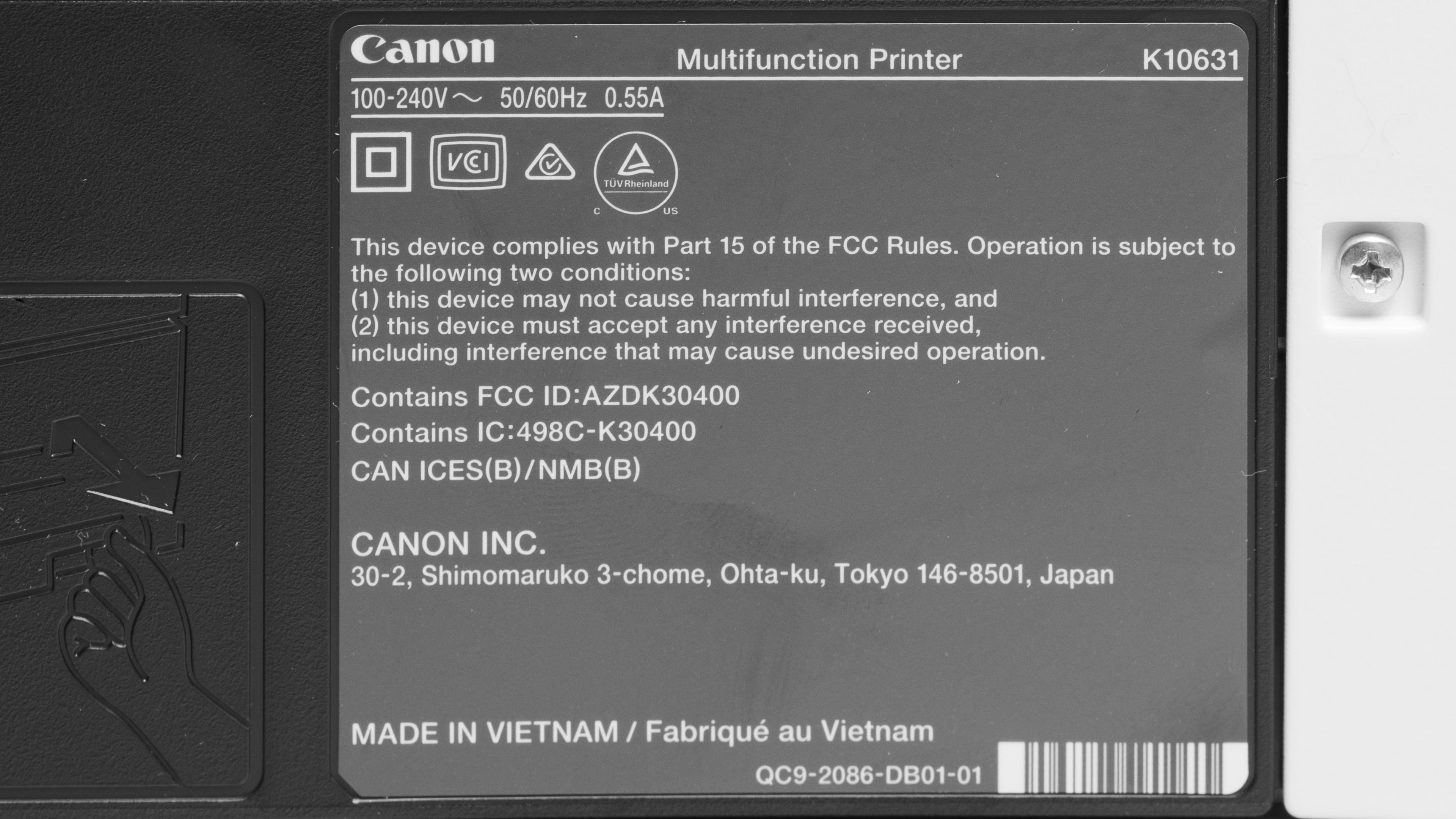
We tested the Canon PIXMA TR7120 (or TS7550i in Europe); here's our unit's label. Canon offers two additional models in this lineup. The TS6520 shares most features with the TR7120 except for the automatic document feeder. The TS4320 is the entry-level option, removing both the ADF and the OLED navigation display. Here's a table that compares the three models.
| Feature | Canon PIXMA TR7120 / TS7550i (Europe) | PIXMA TS6520 | Canon PIXMA TS4320 |
|---|---|---|---|
| Control Display | 1.42″ Monochrome OLED | 1.42″ Monochrome OLED | No LCD display |
| Scan Type | Flatbed + ADF (multi‑page) | Flatbed only | Flatbed only |
| Dimensions (Height) | 8.1″ (higher due to ADF) | ~6.7″ | ~6.7″ |
| Weight | 13.9 lb | ~11.6 lb | ~11.4 lb |
Popular Printer Comparisons
The Canon PIXMA TR7120 works well as a home printer. It feels solidly built and delivers sharp documents along with detailed photos. It's easy to connect, includes an automatic document feeder, and is small enough to fit pretty much anywhere. However, it isn't the best choice for high-volume printing because of its low page yield, and the tri-color ink cartridge can cause waste since you need to replace the entire cartridge if one color runs out. These low page yields, though improved over the Canon PIXMA TR7820 and the Canon PIXMA MG3620, are still disappointing.
This is a common issue with many entry-level printers, so consider this model only if you have a low print volume. Otherwise, paying slightly more for a model like the Brother MFC-J1205W, which has outstanding page yields, quickly becomes cheaper over time. That said, you won't have an automatic document finder in that case. Another aspect to consider is how often you'll use it. If you print only very sporadically and don't require color, it may also be worth considering entry-level laser printers like the Brother HL-L2460DW. Contrary to the PIXMA TR7120 and other inkjet printers, you won't have to deal with any kind of clogging issues with a laser printer, and you'll be able to print hundreds of pages before needing to replace your toner cartridge. If you don't need an ADF but like the other features of the TR7120, you should also consider buying the cheaper Canon PIXMA TS6520 variant or the TS4320, which also forgoes the display.
For more options, check out our recommendations for the best all-in-one printers, the best cheap and budget printers, and the best inkjet printers.
The Brother MFC-J1360DW and Canon PIXMA TR7120 have very similar feature sets and print quality, but each printer has its own strengths. The Brother has a much better page yield, which is ideal if you want to keep costs as low as possible. The Canon, on the other hand, handles colors better, which makes it a better choice if photo printing is an important aspect for you.
The Canon PIXMA TR7120 is slightly better than the Canon PIXMA MG3620, thanks to some small improvements throughout the product. Both printers have very comparable print quality, but the TR7120 is quicker and includes an automatic document feeder, which makes scanning long documents easier. It also has slightly improved black page yields and a better build quality.
The Canon PIXMA TR7120 is better than the HP ENVY 6455e overall. It produces better documents, prints quicker, and has a display that makes interacting with the printer easier. Its page yields are also noticeably better, which reduces the maintenance needed and makes it cheaper to run over time.
The Brother MFC-J1205W and the Canon PIXMA TR7120 deliver very comparable printing results, but the Brother is the better choice thanks to its inkvestment tank system. The Brother's main appeal is its excellent page yields. It can print up to a thousand document pages before needing a refill. This is multiple times better than what the Canon can do, even with its high-yield cartridges. The Canon, on the other hand, includes an automatic document feeder, which can be a nice boon if you need to scan documents often. It also includes a small display, which makes interacting with the printer easier.
Test Results




for pictures & test results


for pictures & test results

for videos & test results



for pictures & test results








for pictures & test results

for pictures & test results