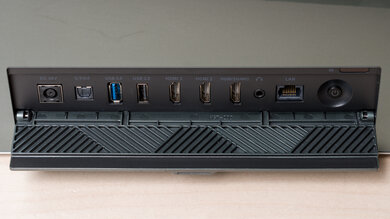
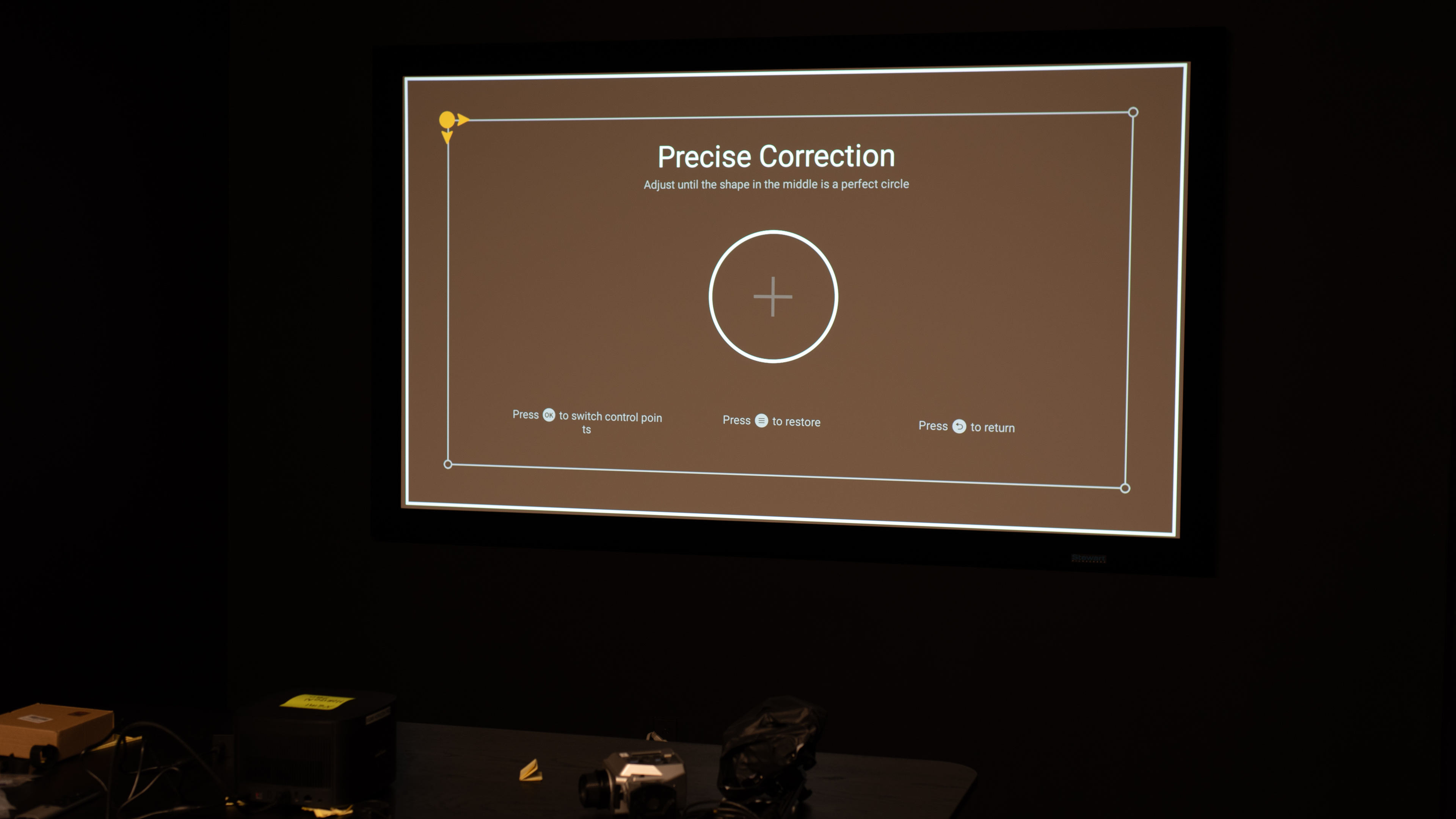
The XGIMI HORIZON Pro is a 4k HDR10/HLG projector. The projector comes with a full suite of image correction technologies, including autofocus, intelligent screen adjustment, and auto keystone correction with object avoidance, so it compensates for any geometry errors in the image automatically and adjusts itself when it detects objects in the frame. It has Android TV with Chromecast and AirScreen built in and supports Bluetooth 5.0/BLE and Wi-Fi. It has two HDMI ports, each capable of 4k @ 60Hz, and can passthrough advanced audio formats from DTS and Dolby through eARC. Finally, it has two integrated 8W Harman/Kardon speakers.
Our Verdict
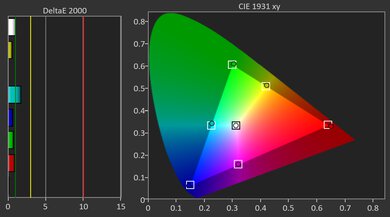
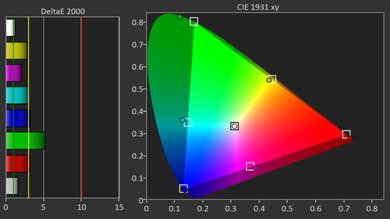
The XGIMI HORIZON Pro is an okay choice for movies as long as you're watching in a dim room. It's bright enough to look decent with the lights down, but it washes out quickly once you start turning lamps on, so it isn't a great living room lights-on projector. Contrast is also a limitation: it holds up better in brighter scenes, but darker content looks flatter, and blacks don't stay convincingly deep. Out of the box, color accuracy is lacking, but it improves a lot with calibration, and its wide color gamut helps once it's dialed in, even if the projector's brightness limits how much those colors truly pop.
- Full suite of smart features and wireless connectivity options.
Colorful in SDR content.
Bright enough for dim rooms.
- Inadequate pre-calibration color accuracy, so you really need to calibrate it to get accurate colors.
No Dolby Vision or HDR10+ support.
Just isn't bright enough to handle lights in the room.
Sub-par contrast overall, as it's especially bad in dark scenes, although it does better in bright content.
The XGIMI HORIZON Pro isn't a great fit for gaming if you're sensitive to input lag, and it's best treated as a casual, slower-paced option rather than something for fast action or competitive play. Image quality is fine in the right setup: it looks clean in a dim room, and calibrated color can look quite good. That said, its contrast is weakest in darker content, so dark games don't have much depth and black levels look gray, while brighter games tend to look more convincing.
Colorful in SDR content.
Bright enough for dim rooms.
- Inadequate pre-calibration color accuracy, so you really need to calibrate it to get accurate colors.
High input lag, even in Game Mode.
No 120Hz or 240Hz options.
No Dolby Vision or HDR10+ support.
Just isn't bright enough to handle lights in the room.
Sub-par contrast overall, as it's especially bad in dark scenes, although it does better in bright content.
The XGIMI HORIZON Pro is bright enough for dim rooms, but it quickly washes out when lights are turned on. Keep it dark if you want to get the most out of this projector.
Bright enough for dim rooms.
Just isn't bright enough to handle lights in the room.
The XGIMI HORIZON Pro's contrast is sub-par. It performs well in brighter scenes, but its contrast performance is bad in darker content. Overall, it just doesn't deliver solid blacks.
Sub-par contrast overall, as it's especially bad in dark scenes, although it does better in bright content.
Changelog
-
Updated May 29, 2026:
We've added text to some test boxes as a result of our latest test bench.
- Updated May 13, 2026: We've converted the review to Test Bench 0.12, which adds new Judder, Screen Adaptation, Battery, Maximum Volume, Size, Mobility Features, and Physical Setup Features test boxes. We also updated Inputs & Connectivity to verify Bluetooth support with wireless speakers or headphones. See the 0.12 changelog.
-
Updated Jan 26, 2026:
We've modified the text in our Brightness and Native Contrast text boxes as a result of our latest test bench. We've also added Brightness and Contrast performance usages in the Verdict section.
- Updated Jan 22, 2026: We've converted the review to Test Bench 0.11, which renames our Contrast test to Native Contrast, and adds a Sequential Contrast test box. We also added new Brightness and Contrast performance usages in Our Verdict. See the 0.11 changelog.
Check Price
Differences Between Sizes And Variants
We reviewed the XGIMI HORIZON Pro 4k projector. It is the mid-range model in XGIMI's HORIZON line of projectors, which also includes the XGIMI HORIZON and the XGIMI HORIZON Ultra. The Ultra is the only one of the three to use a hybrid Laser-LED Dual Light, with the other two projectors using a more traditional DLP lamp.
| Model | Light Source | Resolution | Speakers |
|---|---|---|---|
| XGIMI HORIZON Ultra | Hybrid Laser-LED | 4k (with pixel shift) | 2 x 12W Harman/Kardon |
| XGIMI HORIZON Pro | DLP lamp | 4k (with pixel shift) | 2 x 8W Harman/Kardon |
| XGIMI HORIZON | DLP lamp | 1080p | 2 x 8W Harman/Kardon |
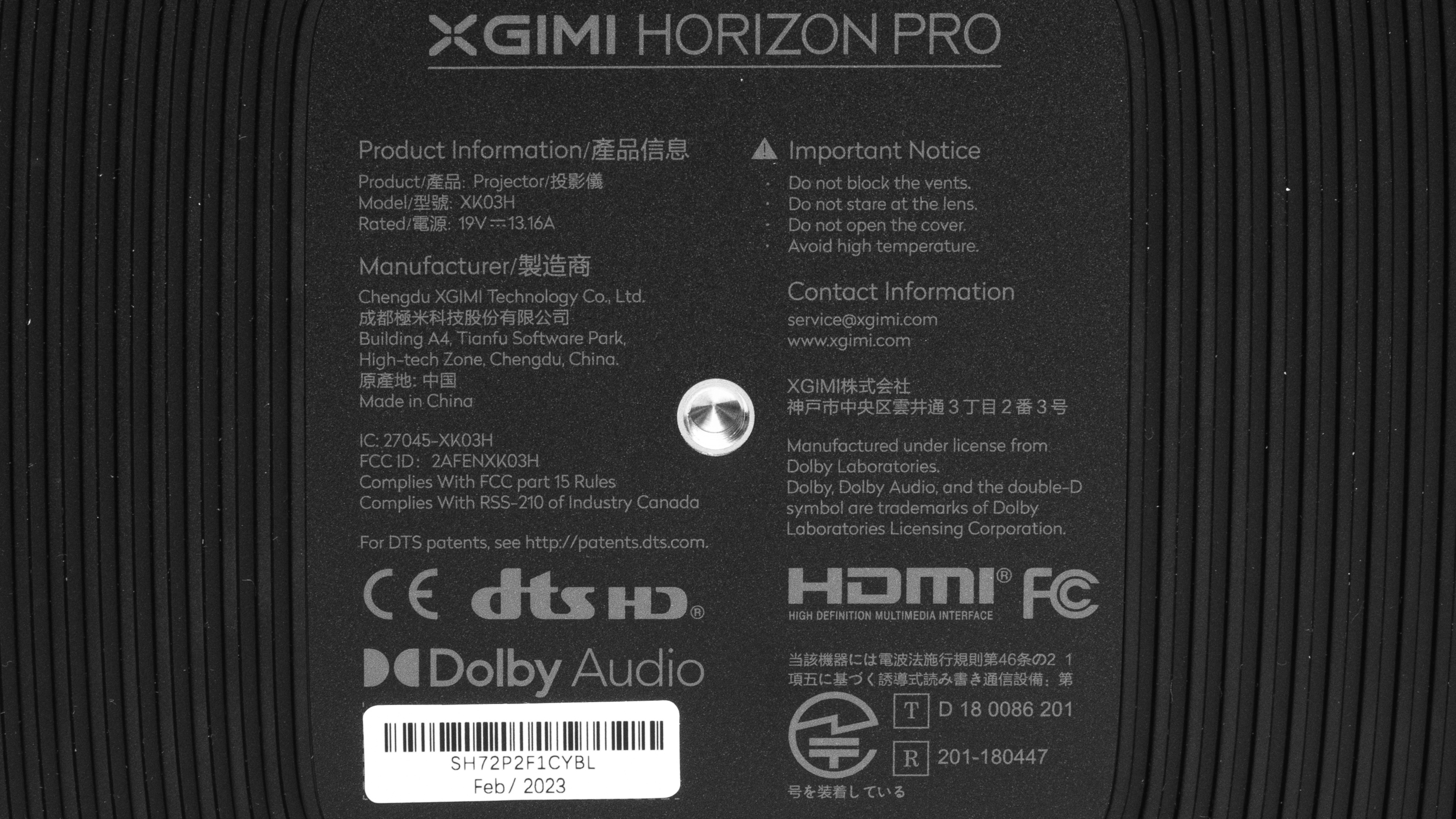
Our unit was manufactured in February 2023.
Popular Projector Comparisons
The XGIMI HORIZON Pro 4k projector is adequate for watching movies, with a reasonable mix of image quality and smart features. However, it's expensive for the image quality that it provides. The XGIMI HORIZON Ultra is a bit more expensive but offers significantly better image quality with even more modern smart features. If you don't care about smart features, the Epson Home Cinema 3800 offers much better image quality for a similar price. Other projectors, like the BenQ TK700STi, offer slightly better image quality for a similar price point, making the XGIMI HORIZON Pro a poor value proposition overall.
Check out our recommendations for the best 4k projectors and the best projectors for home theater. If you'd prefer to shop for a projector that you can place very close to your screen or wall, look up the best short-throw projectors instead.
The XGIMI HORIZON Pro is slightly better than the XGIMI HORIZON. The HORIZON Pro projects a sharper image due to its 4k pixel-shifting technology, although the HORIZON is brighter than the Pro. Both projectors are very inaccurate, but the Pro is more accurate pre-calibration than the HORIZON, and the Pro is also more accurate post-calibration.
The XGIMI HORIZON Ultra is much better than the XGIMI HORIZON Pro. The Ultra is significantly brighter than the Pro and has better pre-calibration color accuracy. The Ultra also offers more modern smart features, including Android TV 11, Bluetooth 5.2, and Wi-Fi 6, as well as a more powerful integrated sound system.
The BenQ TK700STi is better than the XGIMI HORIZON Pro. The BenQ is a bit brighter and has better contrast, so it looks better than the XGIMI when a few lights are on. It's also slightly more accurate pre-calibration than the XGIMI, although you can improve the XGIMI significantly more with calibration. The XGIMI has a wider color gamut than the BenQ, but it's not bright enough to make its colors pop. The BenQ is particularly interesting to gamers as it can play games at both 4k @ 60Hz or 1080p @ 240Hz, while the XGIMI is limited to 60Hz at both 4k and 1080p.
The BenQ X3000i is much better than the XGIMI HORIZON Pro. The BenQ is brighter, has deeper contrast, and is much more accurate than the XGIMI. They're both capable of projecting up to 4k @ 60Hz, but the BenQ is better for gamers due to its 1080p @ 240Hz capabilities. The XGIMI is, however, the smaller and lighter product with a full suite of image correction features and two full USB data ports. The BenQ is limited to keystone correction on the vertical axis and has no data USB ports, making the XGIMI easier to move around.

We've independently bought and tested over 80 projectors and published detailed results for each, so you can decide which one to buy. These have all been tested under the same standardized methodology, allowing you to compare them side by side. We still have all these projects in our lab, so we can continually go back and compare them to ensure our reviews are still accurate. All our test methodologies are also public on our website, so you can validate the results yourself.
Throw Calculator
Global Controls
Test Results
for pictures & test results

for pictures & test results











for pictures & test results


for pictures & test results

for pictures & test results