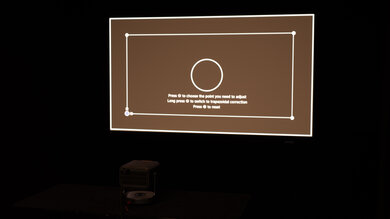
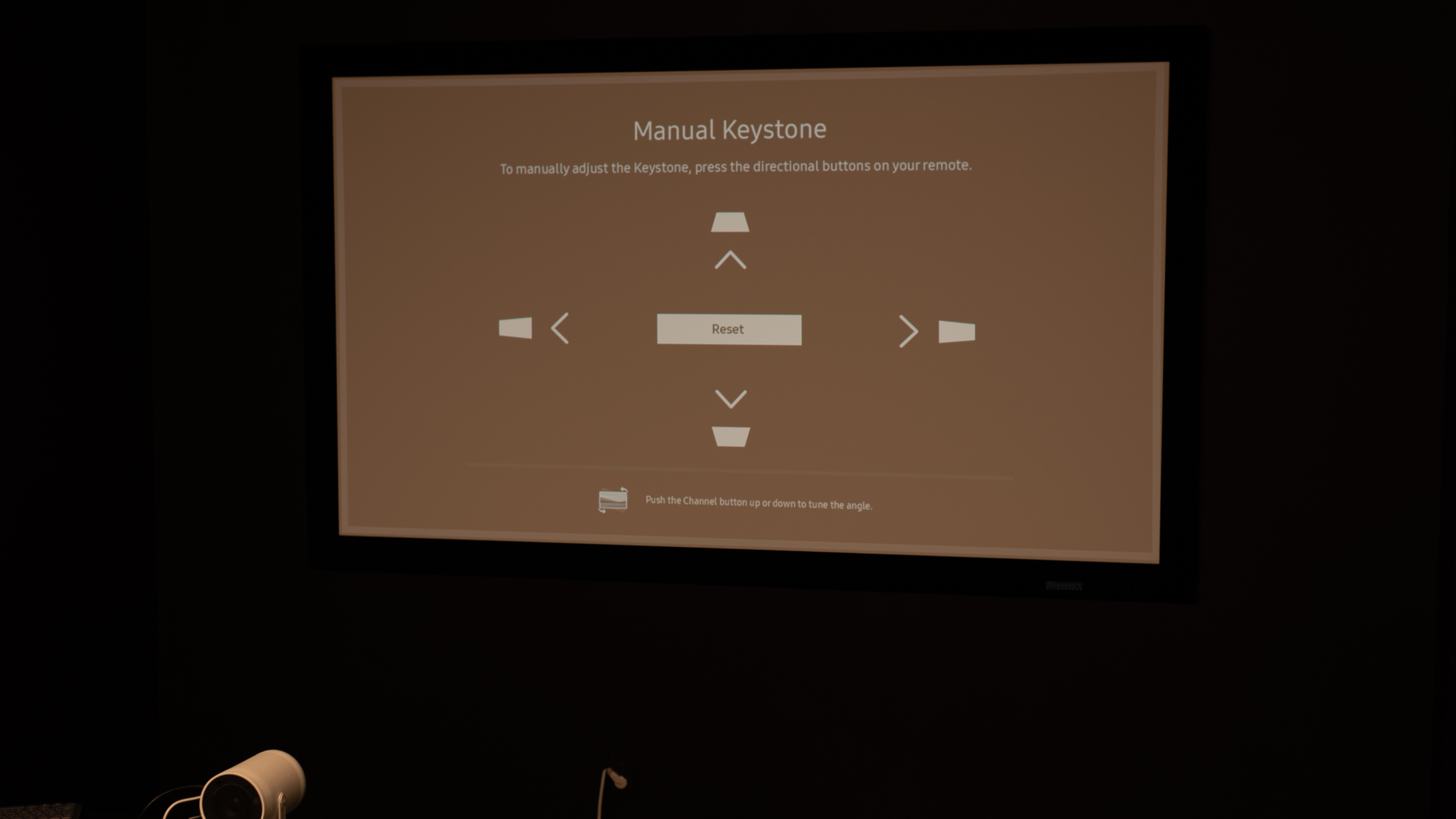
The Samsung The Freestyle 2nd Gen is a 1080p portable LED projector. It's small and lightweight, and it tilts on its base, allowing the user to easily adjust its viewing angle. You can even combine two Freestyle 2nd Gen projectors to create a larger viewing area. It also has Auto Keystone correction, auto leveling, autofocus, and manual scale and image adjustments for an easy setup. This projector comes with Samsung's Tizen OS smart interface, is compatible with Bixby and Amazon Alexa voice assistants, and is fully cast-capable via Samsung's SmartThings or Apple's AirPlay 2. It has an integrated 5W speaker, Wi-Fi 5, and Multi Bluetooth support, so you can pair two different sets of earbuds to the device.
Our Verdict
The Samsung Freestyle 2 is poor for home theater setups. It fails to display deep blacks, and combined with its dim brightness, the image lacks depth. It also has noticeable rainbow effect, which is problematic if you're sensitive to RBE. It can't remove judder from any source, either, so motion looks jittery. It at least has alright colors and is fairly accurate out of the box, but it can't display the most saturated colors for a vivid viewing experience. Lastly, it's quiet enough not to disturb you while you're watching movies, especially if you have a soundbar or speakers playing.
Fairly accurate and easy to calibrate.
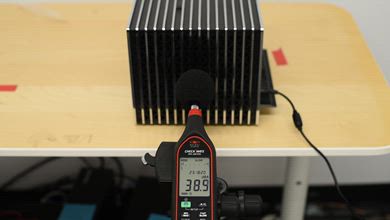
Quiet fan for the most part.
Terrible contrast leads to raised blacks in any content.
Dim all the time due to its very low peak brightness.
Can't remove judder from any source.
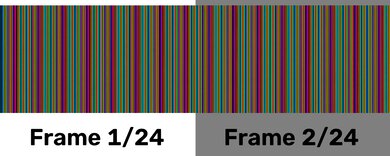
Noticeable rainbow effect.
The Samsung Freestyle 2 is bad for outdoor setups. It's very dim, so you need to use it in a dark space at night to see the screen properly. It's at least portable, as it's lightweight and easy to bring outside, but you need an outlet nearby because it lacks a built-in battery. It uses a gimbal that lets you adjust the screen vertically, but without optical zoom or a lens shift, you won't get a clean image if the projector isn't directly centered with the screen. On the plus side, it comes with auto focus and keystone adjustments that help you quickly set it up on any screen.
Small and lightweight design; tilts on its stand.
Includes auto keystone and focus adjustments.
Dim all the time due to its very low peak brightness.
No optical zoom or lens shift to clean up the image.
Lack of a built-in battery.
The Samsung Freestyle 2 is alright for bedroom setups. With its lightweight, compact design, it's easy to bring to the bedroom for an impromptu movie night. It also has built-in lens protection for when it's not in use. It has auto keystone and focus adjustments that make it easy to set up quickly, and its vertical gimbal helps if you need to raise the image higher on a wall or ceiling. However, because it lacks optical zoom and lens shift, you won't get a clean image if the projector is off-center relative to the screen. Lastly, the fan is on the quiet side, so you likely won't need to crank the volume to watch your movie or show.
Small and lightweight design; tilts on its stand.
Quiet fan for the most part.
Includes auto keystone and focus adjustments.
No optical zoom or lens shift to clean up the image.
Lack of a built-in battery.
The Samsung Freestyle 2 is bad for gaming. It tops out at 1080p @ 60Hz, so there's no 120Hz support, and it has high input lag, making it sub-optimal for most games; stick to turn-based titles if you want to game on this projector. It at least uses DLP technology, so there's minimal motion blur with fast-moving objects. Samsung's Gaming Hub does add cloud-gaming support with Bluetooth controllers, but you're still limited to 60Hz, and you're stacking network and controller latency on top of the projector's own delay. It also doesn't project a good-looking image, as it's a dim projector with limited contrast.
Fairly accurate and easy to calibrate.
DLP technology has minimal motion blur.
Terrible contrast leads to raised blacks in any content.
Dim all the time due to its very low peak brightness.
Limited to 1080p @ 60Hz.
Very noticeable input latency.
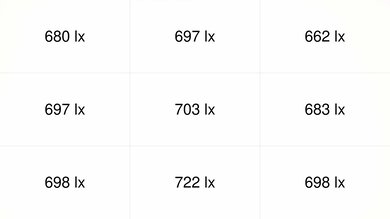
The Samsung Freestyle 2 has terrible brightness. In 'Movie' mode after calibration, it only has enough brightness for a modest-sized image in a completely dark room, so a 100" screen already looks quite dull and lacks punch. On the plus side, brightness is very uniform in different modes.
Very uniform brightness across the screen.
Dim all the time due to its very low peak brightness.
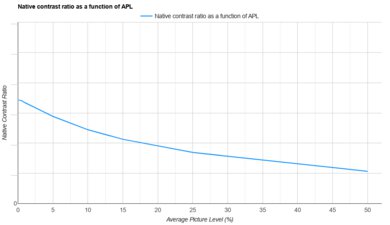
The Samsung Freestyle 2nd Gen has bad contrast. In a dark room, letterbox bars and shadows appear distinctly gray rather than black, and very dark scenes lose fine detail, appearing somewhat flat. It never achieves the depth or punch you get from a good home-theater projector or a brighter portable model.
Terrible contrast leads to raised blacks in any content.
The Samsung Freestyle 2 has great portability. It's lightweight and easy to carry around. It has a gimbal that makes it easy to tilt the projection up, and it comes with autofocus and keystone adjustments. However, the image isn't the sharpest when the projector is off-center from the screen because it lacks optical zoom or lens shift. It also needs a power outlet nearby because it lacks a built-in battery.
Small and lightweight design; tilts on its stand.
Includes auto keystone and focus adjustments.
No optical zoom or lens shift to clean up the image.
Lack of a built-in battery.
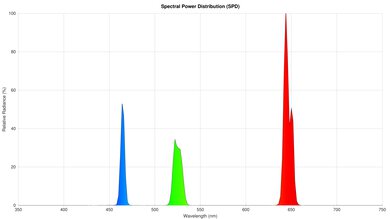
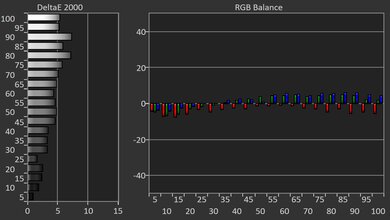
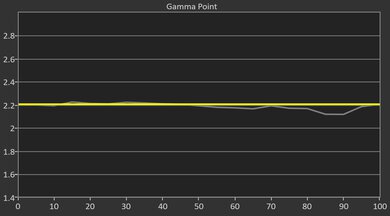
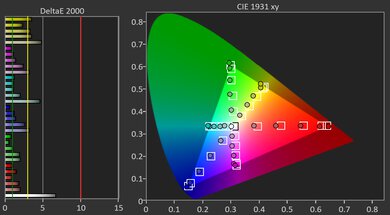
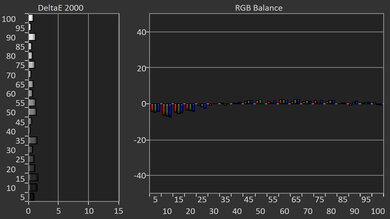
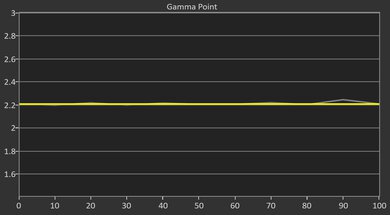
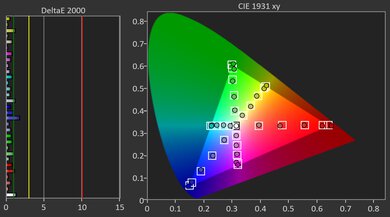
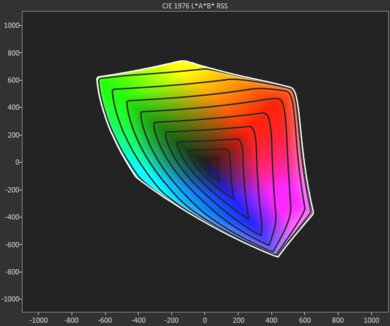
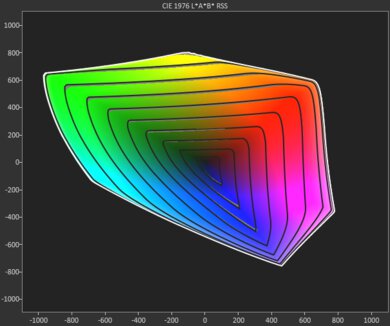
The Samsung Freestyle 2 has alright colors. It's fairly accurate out of the box, but you still need to calibrate it to fix its cold color temperature, which results in a blue tint. It has a passable color volume, with midtones and bright colors displayed fairly well, but it can't properly display the most saturated and darkest colors.
Fairly accurate and easy to calibrate.
Can't properly display the most saturated colors.
The Samsung Freestyle 2 has poor gaming responsiveness. It only supports 1080p @ 60Hz signals, so it doesn't offer the smooth feel that you would get from a 120Hz projector. It also has high input lag, so it's a bad choice for playing games that need fast reactions. It at least uses DLP technology, so there's minimal motion blur with fast-moving objects.
DLP technology has minimal motion blur.
Limited to 1080p @ 60Hz.
Very noticeable input latency.
Performance Usages
Changelog
-
Updated Aug 26, 2026:
Mentioned the newly reviewed Samsung The Freestyle+ in the Screen Adaptation section.
-
Updated Aug 24, 2026:
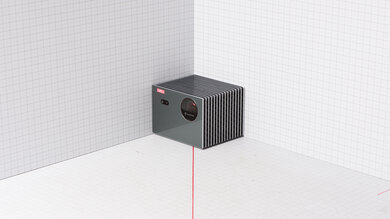
We updated the photo and dimensions in the Size section with the projector in the standing position for consistency with our other reviews.
- Updated Aug 18, 2026: We've converted the review to Test Bench 1.0, which replaces our Color Gamut test with Color Volume and adds a new Rainbow Effect test box. We also updated Effective Contrast (formerly Native Contrast) to account for projector brightness and reworked Judder scoring. The new bench also adds Outdoors and Bedroom usages, plus Portability, Color, and Gaming Responsiveness Performance Usages; Movies is now Home Theater, and all existing usage scores have been updated. See the 1.0 changelog.
-
Updated May 11, 2026:
We've added text to some test boxes as a result of our latest test bench. We've also updated Inputs & Connectivity to include Bluetooth support checks.
Check Price
Differences Between Sizes And Variants
We purchased and tested the Samsung Freestyle, which has no variants but is a successor to a first-generation model. Both generations share most of the same features, with the main differences being increased memory in the second-generation model and the inclusion of Samsung's Gaming Hub for cloud gaming.
| Model | Smart Platform | Gaming Features | Optics | Zoom / Shift |
|---|---|---|---|---|
| Freestyle (2nd Gen) | Tizen (Streaming apps, Cast/AirPlay) | Gaming Hub for cloud gaming; 1080p @ 60Hz | DLP + LED, ~1.2:1 fixed throw; autofocus & auto-keystone | No optical zoom; no lens shift |
| Freestyle (1st Gen) | Tizen (earlier hardware, less memory) | No Gaming Hub; 1080p @ 60Hz | DLP + LED, ~1.2:1 fixed throw; autofocus & auto-keystone | No optical zoom; no lens shift |
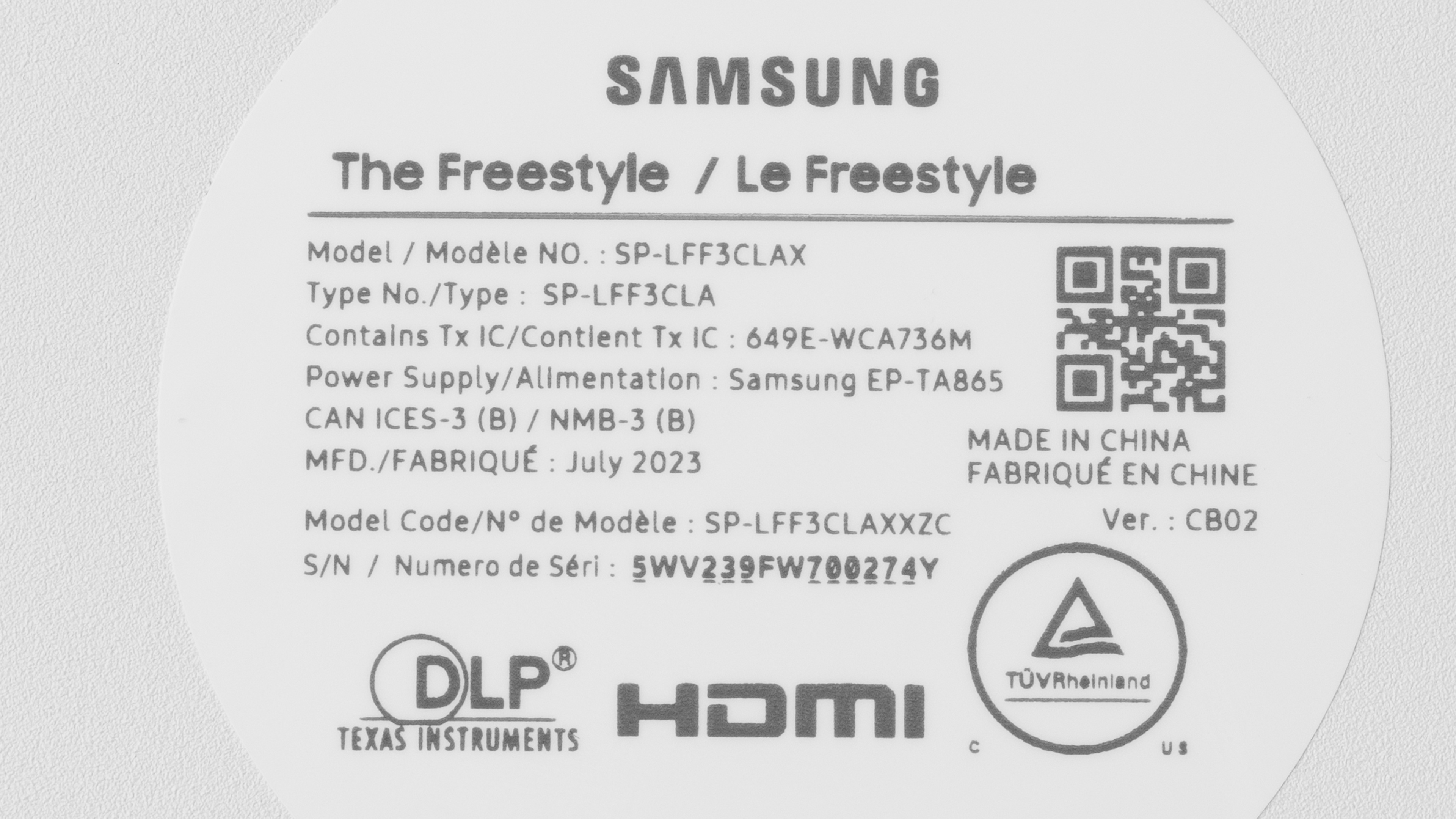
Our unit was manufactured in July 2023.
Popular Projector Comparisons
The Samsung Freestyle 2 is a feature-rich smart projector with a flexible tilting stand and slick Tizen apps, but its brightness, contrast, and gaming latency are limited. If you're looking for a more affordable ultraportable, the XGIMI MoGo 2 is smaller and offers a cleaner Android TV experience, though it's not as bright. For roughly the same money, the XGIMI Elfin delivers better picture quality and also caps at 1080p/60 for gaming, but generally looks sharper and cleaner in a dark room. Unless you specifically need the Freestyle's tilting stand and Tizen ecosystem, these alternatives will likely suit more shoppers, especially if gaming responsiveness is a priority.
See our recommendations for the best portable projectors and the best outdoor projectors. If you'd prefer to shop for another product in the same price range, look up the best projectors under $1,000 instead.
The LG CineBeam Q is significantly better than the Samsung The Freestyle 2nd Gen. The LG is brighter, has way deeper contrast, and has better colors. The Samsung is, however, more accurate right out of the box, but that's pretty much all it has going for it compared to the LG.
The Samsung The Freestyle 2nd Gen is a bit better than the Anker Nebula Capsule 3, mainly due to being slightly brighter, and also much more accurate out of the box. Still, the Anker has some advantages, mainly in its inclusion of a battery, which makes it a bit more portable than the equally small Samsung.
The Anker Nebula Capsule 3 Laser and the Samsung The Freestyle 2nd Gen deliver very similar picture quality, but the Nebula is a slightly better portable projector. It has a built-in battery that Nebula advertises to deliver up to 2.5 hours of movie-watching. It also supports USB-C data delivery, so you can project directly from your laptop or smartphone.
The Anker Nebula Mars 3 Air is better than the Samsung The Freestyle 2nd Gen. The Anker is far brighter and has deeper contrast, so it delivers a much more impactful viewing experience in any room. The Samsung is much smaller and has a nifty gimbal stand to let you aim it, but the Anker has a handle and a battery, so it's just as easy to carry around. It's also far superior for gaming due to its noticeably lower input lag.
We've independently bought and tested over 80 projectors and published detailed results for each, so you can decide which one to buy. These have all been tested under the same standardized methodology, allowing you to compare them side by side. We still have all these projects in our lab, so we can continually go back and compare them to ensure our reviews are still accurate. All our test methodologies are also public on our website, so you can validate the results yourself.
Throw Calculator
Global Controls
Test Results
for pictures & test results
for pictures & test results



for pictures & test results