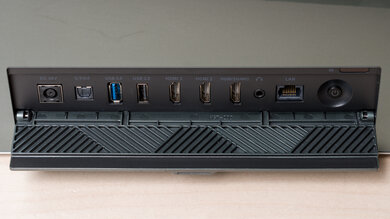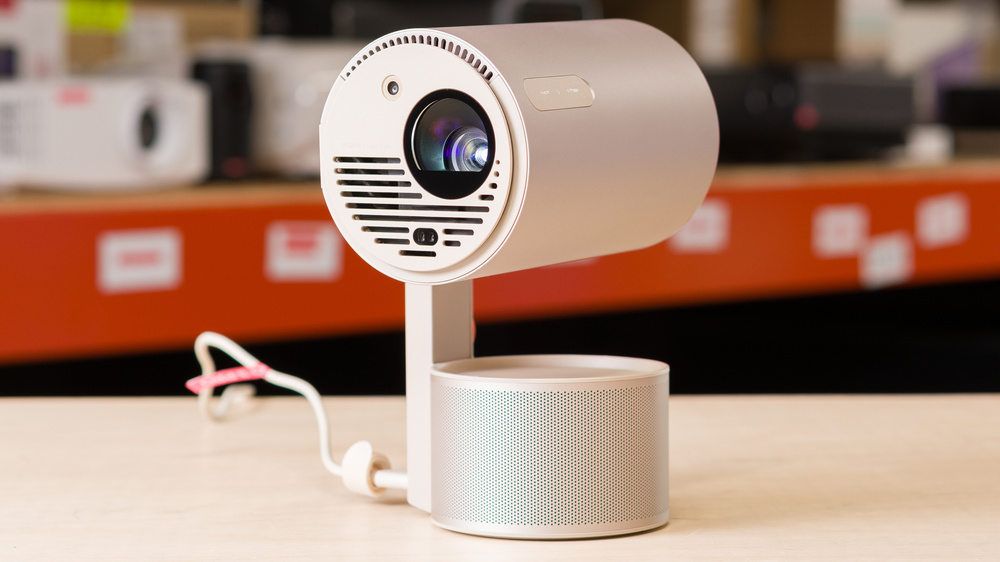
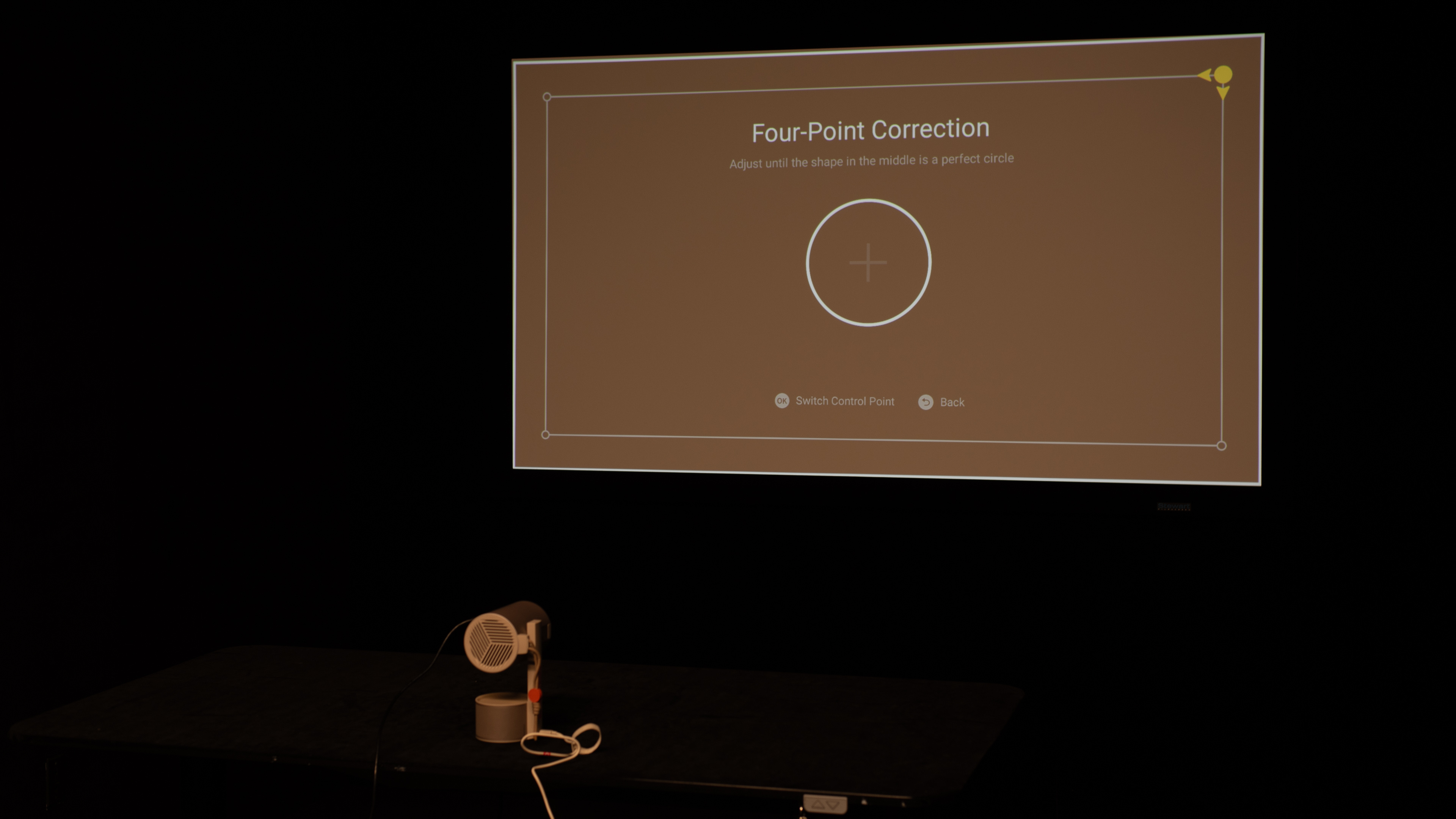
The XGIMI MoGo 3 Pro is a lightweight 1080p LED projector with HDR10 support. The setup is quick thanks to XGIMI's Intelligent Screen Adaptation (ISA) 2.0 suite, which includes automatic keystone correction, fast autofocus, Intelligent Obstacle Avoidance, and Intelligent Screen Alignment. The LED light source is rated for 25,000 hours. It projects between 40" and 200" with a fixed 1.2:1 throw ratio: roughly 3.5 ft at 40" up to 17.4 ft at 200". It runs Google TV with licensed Netflix and Chromecast built in, and includes Wi-Fi 5 and Bluetooth 5.1. Audio comes from dual 5W Harman/Kardon speakers, and the Micro-HDMI (ARC) port supports Dolby Digital and Dolby Digital Plus passthrough to compatible soundbars/AVRs. Note that HDR10 isn't available over the Micro-HDMI input.
Our Verdict
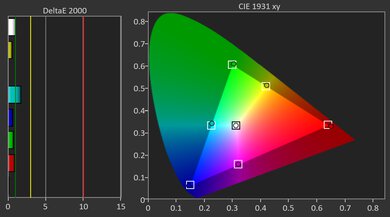
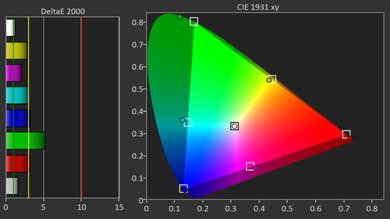
The XGIMI MoGo 3 Pro is an extremely portable unit, with plenty of features that let you easily carry it around, but it's disappointing as a home theater projector. It's very dim, so you can only truly use it in pitch-black rooms, but its contrast simply isn't good enough to impress in these conditions. Furthermore, the unit is very poorly calibrated right out of the box; anyone who cares about accuracy will have to spend some time calibrating it. While the projector's color gamut is decent, it's just not bright enough to project vibrant colors. It does have a ton of smart features, which work in its favor as a portable unit, but anyone looking for top-notch image quality is better off looking elsewhere.
Extremely portable, with a full set of smart features.
Very dim.
Poor contrast that fails to impress.
Very inaccurate right out of the box.
The XGIMI MoGo 3 Pro isn't a gaming-first projector. With its sub-par input lag, menus feel responsive enough for slower, single-player games and RPGs, but action titles and competitive shooters feel a beat behind. It also tops out at 60Hz and doesn't accept 120Hz signals, so motion never has that ultra-snappy look you get from true high-refresh rate projectors. As for image quality, it's not impressive; it's a dim projector, so it can't handle any lights, but its contrast isn't good enough to impress in dim rooms either. It's also not very accurate out of the box.
Extremely portable, with a full set of smart features.
Very dim.
Poor contrast that fails to impress.
Very inaccurate right out of the box.
Maxes out at 1080p @ 60Hz.
Sub-par input lag leads to sluggish responsiveness.
The XGIMI MoGo 3 Pro's brightness is poor. It's too dim to be used in anything other than a completely dark room. It does have fantastic brightness uniformity, with barely any vignetting.
Very dim.
The XGIMI MoGo 3 Pro's contrast is poor. It's truly terrible in dark scenes, with extremely raised blacks. While it does perform decently well in very bright scenes, the overall experience is still underwhelming.
Poor contrast that fails to impress.
Changelog
-
Updated Apr 21, 2026:
We mentioned the newly reviewed XGIMI Vibe One in the Contrast section of this review.
-
Updated Feb 06, 2026:
We've modified the text in our Brightness and Native Contrast text boxes as a result of our latest test bench. We've also added Brightness and Contrast performance usages in the Verdict section.
- Updated Feb 03, 2026: We've converted the review to Test Bench 0.11, which renames our Contrast test to Native Contrast, and adds a Sequential Contrast test box. We also added new Brightness and Contrast performance usages in Our Verdict. See the 0.11 changelog.
-
Updated Oct 27, 2025:
We've added Imaging, Optics, Noise, Supported Resolutions, HDR Format Support, 3D, Input Lag, and Audio Passthrough boxes as a result of our latest test bench. We've also added a Gaming usage in the Verdict section.
Check Price
Differences Between Sizes And Variants
The XGIMI MoGo line ranges from the entry-level 720p XGIMI MoGo 2 to the newer Google TV models, like this XGIMI MoGo 3 Pro, and the XGIMI MoGo 4. All use a 1.2:1 throw, LED light source (rated 25,000 hours), and support 40–200" images, but they differ in resolution, auto-setup features, speakers, I/O, OS, and battery. Here's how they stack up:
| Model | Resolution / Engine | Brightness (ISO) | HDR & Notes | OS / Casting | Speakers | Ports (HDMI / USB-C) | Wireless / Storage / Battery |
|---|---|---|---|---|---|---|---|
| MoGo 2 | 720p DLP / LED | 400 ISO lm | HDR10 | Android TV 11; Chromecast built-in | 2 × 8 W | Full-size HDMI 2.0; USB-C power | Wi-Fi 5; BT 5.0; 16GB; No battery |
| MoGo 2 Pro | 1080p DLP / LED | 400 ISO lm | HDR10 | Android TV 11; Chromecast built-in | 2 × 8 W | Full-size HDMI 2.0; USB-C power | Wi-Fi 5; BT 5.0; 16GB; No battery |
| MoGo 3 Pro | 1080p DLP / LED | 450 ISO lm | HDR10† | Google TV; Google Cast | 2 × 5 W Harman/Kardon | Micro-HDMI (ARC; HDMI 1.4)‡; USB-C power | Wi-Fi 5; BT 5.1; 16GB; No battery |
| MoGo 4 | 1080p DLP / LED | 450 ISO lm | HDR10† | Google TV; Google Cast | 2 × 6 W Harman/Kardon | Full-size HDMI (ARC; EDID 1.4/2.0 selectable); USB-C power | Wi-Fi 5; BT 5.1; 32GB; Built-in 71.28 Wh battery |
† On MoGo 3 Pro and MoGo 4, HDR10 isn't supported when an HDMI source is connected.
‡ MoGo 3 Pro's Micro-HDMI supports HDMI 1.4 only.
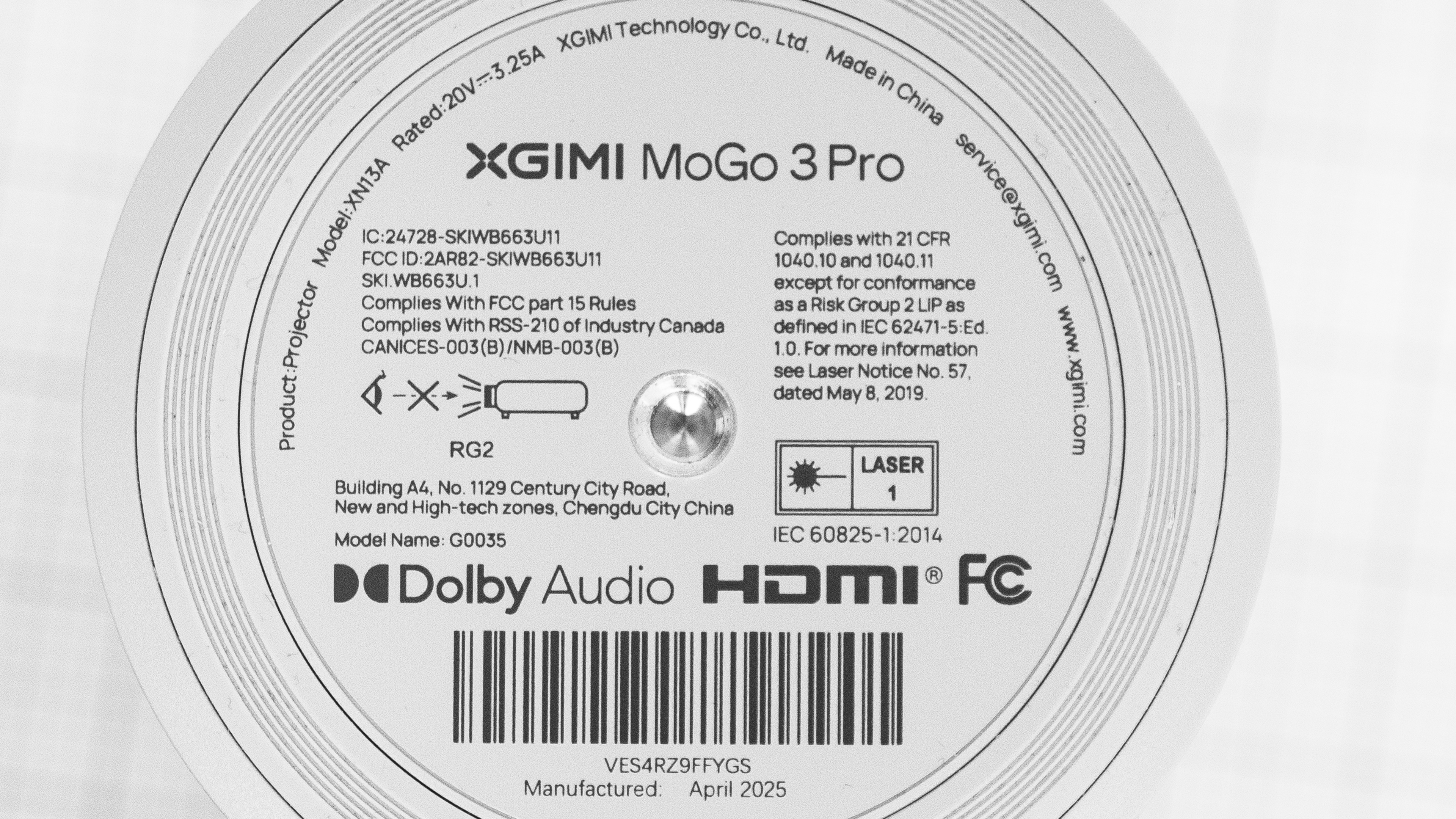
Our unit was manufactured in April 2025.
Popular Projector Comparisons
The XGIMI MoGo 3 Pro is a lightweight projector that's easy to carry. It has a full suite of image-correction features, a swiveling stand, and a ton of smart features. The only thing it really lacks is an integrated battery, which the XGIMI MoGo 4 has. Still, if you're looking for a unit with top-notch image quality, this isn't it; it's dim, has poor contrast, and is very inaccurate out of the box. Regarding image quality, it's outperformed by the older XGIMI MoGo 2 Pro, which is a bit brighter with better contrast. And if you're looking for something from another manufacturer, the Anker Nebula Capsule 3 Laser has much better contrast and is more accurate out of the box than the MoGo 3 Pro. For gaming, the MoGo 3 Pro isn't a strong pick: it tops out at 60Hz, and its subpar input lag feels okay for slower single-player titles but is too sluggish for fast action or competitive play, so serious gamers should look elsewhere.
Check out our recommendations for the best portable projectors, the best outdoor projectors, and the best home projectors. If you'd prefer to shop for another product in the same price range, look up the best projectors under $1,000 instead.
The XGIMI MoGo 4 is a little better than the XGIMI MoGo 3 Pro. The MoGo 4 is slightly brighter with marginally better contrast and color gamut, and it adds a built-in battery, a 360° stand, and full-size HDMI (the 3 Pro uses Micro-HDMI). Picture quality is otherwise very similar, and both limit HDR10 to internal apps/casting. For portability, the MoGo 4 is the nicer all-around choice.
The XGIMI MoGo 2 Pro is a bit better than its successor. While the XGIMI MoGo 3 Pro is a bit more accurate out of the box, the MoGo 2 Pro is a bit brighter, has better contrast, and has a wider color gamut. It also accepts HDR10 signals through its HDMI port, while the MoGo 3 Pro doesn't; it only plays HDR10 content through its internal apps or through casting. Still, the MoGo 3 Pro is more versatile due to its fully swiveling stand.
The Anker Nebula Capsule 3 and XGIMI MoGo 3 Pro are closely matched. The XGIMI is more accurate out of the box, even if it's still generally inaccurate, and it's also brighter than the Anker. In turn, the Anker offers better contrast and an integrated battery, making it easier to carry. The biggest difference between the two is for gamers: the XGIMI is the far better option for gaming due to its lower input lag.
The XGIMI MoGo 4 Laser is better than the XGIMI MoGo 3 Pro. The MoGo 4 Laser is brighter, has better contrast, and has a wider color gamut, delivering better image quality in any lighting conditions. If you're gaming, neither one is good, but the MoGo 3 Pro is more responsive, giving it the edge.

We've independently bought and tested over 80 projectors and published detailed results for each, so you can decide which one to buy. These have all been tested under the same standardized methodology, allowing you to compare them side by side. We still have all these projects in our lab, so we can continually go back and compare them to ensure our reviews are still accurate. All our test methodologies are also public on our website, so you can validate the results yourself.
Throw Calculator
Global Controls
Test Results
for pictures & test results

for pictures & test results











for pictures & test results