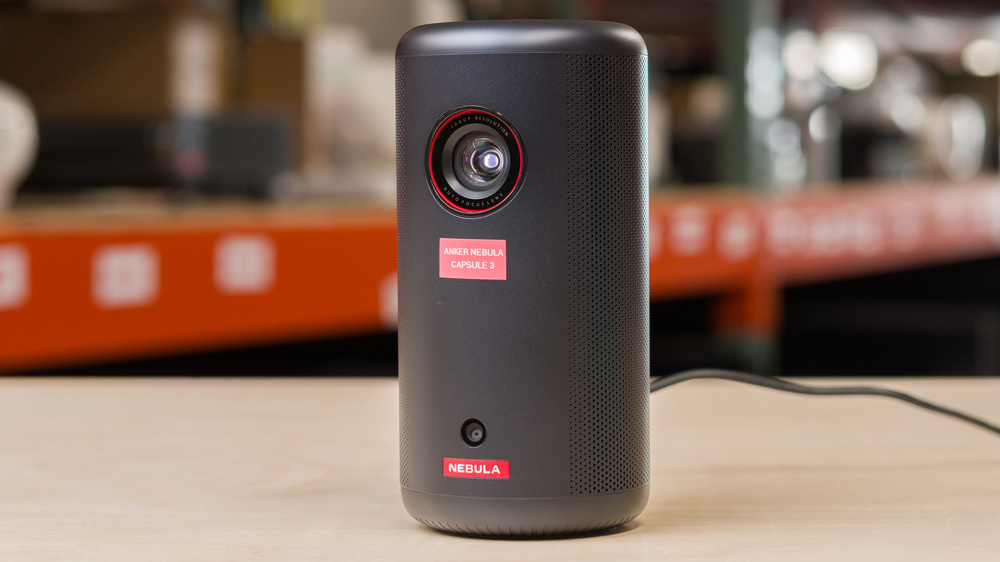
The Anker Nebula Capsule 3 is a compact, battery-powered 1080p LED projector built around Google TV, with built-in Chromecast support for casting and access to streaming apps (including Netflix). It uses Anker's automatic setup tools, such as autofocus and auto keystone correction, projects a 16:9 image with a fixed 1.2:1 throw ratio, and is designed for easy, quick placement in small rooms or on the go. For audio, it includes an integrated 8W speaker and can also run in Bluetooth speaker mode; it supports Wi-Fi and Bluetooth 5.1. Connectivity is straightforward: one HDMI input, one USB-A port for media, USB-C for charging, and a 3.5 mm AUX jack for external audio. Anker rates the internal battery at about 2.5 hours of video playback (or longer when used as a Bluetooth speaker).
Our Verdict
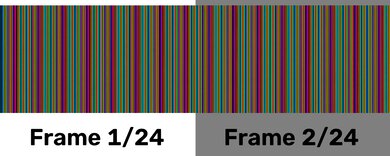
The Anker Capsule 3 is poor for home theater setups. Its biggest weakness is its low contrast, so blacks lack depth, and with low brightness, content doesn't look punchy. It has limited color volume, and with its poor out-of-the-box accuracy, it doesn't produce lifelike images. Plus, it can't remove judder from any source, resulting in jittery motion. It also has noticeable rainbow effect (RBE) when your eyes move around the image, which is problematic if you're sensitive to that. It at least has a quiet fan, so it won't be distracting when you're watching movies.
Quiet fan.
Low black levels, so content looks washed out.
Very dim image and doesn't fight ambient lighting well.
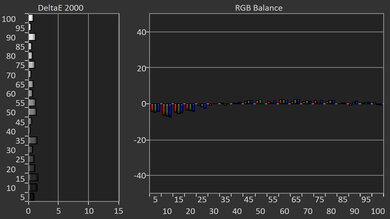
Inaccurate out of the box.
Noticeable RBE.
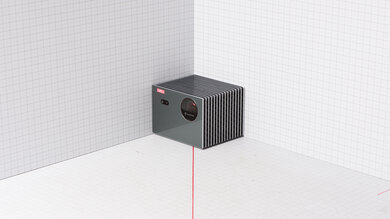
The Anker Capsule 3 is bad for outdoor setups. It doesn't get bright, so visibility is an issue in well-lit spaces, and you need to use it in the dark to properly see the screen. It's at least easy to carry outside thanks to its compact size, and it can run on battery for nearly 100 minutes, which is enough for an episode or two of your favorite show. It also has a few features to help you quickly set it up, like auto keystone, focus, obstacle avoidance, and screen-fit adjustments. However, without optical zoom or lens shift, the image will look a bit fuzzy if you don't have it centered with a screen or a wall.
Lightweight and compact design.
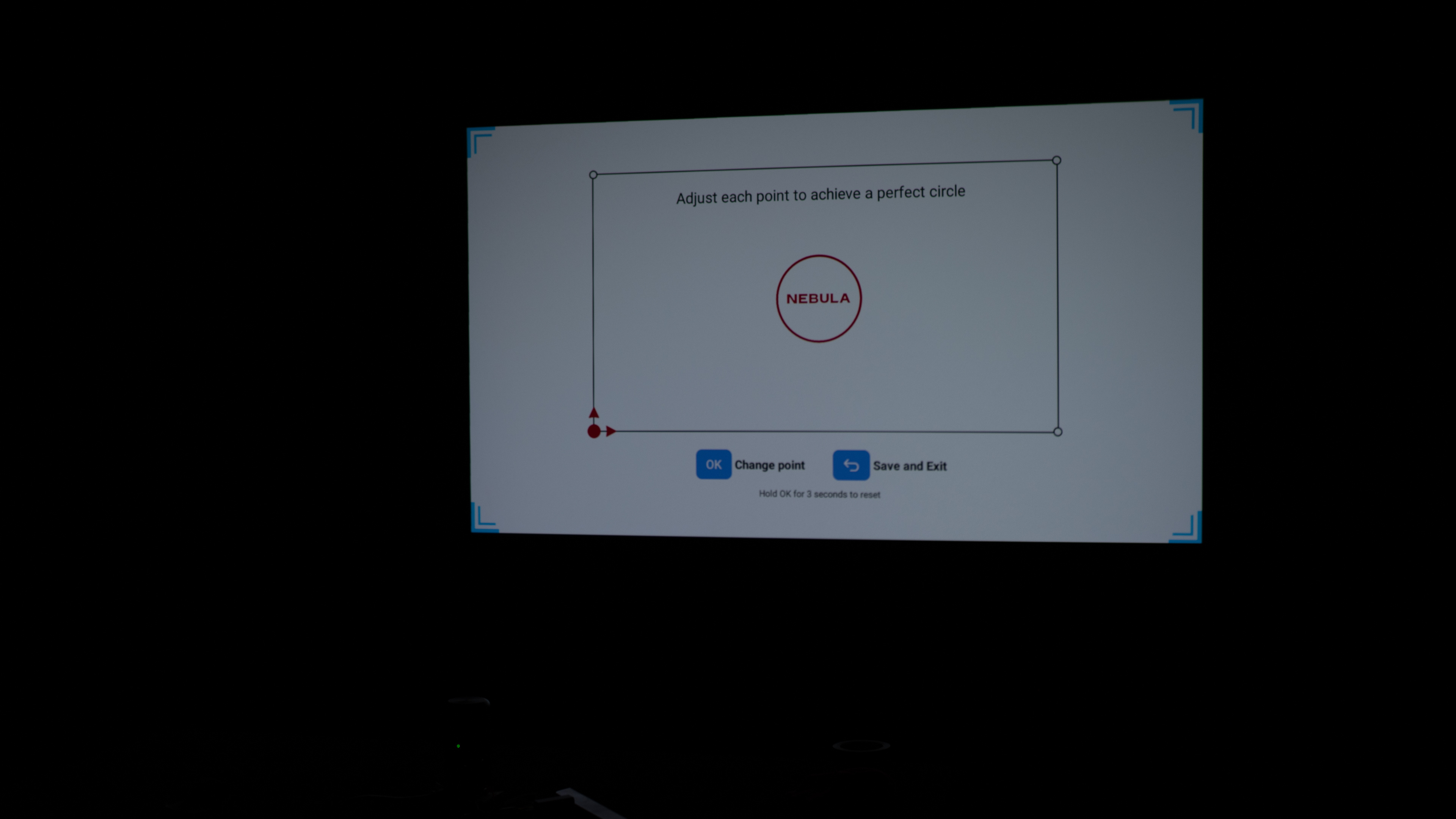
Includes auto keystone, screen fit, and focus adjustments.
Battery lasts nearly 100 minutes.
Low black levels, so content looks washed out.
Very dim image and doesn't fight ambient lighting well.
No lens shift or optical zoom to clean up image.
The Anker Capsule 3 is good for bedroom setups. Its compact, lightweight design makes it easy to bring to the bedroom for a movie night. Its built-in battery lasts nearly 100 minutes, which is enough for a short movie or some episodes of a show. It includes settings to help you quickly set it up, including auto keystone, screen fit, and obstacle avoidance settings. However, the image lacks sharpness if you place it off-center on the wall or screen, since it doesn't have optical zoom or lens shift. It at least has a quiet fan, so it won't distract you if you're trying to relax with a quiet movie.
Lightweight and compact design.
Includes auto keystone, screen fit, and focus adjustments.
Battery lasts nearly 100 minutes.
Quiet fan.
No lens shift or optical zoom to clean up image.
The Anker Capsule 3 is bad for gaming. It feels noticeably sluggish to use because of its high input lag, so gaming isn't responsive at all. It's also limited to a 60Hz refresh rate, but its DLP imaging technology results in minimal motion blur. Sadly, its image quality doesn't help the case as it's dim and inaccurate out of the box, and dark scenes look flat, so you're not getting the kind of clarity or punch that makes games look their best, especially if you aren't in a fully dark room.
DLP technology has minimal motion blur.
Low black levels, so content looks washed out.
Input lag is too high for almost any game.
Very dim image and doesn't fight ambient lighting well.
Limited to 60Hz refresh rate.
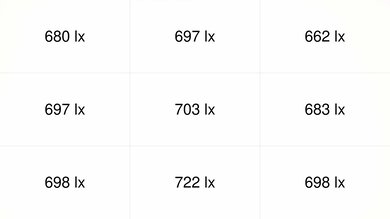
The Anker Capsule 3 has awful brightness. It's extremely dim, so the screen is hard to see properly unless you're in a dark room.
Very dim image and doesn't fight ambient lighting well.
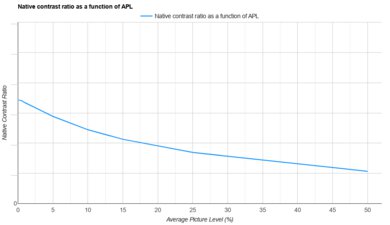
The Anker Capsule 3 has bad contrast. It has low black levels across all content types, so images lack depth.
Low black levels, so content looks washed out.
The Anker Capsule 3 has excellent portability. Its lightweight, compact design makes it easy to carry, and its built-in battery is useful when you don't have an outlet nearby. It includes settings to quickly set it up, like auto keystone, screen fit, and obstacle avoidance, to ensure it's displayed properly on a screen or wall. However, it lacks optical zoom to adjust the size without moving the unit and lens shift to clean up the image if you don't have it centered.
Lightweight and compact design.
Includes auto keystone, screen fit, and focus adjustments.
Battery lasts nearly 100 minutes.
No lens shift or optical zoom to clean up image.
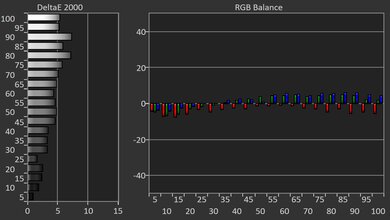
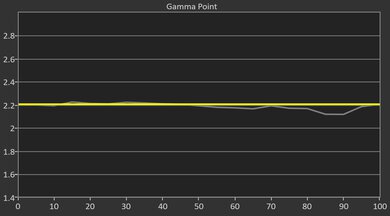
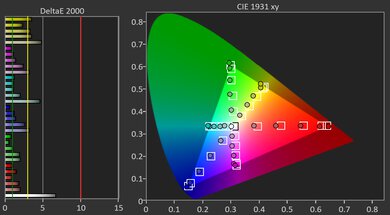
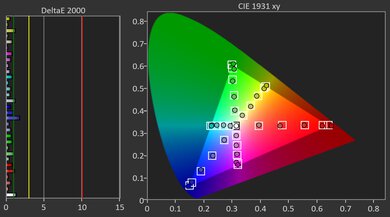
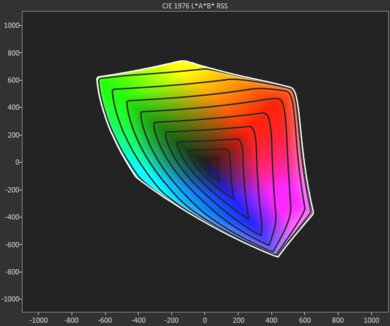
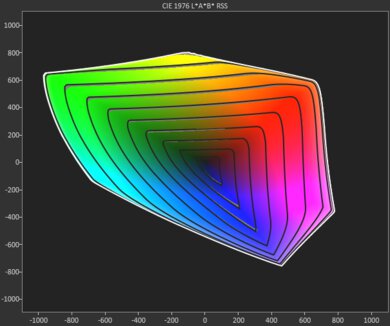
The Anker Capsule 3 has poor colors. It's inaccurate out of the box, and even calibrating doesn't fix all inaccuracies. It also has limited color volume, so content isn't very vivid and lacks punch.
Inaccurate out of the box.
Limited color volume.
The Anker Capsule 3 has bad gaming responsiveness. It's limited to a 60Hz refresh rate and has very high input lag, so gaming feels unresponsive. It at least has minimal motion blur due to its DLP imaging technology.
DLP technology has minimal motion blur.
Input lag is too high for almost any game.
Limited to 60Hz refresh rate.
Performance Usages
Changelog
- Updated Oct 07, 2026: We've converted the review to Test Bench 1.0, which replaces our Color Gamut test with Color Volume and adds a new Rainbow Effect test box. We also updated Effective Contrast (formerly Native Contrast) to account for projector brightness and reworked Judder scoring. The new bench also adds Outdoors and Bedroom usages, plus Portability, Color, and Gaming Responsiveness Performance Usages; Movies is now Home Theater, and all existing usage scores have been updated. See the 1.0 changelog.
-
Updated May 11, 2026:
We've added text to some test boxes as a result of our latest test bench. We've also updated the Inputs & Connectivity box to include Bluetooth support checks.
- Updated May 11, 2026: We've converted the review to Test Bench 0.12, which adds new Judder, Screen Adaptation, Battery, Maximum Volume, Size, Mobility Features, and Physical Setup Features test boxes. We also updated Inputs & Connectivity to verify Bluetooth support with wireless speakers or headphones. See the 0.12 changelog.
-
Updated Jan 26, 2026:
We've modified the text in our Brightness and Native Contrast text boxes as a result of our latest test bench. We've also added Brightness and Contrast performance usages in the Verdict section.
Check Price
Differences Between Sizes And Variants
We bought and tested the Anker Nebula Capsule 3 projector. The Capsule lineup includes a few similarly named models, but the main difference is the light source: the Anker Nebula Capsule 3 Laser uses a laser light engine, while the regular Capsule 3 uses an LED light source. Older models like the Capsule Max and Capsule II also use LED light sources and have a lower 720p resolution, whereas both Capsule 3 models are 1080p.
| Model | Light Source | Resolution |
|---|---|---|
| Capsule 3 Laser | Laser | 1080p |
| Capsule 3 | LED | 1080p |
| Capsule Max | LED | 720p |
| Capsule II | LED | 720p |
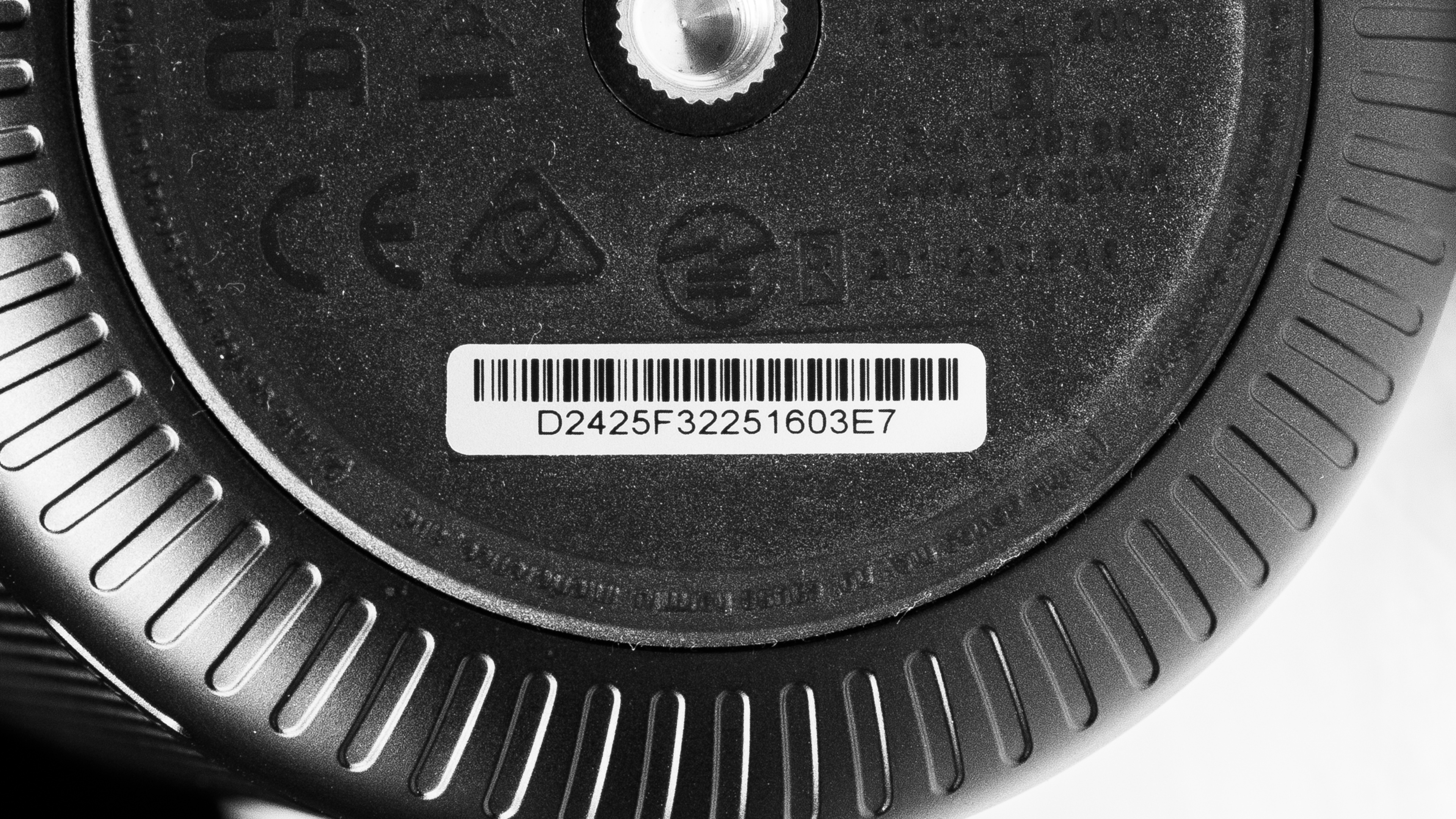
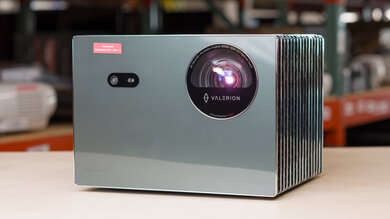
Look at our unit's label.
Popular Projector Comparisons
The Anker Capsule 3 is an ultra-portable 1080p LED projector built around a small "soda-can" design with a built-in battery, autofocus/auto-keystone, and a smart interface for easy, anywhere viewing. Its main strength is convenience, not picture quality: it's very dim for a projector, its out-of-the-box accuracy is poor, and its gaming performance is extremely limited due to high input lag. If you're comparing it to alternatives, the XGIMI MoGo 4 offers a brighter image, better accuracy, and a more responsive feel, while the Capsule 3 tends to deliver noticeably better contrast when watching in a pitch-black room. The Samsung The Freestyle 2nd Gen is also brighter and much more accurate out of the box, but the Anker's built-in battery makes it easier to use truly anywhere without extra accessories. If you're considering the Anker Nebula Capsule 3 Laser, the Laser model is the clear upgrade overall since it's brighter, more accurate, and more gaming-friendly, whereas the regular Capsule 3 is mainly for saving money if portability is the priority.
Check out our recommendations for the best portable projectors and the best outdoor projectors. If you'd prefer to shop for another product in the same price range, look up the best projectors under $1,000 instead.
The Anker Nebula Capsule 3 and XGIMI MoGo 4 are very closely matched. The XGIMI is brighter, is more accurate out of the box, and has lower input lag for gamers. In turn, the Anker has noticeably better contrast. If you know you'll be using the product just in pitch-black rooms, the Anker is a bit better, but the XGIMI has the edge in slightly brighter rooms.
The XGIMI MoGo 2 Pro is a bit better than the Anker Nebula Capsule 3 because it's brighter. Still, the Anker has an integrated battery, so it's a bit easier to carry around than the XGIMI.
The Samsung The Freestyle 2nd Gen is a bit better than the Anker Nebula Capsule 3, mainly due to being slightly brighter, and also much more accurate out of the box. Still, the Anker has some advantages, mainly in its inclusion of a battery, which makes it a bit more portable than the equally small Samsung.
The Anker Nebula Capsule 3 and XGIMI MoGo 3 Pro are closely matched. The XGIMI is more accurate out of the box, even if it's still generally inaccurate, and it's also brighter than the Anker. In turn, the Anker offers better contrast and an integrated battery, making it easier to carry. The biggest difference between the two is for gamers: the XGIMI is the far better option for gaming due to its lower input lag.
We've independently bought and tested over 100 projectors and published detailed results for each, so you can decide which one to buy. These have all been tested under the same standardized methodology, allowing you to compare them side by side. We still have all these projectors in our lab, so we can continually go back and compare them to ensure our reviews are still accurate. All our test methodologies are also public on our website, so you can validate the results yourself.
Throw Calculator
Global Controls
Test Results
for pictures & test results
for pictures & test results



for pictures & test results