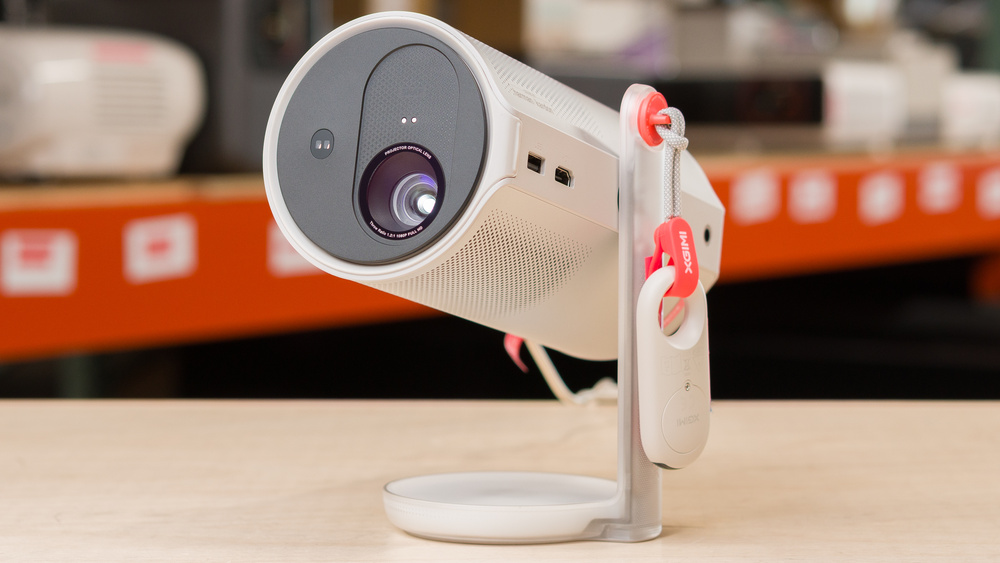
The XGIMI MoGo 4 is a lightweight 1080p LED projector with HDR10 support, although HDR over HDMI isn't supported. It uses XGIMI's Intelligent Screen Adaptation (ISA) with auto keystone and autofocus for quick setup. The light source is rated for 25,000 hours, and it projects a 40-inch image at around 3.5 ft, and up to a 200-inch image at around 17.4 ft. It runs Google TV with licensed Netflix and Chromecast built in, includes Wi-Fi 5 and Bluetooth 5.1, and has dual 6W Harman/Kardon speakers. For I/O, there's a full-size HDMI (ARC) and USB-A, plus USB-C with Power Delivery charging; you can toggle the HDMI EDID between 1.4 and 2.0 for compatibility. The MoGo 4 also adds a built-in 71.28 Wh battery rated up to 2.5 hours of video in Eco mode.
Our Verdict
The XGIMI MoGo 4 isn't a convincing home theater projector. Its battery, Google TV platform, and two 6W speakers make it convenient for an impromptu movie, but it needs a completely dark room and a small image size. Even then, its consistently poor contrast leaves movies looking flat, while its dim output keeps colors from looking especially vibrant. Its inaccurate default picture benefits from calibration, and slow camera pans look uneven because it can't remove judder from any source.
Relatively quiet fan.
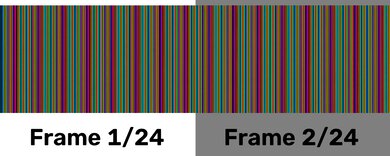
Rainbow flashes may distract sensitive viewers.
Poor contrast in every type of scene.
Cool, inaccurate out-of-the-box color and limited color volume.
Can't remove judder from any content regardless of the source.
Although the XGIMI MoGo 4 is easy to bring outside, it's a poor choice for outdoor viewing because it's so dim; you need an absolutely pitch-black night with barely any lights around to see the image properly. However, its compact, battery-powered design, automatic image correction, and tilting stand make setup quick, although a handle would have made it easier to grab and take outside.
Compact, lightweight battery-powered design with built-in lens protection.
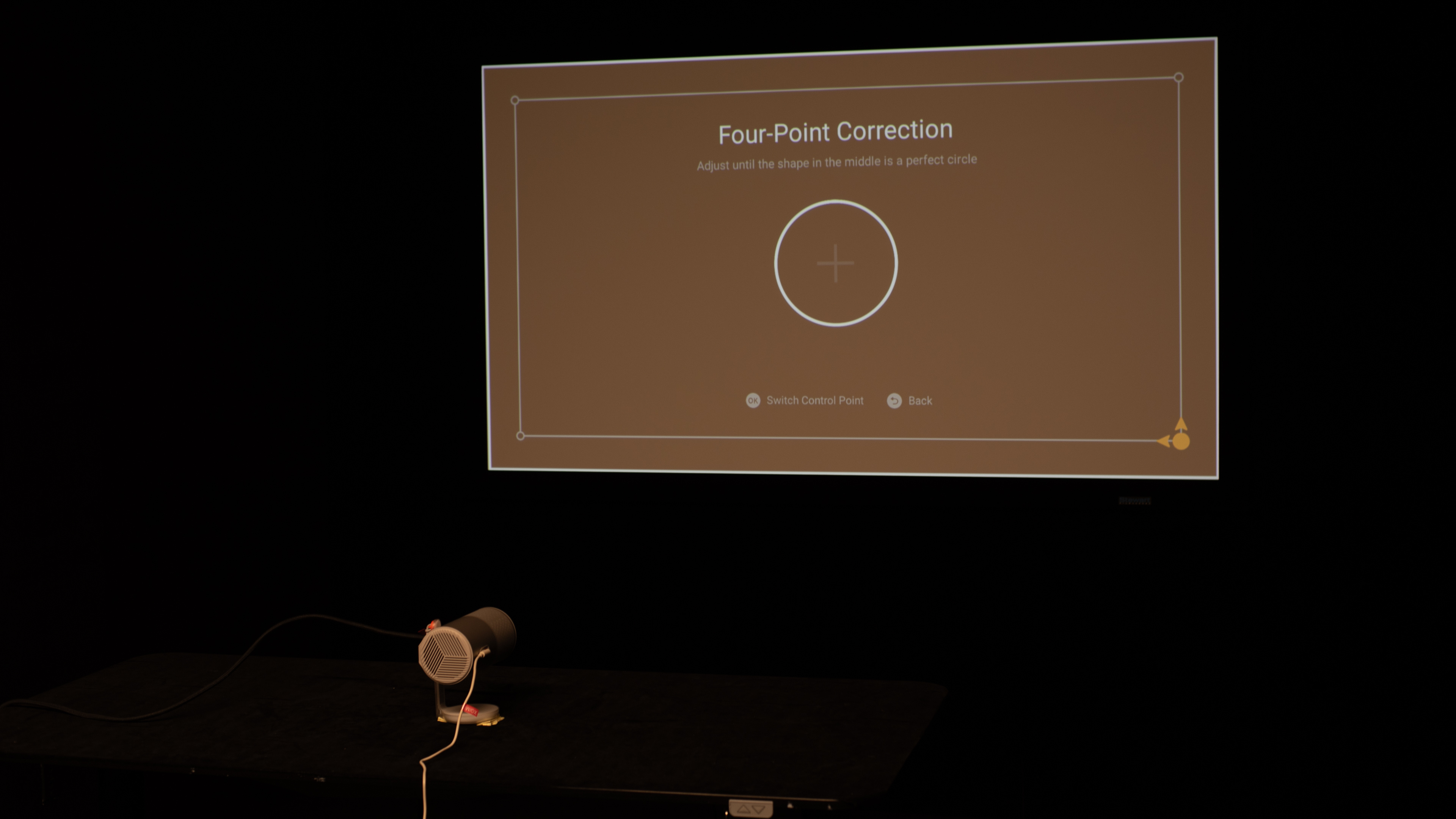
Automatic focus and keystone correction simplify setup.
Built-in gimbal supports easy wall or ceiling projection.
Google TV with Netflix and two 6W Harman/Kardon speakers.
A handle would have made it even easier to carry around.
Moving or resizing the image requires physically moving the unit.
Very dim image requires a fully dark space.
The XGIMI MoGo 4 is a good choice for a bedroom. It's small enough to store easily and can quickly point to a wall or ceiling using its gimbal and automatic setup features. Google TV and the two 6W speakers also make it self-contained for casual viewing. Unfortunately, it doesn't have zoom or lens shift, so you need to physically move the unit to shift the image side-to-side or up and down, or to make it bigger or smaller.
Automatic focus and keystone correction simplify setup.
Built-in gimbal supports easy wall or ceiling projection.
Google TV with Netflix and two 6W Harman/Kardon speakers.
Relatively quiet fan.
Moving or resizing the image requires physically moving the unit.
Very dim image requires a fully dark space.
The XGIMI MoGo 4 is a poor choice for gaming. In a pinch, it works for slower casual gaming, but it really isn't a gaming-focused projector. It's limited to 1080p signals up to 60Hz and doesn't support 120Hz, so you won't get high-refresh-rate gameplay. Input lag is relatively high; suitable for slow games, but not for fast-paced ones. It also doesn't project a particularly attractive image, as it's not very bright, and its contrast isn't strong enough to impress. It's also not very accurate out of the box.
Has no motion blur.
Limited to 1080p @ 60Hz.
High input lag at all resolutions.
Very dim image requires a fully dark space.
Poor contrast in every type of scene.
Cool, inaccurate out-of-the-box color and limited color volume.
The XGIMI MoGo 4's brightness is poor for real-world use. It's fine for a small screen in a completely dark room, but it quickly looks washed out when you turn on even a few lights or use it outdoors at dusk. Colors don't really pop because the image never gets very bright, even in its punchier presets.
Very dim image requires a fully dark space.
Contrast performance on the XGIMI MoGo 4 is weak. Blacks are elevated whether a scene is mostly dark, mixed, or bright, so the image looks flat throughout. Dark movies suffer the most because shadows and letterbox bars never look truly black, but brighter material does not look especially punchy either.
Poor contrast in every type of scene.
Portability is one of the XGIMI MoGo 4's real strengths. Its compact 3.3-pound body, built-in battery, and lens protection make it easy to take from room to room or pack for a trip. It lacks a handle and an included case, and it also doesn't have lens shift or a zoom, but its small size and rotating stand mean those omissions are less consequential than they would be on a larger projector.
Compact, lightweight battery-powered design with built-in lens protection.
Automatic focus and keystone correction simplify setup.
Built-in gimbal supports easy wall or ceiling projection.
Google TV with Netflix and two 6W Harman/Kardon speakers.
A handle would have made it even easier to carry around.
Moving or resizing the image requires physically moving the unit.
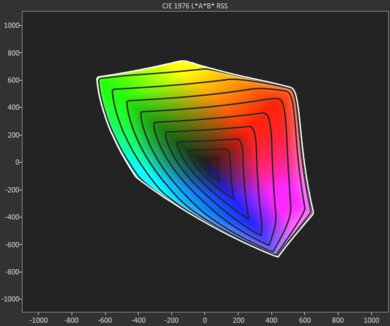
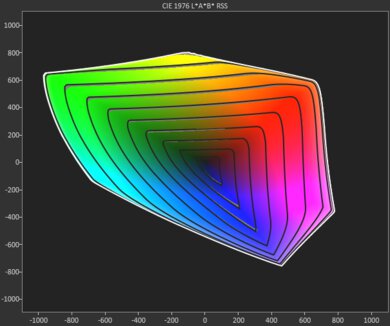
The XGIMI MoGo 4's color performance is disappointing. The image has a noticeable cool tint, and its inaccurate colors make natural scenery look off. It also cannot keep saturated colors rich at every brightness level, and it doesn't even look especially vibrant in mid-tone colors, which is where it performs the best.
Cool, inaccurate out-of-the-box color and limited color volume.
The XGIMI MoGo 4's gaming responsiveness is sub-par. It only supports up to 1080p at 60Hz, and its high input lag makes reaction-heavy titles feel delayed. Motion itself stays fairly clear thanks to the DLP imaging, but slower, casual games are a much better fit for this unit.
Has no motion blur.
Limited to 1080p @ 60Hz.
High input lag at all resolutions.
Performance Usages
Changelog
- Updated Jul 28, 2026: We've converted the review to Test Bench 1.0, which replaces our Color Gamut test with Color Volume and adds a new Rainbow Effect test box. We also updated Effective Contrast (formerly Native Contrast) to account for projector brightness and reworked Judder scoring. The new bench also adds Outdoors and Bedroom usages, plus Portability, Color, and Gaming Responsiveness Performance Usages; Movies is now Home Theater, and all existing usage scores have been updated. See the 1.0 changelog.
-
Updated Jul 08, 2026:
We originally measured the projector's depth in its projecting position rather than its upright portable position. We've updated our Size measurements accordingly.
-
Updated May 11, 2026:
We've added text to some test boxes as a result of our latest test bench. We've also updated Inputs & Connectivity to include Bluetooth support checks.
- Updated May 11, 2026: We've converted the review to Test Bench 0.12, which adds new Judder, Screen Adaptation, Battery, Maximum Volume, Size, Mobility Features, and Physical Setup Features test boxes. We also updated Inputs & Connectivity to verify Bluetooth support with wireless speakers or headphones. See the 0.12 changelog.
Check Price
Differences Between Sizes And Variants
The MoGo series spans four closely related models: the XGIMI MoGo 2, XGIMI MoGo 2 Pro, XGIMI MoGo 3 Pro, and the XGIMI MoGo 4. They all use a portable LED design with a fixed 1.2:1 throw and a long-life light source, but they differ in resolution, auto-setup features, operating system, I/O, and portability. The MoGo 4 keeps the 1080p LED engine of the MoGo 3 Pro but focuses on convenience with a built-in battery, full-size HDMI with ARC, more onboard storage, and slightly stronger speakers. The MoGo 2 Pro is the 1080p Android TV step-up from the 720p MoGo 2, while the MoGo 3 Pro transitions to Google TV without the battery. The table below outlines the key differences at a glance.
| Model | Resolution / Engine | Brightness (ISO) | HDR & Notes | OS / Casting | Speakers | Ports (HDMI / USB-C) | Wireless / Storage / Battery |
|---|---|---|---|---|---|---|---|
| MoGo 2 | 720p DLP / LED | 400 ISO lm | HDR10 | Android TV 11; Chromecast built-in | 2 × 8 W | Full-size HDMI 2.0; USB-C power | Wi-Fi 5; BT 5.0; 16 GB; No battery |
| MoGo 2 Pro | 1080p DLP / LED | 400 ISO lm | HDR10 | Android TV 11; Chromecast built-in | 2 × 8 W | Full-size HDMI 2.0; USB-C power | Wi-Fi 5; BT 5.0; 16 GB; No battery |
| MoGo 3 Pro | 1080p DLP / LED | 450 ISO lm | HDR10† | Google TV; Google Cast | 2 × 5 W Harman/Kardon | Micro-HDMI (ARC; HDMI 1.4)‡; USB-C power | Wi-Fi 5; BT 5.1; 16 GB; No battery |
| MoGo 4 | 1080p DLP / LED | 450 ISO lm | HDR10† | Google TV; Google Cast | 2 × 6 W Harman/Kardon | Full-size HDMI (ARC; EDID 1.4/2.0 selectable); USB-C power | Wi-Fi 5; BT 5.1; 32 GB; Built-in 71.28 Wh battery |
† On MoGo 3 Pro and MoGo 4, HDR10 isn't supported when an HDMI source is connected.
‡ MoGo 3 Pro's Micro-HDMI supports HDMI 1.4 only.
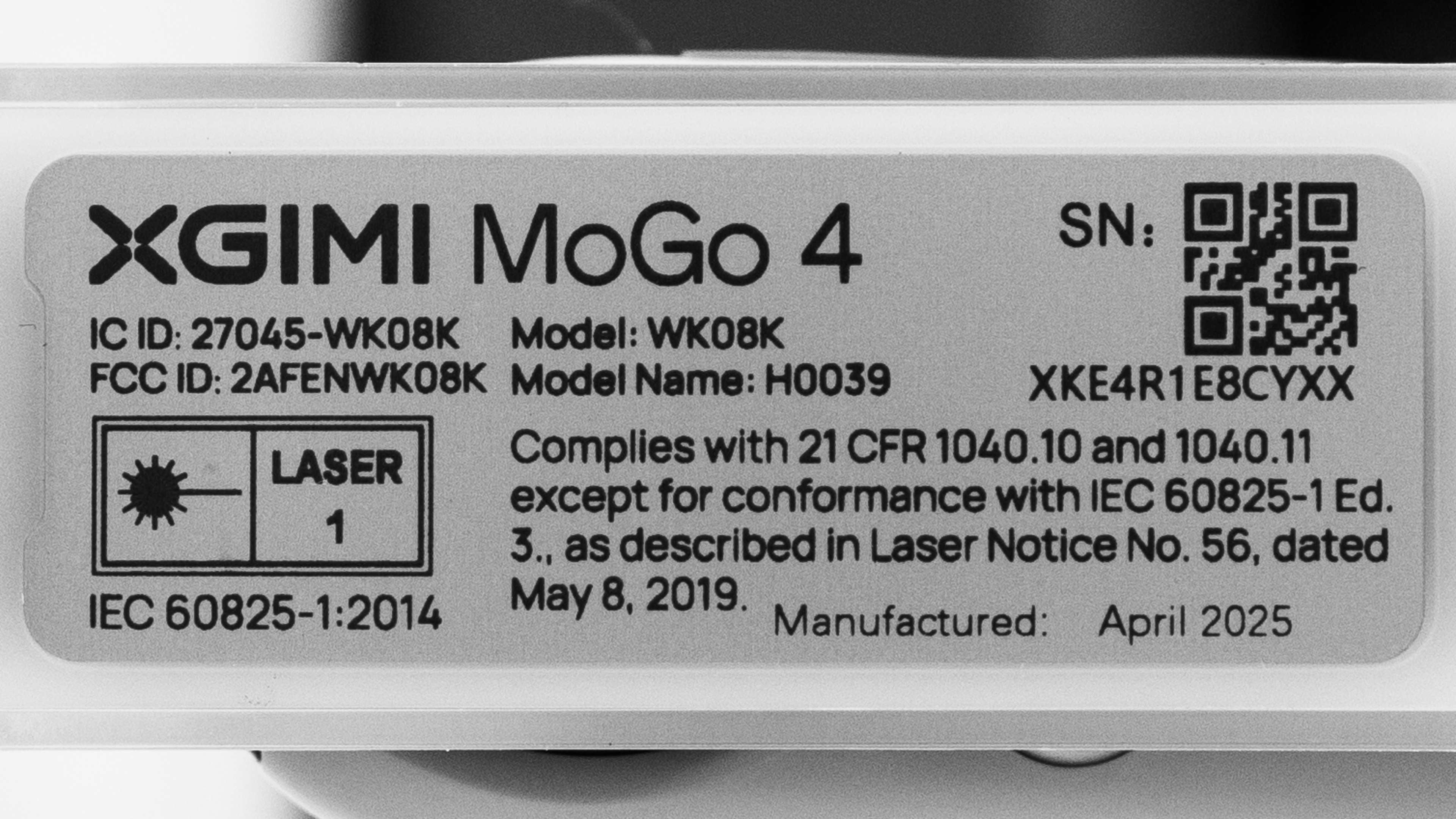
Our unit was manufactured in April 2025.
Popular Projector Comparisons
The XGIMI MoGo 4 is a lightweight projector that's easy to carry. It has a built-in battery, a 360° swiveling stand, and plenty of smart features with Google TV and Chromecast. Still, if you care about image quality, this isn't the best option: it's dim, has weak contrast, and is inaccurate out of the box. Gaming performance is also basic, as it's limited to 1080p 60Hz with no 120Hz support, and you need Game Mode for acceptable latency. For picture quality, the older XGIMI MoGo 2 Pro is a better overall choice, offering similar brightness but improved contrast and a slightly wider color gamut. If you're open to another brand, the Anker Nebula Capsule 3 Laser offers better contrast and more accurate out-of-the-box color than the MoGo 4; if gaming matters, a short-throw model like the BenQ X500i (1080p 120Hz) or a budget 4k XPR DLP like the ViewSonic PX701-4K (1080p 240Hz) will feel much more responsive.
Check out our recommendations for the best portable projectors, the best outdoor projectors, and the overall best projectors. If you'd prefer to shop for another product in the same price range, look up the best projectors under $1,000 instead.
The XGIMI MoGo 4 Laser is a clear improvement over the XGIMI MoGo 4 in almost every way: it's brighter, is more accurate, has better contrast, and has a wider color gamut. The only time where the base MoGo 4 has the edge is when gaming, as its input lag is noticeably quicker than the MoGo 4 Laser's.
The XGIMI MoGo 4 is a little better than the XGIMI MoGo 3 Pro. The MoGo 4 is slightly brighter with marginally better contrast and color gamut, and it adds a built-in battery, a 360° stand, and full-size HDMI (the 3 Pro uses Micro-HDMI). Picture quality is otherwise very similar, and both limit HDR10 to internal apps/casting. For portability, the MoGo 4 is the nicer all-around choice.
The XGIMI MoGo 4 and the XGIMI Vibe One are two portable projectors that trade blows. The MoGo 4 is brighter and has a wider color gamut, while the Vibe One has better contrast. That said, when it comes to gaming, both projectors top out at 1080p @ 60Hz and have high input lag, so they're better suited for slower games that aren't reaction-based.
The Anker Nebula Capsule 3 and XGIMI MoGo 4 are very closely matched. The XGIMI is brighter, is more accurate out of the box, and has lower input lag for gamers. In turn, the Anker has noticeably better contrast. If you know you'll be using the product just in pitch-black rooms, the Anker is a bit better, but the XGIMI has the edge in slightly brighter rooms.

We've independently bought and tested over 80 projectors and published detailed results for each, so you can decide which one to buy. These have all been tested under the same standardized methodology, allowing you to compare them side by side. We still have all these projects in our lab, so we can continually go back and compare them to ensure our reviews are still accurate. All our test methodologies are also public on our website, so you can validate the results yourself.
Throw Calculator
Global Controls
Test Results

for pictures & test results







for pictures & test results





for pictures & test results