The NexiGo PJ40 Gen 3 is an entry-level home projector with a 1080p native resolution, and it sits above the cheaper NexiGo PJ20 but slightly below the more fully featured NexiGo PJ30 Ultra. It has Android TV built in, Bluetooth 5.1, Wi-Fi, and full casting support. The projector also supports HDR10, has a low-latency gaming mode, and an adjustable fan speed. It has two HDMI ports, one of which has ARC support, alongside two USB ports, an AV-in port, and a headphone jack, so you can play media from a USB flash drive or plug in various devices via HDMI or 3.5mm AV input. This model projects a 50-inch image from a distance of 4.7 feet up to a massive 300-inch image from a distance of 30.2 feet, and it comes with an integrated 20W speaker system.
Our Verdict
The NexiGo PJ40 is unremarkable for home theater setups. Its biggest strength is its great contrast, as it displays deep blacks in dark rooms, but its limited brightness means that brighter content lacks as much depth. It doesn't have any rainbow effect either, which is great if you're sensitive to RBE. There are a few downsides, though: it doesn't remove judder from any source, making motion look jittery. Its fan is also loud, which can be distracting during quieter scenes. It also fails to make colors look vivid, resulting in an impactful viewing experience.
Great contrast for deep blacks.
No rainbow effect.
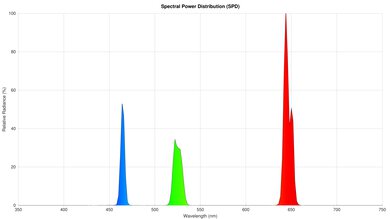
Limited color volume.
Can't remove judder from any source.
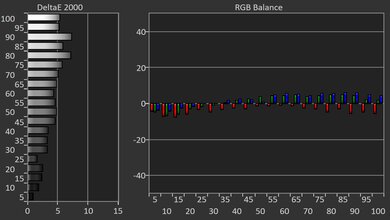
Very inaccurate out of the box; has blue tint.
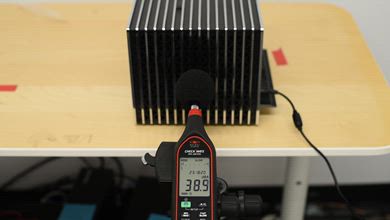
Loud fan.
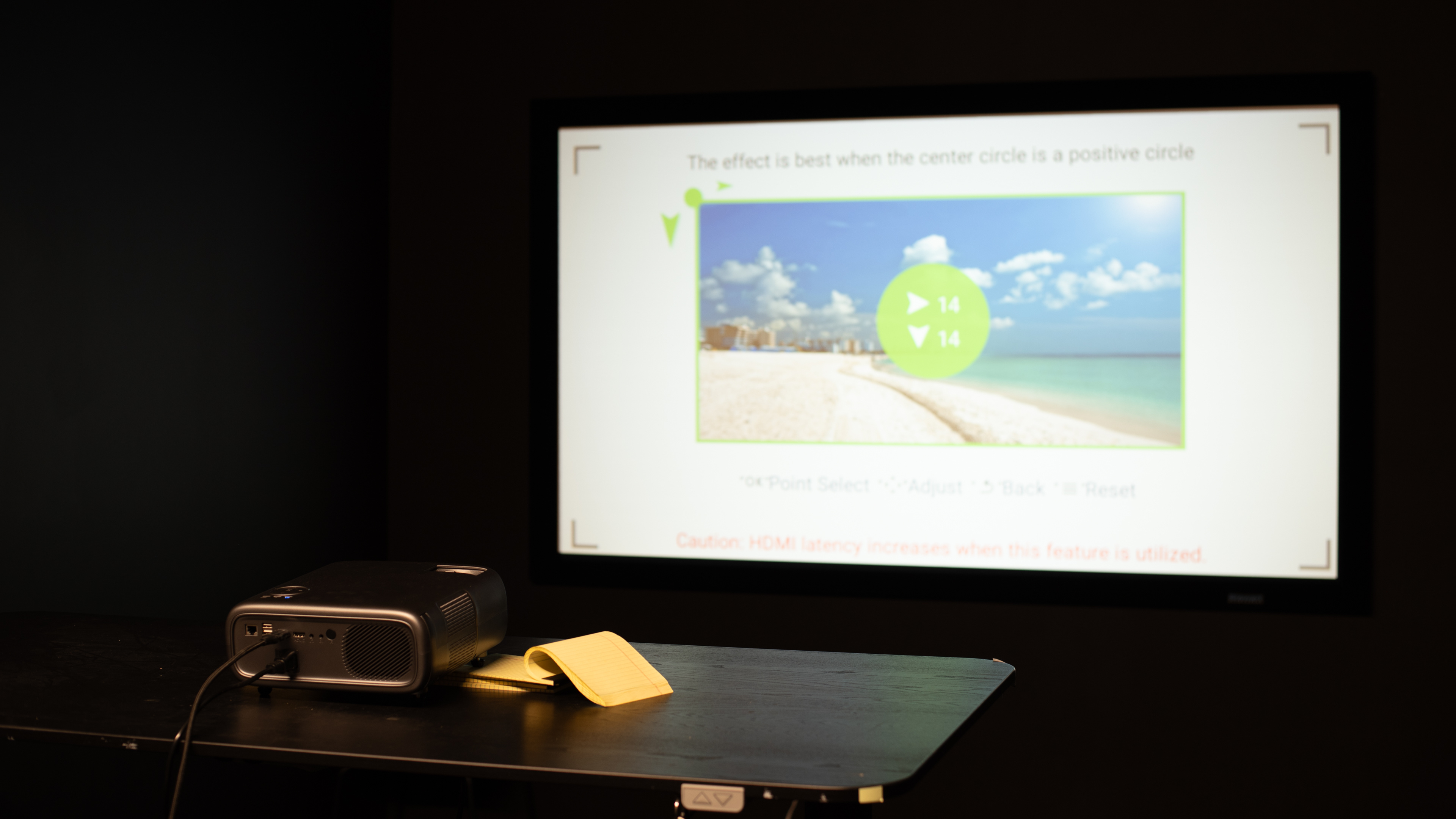
The NexiGo PJ40 is disappointing for outdoor setups. It doesn't get bright enough to fight glare from the sun or ambient light, so you'll have to use it in a dark space. It's also a somewhat larger projector that can be cumbersome to carry outside compared to portable projectors, but it's light. However, it lacks features like optical zoom and lens shift to clean up the image if the projector isn't centered with the screen. It also lacks a battery, so you'll need an outlet nearby. It does have keystone and focus adjustments to help you set it up, but it may take some time because it doesn't have auto screen fit or obstacle avoidance.
Includes keystone and focus adjustments.
Not very bright.
No optical zoom or lens shift.
Lacks a built-in battery.
Doesn't have a handle for easy transportation.
The NexiGo PJ40 is disappointing for use in bedrooms. It's on the larger size, so you need space on your nightstand or furniture to place it. It has some settings to help you set it up, like keystone and focus, but it lacks optical zoom and lens shift to clean up the image when the projector is off-center. It also has a loud fan, which could disturb others nearby, or you'll need to raise the volume to properly hear what you're watching.
Includes keystone and focus adjustments.
Loud fan.
No optical zoom or lens shift.
Lacks a built-in battery.
Doesn't have a handle for easy transportation.
The NexiGo PJ40 is poor for gaming. It's versatile due to downscaling 4k and 1440p inputs to 1080p, but its input lag is just not quick enough for playing reaction-based games, especially with 1080p signals. There's also no 120Hz support, so there's no way to make the unit more responsive, and it has noticeable motion blur. As for image quality, it does have great contrast, so it looks pretty good in dark and dim rooms. Avoid turning on any lights, though, as it's not bright enough to deal with them. It's also very inaccurate out of the box, as the image has a blue tint.
Great contrast for deep blacks.
Downscales 1440p and 4k signals.
Limited color volume.
Very inaccurate out of the box; has blue tint.
Limited to 60Hz with any resolution.
Input lag is high at all resolutions.
Has noticeable blur.
The NexiGo PJ40's brightness is inadequate. It doesn't get bright enough to fight ambient light in a moderately-lit room. It's best to use it in a dark or dim room.
Not very bright.
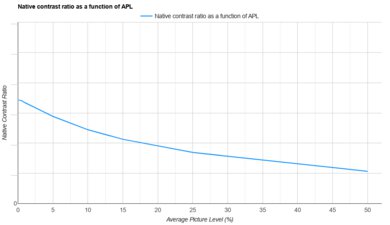
The NexiGo PJ40's contrast is great. It performs extremely well in dark scenes, with solid separation between dark and bright elements. It also performs well in brighter scenes, but it lacks depth due to its dimness.
Great contrast for deep blacks.
The NexiGo PJ40 has okay portability. While you can take it to another room, make sure to secure it with both hands, as it lacks a handle or case. You'll also need a nearby power outlet, as it doesn't have a battery. In terms of setup, it has keystone and focus settings to quickly adjust it, but the image isn't the sharpest when the projector is off-center because it doesn't have optical zoom or lens shift.
Includes keystone and focus adjustments.
No optical zoom or lens shift.
Lacks a built-in battery.
Doesn't have a handle for easy transportation.
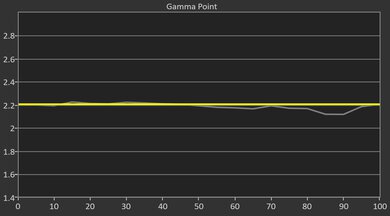
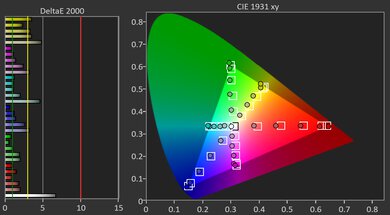
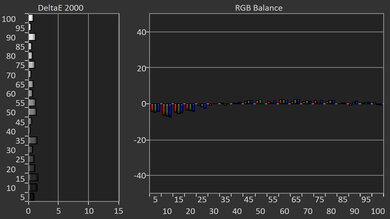
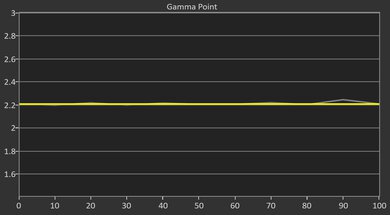
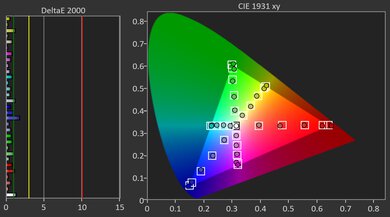
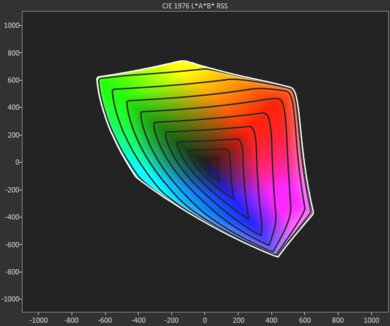
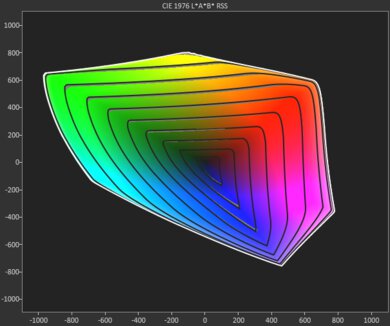
The NexiGo PJ40 has bad colors. It has limited color volume as it fails to properly display the brightest and darkest colors for a vivid viewing experience. It's also inaccurate out of the box, resulting in a blue tint. Calibrating it greatly improves accuracy, though.
Limited color volume.
Very inaccurate out of the box; has blue tint.
The NexiGo PJ40 has poor gaming responsiveness. Its input lag is too high for playing reaction-based games, especially at 1080p. It supports all common resolutions, but only at 60Hz, so it doesn't offer the smoothest feel. Unfortunately, LCD technology introduces motion blur with fast-moving objects.
Downscales 1440p and 4k signals.
Limited to 60Hz with any resolution.
Input lag is high at all resolutions.
Has noticeable blur.
Performance Usages
Changelog
- Updated Aug 18, 2026: We've converted the review to Test Bench 1.0, which replaces our Color Gamut test with Color Volume and adds a new Rainbow Effect test box. We also updated Effective Contrast (formerly Native Contrast) to account for projector brightness and reworked Judder scoring. The new bench also adds Outdoors and Bedroom usages, plus Portability, Color, and Gaming Responsiveness Performance Usages; Movies is now Home Theater, and all existing usage scores have been updated. See the 1.0 changelog.
-
Updated Jun 01, 2026:
We've added text to some test boxes as a result of our latest test bench.
-
Updated May 15, 2026:
We mention the newly reviewed Anker Nebula P1i in the Input Lag section of this review.
- Updated May 13, 2026: We've converted the review to Test Bench 0.12, which adds new Judder, Screen Adaptation, Battery, Maximum Volume, Size, Mobility Features, and Physical Setup Features test boxes. We also updated Inputs & Connectivity to verify Bluetooth support with wireless speakers or headphones. See the 0.12 changelog.
Check Price
Differences Between Sizes And Variants
The NexiGo PJ40 Gen 3 has two variants: the NexiGo PJ40 Pro and the NexiGo PJ40 Ultra. The Pro is similar to the Gen 3, but is brighter. Stepping up to the Ultra nets you official support for Netflix, YouTube, and Prime Video.
| Model | Brightness (ANSI) | Native Resolution | Throw Ratio | Licensed Streaming Apps |
|---|---|---|---|---|
| NexiGo PJ40 Gen 3 | 600 | 1080p | 1.47:1 | No |
| NexiGo PJ40 Pro | 800 | 1080p | 1.47:1 | No |
| NexiGo PJ40 Ultra | 800 | 1080p | 1.47:1 | Yes (official Netflix/YouTube/Prime Video) |
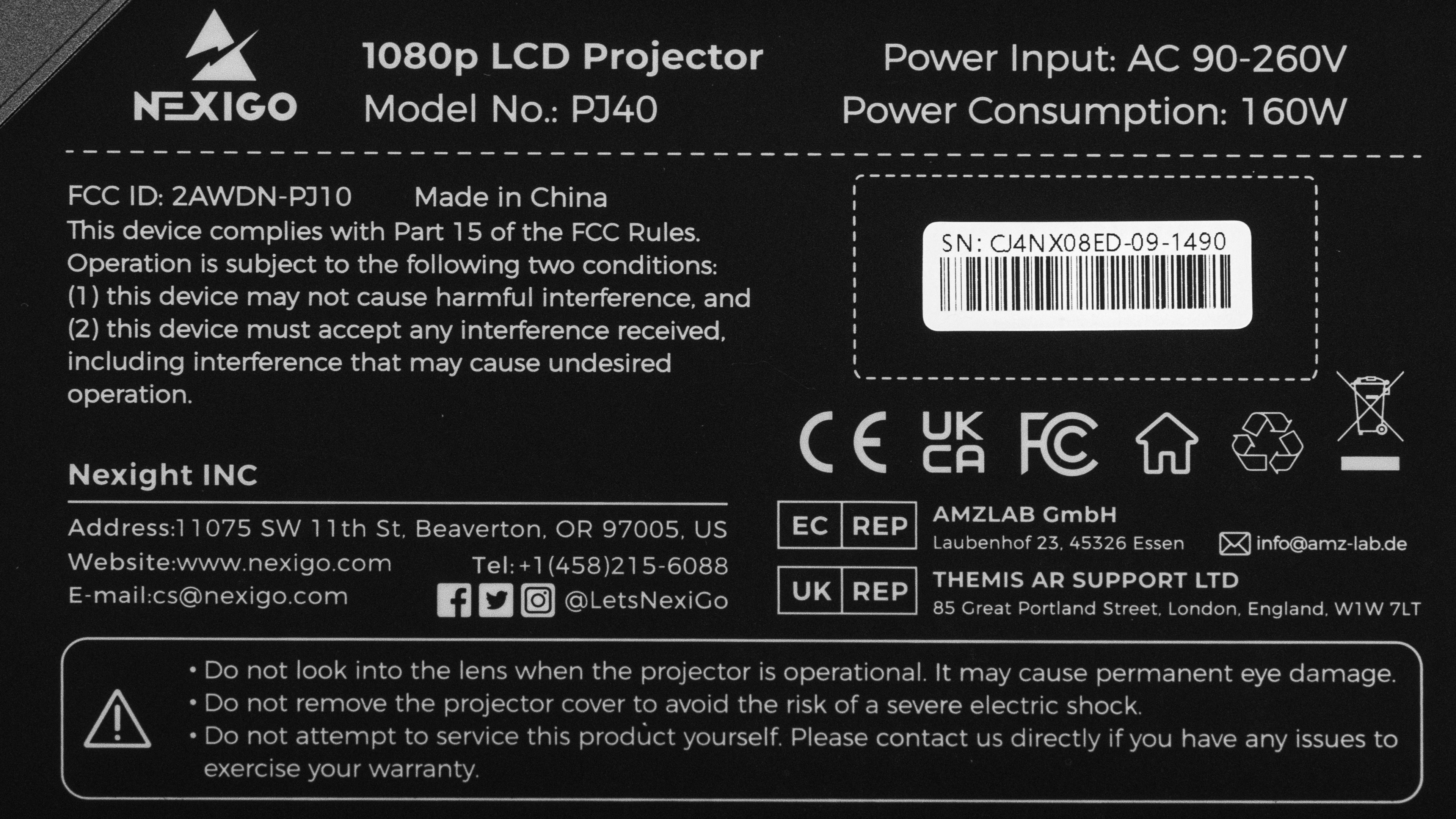
Our unit was manufactured in China.
Popular Projector Comparisons
The NexiGo PJ40 Gen 3 is a mediocre projector, but it's bright for its price, and its contrast is great. There aren't many alternatives if you're shopping for something this cheap. For gaming, though, it's limited: it tops out at 60Hz and has fairly high input lag at 1080p @ 60Hz, so responsiveness isn't great for competitive play. The Epson EpiqVision Flex CO-W01 is generally a bit better than the NexiGo, but the Epson feels ancient in comparison due to its lack of any smart or wireless features. Otherwise, the XGIMI MoGo 2 is easier to carry due to its small size and better smart OS implementation, but the NexiGo is the brighter of the two and has vastly better contrast. Ultimately, the NexiGo PJ40 isn't a bad purchase if you're looking for a cheap projector and don't prioritize gaming.
Check out our recommendations for the best cheap projectors and the best projectors overall. If you'd prefer to shop solely for another product in the same price range, look up the best projectors under $500 instead.
The NexiGo PJ40 Pro and the NexiGo PJ40 (Gen 3) are 1080p projectors that perform similarly across the board. However, the PJ40 Pro gets the edge because it runs Google TV for a modern streaming experience, while the Android TV experience on the PJ40 (Gen 3) is barebones. The PJ40 Pro also has better image accuracy and input lag.
The NexiGo PJ40 (Gen 3) is better than the TCL C1. The NexiGo is brighter, so it's a bit more versatile when it comes to room conditions. It also has better contrast, and it's more meaningful on the NexiGo due to its higher peak brightness. While neither unit is accurate out of the box, the NexiGo is a bit more so, and it's also easier to calibrate. Similarly, neither product is solid for gaming, but in a pinch, the NexiGo does a better job due to its lower input lag. The TCL is slightly more portable due to its smaller size and weight alongside its swivel stand, and it's also quieter under operation than the NexiGo, but overall, the PJ40 is the better product.
The NexiGo PJ40 (Gen 3) is a better projector than the XGIMI Vibe One. The NexiGo is significantly brighter, has better color volume, is more accurate following a calibration, and has more HDMI and USB ports. On the other hand, the Vibe One is the much more portable option, and its fan noise is significantly quieter.
The Epson EpiqVision Flex CO-W01 is better than the NexiGo PJ40 (Gen 3), but they're quite different. The Epson is far brighter than the NexiGo, but its contrast is significantly worse. Thankfully, the Epson is also more colorful and is much more accurate out of the box. Unfortunately, the Epson's feature set is limited, as it doesn't come with any wireless or smart features, and it projects images in a 1280 x 800 resolution, which isn't optimal for content consumption. Ultimately, while the Epson is the better product, it also feels ancient compared to the more modern NexiGo.
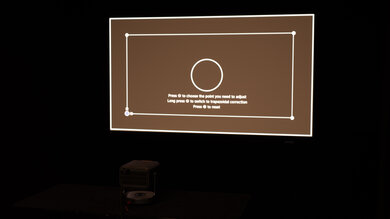
We've independently bought and tested over 100 projectors and published detailed results for each, so you can decide which one to buy. These have all been tested under the same standardized methodology, allowing you to compare them side by side. We still have all these projectors in our lab, so we can continually go back and compare them to ensure our reviews are still accurate. All our test methodologies are also public on our website, so you can validate the results yourself.
Throw Calculator
Global Controls
Test Results
for pictures & test results
for pictures & test results



for pictures & test results