The ViewSonic PX701-4K is a 4k HDR projector primarily marketed for gaming. It has two HDMI 2.0 ports, both capable of either 4k @ 60Hz or 1080p @ 240Hz. The projector also comes with an Ultra-Fast Input option promising input lag as low as 4.2 ms. The projector has auto vertical keystone technology to eliminate trapezoid effects when installed at an angle and an advanced projection warping tool that corrects distorted images when they're projected on a curved surface. Depending on the selected picture mode, the light source is rated for anywhere from 6,000 to 20,000 hours. Finally, it has an integrated 10W speaker.
Our Verdict
The ViewSonic PX701-4K is an inadequate projector for a home theater. Although it's decently bright, it has subpar contrast overall, so images look flat. Combined with the unit's very limited colors and accuracy, movies and shows also don't look vibrant. Motion and camera pans look choppy unless watching from a source that can match the content's frame, like an Apple TV with 'Match Frame Rate' enabled, while those who are sensitive to rainbow effect are likely to be bothered by it using this projector. Finally, the projector's fan is audible when sitting nearby at max brightness, though it's not overly distracting with a soundbar or AVR.
Bright enough for dim environments.
Supports a universal mount.
Poor contrast across all scenes.
Poor color accuracy out of the box, which can't really be improved through calibration.
- Colors are dim and uninspiring.
Only de-judders content from some sources.
Noticeable rainbow artifacts.
The ViewSonic PX701-4K is a mediocre outdoor projector. It's decently bright, though it's still best to use it after dark with minimal ambient light. It's also a fairly small and lightweight unit to bring outside. Aside from vertical keystone being automated, the setup process is mostly manual. There's a manual zoom to adjust the image size without moving the projector, while its focus and horizontal keystone also adapt the image to your setup. Those looking for the cleanest image will need to center the projector to the screen since it doesn't have lens shift. It also lacks a smart OS, so an external streamer is required.
Bright enough for dim environments.
Easy enough to move around without dedicated carrying features.
Manual zoom to adjust image size.
Limited automated screen adaptation features.
No lens shift.
Doesn't have a smart OS and isn't cast capable.
The ViewSonic PX701-4K is a passable bedroom projector. It's small enough to bring into the bedroom for an impromptu movie night. It takes a good amount of space on a nightstand, though, so setting it up on a separate table may be more ideal, especially since its fan is audible when you're close to it, especially during quiet scenes. The setup process is mostly manual, with an adjustable foot on the front of the unit to angle the projector upwards, a manual zoom to adjust the image size without moving the projector, and keystone correction, though vertical keystone is automated. Also, it doesn't have a smart OS, so you need an external streaming device to watch content.
Easy enough to move around without dedicated carrying features.
Manual zoom to adjust image size.
Limited automated screen adaptation features.
No lens shift.
Doesn't have a smart OS and isn't cast capable.
Fan noise is a bit loud unless sound is turned up.
The ViewSonic PX701-4K is a good big-screen gaming pick. It accepts 4k @ 60Hz with pixel-shifting for sharp menus and movies, but its real advantage is its high-refresh-rate 1080p support: it cleanly drives 1080p @ 120Hz and up to 1080p @ 240Hz, and input lag drops to single digits at those refresh rates. At 60Hz, latency is still easily low enough for single-player titles, making the projector a great all-around gaming pick. As for image quality, it's bright enough for dim rooms, but its colors are washed out and aren't accurate out of the box, and you can't improve its accuracy much with calibration. Its contrast is also poor across all scenes, so games don't have much depth.
Low input lag at all refresh rates.
Wide resolution support, including 1080p @ 120Hz and 240Hz.
Bright enough for dim environments.
Poor contrast across all scenes.
Poor color accuracy out of the box, which can't really be improved through calibration.
- Colors are dim and uninspiring.
The ViewSonic PX701-4K's brightness is decent. It's bright enough to handle a few dim lights, but it comes at the cost of washed-out colors, regardless of the picture mode. It does have great brightness uniformity, but there's some vignetting visible on a white screen.
Bright enough for dim environments.
Great brightness uniformity with minimal vignetting.
Washed out colors.
The ViewSonic PX701-4K's contrast is poor, with blacks that look more gray across all scenes. Despite the projector's decent brightness, scenes lack depth, especially in very bright ones.
Poor contrast across all scenes.
The ViewSonic PX701-4K is adequately portability. It's not a very small projector, but it's lightweight enough to carry easily, despite lacking dedicated carrying features. It doesn't have lens protection, though, so you'll want to be careful. Other than having automated vertical keystone, the rest of the process is manual, and placement is important. It doesn't have lens shift, so it needs to be centered to the screen for the cleanest image. However, it has an optical zoom, so the projector doesn't need to be moved to adjust the image size. Finally, it doesn't have a smart OS, so you need an external streamer to watch content.
Easy enough to move around without dedicated carrying features.
Manual zoom to adjust image size.
Limited automated screen adaptation features.
No lens shift.
Doesn't have a smart OS and isn't cast capable.
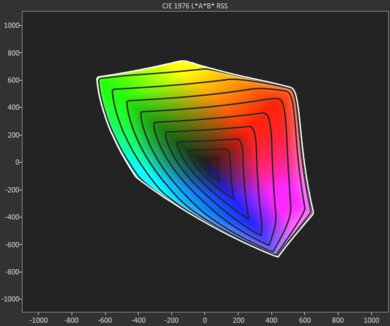
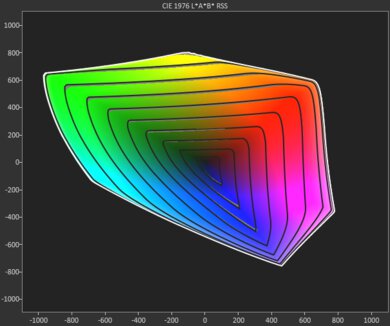
The ViewSonic PX701-4K has bad colors. It's inaccurate out of the box, with almost no color being displayed accurately, while content is shown too darkly in dark scenes and too brightly in bright scenes. Calibrating the projector doesn't do much to significantly improve this, either. It also has terrible color volume, making colors look very muted and dull.
Poor color accuracy out of the box, which can't really be improved through calibration.
- Colors are dim and uninspiring.
The ViewSonic PX701-4K has excellent gaming responsiveness. It accepts 4k @ 60Hz, but one of its biggest advantages is that it also supports gaming at 120Hz and 240Hz at a lower resolution of 1080p, giving users flexibility based on the games they're playing. With Ultra Fast Input enabled, input lag at 60Hz is decent enough for single-player titles, while latency drops even lower at the higher refresh rates. Finally, its DLP imaging technology also helps prevent excessive motion blur.
Low input lag at all refresh rates.
Wide resolution support, including 1080p @ 120Hz and 240Hz.
No excessive motion blur.
Performance Usages
Changelog
- Updated Aug 31, 2026: We've converted the review to Test Bench 1.0, which replaces our Color Gamut test with Color Volume and adds a new Rainbow Effect test box. We also updated Effective Contrast (formerly Native Contrast) to account for projector brightness and reworked Judder scoring. The new bench also adds Outdoors and Bedroom usages, plus Portability, Color, and Gaming Responsiveness Performance Usages; Movies is now Home Theater, and all existing usage scores have been updated. See the 1.0 changelog.
-
Updated May 29, 2026:
We've added text to some test boxes as a result of our latest test bench.
- Updated May 13, 2026: We've converted the review to Test Bench 0.12, which adds new Judder, Screen Adaptation, Battery, Maximum Volume, Size, Mobility Features, and Physical Setup Features test boxes. We also updated Inputs & Connectivity to verify Bluetooth support with wireless speakers or headphones. See the 0.12 changelog.
-
Updated Feb 05, 2026:
We've modified the text in our Brightness and Native Contrast text boxes as a result of our latest test bench. We've also added Brightness and Contrast performance usages in the Verdict section.
Check Price
Differences Between Sizes And Variants
We bought and tested the ViewSonic PX701. This projector has a higher-end model, the ViewSonic PX701-4KE, which has a 1.3x optical zoom feature and a shorter throw ratio, allowing you to install it closer to the wall or screen.
| Model | Light Source | Processing | Throw & Zoom | Gaming (native 1080p) | HDR Formats | ARC/eARC |
|---|---|---|---|---|---|---|
| PX701-4K | Lamp | 4K XPR (DLP) | 1.50–1.65:1; manual zoom | Up to 240Hz; low lag with Ultra Fast Input | HDR10, HLG | No |
| PX701-4KE | Lamp | 4K XPR (DLP) | Shorter throw with ~1.3× optical zoom | Up to 240Hz (gaming-focused marketing) | HDR10, HLG | No |
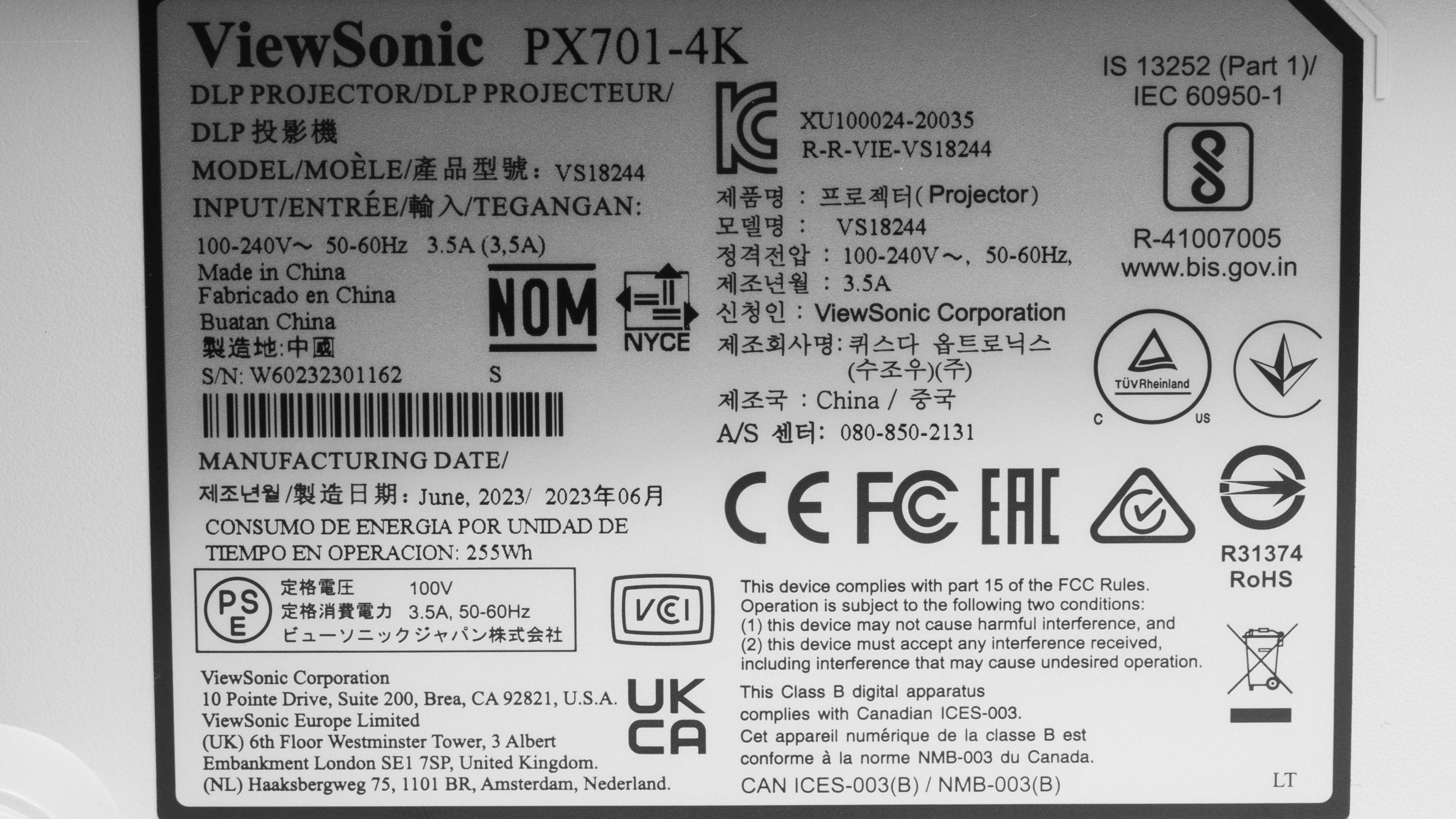
Our unit was manufactured in June 2023.
Popular Projector Comparisons
The ViewSonic PX701-4K is an okay 4k HDR projector. It's especially interesting for gamers, as it's one of the cheapest projectors on the market with 1080p @ 240Hz (and 1080p @ 120Hz) plus low input lag when Ultra Fast Input is enabled. It also accepts 4k @ 60Hz for sharp movie playback, though 1440p is scaled, and there's no 1440p @ 120Hz path. If you're solely interested in a cheap projector for movies, you could opt for the slightly cheaper Epson Home Cinema 1080, as it's much brighter than the ViewSonic and much more accurate. Still, the ViewSonic isn't a bad choice for home theater as it has much better contrast than the Epson.
See our recommendations for the best projectors for home theater and the best gaming projectors. If you're looking for something more general, look up our list of the best projectors instead.
The Optoma UHD35 is a bit better than the ViewSonic PX701-4K. They're very similar projectors, with both capable of 1080p @ 240Hz for gaming. However, the ViewSonic has significantly worse color accuracy than the Optoma, and the Optoma also has a slightly wider color gamut, giving it the edge over the ViewSonic.
The ViewSonic PX701-4K and BenQ HT3550 are about equally as good, although the ViewSonic is much better for gaming due to its 1080p @ 240Hz support. Otherwise, both projectors are 4k pixel-shifting units, with the BenQ having a much wider color gamut. Ultimately they're both capable in a variety of contexts, but the ViewSonic is better if you're hoping to game, while the BenQ has the slight edge for content consumption due to its wider color range.
The ViewSonic PX701-4K is better than the Epson EpiqVision Mini EF12. The ViewSonic projector is good for gamers with its 1080p @ 240Hz support. It's also brighter, but the Epson has vastly better color accuracy. The ViewSonic can also deliver sharper images through 4k pixel shifting, while the Epson projects a much lower 1080p image. The Epson has significantly more smart features, has an integrated smart interface with full Wi-Fi and Bluetooth support, and is more portable.
The ViewSonic PX701-4K is better than the XGIMI Elfin, although the XGIMI is smaller and has significantly more features than the ViewSonic. However, the ViewSonic projector is particularly interesting to gamers, as it has 1080p @ 240Hz support. The ViewSonic is also significantly brighter, but it has truly terrible colors. The XGIMI is dimmer but doesn't have the ViewSonic issues with colors. It's much smaller, more portable, and has a smart interface with full Wi-Fi and Bluetooth support.

We've independently bought and tested over 80 projectors and published detailed results for each, so you can decide which one to buy. These have all been tested under the same standardized methodology, allowing you to compare them side by side. We still have all these projects in our lab, so we can continually go back and compare them to ensure our reviews are still accurate. All our test methodologies are also public on our website, so you can validate the results yourself.
Throw Calculator
Global Controls
Test Results

for pictures & test results







for pictures & test results





for pictures & test results