The Epson EpiqVision Ultra LS800 is an HDR LCD laser projector with pixel-shifting technology. It's an Ultra Short Throw (UST) projector, so it's capable of projecting content at an extremely short distance from the screen or wall: it projects an 80" image at a distance of 0.9" and up to a 150" image at a distance of 9.9". It has three HDMI ports; one of which doubles as an ARC port, and each accepts a signal of up to 4k @ 60Hz. The third HDMI port, labeled 'Game,' can project 1080p @ 120Hz, which is great for gamers. It has an integrated 2.1 Yamaha sound system with two full-range 5W speakers and a 10W subwoofer. It has Bluetooth 5.0 and Wi-Fi 5 support and comes with the Android TV smart interface with full Chromecast integration.
Our Verdict
The Epson LS800 is better suited to a living-room movie setup than a dedicated dark home theater, as its elevated black floor and declining contrast in brighter scenes keep movies from looking especially deep in a dark room. Still, it has no rainbow effect, and its 'Cinema' mode is fairly accurate out of the box, though its limited color volume also takes some of the impact out of bright, saturated highlights. For smooth movie motion, use a frame-matched source, like from a recent streamer; its native apps and regular 60Hz sources leave slow camera pans uneven.
- Ultra Short Throw projector that you can place very close to the wall or screen.
No rainbow effect.
Fairly accurate 'Cinema' mode that improves with a few basic adjustments.
Removes judder when watching movies on newer streaming devices.
- Doesn't have any calibration features for color accuracy purists.
Contrast loses depth as scenes become brighter.
Bright saturated colors lack some richness.
Native apps and regular 60Hz sources have judder.
Fan is loud at maximum brightness.
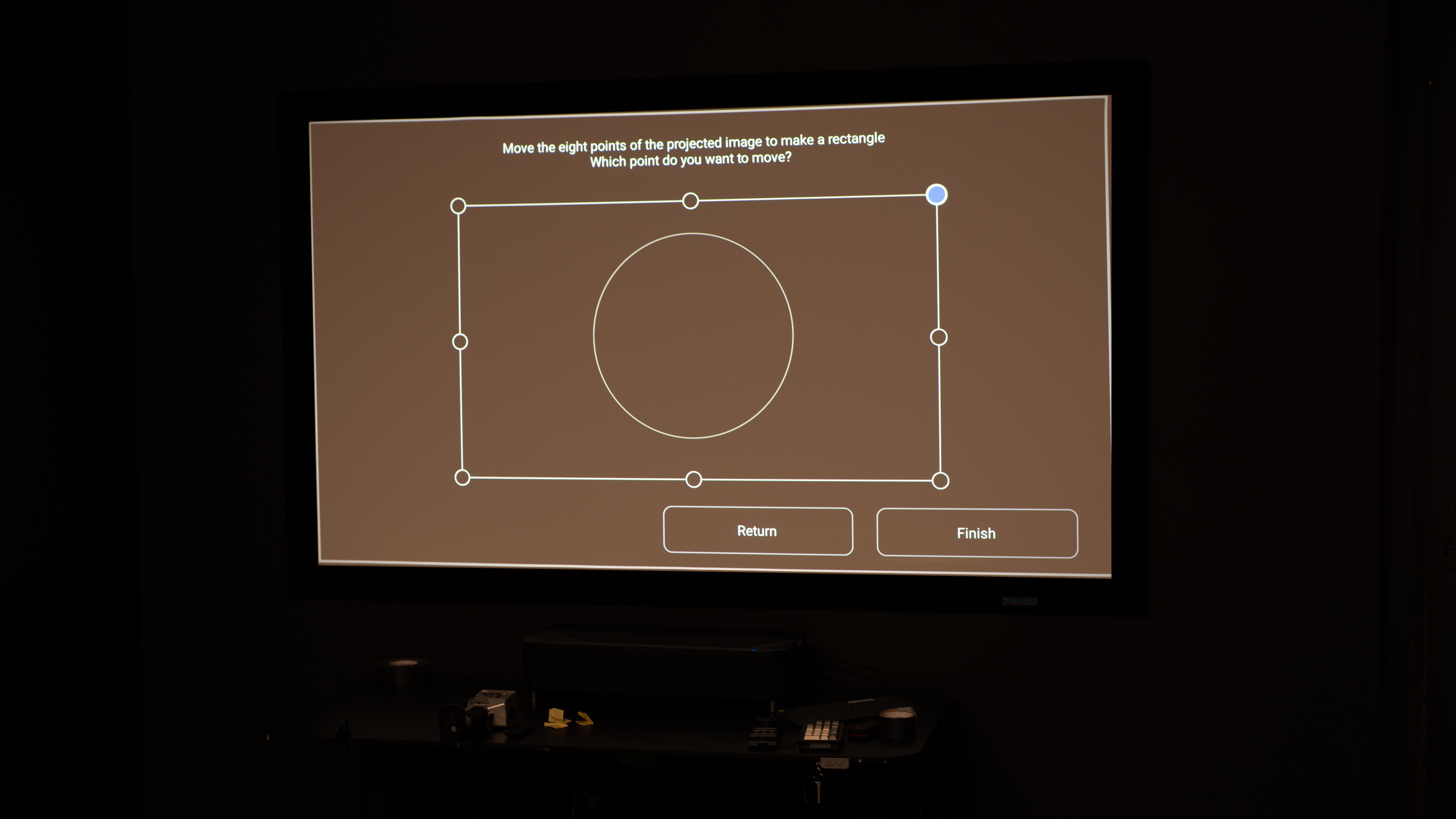
Despite its high brightness, the Epson LS800 isn't a practical outdoor projector. It can produce a satisfying image after dark, even with some nearby lighting, thanks to its brightness, but its heavy body, wall-power requirement, and lack of a handle, case, or lens cover make it cumbersome to carry outside. As an ultra-short-throw projector, it also needs precise placement close to a screen or wall, and focus and image correction are manual.
- Has a full suite of smart features with Wi-Fi 5 and Bluetooth 5.0.
Very bright for a UST; handles some ambient light.
Large, heavy design with no carrying features.
Manual setup requires precise placement.
The Epson LS800 is a poor choice for bedroom use. Its integrated Yamaha 2.1 speaker system is convenient, but the projector is large and heavy, and it's designed to sit in one precise position, very close to the wall or screen. It has no automatic focus or image correction after being moved, so it isn't convenient to take out and put away. Its fan is also clearly audible at maximum brightness in a quiet room.
- Has a full suite of smart features with Wi-Fi 5 and Bluetooth 5.0.
Integrated Yamaha 2.1 speaker system.
Large, heavy design with no carrying features.
Manual setup requires precise placement.
Fan is loud at maximum brightness.
The Epson LS800 is decent for casual big-screen gaming. It is very bright, has no rainbow artifacts, supports 4K @ 60Hz and 1080p @ 120Hz, and its Game Mode keeps input lag low enough for most players, especially at 120Hz. However, it isn't responsive enough for serious competitive play, it lacks 1440p support, and its limited contrast and color volume make darker or especially colorful games lack impact.
Supports 4k @ 60Hz and 1080p @ 120Hz gaming.
Very bright for a UST; handles some ambient light.
No rainbow effect.
No true native 1440p support.
Bright saturated colors lack some richness.
Its LCD panel has slower pixel transitions, so it has visible response-time blur.
The Epson LS800 is a very bright ultra-short-throw projector, making it a great fit for a living room setup. It has enough light output to stay usable with some lamps or daylight in the room, and once you dim the lights, its image really pops. At maximum laser output, though, the fan is plainly audible from nearby seating; reducing brightness helps it recede into the background.
Very bright for a UST; handles some ambient light.
Fan is loud at maximum brightness.
Don't expect the Epson LS800 to deliver the same image depth in every scene, as its contrast is just mediocre. It looks reasonably deep in darker material, although blacks remain visibly raised, but bright scenes lose noticeably more separation between dark and light areas.
Blacks look gray in dark scenes.
Contrast loses depth as scenes become brighter.
The Epson LS800 is poor for portability. This is a 28.4-pound UST designed to live on a media cabinet, not a projector to carry between rooms or pack for a trip. It has no battery, built-in handle, carrying case, or lens protection, and its precise placement requirements make every move more involved.
- Has a full suite of smart features with Wi-Fi 5 and Bluetooth 5.0.
Large, heavy design with no carrying features.
Manual setup requires precise placement.
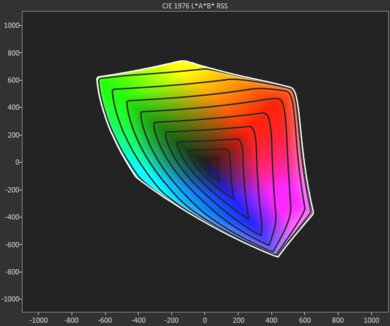
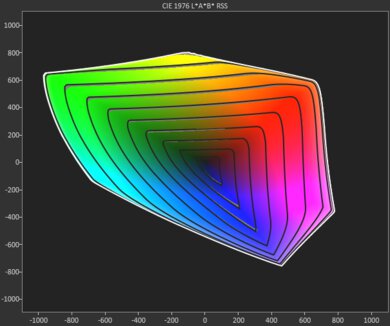
The Epson LS800 has mediocre color performance. Its 'Cinema' mode looks fairly natural out of the box, though whites are slightly cool and many colors are slightly oversaturated. Its calibration controls are limited, but a few basic adjustments can improve the image. Its color volume is the bigger limitation: saturated colors are less rich in brighter shades, and they're not that rich in dark shades, so colors just don't pop.
Fairly accurate 'Cinema' mode that improves with a few basic adjustments.
- Doesn't have any calibration features for color accuracy purists.
Bright saturated colors lack some richness.
The Epson LS800's gaming responsiveness is okay. Game Mode makes controls feel responsive enough for single-player games and casual multiplayer, while 1080p @ 120Hz offers its best latency. Still, it's not quick enough for players who prioritize competitive shooters, fighters, or rhythm games, and its 4k mode is limited to 60Hz. Because the projector uses LCD technology, there's also noticeable motion blur.
Supports 4k @ 60Hz and 1080p @ 120Hz gaming.
No true native 1440p support.
Its LCD panel has slower pixel transitions, so it has visible response-time blur.
Performance Usages
Changelog
-
Updated Jul 30, 2026:
We mentioned the newly reviewed AWOL Vision Aetherion Max in the Contrast section of this review.
- Updated Jul 28, 2026: We've converted the review to Test Bench 1.0, which replaces our Color Gamut test with Color Volume and adds a new Rainbow Effect test box. We also updated Effective Contrast (formerly Native Contrast) to account for projector brightness and reworked Judder scoring. The new bench also adds Outdoors and Bedroom usages, plus Portability, Color, and Gaming Responsiveness Performance Usages; Movies is now Home Theater, and all existing usage scores have been updated. See the 1.0 changelog.
-
Updated May 29, 2026:
We've added text to some test boxes as a result of our latest test bench.
- Updated May 13, 2026: We've converted the review to Test Bench 0.12, which adds new Judder, Screen Adaptation, Battery, Maximum Volume, Size, Mobility Features, and Physical Setup Features test boxes. We also updated Inputs & Connectivity to verify Bluetooth support with wireless speakers or headphones. See the 0.12 changelog.
Check Price
Differences Between Sizes And Variants
We bought and tested the Epson LS800. This projector doesn't have any variants, but it has a lower-tier model, the Epson EpiqVision Ultra LS300, which is very similar to the LS800 but without pixel-shifting technology, so it is limited to 1080p @ 60Hz input on its two HDMI ports.
| Model | Type | Native / Processing | Light Source |
|---|---|---|---|
| Epson EpiqVision Ultra LS300 | UST (ultra-short-throw) | 1080p (no pixel-shift) | Laser (3LCD) |
| Epson EpiqVision Ultra LS800 | UST | 4k PRO-UHD pixel-shift | Laser (3LCD) |
| Epson EpiqVision Mini EF12 | Portable (standard throw) | 1080p | Laser (3LCD) |
| Epson EpiqVision Flex CO-W01 | Portable / room-to-room (standard throw) | WXGA (1280×800) | Lamp (3LCD) |
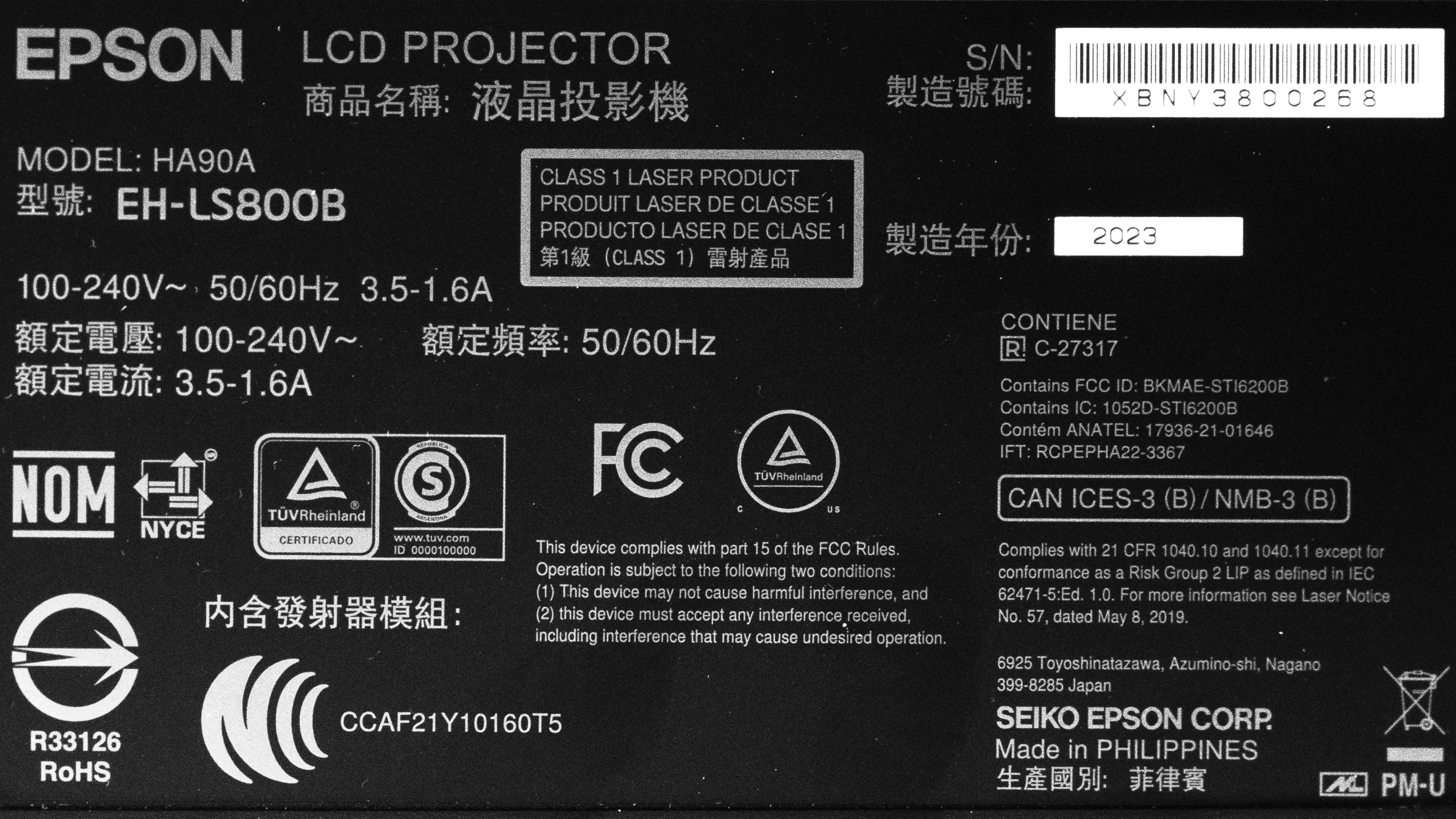
Our unit was manufactured in the Philippines.
Popular Projector Comparisons
The Epson LS800 is a very bright Ultra Short Throw (UST) projector with decent contrast and a full smart platform, including Android TV, Wi-Fi 5, and Bluetooth 5.0. Outside of its pixel-shifting 4k signal support and 1080p @ 120Hz gaming capability, it's quite similar in overall image quality to the much cheaper 1080p Epson EpiqVision Ultra LS300. If you want pixel-shifting and deep blacks for a dark room, the NexiGo Aurora Pro is a better choice. If you don't need UST at all, the Epson Home Cinema 3800 is cheaper and offers better overall image quality. If you specifically need both pixel-shifting and UST convenience for a bright living room, however, the LS800 remains one of the stronger options on the market.
Check out our recommendations for the best 4k projectors, the best projectors for home theater, and the best short-throw projectors. If you'd prefer a cheaper unit, look up the best projectors under $1,000 instead.
The Hisense PX3-PRO is better than the Epson EpiqVision Ultra LS800, but they excel in different environments. The Epson is noticeably brighter, so it's the better option to use in rooms that aren't light-controlled, or even as a patio option. The Hisense has the far better contrast, however, with punchier colors; this makes it the much better option for darker rooms. The Hisense also comes with a wider feature set than the Epson, making it more versatile.
The Epson EpiqVision Ultra LS300 and Epson EpiqVision Ultra LS800 are very similar projectors, with the main difference being that the LS300 is limited to 1080p @ 60Hz on its two HDMI ports. In comparison, the LS800 is a 4k pixel shift projector capable of up to 4k @ 60Hz on its three HDMI ports and 1080p @ 120Hz on its third port. This means that the LS800 also projects a sharper image overall, but the LS300 is much more accurate out of the box.
The Epson EpiqVision Ultra LS800 is better than the Hisense PX1-PRO. They're both Ultra Short Throw (UST) projectors, but you can place the Epson even closer to the screen or wall than you can with the Hisense. The Epson is much brighter than the Hisense, so it's more versatile when it comes to room lighting conditions. While both projectors are decent regarding out-of-the-box accuracy, the Hisense has more calibration options, so it looks much better than the Epson after calibration. The Hisense also has a wider color gamut, but it's not bright enough to really make colors pop.
The XGIMI AURA 2 is better than the Epson EpiqVision Ultra LS800, although the Epson is significantly brighter than the already bright XGIMI. However, the XGIMI has better contrast, is more accurate out of the box, and has a wider color gamut. It also supports Dolby Vision and is IMAX Enhanced-certified, whereas the Epson is limited to HDR10.

We've independently bought and tested over 80 projectors and published detailed results for each, so you can decide which one to buy. These have all been tested under the same standardized methodology, allowing you to compare them side by side. We still have all these projects in our lab, so we can continually go back and compare them to ensure our reviews are still accurate. All our test methodologies are also public on our website, so you can validate the results yourself.
Throw Calculator
Global Controls
Test Results

for pictures & test results







for pictures & test results





for pictures & test results