The BenQ X3100i is a 4k HDR10/HLG 4LED projector primarily meant for playing video games. It replaces the BenQ X3000i and comes with the more advanced QS02 Android TV streaming dongle, while the X3000i comes with the QS01 dongle. It projects a 60" image at a distance of 5 to 6.5 feet, up to a very large 200" at a distance of 16.7 to 21.8 feet. The projector comes with auto vertical 2D Keystone technology to eliminate trapezoid effects when you install it at an angle.
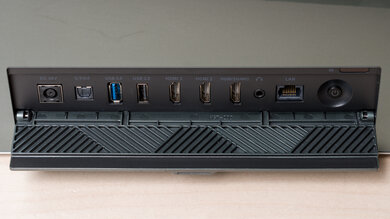
It has two HDMI 2.0b ports for 4k @ 60Hz, 1440p @ 120Hz, or 1080p @ 240Hz gaming. It has one other internal HDMI 2.0b port that's reserved for the included Android TV 11 QS02 dongle. The dongle brings Wi-Fi 6 and Bluetooth 5.0 support, casting capabilities with Google Chromecast and Apple AirPlay, and support for Google Assistant and Google Voice Search. You can also use the QS02 dongle as a USB passthrough reader, so you can connect USB devices to it to use with the projector. Finally, the projector has two integrated 5W chambered speakers.
Our Verdict
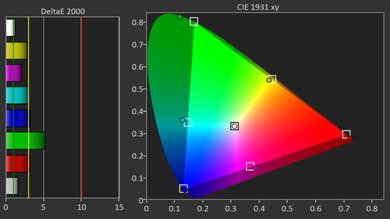
The BenQ X3100i is great for watching movies. Its contrast is good, its brightness is great, and it has a wide color gamut, leading to great image quality when watched in a variety of contexts. It's even bright enough to look good in rooms with a few lights on. Still, its contrast struggles in darker scenes, so it definitely looks best when sticking to happier, brighter movies. Its pre-calibration accuracy is excellent overall, so there's no need to have this projector calibrated to get accurate colors.
- Good contrast for deep blacks in dark rooms.
- Bright enough to look vibrant in dark rooms, and can even handle rooms with a few lights.
Wide color gamut and excellent pre-calibration accuracy.
- The included QS02 streaming dongle has many wireless and streaming features.
Fails to passthrough a lot of lossy audio formats.
Contrast struggles in near-dark content relative to the best home theater projectors.
Not bright enough for well-lit rooms.
The BenQ X3100i is a great gaming projector if you value both speed and image quality. It's bright enough to hold up with a couple of lights on, and its contrast is strong, even if it struggles in near-dark content relative to other projectors. Color is vivid out of the box thanks to its LED light source and wide gamut, which makes stylized games pop; plus, it's also very accurate right out of the box. For performance, the projector has a bit of everything: 120Hz and 240Hz support at 1080p, 4k @ 60Hz, and relatively low input lag. Unfortunately, there's no Dolby Vision support for Xbox gamers.
- Good contrast for deep blacks in dark rooms.
- Bright enough to look vibrant in dark rooms, and can even handle rooms with a few lights.
Wide color gamut and excellent pre-calibration accuracy.
Fast input lag at any resolution and refresh rate.
120Hz and 240Hz support at 1080p.
1440p at 60Hz and 120Hz is downscaled to 1080p.
Contrast struggles in near-dark content relative to the best home theater projectors.
Not bright enough for well-lit rooms.
The BenQ X3100i is a very bright projector. It's easily bright enough to look good in dim rooms, even with a light on. Still, avoid turning on a ton of lights if you want the best image quality. It's also extremely uniform, with no visible vignetting.
- Bright enough to look vibrant in dark rooms, and can even handle rooms with a few lights.
Not bright enough for well-lit rooms.
The BenQ X3100i has good native contrast. While it struggles with near-dark content relative to other projectors, it excels in brighter scenes, with great separation between elements.
- Good contrast for deep blacks in dark rooms.
Contrast struggles in near-dark content relative to the best home theater projectors.
Changelog
-
Updated May 11, 2026:
We've added text to some test boxes as a result of our latest test bench. We've also updated Inputs & Connectivity to include Bluetooth support checks, as well as the 3D test box.
- Updated May 11, 2026: We've converted the review to Test Bench 0.12, which adds new Judder, Screen Adaptation, Battery, Maximum Volume, Size, Mobility Features, and Physical Setup Features test boxes. We also updated Inputs & Connectivity to verify Bluetooth support with wireless speakers or headphones. See the 0.12 changelog.
-
Updated Jan 30, 2026:
We've modified the text in our Brightness and Native Contrast text boxes as a result of our latest test bench. We've also added Brightness and Contrast performance usages in the Verdict section.
- Updated Jan 16, 2026: We've converted the review to Test Bench 0.11, which renames our Contrast test to Native Contrast, and adds a Sequential Contrast test box. We also added new Brightness and Contrast performance usages in Our Verdict. See the 0.11 changelog.
Check Price
Differences Between Sizes And Variants
We bought and tested the BenQ X3100i, which succeeds the very similar BenQ X3000i. Overall, the X3100i is a slight but noticeable upgrade over its predecessor, as it hits higher brightness peaks, has better contrast, and has a wider color gamut. More noticeable is the inclusion of the QS02 Android TV streaming dongle, which has many more features than the QS01 dongle included with the X3000i, including Bluetooth 5.0, Wi-Fi 6, and native Netflix support.
| Model | Bluetooth | Native Netflix | Wi-Fi | Dongle USB passthrough | 1440p @ 120Hz |
|---|---|---|---|---|---|
| BenQ X3000i (QS01) | 4.2 | No | Wi-Fi 5 | No | No |
| BenQ X3100i (QS02) | 5.0 | Yes | Wi-Fi 6 | Yes | Yes |
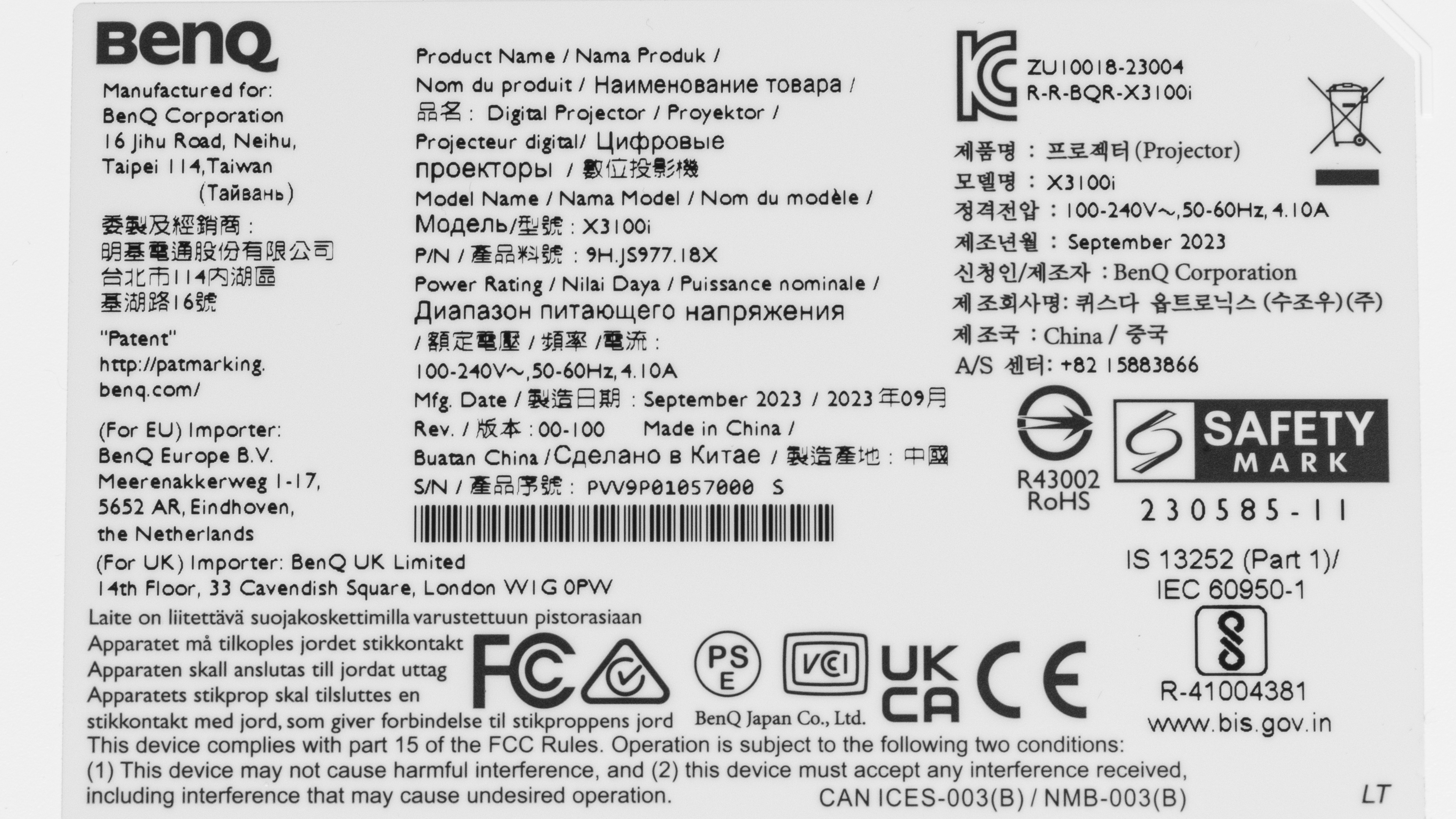
Our unit was manufactured in September 2023.
Popular Projector Comparisons
The BenQ X3100i is a great projector, and like its predecessor, the BenQ X3000i, it's very versatile. The X3100i is a slight but noticeable upgrade over its predecessor, especially due to the included QS02 dongle, which has more features than the QS01 dongle included with the X3000i. Otherwise, the X3100i is a fully featured projector with an integrated smart OS, is cast capable, and even has advanced gaming features, like 1080p @ 240Hz and 1440p @ 120Hz support. Still, if you're looking for a gaming projector and don't care about having the best image quality, the ViewSonic PX701-4K is significantly cheaper. Inversely, if you're only interested in a pure home theater setup and don't care about streaming or gaming features, then the Epson Home Cinema 3800 is a better value. Still, if you're looking for a projector that can do it all, the BenQ is one of the best options on the market.
Check out our recommendations for the best 4k projectors, the best gaming projectors, and the best projectors for home theater. If you'd prefer to shop for a cheaper product, check the best projectors under $1,000 instead.
The BenQ X3100i is a higher-end model than the BenQ X500i and is better overall. The X500i does have some minute advantages, such as slightly better contrast and pre-calibration accuracy, but they can't overcome the X3100i's edge in brightness and colors. The X500i is a short-throw projector; this makes it easier to place closer to your screen than the X3100i. They both come with the advanced QS02 streaming dongle, giving them identical streaming and wireless features. If you're planning to use the projector solely in a dim or dark room, you might not need the extra brightness of the X3100i, but if you hope to use it in a brighter room, the X3100i could be worth the extra money.
The BenQ X3100i is a slight but noticeable upgrade over the BenQ X3000i. The X3100i is slightly brighter, has better contrast, and has a wider color gamut. The X3000i is somewhat more accurate out of the box, but the X3100i is still excellent. The biggest difference between the two is in the inclusion of the QS02 streaming dongle with the X3100i, which has significantly more features than the QS01 dongle included with the X3000i. Thus, if you care about streaming features, the X3100i is better, although you can buy an upgrade pack to install the QS02 dongle on the BenQ X3000i.
The Hisense C2 Ultra is better than the BenQ X3100i. The Hisense matches the BenQ when it comes to gaming features, and is a bit brighter, with slightly deeper blacks. The Hisense is also much more colorful, which is especially noticeable in HDR content. The one thing the BenQ model has going for it is its slightly more accurate image right out of the box, but otherwise, the Hisense has it beat in most aspects.
The BenQ X3100i is better than the XGIMI HORIZON Ultra. The BenQ has a significantly deeper contrast ratio, so it looks better in a dark room. The BenQ is also more accurate out of the box and can be calibrated for even better accuracy, while the XGIMI can't be improved. The BenQ is also more colorful, so overall, it projects a more vibrant image than the XGIMI. Finally, the BenQ is better for gamers with its 1080p @ 240Hz and 1440p @ 120Hz support. However, the XGIMI is smaller and lighter than the BenQ and has a full suite of image correction features, making it much easier to move around than the BenQ.

We've independently bought and tested over 80 projectors and published detailed results for each, so you can decide which one to buy. These have all been tested under the same standardized methodology, allowing you to compare them side by side. We still have all these projects in our lab, so we can continually go back and compare them to ensure our reviews are still accurate. All our test methodologies are also public on our website, so you can validate the results yourself.
Throw Calculator
Global Controls
Test Results
for pictures & test results

for pictures & test results











for pictures & test results


for pictures & test results

for pictures & test results