Projector noise can be very distracting when you're trying to watch a movie, but what causes it? Projectors, especially lamp-based models, generate a lot of heat. To prevent overheating, projectors use a very advanced active cooling method (a fan) to bring in cooler ambient air and cool down the unit. These fans are the most common source of noise. To find out how loud projectors can get, we measure the projector noise at maximum brightness before calibration using a Galaxy Audio CM-170 Sound Pressure Level Meter and record a video of the experience. With this information, you can compare similar models and see which one fits your needs the best.
Test results
Test Methodology Coverage
The noise test was first added in Test Bench 0.10. Prior to that, we had no equivalent test.
| 0.9 | 0.10 | |
|---|---|---|
| Noise @ Maximum Brightness | ❌ | ✅ |
When It Matters
A loud projector can be very distracting when watching movies or TV shows, and it can hinder the viewing experience. This is especially important with lamp-based projectors, which generate a lot of heat.
It's important to keep in mind that while projector noise measurements provide a point of comparison between projectors, they don't necessarily indicate how loud the projector will sound when you're watching it. This is because we measure the noise levels at a fixed, close distance, but projectors aren't all installed at the same distance. A long-throw projector that's right behind (or above) you will sound a lot louder than a short-throw projector that's 10 feet away next to the screen.
Our Tests
Our tests are done using a Galaxy Audio CM-170 Sound Pressure Level Meter. We mount the SPL meter on a tripod and set it directly in front of the projector's exhaust grille, at a fixed distance of 5 cm and a 30-degree angle (left image). We attach a windshield to the tip of the SPL meter to reduce noise from the moving air expelled from the exhaust grille (right image).
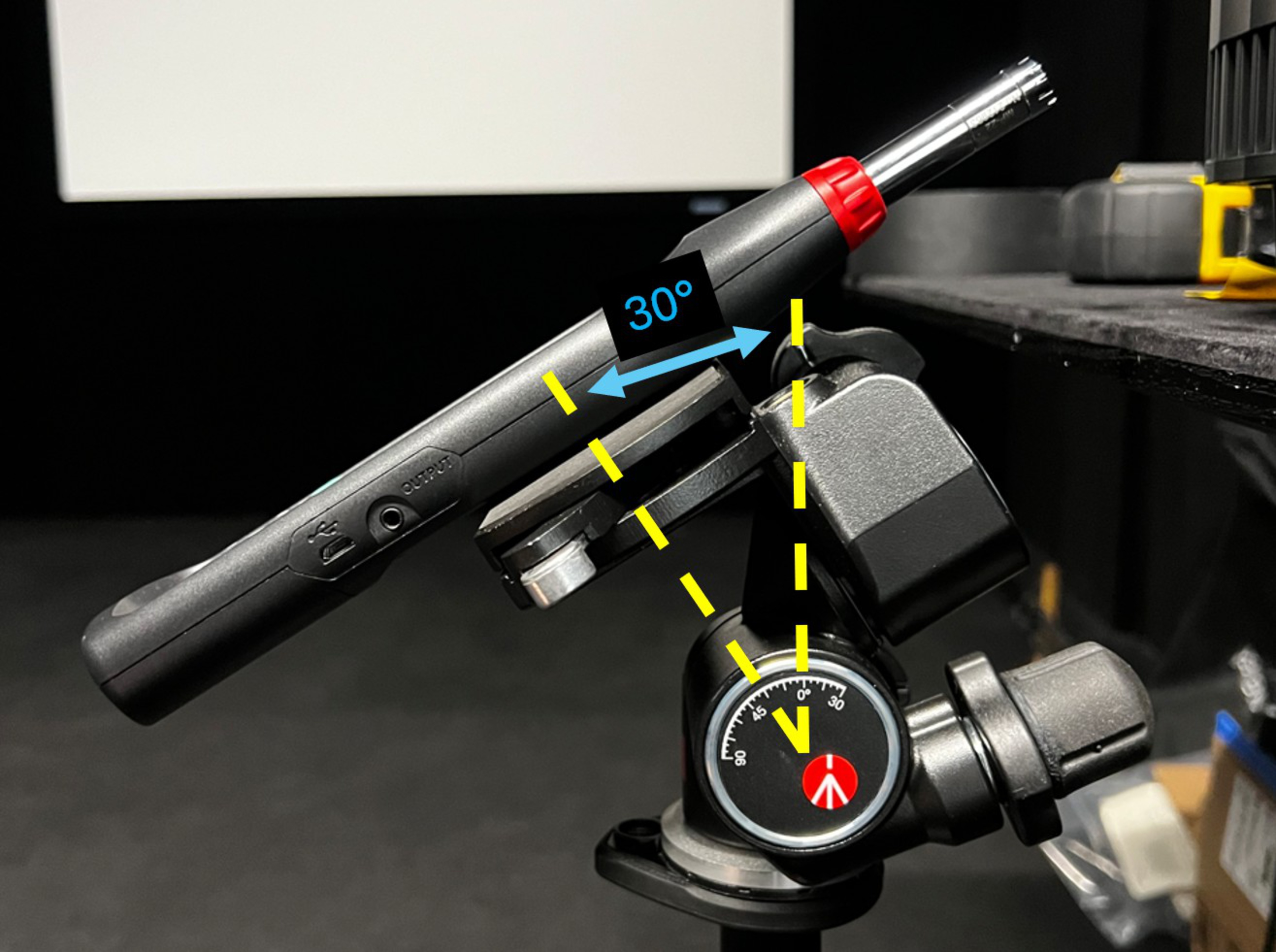 |
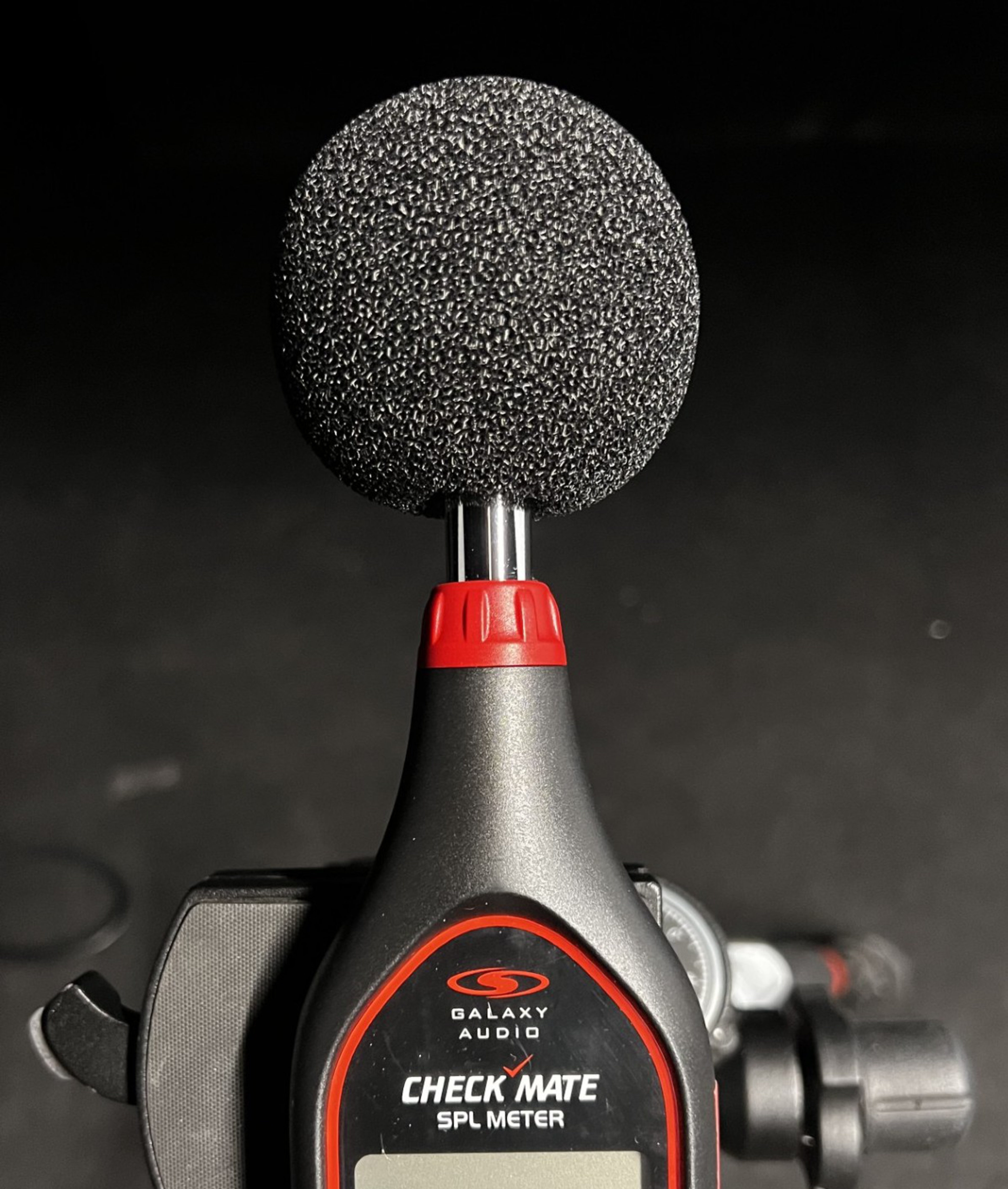 |
We place a camera above and behind the SPL meter, aligning it so that the SPL meter, its display, and the projector's exhaust grilles are clearly visible.
Noise @ Maximum Brightness
For the Noise @ Maximum Brightness test, we set the projector to its recommended pre-calibration settings with the brightness set to maximum. We turn the projector off and wait at least five minutes for it to cool down a bit before we start recording. This ensures the video shows the baseline noise level in the test room. We set the SPL meter to record the max dBA level, on the Slow setting, and start recording on the camera. The SPL meter records the sound levels continuously, while the camera records the screen on the SPL meter and the noise with a Deity V-Mic D4 Duo mic. Some projectors are much louder on startup, so we watch for this and reset the Max/Min measurement after the noise level has stabilized. This way, you can see both the peak startup value and the normal measurements while the projector is in use.
The test is scored objectively based on the noise generated at the projector's maximum brightness level. The scoring is non-linear, since the decibel scale is logarithmic and a difference of 10 dB roughly doubles the intensity of the perceived sound.
Conclusion
Noise is an important consideration when choosing a projector. A loud projector can easily drown out quiet sounds and low level dialogue in a movie, so you want to choose one that can get very bright without drowning out the movie. Room setup and the type of projector you're choosing is also an important considering, as the exact placement of the projector will change how you perceive the noise levels.