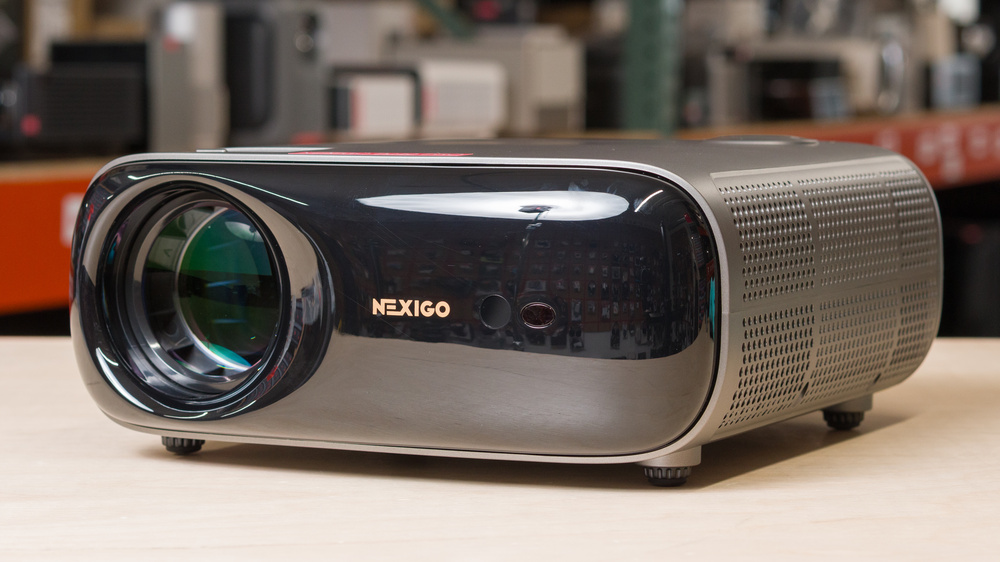
The NexiGo PJ40 Pro is a 1080p LCD projector with an LED light source, which sits above the NexiGo PJ40 (Gen 3) and the NexiGo PJ40 Ultra in the company's PJ40 series of projectors. With a 1.47 throw ratio, it can project images from 50 to 300 inches from about 5 to 30 feet away (about 1.5 m to 6.5 m), respectively. It runs Google TV OS and supports Chromecast and screen mirroring, on top of having two HDMI ports, two USB-A ports, an AV-in port, and a headphone jack for added flexibility based on your preferred setup. The NexiGo PJ40 Pro projector also supports HDR10 and HLG, and has a low-latency mode for gamers. Finally, it features a 2x10W speaker system, as well as Wi-Fi and Bluetooth support for wireless connectivity.
Our Verdict
The NexiGo PJ40 Pro is okay for home theater setups. It has good black levels and great contrast, so it's a solid choice for watching any sort of content in a dark room. However, it's dim, so highlights don't stand out as much as they should. It can only remove 25p judder, like from some international sources, so other content looks jittery. It also has limited colors, as it's inaccurate out of the box and can't cover a wide range of saturated colors. Its fan also gets loud, so you need to crank the volume to overcome it. On the plus side, it doesn't have any rainbow effect when your eyes move around the image.
Great contrast across any type of content.
No rainbow effect.
Very inaccurate out of the box.
Narrow coverage of common color spaces.
Only removes judder from certain 25p sources.
Very loud fan noise.
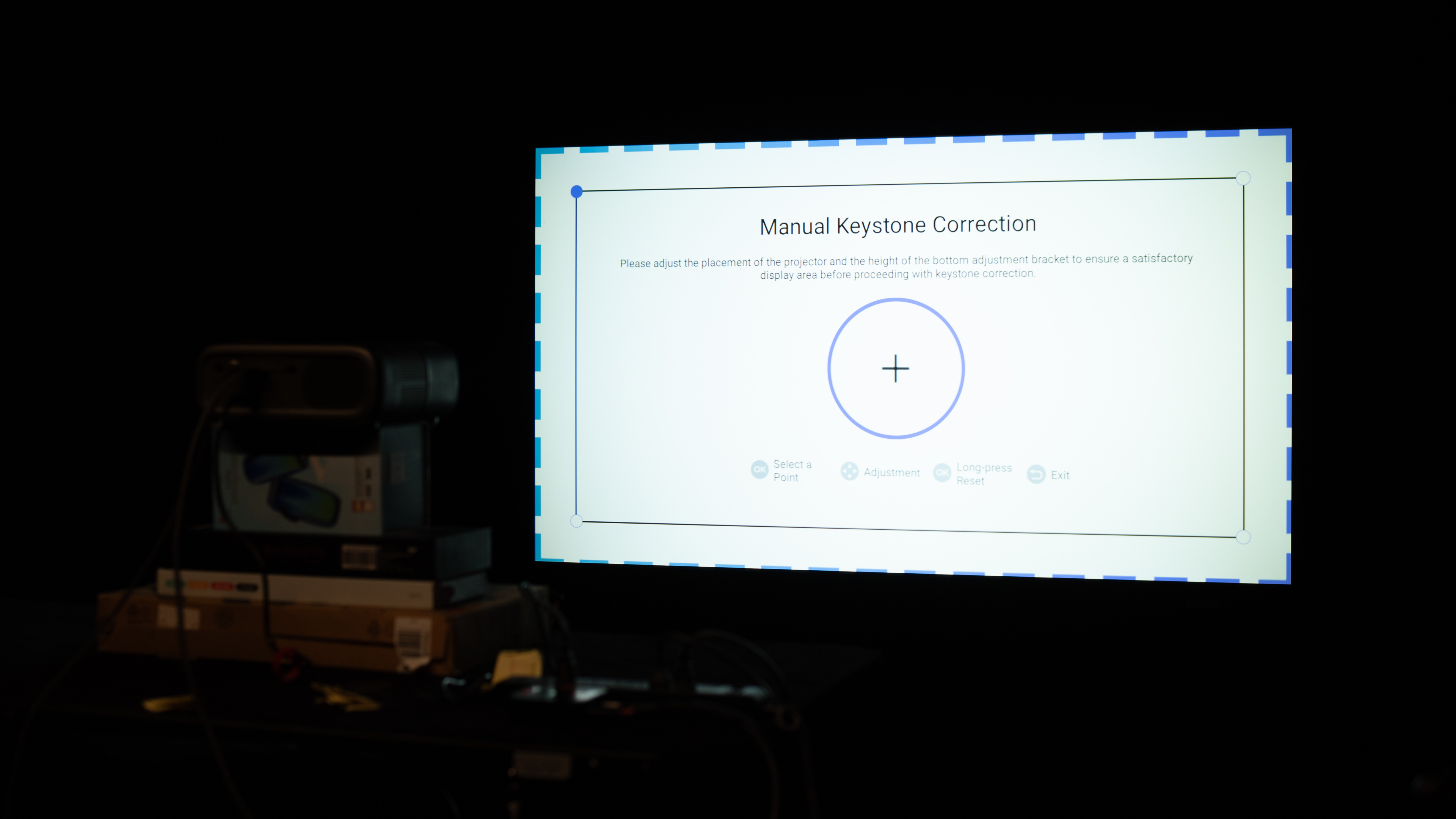
The NexiGo PJ40 Pro is inadequate for outdoor setups. It doesn't get bright, so visibility is an issue in a sunny space, and you'll have to wait until dark to get the most out of it. The downside of taking it outside is that it's not very portable because it lacks a battery or any carrying features, but its lens cap protects it when it's not in use. It has a few features to help you set it up, like manual keystone and focus, but without lens shift or optical zoom, it can be tough to get a clean image if it's not directly facing a wall or screen.
Manual keystone and focus adjustments.
Sub-par brightness with noticeable vignetting.
Lack of optical zoom or lens shift.
No features to help carry it.
The NexiGo PJ40 Pro is poor for bedroom setups. It can be a bit difficult to carry to the bedroom because it's on the bigger side and doesn't come with anything to help you carry it. It has a few features to help you align the image against the wall, but you'll have to adjust the horizontal keystone and focus manually. It also doesn't have optical zoom or lens shift to clean up the image if you have it off-center. Lastly, it has a loud fan, which could bother the rest of your family when watching it at night.
Manual keystone and focus adjustments.
Very loud fan noise.
Lack of optical zoom or lens shift.
No features to help carry it.
The NexiGo PJ40 Pro is an inadequate gaming projector. It's a 1080p projector that tops out at 60Hz, although it also accepts (and downscales) 1440p and 4k signals. It has high input lag, so it's better suited to casual gaming and slower single-player titles that don't need fast reactions. In terms of picture quality, it has great contrast, but it's a dim projector with bad colors, so scenes aren't very vibrant. It's also not very accurate out of the box, so many gamers will want to calibrate it before using it.
Great contrast across any type of content.
High input lag, even on low latency mode.
Sub-par brightness with noticeable vignetting.
Limited 60Hz refresh rate.
Narrow coverage of common color spaces.
The NexiGo PJ40 Pro projector's brightness is sub-par. It also has noticeable vignetting on the sides and corners of the image, and it's not strong enough to fight off ambient light.
Sub-par brightness with noticeable vignetting.
The NexiGo PJ40 Pro has great contrast. It displays deep blacks across any type of content. However, it doesn't get bright, so the image lacks depth.
Great contrast across any type of content.
Sub-par brightness with noticeable vignetting.
The NexiGo PJ40 Pro has alright portability. It's on the bigger side, but it's still light enough to carry around. However, it lacks a battery, but it at least has a lens cap to protect it when it's not in use. It has a handful of features to help you set it up, like keystone and focus, but you'll have to do it manually. It also lacks optical zoom or lens shift to clean up the image when the projector is off-angle from the screen.
Manual keystone and focus adjustments.
Lack of optical zoom or lens shift.
No features to help carry it.
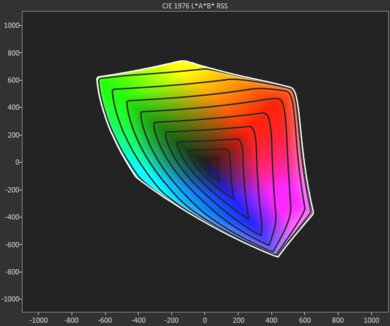
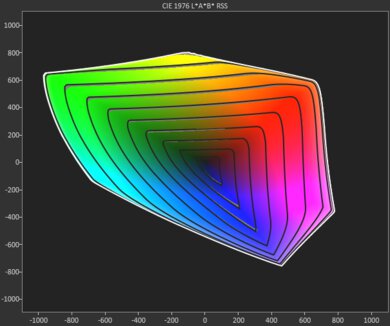
The NexiGo PJ40 Pro has poor color. It has very limited color volume, and combined with its subpar accuracy, it fails to deliver lifelike, vivid images.
Very inaccurate out of the box.
Narrow coverage of common color spaces.
The NexiGo PJ40 Pro has disappointing gaming responsiveness. It has a limited 60Hz refresh rate with native 1080p and downscaled 1440p or 4k signals. Its input lag is also too high for a responsive gaming experience. Lastly, it has motion blur due to its LCD technology.
High input lag, even on low latency mode.
Limited 60Hz refresh rate.
Performance Usages
Changelog
-
Updated Sep 23, 2026:
We clarified that the Aurzen EAZZE D1 MAX is an alternative with extra screen adaptation features.
- Updated Aug 07, 2026: We've converted the review to Test Bench 1.0, which replaces our Color Gamut test with Color Volume and adds a new Rainbow Effect test box. We also updated Effective Contrast (formerly Native Contrast) to account for projector brightness and reworked Judder scoring. The new bench also adds Outdoors and Bedroom usages, plus Portability, Color, and Gaming Responsiveness Performance Usages; Movies is now Home Theater, and all existing usage scores have been updated. See the 1.0 changelog.
-
Updated May 27, 2026:
We've added text to some test boxes as a result of our latest test bench. We've also updated Inputs & Connectivity to include Bluetooth support checks.
-
Updated May 25, 2026:
We mention the newly reviewed ViewSonic LX60HD in the Native Contrast section of this review.
Check Price
Differences Between Sizes And Variants
This projector is part of NexiGo's PJ40 Series. All models are native 1080p LCD projectors with a 1.47 throw ratio, support HDR10 and HLG formats, and each includes an integrated 20W speaker system. The most notable differences between these variants are their advertised brightness and the operating system they run.
| Model | Advertised Brightness (ANSI) | Operating System |
| NexiGo PJ40 (Gen 3) | 700 | Android TV |
| NexiGo PJ40 Ultra | 800 | Integrated apps (inc. licensed Netflix) |
| NexiGo PJ40 Pro | 800 | Google TV (inc. access to Play Store) |
Our unit was manufactured in China.
Popular Projector Comparisons
The NexiGo PJ40 Pro is a mediocre projector overall, though it performs fairly well compared to other projectors in its class in a few ways, especially in contrast. It doesn't project a very bright image, has poor color volume, and users will want to calibrate it because of its poor out-of-the-box image accuracy. In terms of gaming, it tops out at 1080p @ 60Hz and has fairly high input lag, so it's better suited to slower, turn-based games than to ones that require quick reactions. That said, it does accept 1440p and 4k signals and downscale them to 1080p.
All things considered, it performs similarly to the NexiGo PJ40 (Gen 3), though the PJ40 Pro runs on the more modern Google TV OS (versus the more bare-bones Android TV experience on the PJ40 Gen 3) and offers better image accuracy. If these two criteria aren't priorities, the PJ40 (Gen 3) is usually available at a lower price. For those looking for a more portable option, check out the XGIMI Halo+. It has an integrated battery, much better color volume, and significantly quieter fan noise than the NexiGo, though at the expense of contrast and image accuracy.
Check out our recommendations for the best cheap projectors, or if you'd prefer to shop solely for another product in the same price range, look up the best projectors under $500 instead.
The NexiGo PJ40 Pro and the NexiGo PJ40 (Gen 3) are 1080p projectors that perform similarly across the board. However, the PJ40 Pro gets the edge because it runs Google TV for a modern streaming experience, while the Android TV experience on the PJ40 (Gen 3) is barebones. The PJ40 Pro also has better image accuracy and input lag.
The XGIMI Halo+ is better than the NexiGo PJ40 Pro, though they each have their strengths and weaknesses for different purposes. The XGIMI is a portable projector with an integrated battery, along with better image accuracy and a significantly better color volume, on top of having significantly quieter fan noise. On the other hand, the NexiGo is a tabletop projector with significantly higher contrast across all scenes.
The Epson EpiqVision Flex CO-FH02 is a bit better than the NexiGo PJ40 Pro, but their strengths are complete opposites. The Epson is an incredibly bright projector with poor contrast; the NexiGo is very dim, but has amazing contrast. It does make the NexiGo the better choice for watching movies in a blacked out room, but the Epson is more versatile as it can be used in a wider variety of room contexts.
The NexiGo PJ40 Pro and ViewSonic LX60HD are very similar projectors, but the NexiGo generally has the edge. While the ViewSonic's contrast is a bit better, the NexiGo has the clear advantage in brightness, especially when they're both calibrated. The NexiGo is also much more accurate, is better for gaming, and handles judder a bit better.

We've independently bought and tested over 100 projectors and published detailed results for each, so you can decide which one to buy. These have all been tested under the same standardized methodology, allowing you to compare them side by side. We still have all these projectors in our lab, so we can continually go back and compare them to ensure our reviews are still accurate. All our test methodologies are also public on our website, so you can validate the results yourself.
Throw Calculator
Global Controls
Test Results

for pictures & test results







for pictures & test results





for pictures & test results