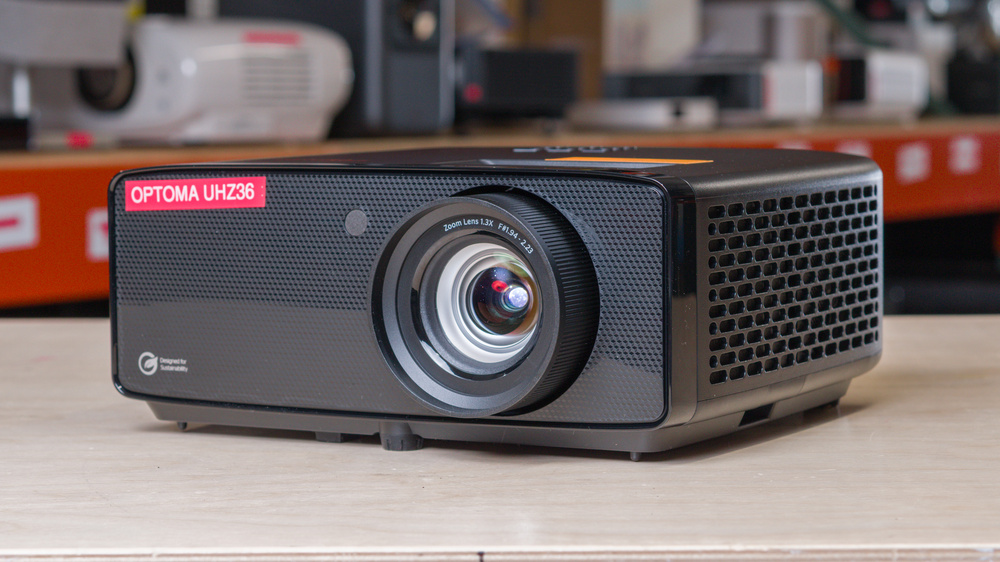
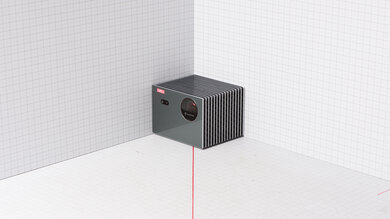
The Optoma UHZ36 is a 4k UHD single-chip DLP home entertainment projector with a laser-phosphor light source. It has Optoma's PureEngine processing suite and a dedicated Filmmaker Mode for more hands-off, cinema-style playback. For setup, it uses a 1.3x manual zoom lens with manual focus, with an auto vertical keystone to help square the image. It keeps streaming simple by relying on external devices, but you do get two HDMI 2.0 inputs (one with ARC), a 15W built-in mono speaker, and basic integration options like RS232 and a 12V trigger.
Our Verdict
The Optoma UHZ36 is sub-par for a home theater. While its contrast gives most scenes respectable depth, its elevated black floor keeps the darkest movies from looking especially cinematic, while its inaccurate, washed-out colors limit the impact of vibrant content. It also can't remove judder from any movie or show, no matter the source.
Decent contrast in mixed scenes.
Colors are washed out.
Quite inaccurate out-of-the-box.
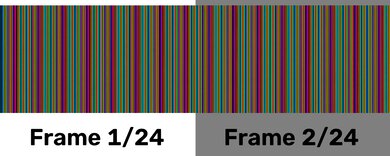
Rainbow flashes may distract sensitive viewers.
Can’t remove judder from any content regardless of the source.
The Optoma UHZ36 is mediocre for outdoor use. It does have some strengths, as it is bright enough for a satisfying image after dark, especially once nearby lighting is kept low. While its compact body makes it manageable to bring outside, it lacks a battery, handle, carrying case, or lens cover, so it isn't truly grab-and-go. You also need to readjust focus and zoom after moving it, as its only automatic correction is vertical keystone.
Decently bright projector, good enough for dim spaces.
Compact body with a useful manual zoom.
Barebones projector with no integrated smart OS.
Limited automatic image adjustment after moving.
No battery or carrying features.
The Optoma UHZ36 is a mediocre option for bedroom use. While it is compact enough to move around the home and bright enough to use with a little room lighting, it needs an external streamer, its 15W mono speaker is basic, and its manual focus and zoom make repeated setup less convenient. It works best as a mostly fixed bedroom projector rather than one you take out and put away every night.
Compact body with a useful manual zoom.
Barebones projector with no integrated smart OS.
Limited automatic image adjustment after moving.
The Optoma UHZ36 is a sub-par choice for gaming due to its poor responsiveness, making it unusable for anything but the slowest turn-based titles. It also frame-skips at 120Hz, making it an only 60Hz projector. At least it looks decent in action, thanks to its decent brightness and contrast, even if it's not colorful.
Decently bright projector, good enough for dim spaces.
Decent contrast in mixed scenes.
Blur-free due to its DLP technology.
Colors are washed out.
Quite inaccurate out-of-the-box.
High input lag at any resolution.
Frame-skips at 120Hz.
Rainbow flashes may distract sensitive viewers.
The Optoma UHZ36 is decently bright. While you'll still want to turn off the lights or close the blinds, once you do so, the unit projects a bright image that holds up well even in rooms that aren't entirely blacked out. Unfortunately, it just can't project vibrant-looking colors, so the presentation looks a bit washed out.
Decently bright projector, good enough for dim spaces.
Not bright enough for anything but a dim room.
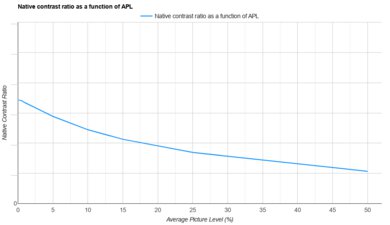
The Optoma UHZ36 has decent contrast. Mixed scenes in particular have decent depth, so their blacks look relatively deep, while very dark and very bright scenes are less punchy, so their blacks tend to look more gray.
Decent contrast in mixed scenes.
Contrast is a tad worse in very dark scenes or very bright ones.
The Optoma UHZ36 is okay for portability. It is compact enough to move between rooms or take outside occasionally, but it has no battery or carrying features, so you must carry it in your arms and plug it in wherever you use it. Its manual focus and zoom also mean each move requires some setup.
Compact body with a useful manual zoom.
Barebones projector with no integrated smart OS.
Limited automatic image adjustment after moving.
No battery or carrying features.
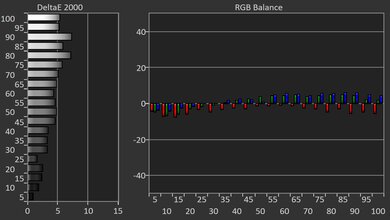
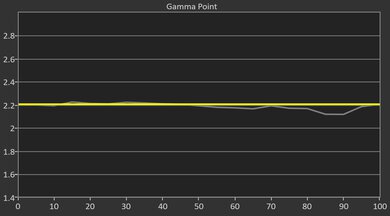
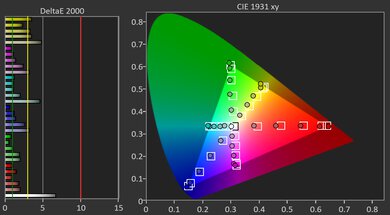
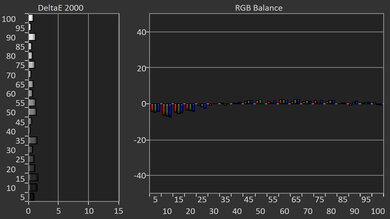
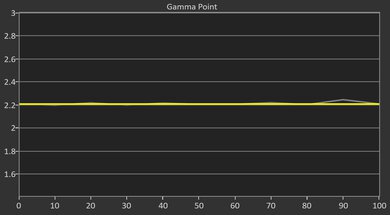
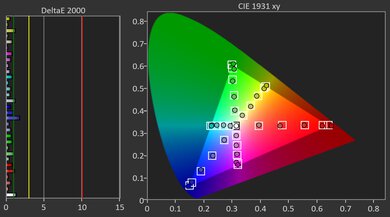
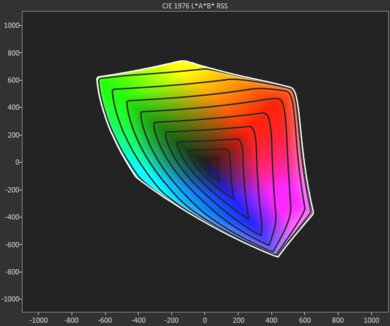
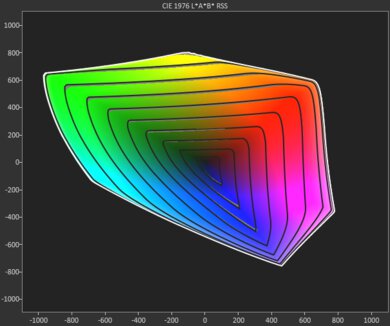
The Optoma UHZ36 has poor color performance. Its image is noticeably inaccurate out of the box, and calibration only partly improves it. It's also not a colorful projector; all content looks washed out.
Colors are washed out.
Quite inaccurate out-of-the-box.
The Optoma UHZ36 has poor gaming responsiveness. Its high input lag makes games feel slow at every resolution. Although it accepts a 1080p @ 120Hz signal, it frame-skips, so it offers no real responsiveness advantage over 60Hz. Its DLP imaging keeps response-time blur low, but that doesn't offset the delay.
Blur-free due to its DLP technology.
High input lag at any resolution.
Frame-skips at 120Hz.
Performance Usages
Changelog
-
Updated Sep 15, 2026:
We mentioned the newly reviewed JMGO N1S 4K in the Effective Contrast section.
-
Updated Aug 04, 2026:
We mentioned the newly reviewed XGIMI Elfin Flip 4K in the Color Volume section.
- Updated Jul 28, 2026: We've converted the review to Test Bench 1.0, which replaces our Color Gamut test with Color Volume and adds a new Rainbow Effect test box. We also updated Effective Contrast (formerly Native Contrast) to account for projector brightness and reworked Judder scoring. The new bench also adds Outdoors and Bedroom usages, plus Portability, Color, and Gaming Responsiveness Performance Usages; Movies is now Home Theater, and all existing usage scores have been updated. See the 1.0 changelog.
-
Updated May 29, 2026:
We've added text to some test boxes as a result of our latest test bench.
Check Price
Differences Between Sizes And Variants
The Optoma UHZ36 doesn't have any direct variants, but Optoma sells a ton of related projectors. You can see the differences between a few of them in the table below:
| Model | Brightness (manufacturer) | Throw ratio | Optical zoom / focus | Lens shift | HDMI / ARC-eARC (as specified) | Built-in speaker |
|---|---|---|---|---|---|---|
| Optoma UHZ36 | 3500 lumens | 1.21:1–1.59:1 | 1.3x manual zoom / manual focus | No | 2x HDMI2.0 (with ARC) | 15W (mono) |
| Optoma UHZ35 | 3500 lumens | 1.40:1–2.24:1 | 1.6x manual zoom / manual focus | No | 2x HDMI2.0 (with eARC) | 15W (mono) |
| Optoma UHZ35ST | 3500 lumens | 0.50:1 (short throw) | Fixed focal length / manual focus | No | 2x HDMI2.0 | 15W (mono) |
| Optoma UHZ55 | 3000 lumens | 1.21:1–1.59:1 | 1.3x manual zoom / manual focus | Vertical +10% | 3x HDMI 2.0 (with eARC) | 2x10W |
| Optoma UHZ66 | 4000 lumens | 1.40:1–2.24:1 | 1.6x manual zoom / manual focus | No | 2x HDMI 2.0 (with eARC) | 15W (mono) |
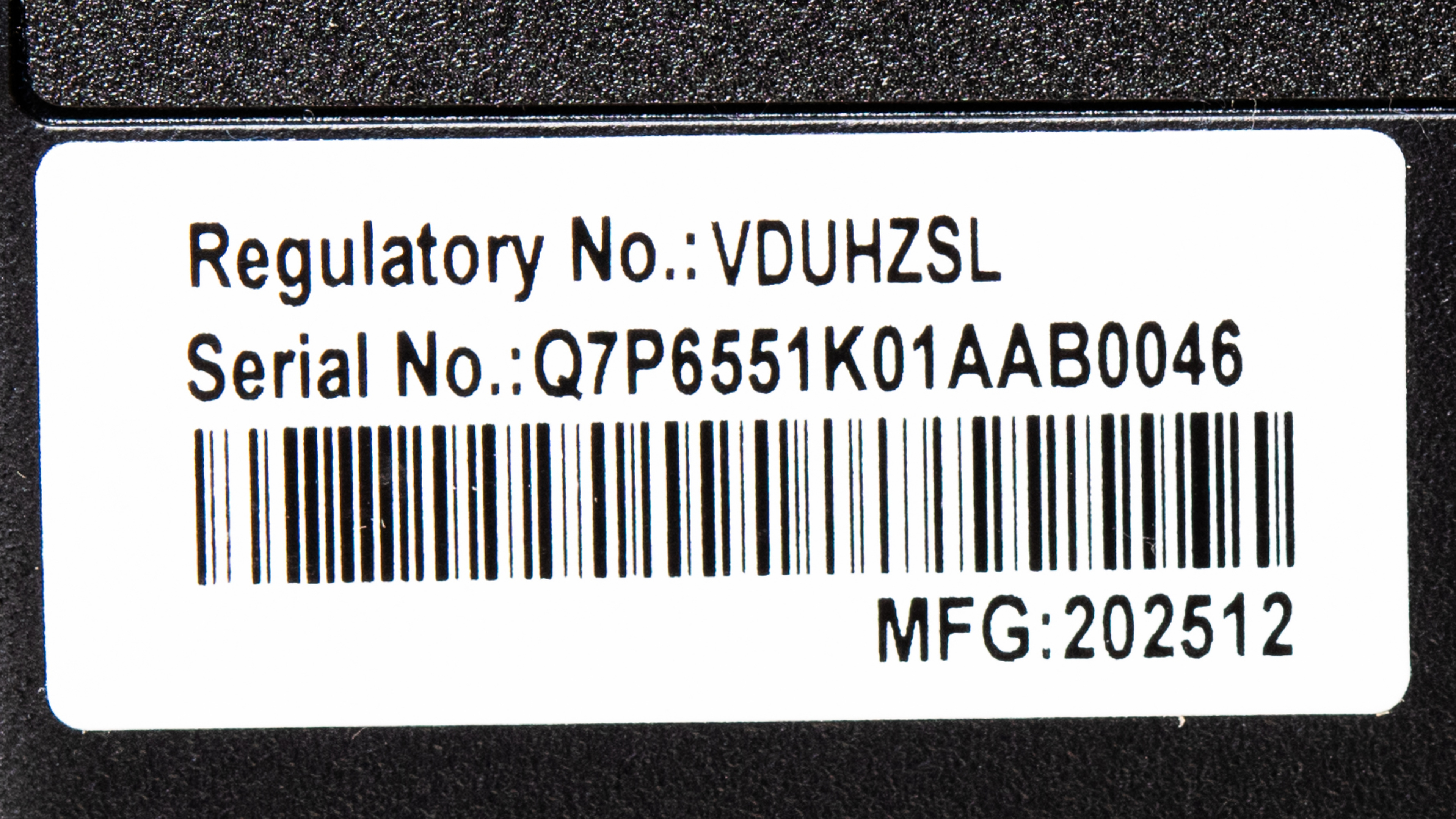
Our unit was manufactured in December 2025. You can see a photo of our unit's label here.
Popular Projector Comparisons
The Optoma UHZ36 is a solid option for movies if you want a bright picture with decent contrast. However, it falls behind many newer lifestyle and home theater models in a few important areas: it isn't very accurate out of the box, it doesn't fully calibrate into a truly reference-level image, and its color looks comparatively washed out. It's also a poor pick for gaming, as input lag is very high, and it frame-skips at 1080p @ 120Hz, which defeats the point of its higher refresh support. For most people, the Hisense M2 Pro is the better buy thanks to its higher-performing contrast, much more accurate image, and significantly better gaming performance.
For more, check out our recommendations for the best 4k projectors, the best projectors under $1000, and the best portable projectors. If you're really looking for a product to use outside, consider the best outdoor projectors as well.
The Hisense M2 Pro is better than the Optoma UHZ36 in almost every way except for one: brightness. The Optoma is noticeably brighter, especially if you're using the unit in a room with ambient light. In a darker room, however, the Hisense stretches its legs, with better contrast, a much more vibrant image, and a more accurate image before and after calibration. For gamers, the Hisense is also far better, as it is very responsive at any resolution, and can game at up to 240Hz.
The XGIMI Elfin Flip 4K is better than the Optoma UHZ36 overall. The XGIMI offers significantly more vibrant colors that are also more accurate, so you get an image that is punchier and stays truer to the filmmaker's intent. The XGIMI also has drastically better gaming performance, since it supports 1080p @ 120Hz, VRR, and has much lower input lag. The Optoma doesn't have a built-in smart OS, whereas the XGIMI utilizes Google TV, so it doesn't require an external streaming device. The XGIMI is also much easier to set up and carry around. On the other hand, the Optoma is brighter, but that doesn't outweigh how much better the XGIMI looks overall.
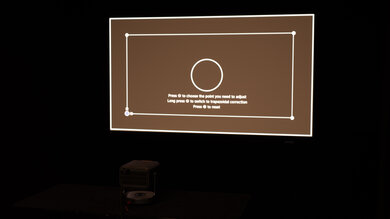
We've independently bought and tested over 80 projectors and published detailed results for each, so you can decide which one to buy. These have all been tested under the same standardized methodology, allowing you to compare them side by side. We still have all these projects in our lab, so we can continually go back and compare them to ensure our reviews are still accurate. All our test methodologies are also public on our website, so you can validate the results yourself.
Throw Calculator
Global Controls
Test Results
for pictures & test results
for pictures & test results



for pictures & test results