See the previous 0.11 changelog.
Projector Test Bench 0.12 expands our coverage of projector usability and setup with several new tests focused on real-world use. This update adds Judder, Screen Adaptation, Battery, Additional Carrying Features, and Physical Setup Flexibility, and updates Size, Inputs & Connectivity, and Smart Features & Sound. It also reorganizes information that was previously grouped more loosely under older Portability and Optics, making setup and carrying features easier to compare across reviews. That means older 0.11-era review text on portability and setup may no longer align directly with the new 0.12 presentation, even when the underlying projector hasn't changed. As with prior test bench updates, reviews that haven't been retested will continue to show the methodology version under which they were tested.
Presentation changes
-
Portability presentation changes
- Splits information that was often mixed together in the previous Portability box into the Size, Additional Carrying Features, Battery, and Physical Setup Flexibility boxes mentioned below. This includes physical size, carrying practicality, power requirements, battery-related considerations, and setup convenience information.
-
Optics presentation changes
- Moves information around the projector type, mounting holes, and body adjustment features out of the Optics box and into the new Physical Setup Flexibility and Screen Adaptation boxes mentioned below.
-
Smart Features & Sound presentation changes
- Added a test for Remote-Free Operation to check if the projector is fully usable from the unit itself, without having a remote.
New and updated tests
-
Updated Size test
- Now reports projector volume in cm³.
- Re-weighs projectors with their included power cable or power supply, since the older 0.11 results didn't include that.
-
New Additional Carrying Features test
- Reports whether the unit has a carrying handle, lens protection, and if it comes with a carrying case.
-
New Physical Setup Features test
- Separates setup-related hardware details into their own box.
- Reports projector type, mounting holes, and body adjustment features.
-
New Battery test
- Adds measured battery life at maximum brightness at its recommended picture setting, and with power-saving disabled.
- Adds measured charge time using the included charger.
- Reports which power sources the projector supports.
-
New Judder test
- Checks whether a projector can display 24p and 25p content (such as movies and some European shows, respectively) cleanly using matched signals, 60Hz output, and native apps.
- Valid de-judder settings are tested and reported when they actually work as intended.
-
Updated Inputs & Connectivity test
- Adds a real-world Bluetooth support check by pairing the projector with wireless speakers or headphones.
-
New Screen Adaptation test
- Reports Auto/Manual Focus, Auto/Manual Vertical and Horizontal Keystone, Post-movement Auto-Correction, Obstacle Avoidance, and Auto Screen Fit.
- Scoring reflects whether the feature works as intended in practice, not just whether the toggle exists in the menu.
Size
The Size box is now more narrowly focused on physical dimensions, weight, and volume. In earlier reviews, size-related commentary was often bundled together with mobility, battery, and setup considerations under broader portability-oriented text. In 0.12, those ideas are separated into their own dedicated box.
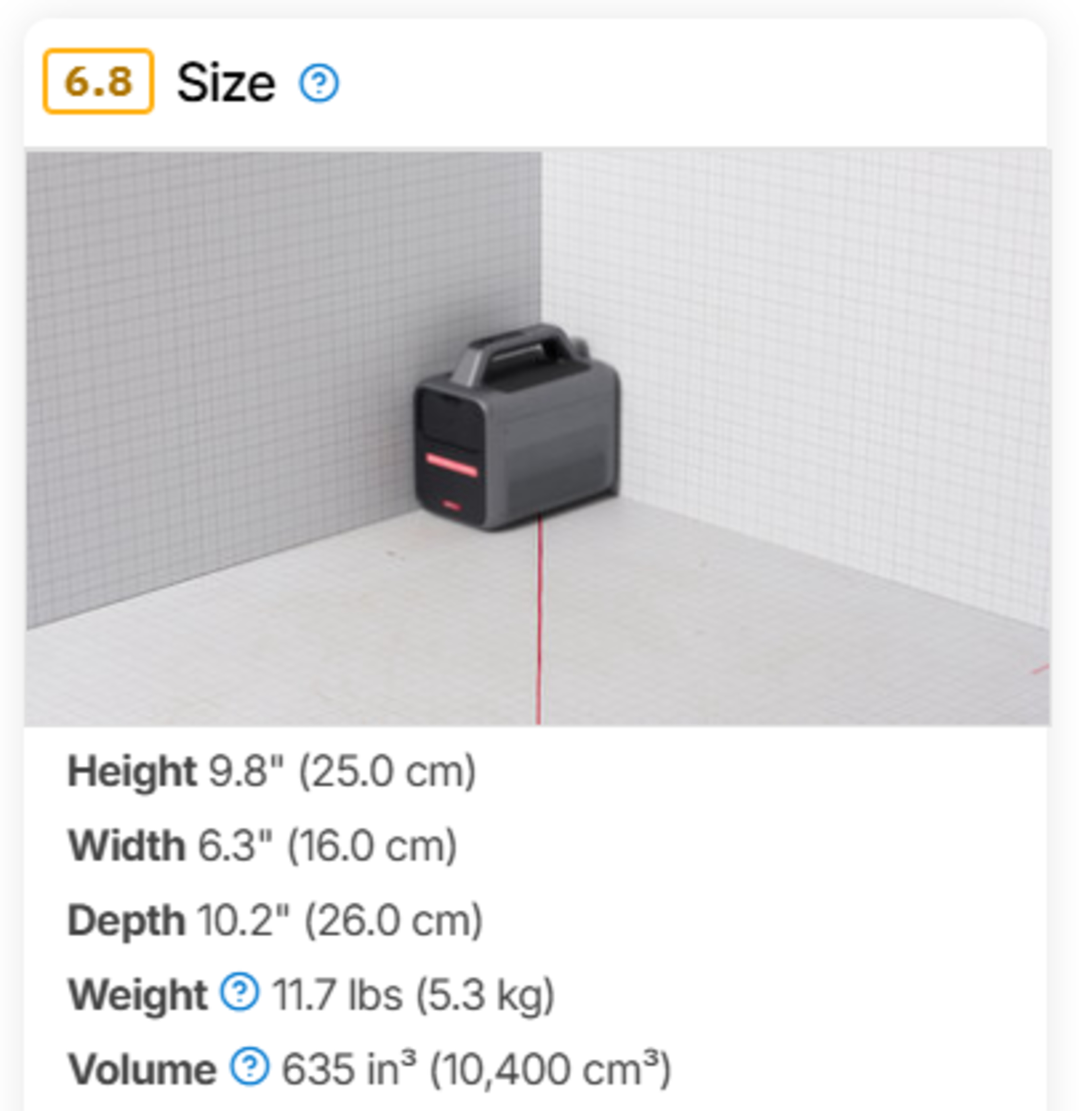
What it means for you: Weight and footprint are now more representative of what you actually need to carry or place, which makes 0.12 size comparisons more practical than older portability-style blurbs. This is especially important for projectors that rely on large external power bricks or bulky included cables.
Additional Carrying Features
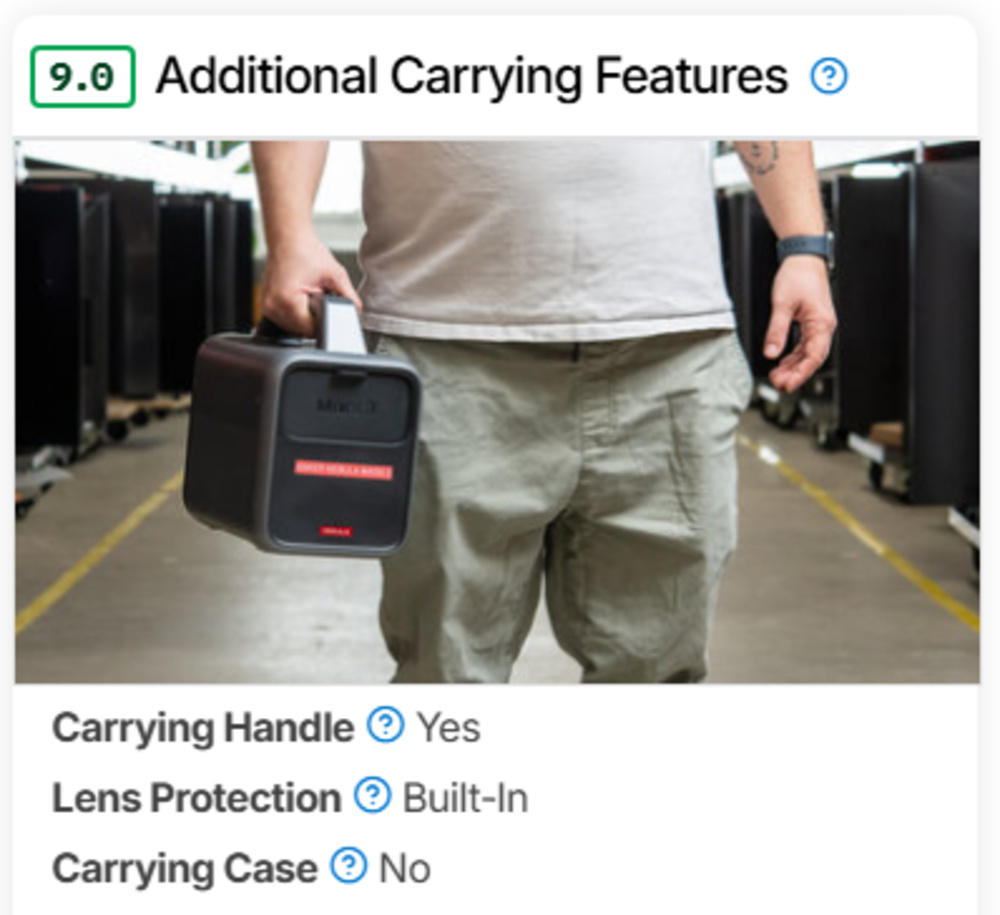
We've separated day-to-day portability factors into a dedicated Additional Carrying Features box. This reports whether the projector has a carrying handle, lens protection, and/or a case.
 |
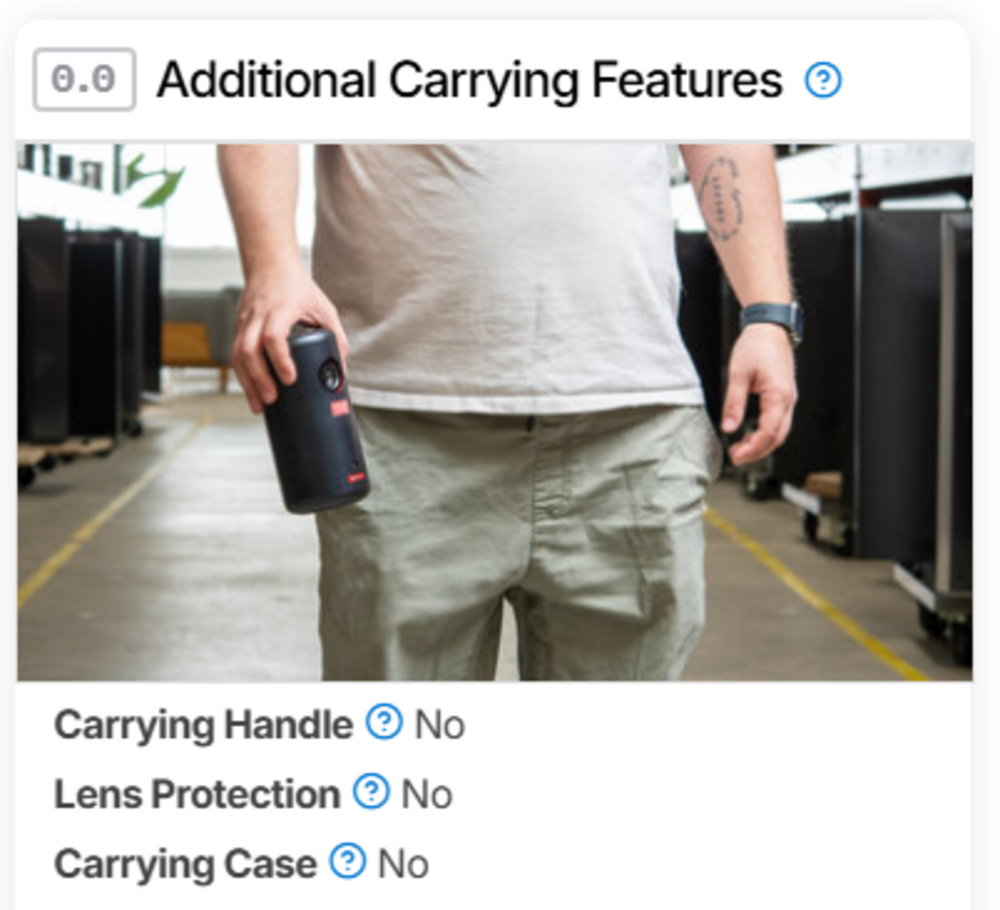 |
What it means for you: Rather than relying on a single vague portability blurb, you can now see which practical Additional Carrying Features a projector actually has. This makes it easier to distinguish between a projector that is merely small and one that is actually convenient to pick up and carry away from a permanent setup.
Physical Setup FLEXIBILITY
We now surface hardware placement traits in a dedicated Physical Setup Features box. Information like projector type, mounting support, and body adjustment was previously covered more loosely, often in the Optics box or general review text, but 0.12 makes these details easier to compare directly across products.
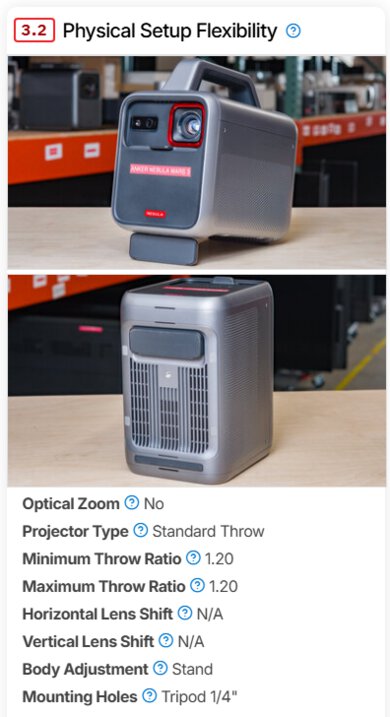
What it means for you: It's now much easier to compare the practical setup flexibility of different projectors without digging through long-form text or manuals. This is especially useful for differentiating fixed-chassis home-theater units from lifestyle models with built-in stands, gimbals, or other body adjustments.
Battery
We now measure battery life by running the projector at the recommended picture setting at maximum brightness with power-saving disabled until it shuts off, and we measure charge time until it returns to full charge. We also report which power sources the projector supports.
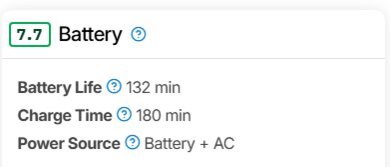
What it means for you: Battery figures in 0.12 are now based on a consistent high-load test, making it easier to compare products directly. Since the test is done at maximum brightness, many projectors will last longer in real use at lower brightness settings, but 0.12 gives a clearer apples-to-apples baseline. Charge time is standardized around the intended charging setup rather than ad hoc charging methods.
Judder
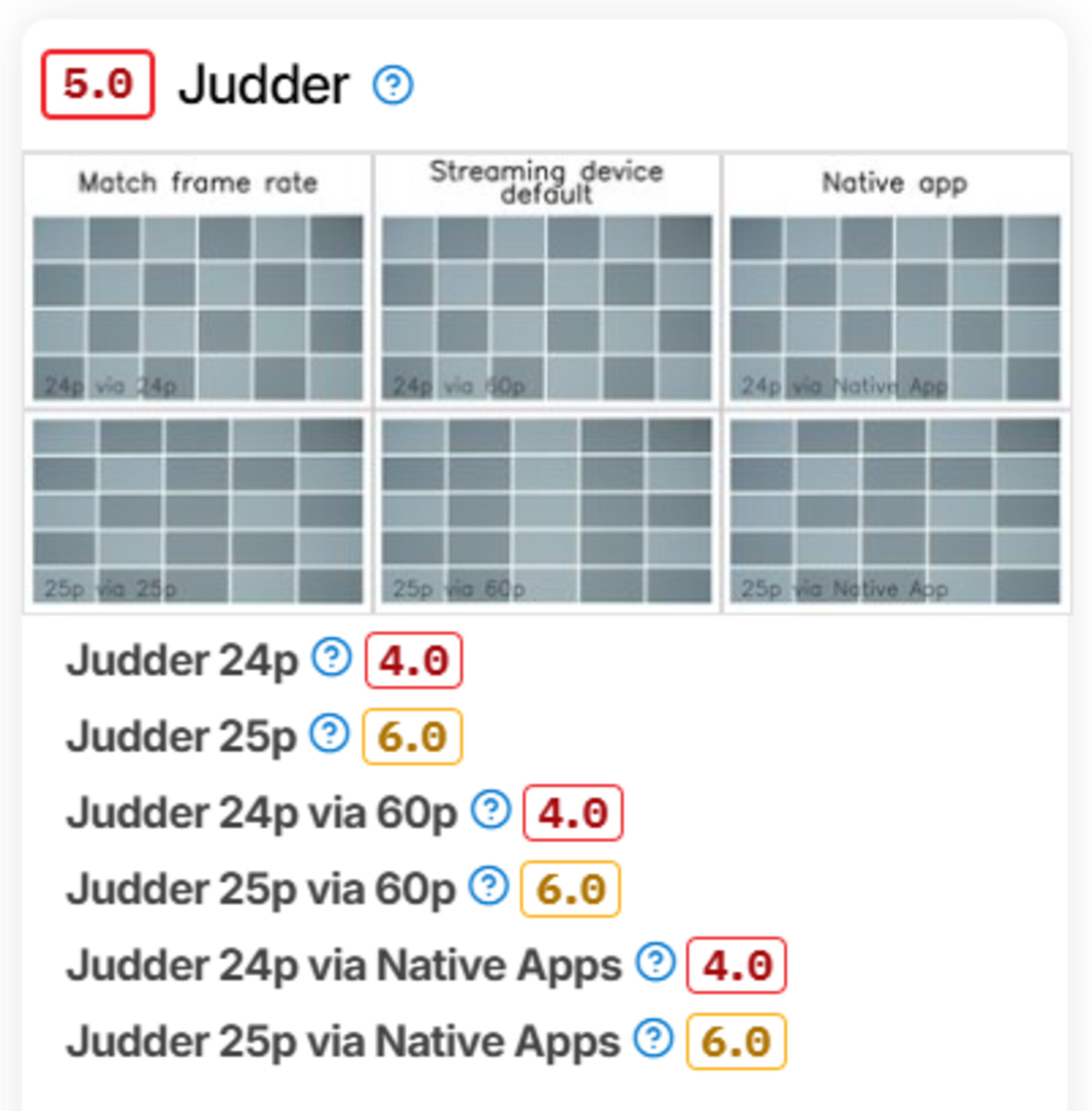
We now publish a dedicated Judder box that checks whether a projector displays 24p and 25p content smoothly with matched frame rate, 60Hz streaming-device output, and native apps. When a setting such as MEMC, De-Judder, or Frame Interpolation is required for proper playback, we note it.
 |
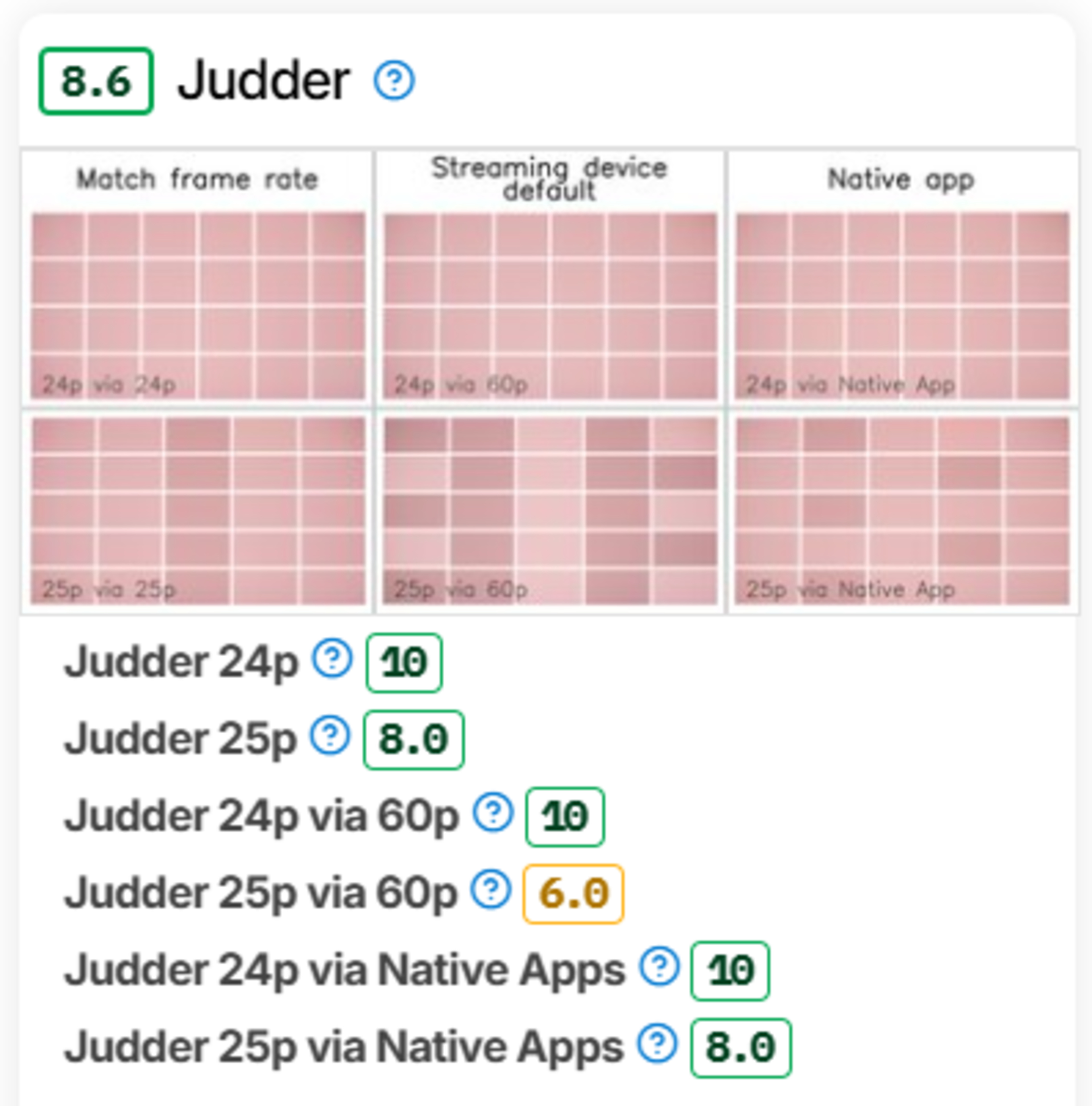 |
What it means for you: If you watch a lot of movies, TV, anime, sports, or international content, you can now quickly see whether a projector handles motion properly or whether it needs a specific setting or source configuration to avoid visible judder. This also makes it easier to compare projectors, which often behave differently depending on whether you use their internal apps or an external streamer.
Inputs & Connectivity
The Inputs & Connectivity test has been updated to verify whether Bluetooth is present and whether it actually works with a wireless speaker or wireless headphones.
What it means for you: A Bluetooth logo or menu toggle is no longer enough on its own. Under 0.12, Bluetooth support is now confirmed through an actual device connection, helping catch unreliable or misleading implementations.
SMART fEATURES & soUND
We added a test for Remote-Free Operation to the Smart Features & Sound box.
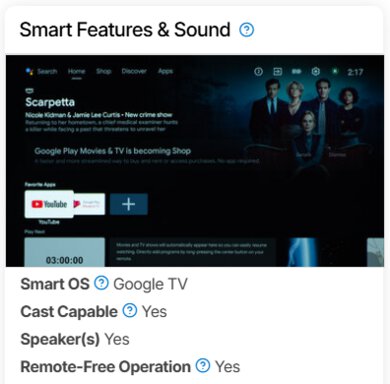
What it means for you: This tells you whether a projector is fully usable without a remote, which is handy if you forget it at home with portable units, or simply if the remote is in another room.
Screen Adaptation
We now surface setup-automation features in a dedicated Screen Adaptation box. While many of these features were previously discussed in the Optics box, 0.12 separates them into their own results and scores them based on whether they actually work as intended in practice.
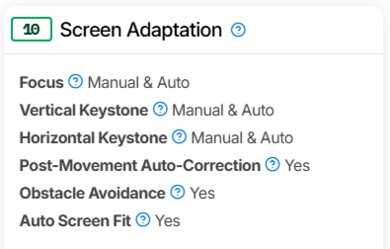
What it means for you: Projectors that advertise lots of automatic setup tools will now be easier to compare, and weak or unreliable implementations will be more obvious. This is especially useful for portable and lifestyle models that are often moved between rooms or used casually without careful manual setup.
Which Reviews Are Being Updated?
Not all legacy reviews will be updated to the new test bench; however, in many instances, reviews on the new test bench are broadly compatible with units left on 0.11. Test Bench 0.12 adds several new boxes to projector reviews, so it changes how setup, mobility, and convenience information is presented compared with 0.11. Older 0.11 reviews may still mention some of these concepts, while 0.12 retested reviews break them out into separate, easier-to-compare results. As with prior updates, the methodology version shown on each review remains important when comparing products tested under different benches.
57 Projectors Updated
We have retested popular models. The test results for the following models have been converted to the new testing methodology. However, the text might be inconsistent with the new results.
- Anker Nebula Capsule 3
- Anker Nebula Capsule 3 Laser
- Anker Nebula Mars 3
- Anker Nebula X1
- ASUS ProArt Projector A1
- AWOL Vision LTV-3000 Pro
- BenQ HT2060
- BenQ TH671ST
- BenQ TK700STi
- BenQ X3100i
- BenQ X500i
- Dangbei Atom
- Epson EpiqVision Flex CO-W01
- Epson EpiqVision Mini EF12
- Epson EpiqVision Mini EF21
- Epson EpiqVision Ultra LS300
- Epson EpiqVision Ultra LS800
- Epson Home Cinema 1080
- Epson Home Cinema 2350
- Epson Home Cinema 3800
- Epson Home Cinema 5050UB
- Epson Lifestudio Flex Plus
- Formovie THEATER
- Hisense C1
- Hisense C2 Ultra
- Hisense M2 Pro
- Hisense PT1
- Hisense PX3-PRO
- JMGO N1S Ultimate
- LG CineBeam Q
- LG CineBeam S
- NexiGo Aurora Pro
- NexiGo PJ40 (Gen 3)
- NexiGo PJ40 Pro
- NexiGo TriVision Ultra
- Optoma UHZ36
- Samsung The Freestyle 2nd Gen
- TCL C1
- Valerion VisionMaster Max
- Valerion VisionMaster Plus2
- Valerion VisionMaster Pro 2
- VANKYO Leisure 470
- ViewSonic PX701-4K
- Wanbo X5 Pro
- XGIMI AURA 2
- XGIMI Halo+
- XGIMI HORIZON 20
- XGIMI HORIZON 20 Max
- XGIMI HORIZON 20 Pro
- XGIMI HORIZON Pro
- XGIMI Horizon S Max
- XGIMI HORIZON Ultra
- XGIMI MoGo 2
- XGIMI MoGo 4
- XGIMI MoGo 4 Laser
- XGIMI TITAN
- XGIMI Vibe One