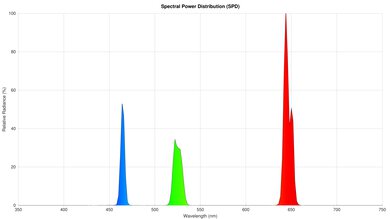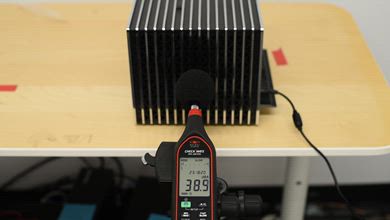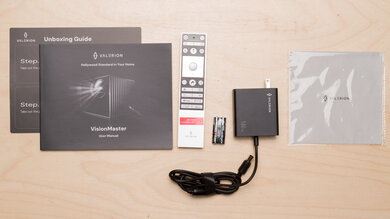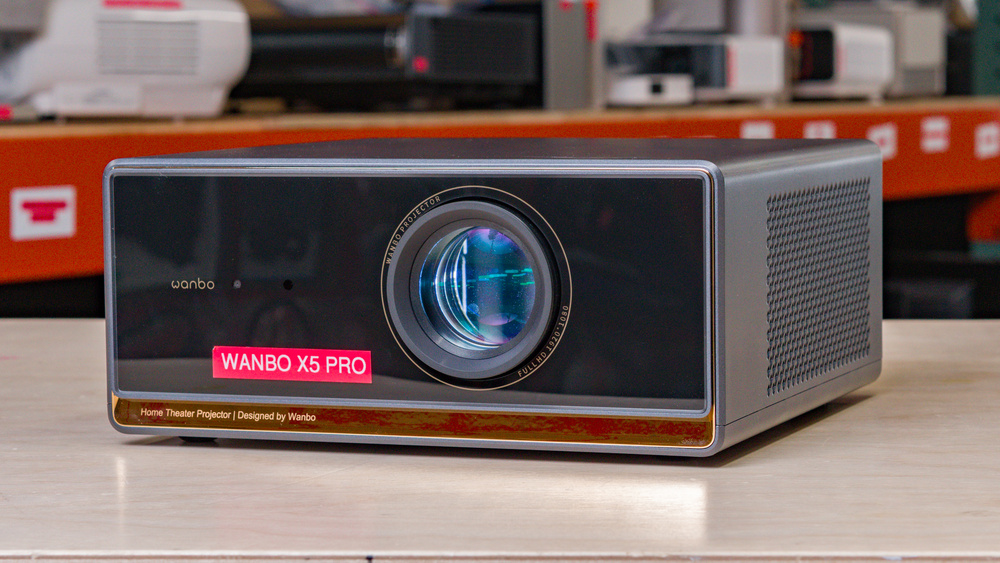
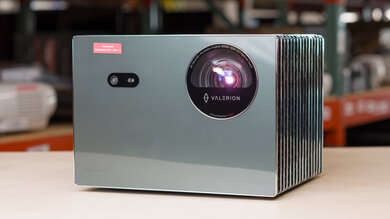
The Wanbo X5 Pro is a 1080p projector that uses a single TFT LCD panel with an LED light source. It has a fixed lens with powered focus, digital zoom, and horizontal and vertical digital keystone, with a listed 1.25:1 throw ratio. For smart features, it runs Android 11 OS with apps and Google Assistant support, and for audio, it has dual 6W speakers. Connectivity includes HDMI 2.0, 2 USB ports, a 3.5mm audio out, and built-in Wi-Fi.
Our Verdict
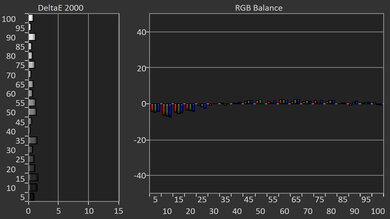
The Wanbo X5 Pro is an alright option for home theater setups. It delivers fairly deep blacks in dark scenes. It fails to make colorful content look vivid, and its image is very inaccurate out of the box, with little improvement after calibration. Plus, it can't remove judder from most sources or content, so motion looks choppy. On the plus side, its fan is quiet enough that it likely won't bother you when you're watching a loud movie. It also doesn't have any rainbow artifacts when gazing through the image.
Good contrast, especially in dark scenes.
Fully featured projector with a smart OS.
Minimal fan noise.
Dim projector.
Very inaccurate out-of-the-box and can't really be calibrated.
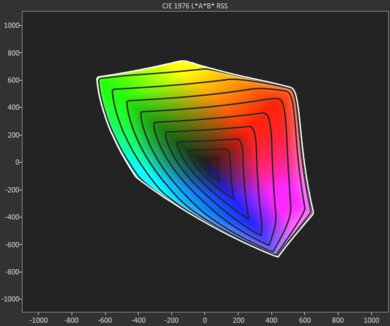
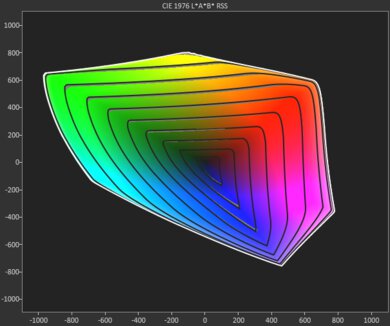
Limited color volume.
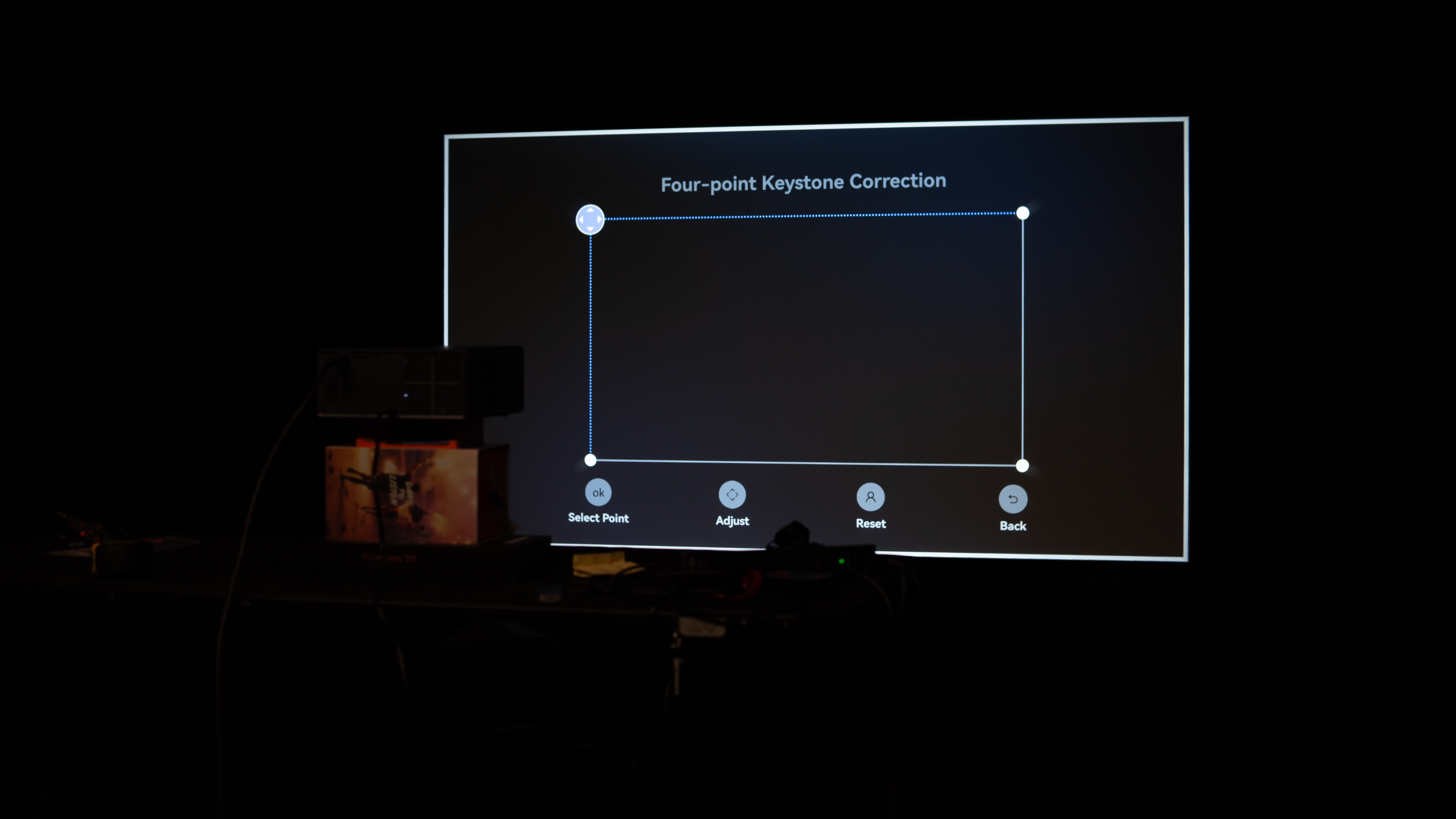
The Wanbo X5 Pro is disappointing for outdoor setups. It doesn't get very bright, so you need to wait for the sun to go down and turn off nearby lights to properly view what it's projecting. It's not the heaviest to carry outside, but it lacks any handles. It doesn't offer much setup flexibility, either, as it only has a small kickstand and doesn't have optical zoom or lens shift to move the image without affecting image quality. It at least has various features to help you set it up with any screen, including automatic focus and keystone adjustments, alongside obstacle avoidance.
Lightweight and fairly compact.
Includes automatic keystone, focus, and object avoidance features.
Dim projector.
No battery, carrying handles, or a lens cap.
Lack of lens shift or optical zoom.
The Wanbo X5 Pro is decent for bedroom setups. It doesn't take up much space, but it doesn't come with a lens cap to protect it when you aren't using it. It can be hard to get a proper image on a wall that isn't directly in front of the projector because it doesn't have optical zoom or lens shift, but it has automatic keystone and focus adjustments to clean up the image once you set it up. Its fan isn't very loud either, so you don't have to raise the volume much to properly hear your content.
Fully featured projector with a smart OS.
Lightweight and fairly compact.
Includes automatic keystone, focus, and object avoidance features.
Minimal fan noise.
No battery, carrying handles, or a lens cap.
Lack of lens shift or optical zoom.
The Wanbo X5 Pro is disappointing for gaming. It's versatile thanks to downscaling 4k inputs to 1080p, but its input lag is very high, and it is too sluggish for most game titles. The unit outputs a 1080p @ 120Hz image, but it frameskips, effectively making it a 60Hz projector. As for image quality, it does have good contrast, so it looks pretty good in darker rooms. Avoid turning on any lights, though, as the projector isn't bright enough to deal with glare. It's also very inaccurate out of the box, and it can't really be improved through calibration.
Good contrast, especially in dark scenes.
Dim projector.
Very inaccurate out-of-the-box and can't really be calibrated.
Limited color volume.
High input lag at any resolution and refresh rate.
Frame skips at 1080p @ 120Hz.
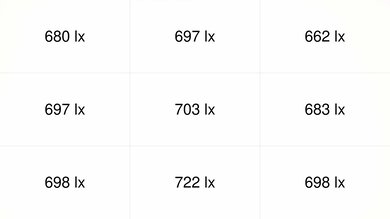
The Wanbo X5 Pro has disappointing brightness. It doesn't fight glare well, so make sure to turn off any lights to get the most out of it. It also has vignetting at the corners, which are dimmer than the rest of the screen.
Dim projector.
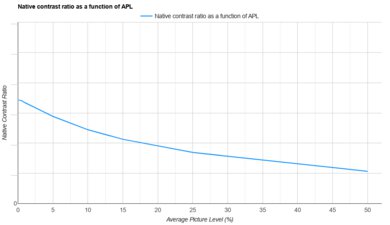
The Wanbo X5 Pro has good contrast. It displays deep blacks in dark scenes, but blacks aren't as deep in brighter scenes. However, you need to use it in a dark room to get the best contrast, as it's dim.
Good contrast, especially in dark scenes.
Dim projector.
The Wanbo X5 Pro has decent portability. It isn't very heavy nor does it take up much space, but it lacks a lens cap to protect it when you aren't using it. On the plus side, it also has many features to help align the image on the screen, like automatic focus and keystone adjustments. However, it lacks optical zoom and lens shift for a clean image, and without a battery, you'll need an outlet nearby wherever you set it up.
Lightweight and fairly compact.
Includes automatic keystone, focus, and object avoidance features.
No battery, carrying handles, or a lens cap.
Lack of lens shift or optical zoom.
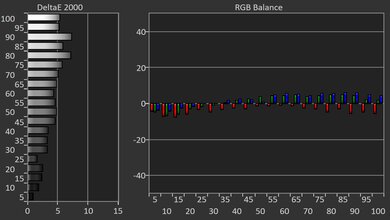
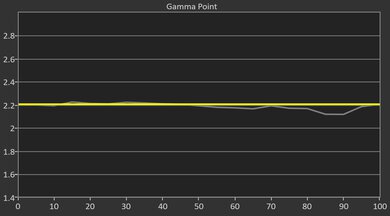
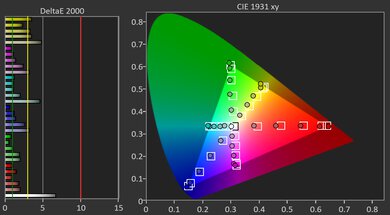
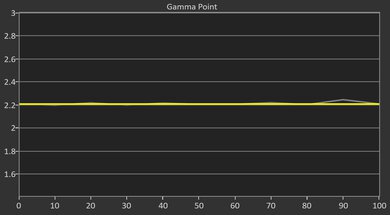
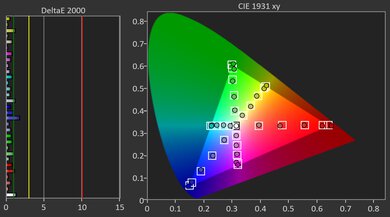
The Wanbo X5 Pro has bad color. It's inaccurate out of the box, and without proper calibration settings, it's hard to get an accurate image. It also fails to display vivid colors for an impactful viewing experience.
Very inaccurate out-of-the-box and can't really be calibrated.
Limited color volume.
The Wanbo X5 Pro has poor gaming responsiveness. It doesn't support many signals, as it only supports downscaled 4k @ 60Hz signals and 1080p @ 120Hz signals with frame skipping. It also has high input lag, so it's not ideal for playing games that need fast reactions.
Supports 4k @ 60Hz downscaled signals.
High input lag at any resolution and refresh rate.
Frame skips at 1080p @ 120Hz.
Performance Usages
Changelog
-
Updated Oct 29, 2026:
We mentioned the newly reviewed Dangbei N3 Max in the Physical Setup Flexibility section.
-
Updated Sep 23, 2026:
We added that the Aurzen EAZZE D1 MAX comes with a lens cap for better protection in transport.
- Updated Aug 04, 2026: We've converted the review to Test Bench 1.0, which replaces our Color Gamut test with Color Volume and adds a new Rainbow Effect test box. We also updated Effective Contrast (formerly Native Contrast) to account for projector brightness and reworked Judder scoring. The new bench also adds Outdoors and Bedroom usages, plus Portability, Color, and Gaming Responsiveness Performance Usages; Movies is now Home Theater, and all existing usage scores have been updated. See the 1.0 changelog.
-
Updated Jun 03, 2026:
We mention the newly reviewed Epson Lifestudio Pop Plus in the Pre-Calibration Color Accuracy section of this review.
Check Price
Differences Between Sizes And Variants
The Wanbo X5 Pro 2025 is the upgraded version of the base Wanbo X5. Both are 1080p LCD projectors with similar advertised brightness, but the X5 Pro adds Google TV support, a shorter throw ratio, and horizontal as well as vertical keystone correction, while the base X5 is a simpler model with a longer throw and more limited keystone adjustment.
| Model | Resolution / Light Source | Brightness | Smart Platform | Throw Ratio / Image Size | Keystone | Speakers |
|---|---|---|---|---|---|---|
| Wanbo X5 | 1080p / LED LCD | 1100 ANSI lumens | Android 9.0 | 1.50:1 / 39.93" - 149.98" | Vertical only | 2 x 5W |
| Wanbo X5 Pro | 1080p / LED LCD | 1100 ANSI lumens | Android 11 / Google TV | 1.25:1 / 39.98" - 180.09" | Horizontal & vertical | 2 x 6W |
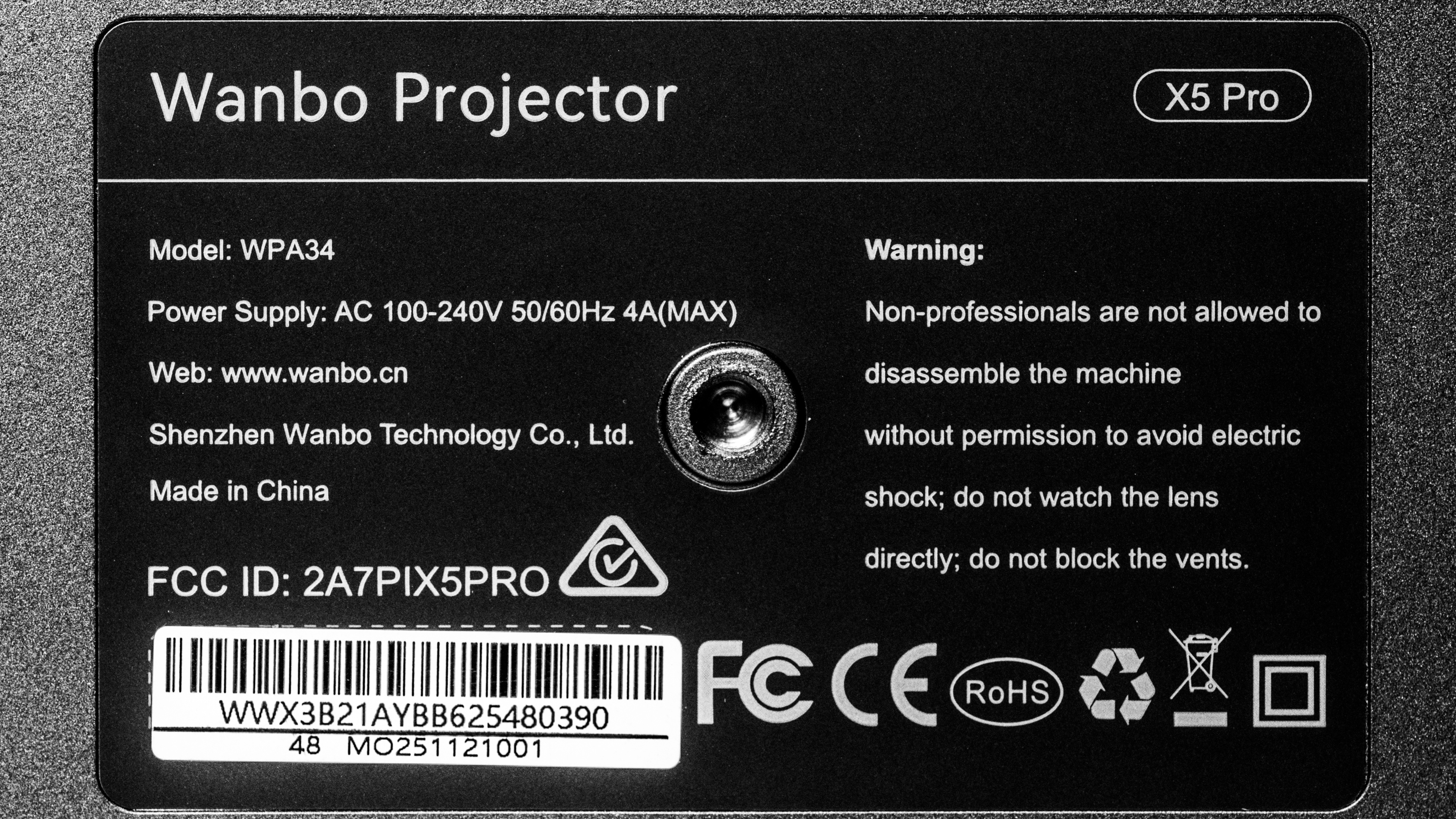
Our unit was manufactured in China. You can see a photo of its label here.
Popular Projector Comparisons
The Wanbo X5 Pro 2025 is a cheap projector that performs quite well in a dark room due to its good contrast. It competes most directly with the NexiGo PJ40 (Gen 3), which generally projects a slightly higher-quality image but at the cost of a much noisier fan and a bare-bones smart OS; the Wanbo is thus a good alternative if you prefer its versatility and silence. Still, other products, like the Dangbei Atom or the Epson EpiqVision Mini EF21, offer even more versatility thanks to their brighter, more colorful images, but they're also usually more expensive.
Check out our recommendations for the best cheap projectors and the best overall projectors. If you'd prefer to shop solely for another product in the same price range, look up the best projectors under $500 instead.
The Wanbo X5 Pro and the Aurzen EAZZE D1 MAX are very similar low-cost 1080p projectors with LCD imaging technology. They have many of the same features, including built-in Google TV and screen adjustment settings. They trade punches for picture quality as the Aurzen is brighter and the Wanbo is easier to calibrate, but neither has good picture quality anyway. An advantage of the Wanbo is that its fan is quieter, making it better for bedroom setups.
The Wanbo X5 Pro and NexiGo PJ40 (Gen 3) are nearly identical, but there are some minute differences. For sheer image quality, the NexiGo has a small edge due to its slightly better brightness, contrast, and colors. While both units are very inaccurate out of the box, the NexiGo can be vastly improved through calibration, while the Wanbo can't. Still, the Wanbo is noticeably quieter under load, making it a better pick for quiet bedrooms. It also comes with a full smart OS and apps, while the NexiGo is bare-bones and requires an external dongle for full smart functionality.
The Dangbei Atom and Wanbo X5 Pro trade blows, each with its own strengths. The Dangbei is more versatile due to its smaller size, higher peak brightness, more vibrant colors, and ease of calibration. Still, for completely dark rooms, the Wanbo has the edge due to its vastly superior contrast.
The Epson EpiqVision Mini EF21 and the Wanbo X5 Pro have different strengths. The Wanbo is a dark room workhorse due to its good contrast; the Epson's contrast is poor in comparison, with visibly raised blacks. Nevertheless, the Epson has more vibrant colors, and the unit is extremely accurate out of the box; in comparison, the Wanbo is very inaccurate and can't really be improved through calibration.
We've independently bought and tested over 100 projectors and published detailed results for each, so you can decide which one to buy. These have all been tested under the same standardized methodology, allowing you to compare them side by side. We still have all these projectors in our lab, so we can continually go back and compare them to ensure our reviews are still accurate. All our test methodologies are also public on our website, so you can validate the results yourself.
Throw Calculator
Global Controls
Test Results
for pictures & test results
for pictures & test results



for pictures & test results