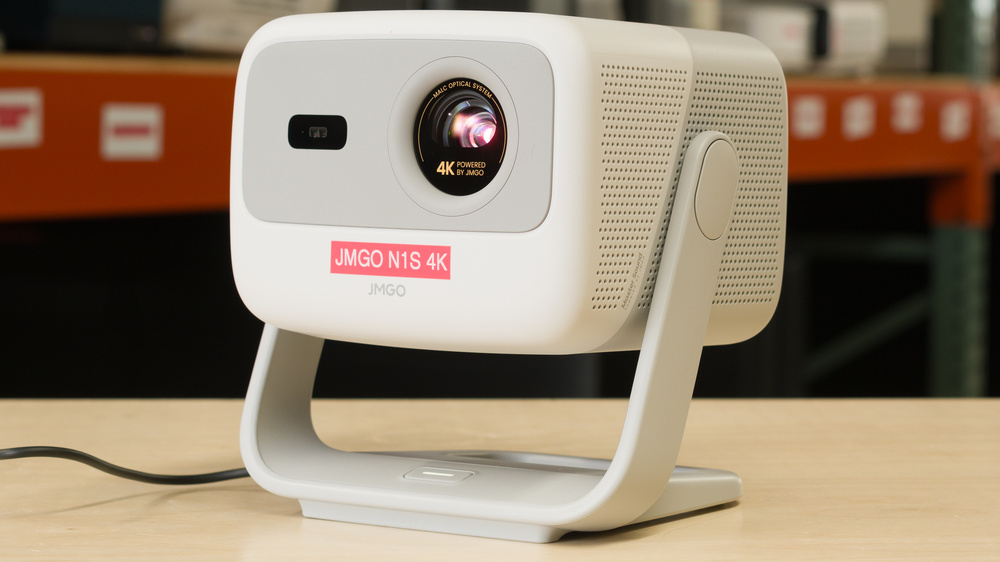
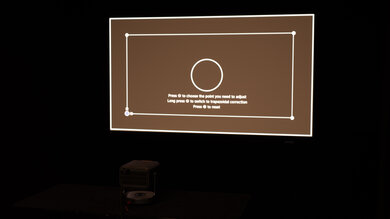
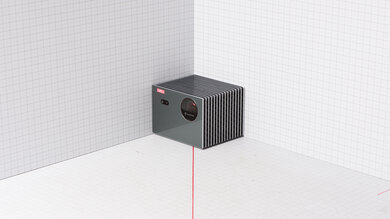
The JMGO N1S 4K is a triple laser DLP projector with a pixel-shifted 4k resolution. It's a relatively portable projector with a built-in vertical gimbal, allowing you to easily project onto a ceiling. It's relatively light on setup features, as it doesn't have optical zoom or lens shift, but it has some screen adaptation features like autofocus and automatic keystone correction. You can also download an app that uses a photo of your screen to automatically adjust the projected image to fit within your screen's borders. With a 1.2:1 throw ratio, it can project an image from 40 to 200 inches. It runs on Google TV, giving you access to popular streaming services without needing an external device. The projector has one HDMI port that also supports eARC, and two built-in 5W speakers.
Our Verdict
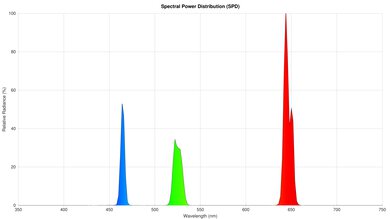
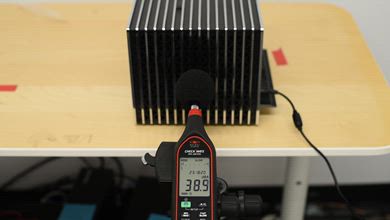
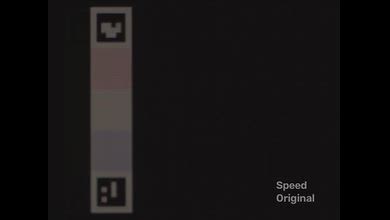
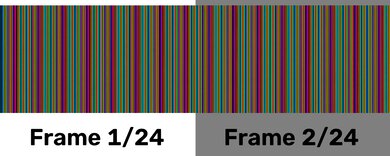
The JMGO N1S 4K is adequate for a home theater. It has excellent contrast that's consistent across all scenes, so blacks are deep in both dark and bright scenes, giving the image great depth. Unfortunately, it doesn't remove judder from any source, so motion looks choppy. Colors are vibrant, whites look neutral, and the image doesn't look too warm or too cool. However, it oversaturates colors, so it doesn't stay completely true to the filmmaker's intent. There's also a visible rainbow effect that will bother people who are sensitive to it, and there's no setting to help reduce it. The projector's brightness is unremarkable, but it's bright enough that it doesn't look dim in a dark room. Finally, it has an incredibly quiet fan, so you aren't distracted during quiet scenes in movies and shows.
Colors are rich and vibrant.
Excellent contrast in all scenes.
Incredibly quiet fan.
Very good color accuracy out of the box.
Doesn't remove judder from any source.
Rainbow effect will bother people who are sensitive to it.
Colors are oversaturated.
The JMGO N1S 4K is alright for outdoors. It has unremarkable brightness, so it's best to use it at night to avoid a washed-out image. The projector is small and light enough to bring it outside without much of a hassle, and it comes with a carrying case that protects it if you're bringing it to a friend's yard. It doesn't have a zoom lens, so you need to physically move it to adjust the size of the image. It also doesn't have lens shift, so you need to center it with your screen to enjoy the best image quality. However, it has automatic keystone correction to align the image if you're okay with sacrificing some image quality for a quick setup. It also has autofocus to help speed up the setup process. Like most projectors with this design, it doesn't have a built-in battery, so you need access to a power outlet.
Built-in Google TV.
Has autofocus and automatic keystone correction.
Small design, handle, and case make it easy to carry around.
No lens shift or zoom lens.
No built-in battery.
The JMGO N1S 4K is decent for a bedroom. It's small and light enough to carry from your basement to your bedroom easily, especially since it has a handle. Unfortunately, it lacks lens shift and a zoom lens, so you need to physically move it and center it with your screen for the best image quality. If you have limited space and can't center it, you can use automatic keystone correction to align the image if you're okay with a decrease in image quality. It also has autofocus to help simplify the setup process. The one-axis gimbal allows you to tilt it vertically, letting you easily project an image onto your ceiling. Finally, the projector's fan is incredibly quiet, so it won't distract you if you're watching a show or movie at low volume.
Incredibly quiet fan.
Built-in Google TV.
Has autofocus and automatic keystone correction.
Small design, handle, and case make it easy to carry around.
Rainbow effect will bother people who are sensitive to it.
No lens shift or zoom lens.
The JMGO N1S 4K is good for gaming. It has low enough input lag that games don't feel sluggish, but it's a bit too high to avoid being at a disadvantage in PVP titles. There's very little motion blur thanks to its DLP imaging, but despite the projector advertising support for 1080p @ 120Hz and 240Hz, it's actually limited to 60Hz across all resolutions. Fortunately, its excellent contrast and great colors lead to a vibrant image that has solid depth. It's too dim to handle glare in a bright room, but it's bright enough for games to look punchy in a dark space.
Colors are rich and vibrant.
Excellent contrast in all scenes.
No excessive motion blur.
Rainbow effect will bother people who are sensitive to it.
Limited to 60Hz across all resolutions.
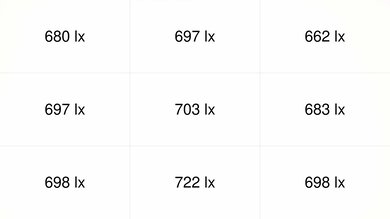
The JMGO N1S 4K has unremarkable brightness. While the image doesn't look dim in a dark room, it appears washed out when there's ambient light. Fortunately, brightness is fairly uniform across the screen, so there's no noticeable vignetting.
Brightness is uniform across the screen.
Too dim for a room with ambient lighting.
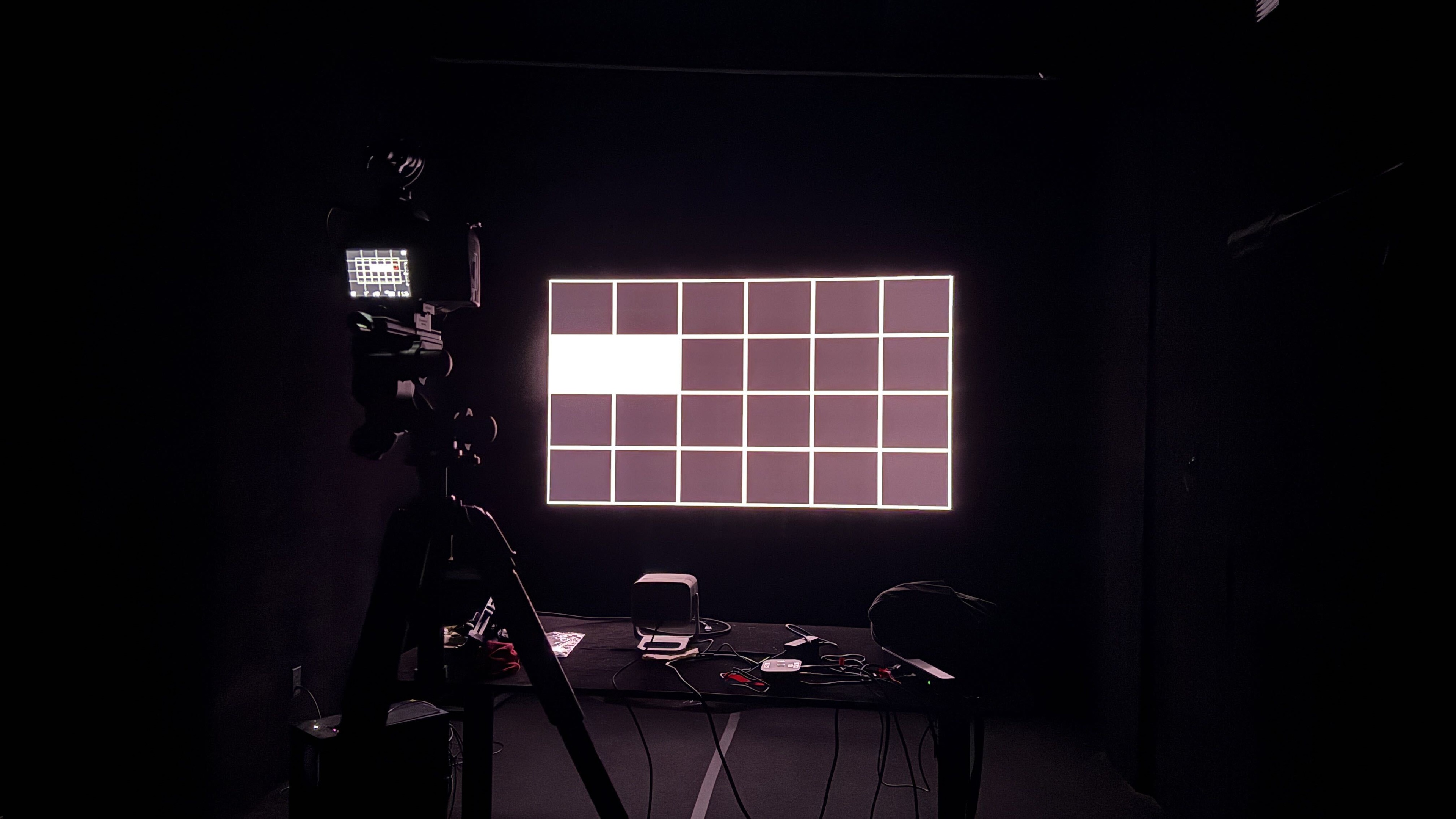
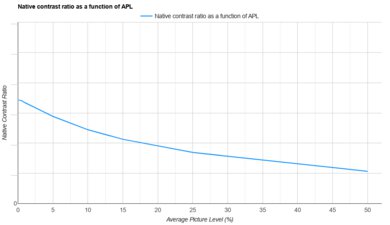
The JMGO N1S 4K has excellent contrast. It displays deep blacks in dark scenes and does a fantastic job of maintaining them in brighter scenes, leading to an image with solid depth no matter what you're watching. This projector doesn't have a dynamic contrast setting to increase the contrast ratio.
Excellent contrast in all scenes.
The JMGO N1S 4K has good portability. It's a very portable model thanks to its small and fairly lightweight design. Furthermore, it has a carrying handle and comes with a hard shell carrying case, so it's very easy to move around the house or bring it to a friend's house. It does take some time to set up since it lacks lens shift and a zoom lens, so you need to physically move it to adjust the image size and center it with your screen. If you can't perfectly align it, you can use its automatic keystone correction, but doing so negatively impacts image quality. Fortunately, it has autofocus, and the image can be resized to fit smaller screens using the companion app on your phone.
Built-in Google TV.
Has autofocus and automatic keystone correction.
Small design, handle, and case make it easy to carry around.
No lens shift or zoom lens.
No built-in battery.
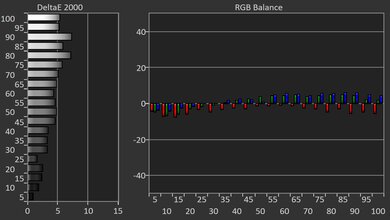
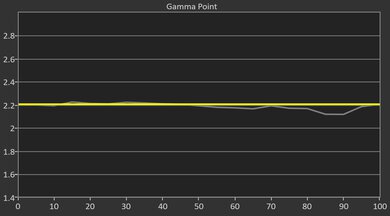
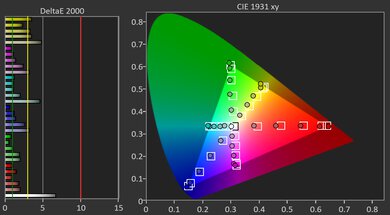
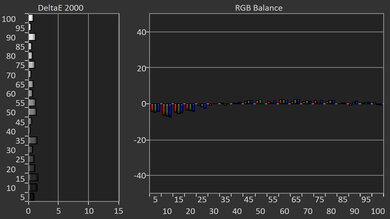
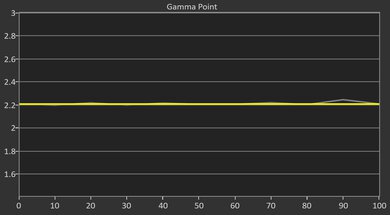
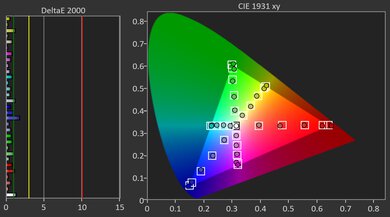
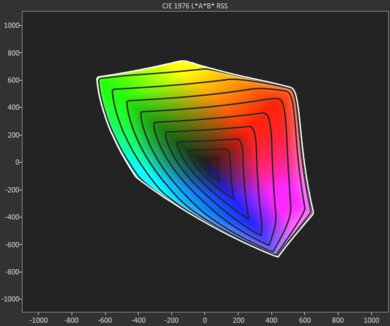
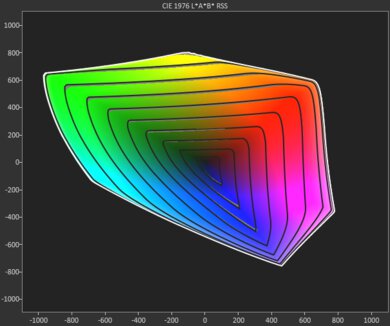
The JMGO N1S 4K has very good color accuracy. It has great color volume, leading to vibrant colors whether you're watching movies or shows or playing video games. Colors have very good accuracy out of the box, since whites look neutral and the image doesn't look too warm or too cool. However, it oversaturates colors, which leads to a vivid-looking image, but means it doesn't stay entirely true to the content creator's intent.
Colors are rich and vibrant.
Very good color accuracy out of the box.
Colors are oversaturated.
The JMGO N1S 4K offers good gaming responsiveness. It has decently low input lag, so casual, single-player titles don't feel sluggish. However, its input lag is a bit too high to avoid a competitive disadvantage in PVP games where every millisecond matters. Although it advertises support for 1080p @ 120Hz and 240Hz, it's actually limited to 60Hz across all resolutions. Fortunately, it utilizes DLP imaging technology, so motion blur is kept to a minimum.
No excessive motion blur.
Limited to 60Hz across all resolutions.
Performance Usages
Changelog
-
Updated Oct 08, 2026:
We mentioned the newly reviewed BenQ W2720i in the Effective Contrast section.
- Updated Sep 15, 2026: Review published.
- Updated Sep 09, 2026: Early access published.
- Updated Sep 02, 2026: Our testers have started testing this product.
Check Price
Differences Between Sizes And Variants
The JMGO N1S 4K doesn't have any variants and is only available in grey. JMGO also offers other models in the N1S lineup, and while they share some similarities with the N1S 4K, our results aren't valid for them. The table below highlights some of the key differences and similarities between each model in the lineup.
| Model | Advertised Brightness (ISO Lumens) | Advertised Contrast Ratio | Throw Ratio | Image Size | Speakers | HDMI Ports |
|---|---|---|---|---|---|---|
| N1S | 850 | 1600:1 | 1.2:1 | 40–200" | 10W | 1 |
| N1S 4K | 1700 | 1600:1 | 1.2:1 | 40–200" | 10W | 1 |
| N1S Infinity | 2450 | 1600:1 | 1.2:1 | 40–300" | 20W | 2 |
| N1S Ultra | 2800 | 1600:1 | 1.2:1 | 40–300" | 20W | 2 |
| N1S Ultimate | 3300 | 1600:1 | 1.2:1 | 40–300" | 20W | 2 |
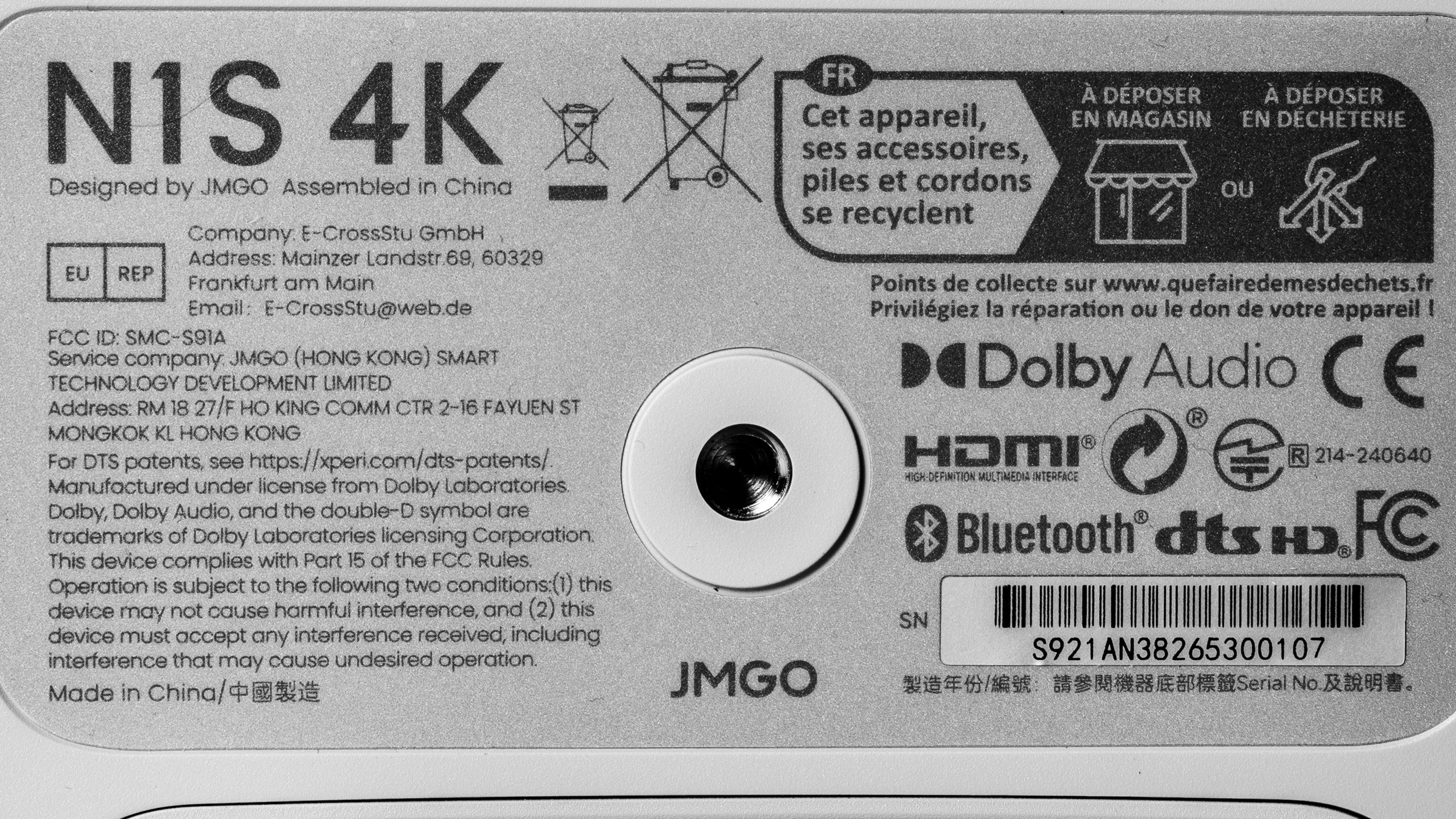
Our unit was manufactured in China.
Popular Projector Comparisons
The JMGO N1S 4K is one of the best projectors you can buy for under $1,000. Even though it's dimmer than the more expensive Optoma UHZ36, it has significantly better image quality than the Optoma due to its more vibrant colors, better contrast, and better color accuracy out of the box. It has a very similar design to the Hisense M2 Pro, and it strikes a good balance between portability and image quality. It has better contrast than the M2 Pro and costs less, but colors aren't as vibrant or accurate as they are on that projector. If you can get the Hisense M2 Pro on sale for around the same price, it's the slightly better option, but the N1S 4K is still a great budget model that punches well above its price class.
For more, check out our recommendations for the best home theater projectors, the best projectors under $1000, and the best projectors for gaming.
The Hisense M2 Pro is a bit better than the JMGO N1S 4K overall. The Hisense displays more vibrant colors that are more accurate, so the image looks punchier while also staying truer to the filmmaker's intent. The Hisense can also remove judder, so motion looks smoother. Setting up the Hisense is easier thanks to its motorized zoom lens and wider selection of screen adaptation tools. Gamers will prefer the Hisense thanks to its support for higher refresh rates. On the other hand, the JMGO has better contrast, so it displays deeper blacks.
The XGIMI HORIZON 20 is better than the JMGO N1S 4K. The XGIMI is brighter, so it looks punchier in a dark room and can withstand more glare in a room with ambient lighting before looking washed out. The XGIMI also displays more vibrant colors that are more accurate out of the box and after calibration. Since the XGIMI has a motorized zoom lens and lens shift, it's easier to set up. However, the JMGO is easier to carry around since it's lighter, smaller, and has a handle.
The XGIMI HORIZON 20 Max is better than the JMGO N1S 4K. The XGIMI is brighter and has more vibrant colors, so it has superior image quality. On top of that, the XGIMI can be calibrated to have much better accuracy, which is great for people who really care about the filmmaker's intent. The XGIMI can remove judder, leading to smoother motion. The XGIMI also has a zoom lens, lens shift, and a wider selection of screen adaptation features, making it easier to set up. On the other hand, the JMGO is smaller, lighter, and it has a handle, so it's easier to carry around.
The JMGO N1S 4K is much better than the Optoma UHZ36. The JMGO displays deeper blacks across all scenes thanks to its better contrast, leading to an image that has more depth. Colors are significantly richer and more vibrant on the JMGO, and it's a lot more accurate out of the box, meaning it stays truer to the content creator's intent. The JMGO is lighter, smaller, has a handle, has a one-axis gimbal, and offers more screen adaptation tools, making it more portable. The Optoma is brighter, so it can handle more glare without looking washed out, but that doesn't really make up for how much better the JMGO's image quality is overall.
We've independently bought and tested over 100 projectors and published detailed results for each, so you can decide which one to buy. These have all been tested under the same standardized methodology, allowing you to compare them side by side. We still have all these projectors in our lab, so we can continually go back and compare them to ensure our reviews are still accurate. All our test methodologies are also public on our website, so you can validate the results yourself.
Throw Calculator
Global Controls
Test Results
for pictures & test results
for pictures & test results



for pictures & test results