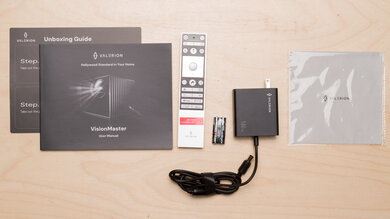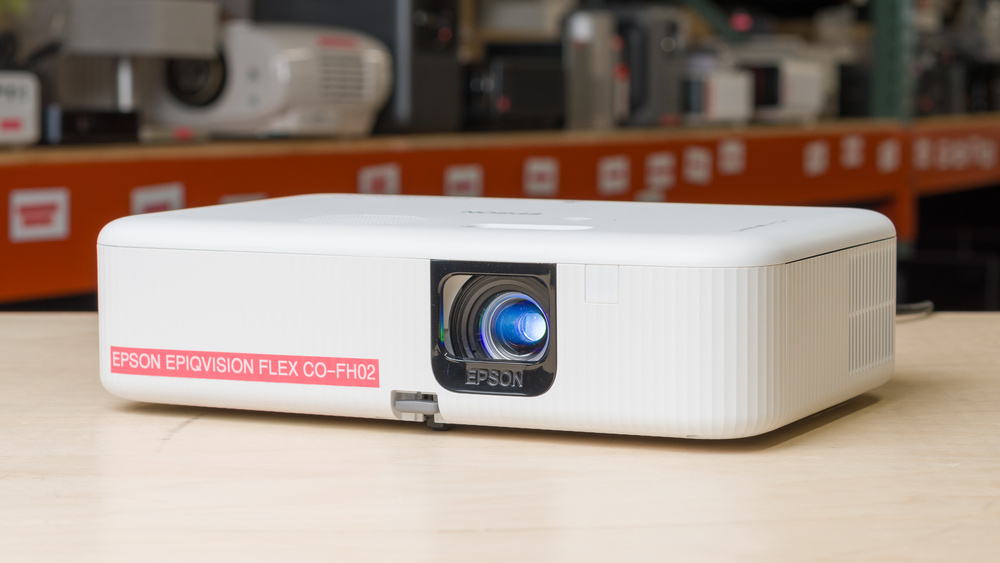
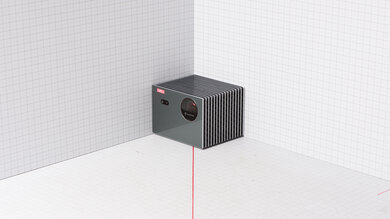
The Epson EpiqVision Flex CO-FH02 is a 1080p LCD projector built around a lamp light source. It has a standard-throw lens, one HDMI input, a USB-A port for power, and a USB-B service port. It also comes with an Android TV dongle, which adds streaming apps, Chromecast support, Wi-Fi, and Bluetooth. For setup, it has manual focus, automatic vertical keystone correction, and manual horizontal keystone correction, but there's no optical zoom, lens shift, auto screen fit, or obstacle avoidance. It doesn't support HDR signals, and audio comes from a built-in 5W mono speaker.
Our Verdict
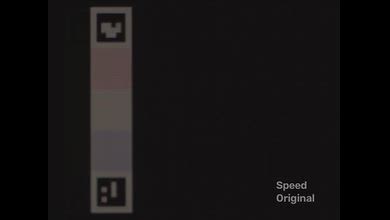
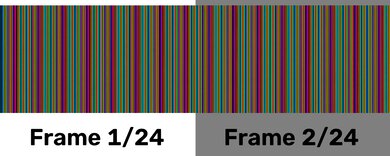
The Epson EpiqVision Flex CO-FH02 is a sub-par home theater projector. While it's amazingly bright and superbly accurate out of the box, its poor contrast and color volume result in images that look muted and washed out, especially in a dark room. Motion and camera pans also look choppy unless you're watching content from a source that matches the content's frame rate. Its fan noise is also very noticeable unless the volume is turned up. On the plus side, it's an LCD projector that doesn't produce rainbow artifacts, so those sensitive to the rainbow effect won't experience any.
Extremely bright image.
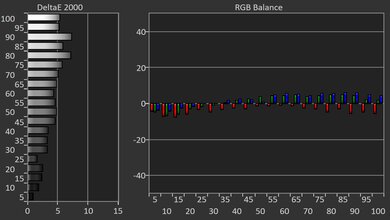
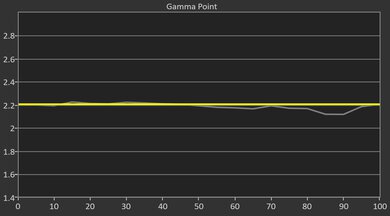
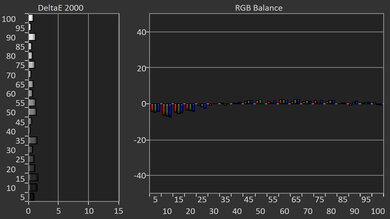
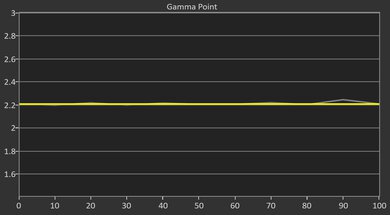
Superb image accuracy out-of-the-box.
No rainbow effect.
Poor contrast makes for grayish blacks in all scenes.
Only removes judder from sources that match content's frame rate.
Most colors look dim and muted.
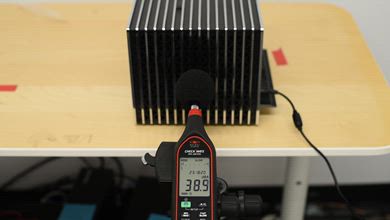
Very loud fan.
The Epson EpiqVision Flex CO-FH02 is an okay outdoor projector. Its superb brightness is its biggest strength, as it's bright enough to deal with some ambient light on the patio. It's also a fairly small, lightweight projector that's easy to move outside for a casual movie night, and it comes with an Android TV dongle for streaming content. Once it's outside, the setup process is mostly manual. It doesn't have an optical zoom or lens shift, so it needs to be centered to the screen at a certain distance to get the cleanest image at its desired size. Also, it doesn't have a built-in battery, so it needs to be placed somewhere it can be plugged in. Otherwise, it has limited features for adapting the image to a screen, though it does include horizontal and vertical keystone correction, with the latter automated.
Extremely bright image.
Small and lightweight.
Comes with an Android TV dongle.
Limited automated screen adaptation features for casual setups.
No lens shift or optical zoom.
No built-in battery.
The Epson EpiqVision Flex CO-FH02 is an inadequate projector for the bedroom. It's small and easy to move around for an impromptu movie night, and it comes with an Android TV dongle to stream. It takes up a bit of space on a nightstand. However, since its fan is very loud, setting it up on a separate table is ideal. The projector offers very few automated setup and screen adaptation features beyond auto vertical keystone, so the setup process is mostly manual. It also lacks lens shift or optical zoom, so centering the image to the screen or wall at a specific distance is needed to get the cleanest image at the desired size.
Small and lightweight.
Comes with an Android TV dongle.
Very loud fan.
Limited automated screen adaptation features for casual setups.
No lens shift or optical zoom.
No built-in battery.
The Epson EpiqVision Flex CO-FH02 is poor for gaming. Its image looks bright enough for a larger screen and in some ambient light, and its out-of-the-box accuracy is superb, so games look natural in SDR. However, its high input lag makes controls feel delayed, and there's no dedicated gaming mode to improve responsiveness. It also has very limited signal support, with no 4k input, 120Hz support, or VRR, and its weak contrast and color volume make games look muted and washed out. It's fine for very casual play, but it's not a good choice for anything else.
Extremely bright image.
Superb image accuracy out-of-the-box.
Limited resolution support.
High input lag due to the lack of a Game Mode.
Poor contrast makes for grayish blacks in all scenes.
Most colors look dim and muted.
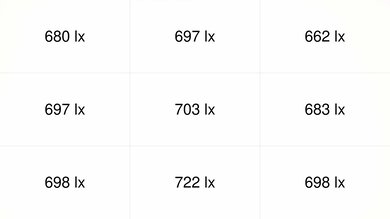
The Epson EpiqVision Flex CO-FH02 is extremely bright, making it a strong choice for multipurpose rooms and larger screen sizes. It has enough light output to handle some ambient light, and its fantastic uniformity keeps the image looking even across the screen instead of noticeably dimmer in the corners. The brightest picture mode can push the image even harder, but it's already impressively bright in its most accurate mode.
Extremely bright image.
Fantastic brightness uniformity with no obvious hot spots.
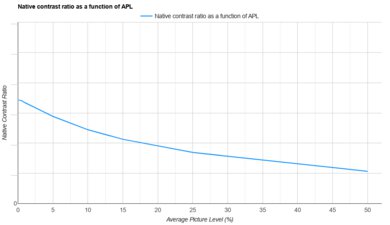
The Epson EpiqVision Flex CO-FH02 has poor contrast, which is one of the main things holding it back for dark-room viewing. Blacks look grayish, making both dark and bright scenes look flat and washed out compared to most projectors.
Poor contrast makes for grayish blacks in all scenes.
The Epson EpiqVision Flex CO-FH02 has adequate portability. This is mostly due to its small, lightweight design, which makes it easy to move around despite lacking dedicated carrying features. It doesn't have lens protection, so you still need to be careful when throwing it into a bag. The setup process, however, is mostly manual. It has horizontal and vertical keystone correction, with the latter automated; it doesn't have lens shift, optical zoom, or other advanced features to easily adapt the screen for more casual setups. It also doesn't have a built-in battery, so it needs to be plugged into an outlet when in use.
Small and lightweight.
Comes with an Android TV dongle.
Limited automated screen adaptation features for casual setups.
No lens shift or optical zoom.
No built-in battery.
No mounting holes.
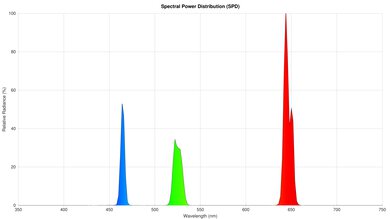
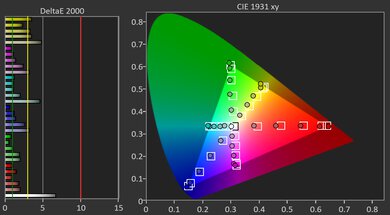
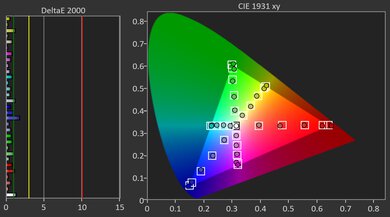
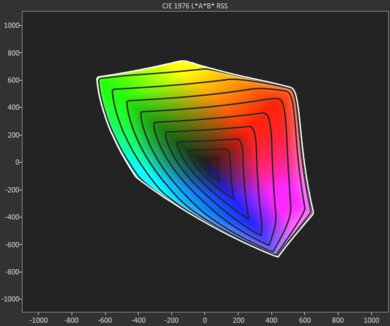
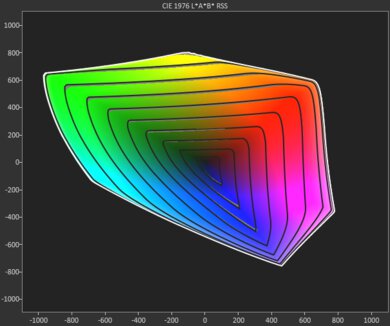
The Epson EpiqVision Flex CO-FH02 has decent colors. It's superbly accurate out of the box, and there isn't much room for improvement with calibration. On the other hand, the projector's poor color volume limits the impact of these colors. It has bad coverage of both the DCI-P3 and BT.2020 color spaces, and struggles particularly with bright and very dark shades. As a result, colors look muted.
Superb image accuracy out-of-the-box.
Most colors look dim and muted.
The Epson EpiqVision Flex CO-FH02 has terrible gaming responsiveness. It's a 1080p projector that tops out at 60Hz. It doesn't accept 4k signals, and while it accepts 1440p signals, it downscales them. It also has high input lag, and without a dedicated Game Mode, inputs feel sluggish, so it isn't ideal for fast-paced games that require quick reaction times. Finally, as it's an LCD projector, there's noticeable motion blur with fast-moving objects compared to projectors with DLP imaging technology.
Limited resolution support.
High input lag due to the lack of a Game Mode.
Noticeable motion blur.
Performance Usages
Changelog
- Updated Aug 31, 2026: We've converted the review to Test Bench 1.0, which replaces our Color Gamut test with Color Volume and adds a new Rainbow Effect test box. We also updated Effective Contrast (formerly Native Contrast) to account for projector brightness and reworked Judder scoring. The new bench also adds Outdoors and Bedroom usages, plus Portability, Color, and Gaming Responsiveness Performance Usages; Movies is now Home Theater, and all existing usage scores have been updated. See the 1.0 changelog.
-
Updated May 25, 2026:
We mention the newly reviewed ViewSonic LX60HD in the Native Contrast section of this review.
- Updated May 20, 2026: Review published.
- Updated May 11, 2026: Early access published.
Check Price
Differences Between Sizes And Variants
The Epson EpiqVision Flex CO-FH02 is available in one variant. Epson also sells the Epson EpiqVision Flex CO-W01, which is a related model in the same lineup, but it's a lower-resolution WXGA projector and doesn't include the same Android TV smart streaming package as the CO-FH02.
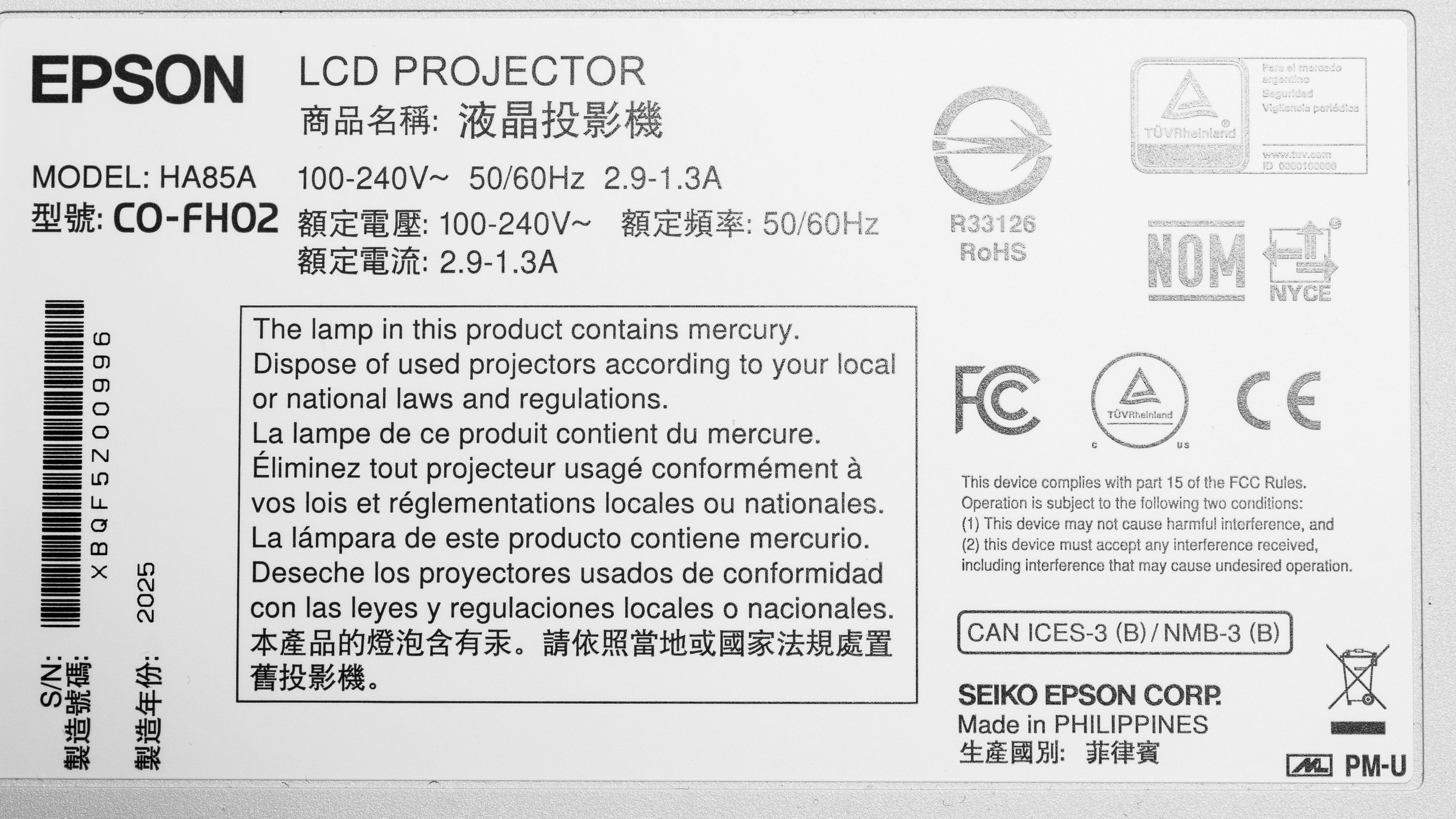
Our unit was manufactured in the Philippines in 2025. You can see a photo of our unit's label here.
Popular Projector Comparisons
The Epson EpiqVision Flex CO-FH02 is an incredibly bright projector, which really sets it apart from alternatives at its price point. Its contrast is poor, but its brightness and included Android TV dongle make it a very versatile unit, suitable for a wide variety of room contexts. Its dongle and 1080p resolution also make it superior to the Epson EpiqVision Flex CO-W01, which has a 1280x800 resolution. If you're after a similarly priced projector but with better contrast, the NexiGo PJ40 Pro is a solid alternative, but they're opposites: brightness versus contrast. Ultimately, if you're shopping for a cheap and extremely bright projector, it's hard to go wrong with the EpiqVision Flex CO-FH02.
Check out our recommendations for the best outdoor projectors and the best projectors. If you'd prefer to shop for another product in the same price range, look up the best projectors under $500 instead.
The Epson EpiqVision Flex CO-FH02 is a bit better than the NexiGo PJ40 Pro, but their strengths are complete opposites. The Epson is an incredibly bright projector with poor contrast; the NexiGo is very dim, but has amazing contrast. It does make the NexiGo the better choice for watching movies in a blacked out room, but the Epson is more versatile as it can be used in a wider variety of room contexts.
The Epson EpiqVision Flex CO-FH02 is better than its predecessor, the Epson EpiqVision Flex CO-W01. While the W01 is marginally brighter, the FH02 has better contrast and is far more accurate. The biggest difference, however, might very well be the FH02's 1080p resolution, as the W01 uses a 1280x800 WXGA resolution, making it a poor fit for watching movies or for console gaming.
The Epson EpiqVision Flex CO-FH02 is better than the ViewSonic LX60HD, although they have different strengths. The Epson is far brighter and is way more accurate than the ViewSonic. In turn, the ViewSonic's contrast is far deeper than the Epson, making it more suitable for movies watched in blacked out rooms. Still, the Epson's brightness makes it more versatile, and it's also the more colorful unit of the two.
We've independently bought and tested over 80 projectors and published detailed results for each, so you can decide which one to buy. These have all been tested under the same standardized methodology, allowing you to compare them side by side. We still have all these projects in our lab, so we can continually go back and compare them to ensure our reviews are still accurate. All our test methodologies are also public on our website, so you can validate the results yourself.
Throw Calculator
Global Controls
Test Results
for pictures & test results
for pictures & test results



for pictures & test results