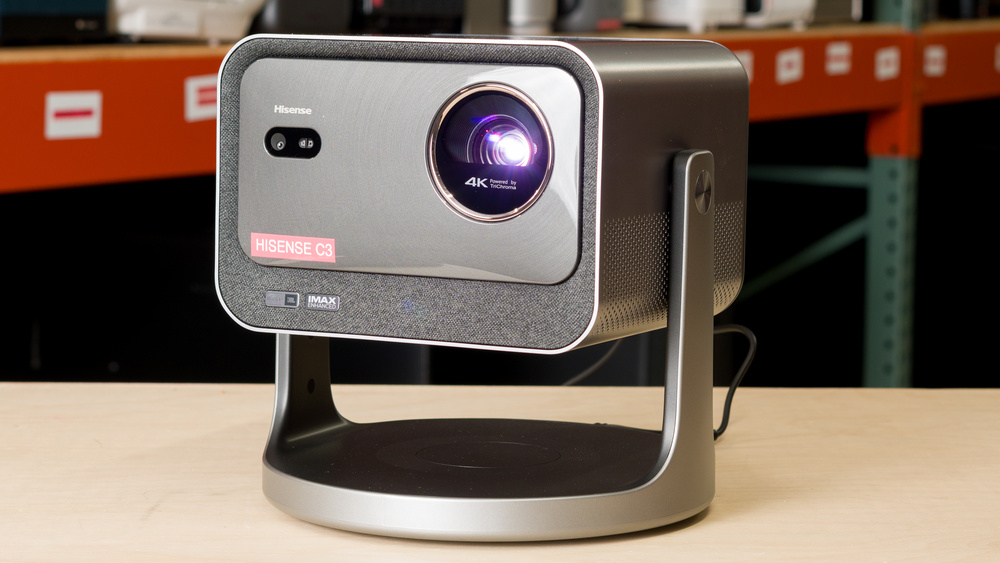
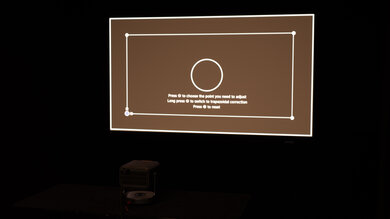
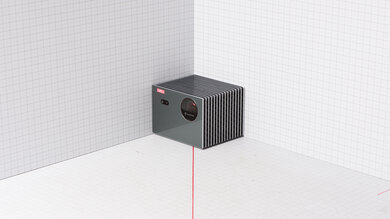
The Hisense C3 is a triple laser DLP projector with a pixel-shifted 4k resolution. While it's not designed to be very portable, it comes with a hard-shell carrying case for taking it on the go. The projector has a motorized zoom lens, but doesn't have lens shift. However, it has a wide variety of screen adaptation features like autofocus, keystone correction, obstacle avoidance, and automatic screen fit. The two-axis gimbal allows you to rotate the projector 360° horizontally and tilt it 135° vertically, so you can project onto walls or ceilings, with an image size ranging from 65 to 300 inches. Hisense's VIDAA OS gives you access to popular streaming services without needing an external device, and you can cast content from your phone. There are two HDMI 2.1 ports, one of which supports eARC, along with a variety of gaming features, such as 1080p @ 240Hz and ALLM. It has two built-in 10W JBL speakers.
Our Verdict
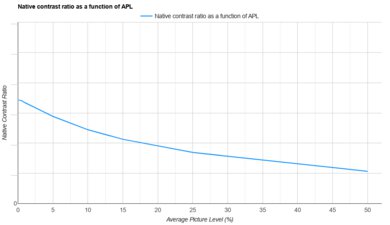
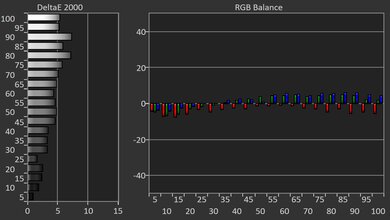
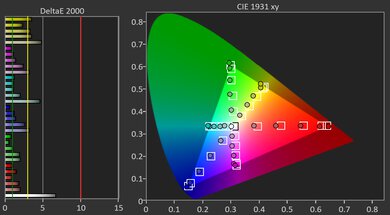
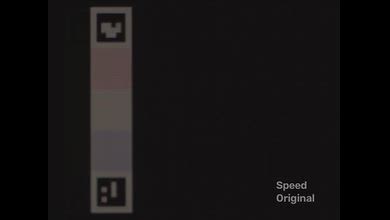
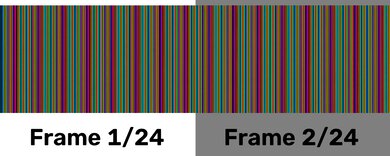
The Hisense C3 is satisfactory for a home theater. It has decent contrast, and blacks look deep enough to avoid a washed-out image in dark scenes. However, its contrast ratio drops significantly in brighter scenes, leading to an image that lacks depth and looks flat. Fortunately, it removes judder from nearly every possible source, but there's some choppiness in 25p European content if you're using a device that lacks a frame rate matching feature. The projector's great brightness provides a punchy image in a dark room, and colors are very rich and vibrant, but it has poor color accuracy out of the box that leads to an overly warm image and gives whites a yellow tint. However, this can be mostly fixed with calibration. Sadly, the rainbow effect is very noticeable on this projector, which will bother people who are sensitive to it, and there's no feature to reduce it. Finally, its fan is quiet, so you aren't distracted by it during quiet scenes in movies and shows.
Colors are very rich and vibrant.
Removes judder from almost all sources.
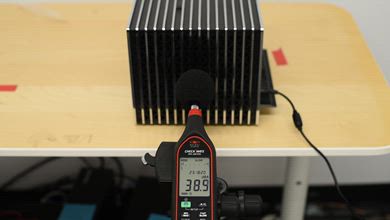
The projector's fan operates quietly.
Built-in VIDAA OS means you don't need an external streaming device.
Noticeable rainbow effect will bother those who are sensitive to it.
The image lacks depth in bright scenes.
Poor color accuracy out of the box leads to a warm image with yellow-tinted whites.
The Hisense C3 is decent for outdoors. It has great brightness, so you can use it at night with a few lights on without the image looking washed out. The projector isn't too big to move outside, and it comes with a hard-shell carrying case that protects it if you need to bring it to a friend's house. Setup is fairly easy thanks to its motorized zoom lens, which allows you to adjust the size of the image without moving the projector. It also has a ton of screen adaptation features that help simplify the setup process, like obstacle avoidance, keystone correction, and autofocus. However, since it lacks lens shift, you still need to center it with your screen to enjoy the best image quality. It also doesn't have a built-in battery, so you'll need to be near a power outlet.
Has many screen adaptation features to simplify the set up process.
Great brightness makes the image looks punchy
Built-in VIDAA OS means you don't need an external streaming device.
No built-in battery.
No lens shift means it's ideal to have it centered to a screen or wall.
The Hisense C3 is satisfactory for use in a bedroom. It's not a small projector, but it's not too big or heavy to move from your living room to your bedroom. It has a motorized zoom lens to easily adjust the size of the image, and it has a ton of screen adaptation features like autofocus, keystone correction, and obstacle avoidance, so you can set it up fairly quickly. Since it lacks lens shift, it's still best to center it with your wall or screen to enjoy the best image quality. Fortunately, it has a two-axis gimbal that allows you to easily tilt it upwards, so you can project an image onto your ceiling. It also has a quiet fan, so it shouldn't wake you up if you fall asleep watching YouTube.
Has many screen adaptation features to simplify the set up process.
The projector's fan operates quietly.
Built-in VIDAA OS means you don't need an external streaming device.
No lens shift means it's ideal to have it centered to a screen or wall.
The Hisense C3 is a very good gaming projector. It has two HDMI 2.1 ports, so you can plug in multiple current-gen consoles. You also have the option of gaming in either 4k @ 60Hz or up to 1080p @ 240Hz, giving you a sharper image or smoother motion. Input lag is low enough for most games to feel responsive, and its DLP imaging technology keeps motion blur to a minimum. Games look punchy thanks to its great brightness and outstanding color vibrancy. Blacks look deep enough in darker gameplay scenarios that the image doesn't look washed out, but since the contrast ratio declines in brighter games, they can look a bit flat.
Colors are very rich and vibrant.
Great brightness makes the image looks punchy
Supports 4k @ 60Hz and 1080p @ 240Hz.
The image lacks depth in bright scenes.
No VRR to reduce screen tearing.
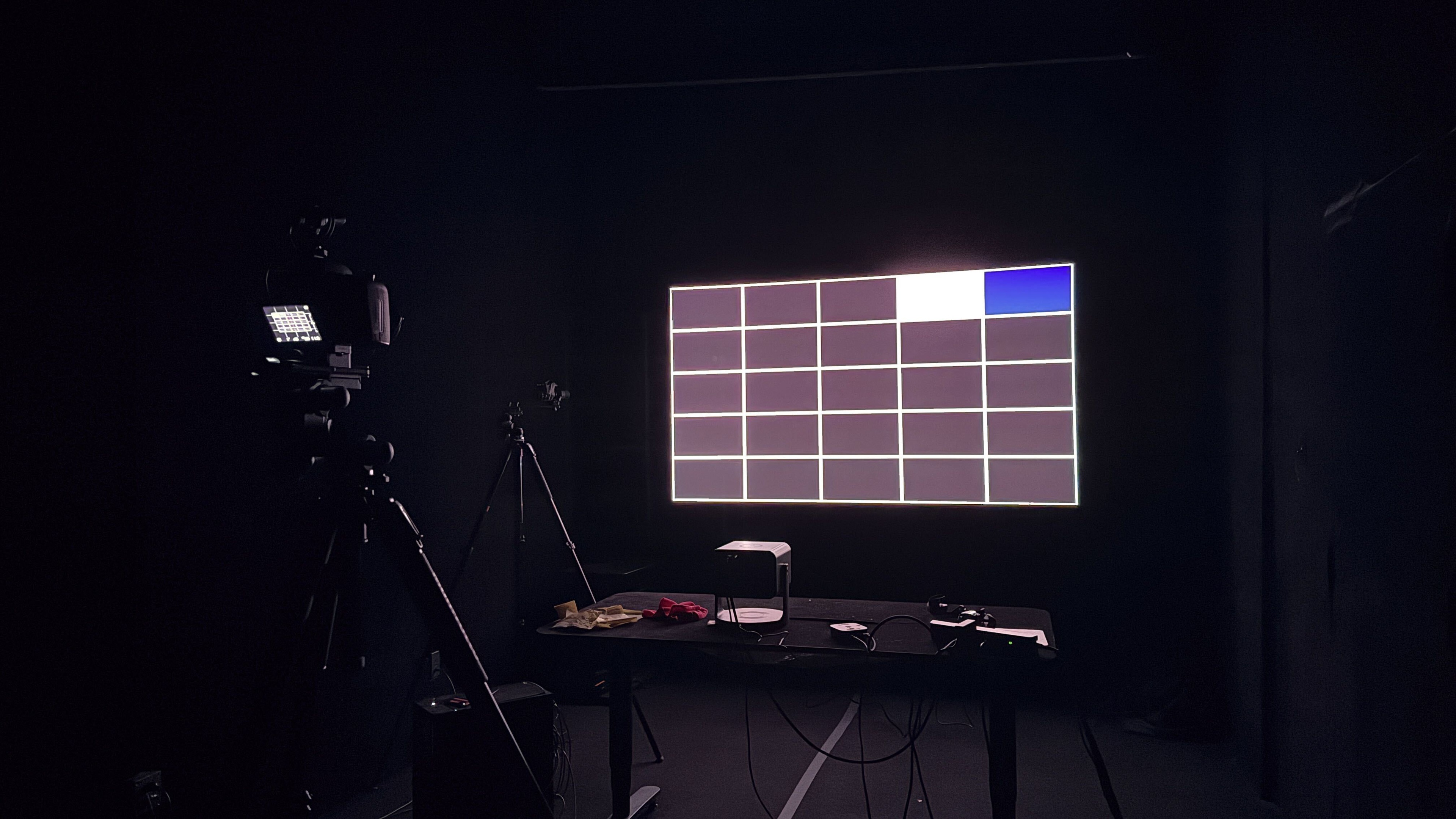
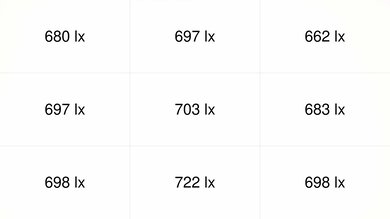
The Hisense C3 has great brightness. The image looks bright and punchy in a dark room, and it can handle some glare in a room with a few lights on without the image becoming washed out. Brightness is also very uniform across the screen, so the edges don't look any dimmer than the center.
Great brightness makes the image looks punchy
The Hisense C3 has decent contrast. Blacks have satisfactory depth in dark and moderately lit scenes, but the contrast ratio drops significantly in bright scenes, leading to an image that lacks depth and looks flat.
The image lacks depth in bright scenes.
The Hisense C3 has mediocre portability. It's too big to fit in a backpack, but it's not super heavy, and it comes with a hard-shell carrying case for when you need to take it on the go. Wherever you bring it, you need access to a power outlet since it lacks a built-in battery. Fortunately, setting it up isn't a drawn-out process. It has a motorized zoom lens to adjust the size of the image without physically moving the projector. However, it does lack lens shift, so you must center it with the surface you're projecting onto to enjoy the best image quality. If you can't do that, you can use keystone correction to help align the image, but it can negatively impact picture quality. Still, other features like autofocus and obstacle avoidance help to speed up the setup process.
Has many screen adaptation features to simplify the set up process.
Built-in VIDAA OS means you don't need an external streaming device.
No built-in battery.
No lens shift means it's ideal to have it centered to a screen or wall.
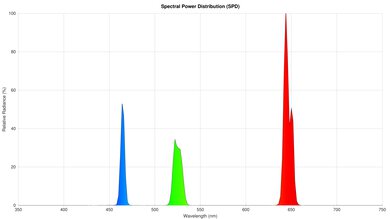
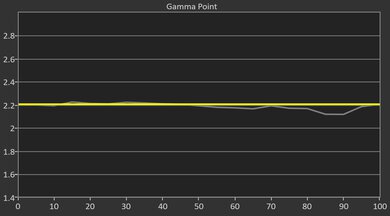
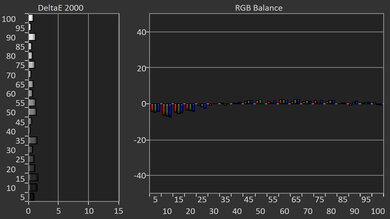
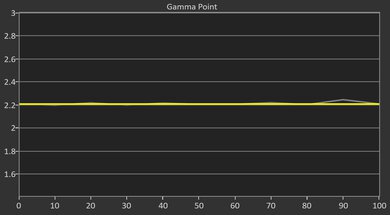
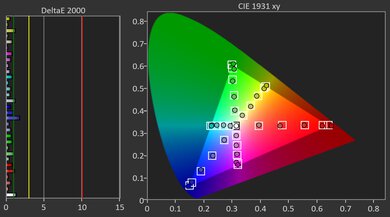
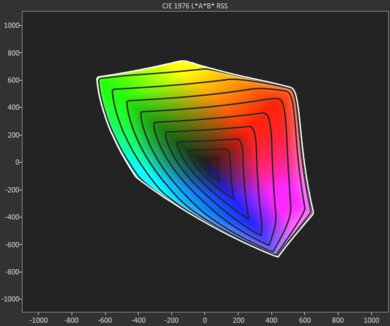
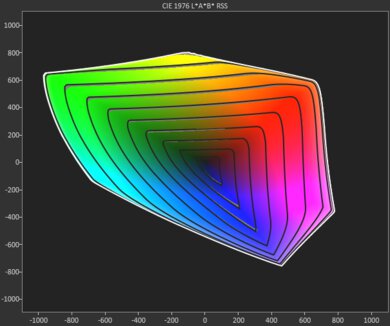
The Hisense C3 has alright colors. Its color volume is outstanding, so colors look rich and vivid in movies, shows, and games. Unfortunately, its poor color accuracy out of the box leads to an overly warm image, and whites have a yellow tint to them. If you want greater accuracy, the projector can be calibrated to achieve it, but it is harder to calibrate properly than most other projectors.
Colors are very rich and vibrant.
Poor color accuracy out of the box leads to a warm image with yellow-tinted whites.
The Hisense C3 has great gaming responsiveness. It has two HDMI 2.1 ports that are capable of either 4k @ 60Hz or 1080p @ 240Hz, so you can choose between a sharper image or smoother motion. The amount of input lag is low enough for most games to feel responsive, but there's a bit more of a subtle delay than there is on some other projectors, which puts you at a slight disadvantage in more competitive titles like Call of Duty. Fortunately, input lag is very low when gaming at 240Hz, so gaming at that refresh rate feels very snappy. It utilizes DLP imaging technology, so motion blur is kept to a minimum.
Supports 4k @ 60Hz and 1080p @ 240Hz.
No excessive motion blur.
No VRR to reduce screen tearing.
Performance Usages
Check Price
Differences Between Sizes And Variants
The Hisense C3 doesn't have any variants, but there are similarly-named options in Hisense's C3 projector lineup. Our results aren't valid for these other models, but the table below highlights some of the key differences between each model.
| Projector | Advertised Brightness | Advertised Contrast | Throw Ratio |
|---|---|---|---|
| Hisense C3 | 2,500 ANSI lumens | 2,000:1 | 1.0–1.3:1 |
| Hisense C3 Pro | 3,000 ANSI lumens | 5,000:1 | 0.9–1.5:1 |
| Hisense C3 Ultra | 4,000 ANSI lumens | 5,000:1 | 0.9–1.5:1 |
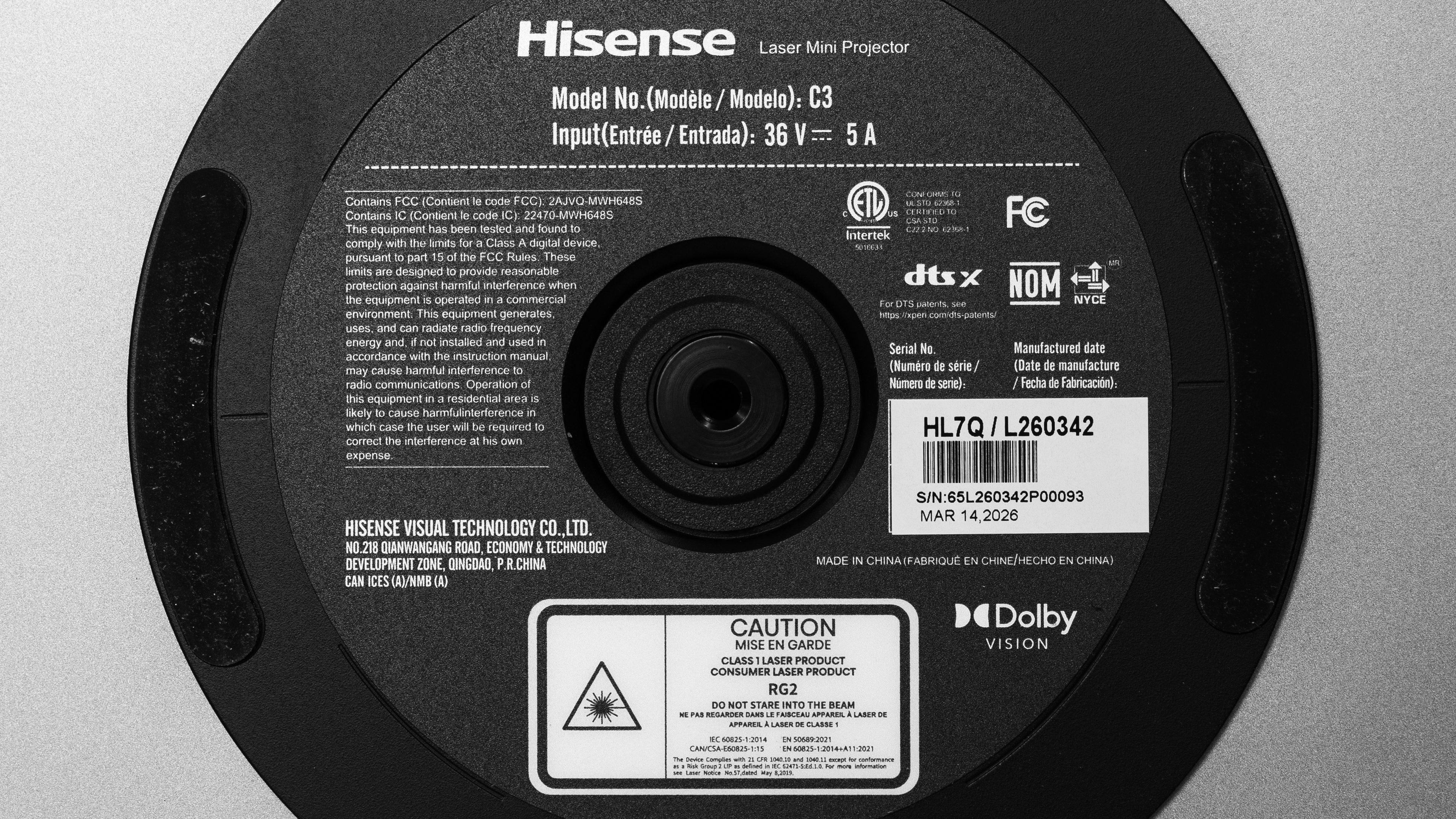
Our unit was manufactured in China in March 2026.
Popular Projector Comparisons
The Hisense C3 is a decent projector, but it doesn't stand out in many ways. It has great brightness, but it's held back by its only decent contrast and poor out-of-the-box color accuracy, leading to an image that lacks depth and doesn't stay true to the filmmaker's intent. You can get the Hisense C2 Ultra for around the same cost, and that model is brighter, has better contrast, and has much better color accuracy out of the box. If you're looking for something for a home theater, you can get a projector like the XGIMI HORIZON 20 for around the same cost, which provides noticeably better image quality overall. If portability is your main concern and you can live with a dimmer image, you can get the XGIMI Elfin Flip 4K for around half the cost, making the Hisense C3 a bit hard to recommend for any use case.
For more options, check out our recommendations for the best gaming projectors, the best short-throw projectors, and the best portable projectors.
The Hisense C2 Ultra is better than the Hisense C3. The C2 Ultra has better contrast, so the image has more depth to it. The C2 Ultra is also the brighter projector and has a slight advantage in color vibrancy. Colors are also a lot more accurate on the C2 Ultra out of the box, so it projects an image that stays truer to the filmmaker's intent.
The XGIMI HORIZON 20 is better than the Hisense C3. The XGIMI is brighter, so it provides a punchier-looking image in a dark room, and it handles more glare in a space with some lights on. The XGIMI also has deeper blacks in all scenes, so the image has more depth to it. Color accuracy out of the box is significantly better on the XGIMI, meaning it stays truer to the content creator's intent. Finally, the XGIMI's lens shift makes it easier to center the image, making the setup process quicker.
The XGIMI HORIZON 20 Pro is better than the Hisense C3 in most ways. The XGIMI has much better contrast, so it displays deeper blacks, leading to an image with more depth. The XGIMI is also noticeably brighter, so the image looks punchier in a dark room and it can handle more glare in a room with some lights on. Out-of-the-box color accuracy is also much better on the XGIMI, so it does a better job respecting the content creator's intent. Finally, the XGIMI has lens shift, so it's easier to center the projector with your screen.
The XGIMI Elfin Flip 4K and the Hisense C3 serve different purposes. The XGIMI is the more portable projector since it's lighter and smaller, making it easier to carry outside or into your bedroom. Unless you need the 240Hz that the Hisense provides, the XGIMI offers better gaming performance thanks to its VRR support and lower input lag. Neither projector is particularly accurate out of the box, but the XGIMI does avoid the overly warm tint that the Hisense has. On the other hand, the Hisense is much brighter, so the image looks punchier in a dark room, and it can handle more glare before looking washed-out in a room with the lights on. The Hisense also removes judder from more sources, so it provides smoother motion with more types of content.
We've independently bought and tested over 100 projectors and published detailed results for each, so you can decide which one to buy. These have all been tested under the same standardized methodology, allowing you to compare them side by side. We still have all these projectors in our lab, so we can continually go back and compare them to ensure our reviews are still accurate. All our test methodologies are also public on our website, so you can validate the results yourself.
Throw Calculator
Global Controls
Test Results
for pictures & test results
for pictures & test results



for pictures & test results