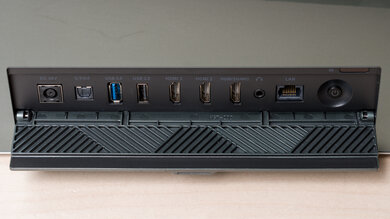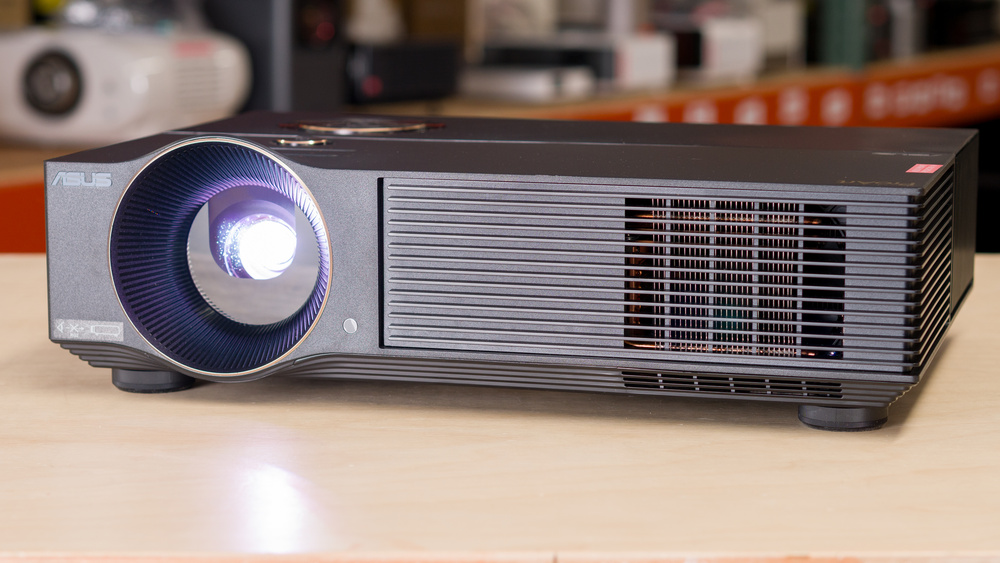
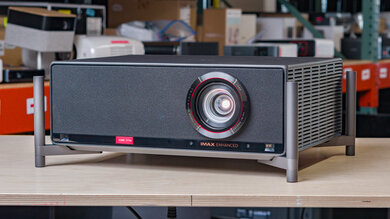
The ASUS ProArt Projector A1 is a long-throw DLP projector with an LED light source and a native 1080p resolution. For setup flexibility, it features an auto keystone, a manual 1.2x zoom lens with a 1.30–1.56:1 throw range, and manual focus, but lacks lens shift. Connectivity features two HDMI 2.0 inputs, VGA, RS-232C, audio in/out, and two USB-A ports (one for the included Wi-Fi dongle and a 5V power USB port). It doesn't run a smart OS, but it supports wireless casting, includes built-in speakers, and supports 3D playback.
Our Verdict
The ASUS ProArt Projector A1 is a decent choice for movies in a dim or light-controlled room. It gets bright enough for a large image without looking washed out, and it generally looks clean and natural for SDR once you pick a sensible picture mode. Its main limitation is contrast: it looks its best in mixed and mid-bright scenes, but in very dark content, blacks lift, and the image loses depth compared to stronger home-theater models.
Bright enough for a 100-inch image in a dim room.
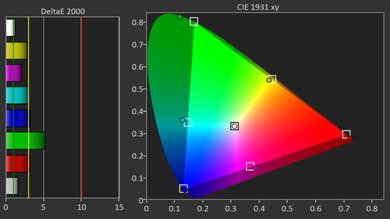
Wide color gamut in SDR.
Solid contrast in mixed and bright content.
Rather limited number of ports, with no eARC.
No included smart OS.
Blacks are noticeably lifted in very dark scenes.
Not bright enough to deal with bright ambient lighting.
The ASUS ProArt Projector A1 is a serviceable gaming projector for casual play, but it isn't built for gaming. It accepts common console signals, such as 1080p @ 60Hz, and can also handle 4k and 1440p inputs, although these are scaled down to 1080p. Input lag is quite high; in a pinch, you can play slow single-player titles on it, but forget playing anything faster. On the plus side, its DLP imaging keeps motion looking clean, and its wide color gamut helps games look colorful.
Bright enough for a 100-inch image in a dim room.
Wide color gamut in SDR.
Solid contrast in mixed and bright content.
Very high input lag leads to an unresponsive gaming experience.
No high-resolution support.
No high-refresh rate support.
Blacks are noticeably lifted in very dark scenes.
Not bright enough to deal with bright ambient lighting.
The ASUS ProArt Projector A1 produces a fairly bright image, so it works well for typical living-room viewing and holds up on larger screens as long as you're not fighting direct light. It also keeps color content from looking dull, so bright scenes and animation retain good punch instead of turning pale. That said, it still benefits from some light control for the most satisfying image, especially on very large screens.
Bright enough for a 100-inch image in a dim room.
Not bright enough to deal with bright ambient lighting.
The ASUS ProArt Projector A1's contrast is serviceable overall, and it holds together best in mixed and brighter scenes where shadow detail and highlights stay separated without the picture looking flat. Where it falls behind is very dark content: blacks sit noticeably higher there, so moody, low-light scenes don't have the same depth you'd get from higher-contrast home-theater options. It's not distracting in most everyday viewing, but it's not a standout for black-level performance.
Solid contrast in mixed and bright content.
Blacks are noticeably lifted in very dark scenes.
Changelog
-
Updated May 28, 2026:
We've added text to some test boxes as a result of our latest test bench.
- Updated May 13, 2026: We've converted the review to Test Bench 0.12, which adds new Judder, Screen Adaptation, Battery, Maximum Volume, Size, Mobility Features, and Physical Setup Features test boxes. We also updated Inputs & Connectivity to verify Bluetooth support with wireless speakers or headphones. See the 0.12 changelog.
-
Updated Jan 23, 2026:
We've modified the text in our Brightness and Native Contrast text boxes as a result of our latest test bench. We've also added Brightness and Contrast performance usages in the Verdict section.
- Updated Jan 16, 2026: We've converted the review to Test Bench 0.11, which renames our Contrast test to Native Contrast, and adds a Sequential Contrast test box. We also added new Brightness and Contrast performance usages in Our Verdict. See the 0.11 changelog.
Check Price
Differences Between Sizes And Variants
The ASUS ProArt Projector A1 doesn't have any known size or variant differences, and it's sold as a single model.
Our unit was manufactured in June 2023. You can see a photo of our unit's label here.
Popular Projector Comparisons
The ASUS ProArt Projector A1 is better thought of as a straightforward, do-it-all 1080p projector than a dedicated home-theater or gaming model. It can deliver a clean, pleasing image for movies in a light-controlled room, but it lacks the deeper contrast and richer cinema look you get from more home-theater-focused options. It's also not a great fit for gaming, as it doesn't support any true high-refresh modes and its latency is only well-suited to slower, more casual titles. If you're considering the ASUS ProArt Projector A1, it's worth cross-shopping a few models that better match specific use cases. The BenQ HT2060 is a close alternative: it's also a straightforward standard-throw projector, but it leans more towards a home-theater aesthetic overall, with a more cinematic look in a dark room. If you want a clear step up in overall performance and versatility, the Hisense M2 Pro is the more compelling option. It's the kind of upgrade that tends to feel immediately noticeable for both movies and general mixed-use.
See our recommendations for the best projectors for home theater. If you're looking for something more general, look up our list of the best projectors instead.
The BenQ HT2060 is a bit better than the ASUS ProArt Projector A1. While the ASUS is brighter and has slightly better colors, the BenQ has much better contrast and is much more accurate out of the box. This gives the BenQ a clearer use case, as it's better suited as a budget home-theater option than the ASUS is. Still, if you're looking for a brighter projector that can handle a variety of rooms, the ASUS is a bit better in this regard.
The Hisense M2 Pro is much better than the ASUS ProArt Projector A1. The Hisense does it all; it has great contrast, is very accurate right out of the box, comes with a smart OS, and has a wide color gamut. It even excels as a gaming projector due to its high refresh rate support and low input lag. The ASUS is the brighter of the two, but that's basically all it has going for it.

We've independently bought and tested over 100 projectors and published detailed results for each, so you can decide which one to buy. These have all been tested under the same standardized methodology, allowing you to compare them side by side. We still have all these projectors in our lab, so we can continually go back and compare them to ensure our reviews are still accurate. All our test methodologies are also public on our website, so you can validate the results yourself.
Throw Calculator
Global Controls
Test Results
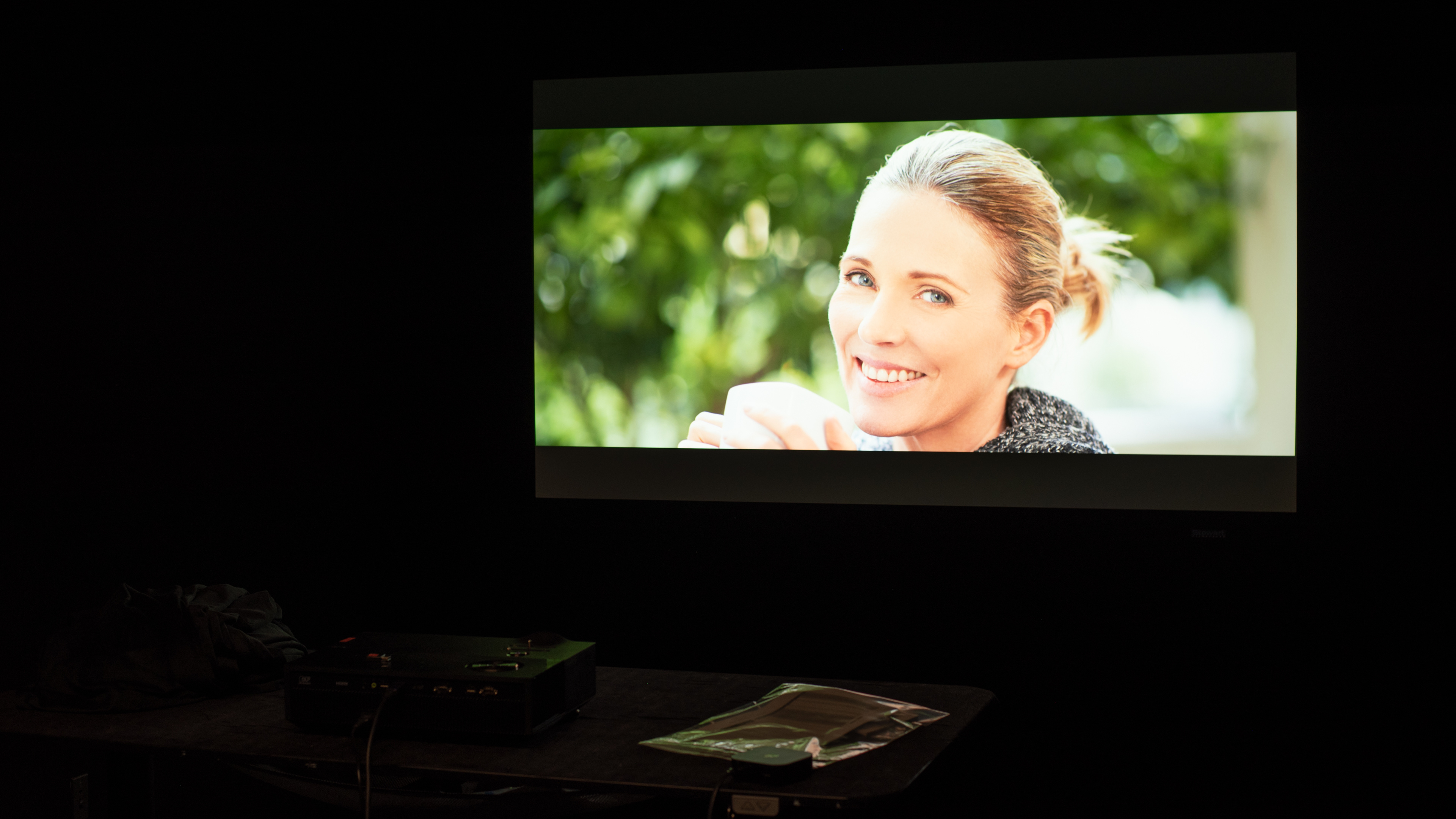
for pictures & test results

for pictures & test results







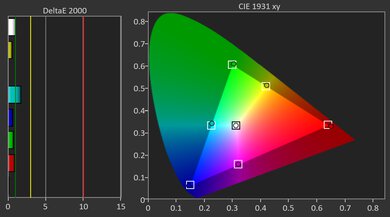




for pictures & test results


for pictures & test results

for pictures & test results