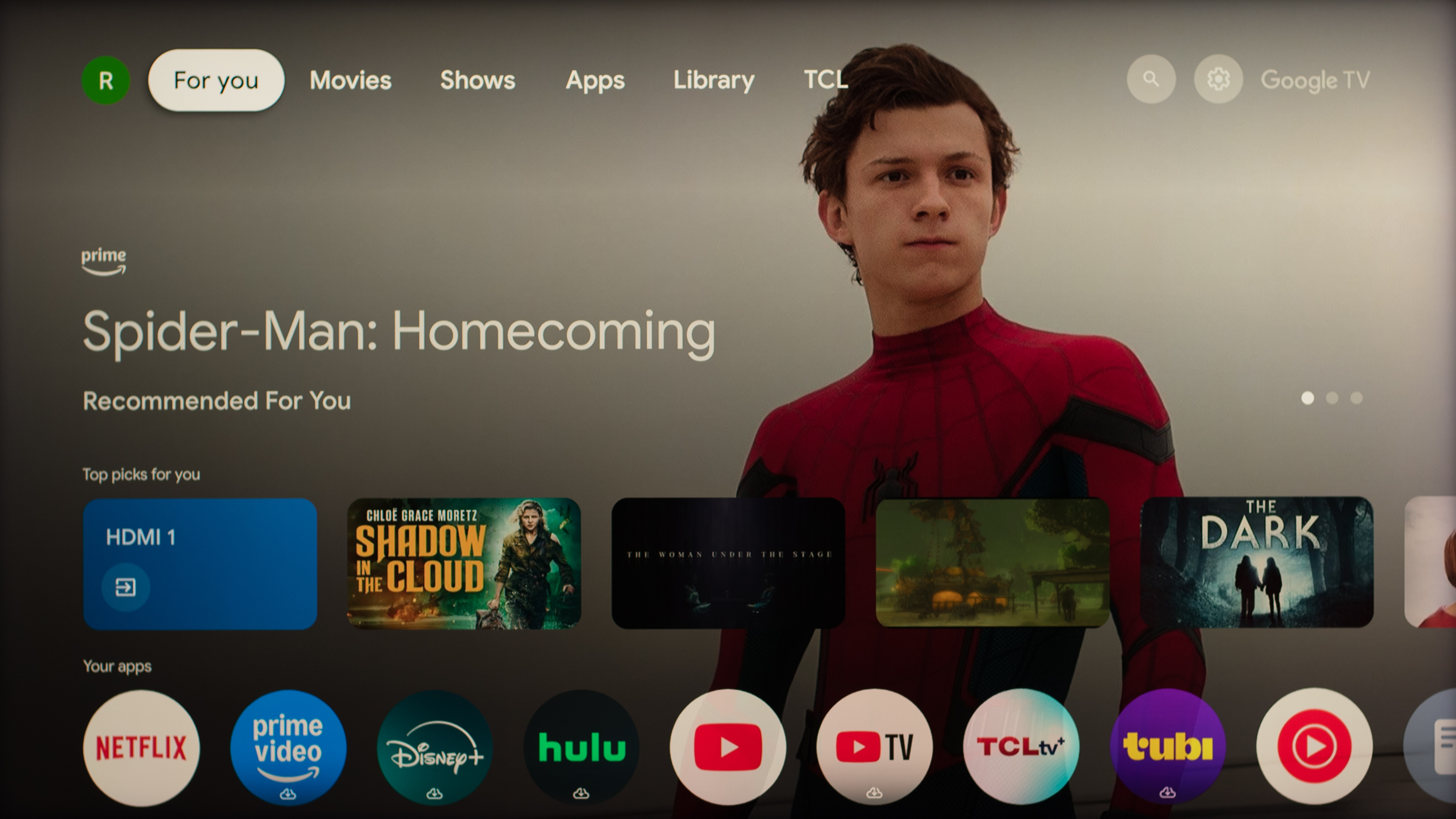
If you've been shopping for a TV, you've likely seen the term Google TV advertised alongside many models from different brands. Everyone knows that Google is the world's largest search engine, but what exactly is Google TV? Google TV is one of the most widely used smart interfaces among various TV brands. If you purchased a TV before 2022, you may be more familiar with the term 'Android TV' instead and might be wondering what separates the two. So, what is Android TV? Technically speaking, Android TV is the Linux-based operating system that the Google TV interface runs on top of, but the two terms are often used interchangeably. It's very common for people to refer to the "Google TV OS" as a catch-all term when discussing the combination of the operating system and interface, and we even do this in our reviews. You won't find Google TV built on top of any other operating system, so when we refer to Google TV as a whole, we're referring to the combination of the OS and the interface.
Google doesn't make their own TVs, but you'll find Google TV used in many models worldwide from brands such as TCL, Hisense, and Sony. It offers some standout features, but before we cover what those are, let's take a look at the most common smart operating systems on the market.
Smart TV Operating Systems
Most TVs on the market today are smart TVs, meaning they include many of the same features that were once limited to dedicated streaming devices. If you're in the market for a new TV, it's easy to get overwhelmed by the variety of smart operating systems used by different brands. While these platforms tend to share a lot in common, they can still differ in terms of interface design, performance, and available features. Although there are many smart platforms used worldwide, six operating systems make up the majority of the TV market, with Google TV being one of them.
Some brands use their own proprietary smart operating systems, such as Samsung with its Tizen OS and LG with its webOS, but Google doesn't make its own televisions. Instead, Google licenses its operating system to a wide variety of brands worldwide. You'll also find Roku TV, Fire TV, and Hisense's VIDAA OS used across various models and brands globally, but Google TV is the most widely used smart platform on the market.
Below is a table with the most popular smart operating systems and the brands that use them at the time of publication. You'll notice that some brands, such as Hisense, utilize different smart platforms in various models and regions. The list below isn't exhaustive, but it covers the vast majority of the TV market.
| Smart OS | Brands Using It |
|---|---|
| Google TV/Android TV | Sony, TCL, Hisense, Xiaomi, Vizio, Sharp, other smaller brands |
| webOS | Primarily used by LG, but also licensed to brands like RCA, Ayonz, Konka, Aiwa, and Hyundai |
| Tizen | Mainly used by Samsung, but also licensed worldwide to brands like RCA, Axdia, EKO, and QBELL |
| Fire TV | Amazon, Panasonic, Hisense, Toshiba, Insignia |
| Roku TV | Roku-branded TVs, TCL, Hisense, Sharp, Philips |
| VIDAA | Mostly used by Hisense in some regions, but is also used by brands like Toshiba, Loewe, and Schneider |
There's not a massive difference between each of these options, so you will be able to cast content from your phone, easily find popular apps, play content from a USB stick, and use your voice to control the TV, regardless of the smart OS your television has. However, Google TV does offer some features that make it stand out from the pack.
APP AVAILABILITY
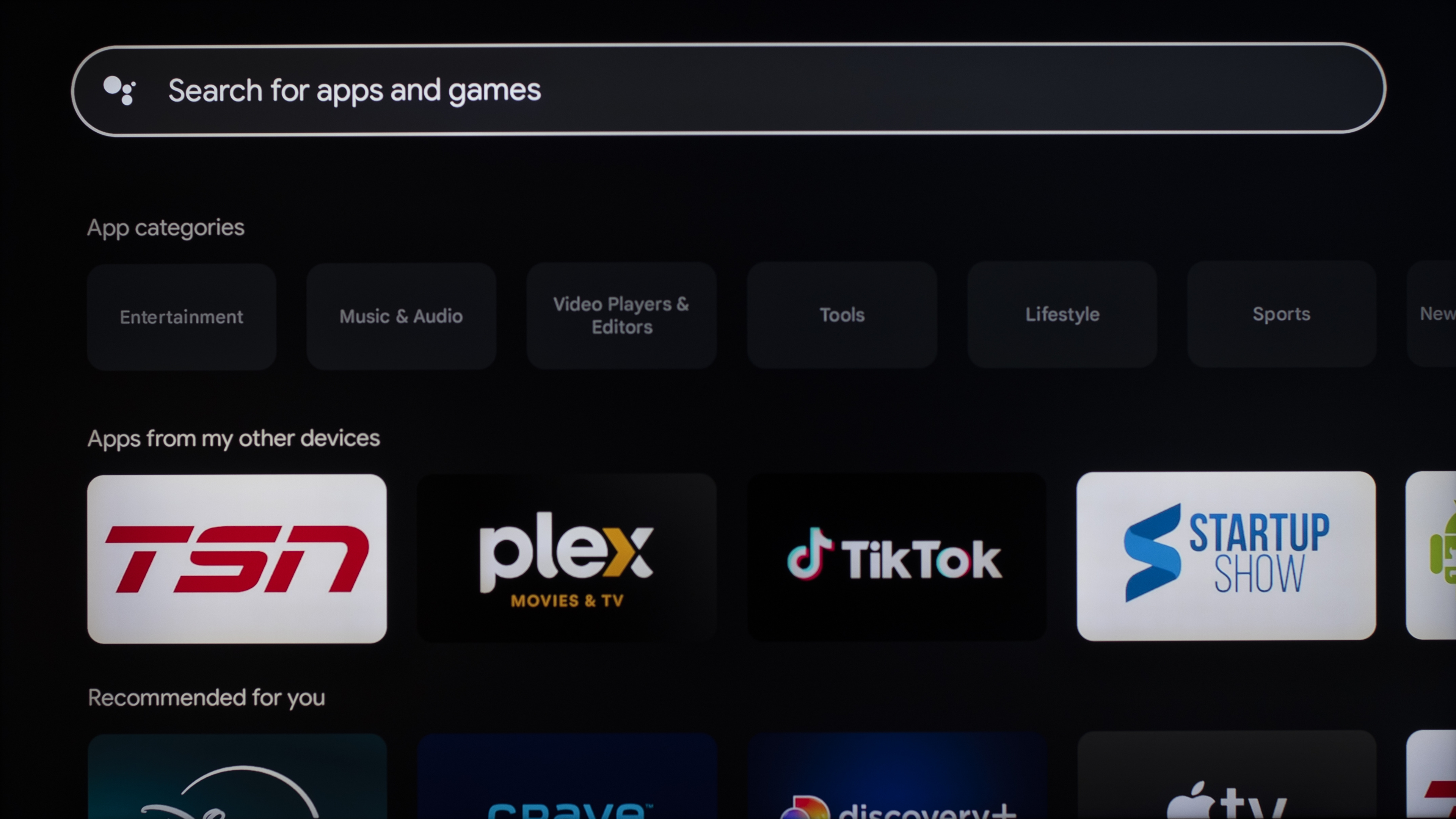
The biggest advantage of the Google TV platform is app availability. Since Google TV is widely used and has a more open ecosystem, it's usually the first smart platform to support new apps, so you're much less likely to run into a service that isn't available. For example, The Criterion Channel isn't supported on most other operating systems, but it's been available on Google TV since its launch in 2019. Google TV also provides access to many other apps that aren't available on most other operating systems, such as Kodi and Sportsnet in Canada. This wider app availability can also improve long-term usability. After a few years, it's possible that your TV may no longer receive firmware updates. However, since Google TV is so widely used, developers tend to maintain their apps for longer periods of time. This reduces the risk of apps losing support and no longer functioning as intended, which can help prevent your smart TV from feeling dated a few years after you purchase it.
If an app isn't available or you'd rather run a different version of it, Google TV allows users to install apps that aren't available in the official app store. For example, users can sideload media apps like Kodi forks, Jellyfin test builds, or alternative YouTube clients such as SmartTube. The ability to sideload also makes it possible to install regional or beta apps, access older services that aren’t officially supported anymore, or even install a mobile app. Google TV offers users a great deal of flexibility, which is ideal if you enjoy experimenting with more niche apps that may not be available in the official app store. This is a significant advantage over other operating systems, such as webOS and Tizen OS, which are more tightly controlled.
In-depth user profiles
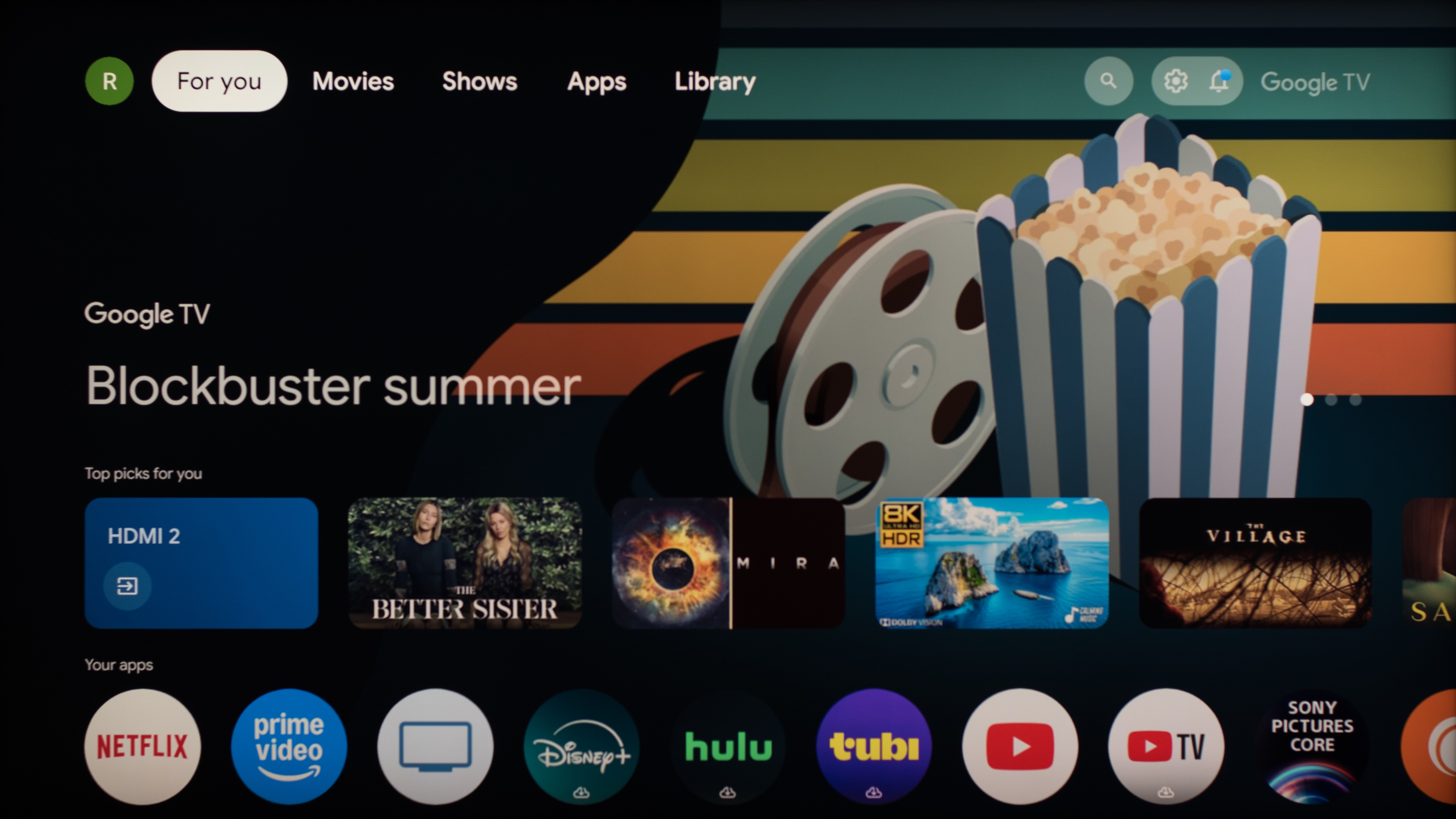
User profiles are available on some smart TV platforms, but their capabilities vary. For example, LG's webOS also offers profiles, but they are more limited, often affecting only the home screen layout or basic recommendations, with many apps still requiring separate logins. Roku TV is essentially a single-user platform, so it doesn't even give users the option to sign into their own profiles if multiple people share the same TV. Google TV supports full, system-level profiles with separate watch histories, recommendations, and app data tied to individual Google accounts. This gives each person a user experience tailored to their interests, so the Google TV interface performs very well in homes where multiple people share the same television.
Smart home INTEGRATION & google assistant
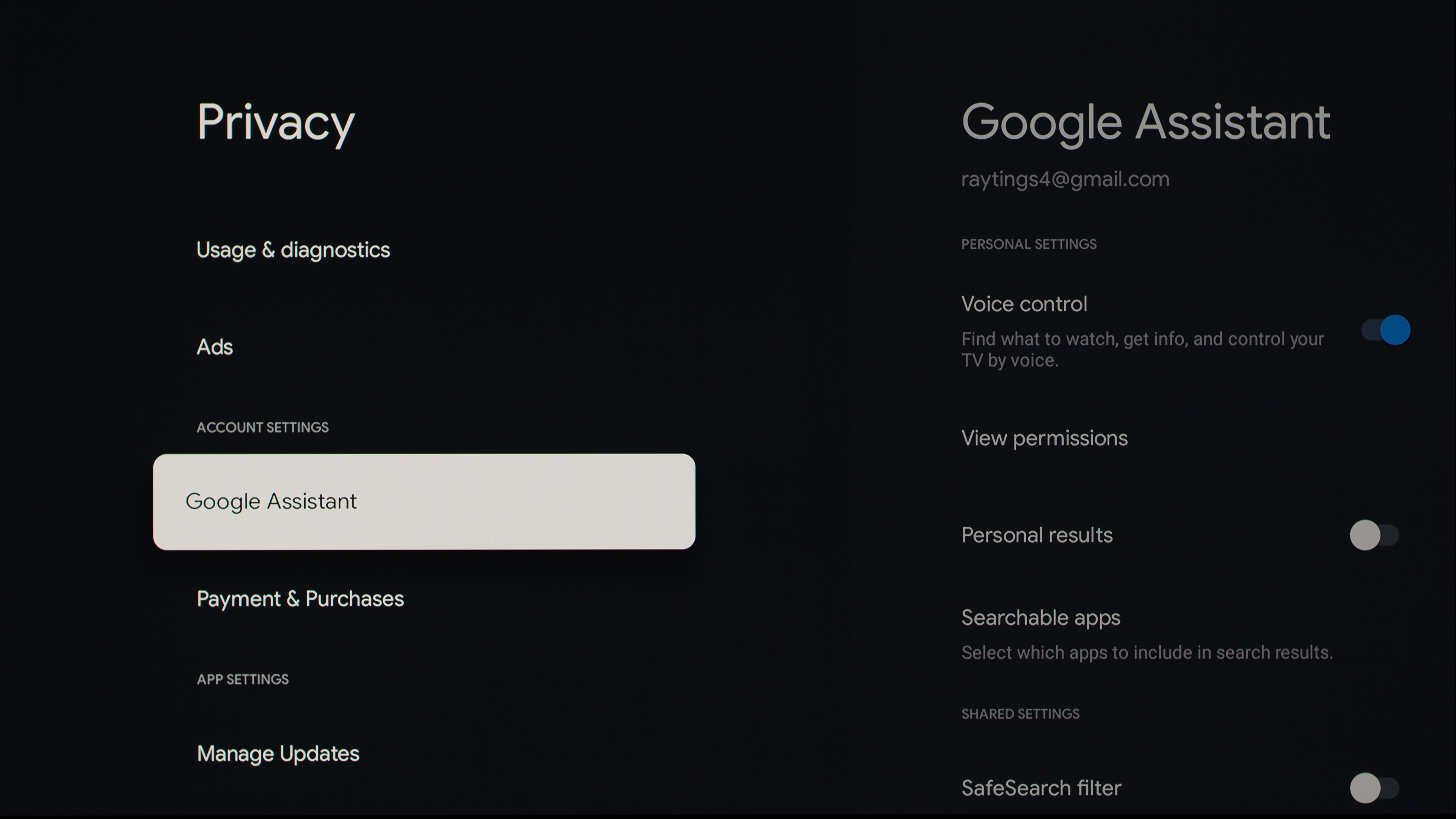
Google TV integrates seamlessly with the Google Home ecosystem, giving you control over your smart home directly from your TV. If you have devices like smart lights, thermostats, cameras, or speakers connected to Google Home, you can use your TV to adjust settings without needing to grab your phone. Voice commands also work across the ecosystem. With Google Assistant built into Google TV, you can ask your TV to turn on a specific light, adjust the thermostat, play music on a compatible speaker, or check who’s at the front door. This integration makes Google TV not just a smart platform for entertainment, but a central hub for managing your connected home in a convenient way.
Gaming
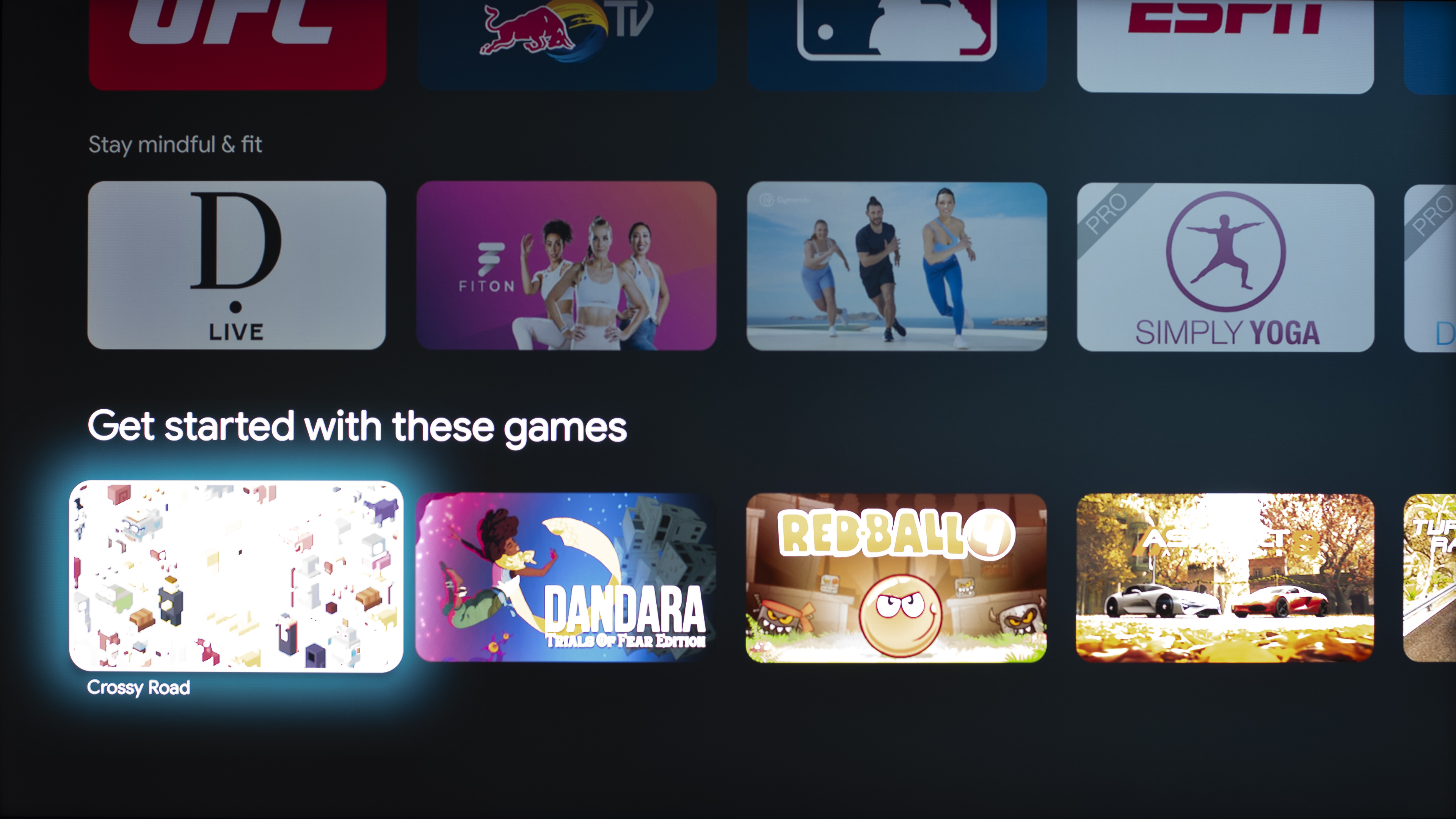
Google TV isn't just for streaming movies and shows. The platform supports a wide variety of games available from the Google Play Store, including arcade-style titles, mobile-like games, and indie favorites. Many of these games can be played with the TV remote, but for a more traditional experience, you can connect a compatible controller.
For more advanced users, Google TV allows the sideloading of games, making it possible to install emulators, beta builds, or apps that aren't officially available in the store. This unlocks access to classic console games, regional releases, and alternative versions of popular titles. Google TV also supports cloud gaming platforms, including NVIDIA GeForce NOW, Xbox Cloud Gaming, and PlayStation Remote Play, allowing you to play AAA titles without a console. Gamers can take advantage of features in the Game Master settings, which include options such as optional crosshairs, providing both casual and serious players with a more customizable experience.
Brand-specific features
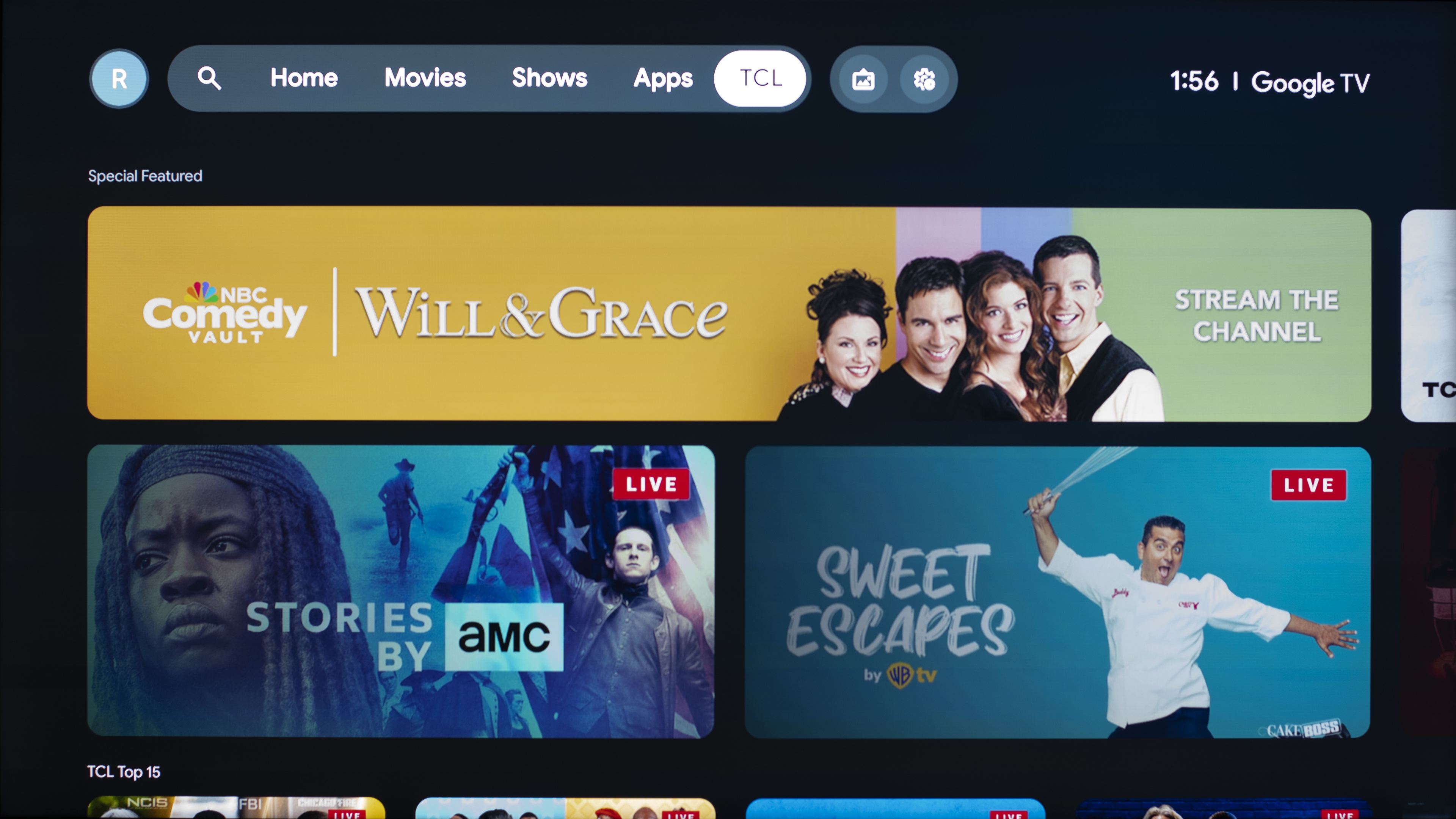
While Google TV provides a consistent interface across brands, individual manufacturers often add their own features on top of the platform. For example, TCL includes a dedicated TCL tab that gives easy access to their free ad-supported channels, making it simple to browse and watch content without installing additional apps.
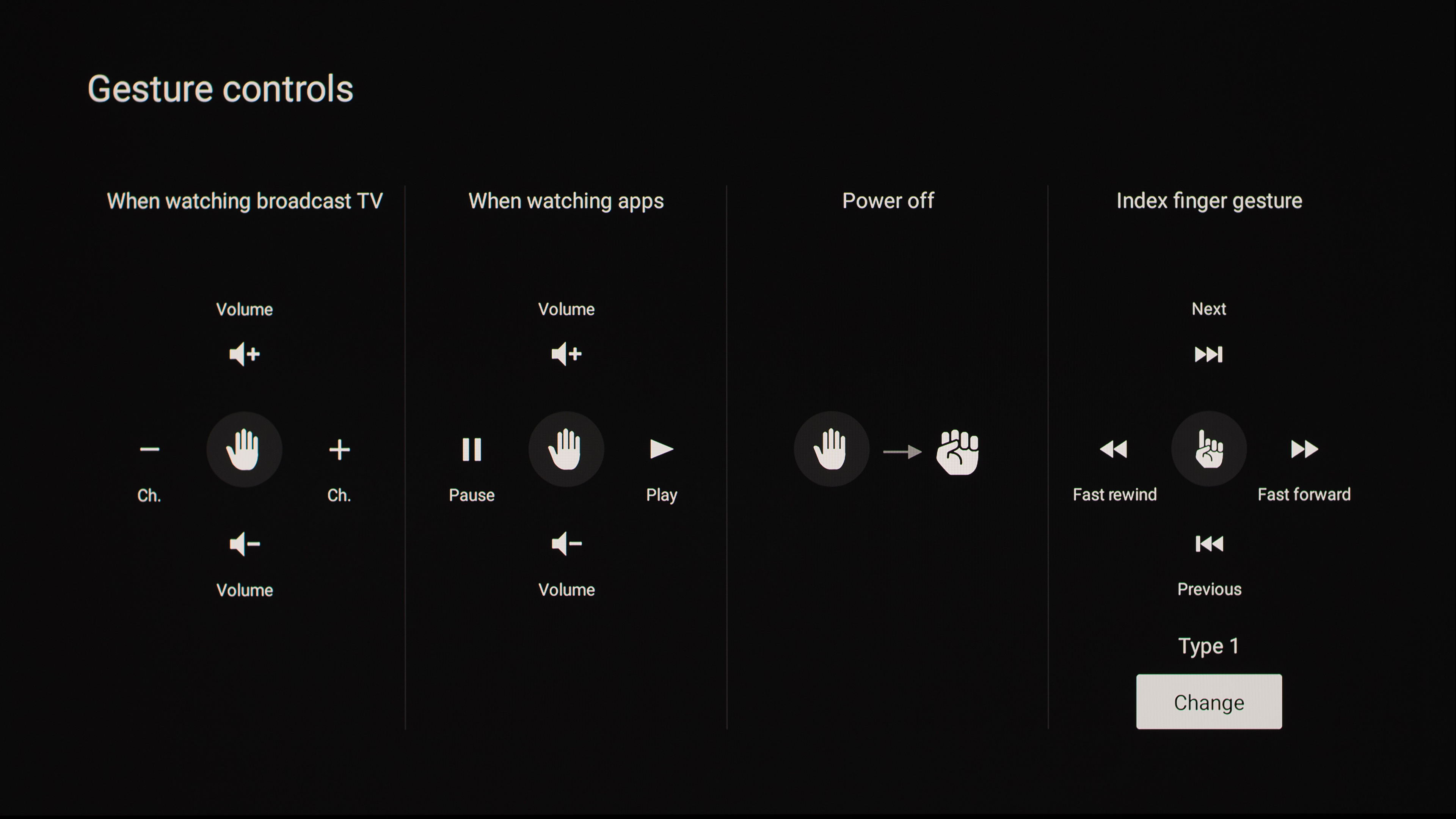
Similarly, other brands may include custom apps, shortcuts, or integrations that enhance the Google TV experience while keeping the core interface familiar. An example of this is Sony's gesture control support when using their optional Bravia webcam. This feature allows you to navigate menus, adjust volume, or control playback with simple hand movements, providing a hands-free way to interact with your TV.
Basic tv mode
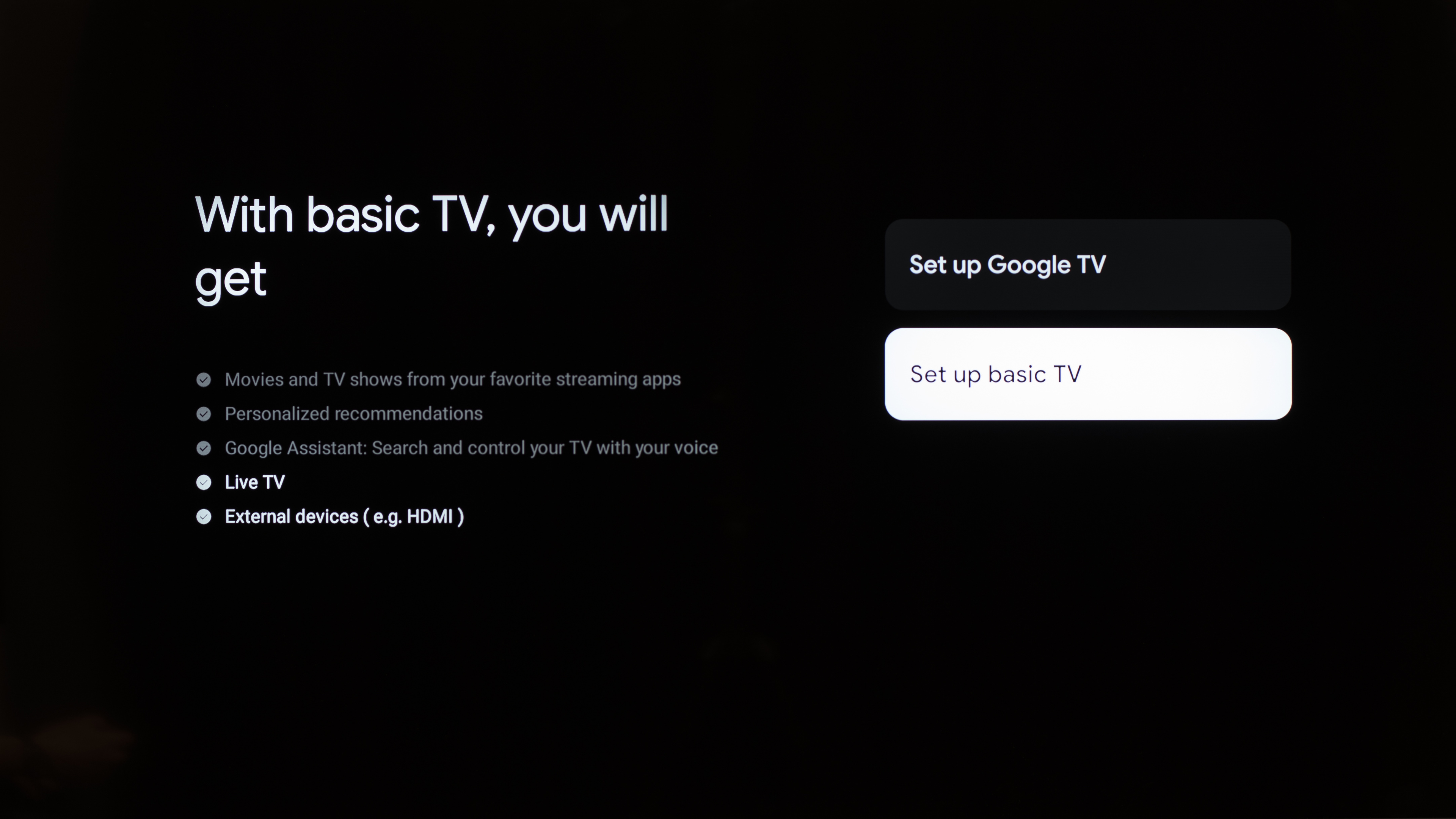
Google TV offers a 'Basic TV' setup option for users who want a simpler, more streamlined experience. In Basic TV, you can watch TV through your cable service, satellite, TV tuner, or antenna using the TV app, play media from other inputs plugged into the TV, and use a limited set of apps that come pre-installed on your device. However, you can't sign in to a Google Account, access your Play Library, install new apps, use the Assistant to search for content, or cast from another device. Basic TV is designed for households or users who prefer a straightforward experience without the extra smart features.
The Downsides
Google TV offers a lot of flexibility and app support, and there aren't any glaring downsides to the smart OS. However, it does have some minor drawbacks. One common complaint is that the interface is filled with ads and recommendations for content. Although you can opt out of personalized ads, general ads and recommendations still remain in the interface, which some users find intrusive. This isn't exclusive to Google TV, so you'll still receive ads regardless of the smart OS your TV runs.
Google TV follows a relatively slow release cycle, with major platform versions released about every two years rather than annually. In the past, a new version was released every year, but Google now releases new versions every other year. For example, most TVs released in 2024 and 2025 that run Google TV launched with version 12, while most models released in 2026 will launch with version 14. Google also doesn't offer guaranteed firmware updates for TVs. Unlike LG's webOS or Samsung's Tizen, which promise several years of system updates, Google TV updates are typically handled by the TV manufacturer. This means some models may stop receiving meaningful software improvements relatively early in their lifespan, which can cause the interface to feel dated over time.
Finally, Google TV can sometimes feel slower or less intuitive compared to dedicated streaming devices. Menu navigation and app switching aren't always as snappy as those on an Apple TV or NVIDIA Shield, and occasional bugs or interface quirks may appear. While these issues may not affect everyone, they can be noticeable to users who value a smooth and polished smart TV experience. However, Google TV tends to run fairly well overall, and you won't get a significantly smoother experience from other smart operating systems.
Conclusion
The answer to the question "What is Google TV?" is straightforward. Google TV offers smart features that were once found on dedicated streaming devices, but are now built directly into your television. While most smart operating systems are similar overall, Google TV stands out with its extensive app availability, system-level user profiles, support for sideloading apps, integration with Google Home, and brand-specific features, such as TCL's free channel tab or Sony's gesture controls. It also includes a Basic TV setup option for those who want a simpler experience. However, it doesn't include guaranteed operating system updates like some other smart platforms. Still, most people will be satisfied with the functionality that Google TV provides.
If you like what Google TV offers, check out our recommendations for the best Google TVs. You can also see our recommendations for the best Smart TVs or check out our 2025 TV Lineup article for an overview of the current models on the market from every brand.