The Samsung QN80F is a mid-range 4k TV released in 2025. It replaces the Samsung Q80D from 2024, but Samsung now includes this model range as part of their Neo QLED lineup, sitting below the Samsung QN85F and the Samsung QN90F. It's powered by Samsung's NQ4 AI Gen2 Processor, which is meant to help with the TV's 4k upscaling, and it supports up to 4k @ 144Hz, with full VRR capabilities, on all four of its HDMI 2.1 ports. As usual with Samsung, the TV supports the HDR10+ format but not Dolby Vision, and it passes through advanced audio formats from Dolby but not from DTS. We bought and tested the 65-inch model, and we also bought and tested the 100-inch model separately. It's also available in 55, 75, and 85-inch models. It was replaced in 2026 by the Samsung QN80H.
Note: Despite the similar naming, this TV is different from the Samsung Q8F 2025. That TV is a much lower-end TV in Samsung's 2025 lineup.
Our Verdict
Overall, the Samsung QN80F is a decent TV. It's best-suited for watching shows or movies in a moderately lit room, but it can handle a bright room as long as there are no lights directly opposite the TV. Gamers will appreciate its low input lag and wide selection of gaming features, but its motion handling isn't the best, and there's noticeable motion blur. As for home theater purists, it's pretty accurate before calibration, and it has good processing, but there are some noticeable black uniformity issues and clouding in dark rooms.
Excellent peak brightness in SDR.
Watching in a bright room has little impact on picture quality.
Distracting direct mirror-like reflections.
Can't do much to smooth out low-quality content without causing a loss of fine details.
The Samsung QN80F is just decent for home theater use under reference conditions. It has good accuracy before calibration, but it definitely benefits from a proper calibration if you care about creative intent. It tracks the PQ EOTF well, so most content is displayed close to the correct brightness, but it can't get very bright in HDR, and the brightest highlights are lost. It also has limited format support, with no Dolby Vision or DTS support, so if you're using an external 4k Blu-ray player, you'll want to connect it directly to your soundbar or receiver instead of using eARC. It has decent motion handling, but there are some noticeable color artifacts, with a noticeable red tint around most fast-changing colors. It also has some noticeable stutter in slow panning shots.
Excellent PQ EOTF tracking.
Some noticeable backlight glow and cloudiness in dark scenes.
Only okay peak brightness in HDR.
Doesn't support Dolby Vision or DTS.
Noticeable color artifacts in all content.
Noticeable stutter in slow panning shots.
The Samsung QN80F is a decent TV for use in a bright room. It has alright peak brightness, so it can handle some glare in a bright room, and light hitting the screen has little impact on the overall picture quality. It can't handle direct reflections, though, so any windows or lights directly opposite the screen are clearly visible and distracting.
Excellent peak brightness in SDR.
Watching in a bright room has little impact on picture quality.
Distracting direct mirror-like reflections.
The Samsung QN80F is a good TV for watching sports. It has great peak brightness, so you can watch it during the day with no major issues, as long as there are no windows or lights directly opposite the TV. It has good upscaling capabilities, which is important if you're watching lower-resolution streams from cable or even most sports apps. On the other hand, the response time isn't the greatest, so it's a bit blurry when the action really gets going, which can be distracting. There are also noticeable uniformity issues, and the sides of the screen are darker than the center. Unfortunately, there are noticeable color artifacts in fast-changing colors, including a distinct red shift on lighter skin tones that's noticeable when watching sports.
Excellent peak brightness in SDR.
Good upscaling.
Distracting direct mirror-like reflections.
Noticeable blur in fast motion.
Noticeable color artifacts in all content.
Noticeable uniformity issues.
The Samsung QN80F delivers a decent overall gaming experience. It has a wide selection of gaming features, including support for up to 4k @ 144Hz signals, VRR support, and extremely low input lag for a responsive gaming experience. There are a few issues, though, as switching to the dedicated Game Mode results in a slight decrease in picture quality, especially in dark scenes. Motion handling is also a bit limited, and there's noticeable blur in fast action.
Low input lag across all supported formats.
Wide selection of gaming features.
Noticeable blur in fast motion.
Slightly worse picture quality in Game Mode.
This TV has great expected reliability. Similar to direct-lit models, since the LEDs are housed directly behind the LCD layer, they're less likely to overheat and fail than edge-lit models. There's also no possibility of burn-in or image retention, so the type of content you watch doesn't affect its lifespan. Unlike direct-lit models, the LEDs are grouped together in zones, so a single failed LED will usually cause only one zone to fail, not the entire backlight.
No possibility of permanent burn-in.
Single LED failures affect only a single zone, not the entire backlight.
The Samsung QN80F has decent peak brightness. It's bright enough in SDR to overcome glare in a room with the overhead lights turned on. In HDR, most content looks good, and small bright highlights stand out well, but the brightest content falls short, and super-bright details are lost.
Excellent peak brightness in SDR.
Only okay peak brightness in HDR.
Unfortunately, the black levels on the Samsung QN80F are just okay. It has decent contrast, and the local dimming feature helps a bit to improve dark scene performance, but it's not perfect, and there's some noticeable glow in dark scenes.
Some noticeable backlight glow and cloudiness in dark scenes.
Colors on the Samsung QN80F are decent overall. It has good color accuracy in SDR and good color volume in HDR, but there's an unusual loss of saturation in the brightest scenes. Color accuracy in HDR is also just decent, and every color is noticeably off.
Good color volume in HDR.
Accurate in SDR before calibration.
Colors desaturate at high luminance levels.
The Samsung QN80F has decent motion handling when watching content. There's noticeable stutter in slow panning shots, but its motion interpolation feature is effective at reducing it without adding the soap opera effect, and it maintains a smooth frame pacing while doing so. It can remove judder from all sources except for 25p European content sent over a 60p signal, but this is an uncommon situation and mainly affects older cable boxes and streaming devices. On the other hand, there are noticeable color artifacts in fast-changing colors, with a distinct red shift on most colors. Edges on fast transitions are sharp and clear, though.
Motion interpolation feature is effective at reducing stutter while maintaining smooth frame pacing.
Good cinematic response time.
Noticeable color artifacts in all content.
Noticeable stutter in slow panning shots.
The Samsung QN80F has good responsiveness in Game Mode. It has very low input lag across all supported resolutions and refresh rates, ensuring a responsive gaming experience. Motion is a different story, though, as there's distracting blur around fast motion, even at the max refresh rate of 144Hz.
Low input lag across all supported formats.
Wide selection of gaming features.
144Hz refresh rate.
Noticeable blur in fast motion.
Slightly worse picture quality in Game Mode.
Note: We're in the process of improving our tests related to image processing, but this score should give you a general idea of how a TV performs overall with its image processing capabilities.
The Samsung QN80F has good overall image processing. It upscales lower-resolution content well, with no artificial oversharpening or other related issues. It also tracks the PQ EOTF well in HDR, ensuring most content is displayed close to the brightness level the content creator intended. There's also very little banding in HDR. Its processing capabilities when watching low-quality sources are a bit more limited, though, as it can only remove a bit of pixelization and macro-blocking, and there's some loss of fine details.
Very little banding in HDR.
Good upscaling.
Can't do much to smooth out low-quality content without causing a loss of fine details.
Performance Usages
Changelog
- Updated Oct 02, 2026: We converted this review to Test Bench 2.3. With this update, we've added a new Expected Reliability performance usage, a Lifetime Burn-In Potential test, and a new test box for the Longevity 3.0 test.
- Updated Sep 18, 2026: We converted this review to Test Bench 2.2.1, adding a new Dumb TV test for whether or not the TV can be used offline.
-
Updated May 12, 2026:
We bought and tested the Samsung QN80H, and added a mention of it in the HDR Brightness section of the review.
-
Updated Mar 11, 2026:
We added text to our new Cinematic Motion Handling performance usage and our new Transition Artifacts and Stutter Reduction Via Interpolation test sections after converting the review to TV 2.2.
Check Price
Differences Between Sizes And Variants
We bought and tested the 65-inch Samsung QN80F, and these results also apply to the 55-inch, 75-inch, and 85-inch models. We bought and tested the 100-inch model separately. It's also sold in warehouse stores like Sam's Club and Costco as the QN80FD. Samsung's marketing around the warehouse variant suggests that it has more dimming zones, as they advertise it with Ultimate UHD Dimming instead of the Supreme UHD Dimming found on the regular models, but as Samsung doesn't discuss panel features, we don't know for sure. We also put the 65-inch and 100-inch models together in a head-to-head comparison; you can read our findings here.
| Size | US Model | Short Model Code | Warehouse Model |
|---|---|---|---|
| 55" | QN55QN80FAFXZA | QN55QN80F | QN55QN80FD |
| 65" | QN65QN80FAFXZA | QN65QN80F | QN65QN80FD |
| 75" | QN75QN80FAFXZA | QN75QN80F | QN75QN80FD |
| 85" | QN85QN80FAFXZA | QN85QN80F | QN85QN80FD |
| 100" | QN100QN80FFXZA | QN100QN80F | QN100QN80FD |
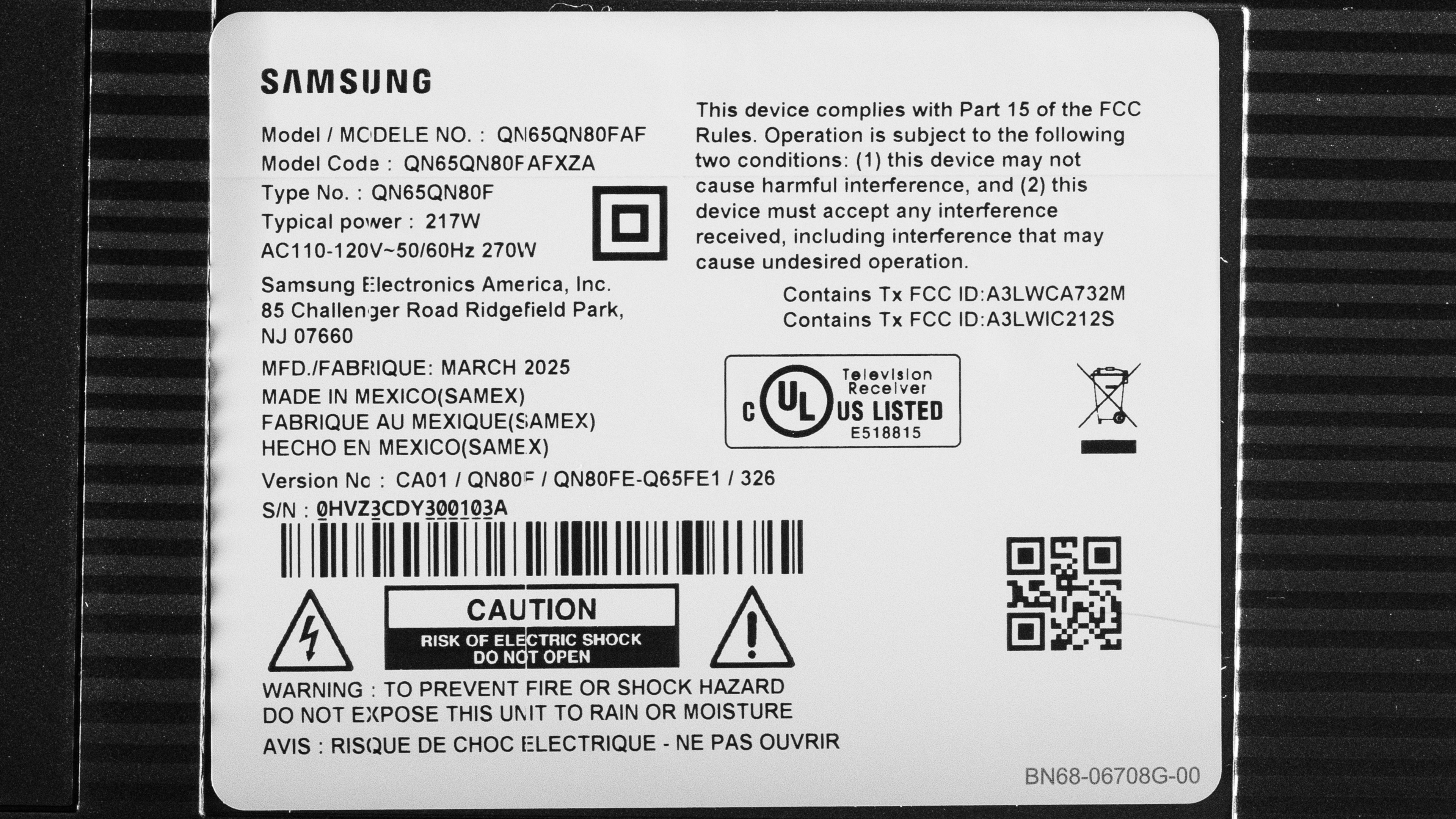
Our unit was manufactured in Mexico in March 2025, and you can see a photo of its label here.
Popular TV Comparisons
The Samsung QN80F QLED is a decent mid-range 4k TV with a wide selection of smart features, including many great gaming features. Its Mini LED backlight and quantum dot color layer help deliver okay overall picture quality. It's a bit overpriced for the performance it delivers, though, and you can get much more bang for your buck from cheaper models offered by other brands, like the Hisense U8QG or the TCL QM7K.
For more options, check out our recommendations for the best QLED TVs, the best 4k gaming TVs, and the best TVs.
The Samsung QN80H is a significant upgrade over the older Samsung QN80F that it replaces. The QN80H is significantly brighter when displaying real content in HDR, so most real scenes are brighter and more vibrant, even though the overall peak brightness is the same. The QN80H also delivers better picture quality overall, with improved contrast, better black uniformity, and much better colors.
The Samsung QN90F is significantly better than the Samsung QN80F in almost every way. The QN90F delivers much better picture quality, with better contrast, higher peak brightness, and better colors. They're more closely matched when it comes to gaming and motion, though, as both have noticeable blur in fast scenes and a similar selection of gaming features. Still, even gamers will benefit from the better picture quality the QN90F delivers, so it's still the far better TV.
The Samsung QN80F is slightly better than the Samsung QN70F. While they deliver a similar overall experience, the QN80F has a more effective local dimming feature. This helps it deliver a more impactful HDR experience, as small specular highlight details stand out from the background better than they do on the QN70F.
The Samsung QN80F and the TCL QM6K are similar overall. The Samsung is the brighter option, making it more suitable for more well-lit rooms. On the other hand, the TCL has superior black levels, so it looks better in a dark room. Both TVs have similar gaming performance, so the better option really depends on your lighting conditions.

We buy and test dozens of TVs yearly, taking an objective, data-driven approach to deliver results you can trust. Our testing process is complex, with hundreds of individual tests that take over a week to complete. Most of our tests use specially designed test patterns that mimic real content, but we also use the same sources you have at home to ensure our results match the real-world experience. We use two main tools for our testing: a Colorimetry Research CR-100 colorimeter and a CR-250 spectroradiometer.
Test Results
for pictures & test results

for pictures & test results

for pictures & test results

The Samsung QN80F has okay peak brightness in HDR. It's bright enough to bring out most small bright details in scenes with moderate brightness, but the brightest highlight details are lost. It gets decently bright with very bright outdoor shots, but it's not as bright as it should be for a truly impactful HDR experience with those scenes. The larger Samsung 100QN80F is quite a bit brighter in most content.
The newer Samsung QN80H that replaces this model has roughly the same peak brightness, but gets considerably brighter in most real content.
Our results are done in the 'FILMMAKER' Picture Mode with 'HDR Tone Mapping' set to 'Static.' If you prefer a brighter image over an accurate one, these are the results with 'HDR Tone Mapping' set to 'Active':
- Hallway Lights: 567 cd/m²
- Yellow Skyscraper: 440 cd/m²
- Landscape Pool: 190 cd/m²
for pictures & test results

for pictures & test results

for pictures & test results

Switching to Game Mode is a bit of a mixed bag when it comes to brightness. The Samsung QN80F processes brightness differently in this mode, as some real scenes are a bit brighter, but most test slides and some real scenes are darker.
Results with 'HDR Tone Mapping' set to 'Active':
- Hallway Lights: 415 cd/m²
- Yellow Skyscraper: 298 cd/m²
- Landscape Pool: 151 cd/m²
The peak brightness in SDR is excellent. It can overcome glare from indirect light sources in a well-lit room, and the brightness is fairly consistent across different content, so even very bright content like sports looks good.
for pictures & test results

The Samsung QN80F has decent contrast overall. It has a high native contrast ratio, which should result in deep blacks even when the local dimming feature can't keep up, but there's still some noticeable glow. You can't disable local dimming on this TV, so its native contrast was measured with an inverted contrast pattern.
for pictures & test results

The zone precision is decent overall. It's a significant step up from the lower-end Samsung QN70F, and there's very little haloing around bright areas like subtitles or on the sides of black bars when watching letterboxed content. Still, it's a bit limited by the number of dimming zones, as it can't dim around oddly shaped bright areas in dark spots, so there's some glow in dark areas.
for videos & test results

The zone transitions are just okay. There's noticeable flicker and image duplication as bright objects move across the screen.
for pictures & test results

for videos & test results

for videos & test results

Dark details look a bit worse overall in Game Mode. The algorithms that control the local dimming feature are toned down a bit to avoid adding input lag, so zone transitions are more noticeable.
for pictures & test results

for pictures & test results

The Samsung QN80F has just alright black uniformity. The entire screen is a bit cloudy even with Local Dimming set to 'High.'
Local dimming can't be turned off on this TV, so we tested its native black uniformity with Local Dimming set to 'Low' and Shadow Detail to '1,' with a uniformity image with an RGB value of {5,5,5} as black.
for pictures & test results

for pictures & test results

The Samsung QN80F has mediocre color volume in SDR. Like most TVs these days, it has full coverage of the BT.709 color space used with the majority of SDR content. It has just okay coverage of the DCI-P3 color space and poor coverage of the much wider BT.2020 color space, so it's not a good choice if you like to force content into a wider color space.
Oddly enough, colors are noticeably desaturated in brighter scenes. This is very unusual for an LED TV with no white subpixel, but it's similar to the Samsung Q7F 2025, so this doesn't seem to be an issue with this specific unit.
| Volume ΔE³ | DCI-P3 Coverage |
BT.2020 Coverage |
|---|---|---|
| L10 | 95.60% | 71.77% |
| L20 | 90.21% | 66.28% |
| L30 | 92.82% | 68.27% |
| L40 | 86.09% | 64.28% |
| L50 | 83.93% | 63.36% |
| L60 | 74.82% | 54.42% |
| L70 | 71.57% | 46.17% |
| L80 | 73.10% | 45.17% |
| L90 | 74.50% | 46.06% |
| L100 | 71.80% | 52.60% |
| Total | 78.34% | 54.22% |
for pictures & test results

for pictures & test results

The HDR color volume on this TV is good overall. Like with SDR, colors desaturate a bit at high luminance levels, so pure white is slightly brighter than each individual color. Dark, saturated colors are displayed well, giving some depth to dark tones, but it's not as good as the Samsung QN90F.
for pictures & test results

for pictures & test results

for pictures & test results

The Samsung QN80F has good SDR accuracy before calibration, but there are a few noticeable issues, especially with the white balance. Blues are slightly underrepresented in bright shades of gray, which contributes to the slightly warm color temperature. Gamma is very good, and there are no noticeable color errors.
for pictures & test results

for pictures & test results

for pictures & test results

This TV is a breeze to calibrate, and the results after calibration are superb, with no noticeable issues at all. Color dE is still a bit high after calibration, but not noticeably so.
See our full calibration settings.
for pictures & test results

for pictures & test results

The Samsung QN80F has decent accuracy in HDR before calibration. Unlike SDR, colors are the biggest issue, as there are significant color errors across the board. The white balance is also noticeably off, and again, blues are underrepresented in bright shades, giving the TV a noticeably warm color temperature.
for pictures & test results

for pictures & test results

Calibrating this TV in HDR helps quite a bit with the white balance, as the color temperature is nearly perfect after calibration. Colors improve slightly after calibration, but they're still noticeably off across the board.
for pictures & test results

Update 07/30/2025: Samsung has removed HGIG with firmware update 1125.9. Their intention was to move it to the "Original" Game Genre setting, but it's not working properly. This means that most games won't be displayed at the correct brightness level, and it's especially problematic for Switch 2 players, as HGIG is needed to properly calibrate that console's HDR output.
The Samsung QN80F has excellent PQ EOTF tracking, ensuring most HDR content is displayed at the brightness level intended by the content creator. Almost all content is slightly dimmer than intended, but shadow details are displayed well. There's a smoother roll-off with content mastered at 4,000 nits, which helps preserve some brightness gradients in the brightest scenes, but anything above about 1,000 nits is blended together.
for pictures & test results

The TV has alright low-quality content smoothing. It smooths out macro-blocking and pixelization much better than the Samsung Q7F 2025, but more fine details are lost compared to the Samsung QN90F.
for pictures & test results

The Samsung QN80F has good sharpness processing when upscaling low-resolution content like DVDs or lower-resolution streams. Fine details are a bit hard to make out, but the image is sharp and clear overall.
for pictures & test results

This TV has excellent gradient handling in HDR. There's almost no noticeable banding in any color.
This TV has excellent low input lag across all supported resolutions and modes. Input lag outside of Game Mode is much higher, though, so you feel a slight delay when navigating menus from external players.
This TV supports most common formats, up to a maximum of 4k @ 144Hz. Chroma 4:4:4 signals are displayed properly across all supported formats, which is important for clear text from a PC.
The Samsung QN80F supports all three types of variable refresh rate (VRR) technology to reduce screen tearing. It works well across a wide refresh rate range and supports sources with Low-Frame-Compensation (LFC), which ensures your games remain nearly tear-free even when your frame rate drops very low.
for pictures & test results
for pictures & test results

Unfortunately, the CAD on this TV is just okay at the max refresh rate of 144Hz. There's barely any overshoot, which is good, but transitions to and from dark shades are especially slow. This causes more distracting blur in shadow details. Mid-tones look much better, so most real content looks a lot better than shadow details, but it's still not great.
for pictures & test results

for pictures & test results

The TV's CAD when gaming at 120Hz is just alright, and it's noticeably worse than at 144Hz. There's more noticeable overshoot, and shadow details look even worse, especially when transitioning from bright to dark.
for pictures & test results

for pictures & test results

The TV's CAD when gaming at 60Hz is mediocre, as almost all transitions are very slow. There's less overshoot than there is at 120Hz, though, and transitions within bright scenes look better.
for pictures & test results

The TV is fully compatible with everything the PS5 offers, like 1440p @ 120Hz and 4k @ 120Hz, as well as HDMI Forum VRR. It also supports Auto Low Latency Mode, so you don't have to worry about manually switching to Game Mode to get the lowest input lag.
for pictures & test results

The TV is fully compatible with almost everything the Xbox Series X|S offers, including 1440p @ 120Hz, 4k @ 120Hz, HDMI Forum VRR, and FreeSync Premium Pro. It also supports Auto Low Latency Mode, so you don't have to manually switch to Game Mode to get the lowest input lag. Unfortunately, Dolby Vision isn't supported on the TV, so gaming in Dolby Vision isn't possible.
for videos & test results
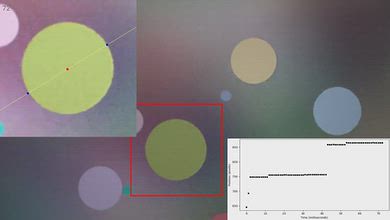
for pictures & test results

for pictures & test results
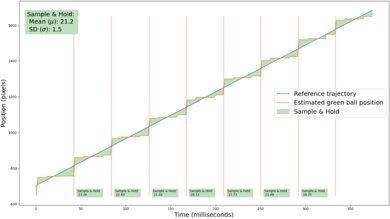
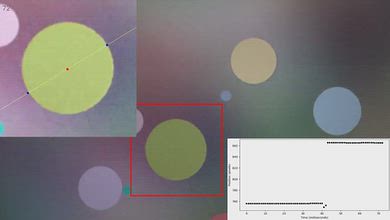
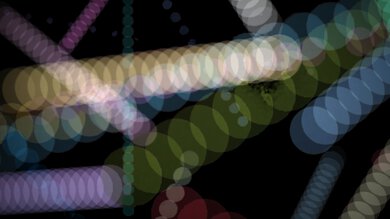
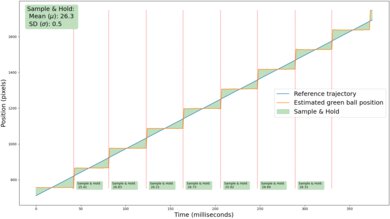
Adjusting the motion interpolation feature to output close to 30fps does an okay job of reducing stutter. It's still somewhat noticeable, but the motion interpolation feature is very consistent, resulting in even frame pacing and reduced stutter.
for pictures & test results
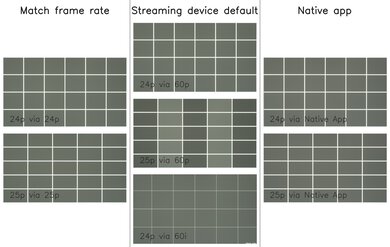
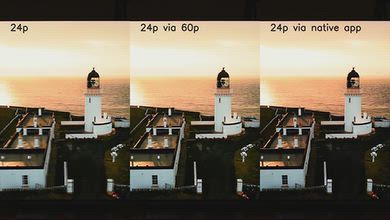
The TV automatically removes judder from all sources when watching movies or shows that are in 24p, even if they're in a 60Hz signal, like from a cable box. It can't remove 25p judder sent by a 60p source, though.
for videos & test results
for videos & test results
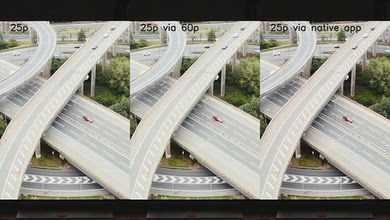
There's noticeable micro judder with 25p content sent via a 60p source, like a cable box or older streaming box that can't match the source frame rate.
for pictures & test results

for pictures & test results

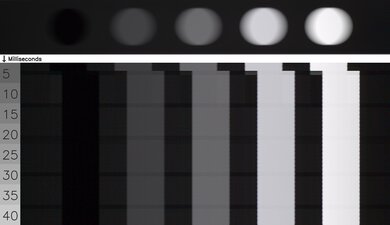
The Samsung QN80F has a good cinematic response time. There's very slight overshoot in some darker transitions, which causes a very slight halo effect in shadow details, but it's not that noticeable.
for pictures & test results
for pictures & test results
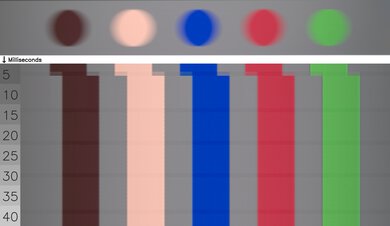
Unfortunately, there are noticeable color artifacts around fast-changing colors on this TV. Light skin tones have a noticeable red tint, blues look a bit yellow, and reds and greens blend together a bit. Edges are sharp and clear, though.
for pictures & test results

The TV uses a combination of pulse-width modulation (PWM) and direct dimming to adjust the backlight intensity. The TV flickers at 120Hz in most picture modes, except in the 'Movie' Picture Mode, where it flickers at 960Hz at all brightness levels.
for pictures & test results

for pictures & test results

This TV has an optional backlight strobing feature, commonly known as black frame insertion (BFI). Unfortunately, it's only supported at 60Hz on this TV.
for pictures & test results

for pictures & test results

The TV's direct reflection handling is poor. It does very little to reduce the intensity of direct mirror-like reflections, so any source of light opposite the screen is clearly visible.


for pictures & test results

for pictures & test results

The amount of total reflected light off the screen is just okay. The TV's handling of ambient lighting is alright, but there are noticeable diffraction artifacts.
for pictures & test results

Color saturation on this TV doesn't change much when used in a bright room.
for videos & test results

for pictures & test results

for pictures & test results

for pictures & test results

The Samsung QN80F has a mediocre viewing angle, so it's not a good choice for a wide seating area. Blacks are noticeably raised at an angle, so the screen looks washed out. Colors also shift noticeably, especially blues, which drop off quickly, giving the TV more of a red tint at an angle.
for pictures & test results

for pictures & test results

This TV has mediocre gray uniformity. The screen is patchy throughout, even in brighter shades of gray, and the sides of the screen are noticeably darker than the center. It's a bit better in darker shades, but the uniformity issues are still noticeable.
for pictures & test results

for pictures & test results

The TV uses a BGR (Blue-Green-Red) subpixel layout instead of the traditional RGB layout. For video or gaming content, this doesn't cause any issues, but for PC monitor use, it can be a problem as it impacts the text clarity, although not everyone will notice this.
The TV uses quantum dots for both green and red, and there's a nice separation of colors.
TVs with LCD panels, like this one, are immune to permanent burn-in.
for pictures & test results

for pictures & test results

All four HDMI inputs support the maximum HDMI 2.1 bandwidth of 48Gbps, so you don't need to worry about connecting high-bandwidth devices to specific ports.
This TV supports many audio formats, including all Dolby Digital options. Unfortunately, it doesn't support DTS formats, which is disappointing, as many Blu-rays use DTS for their lossless audio tracks. LPCM 7.1 isn't officially supported in the EDID, so it only works with sources that can override the EDID, like a PC. On other sources, it's limited to 5.1.
Like all Samsung TVs, this TV doesn't support Dolby Vision, but it does support the similar HDR10+.
for pictures & test results

The Samsung QN80F is a premium-looking TV, but it's a bit bulkier than higher-end models like the Samsung QN90F. The bezels are a bit thicker as well, so it doesn't blend in to your room as seamlessly.
for pictures & test results

The center-mounted stand is solid and small, supporting the TV well. The stand lifts the display 3 inches above the table, so almost any soundbar fits in front of it without blocking the screen's viewable area.
Footprint of the 65-inch stand: 12.2" x 11"
for pictures & test results

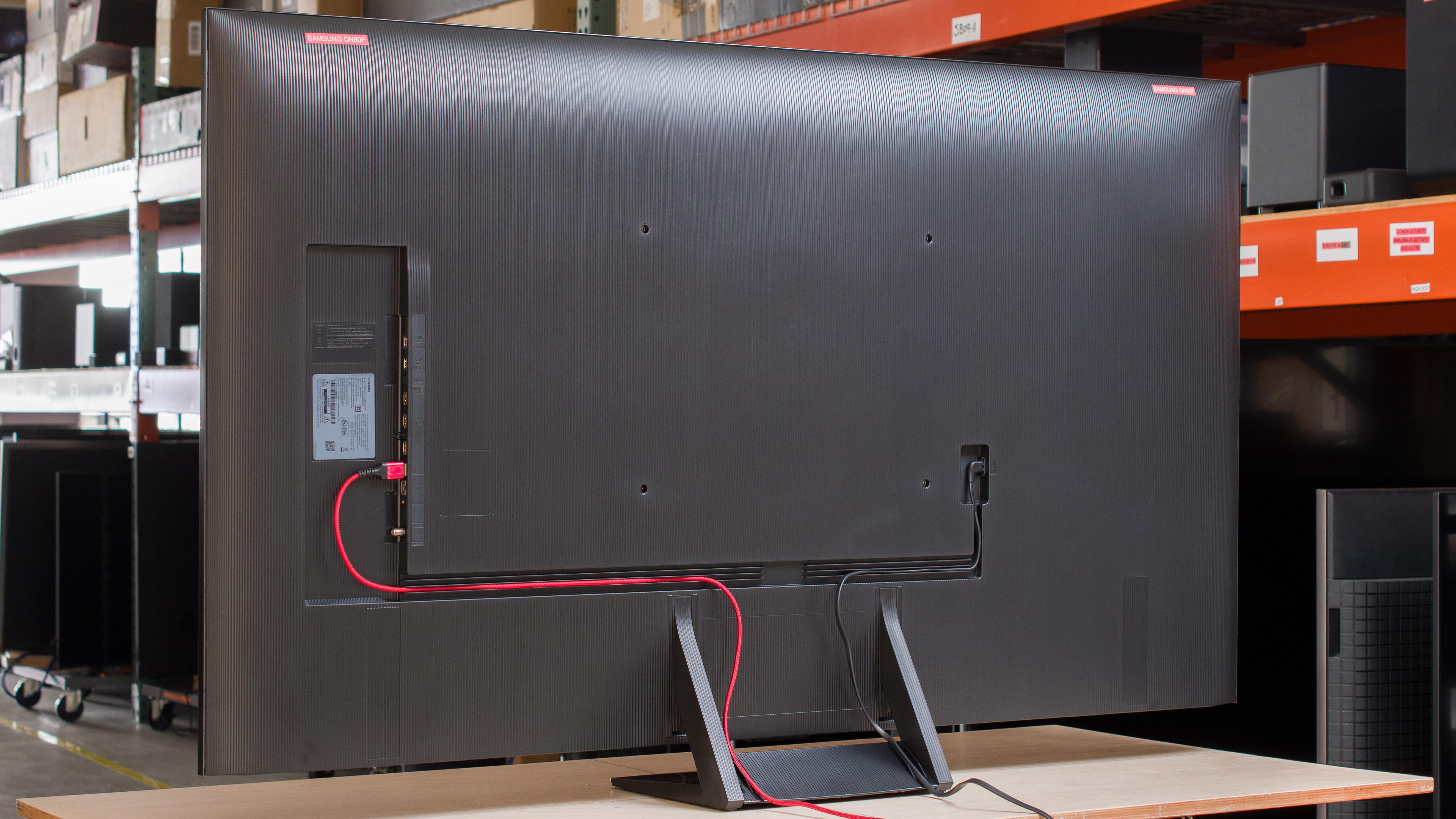
The back of the TV has a nice textured finish. The inputs are housed in a recessed cutout, so they're a bit tricky to access when the TV is mounted close to the wall. They all face to the side, though, so HDMI connectors won't stick out the back. There are some grooves along the back of the TV and the stand to help with cable management.


for pictures & test results

The Samsung QN80F has good overall build quality. It's a bit cheaper than higher-end Samsung models, and it uses more plastic.
for pictures & test results

The remote has a built-in rechargeable battery and a solar panel on its back. You can also recharge it via USB-C if it dies unexpectedly.
for pictures & test results

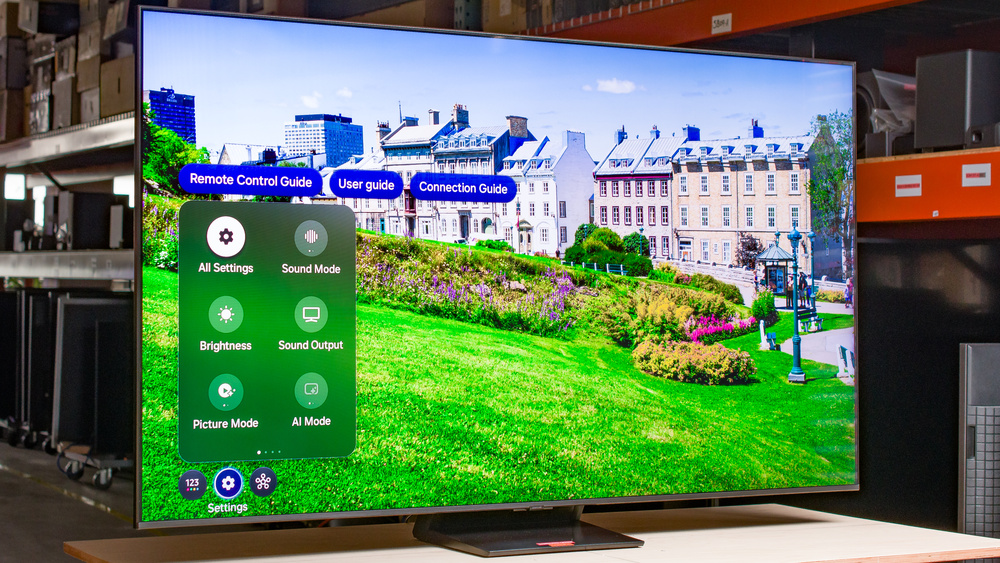
The TV runs the 2025 version of the Tizen OS, which is quick and easy to use.
for pictures & test results

Like most TVs on the market, it has ads throughout its interface, and although you can disable targeted ads, there's no option to disable them completely.


for pictures & test results

The TV has a decent frequency response when listening at low to moderate volume levels. It gets very loud, but dialogue is a bit muted at max volume and overpowered by other sounds.