LG has been releasing its C Series OLEDs since 2016, and they've become some of, if not the most popular, OLEDs on the market. The LG C5 is the 2025 iteration in their OLED lineup and replaces the 2024 LG C4 OLED. It sits between the lower-end LG B5 OLED and the flagship LG G5 OLED. Unlike the G5, the C5 still uses a traditional WOLED panel and uses the slightly less advanced Alpha 9 AI Processor Gen8. However, it still comes packed with a suite of advanced features, like HDMI 2.1 bandwidth on all four ports for up to 4k @ 144Hz gaming with VRR. It also supports the popular Dolby Vision HDR format, but LG has dropped support for DTS audio passthrough throughout their entire 2025 TV lineup after supporting it on most of their 2023 and 2024 models. The TV runs the 2025 version of LG's webOS and comes with a new version of LG's Magic Remote. We bought and tested the 65-inch model, but it's also available in 42, 48, 55, 77, and 83-inch sizes.
This TV was replaced in 2026 by two separate models, as LG has split the lineup depending on which size you get. The LG C6 OLED 2026 is available in 42, 48, 55, and 65-inch sizes and is the direct replacement for this model. The LG C6H OLED, on the other hand, replaces the 77- and 83-inch models and uses a tandem RGB OLED panel instead.
Our Verdict
The LG C5 is excellent for mixed usage. It looks its best in a dark room thanks to its perfect black levels and vivid colors, but you barely lose any image quality when you turn your lights on, which is great. It also has the brightness needed to overcome glare from indirect light sources, but it does struggle more with reducing the intensity of light sources that are directly facing the screen. The TV is loaded with a ton of modern gaming features, making it fully compatible with modern consoles and a terrific addition to your PC gaming setup. Finally, its wide viewing angle makes it a solid choice for watching the game with a large group of friends. Overall, this is a versatile TV.
Near-infinite contrast ratio for perfect blacks with no blooming around bright highlights.
Very wide viewing angle for a consistent image from the sides.
Very good SDR brightness makes it suitable for well-lit rooms.
Colors are vibrant, lifelike, bright, and accurate.
Direct light sources are noticeable on the screen.
The LG C5 is an excellent choice for a home theater. The TV has perfect black levels due to its OLED panel, so it looks incredible in a dark room. Highlights in HDR really pop against those perfect blacks, due to the TV's great HDR brightness. Colors are rich and vibrant in both SDR and HDR, so the viewer gets a vibrant viewing experience with all content. Unfortunately, there's noticeable stutter present, so slow camera movements are choppier than they're intended to be.
Near-infinite contrast ratio for perfect blacks with no blooming around bright highlights.
Colors are vibrant, lifelike, bright, and accurate.
Great HDR brightness makes highlights pop out.
Has excellent upscaling and low-quality content smoothing.
Excellent HDR brightness accuracy.
Very noticeable stutter due to the TV's fast response time.
Doesn't passthrough DTS audio formats.
The LG C5 is good for a bright room. It has the SDR brightness needed to overcome glare from indirect reflections in most bright rooms. However, its direct reflection handling is only alright, so you do see the reflection of any light source you have placed opposite the screen, especially during darker scenes. Fortunately, blacks stay very deep and colors retain their vibrancy in a room with ambient lighting, so you don't have to trade in picture quality when you have your lights turned on.
Very good SDR brightness makes it suitable for well-lit rooms.
Colors are vibrant, lifelike, bright, and accurate.
Blacks remain deep and colors stay vibrant in a room with ambient lighting.
Direct light sources are noticeable on the screen.
The LG C5 is very good for watching sports. The TV is bright enough to overcome glare from indirect lighting. Although it does an alright job of reducing the intensity of direct reflections, you still see the reflection of lamps or windows that are opposite the screen. The TV displays colors that are vibrant and accurate, so your favorite team's jersey looks the same as the one you're wearing when you watch the game. Motion looks very clear thanks to its clean transitions and incredibly quick response time. It also has excellent upscaling and smoothing capabilities, which help low-resolution and low-quality feeds look good. Finally, image quality mostly stays consistent no matter where you’re sitting due to its wide viewing angle, making it an excellent choice for watching the big game with a group.
Very wide viewing angle for a consistent image from the sides.
Very good SDR brightness makes it suitable for well-lit rooms.
Colors are vibrant, lifelike, bright, and accurate.
Has excellent upscaling and low-quality content smoothing.
No transition artifacts.
Direct light sources are noticeable on the screen.
The LG C5 is an excellent TV for gaming. It has a suite of modern gaming features like HDMI 2.1 bandwidth on all four ports, VRR, and up to 4k @ 144Hz, so it has great compatibility with consoles and gaming PCs. Fast motion is sharp due to its almost instantaneous response time, and its low input lag delivers a responsive feel, especially at higher refresh rates. The TV displays inky blacks and punchy colors, so you get very impressive image quality regardless of the game. Although its HDR brightness is good enough for an impactful experience while using the Game Optimizer, it's noticeably dimmer than the other picture modes.
Low input lag at 120Hz and 144Hz for a very responsive experience.
Nearly instantaneous response time for no noticeable blur behind fast motion.
Colors are vibrant, lifelike, bright, and accurate.
Great HDR brightness makes highlights pop out.
Not as bright in HDR as the other picture modes when using the Game Optimizer picture mode.
Diagonal lines caused by dithering are noticeable when sitting very close to the screen, limiting its usability as a PC monitor.
This TV has good expected reliability. As there's no backlight, there are no LEDs that could fail due to heat, so the panel itself is expected to last for a very long time. On the other hand, there's a risk of permanent burn-in with cumulative exposure to static elements, like the UI from your favorite game or the news ticker on a cable news channel. We don't expect this to be an issue with varied usage, though.
Panel itself is unlikely to fail over time.
Possibility of permanent burn-in over time.
The LG C5 has surprisingly great brightness overall and receives a very noticeable uptick in brightness compared to the LG C4 OLED. Its SDR brightness is very good, so it overcomes glare in most bright rooms. Its HDR brightness is great, making small and medium-sized highlights pop out in HDR content.
Very good SDR brightness makes it suitable for well-lit rooms.
Great HDR brightness makes highlights pop out.
Since the LG C5 is an OLED, it displays remarkably deep and inky blacks with no blooming around highlights.
Near-infinite contrast ratio for perfect blacks with no blooming around bright highlights.
The LG C5 has great colors overall. Its color volume is excellent in SDR and very good in HDR, so you get vibrant and punchy colors regardless of the format your content is in. This is also a very accurate TV out of the box that mostly stays true to the content creator's intent when it comes to colors, so although some color purists will want to calibrate the TV, it's not necessary for most people who care about the filmmaker's intent.
Colors are vibrant, lifelike, bright, and accurate.
The LG C5 OLED has very good motion handling when watching all types of content. The TV only has judder with 25p content via a 60p signal, like when watching some European shows and movies from an older streaming device. Outside of that, there's no distracting judder or micro-judder. There are no transition artifacts at all, so colors are consistent, and there's no ghosting during fast-paced scenes and when watching sports. Unfortunately, due to its nearly instantaneous response time, there's stutter that's most noticeable during slow panning shots.
No transition artifacts.
Removes judder from most content.
No micro-judder in scenes with complex motion.
Perfect lighting zone transitions.
Very noticeable stutter due to the TV's fast response time.
The LG C5 has fantastic responsiveness while using the Game Optimizer. It has HDMI 2.1 bandwidth on all four ports, supports 4k @ 144Hz, and is compatible with all three flavors of VRR, so it pairs excellently with consoles and gaming PCs. Fast motion is sharp and clear across its entire refresh rate range, especially at higher refresh rates, due to its nearly instantaneous pixel transitions. It also delivers a responsive gaming experience thanks to its low input lag, most notably at 120Hz and 144Hz. However, to get the best picture quality while gaming, you must enable ALLM while using Filmmaker Mode, which does add some additional input lag.
Low input lag at 120Hz and 144Hz for a very responsive experience.
Nearly instantaneous response time for no noticeable blur behind fast motion.
Note: We're in the process of improving our tests related to image processing, but this score should give you a general idea of how a TV performs overall with its image processing capabilities.
The LG C5 has great image processing overall. It does an excellent job removing artifacts from low-quality feeds and upscaling low-resolution content, leaving you with a sharp and clean enough image to enjoy. Its PQ EOTF tracking isn't perfect, but it's still excellent overall, so HDR content is mostly displayed at the brightness level the filmmaker intends. The TV's gradient handling is excellent, with only minor banding that isn't noticeable in most real content.
Has excellent upscaling and low-quality content smoothing.
Excellent HDR brightness accuracy.
Performance Usages
Changelog
- Updated Oct 02, 2026: We converted this review to Test Bench 2.3. With this update, we've added a new Expected Reliability performance usage, a Lifetime Burn-In Potential test, and a new test box for the Longevity 3.0 test.
- Updated Sep 18, 2026: We converted this review to Test Bench 2.2.1, adding a new Dumb TV test for whether or not the TV can be used offline.
-
Updated May 04, 2026:
Mentioned the newly reviewed Samsung S90H OLED in the Direct Reflections section.
-
Updated Apr 20, 2026:
We bought and tested the LG C6 OLED and the LG C6H OLED, and added a mention of them in the HDR Native Gradient section of the review.
Check Price
Differences Between Sizes And Variants
We bought and tested the 65-inch LG C5 (OLED65C5); these results are also valid for the 55, 77, and 83-inch sizes. The 42-inch and 48-inch sizes don't have LG's Brightness Booster technology, so they don't get as bright as the bigger models do. Note that the last three letters in the model number (PUA in this case) vary between retailers and individual regions, but there's no difference in performance. The variant sold at Sam's Club carries the suffix 'AUA' and comes with an extended warranty.
We also tested the 42-inch LG C5 42 OLED as a monitor, but keep in mind that the results aren't comparable because the smaller size is dimmer, and because of the different ways we test monitors and TVs.
| Size | US Model | Warehouse Variant | Brightness Booster |
|---|---|---|---|
| 42" | OLED42C5PUA | - | No |
| 48" | OLED48C5PUA | OLED48C5AUA | No |
| 55" | OLED55C5PUA | OLED55C5AUA | Yes |
| 65" | OLED65C5PUA | OLED65C5AUA | Yes |
| 77" | OLED77C5PUA | OLED77C5AUA | Yes |
| 83" | OLED83C5PUA | OLED83C5AUA | Yes |
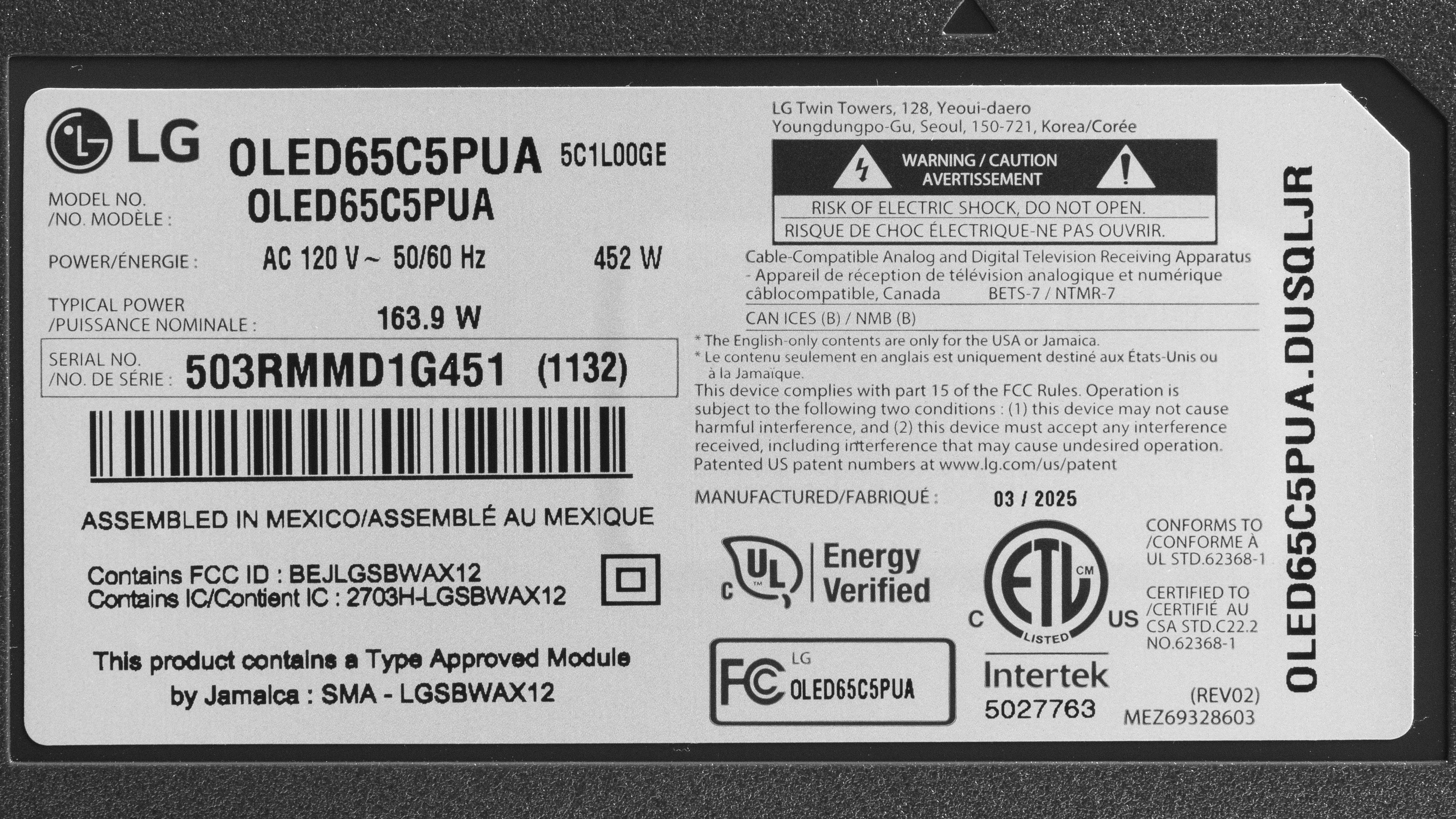
Our unit was manufactured in March 2025, as seen on the label.
Popular TV Comparisons
The LG C5 OLED is an excellent TV that does well in most usages. It has a noticeable uptick in brightness over the 2024 LG C4 OLED, so it's more suitable for well-lit rooms, does a better job displaying bright highlights in HDR content, and has better HDR color volume. It's great for gamers due to its modern features and outstanding performance, and being an OLED, it's a top-notch choice for a home theater. It doesn't have the same color capabilities as a QD-OLED like the Samsung S90F OLED, but it does a superior job maintaining its picture quality in a bright room and supports the popular Dolby Vision HDR format. If those things are important to you, but you can't justify the price of the LG G5 OLED, it's a solid choice that is sure to impress.
For more options, check out our recommendations for the best OLED TVs, the best gaming TVs, and the best TVs for watching movies.
The LG C6 OLED 2026 is very similar to the LG C5 OLED, improving in a few small areas that most people won't notice. The C6 gets a bit brighter with some content, especially when more of the scene is bright at once in HDR. The C6 also has slightly brighter colors. Gradient handling is much better on the C6, resulting in significantly less banding in areas of similar color.
The LG C5 OLED is a noticeable upgrade over the LG B5 OLED. The C5 is far brighter in HDR and SDR, and this in turn also makes it the most colorful of the two TVs. The C5 is capable of gaming at up to 4k @ 144Hz on all of its ports, while the B5 is limited to 120Hz. Plus, the C5 has slightly better image processing.
The LG C5 OLED and the Samsung S90F OLED trade blows. They're about equally as bright in most HDR content, although the S90F is a bit brighter in Game Mode. In SDR, however, the C5 is way brighter. The S90F does handle direct reflections better, but the C5's black levels barely raise in bright environments, while the S90F's blacks become charcoal gray in the same context. The S90F's QD-OLED panel is far more colorful than the C5's WOLED panel, which is expected. They're about equally as good for gaming, although the C5's Dolby Vision support does give it the slight edge for Xbox gamers.
The LG G5 OLED is better than the LG C5 OLED. The G5 is brighter in SDR and has superior reflection handling, making it more suitable for very bright rooms. The G5 has better HDR brightness and color volume, delivering a more impactful HDR experience, although the C5 is no slouch with that. The G5 also has a slightly better upscaling and supports 165Hz, making it a bit more versatile.

We buy and test dozens of TVs yearly, taking an objective, data-driven approach to deliver results you can trust. Our testing process is complex, with hundreds of individual tests that take over a week to complete. Most of our tests use specially designed test patterns that mimic real content, but we also use the same sources you have at home to ensure our results match the real-world experience. We use two main tools for our testing: a Colorimetry Research CR-100 colorimeter and a CR-250 spectroradiometer.
Test Results
for pictures & test results

for pictures & test results

for pictures & test results

The LG C5 has great HDR brightness and has a nice uptick in brightness compared to the 2024 LG C4 OLED or the Panasonic Z8BA OLED. Small and medium-sized highlights really stand out in dim and moderately lit scenes, so this TV displays most highlights in real HDR content mastered at 600 and 1000 nits. HDR scenes that are entirely bright are noticeably dimmer, so you do notice a decrease in brightness when bright elements are taking up the majority of the screen, but not so much that they lack impact.
Our results above are with the TV set to Filmmaker Mode with 'Dynamic Tone Mapping' disabled. Below are the results with DTM turned on, which increases the brightness of some highlights at the expense of accuracy.
- Hallway Lights: 1054 cd/m²
- Yellow Skyscraper: 868 cd/m²
- Landscape Pool: 477 cd/m²
Results with 'Expression Enhancer' set to 'Brightness'.
- Hallway Lights: 1112 cd/m²
- Yellow Skyscraper: 708 cd/m²
- Landscape Pool: 328 cd/m²
Results with 'Dynamic Tone Mapping' enabled and 'Expression Enhancer' set to 'Brightness'.
- Hallway Lights: 1038 cd/m²
- Yellow Skyscraper: 822 cd/m²
- Landscape Pool: 474 cd/m²
for pictures & test results

for pictures & test results

for pictures & test results

Unfortunately, the LG C5 is dimmer when using Game Optimizer. You still get an impactful HDR gaming experience, with highlights that stand out well, but you do notice the dip in brightness when switching from another picture mode. If this bothers you, the Samsung S90F OLED doesn't lose any of its brightness in Game Mode.
Fortunately, firmware 33.22.65 improved the TV's brightness in our landscape pool test scene, so some highlights are brighter than they were when the TV launched.
Our results above are with 'Dynamic Tone Mapping' disabled. Below are the results with DTM turned on, which increases the brightness of some highlights at the cost of accuracy.
- Hallway Lights: 1182 cd/m²
- Yellow Skyscraper: 689 cd/m²
- Landscape Pool: 381 cd/m²
Results with 'Expression Enhancer' set to 'Brightness'.
- Hallway Lights: 1110 cd/m²
- Yellow Skyscraper: 517 cd/m²
- Landscape Pool: 323 cd/m²
Results with 'Dynamic Tone Mapping' enabled and 'Expression Enhancer' set to 'Brightness'.
- Hallway Lights: 946 cd/m²
- Yellow Skyscraper: 748 cd/m²
- Landscape Pool: 523 cd/m²
The LG C5 OLED has very good SDR brightness, especially for a WOLED model, and receives a pretty significant increase in SDR brightness compared to the 2024 LG C4 OLED. Bright elements that take up small and medium portions of the screen have great brightness, but there's a noticeable decrease in luminance during entirely bright scenes. Still, this TV overcomes glare in a well-lit room with most content.
for pictures & test results

The TV has a nearly infinite contrast ratio, giving it perfect contrast. Due to OLED's self-lit pixels, it displays bright highlights next to perfect inky blacks, making it very impressive in a dark room.
for pictures & test results

Since OLEDs don't use lighting zones and instead have individual pixels that can be lit up to their maximum brightness next to pixels that are turned off, there's no blooming when bright elements are surrounded by deep blacks.
for videos & test results

The LG C5 is an OLED without a backlight, so its self-lit pixels give it the same performance as a TV with perfect local dimming and no zone transitions. We still film the zone transition video so you can see how it compares to an option with local dimming.



for pictures & test results

Because OLEDs can turn off individual pixels, the TV has perfect black uniformity with no blooming or halo effect around bright objects.
for pictures & test results

for pictures & test results

The TV has excellent SDR color volume. Like almost any TV, it has full coverage of the most commonly used Rec.709 color space, but it also covers close to the entirety of the DCI-P3 color space. Its coverage of the widest BT.2020 color space is just adequate, and here, it struggles to cover most shades.
Still, this TV is a good choice to watch the odd SDR content that's mastered in these wider color spaces, and it's also a solid choice if you like to force Rec.709/sRGB content into a wider color space for increased saturation.
| Volume ΔE³ | DCI-P3 Coverage |
BT.2020 Coverage |
|---|---|---|
| L10 | 97.38% | 65.83% |
| L20 | 98.13% | 66.49% |
| L30 | 98.42% | 67.69% |
| L40 | 98.49% | 70.01% |
| L50 | 98.48% | 71.15% |
| L60 | 98.30% | 71.18% |
| L70 | 97.83% | 66.81% |
| L80 | 97.23% | 64.25% |
| L90 | 96.94% | 66.06% |
| L100 | 98.18% | 91.09% |
| Total | 97.95% | 68.82% |
for pictures & test results

for pictures & test results

The TV has very good HDR color volume. Due to its perfect contrast, it displays dark, saturated colors very well. It does an amazing job displaying bright whites, and most other bright colors are displayed well. However, it does struggle a bit more with bright reds, magentas, and yellows. These results are in Filmmaker Mode, but you can see the TV's HDR color volume in Game Optimizer below. Fortunately, there's barely a loss of color brightness when using the gaming mode.
- 1,000 cd/m² DCI P3 Coverage ITP: 88.2%
- 10,000 cd/m² BT.2020 Coverage ITP: 39.6%
- White Luminance: 1381 cd/m²
- Red Luminance: 132 cd/m²
- Green Luminance: 444 cd/m²
- Blue Luminance: 45 cd/m²
- Cyan Luminance: 487 cd/m²
- Magenta Luminance: 173 cd/m²
- Yellow Luminance: 576 cd/m²
Even though firmware 33.11.35 drastically improved color volume in SDR, the TV's HDR color volume remains unchanged.
for pictures & test results

for pictures & test results

for pictures & test results

The TV has great SDR accuracy before calibration. Its white balance is very good, but there's too much red in most shades of gray, which contributes to the TV's slightly too warm color temperature. Gamma is very close to 2.2, but most scenes are a bit too dark. The accuracy of colors is excellent, with only minor inaccuracies in whites and very light shades of cyan and yellow. This is a TV that mostly stays true to the content creator's intent out-of-the-box.
for pictures & test results

for pictures & test results

for pictures & test results

If you're after the most accurate SDR image possible, the TV is easy to calibrate and has outstanding accuracy after the fact. Any minor issues with white balance, gamma, color temperature, and color accuracy are gone, leaving you with an image that's about as accurate as you can get.
The TV supports AutoCal through Calman using a 1D and 3D LUT, which is great if you want to simplify the calibration process.
See our full calibration settings.
for pictures & test results

for pictures & test results

The LG C5 has excellent HDR accuracy before calibration. Its white balance is outstanding, with only some darker grays being noticeably inaccurate. Still, its color temperature is very close to the industry standard 6,500K. Colors have very good accuracy overall, but there's some mapping errors throughout, with reds and magentas being undersaturated. Despite these inaccuracies, this TV respects the filmmaker's intent without needing calibration.
for pictures & test results

for pictures & test results

Calibrating the TV is easy, but it doesn't do very much to further improve accuracy. Its white balance is a bit better now, but dark grays are still inaccurate. Color temperature is a bit better, but the difference is barely noticeable. Color accuracy has improved the most, and most colors look very accurate, but reds and magentas are still a bit undersaturated.
for pictures & test results

The LG C5 has excellent PQ EOTF tracking. Some near blacks and midtones are a bit brighter than intended, but the TV follows the curve very closely overall. There's a roll-off with content mastered at 600 and 1000 nits to help maintain detail in highlights, but the TV is bright enough to display most highlights without needing to tone map. With content mastered at 4000 nits, the roll-off is a lot more gradual, since the TV needs to rely on tone mapping to display very bright highlights without a major loss of detail.
If HDR brightness accuracy matters to you, the cheaper LG B5 OLED is a bit more accurate than the C5.
for pictures & test results

The LG C5 does an excellent job of cleaning up artifacts in low-quality content. Most artifacts are completely eliminated from the image, with very good detail preservation.
for pictures & test results

The TV does an excellent job upscaling DVDs, standard definition streams, and other low-resolution content. Some fine details are hard to make out, but the image is sharp enough for a pleasant viewing experience.
Firmware 33.11.35 was supposed to improve upscaling performance, but we didn't notice any major difference.
for pictures & test results

The LG C5 has excellent HDR native gradient handling in Filmmaker Mode. There's some very minor banding in some colors, but it's barely noticeable with real content.
When this TV launched, there was more noticeable banding due to an issue with HDR10, but that was fixed in Filmmaker Mode as of firmware 33.11.35. Other picture modes, like Game Optimizer, were still affected by the issue. However, as of firmware 33.21.67, the excessive banding has been fixed in all picture modes other than Standard and Vivid.
The new 2026 models, the LG C6 OLED 2026 and the LG C6H OLED, feature a newer 13-bit processing pipeline, which delivers much smoother gradients in HDR10 content. The diagonal lines are gone from most content, but there's still noticeable dithering in low APL scenes mastered in Dolby Vision.
The TV's input lag when using Game Optimizer is very low across the board. As your refresh rate increases, input lag lowers, which is great for gamers chasing the best performance possible. At 120Hz and 144Hz, it's especially low, giving you a very responsive gaming experience.
The TV's input lag is a lot higher outside of its gaming mode, so you do feel a bit of lag when doing things like pausing movies and scrolling through menus.
Below are some additional input lag measurements.
4:3 @ 60Hz:
- 640x480: 27.0 ms
- 800x400: 34.4 ms
- 1024x768: 26.6 ms
Filmmaker Mode with Game Optimizer Enabled and the Input Label Set to 'PC':
- 60Hz: 23.1 ms
- 120Hz: 13.4 ms
- 144Hz: 11.3 ms
Filmmaker Mode with Game Optimizer Enabled and the Input Label Set to 'HDMI':
- 60Hz: 47.9 ms
- 120Hz: 39.2 ms
- 144Hz: 32.9 ms
The TV supports all common resolutions up to 4k @ 144Hz, and it supports chroma 4:4:4, so it has great compatibility with gaming consoles and PCs.
The TV supports FreeSync and HDMI Forum VRR and is certified as G-SYNC compatible, ensuring a nearly tear-free gaming experience from any VRR-enabled source. It works well across the TV's entire refresh rate range and supports sources with Low-Frame-Compensation (LFC), which ensures your games remain nearly tear-free even when your frame rate drops very low.
for pictures & test results
for pictures & test results

The TV's CAD at its maximum refresh rate of 144Hz is fantastic. Pixels transition to their target RGB level almost instantly, so fast motion is very sharp.


for pictures & test results

for pictures & test results

The TV's CAD at 60Hz is fantastic. Most transitions from one RGB level to another are nearly instantaneous, but there's some minor overshoot when pixels transition from black to brighter shades. There's also still some noticeable persistence blur.
for pictures & test results

The LG C5 is fully compatible with everything the PS5 offers, like 1440p @ 120Hz and 4k @ 120Hz, as well as HDMI Forum VRR. It also supports Auto Low Latency Mode, so you don't have to worry about switching to Game Optimizer to get the lowest input lag.
for pictures & test results

The LG C5 is fully compatible with everything the Xbox Series X|S offers, including 1440p @ 120Hz, 4k @ 120Hz, HDMI Forum VRR, FreeSync Premium Pro, and Dolby Vision gaming. It also supports Auto Low Latency Mode, so you don't have to worry about switching to Game Optimizer to get the lowest input lag.
for videos & test results
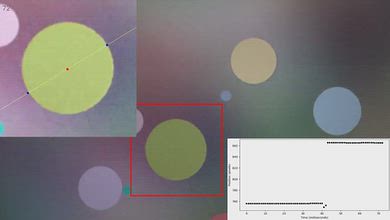
for pictures & test results

for pictures & test results
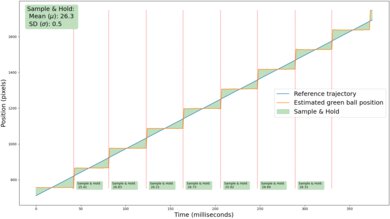
Unfortunately, due to the nearly instantaneous pixel response time of the TV, there's stutter with low frame rate content, which is most noticeable during slow panning shots.
for videos & test results
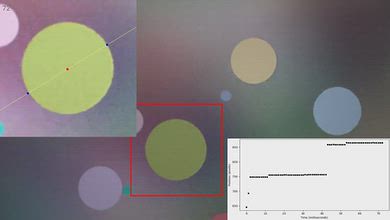
for pictures & test results

for pictures & test results
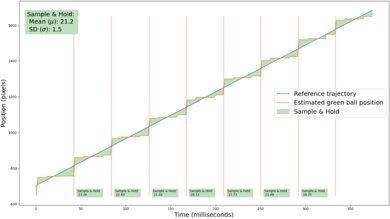
The LG C5 OLED does a decent job of interpolating 24fps content to 30fps. The motion interpolation feature has fantastic consistency, but motion still lacks fluidity. The TV's nearly instantaneous response time causes stutter that minimal motion interpolation can't fully eliminate. As a result, motion in low frame rate content still looks choppy, especially in slower panning shots.
for pictures & test results
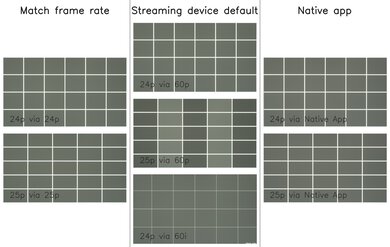
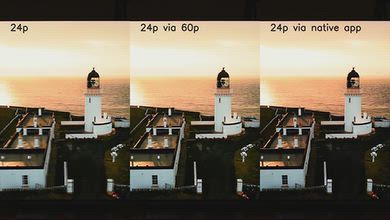
The LG C5 OLED removes 24p and 25p judder from native apps and external devices that send a 24Hz or 25Hz signal, like an Apple TV with the 'Match Frame Rate' feature enabled. The TV also properly removes judder from 24p content that's being sent to it in either 60p or 60i. However, it doesn't remove 25p judder from 60p signals, and frames are held for an inconsistent duration, which causes motion to look jittery.
To remove judder on this TV, the Real Cinema setting must be enabled. Unfortunately, this setting is locked when OLED Motion Pro (BFI) is enabled, so movies and TV shows aren't judder-free when BFI is enabled, since the BFI feature only flickers at 60Hz.
for videos & test results
for videos & test results
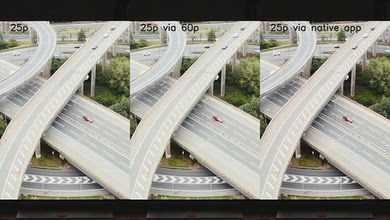
This TV is completely free from micro-judder with all 24p and 25p content, so motion in complex scenes is mostly smooth.
for pictures & test results

for pictures & test results

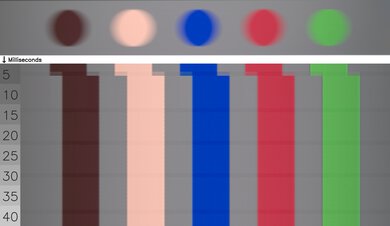
The LG C5 has a nearly instantaneous response time, resulting in incredibly clear motion with almost no blur behind fast-moving objects when watching content. Due to the sample-and-hold nature of OLED technology, there's still some persistence blur at 60Hz, but it's not very noticeable when watching movies or shows.
for pictures & test results
for pictures & test results
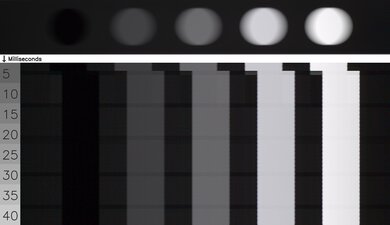
The LG C5 OLED is free from any transition artifacts when watching movies, shows, and sports. There isn't any ghosting or unwanted intermediate colors during transitions, so colors remain consistent and pure, even during fast-paced scenes and sports.
for pictures & test results

The LG C5 doesn't have a traditional backlight and doesn't use pulse-width modulation (PWM) to dim each pixel, but it's not completely flicker-free. There's a slight dip in brightness that corresponds to the TV's refresh rate. This is very different from the PWM flicker on TVs with LED backlights and occurs on every OLED we've tested. It's not noticeable, and most people won't be bothered by this, but it can still bother people who are extra sensitive to flicker.
for pictures & test results

for pictures & test results

The LG C5 has an optional black frame insertion (BFI) feature known as 'OLED Motion Pro' that reduces the appearance of persistence blur at 60Hz. Unfortunately, it can only insert black frames at a 60Hz refresh rate, and there's still some blur present.
for pictures & test results

for pictures & test results

The LG C5's direct reflection handling is alright. It reduces the intensity of direct reflections a bit, but reflections from lamps or windows opposite the screen are still distracting. If you're looking for an OLED that does a much better job handling direct reflections, consider the similar Samsung S90H OLED.


for pictures & test results

for pictures & test results

The TV does a great job with total reflected light. Direct reflections are a bit spread out and cause some minor light banding, but the TV does an excellent job reducing the visibility of indirect reflections.
for pictures & test results

The LG C5 has decent color vibrancy in a bright room. Colors barely lose any vibrancy, and they remain well-saturated in a room with ambient lighting.
for videos & test results

for pictures & test results

for pictures & test results

for pictures & test results

Like all OLED TVs, the LG C5 has a very wide viewing angle. This makes it a great choice for a wide seating arrangement, as the image doesn't lose brightness and blacks remain deep when viewed at an angle.
There's a noticeable green tint on the C5 we bought and tested. It's a widespread issue that impacts almost all LG OLED panels but varies widely from unit to unit.
for pictures & test results

for pictures & test results

The TV has great gray uniformity. There are some very faint vertical lines on the panel during near blacks scenes (5% gray), but these aren't noticeable from a normal viewing distance.
for pictures & test results

for pictures & test results

The TV uses a WOLED panel with a RWBG pixel structure where all four pixels are never lit at the same time. Due to its subpixel layout, it has minor issues with displaying text on Windows since ClearType isn't well optimized to non-RGB subpixel layouts, but most users won't be bothered by this.
The white subpixel does an excellent job helping the TV display bright whites, but it dilutes the color purity of greens and reds.
Unfortunately, there are diagonal lines that appear as a result of dithering. These lines are quite apparent when watching content or playing games if you're sitting close to the screen, but the lines aren't nearly as visible from a normal viewing distance.
Like all OLEDs, this TV is susceptible to permanent burn-in, which can happen with cumulative exposure to static elements like a channel logo or desktop interface. However, we don't expect it to be an issue for most people who watch varied content, and there are built-in features to minimize the risks, including Pixel Shift and Panel Refresh.
for pictures & test results

The LG C5 supports the full 48Gbps bandwidth of HDMI 2.1 on all four HDMI ports. This allows you to take full advantage of multiple high-bandwidth devices, such as if you own both current-gen consoles and a high-end gaming PC.
The LG C5 OLED TV passes through all Dolby Digital options. However, it doesn't support any DTS audio formats commonly used on physical media. LG has supported DTS on all of their 2023 and 2024 OLED models, but they've dropped support across their entire lineup in 2025.
When the LG C5 OLED launched, there was an issue with HDR10 that made dark scenes look ugly, but those issues have been fixed in all picture modes except for Standard and Vivid as of firmware 33.21.67.
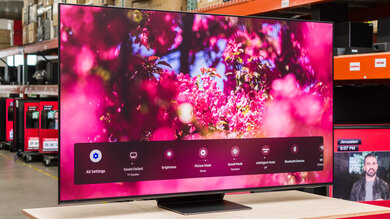
for pictures & test results

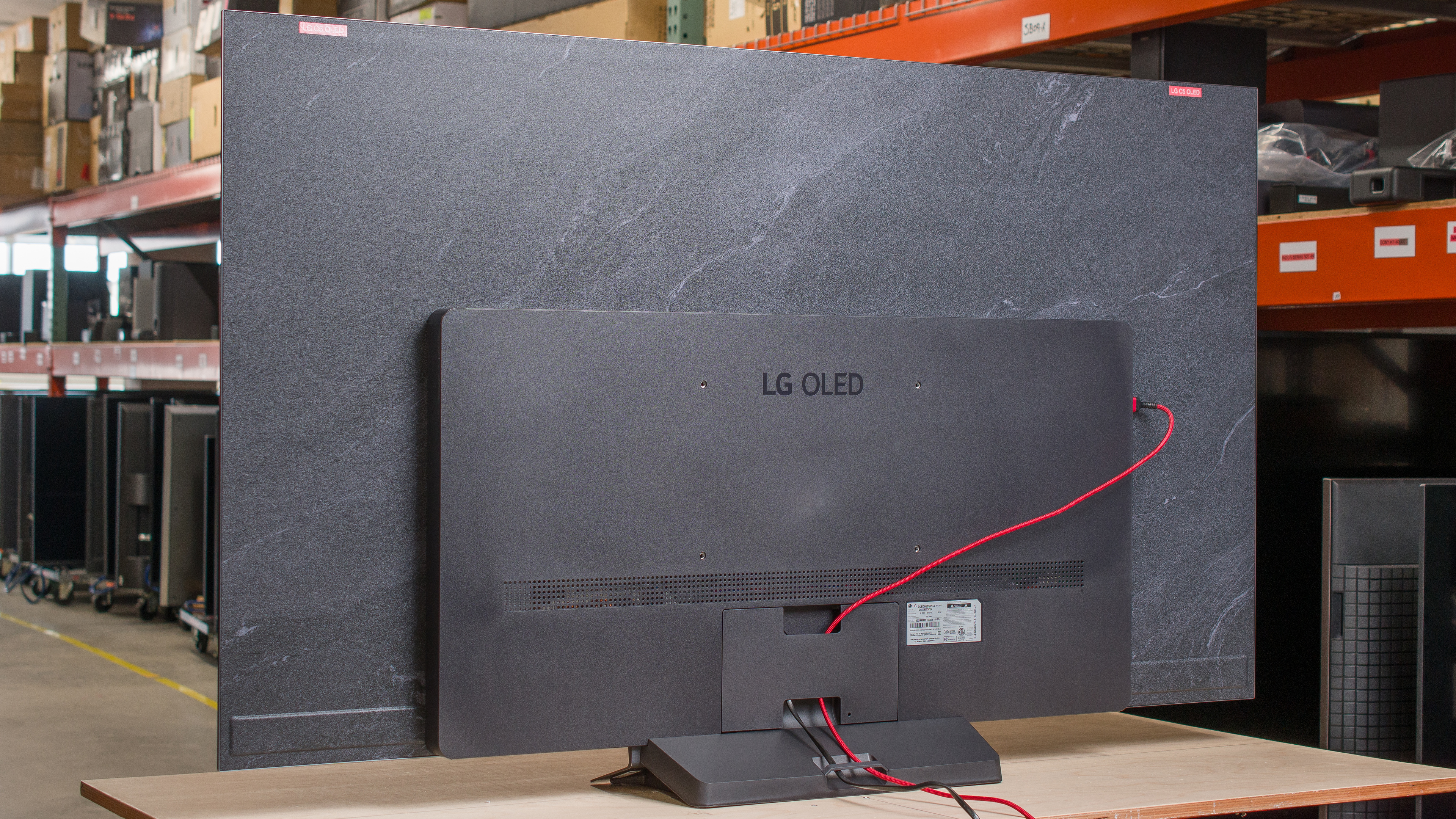
The LG OLED65C5PUA has a very sleek and modern design. It's very similar to 2024's LG C4 OLED, except the unique stone-like finish on the back is a darker shade of gray. The TV's bezels are incredibly thin, so you barely see them while using it.
for pictures & test results

The included stand holds the TV well. It only lifts the TV about 2.8 inches, but this is high enough that most soundbars fit underneath without blocking the screen. Note that the width of the stand depends on the model size, and the 42-inch model comes with two feet instead of a center-mounted stand.
Footprint of the 65-inch stand: 18.55" x 9.1".
for pictures & test results

The back of the TV is pretty much identical to the LG C4 OLED, but the stone-like finish is now a much darker shade of gray. The inputs are on the far left side of the TV, which makes them easy to access if you have the TV on the stand. However, they're hard to reach when the TV is wall-mounted. There are channels on the back of the TV and on the stand to help with cable management.


for pictures & test results

The LG OLED C5 TV has outstanding build quality. There's barely any flex on the back panel, and the TV feels very sturdy on its stand. There are no issues at all with quality control.
for pictures & test results

The TV comes with LG's new Magic Remote. Like the old version, it can be used as a pointer, or you can use the traditional buttons to control the TV. Unfortunately, LG ditched the number pad on this new remote, so you can't assign quick launch shortcuts anymore. There's also no dedicated input button, so you have to use the home dashboard to switch inputs.
for pictures & test results

The LG C5 OLED TV runs the 2025 version of LG's proprietary smart interface, webOS. The interface supports user profiles, so you can customize the home page for different users. LG promises at least four years of webOS updates on their TVs, and you get updated versions of the operating system once a year.
Sometimes, the TV doesn't properly switch out of the Game Optimizer setting, so you're locked out of settings that should be available in other picture modes. To fix this, you can turn Game Optimizer on and disable ALLM and VRR. When you do this and switch to a different picture mode, everything works as it should. To avoid this, it's best to use a dedicated input for gaming and a separate input for your other devices.
for pictures & test results

There are two settings in the 'Home Settings' menu, namely the 'Home Promotion' and 'Content Recommendation' settings. These settings remove the top banner ads and suggested content from the home screen. This gives your home screen a clean look, but there's no way to remove ads from the apps page.

for pictures & test results

- Remote (with 2x AAA batteries)
- User manuals
- Cable management clip
The TV consumes a maximum of 331W of power, which is a lot more than the 215W maximum that the 2024 LG C4 OLED consumes.
for pictures & test results

The TV has a decent frequency response. Bass isn't super deep, but it's not non-existent, so you feel a bit of rumble. The sound profile is well-balanced at most volume levels, but as you reach maximum volume, dialogue becomes a bit difficult to understand. Unfortunately, the TV's speakers don't get very loud.