LED local dimming features are great at improving contrast when implemented correctly, but they often cause undesired image artifacts like LED blooming or haloing around bright highlights. Our lighting zone precision and lighting zone transition tests evaluate these aspects using test photos and videos and assign a subjective score to each aspect.
Test Methodology Coverage
We added these tests as part of our 1.9 test bench update, but the lighting zone transitions test was originally called blooming. Before that, we had a single local dimming test that provided a single subjective score for the local dimming feature as a whole. As the scoring metric was different, it's not possible to compare the old local dimming scores to the new split tests. Learn how our test benches and scoring system work.
| 1.8 | 1.9+ | |
|---|---|---|
| Local Dimming | ✅ | ❌ |
| Lighting Zone Transitions | ❌ | ✅ |
| Lighting Zone Precision | ❌ | ✅ |
When It Matters
Local dimming is a feature found on the vast majority of LED TVs on the market. It improves contrast on a TV by adjusting the intensity of the backlight on a per-zone basis. It dims the LEDs behind darker parts of the screen and can even brighten the rest of the screen when more power is available. When done right, local dimming features can significantly improve picture quality, especially in dark scenes. When these features perform poorly, though, you'll see many distracting issues. Good zone control and smooth transitions are essential for good picture quality when you're watching dark scenes, especially in a dark room where low contrast is most noticeable. This doesn't matter for TVs with OLED panels, as they have perfect contrast without the need for zone dimming.
 |
 |
 |
 |
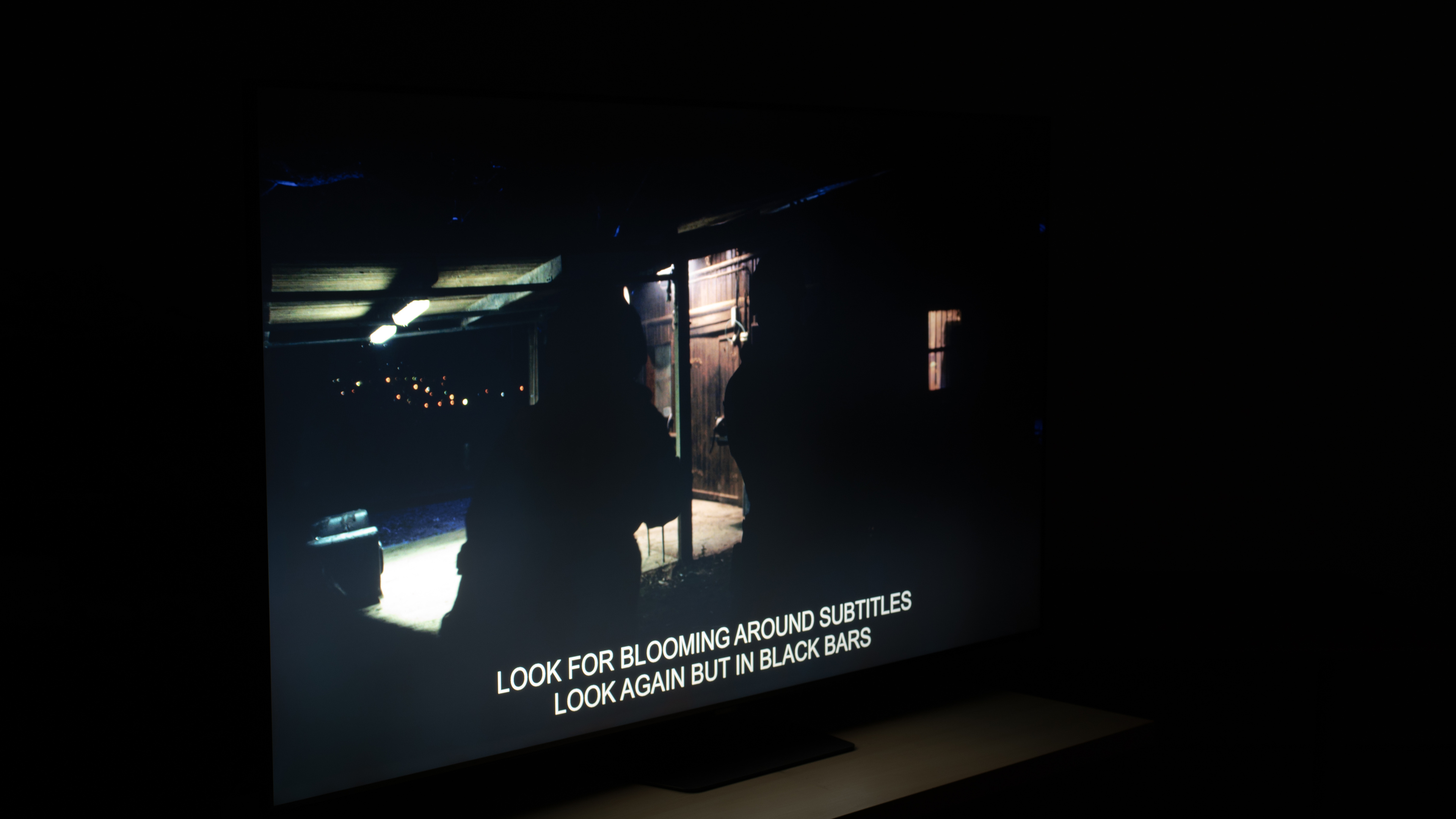
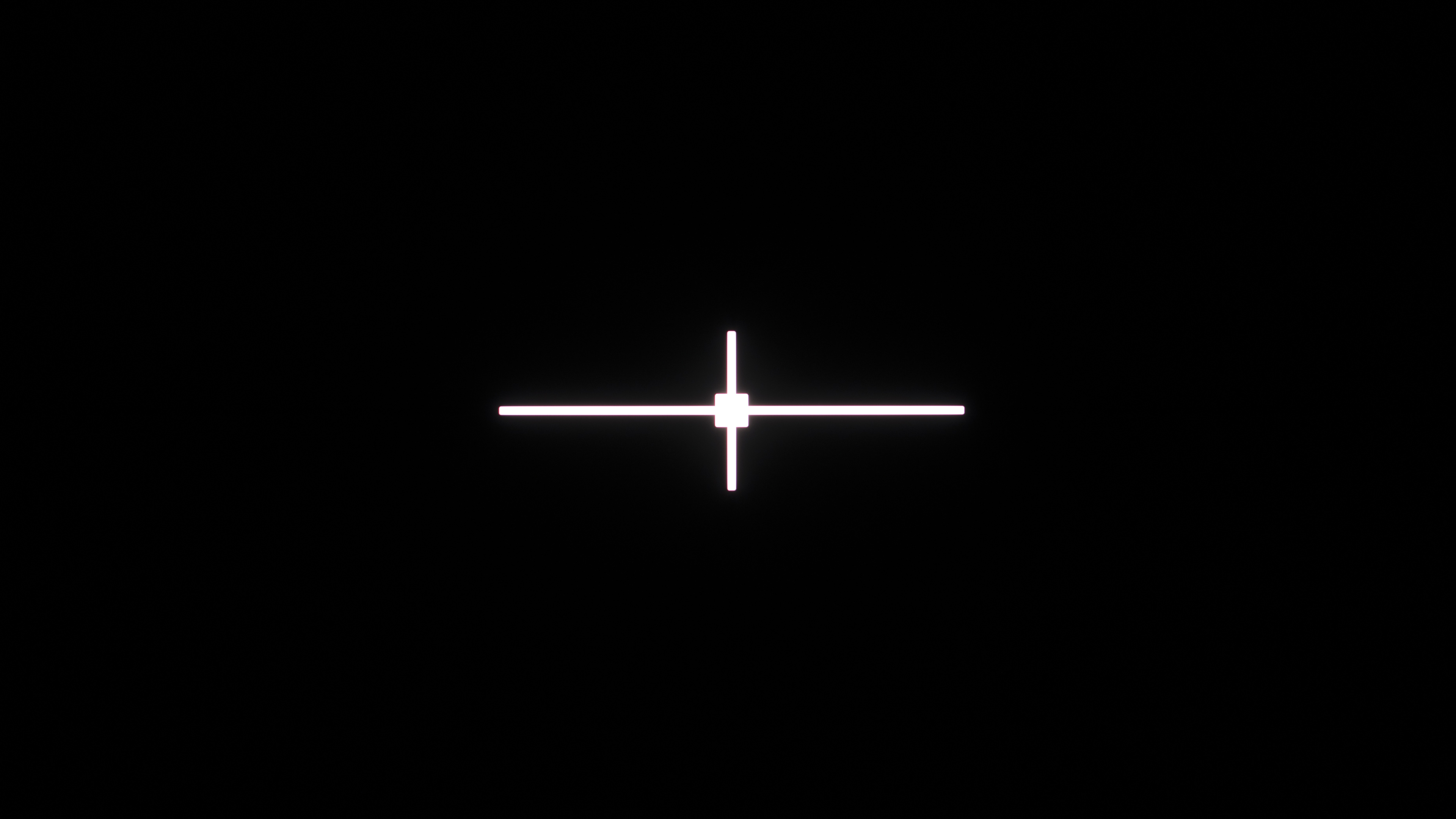
No local dimming feature is perfect, though, and there can be a number of different issues when the implementation isn't perfect. Haloing is the most common, and you can see two examples of that above, taken from the Samsung Q80C. The first photo isn't from our local dimming test; it's from the black uniformity test instead, but it showcases how harsh some local dimming features can be. In cases like this, we'd usually recommend leaving the local dimming off entirely if the TV allows it.
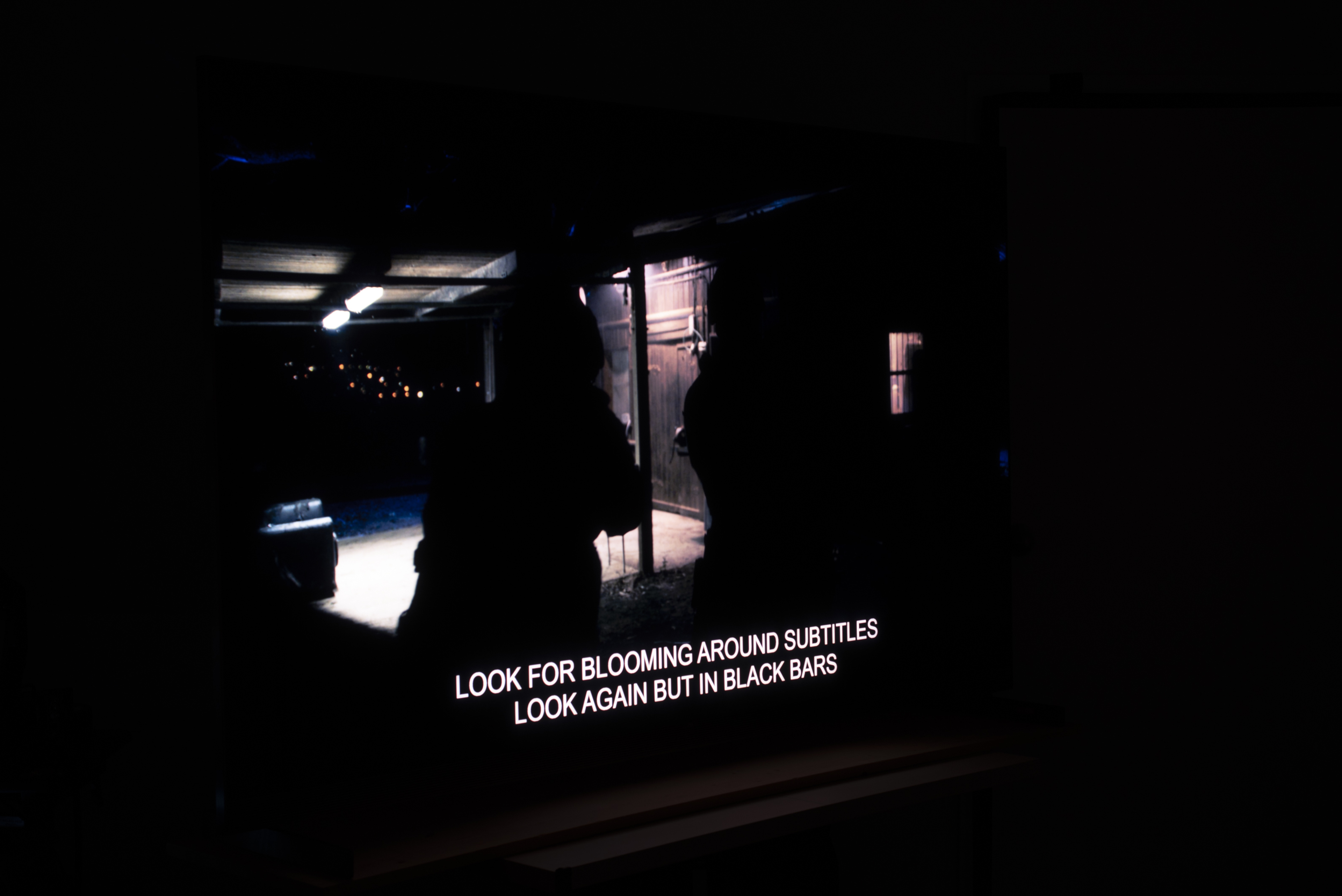
Compare these two photos with the next row showing the TCL X11L. The black uniformity test photo shows absolutely no noticeable haloing around the test cross. The next photo from the zone precision test shows how this impacts real scenes. There's no halo effect around the subtitles at the bottom, but there's a very slight glow around the light on the ceiling and the reflection from the floor. It's very minor, though, and you can clearly see the benefits of the X11L's better local dimming.
Our Tests
The goal of our two zone tests is to look for any issues with the local dimming implementation on the TV. These tests use a combination of real scene test images and a moving video pattern to look for issues like haloing or flickering in dark scenes. Both tests are done in a completely dark room with the TV in its calibrated picture mode.
Lighting Zone Precision
The lighting zone precision test looks at how well the backlight can dim the LEDs around bright parts of the scene. To test this, we display a static image on the TV and look for haloing around the subtitles and bright parts of the scene. We take a photo of the screen with the camera pointed diagonally and slightly down at the screen. The exact position of the camera varies a bit between TVs; this is done to ensure that the photo accurately captures how the TV looks in person and not the impact of the viewing angle.
There are a few different things that impact how well a TV performs on this test. The size and number of dimming zones are extremely important, and TVs with more zones tend to perform better at this test. It's not always a direct relationship, though, as the algorithm that controls these zones is equally important. In reality, many TVs simply aren't powerful enough to actually control the light output of each zone individually in real time, especially with fast-moving content. Some brands also intentionally average the light out across more zones than necessary, so the halo effect can seem to blend into the background instead of having a harsh and sudden change between bright and dark areas.
We assign a subjective score to the TV based on the level of haloing visible around the subtitles and brighter portions of the scene.
Lighting Zone Transitions
For the local zone transitions test, we play a video on the TV and film it from the same position as the zone precision test. The video cycles through forms of various shapes and sizes moving across the screen, once at a slow pace and once quickly. The goal of this test is to show how well the TV's processing adapts to moving objects. As zones turn on and off to illuminate the moving object, this can create a noticeable flicker effect. If the processing can't keep up with the quicker-moving object, the leading edge will sometimes be darker than it should be, as the TV isn't able to turn zones on quickly enough. This same issue can cause a trailing halo effect that looks a bit like motion blur; the TV doesn't turn off zones quickly enough, so there's a light trail behind the object.
Like the previous test, we assign a subjective score based on how well the TV handles this test video. We also note whether or not the TV has local dimming, the type of backlight array, and an estimate of the number of zones. This extra information isn't scored; it's just there for reference. While the number of zones can impact the performance of a TV, in practice, the algorithms that control those zones play a greater role. You should never buy a TV based solely on the number of dimming zones.
Contrast And Dark Details In Game Mode
Although this is considerably less common in 2026, some TVs have worse local dimming performance when you switch to the latest latency mode, usually called Game Mode. To test for this, we switch the TV to its lowest latency mode and repeat the above tests. We then test contrast and black uniformity again to look for any changes and assign a combined score that consists of the weighted average of these four tests.
How to Get the Best Results
To get the best results on your TV, you may need to adjust the Local Dimming setting on your TV. Higher settings are often more aggressive, so you might see a sharper delineation between bright and dark areas on the screen. This results in higher contrast, but it can also be more distracting in some content. If you see this and it bothers you, try switching to a lower setting.
Conclusion
Whether you're looking at a basic edge-lit TV or a high-end RGB Mini LED model, local dimming is a core feature of almost all LED TVs on the market. TVs with good local dimming features are even starting to come close to OLED-levels of contrast. No local dimming feature is perfect, though, and issues like LED blooming and flickering as objects move between zones can be distracting and make the overall experience worse.