The TCL X11L is a flagship 4k TV released in 2026 as the successor to the TCL X11K, sitting above the TCL QM8L. Whereas most brands have decided to focus on RGB Mini LED backlighting in their 2026 flagships, TCL went in a different direction with the X11L, which features a WHVA 2.0 panel with a regular Mini LED backlight featuring up to 20,736 dimming zones. The key feature is its improved quantum dot structure that TCL calls Super Quantum Dot, or SQD, which, combined with improved color filters, is advertised to produce much more vibrant colors than traditional quantum dot panels. It's packed with every feature you'd expect to find in a flagship model, including an ATSC 3.0 NEXTGEN TV tuner, four HDMI 2.1-bandwidth ports, and an impressive array of smart features powered by Google TV 14. It has a built-in soundbar made by TCL and tuned by Bang & Olufsen. We bought and tested the 85-inch model, but it's also available in a 75-inch and 98-inch size.
Note: Due to the TV's high peak brightness, we had to use different measuring equipment for many of our tests, as the TV exceeds the peak luminance of our Colorimetry Research CR-100, which we normally use. As such, we combined our CR-100 with a Colorimetry Research CR-250 when necessary, as it's designed for higher luminance measurements, but it's not as sensitive as the CR-100 in low-light conditions.
Our Verdict
The TCL X11L is an amazing TV overall. It looks amazing in a variety of room setups thanks to its deep blacks and high peak brightness. Colors are incredibly bright and vibrant, making it a great choice for bright room usage or watching movies in HDR. It's great for gaming thanks to its low input lag and great selection of gaming features like VRR support and HDMI 2.1 bandwidth on all four ports. It's not without its flaws, though, as its speakers are disappointing and the color calibration system isn't working properly, so it's impossible to fully calibrate the TV.
Bright enough to easily overcome glare in any room.
Deep, uniform blacks.
Colors are bright and vibrant.
Disappointing sound quality.
The TCL X11L is an amazing TV for a home theater. Its impressive local dimming feature delivers outstanding black levels, with almost no distracting haloing around bright highlights. Colors are saturated and vivid, and most content gets incredibly bright. It has a good image process, and it does a very good job cleaning up low-quality content streams. It has good motion handling, but like most TVs, there's some noticeable stutter in slow panning shots. Finally, it has amazing format support, including support for all main audio formats, and it'll eventually support Dolby Vision 2, making it future-proof.
Deep, uniform blacks.
Almost no distracting haloing around bright highlights.
Superb HDR color volume.
Impossible to fully calibrate.
Just okay accuracy out of the box.
The TCL X11L is an amazing TV for a bright room. It gets incredibly bright with most content, so it can easily overcome glare from bright lights or open windows. The glossy panel reduces glare from direct reflections decently, but there are some noticeable diffraction artifacts, including a slight rainbow smear. However, ambient light has no noticeable impact on color saturation or contrast.
Bright enough to easily overcome glare in any room.
Ambient light has no impact on color saturation or black levels.
The TCL X11L is an excellent TV for watching sports. It's incredibly bright, so you don't have to worry about glare if you're watching the big game during the day. Its viewing angle is just okay, but it's actually better than most similar models. Colors are bright and vibrant, ensuring games look their best, and there's very little dirty screen effect. It also has good processing, and it does a very good job cleaning up low-quality streams. Unfortunately, there are some noticeable color artifacts in fast action.
Bright enough to easily overcome glare in any room.
Colors are bright and vibrant.
Ambient light has no impact on color saturation or black levels.
Very good low-quality content smoothing.
Some noticeable color artifacts in fast transitions.
The TCL X11L is great for gaming. It has decent responsiveness when gaming, with low input lag but a relatively high CAD, so games are a bit blurry, especially at low refresh rates. It works well with the latest game consoles, though, and with four full HDMI 2.1 bandwidth ports, you can take full advantage of multiple consoles. It also delivers fantastic picture quality in Game Mode, with no hit to contrast or brightness, so you don't have to sacrifice picture quality to get the best gaming experience.
Low input lag with all supported formats.
Switching to Game Mode has no impact on picture quality.
Fairly high CAD leads to blurry motion in Game Mode.
The TCL X11L has exceptional brightness. It gets bright enough with SDR content to easily overcome glare, even when watching very bright content like sports. In HDR, it's bright enough to bring out bright specular highlight details well, and bright outdoor scenes are bright enough to deliver an impactful experience.
Bright enough to easily overcome glare in any room.
Colors are bright and vibrant.
The TCL X11L has superb black levels. Its local dimming system is very effective at reducing black levels, and thanks to the high zone count, there's very little haloing around bright parts of the scene. This results in incredibly deep, uniform blacks in most content.
Deep, uniform blacks.
Almost no distracting haloing around bright highlights.
The TCL X11L has great colors. Thanks to its high peak brightness, colors in HDR are incredibly bright and vibrant, and it delivers exceptional color volume. It has just okay color accuracy, though, and its calibration system doesn't currently allow for a full color calibration.
Colors are bright and vibrant.
Superb HDR color volume.
Impossible to fully calibrate.
Just okay accuracy out of the box.
The TCL X11L has good motion handling. It removes judder from most sources, and you'll only notice some minor playback issues if you're using an older 60p source. Like most TVs, there's some noticeable stutter in slow panning shots, but it's not that bad, and the motion interpolation feature does a great job reducing it. Unfortunately, its response time is just decent, and there are noticeable color artifacts in fast transitions.
Removes judder from most sources.
Motion interpolation feature does a great job reducing stutter.
Some noticeable color artifacts in fast transitions.
The TCL X11L has decent responsiveness in Game Mode. It has low input lag and supports VRR, so there's very little delay between your actions on your controller and what you see on the screen. The TV's CAD is a bit high, though, which means that there's noticeable blur in fast action, especially at low refresh rates.
Low input lag with all supported formats.
High refresh rate support, up to 4k @ 144Hz or 1080p @ 288Hz.
Fairly high CAD leads to blurry motion in Game Mode.
Note: We're in the process of improving our tests related to image processing, but this score should give you a general idea of how a TV performs overall with its image processing capabilities.
The TCL X11L has good image processing. It does a very good job cleaning up low-quality streaming content, but there's some loss of fine details that gives it a slightly waxy look. It has great upscaling, and there's very little banding in areas of similar color. On the other hand, its PQ EOTF tracking is just decent, as most content is brighter than it should be when using the brightest modes.
Excellent upscaling.
Great gradient handling.
Very good low-quality content smoothing.
Performance Usages
Changelog
- Updated Sep 18, 2026: We converted this review to Test Bench 2.2.1, adding a new Dumb TV test for whether or not the TV can be used offline.
-
Updated Sep 04, 2026:
We bought and tested the TCL RM9L, and added a comparison in the SDR Color Volume section of the review.
-
Updated Jul 16, 2026:
We bought and tested the Sony BRAVIA 9 II, and added a comparison in the SDR Color Volume section of the review.
-
Updated Jun 19, 2026:
We mentioned the newly reviewed Samsung R95H in the Direct Reflections section.
Check Price
Differences Between Sizes And Variants
We bought and tested the 85-inch TCL X11L, and most of these results are also valid for the 75 and 98-inch models. The number of zones changes between sizes, but we don't expect this to directly translate to a noticeable difference in local dimming performance. The 75-inch model is also advertised to be slightly dimmer than the two larger sizes.
| Size | Model | Dimming Zones | Advertised Peak Brightness |
|---|---|---|---|
| 75" | TCL 75X11L | 11,520 | Up to 9,000 nits |
| 85" | TCL 85X11L | 14,400 | Up to 10,000 nits |
| 98" | TCL 98X11L | 20,736 | Up to 10,000 nits |
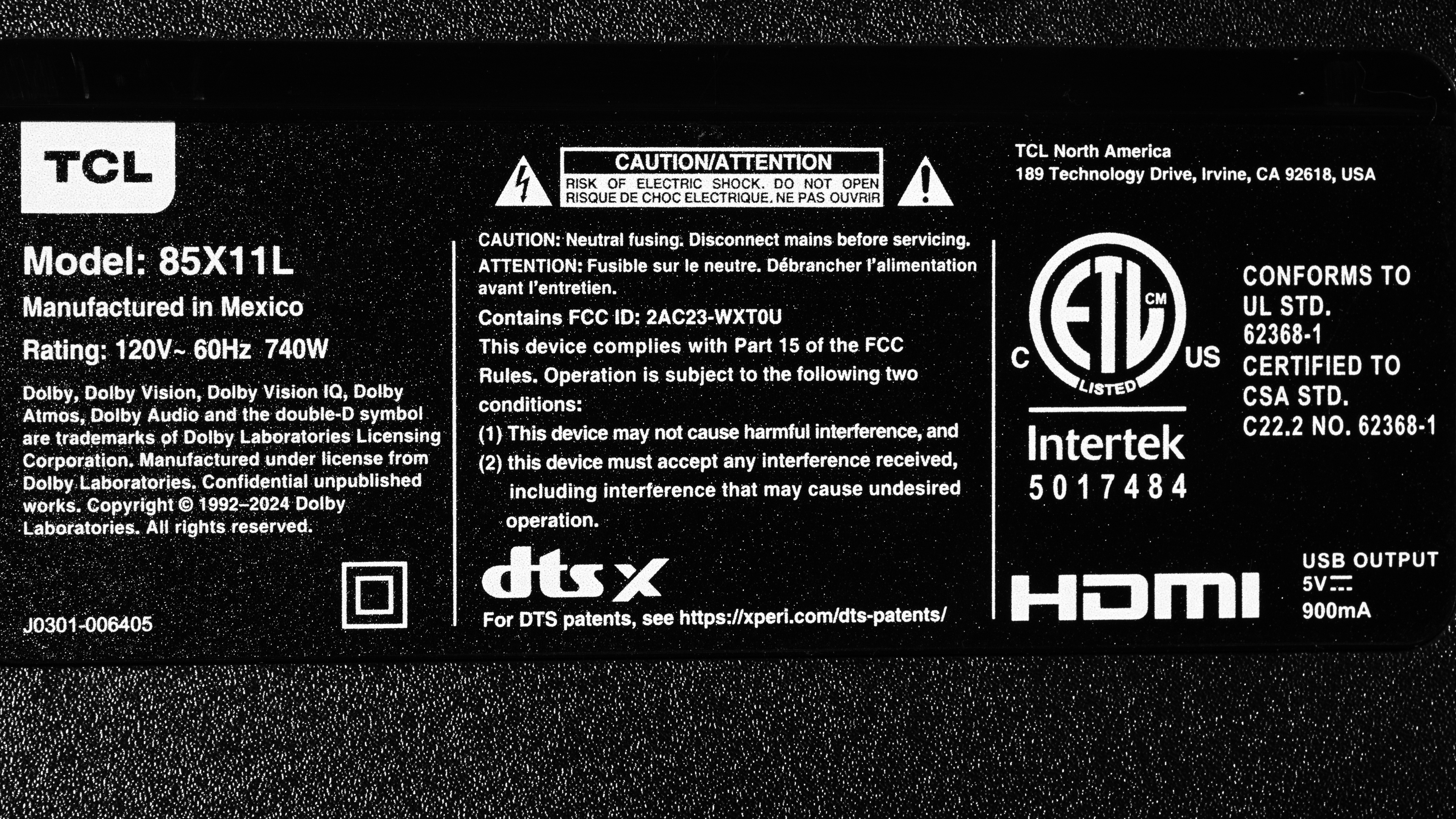
Our unit was made in Mexico, and you can see a photo of its label here.
Popular TV Comparisons
The TCL X11L delivers stellar performance overall and is one of the brightest, most colorful TVs ever released, but it's not perfect, and it's not cheap. It's a great choice if you simply want the brightest TV you can get and have a very high budget, but it's not worth the price difference over cheaper models like the TCL QM8K for the average consumer. Compared to OLED models like the LG G5 OLED or Samsung S95F OLED, it delivers the closest performance ever seen from an LCD TV, making it an excellent alternative choice for the larger sizes, where OLEDs are still incredibly expensive. Compared to competing RGB Mini LED technology like the Samsung R95H and Sony BRAVIA 9 II, it offers a few advantages over the Samsung, like higher peak brightness and better contrast, but it's not nearly as accurate as the Sony.
For more options, check out our recommendations for the best QLED TVs, the best gaming TVs, and the best TVs.
The TCL X11L and the Sony BRAVIA 9 II are fairly evenly matched. The X11L is better in some ways on paper, with higher peak brightness and a better local dimming feature, but the Sony offers a more polished experience and is the better TV overall. The Sony is significantly more accurate, and it tracks creative intent better. The Sony also looks much better in a bright room thanks to its matte coating, which improves dim scene visibility significantly.
The LG G6 OLED is a much better TV overall than the TCL X11L. While the X11L is substantially brighter than the G6, most of that extra brightness is lost on real content, as very little content gets anywhere close to needing it. In practice, the G6 and the X11L have very similar peak brightness for most real content. On the other hand, the LG has much deeper, more uniform blacks, with no haloing around bright objects. The LG also delivers a much smoother gaming experience thanks to its nearly instantaneous response time.
The TCL X11L is a bit better than the TCL RM9L. These TVs use different underlying technologies, as the RM9L relies on an RGB Mini LED backlight, whereas the X11L uses an improved type of Quantum Dots that TCL calls SQD. There are some noticeable benefits to SQD, as RGB backlights cause color cross-talk in some scenes, like when whites are close to other saturated colors. The X11L doesn't have this issue, and it maintains its color volume better across all scenes.
The TCL X11L is better than the TCL QM9K, but the benefits aren't always obvious with most real-world content. The TCL X11L gets significantly brighter, especially with small highlight details, and it has much better colors. This is mainly a question of having extra headroom, though, as most HDR content won't take advantage of that extra brightness or wider range of colors, so most of the time the difference between the two TVs is minor.

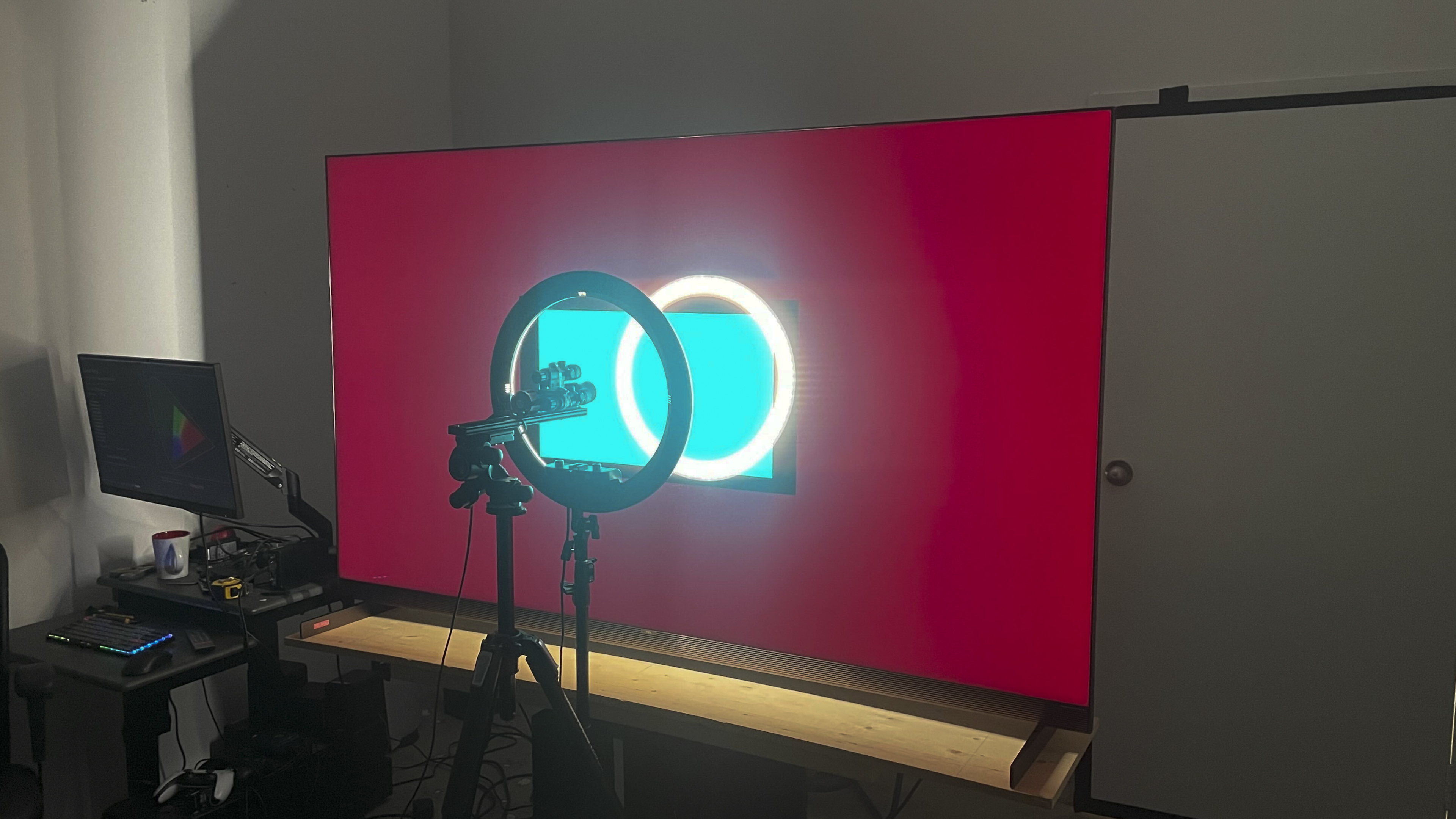
We buy and test dozens of TVs yearly, taking an objective, data-driven approach to deliver results you can trust. Our testing process is complex, with hundreds of individual tests that take over a week to complete. Most of our tests use specially designed test patterns that mimic real content, but we also use the same sources you have at home to ensure our results match the real-world experience. We use two main tools for our testing: a Colorimetry Research CR-100 colorimeter and a CR-250 spectroradiometer.
Test Results
for pictures & test results

for pictures & test results

for pictures & test results

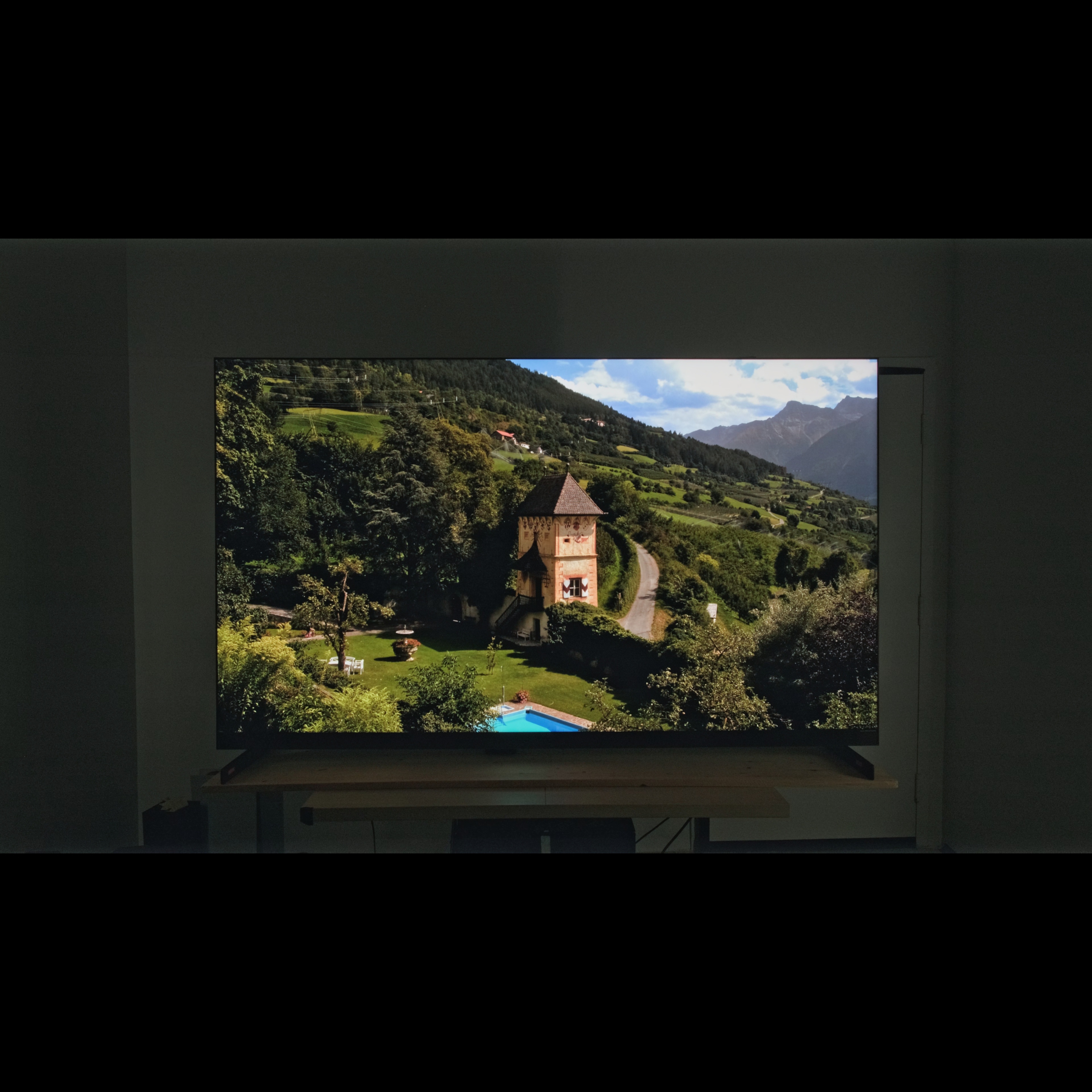
Get your sunglasses ready, as the TCL X11L is one of the brightest TVs ever made. Small highlight details in HDR stand out incredibly well, and real scenes are bright, vibrant, and extremely impactful. It's substantially brighter than the TCL QM8L even in most real content.
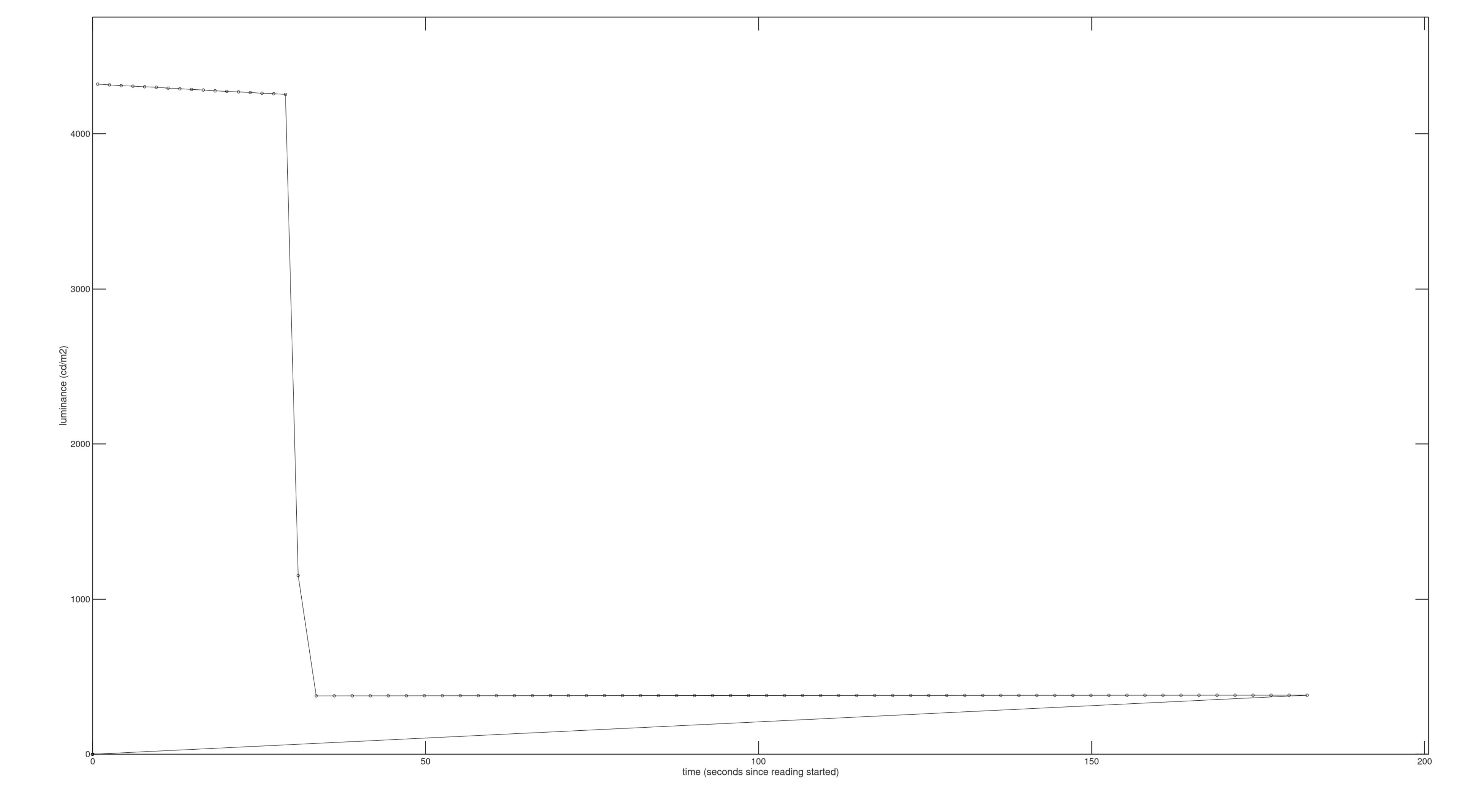
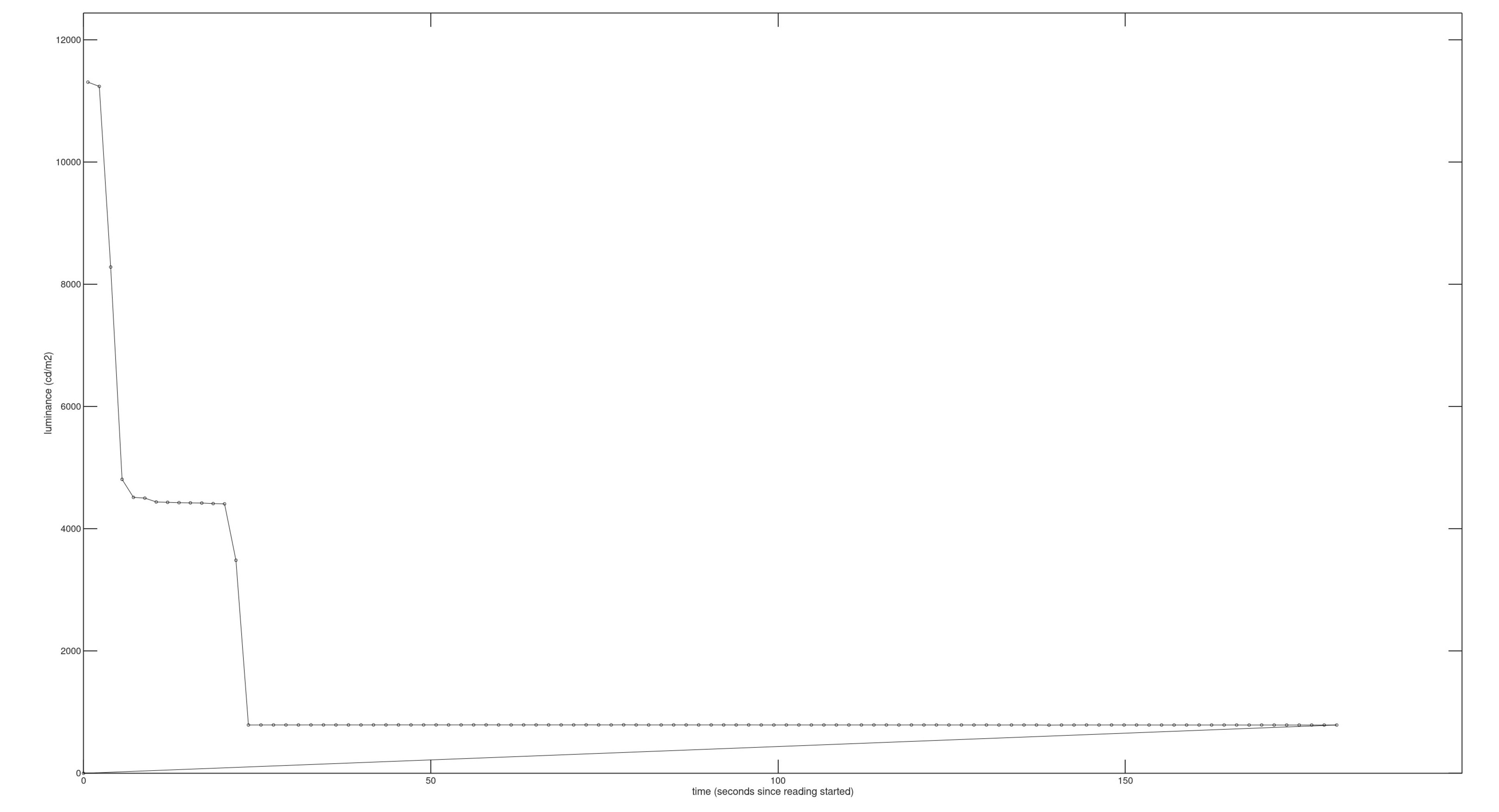
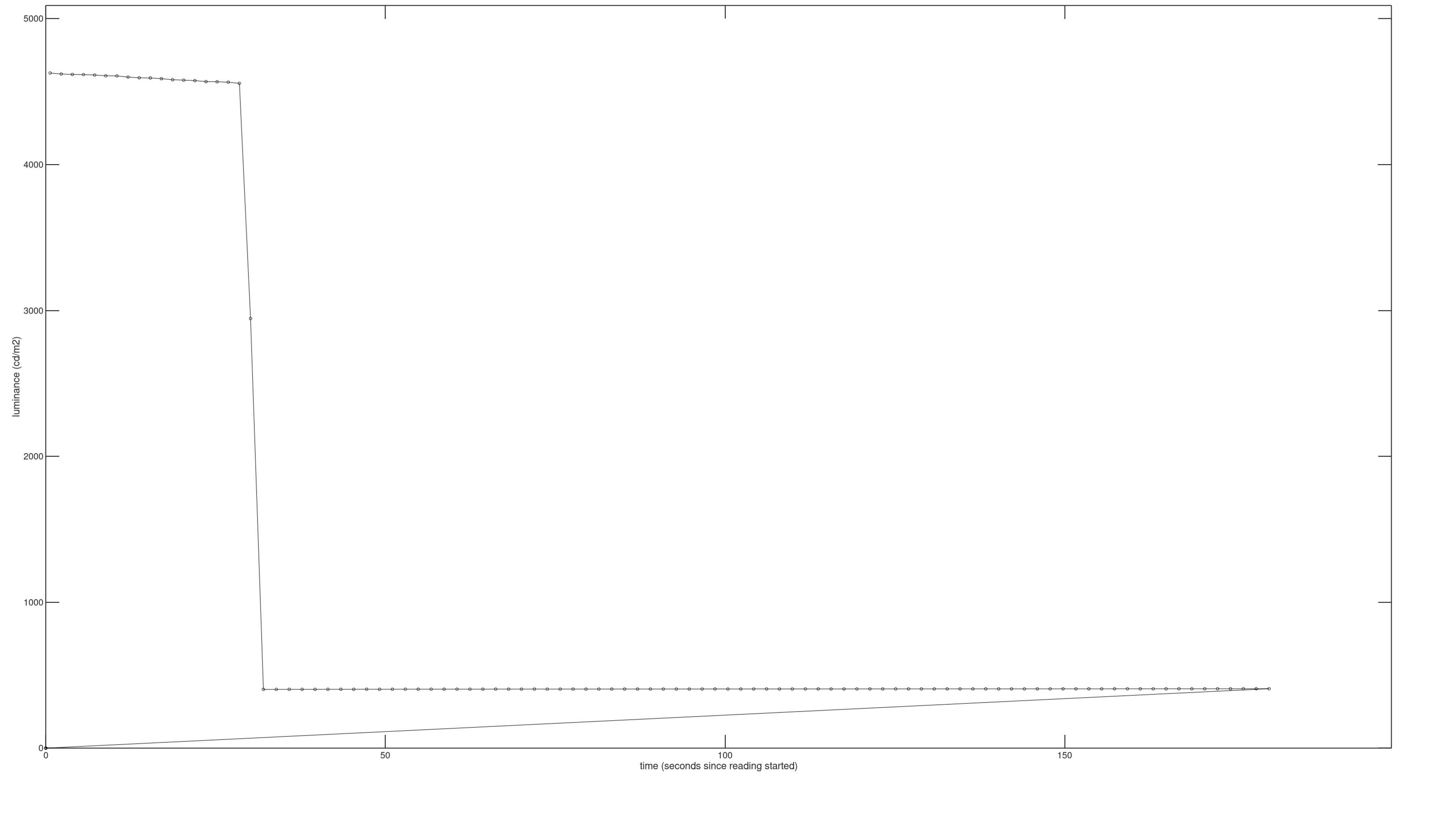
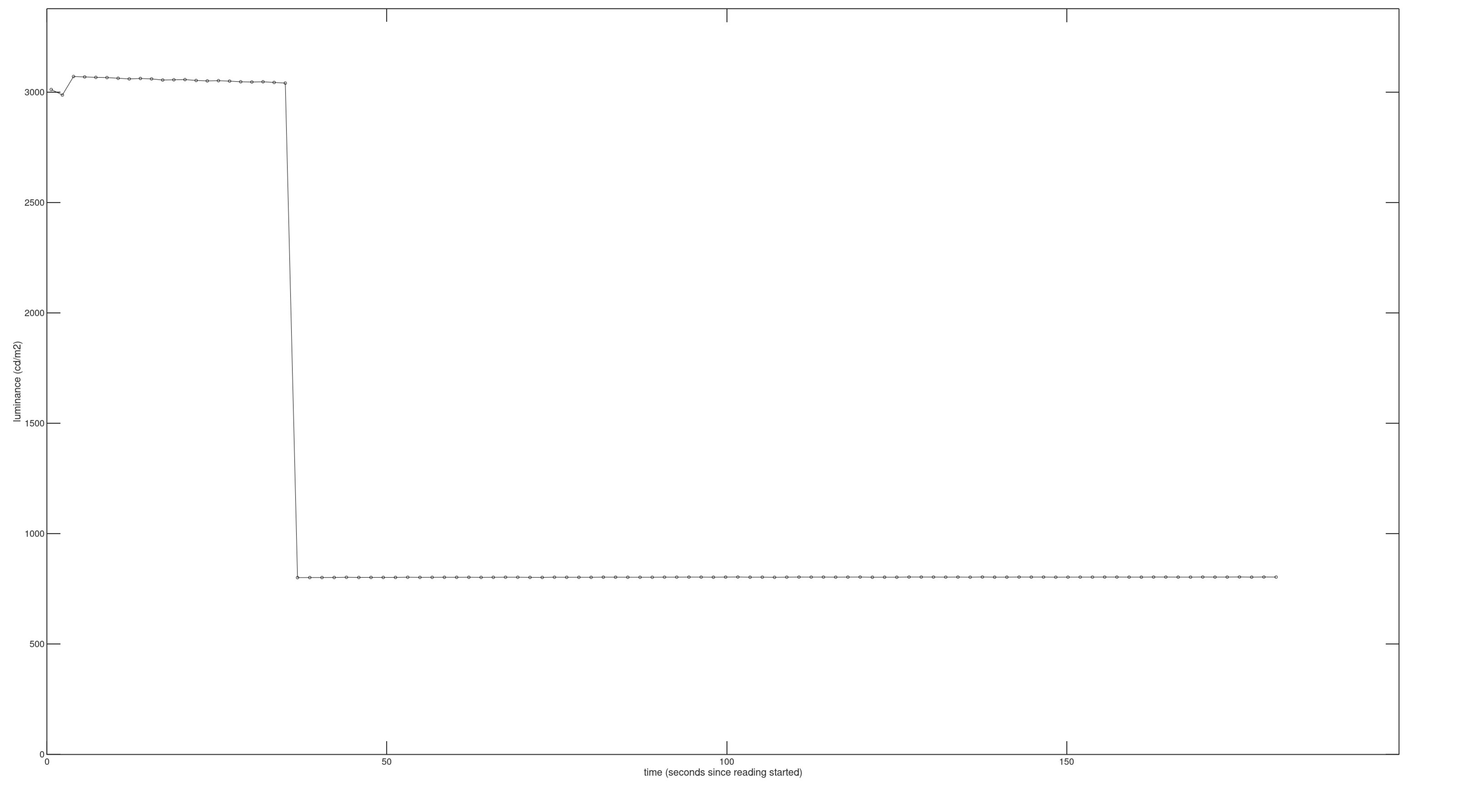
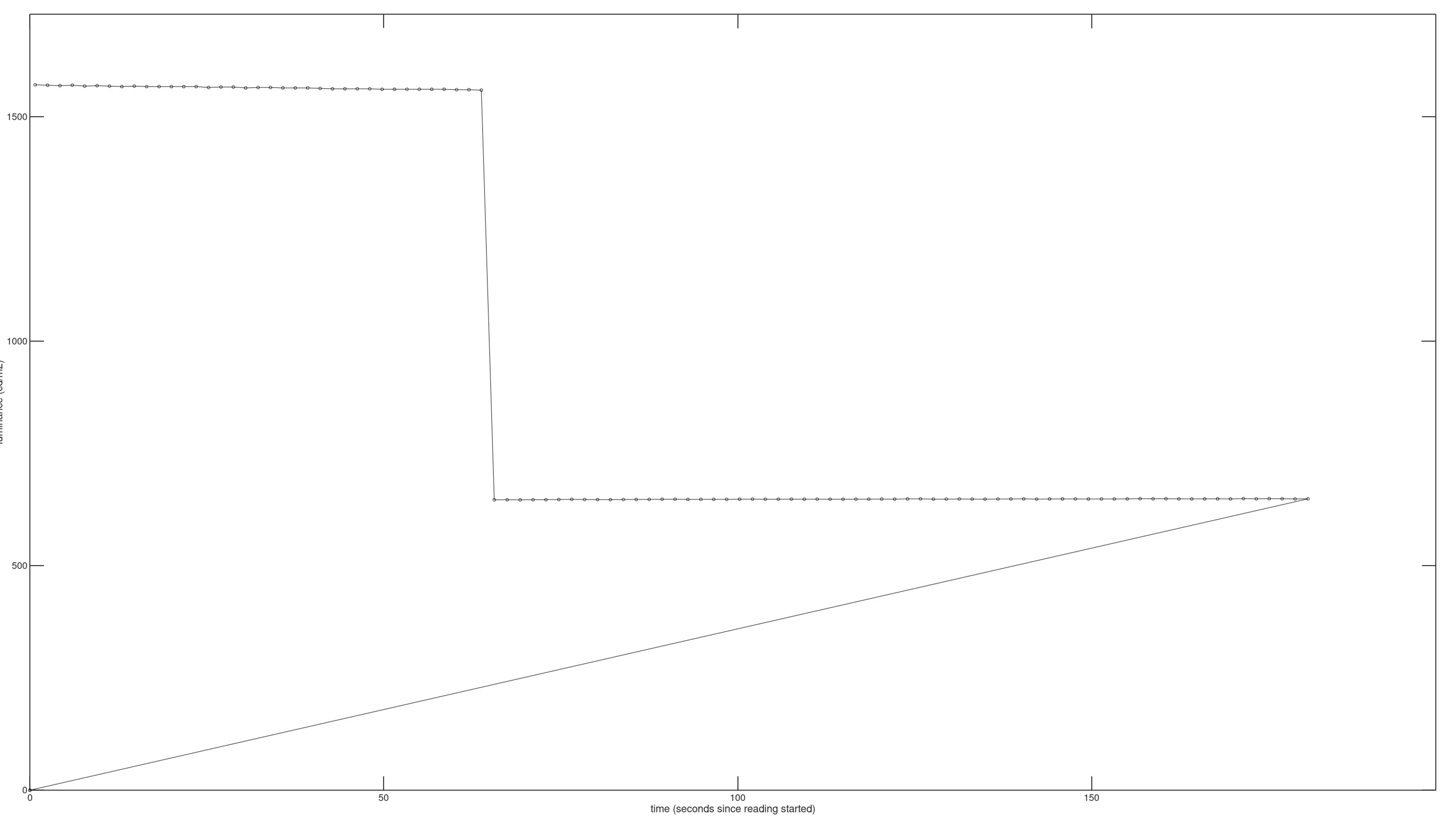
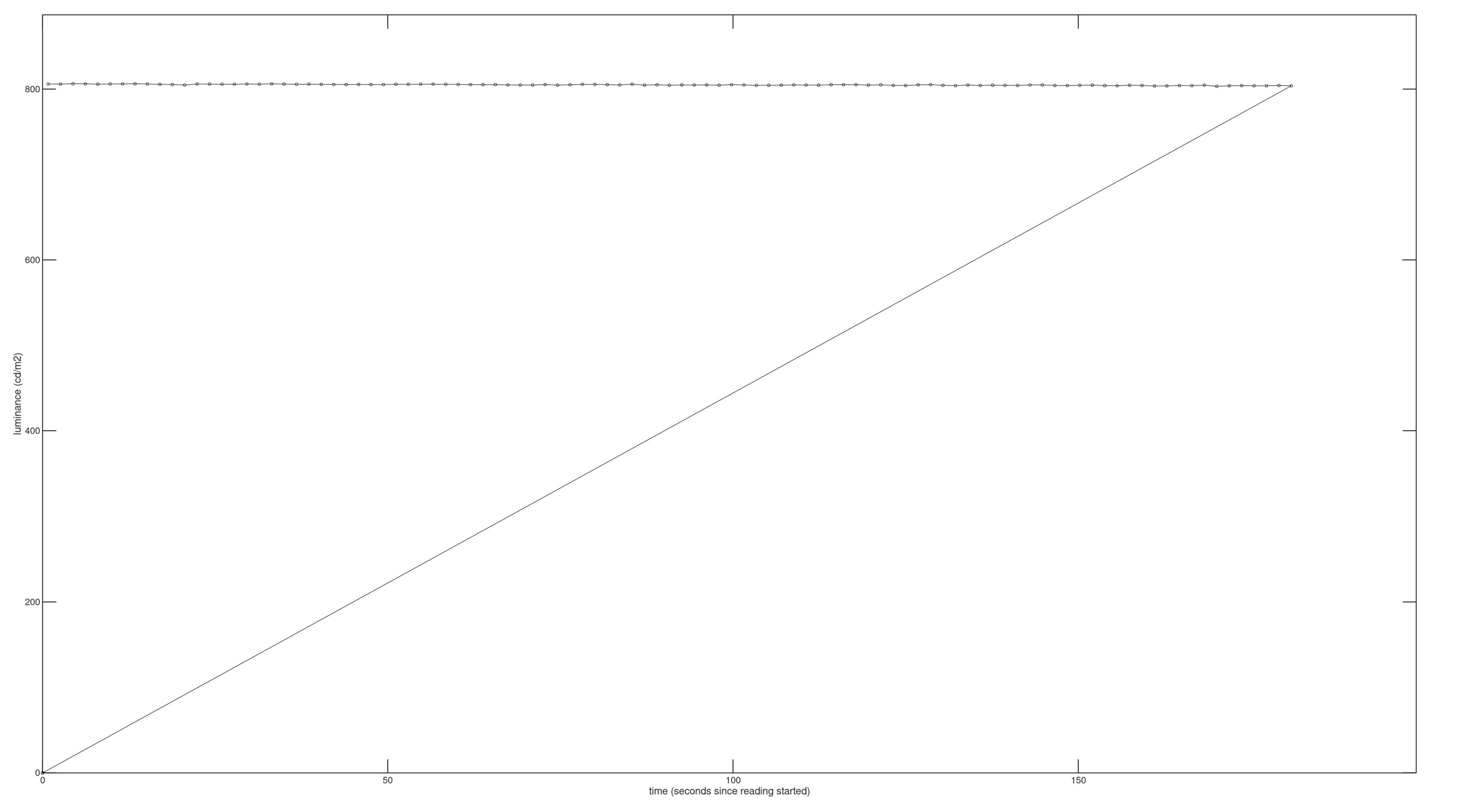
It struggles a bit more with extremely bright scenes where more of the screen is bright at the same time, but it's still very bright with that content. It also can't maintain very bright highlights for very long, as it throttles the brightness considerably after about 30 seconds. This isn't an issue with real content, however, as very little content stays that bright for that long.
The TV isn't as bright out of the box, as the default Brightness setting for this picture mode is 50/100:
| Real Scene | Luminance | Photo Link |
|---|---|---|
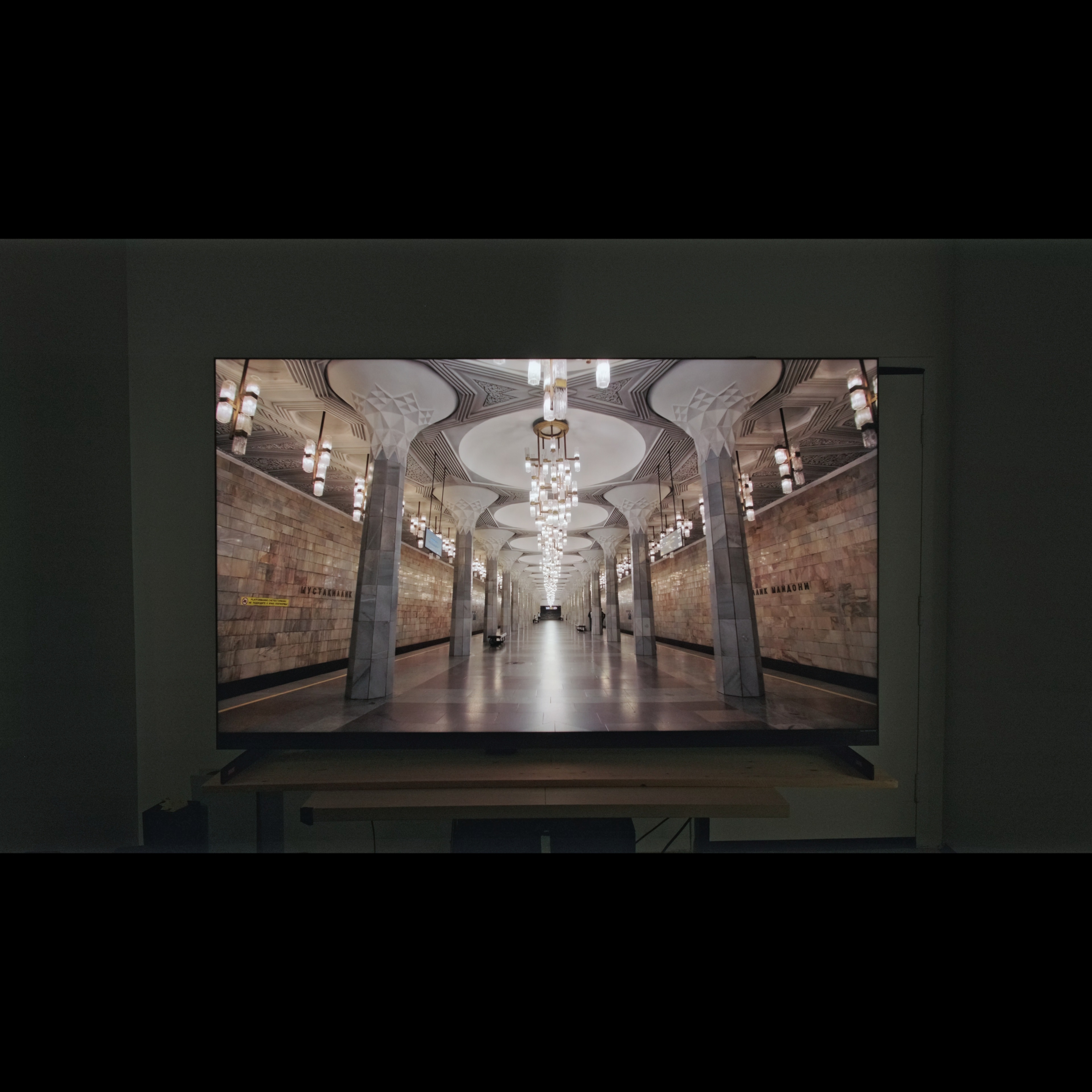
| Hallway | 1263 nits | Photo |
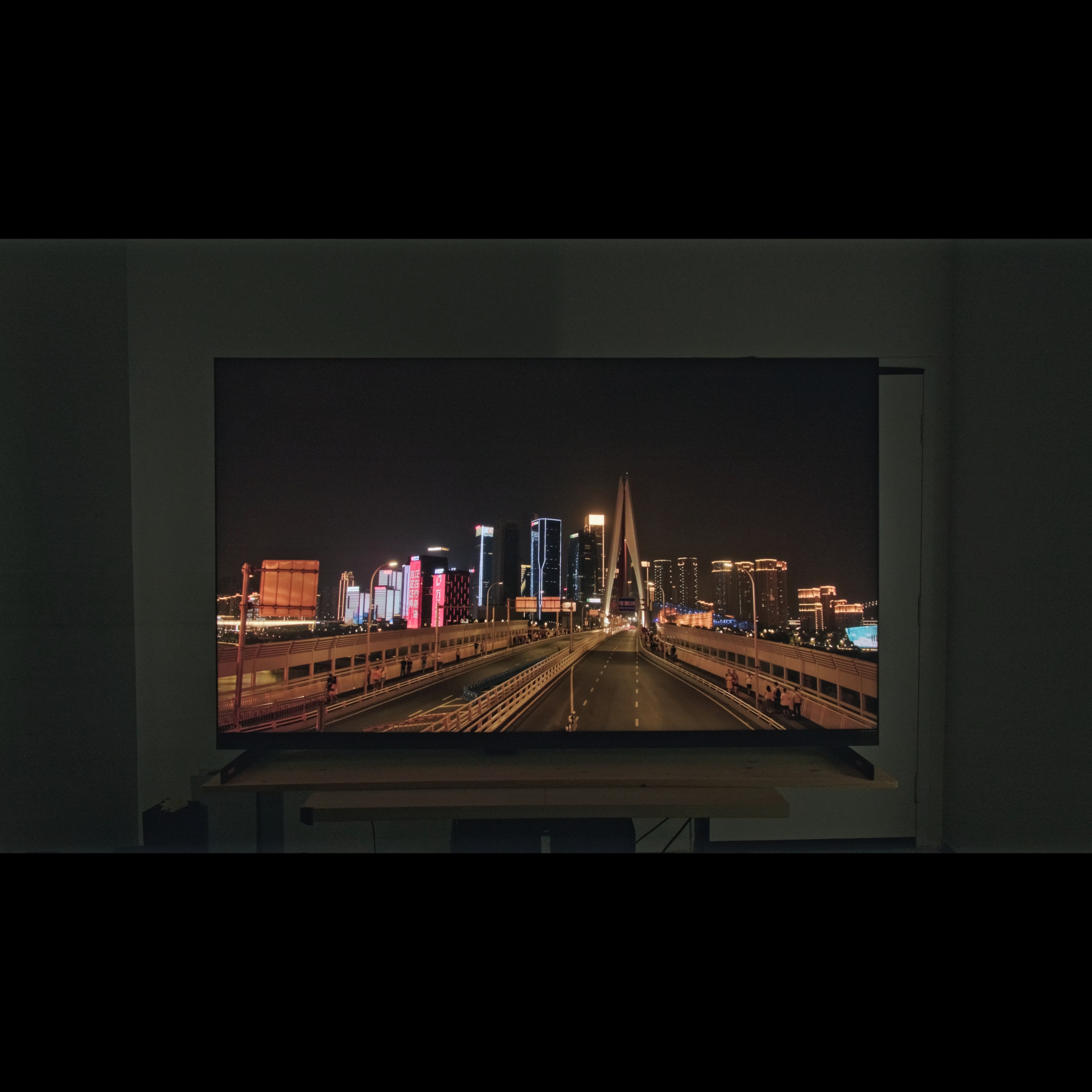
| Skyscraper | 1336 nits | Photo |
| Landscape | 302 nits | Photo |
The posted results are with Dynamic Tone Mapping (DTM) disabled. Here are additional measurements with it set to each of its three settings, with Peak Brightness set to either 'Boost' or 'High'.
| Luminance | |||
|---|---|---|---|
| Boost (cd/m²) | High (cd/m²) | ||
| Detail | Hallway | 2,205 | 2,276 |
| Cityscape | 1,500 | 1,578 | |
| Landscape | 789 | 544 | |
| Balanced | Hallway | 2,304 | 2,370 |
| Cityscape | 1,676 | 1,672 | |
| Landscape | 914 | 710 | |
| Brightness Priority | Hallway | 2,464 | 2,472 |
| Cityscape | 1,846 | 2,004 | |
| Landscape | 1,184 | 1,123 | |
for pictures & test results

for pictures & test results

for pictures & test results

The peak brightness is slightly lower in most real content when you switch to the low-latency Game Mode, but it's still one of the brightest TVs ever made and games are incredibly bright and vibrant.
The posted results are with Dynamic Tone Mapping (DTM) disabled. Here are additional measurements with it set to each of its three settings, with Peak Brightness set to either 'Boost' or 'High'.
| Luminance | |||
|---|---|---|---|
| Boost (cd/m²) | High (cd/m²) | ||
| Detail | Hallway | 2,170 | 1,910 |
| Cityscape | 1,506 | 1,425 | |
| Landscape | 602 | 605 | |
| Balanced | Hallway | 2,408 | 2,063 |
| Cityscape | 1,707 | 1,554 | |
| Landscape | 750 | 754 | |
| Brightness Priority | Hallway | 2,710 | 2,685 |
| Cityscape | 1,855 | 1,747 | |
| Landscape | 1,094 | 1,106 | |
The TCL X11L is incredibly bright in SDR. You really don't have to worry about glare as it's bright enough to overcome any glare in a bright room.
The TV reaches very high peaks over a short time window, but then it dims considerably, especially with dimmer scenes. There's a more noticeable drop in brightness with small highlights, which dim considerably after about 30 seconds. Larger windows aren't as bright to begin with, so the TV maintains them longer and the drop in brightness isn't as noticeable.
for pictures & test results

The TCL X11L TV has superb contrast. Blacks are incredibly deep, even when very close to brighter highlights like the cave opening in the test scene. The native contrast of the panel with local dimming disabled is good.
for pictures & test results

The local dimming zone precision on this TV is outstanding. It's one of the best on the market alongside the Sony BRAVIA 9. The dimming zones offer exceptional control over bright spots, so there's barely any noticeable haloing at all.
for videos & test results

The zone transitions on this TV are excellent. There's a very slight flicker effect as bright highlights move across a dark background, but it's minor. The TV keeps up with fast-moving objects well, but there's a slight delay when a bright highlight moves into a new zone, which causes the leading edge to be slightly darker.



for pictures & test results

for pictures & test results

This TV has fantastic black uniformity. The screen is a bit cloudy when local dimming is disabled, but it's very minor. It's nearly perfect with local dimming on, though, resulting in an incredibly deep, uniform screen in dark scenes.
for pictures & test results

for pictures & test results

The TCL X11L has great color volume in SDR. It struggles a bit with bright colors in the DCI-P3 color space, but these are still impressive overall. Content mastered in the BT.2020 color space is where the improved quantum dots on this TV really shine, and it has better coverage of the BT.2020 color space than any other LED TV tested up until now. Interestingly, while its coverage of the wider BT.2020 color space is very similar to the Sony BRAVIA 9 II, the Sony has much better coverage of the smaller DCI-P3 color space. This appears to be a processing issue on the TCL, as it should be able to display the same colors as the Sony in that space.
Unlike RGB Mini LED models like the TCL RM9L, there's no color cross-talk and it maintains its color volume across all scenes.
| Volume ΔE³ | DCI-P3 Coverage |
BT.2020 Coverage |
|---|---|---|
| L10 | 96.22% | 83.05% |
| L20 | 95.99% | 85.17% |
| L30 | 94.91% | 85.00% |
| L40 | 93.03% | 85.80% |
| L50 | 90.80% | 85.52% |
| L60 | 89.18% | 84.77% |
| L70 | 88.05% | 83.23% |
| L80 | 87.22% | 81.52% |
| L90 | 86.79% | 80.82% |
| L100 | 88.69% | 81.66% |
| Total | 89.78% | 83.64% |
for pictures & test results

for pictures & test results

The color volume in HDR is superb. It can't quite display the full range of colors in HDR, but those it can display are incredibly bright and vibrant. It displays dark, saturated colors well, and bright highlights aren't washed out by whites at all.
for pictures & test results

for pictures & test results

for pictures & test results

Unfortunately, the TCL X11L has mediocre SDR color accuracy out of the box. The white balance is noticeably off, with a very warm color temperature that gives everything a reddish look. Gamma is noticeably off, and brighter parts of the scene are crushed significantly. Color accuracy is good, though, with just a few noticeable issues in lighter shades that are close to white.
for pictures & test results

for pictures & test results

for pictures & test results

Unfortunately, this TVhas some issues with its calibration system. Blue slider adjustments don't work properly across all stimulus levels, making it impossible to fully calibrate the TV. While the end results are still objectively great, and most people won't notice any issues, it's much worse than most TVs on the market. This is most likely a software issue.
See our full calibration settings.
for pictures & test results

for pictures & test results

The TCL X11L has okay accuracy in HDR out of the box. The white balance is decent, with a few issues in midtones, and blues are slightly underrepresented in brighter shades. The color accuracy is worse, with a few mapping errors and significant luminance errors. The color temperature is a bit warm, but it's pretty good overall.
for pictures & test results

for pictures & test results

This TV has good accuracy in HDR after a full calibration. The biggest issue after calibration is still color accuracy, which is better but there are still significant luminance errors. The color temperature is nearly perfect and the white balance is great.
for pictures & test results

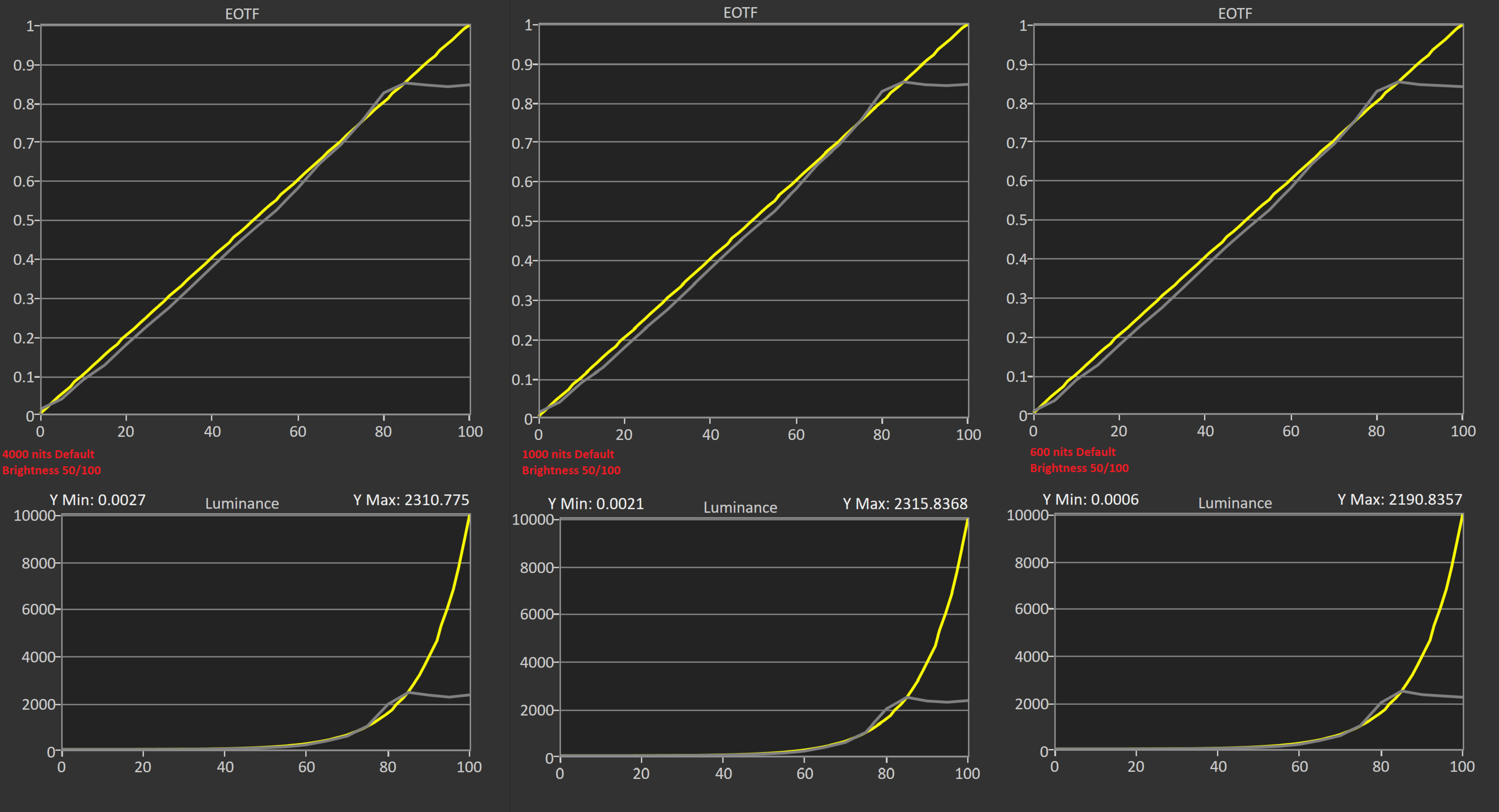
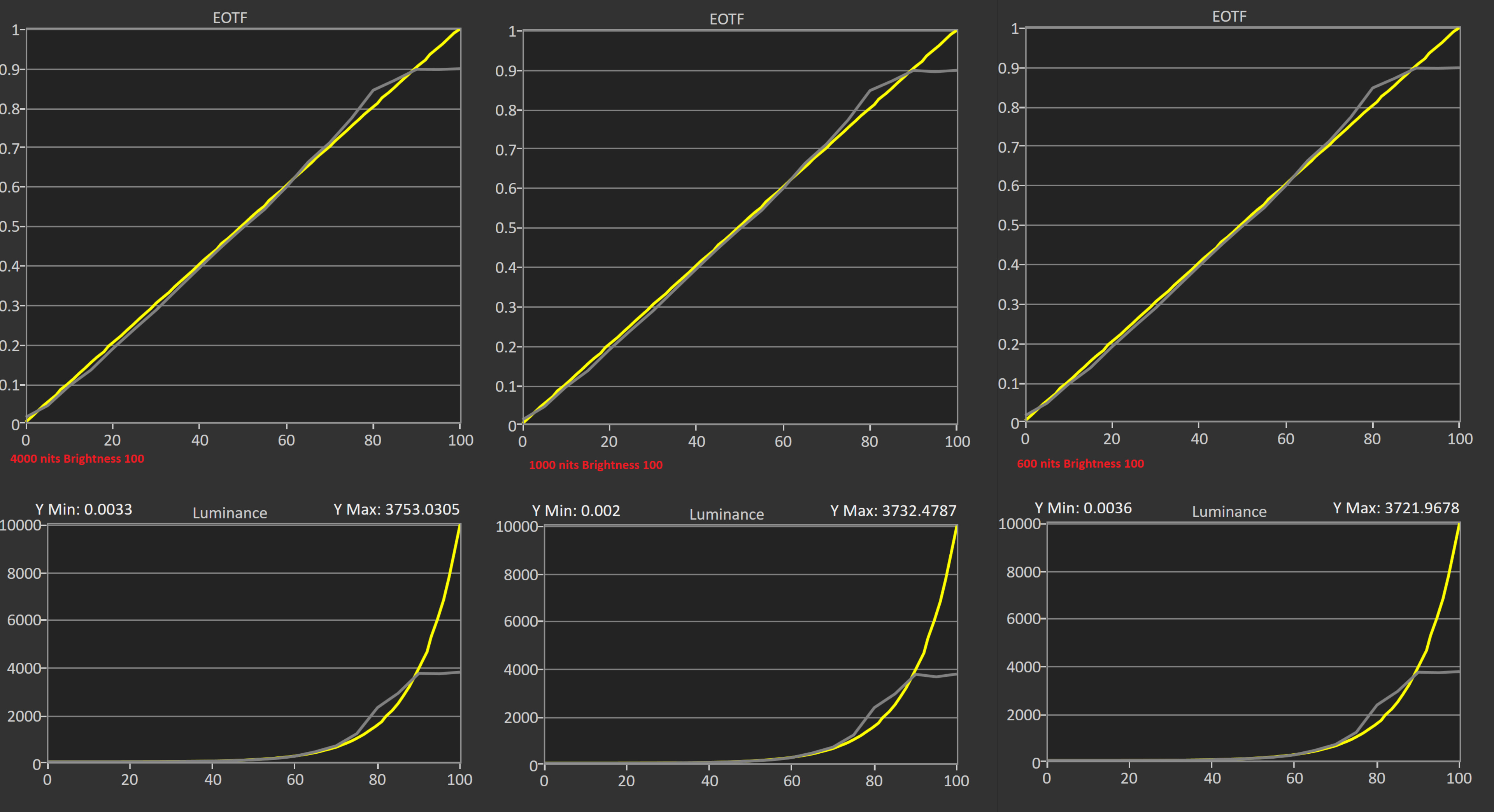
The TV has decent PQ EOTF tracking. We had to use our CR-250 spectroradiometer for this test, so the near-black tracking issues in the EOTF are primarily caused by that instrument's limited low-light performance. Nearly everything else is brighter than it should be, and bright highlights are much brighter than they should be.
The posted results are with the same settings as the HDR Peak Brightness test, with Brightness set to 100/100 and Peak Brightness set to 'Boost'. This combination of settings delivers the highest peak brightness, but it's also less accurate than the default settings.
for pictures & test results

The TV has very good low-quality content smoothing. It does a great job reducing macroblocking and pixelization from low-quality streams, but there's some loss of fine details that gives the image a slightly waxy look.
for pictures & test results

The TCL X11L TV has excellent upscaling. Fine details are easy to make out, and the image is very clear.
for pictures & test results

The TV has great gradient handling in HDR. There's some slight banding in brighter shades of gray, but it's not too bad. Everything else looks great.
The TCL X11L has great low input lag. It's a few ms higher than most comparable models on the market across all modes, but it's not a significant difference for most people. The posted results are with Local Dimming set to 'Off', but here are the results with it on 'Low' and 'High'.
| Low | High | |
|---|---|---|
| 1080p @ 60Hz | 13.7 ms | 13.3 ms |
| 1080p @ 120Hz | 8.1 ms | 8.1 ms |
| 1080p @ Max Refresh Rate | 5.9 ms | 5.1 ms |
| 4k @ 60Hz | 13.3 ms | 13.2 ms |
| 4k @ 60Hz @ 4:4:4 | 13.5 ms | 12.9 ms |
| 4k @ 60Hz Outside Game Mode | 127.1 ms | 126.1 ms |
| 4k @ 60Hz With Interpolation | 27.2 ms | 27.1 ms |
| 4k @ 120Hz | 7.7 ms | 7.1 ms |
| 4k @ Max Refresh Rate | 6.9 ms | 6.7 ms |
This TV also offers a virtual ultrawide mode that simulates either a 32:9 or 21:9 aspect ratio with black bars on the top and bottom of the screen. The 21:9 mode only exposes a 60Hz refresh rate in its EDID; you have to force higher refresh rates from your display settings. VRR works in these modes, but not at 60Hz.
21:9
- 3840 x 1600 @ 144Hz: 13.7 ms (forced resolution required)
- 3840 x 1600 @ 120Hz: 15.9 ms (forced resolution required)
- 3840 x 1600 @ 60Hz: 33.1 ms
- 2560 x 1080 @ 288Hz: 8.6 ms (forced resolution required)
- 2560 x 1080 @ 120Hz: 15.6 ms (forced resolution required)
- 2560 x 1080 @ 60Hz: 32.7 ms
32:9
- 3840 x 1080 @ 288Hz: 8.1 ms (forced resolution required)
- 3840 x 1080 @ 120Hz: 15.3 ms
- 3840 x 1080 @ 60Hz: 32.8 ms
The TV supports all common resolutions up to 4k @ 144Hz on all of its HDMI ports. It also supports up to 288Hz with 1080p and 1440p signals. All supported formats also support proper chroma 4:4:4, which is needed for clear text from a desktop PC.
The TCL QX11L supports all types of variable refresh rate (VRR) technology to reduce screen tearing. It works well with AMD sources, like an AMD GPU or any console across a wide refresh rate range, and it works with Low Framerate Compensation (LFC), ensuring your games remain nearly tear-free even when your frame rate drops very low.
Unfortunately, VRR doesn't work properly when the source is set to output a 60Hz signal, and there's noticeable tearing at any frame rate.
for pictures & test results
for pictures & test results

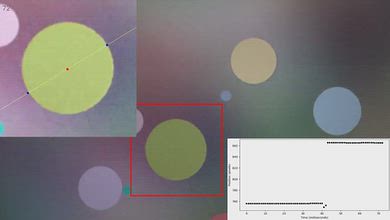
The CAD at the max 4k resolution of 144Hz is mediocre. Midtones are fine, but the TV struggles with more significant transitions, both to and from bright and dark shades. There's no overshoot, though, which is great as this means you won't see any inverse ghosting in dark shades.


for pictures & test results

The TV is fully compatible with everything the PS5 offers, like 1440p @ 120Hz and 4k @ 120Hz, as well as HDMI Forum VRR. It also supports Auto Low Latency Mode, so you don't have to worry about manually switching to Game Master to get the lowest input lag.
for pictures & test results

The TV is fully compatible with everything the Xbox Series X|S offers, including 1440p @ 120Hz, 4k @ 120Hz, HDMI Forum VRR, FreeSync Premium Pro, and Dolby Vision gaming. It also supports Auto Low Latency Mode, so you don't have to manually switch to Game Master to get the lowest input lag.
for videos & test results
for pictures & test results

for pictures & test results
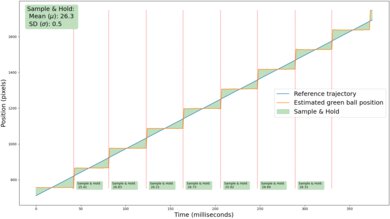
The TCL X11L has mediocre stutter performance, but it's a bit better than most high-end TVs. There's some noticeable stutter in slow panning shots.
for videos & test results
for pictures & test results

for pictures & test results
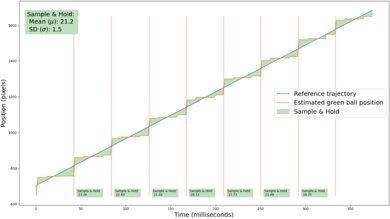
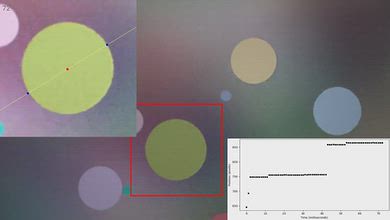
Adjusting the motion interpolation feature to increase the frame rate of 24p content up to 30p does a great job reducing stutter. The feature significantly reduces the frame hold time, so you won't see nearly as much stutter. it's also very consistent, ensuring an even frame pacing.
for pictures & test results
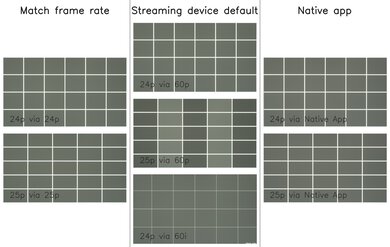
The TV is nearly judder-free from all sources. It can't remove 25p judder from 60p sources, though, like an older cable box or a streaming device that can't match the content frame rate.
for videos & test results
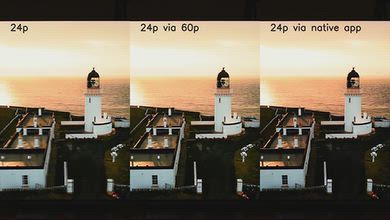
for videos & test results
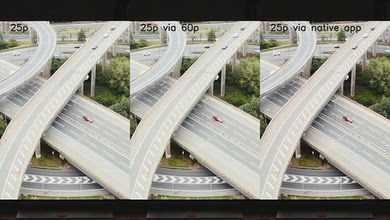
Unfortunately, there's some micro judder when playing 24p or 25p content from a 60p source. This is only an issue if you have an older cable box or a streaming device that can't match the content frame rate.
Note: The red tint on these videos is an interaction between the camera sensor and the very strong red peak emitted by the TV. It's not noticeable in person.
for pictures & test results

for pictures & test results

The TCL X11L has a decent response time. Most midtone transitions are quick and smooth, but it struggles with longer transitions both to and from bright or dark shades.
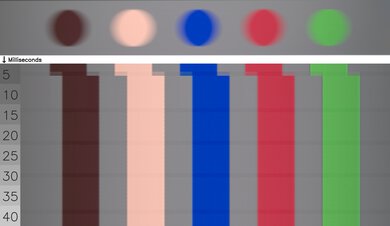
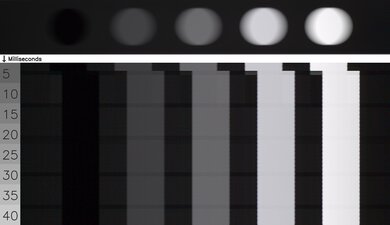
for pictures & test results

The backlight combines DC dimming with a very high-frequency flicker pattern. It's not true PWM and is far less noticeable in person.
for pictures & test results

for pictures & test results

There's an optional backlight strobing feature, commonly known as black frame insertion. This feature is meant to reduce persistence blur and improve the appearance of motion.
for pictures & test results

for pictures & test results

The glossy screen coating on the TCL X11L does a decent job of reducing the intensity of direct, mirror-like reflections. They're still noticeable, but they're significantly dimmer and not as distracting. If you want a similar TV that essentially eliminates reflections, take a look at the Samsung R95H.


for pictures & test results

for pictures & test results

The total amount of reflected light is great. Indirect reflections aren't very noticeable, and direct reflections are significantly reduced in intensity, so you don't have to worry about glare. There are diffraction artifacts, including a slight rainbow smear around bright lights, but it's not too bad.
for pictures & test results

Ambient light has no noticeable impact on color saturation.
for videos & test results

for pictures & test results

for pictures & test results

for pictures & test results

The TCL X11L has an okay viewing angle. It uses a new type of VA panel known as WHVA 2.0, which is designed to improve viewing angles while maintaining the deep blacks that VA panels are known for. This new panel works well, and the TV looks better than most VA panels when viewed from the sides. There's still a noticeable loss of color saturation and brightness at moderate angles, though, so it's not perfect for a wide seating arrangement.
Note: The red tint on this video is an interaction between the camera sensor and the very strong red peak emitted by the TV. It's not noticeable in person.


for pictures & test results

for pictures & test results

The TCL X11L uses a combination of new panel technologies, including an improved color filter, a new WHVA 2.0 panel structure, and improved quantum dots, which TCL calls Super Quantum Dots.
The spectral power distribution shows the impact of the SQD layer. Compared to the TCL QM8K, we can see that there's no change at all to the blue backlight, but the green peak has shifted 10 nm towards blue. The biggest change is with the reds, which are far more powerful and more precise, and the center wavelength has increased by 20 nm. This results in a far greater separation between green and red, resulting in more precise, saturated reds.
| Full Width At Half Maximum (FWHM) | Center Wavelength | |||
|---|---|---|---|---|
| TCL QM8K | TCL X11L | TCL QM8K | TCL X11L | |
| Blue | 14 nm | 14 nm | 448 nm | 448 nm |
| Green | 22 nm | 22 nm | 536 nm | 526 nm |
| Red | 28 nm | 20 nm | 626 nm | 646 nm |
for pictures & test results

for pictures & test results

The TCL X11L is the first TCL TV on the market to feature four full-bandwidth HDMI 2.1 ports. There's also an additional USB port on the side bezel of the TV.
The TV supports eARC, which lets you pass high-quality, uncompressed audio to a compatible receiver or soundbar through an HDMI cable. It supports all major audio formats, so you don't have to worry about compatibility with external sources.
This model will also support Dolby Vision 2 with a future firmware update. TCL hasn't confirmed if it'll support HDR10+ Advanced, though.
for pictures & test results

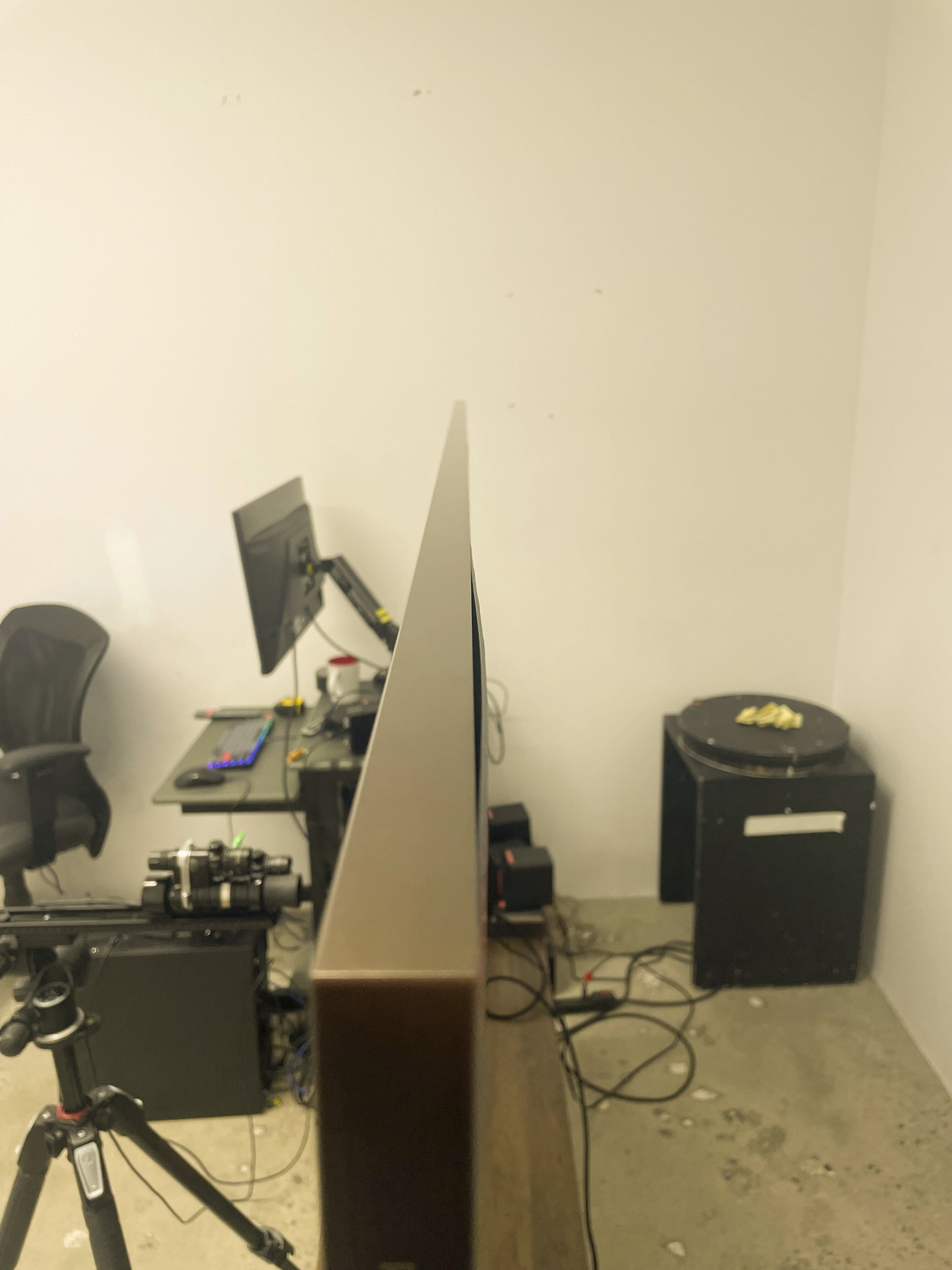
The TCL X11L has a very premium, modern design. It has a brushed copper look that looks great in any setup.
for pictures & test results

The stand consists of two feet placed at opposite ends of the TV, with no alternative position, so you'll need a wide table if you're not wall-mounting it. The support the TV well, but like any large TV it wobbles a bit if nudged.
Footprint of the 85-inch stand: 67.6" x 15.0" x 3.7".
for pictures & test results

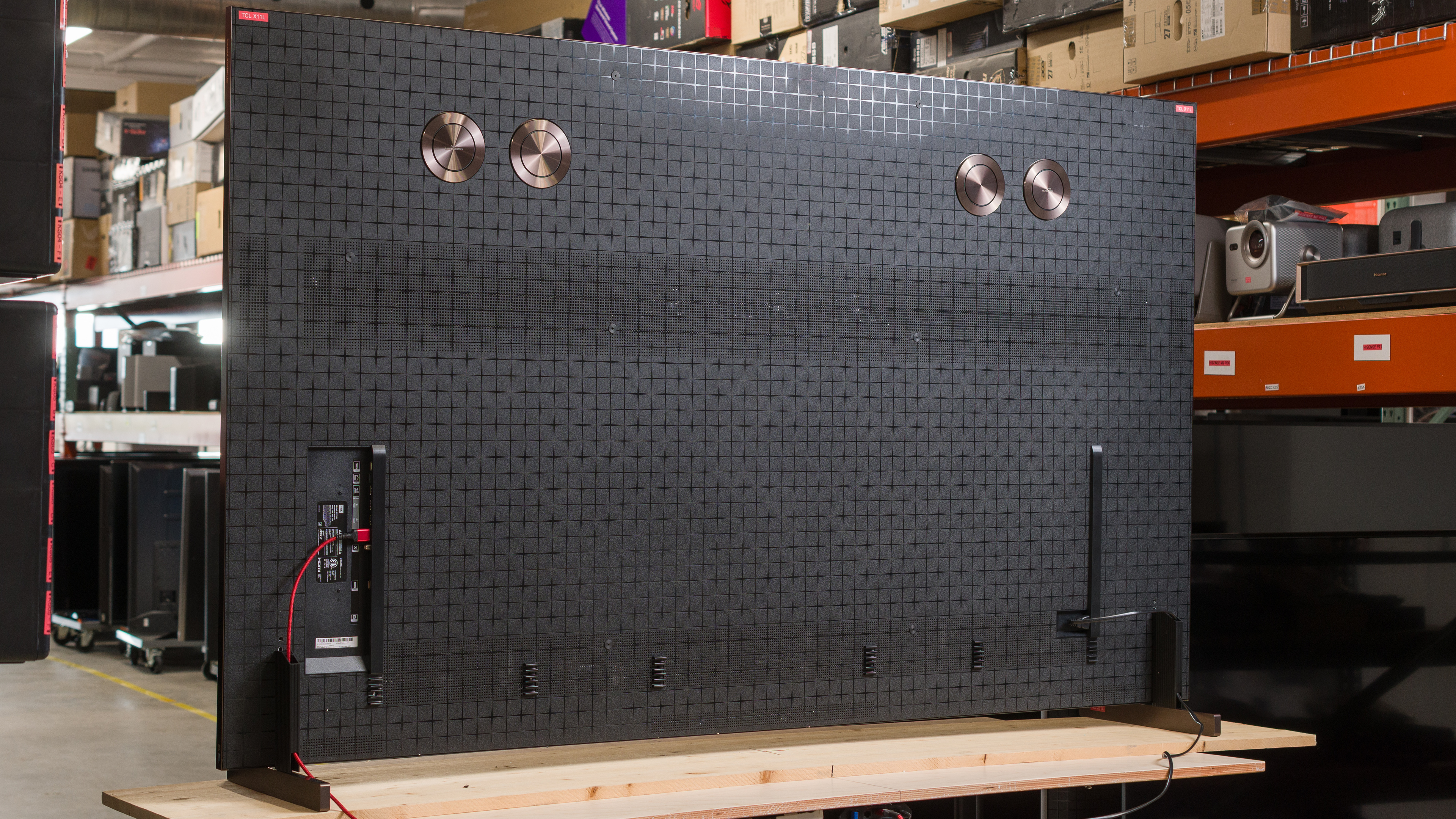
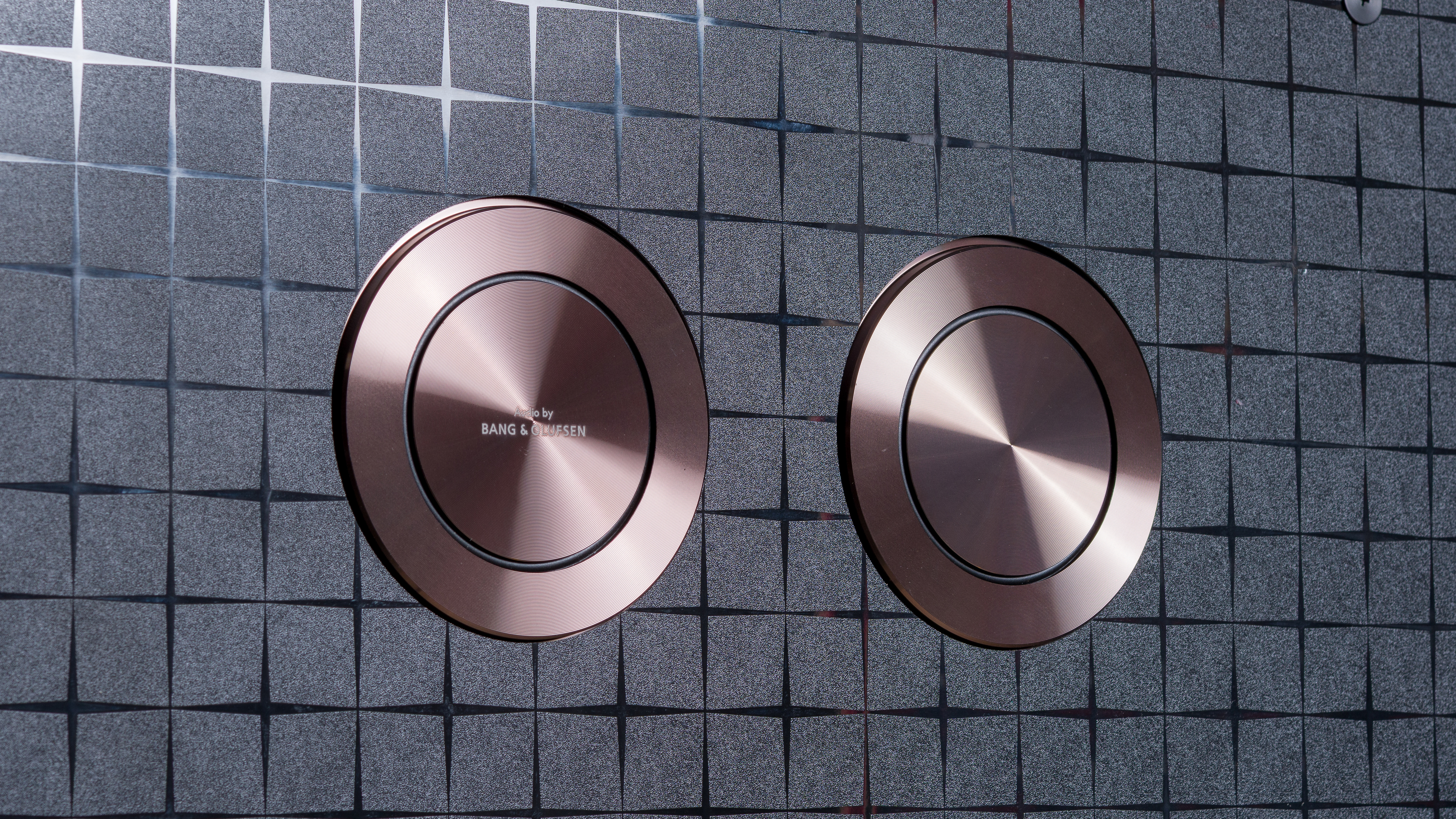
The back of the TV has a very nice textured pattern that looks premium. There are cable guides along the back of the TV and a notch in the stand to help with cable management. The copper finish on the speakers gives them a very premium look.


for pictures & test results

The TCL X11L has great build quality. It's a solid TV overall, with a very premium design that looks well-built. Unfortunately, part of the back panel came unglued during shipping. This is concerning, but it's likely an isolated issue with our unit, and it doesn't impact its performance in any way.
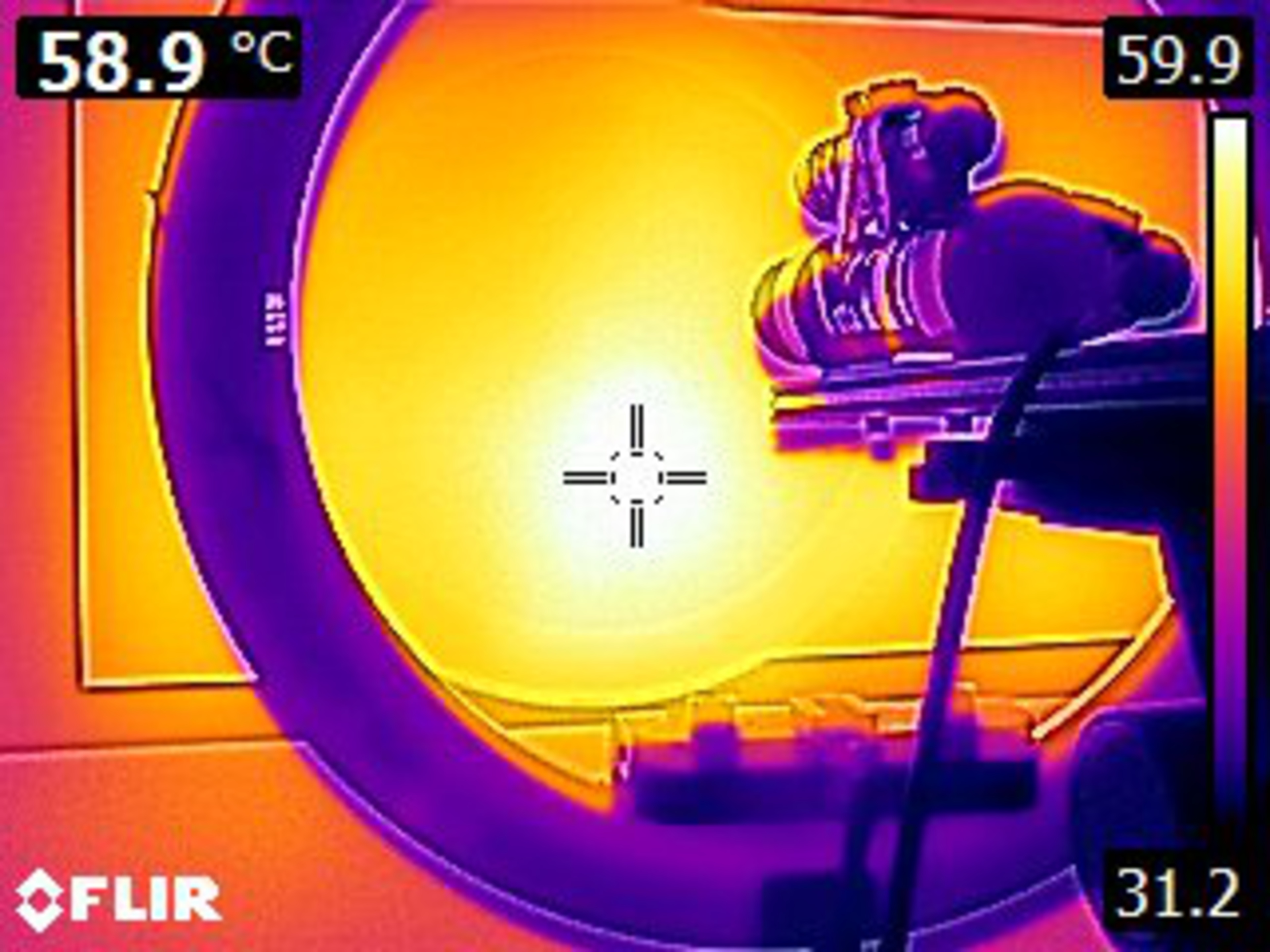
There have been reports of this TV overheating under extreme stress, causing damage to the panel. That test was an extreme torture test that doesn't represent real-world viewing, and during our testing, we found that the X11L got hot at times, but never to the point that it could damage the TV. It reached a peak of about 59°C during the ambient color saturation test, but it never reached a point that could damage the TV. We didn't encounter any thermal throttling, either.
for pictures & test results

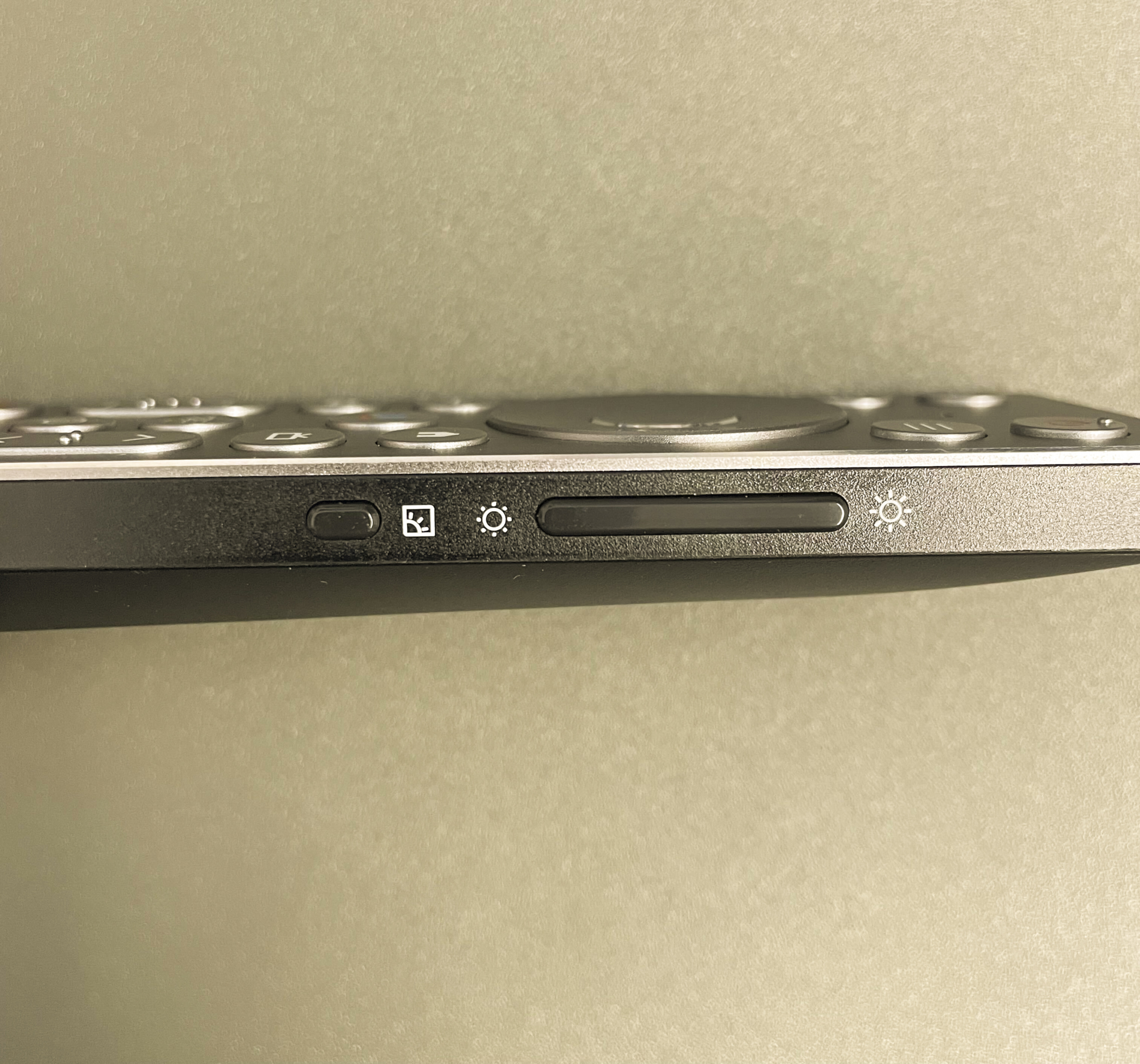
The remote has a few additional buttons, including a new programmable button. There's also a new button on the side of the remote to quickly change picture settings, and a separate brightness slider.
for pictures & test results

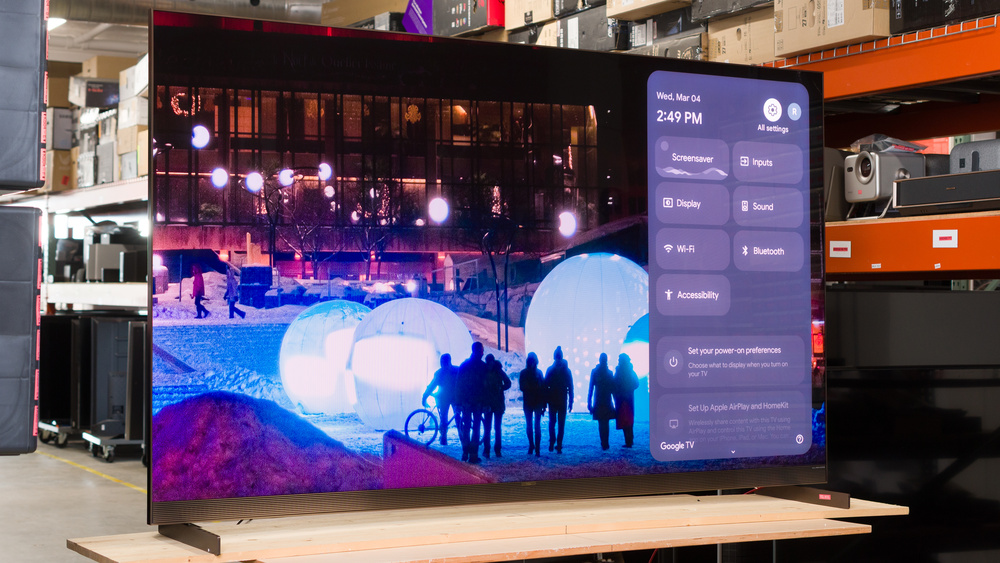
The TCL X11L ships with Google TV version 14, and includes support for the Google Gemini smart assistant.
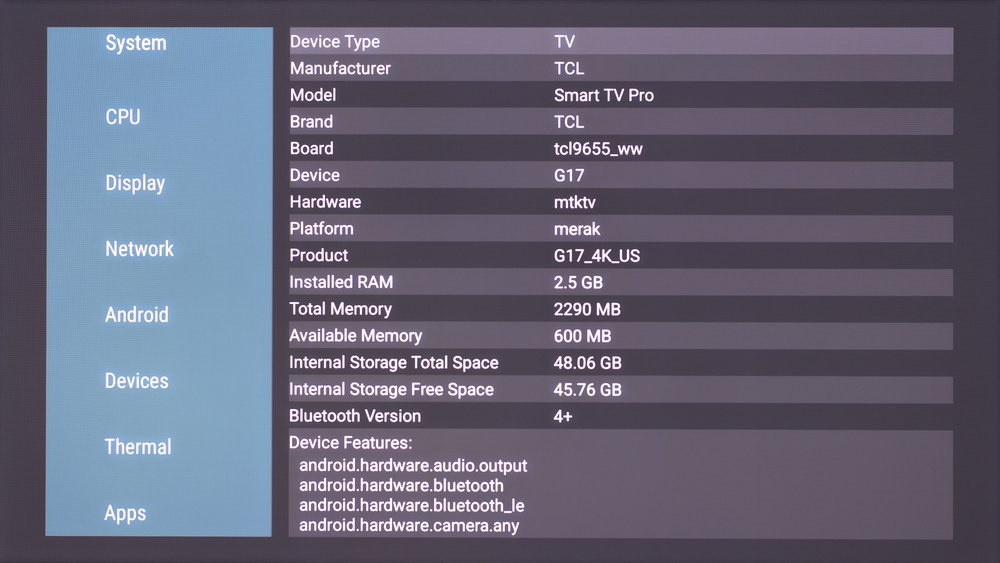
Running the AIDA64 app on the TV confirms that it's powered by the new MediaTek Pentonic 800 chipset, with 2.5GB of RAM and 48GB of internal memory.
for pictures & test results

Unfortunately, like almost all TVs on the market, the smart interface contains ads, and you can't disable them.
for pictures & test results

There's a single button on the bottom of the TV that you can use to switch inputs and power the TV on/off. There's also a small switch you can use to turn the TV's built-in microphone on or off.
for pictures & test results

- Setup guide
- Remote
- 2x AAA batteries
- Power cable
for pictures & test results

Unfortunately, the built-in soundbar doesn't sound very good. There's very little bass, it can't get very loud, and the frequency response is unbalanced at moderate listening levels.