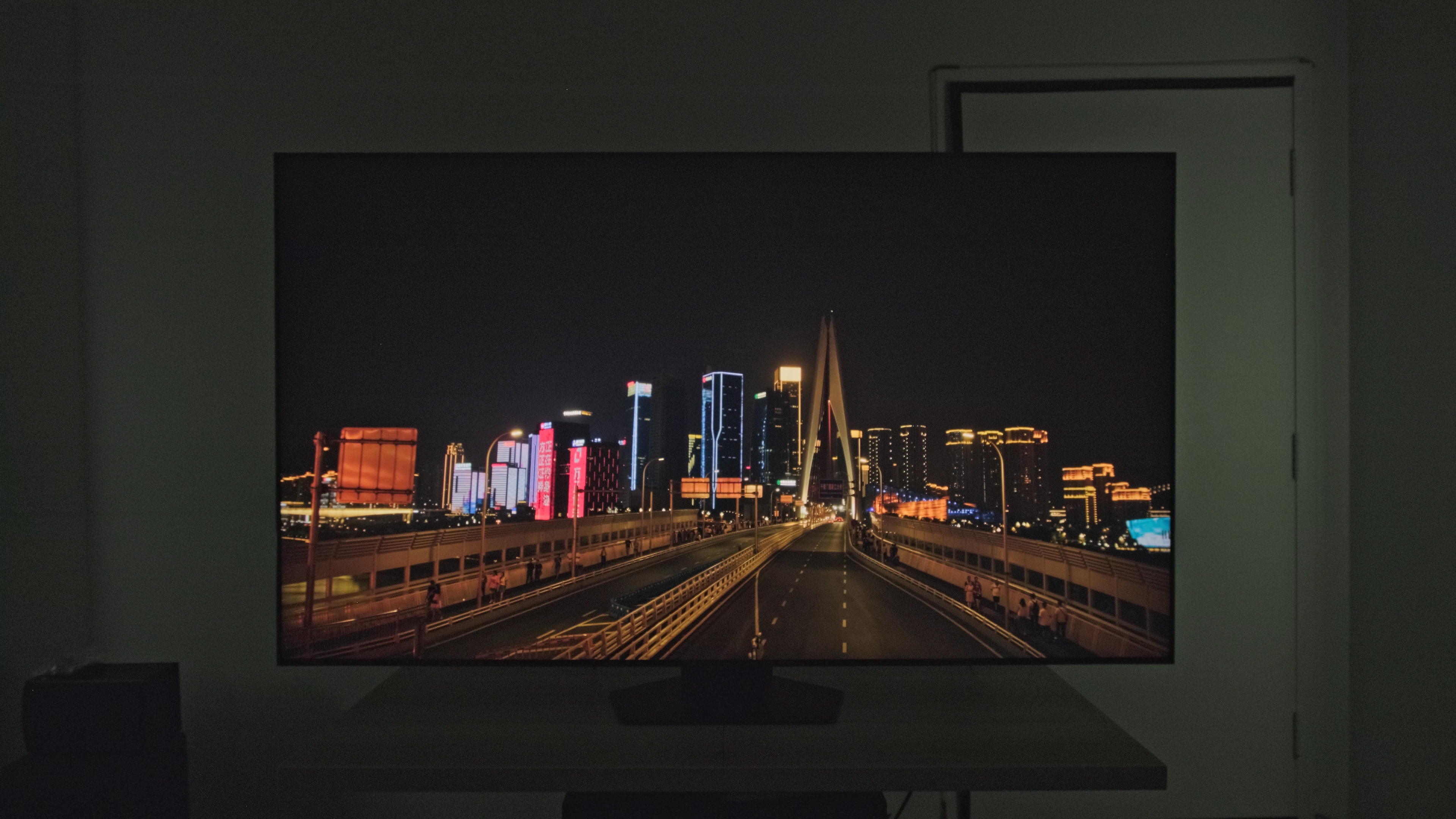
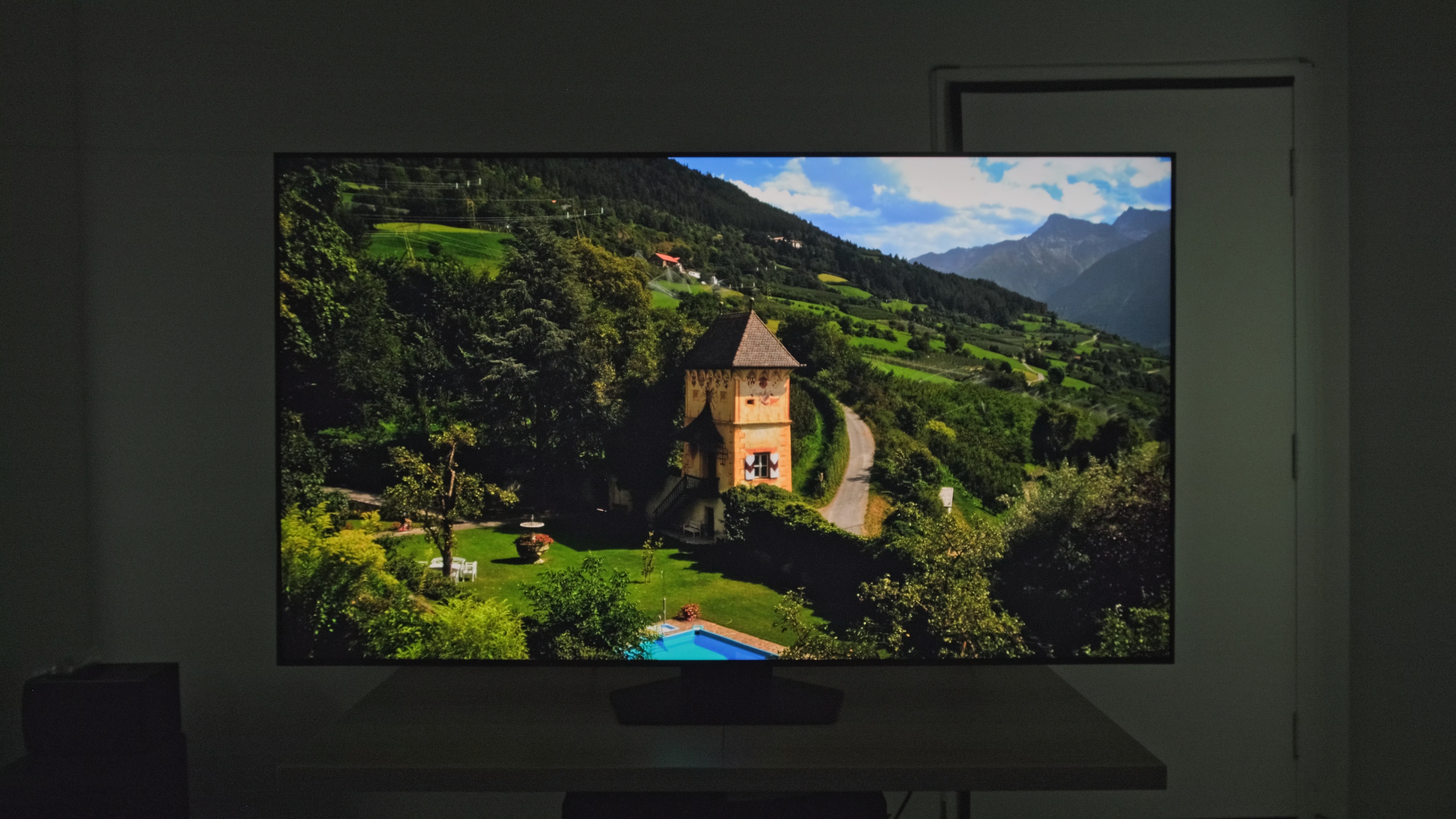
The Samsung Q80C QLED is the highest-end model in Samsung's QLED range, which sits above their entry-level Crystal UHD range and below their higher-end Neo QLEDs. This TV has Direct Full Array backlighting, with LEDs placed directly behind the LCD panel, allowing for a much tighter control of each dimming zone. This model was significantly upgraded over 2022's Samsung Q80B QLED with double the local dimming zones, from 48 to 96. It has Samsung's Neural Quantum Processor 4K, promising better AI upscaling than its predecessor, and Quantum HDR+, which brings improvements to the underlying QLED technology of the panel, leading to better and brighter colors in HDR when compared to the Samsung Q80B QLED. The TV has motion interpolation up to 4k @ 120Hz and supports all Variable Refresh Rate (VRR) technologies for a nearly tear-free gaming performance. It comes with the 2023 version of Samsung's proprietary Tizen OS, and its four HDMI 2.1 bandwidth ports mean that you can connect many modern consoles simultaneously without having to jostle for ports. It's available in six different size variants, but the 50-inch model is limited to 4k @ 60Hz and doesn't support VRR.
Our Verdict
The Samsung Q80C is a good general-purpose TV. Its standout features are its impressive SDR peak brightness combined with the TV's decent reflection handling; this makes the TV quite good in any bright room scenario, from watching TV shows or sports, using the TV as a PC monitor, or playing video games. It has incredibly low input lag, so user inputs are responsive, and its very good response time ensures minimal blurring for any fast on-screen action. Sadly, it has unimpressive contrast, and its local dimming capabilities are disappointing. Its HDR brightness is decent, but it just isn't good enough for the TV's contrast, as highlights don't pop, so the TV isn't a great choice for HDR movies.
- Impressive SDR peak brightness.
- Decent reflection handling.
- Very good viewing angle.
- Low contrast ratio.
- Some uniformity issues.
The Samsung Q80C is a good TV for watching shows in a bright room. It gets very bright in SDR and has decent reflection handling, so your shows will be clear even with all the lights on. Plus, its very good viewing angle means that even if the entire family watches their daily sitcom around the TV, they'll still experience a mostly consistent image without significant color or brightness fluctuations. The TV also has good low-resolution upscaling, so older shows on DVDs, or even shows on cable, look good and crisp with minimal issues. Unfortunately, it has unremarkable low-quality content smoothing, so even if the shows are crisp, they have some missing details and macro-blocking in dark scenes.
- Impressive SDR peak brightness.
- Decent reflection handling.
- Very good viewing angle.
- Some uniformity issues.
- Unremarkable low-quality content smoothing.
The Samsung Q80C is very good for sports. It has an impressive SDR peak brightness and decent reflection handling, so sports are clear and vivid even when watched in a bright room. Plus, the TV has a very good viewing angle, so hockey nights with the gang are great, as they can all sit around the TV while still enjoying a consistent image. The TV's very good response time means that fast-moving objects, like a puck in hockey, are crisp and blur-free. The TV has satisfactory gray uniformity, but the vignetting in the corners is noticeable on large areas of bright color, like a hockey rink.
- Impressive SDR peak brightness.
- Decent reflection handling.
- Quick response time.
- Very good viewing angle.
- Some uniformity issues.
- Unremarkable low-quality content smoothing.
The Samsung Q80C is a very good TV to play video games on. Its contrast is disappointing, so it's not the best TV to game on in a dark room, but that's okay, as the TV does have impressive SDR brightness and decent reflection handling, meaning you can play with the lights on. The TV has extremely low input lag and a very good response time, so inputs are super responsive, and there's minimal blurring behind fast-moving objects. It also supports 4k @ 120Hz, so games are crisp and fast, and VRR for a nearly tear-free gaming experience.
- Impressive SDR peak brightness.
- Quick response time.
- HDMI 2.1 bandwidth with VRR support.
- Incredibly low input lag.
- Low contrast ratio.
- Blooming around bright objects.
- Some uniformity issues.
- Disappointing local dimming.
The Samsung Q80C is alright for HDR movies. Its best traits for movies are its perfect judder performance, which removes judder from all sources, and excellent HDR gradient handling for a nearly banding-free viewing experience. Unfortunately, the TV's contrast isn't nearly good enough to make the TV look great in a dark room. The TV has terrible color accuracy in SDR; you'll have to spend some time on calibration if you want it to look good in SDR movies. Its HDR brightness is decent, but it can't make highlights pop, especially not with the unimpressive contrast. Finally, the TV has mediocre low-quality content smoothing, which doesn't make streaming services and their relatively low bitrate look their best.
- Automatically removes 24p judder from any source.
- Has a wide color gamut.
- Low contrast ratio.
- Blooming around bright objects.
- No Dolby Vision support.
- No DTS audio passthrough.
- Unremarkable low-quality content smoothing.
- Disappointing local dimming.
The Samsung Q80C is very good for playing the latest triple-A HDR titles. It supports 4k @ 120Hz, so games are played at their highest resolution possible, with VRR for a nearly tear-free gaming experience. The TV's HDR brightness is better in Game Mode than in 'Movie' mode, so highlights are now bright enough to be impressive in certain scenes. Unfortunately, the TV's already middling contrast is a bit worse in Game Mode, so unfortunately, this TV won't make your games look their absolute best. Fortunately, it makes up for it with blazing input lag performance, so your inputs are very responsive, and it has a very good response time for minimal blurring when playing through hectic scenes.
- Quick response time.
- HDMI 2.1 bandwidth with VRR support.
- Incredibly low input lag.
- Good HDR brightness in Game Mode.
- Has a wide color gamut.
- Low contrast ratio.
- Blooming around bright objects.
- Disappointing local dimming.
The Samsung Q80C is a very capable TV when used as a PC monitor. It has impressive SDR brightness and decent reflection handling, so it looks bright even in a bright office. It has a very good viewing angle, so even if you sit close to the TV, there'll be minimal brightness or color shifting at the sides of the panel. The TV has incredibly low input lag, so the mouse cursor flies on the screen almost as soon as you touch the mouse, and with the TV's very good response time, it'll leave minimal trails as it zips around.
- Impressive SDR peak brightness.
- Decent reflection handling.
- Quick response time.
- HDMI 2.1 bandwidth with VRR support.
- Incredibly low input lag.
- Very good viewing angle.
- Some uniformity issues.
Changelog
- Updated Oct 04, 2024: We mentioned the newly-reviewed Samsung Q80D QLED in the Contrast section of this review.
- Updated May 14, 2024: We mention the newly-reviewed Samsung QN85D/QN85DD QLED in the Contrast section of this review.
- Updated May 09, 2024: Mentioned the newly-reviewed Samsung The Frame 2024 QLED in the Reflections section of this review.
- Updated Aug 02, 2023: Added mention of the newly reviewed Samsung QN85C/QN85CD QLED in the Contrast section of this review.
Check Price
Differences Between Sizes And Variants
We tested the 65-inch Samsung Q80C, and the results are valid for the 55, 75, 85, and 98-inch models. The 50-inch model is limited to a 60Hz refresh rate and lacks features like VRR, Quantum HDR+, and Motion Xcelerator Turbo+. Otherwise, as usual, the last four letters of the model code (in this case, FXZA) vary between regions and even retailers, and not all regions carry all the variants. As Samsung's European lineup differs, these results are only valid for the North American Q80C.
| Size | US Model | Refresh Rate | VRR | HDMI 2.1 |
|---|---|---|---|---|
| 50" | QN50Q80CAFXZA | 60Hz | No | No |
| 55" | QN55Q80CAFXZA | 120Hz | Yes | Yes |
| 65" | QN65Q80CAFXZA | 120Hz | Yes | Yes |
| 75" | QN75Q80CAFXZA | 120Hz | Yes | Yes |
| 85" | QN85Q80CAFXZA | 120Hz | Yes | Yes |
| 98" | QN98Q80CAFXZA | 120Hz | Yes | Yes |
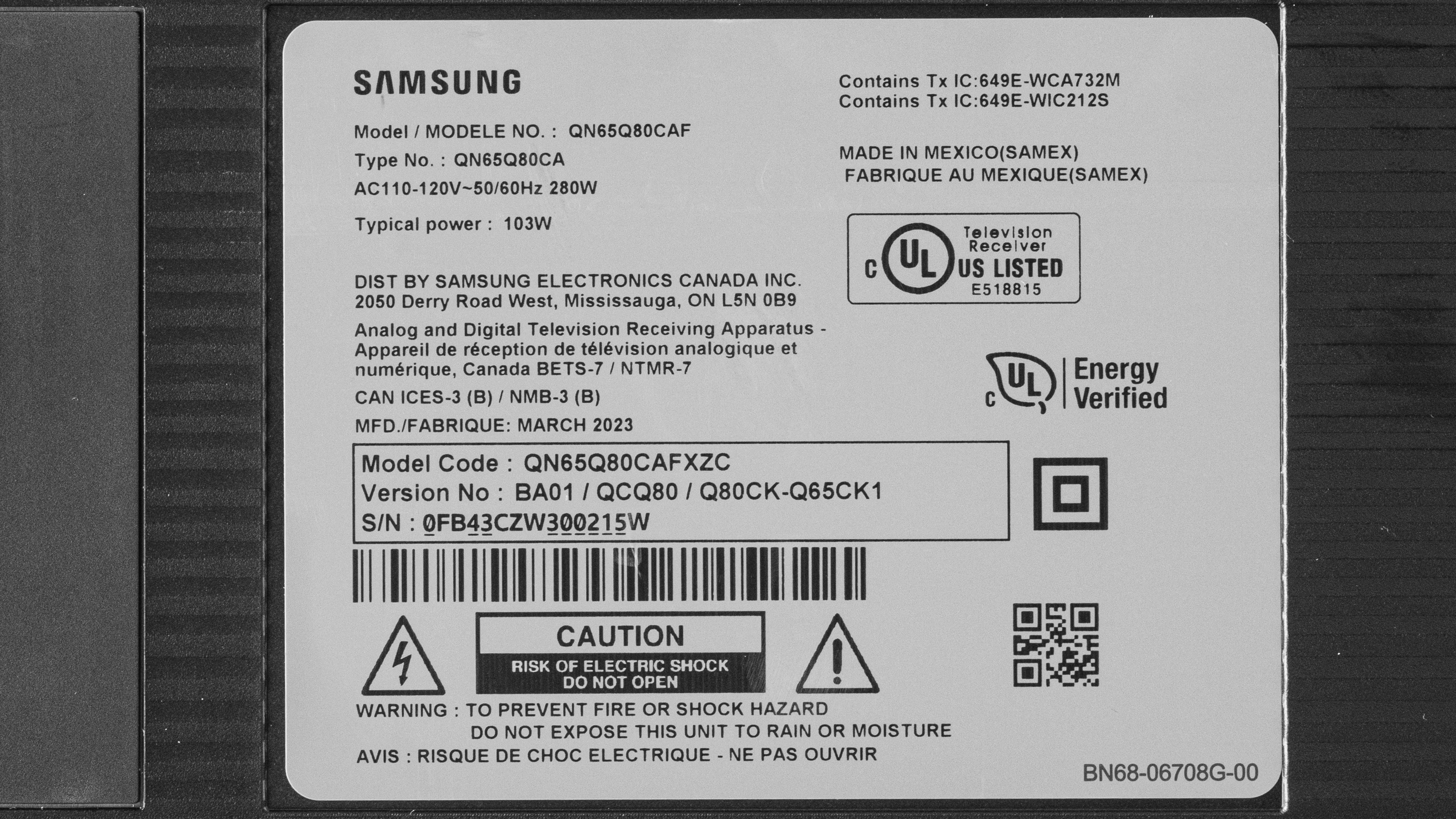
Our unit was manufactured in March 2023; you can see the label here.
Popular TV Comparisons
The Samsung Q80C is a good mid-range TV that's especially good in bright rooms when watching SDR content, as its SDR peak brightness is impressive. Its image quality is decent but doesn't amaze, especially not in a dark room with its middling contrast, excessive blooming, and blueish blacks. It's a good choice for gamers on a budget as it has fantastic input lag, a very good response time, and an impressive list of gaming features on models above 50". Overall, it's not worth its asking price; the Samsung QN85B QLED is a bit more expensive but is a much better TV, but you can also get cheaper and better models from budget brands, like the Hisense U7H, the Hisense U8/U8H, or the TCL 6 Series/R655 2022 QLED.
If you're still shopping, see our recommendations for the best TVs for sports, the best TVs for bright rooms, and the best TVs to use as a PC monitor.
The Sony X85K and the Samsung Q80C trade blows on performance. The Samsung has slightly better contrast due to having a local dimming solution, but it's not great; there's very noticeable blooming and lighting zone transitions on the Samsung, so the Sony is more consistent in comparison. The Sony TV is more accurate, so it respects the content creator's intent better when watching movies. It also has slightly better reflection handling, but the Samsung has a vastly wider viewing angle, making it preferable for any wide seating arrangement. If you tend to watch lower-quality content, the Samsung has better image processing than the Sony, so that's something to keep in mind.
The Samsung Q80C and Samsung Q80B are extremely similar TVs, with the Q80C slightly improving over its predecessor. The Q80C has improved contrast, helped by having double the local dimming zones over the Q80B. While both TVs have similar peak brightness in both SDR and HDR, the Q80C's HDR brightness is much higher when in Game Mode, so it's the better choice for fans of HDR gaming. Sadly, its color profile is inaccurate without calibration, with the Q80B not requiring nearly as much work to look good as its successor.
The Samsung QN85D is better than the Samsung Q80C. The QN85D is better than the Q80C in every notable category, so it looks far better in every context, with one exception: the Q80C has a far wider viewing angle, so if you're specifically buying a TV to host large viewing parties, then the Q80C is perhaps the better option, even with the QN85D's obvious edge in image quality.
The Samsung Q80C is better than the Samsung CU8000. The Q80C has a basic local dimming feature; it's unexceptional, but it still gives it better contrast than the CU8000, although, unfortunately, its local dimming feature introduces a ton of blooming around bright highlights in dark scenes. The Q80C is much brighter than the CU8000 in HDR and SDR, so it also looks better when watched in brighter rooms. Rare for an LED TV: the Q80C has a wide viewing angle. This makes it a particularly enticing choice to host large watch parties in brighter rooms, as it's bright enough to overcome glare, and the image doesn't degrade much when viewed from the sides. Finally, the Q80C is the superior option for gamers due to its 4k @ 120Hz capabilities, with VRR, alongside a much faster response time.

We buy and test dozens of TVs yearly, taking an objective, data-driven approach to deliver results you can trust. Our testing process is complex, with hundreds of individual tests that take over a week to complete. Most of our tests use specially designed test patterns that mimic real content, but we also use the same sources you have at home to ensure our results match the real-world experience. We use two main tools for our testing: a Colorimetry Research CR-100 colorimeter and a CR-250 spectroradiometer.
Test Results
Older Test Bench: We tested this product using an older TV test methodology before a major update. Some of the test results below aren't directly comparable with other TVs. Learn more
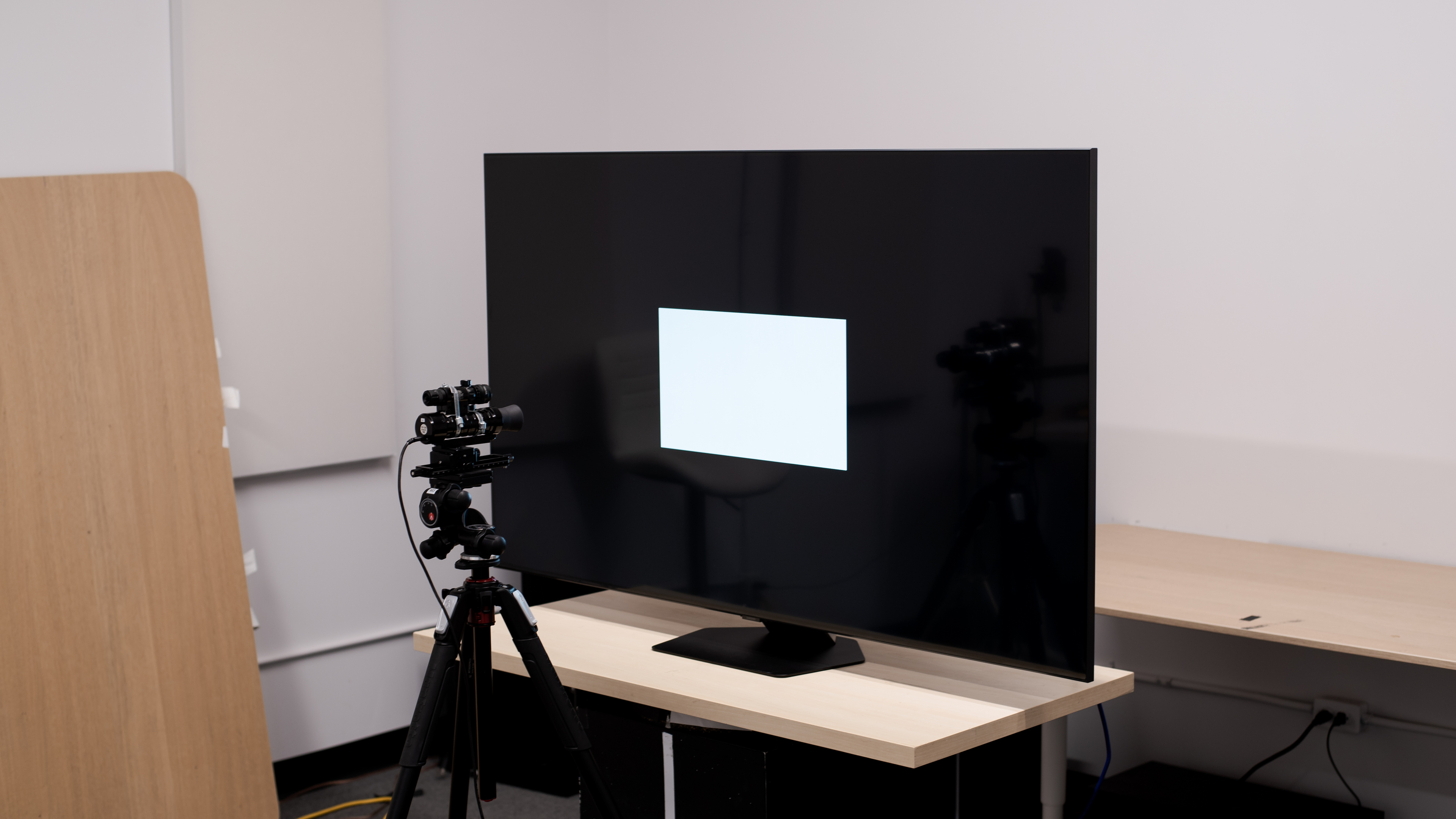
for pictures & test results

The Samsung Q80C looks simple but functional. It has a clean hexagonal stand, thin bezels, and a clean-looking design. It looks nice enough to fit in any room without being distracting.
for pictures & test results

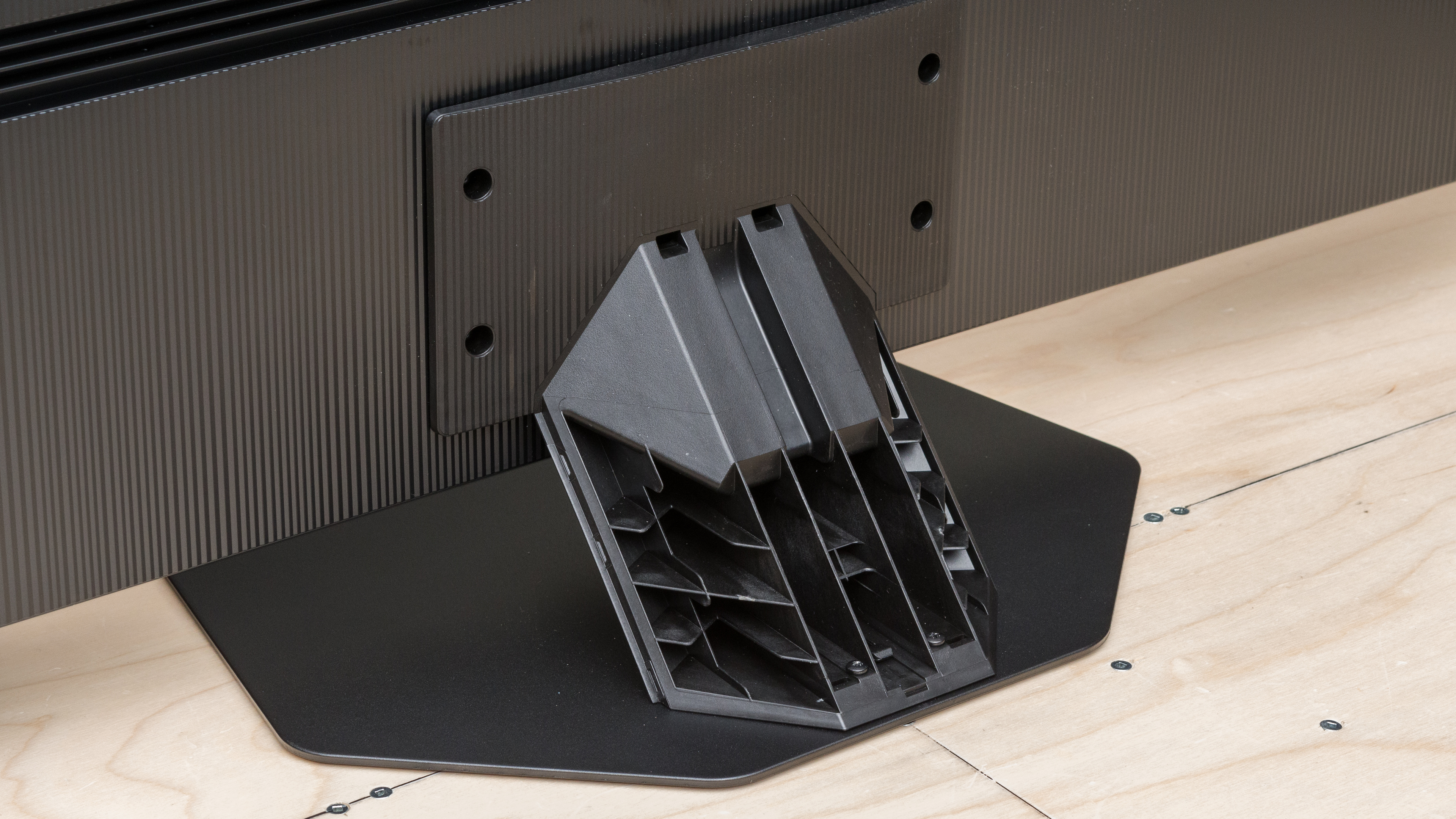
The center-mounted stand is small, so the TV doesn't require a large desk or media center. There's some side-to-side wobbling and a fair amount of front-to-back wobbling. It's not concerning if you don't move the TV around, but it's certainly more wobble than on premium models. The stand lifts the screen 3.12" above the surface of your table, so almost every soundbar fits in front of it without blocking the screen.
Footprint of the 65-inch stand: 15.38" x 11.25".
for pictures & test results

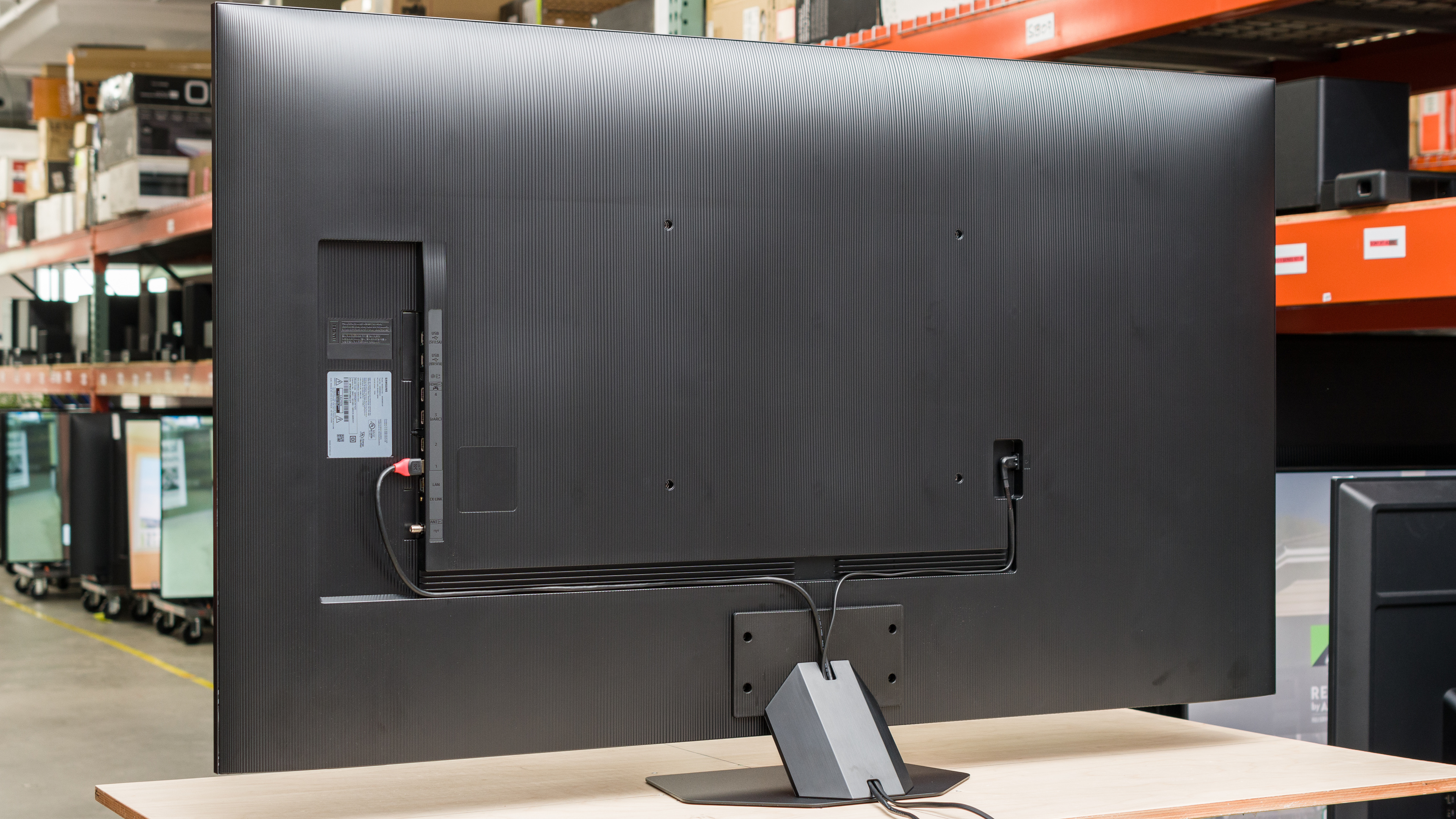
The back panel is made of textured plastic with vertical etched lines. There are grooves in the casing to help with cable management, which then get funneled into the stand. The stand has a removable cover that helps with hiding cables. The inputs are recessed and are hard to access if the TV is wall-mounted.

for pictures & test results

Like the Samsung Q80B QLED, the Samsung Q80C is a rather thick TV but looks good when wall-mounted due to its flat back.
for pictures & test results

The Samsung Q80C's build quality is very good. There's flex around the VESA holes on the back, and the TV is pretty shaky on its stand, but otherwise, it looks good and shows no issues.
for pictures & test results

The Samsung Q80C has adequate contrast. It's a solid improvement over the Samsung Q80B QLED, helped by having double the local dimming zones of its predecessor. Still, blacks look gray in the dark, and overall, this TV's contrast doesn't impress in a dark room. If you want something in a higher tier with much better contrast, check out the Samsung QN85C/QN85CD QLED, the Samsung QN85D/QN85DD QLED, or the Q80C's successor, the Samsung Q80D QLED.
for pictures & test results

While the Samsung Q80C QLED has more dimming zones than the Samsung Q80B QLED, it's still insufficient to provide a truly satisfactory dimming experience. As a result, bright highlights show significant blooming in dark scenes, and it's distracting when watching.
for videos & test results

The lighting zone transitions on the Samsung Q80C are mediocre. On big bright objects, there's massive blooming when the object is in multiple zones at once. For smaller objects, there are noticeable brightness fluctuations both on the object and in its blooming as the object moves from zone to zone.
for pictures & test results

for videos & test results

for videos & test results

The contrast and dark details in Game Mode are similar to those outside but with some differences. The dimming is less aggressive in Game Mode; this results in less aggressive blooming as it spreads out over fewer zones. There are also fewer flickering or brightness fluctuations as bright objects move from zone to zone, as the dimming is slower to react when compared to the 'Movie' mode. Unfortunately, this comes with the caveat that the perceived contrast isn't as high in Game Mode as in 'Movie' mode due to the slower, less aggressive local dimming.
for pictures & test results

for pictures & test results

for pictures & test results

The TV has satisfactory HDR peak brightness. Interestingly, it's slightly dimmer in real content than the Samsung Q80B QLED. Ultimately, while satisfactory, the Samsung Q80C doesn't get bright enough to get the full HDR experience.
These measurements are after calibrating the HDR white point with the following settings:
- HDR Picture Mode: Movie
- Brightness: 50 (Max)
- Contrast: 50 (Max)
- Color Tone: Warm2
- HDR Tone Mapping: Static
- Local Dimming: High
- Color Space Settings: Auto
While we tested with HDR Tone Mapping set to 'Static' as it's more accurate, setting it to 'Active' makes the image brighter in some scenes, as you can see with the results below:
- Hallway Lights: 456.6 cd/m²
- Yellow Skyscraper: 438.5 cd/m²
- Landscape Pool: 147.5 cd/m²
for pictures & test results

for pictures & test results

for pictures & test results

The TV is brighter overall in Game Mode versus 'Movie' mode, so games look a bit more vibrant.
These measurements are after calibrating the HDR white point, with the following settings:
- HDR Picture Mode: Game
- Brightness: 50 (Max)
- Contrast: 50 (Max)
- Color Tone: Warm2
- HDR Tone Mapping: Static
- Local Dimming: High
- Color Space Settings: Auto
- HDR10+ Gaming: Off
- Game HDR: Basic
for pictures & test results

The Samsung Q80C has very good PQ EOTF tracking. It's overbrightened through the entire range, but it never gets excessive. When the TV is near its peak brightness, the panel hard clips, resulting in clipping and a potential loss of detail in very bright scenes, but inversely it also lets the TV display bright highlights to the best of its capacity.
The TV has great SDR peak brightness. It's easily bright enough to overcome glare or a bright room. Large areas of bright color do get dimmed by the Automatic Brightness Limiter (ABL), but not by much; this TV's brightness in SDR is relatively consistent as bright highlights get smaller or bigger.
These measurements are after calibration with the following settings:
- Picture Mode: Movie (Calibrated)
- Brightness: 50 (Max)
- Local Dimming: High
- Color Tone: Warm2
for pictures & test results

for pictures & test results

The Samsung Q80C has a very good HDR color gamut. It has fantastic coverage of the commonly used DCI-P3 color space, so the vast majority of HDR content looks vibrant and pleasant to the eyes. The panel's colors are slightly off; greens are too yellow, yellows and magenta are too red, and blues are too purple. The deviations are slight but widespread. The TV's coverage of the Rec. 2020 color space is limited; it's not a future-proof panel, as Rec. 2020 will become more prevalent.
for pictures & test results

for pictures & test results

The TV has good color volume. It can't show very bright colors, nor dark saturated ones, and many of its colors deviate from the ideal, as seen in the Color Gamut section. Aside from that, it shows bright, full colors, leading to colorful scenes.
for pictures & test results

for pictures & test results

for pictures & test results

The TV has mediocre pre-calibration accuracy; you need to calibrate this TV to get the most accurate image possible. Its white balance is off, with issues throughout its brightness range. Namely, blues are overemphasized in the whites. Colors are inaccurate, and gamma is too bright for a moderately-lit room. Finally, its color temperature is very cold, further emphasizing the presence of exaggerated blues.
for pictures & test results

for pictures & test results

for pictures & test results

The TV is tough to calibrate, especially considering how bad it is pre-calibration. Once you do, the white balance and color accuracy are greatly improved, and the TV provides a pleasant and accurate viewing experience.
You can see our full calibration settings here.
for pictures & test results

for pictures & test results

The Samsung Q80C has satisfactory gray uniformity, but it shows some problems. There's a significant difference in brightness in the corners, and the brightness shift does bleed towards the center. It's unfortunately quite noticeable when watching content with large areas of uniform color, like hockey.
for pictures & test results

for pictures & test results

Sadly, this TV has bad black uniformity. Without local dimming enabled, the screen fills with a cloud-like blue color, with almost no black in sight. It looks much better with local dimming enabled, but there's significant blooming around bright elements, which again looks like a cloud of blue around the highlight. Note that you can't disable local dimming without going into the service menu, which requires using an older Samsung remote.
for videos & test results

for pictures & test results

for pictures & test results

for pictures & test results

The TV has a very good viewing angle. The image becomes less colorful and loses brightness at wide angles, but it's still quite watchable and is good enough for a wide seating area.
for pictures & test results

for pictures & test results

for pictures & test results

The TV has only decent reflection handling. It's not terrible, but bright light sources, like lights or windows, are distracting on this TV. Thankfully, the TV is quite bright, so it's still pleasant to watch, even with noticeable reflections. If you want a Samsung TV with better reflection handling, check out the Samsung The Frame 2024 QLED.
for pictures & test results

The TV has impressive HDR gradient handling. Some banding is noticeable in all color bands except dark reds and blues, but overall it's a stellar performance, and you won't notice anything in practice.
for pictures & test results

Unfortunately, the TV has unremarkable low-quality content smoothing. Low-bitrate content, or content watched from low-quality sources, has significant macro-blocking in dark areas, and there's a fair loss of sharp detail.
for pictures & test results

The Samsung Q80C has good upscaling performance. Lower-resolution content is upscaled well without noticeable or annoying issues.
for pictures & test results

The Samsung Q80C uses an ADS panel, a type of IPS panel with many of the same characteristics. As it uses an RGB subpixel layout, this TV is well suited for text clarity when used as a PC monitor, as Windows ClearType handles RGB layouts well.
for pictures & test results

for pictures & test results

This TV has a great response time. There's overshoot with transitions occurring in very dark scenes, and it causes inverse ghosting. Still, it quickly settles and won't be distracting unless you're sensitive to overshoot artifacts.
for pictures & test results

The Samsung Q80C uses pulse width modulation (PWM) to dim its backlight, and the flicker frequency changes depending on the picture modes and settings you use. Unlike the Samsung Q80B QLED, the only flicker-free mode here is when you set the TV to ECO Mode with the brightness to 50 (Max). Movie Mode flickers at 960Hz, which you won't notice in practice. All other modes flicker at 120Hz at all brightness levels or 60Hz if BFI is enabled.
for pictures & test results

for pictures & test results

The panel has an option backlight strobing feature, commonly known as black frame insertion. Unlike 2022's Samsung Q80B QLED, you can't make BFI work at 120Hz on this TV, so you're stuck at 60Hz if you want to use it. It's meant to reduce motion blur, but it duplicates images and reduces the panel's brightness, so it's distracting to use.
for pictures & test results

for pictures & test results

The Samsung Q80C's motion interpolation feature, which goes up to 120Hz, is disappointing. Small objects leave blocky artifacts as you move them. For real content, any motion leaves significant artifacts which are distracting. As is typical of motion interpolation, it only worsens as the action ramps up.
The Samsung Q80C has a very good response time, resulting in noticeable stutter when playing 24 fps content. It's very evident in slow-panning shots. If it bothers you, try enabling motion interpolation, although that brings its own share of problems, especially on this TV. Unfortunately, there's no perfect solution.
The Samsung Q80C automatically removes judder from any source, which is fantastic and greatly improves perceived motion in movies.
The Samsung Q80C works with all VRR technologies, so you can get a tear-free gaming experience no matter your gaming system. It also supports sources with Low Framerate Compensation (LFC). If your framerate dips below the VRR range, the TV will support multiplying frames, ensuring a tear-free experience even in the heaviest gaming scenes. Note that the 50" model is limited to a 60Hz refresh rate and doesn't have VRR.
The TV's input lag is superbly low. You must set the TV to Game Mode for the lowest input lag possible. If you enable Samsung's Game Motion Plus, the motion interpolation feature, the input lag jumps to 23.2 ms, which is still good enough for casual gaming.
The Samsung Q80C supports all common resolutions up to 4k @ 120Hz. It also displays clear text with proper chroma 4:4:4, as long as you set the input to PC.
for pictures & test results

This TV can take full advantage of the PlayStation 5, with full 4k @ 120Hz and HDMI Forum VRR support. Note that the 50" model is limited to a 60Hz refresh rate.
for pictures & test results

This TV can take full advantage of the Xbox Series X or S, with full 4k @ 120Hz support and both HDMI Forum VRR and AMD FreeSync Premium Pro. Note that the 50" model is limited to a 60Hz refresh rate and does not have VRR.
All four HDMI ports support 2.1 bandwidth, which is great for connecting multiple modern consoles or high-end PCs to this TV. The TV doesn't support Dolby Vision, but it does support the less supported HDR10+ format. Its tuner also only supports ATSC 1.0, so you can't use it to watch over-the-air 4k content in the United States. Note that the 50" model of the Samsung Q80C is limited to HDMI 2.0 bandwidth on all four ports.


The Samsung Q80C has eARC support, so you can pass lossless Dolby Atmos audio to a compatible receiver. Unfortunately, it doesn't support any DTS audio formats, so DVDs and Blu-rays don't sound their best on this TV as they use DTS for their audio tracks.
for pictures & test results

The TV has a mediocre frequency response. As on most TV speakers, the bass is basically absent, and its sound reproduction becomes less accurate as you raise the volume. The output frequencies deviate significantly from what they should be at the TV's max volume, which isn't that loud, so the sound feels like it's not quite what it should be. There's also a fair amount of compression artifacts, so it doesn't sound good at max volume.
for pictures & test results

The Samsung Q80C has good distortion performance. It's surprisingly good for total harmonic distortion; most happens in the bass range and lower mid-range, which is less audible to human ears. Once you get to the middle point of the mid-range all the way to the treble, there's very little distortion, which is solid. It doesn't perform as well when you crank up the volume, but even then, it's decent.
for pictures & test results

The TV uses the 2023 version of Samsung's proprietary Tizen OS, which is fast and easy to use. Finding content is easy, and moving between apps and inputs becomes intuitive.
for pictures & test results

Like with most TVs, there are ads in the interface, and you can't fully disable them.
for pictures & test results

The Samsung app store has a ton of apps available, and you're sure to find any popular mainstream streaming app in the list of options.
for pictures & test results

The Samsung Q80C QLED uses the 2023 version of Samsung's remote control. There are buttons dedicated to specific streaming apps, which can vary by region. It has an integrated microphone for voice commands, and it works well; you can change the input, ask to open specific apps and search within them, and ask for time or the weather. The remote has a rechargeable battery, which you can charge through USB-C or solar energy.
for pictures & test results

There's a button below the bezel at the very center of the screen. You can use it to turn the TV On or Off, and change the channels, the volume, and the input source.
for pictures & test results

- Remote Control
- Power cable
- User guides and manuals