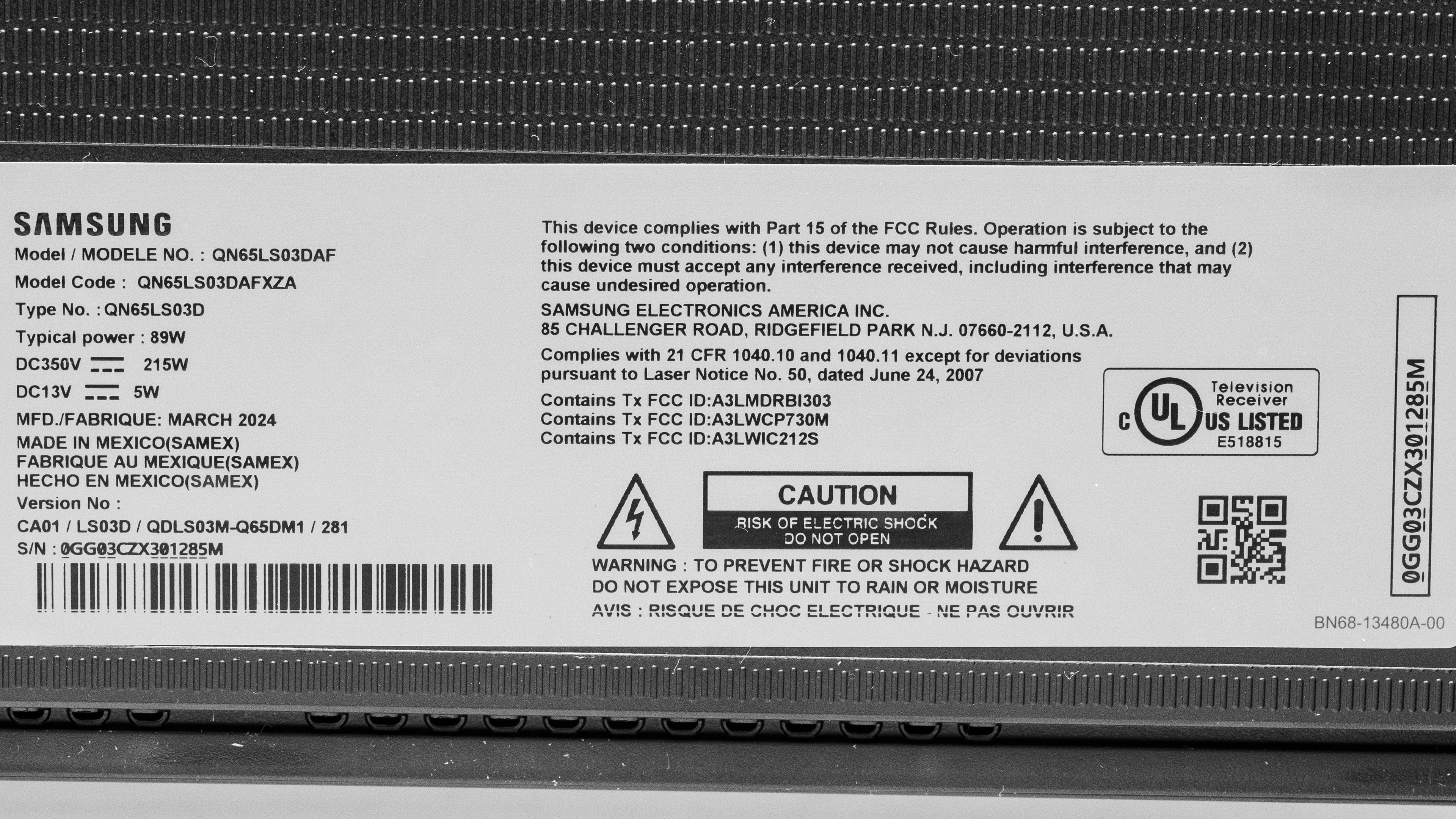
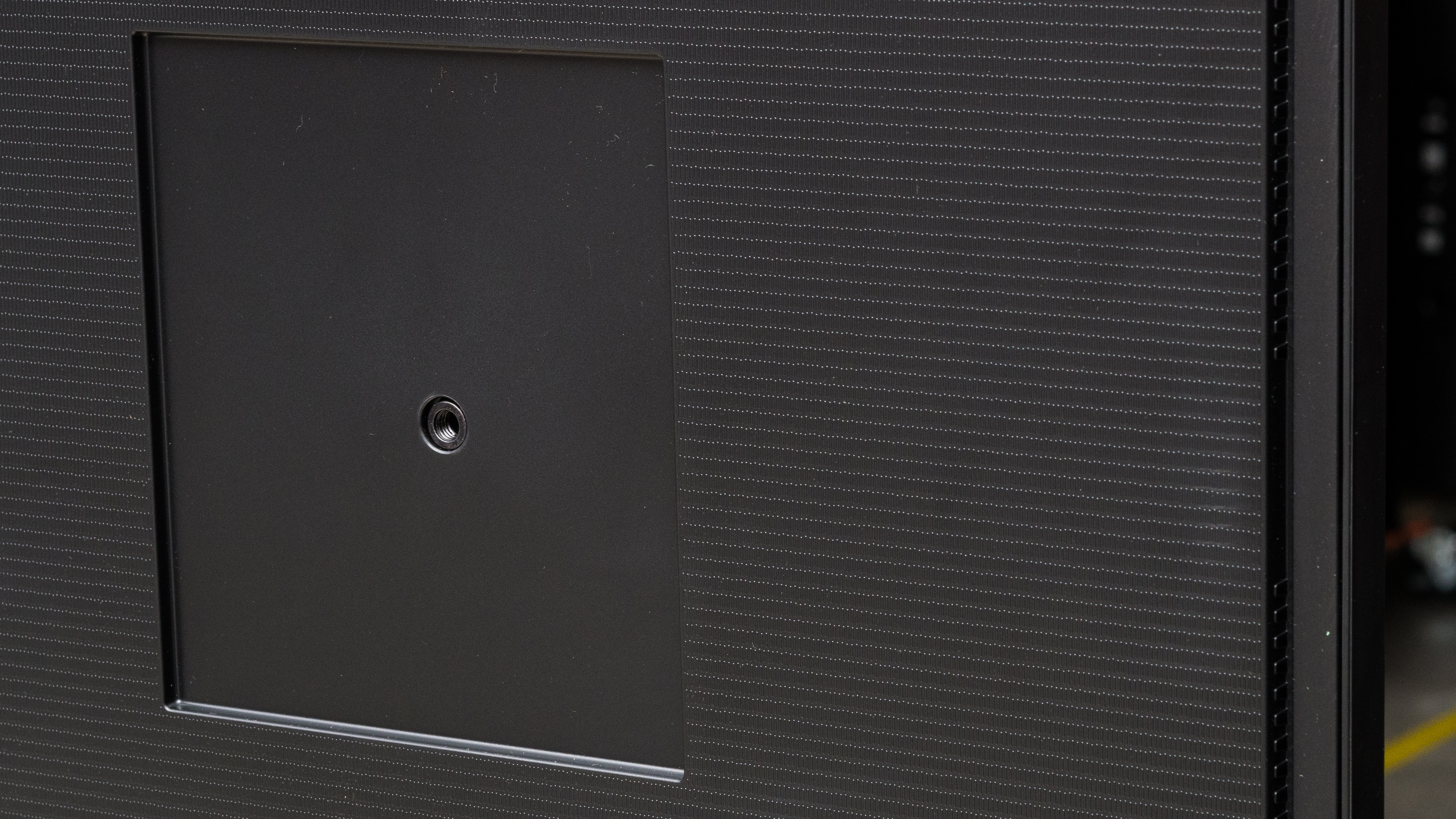
The Samsung The Frame 2024 QLED is part of Samsung's Lifestyle TV lineup. Like its predecessors, it has a unique design that's meant to look more like a wall-mounted piece of art than a traditional TV, and you can separately purchase covers that go over the TV's black bezels to change the color or give it a wood-like look. The TV comes with Samsung's Slim-Fit Wall Mount plus two plastic feet if you don't want to wall-mount it. It uses quantum dot technology, designed to deliver more vibrant and lifelike colors than traditional LED TVs. Unlike most TVs on the market, it uses a matte screen coating that is meant to significantly reduce reflections in a bright room. The TV has 40W 2.0.2 channel speakers built-in and comes in six sizes: 43-inch, 50-inch, 55-inch, 65-inch, 75-inch, and 85-inch.
Our Verdict
The Samsung The Frame TV is mediocre overall. It has low input lag and HDMI 2.1 bandwidth for up to 4k @ 120Hz with VRR, so it's a good option to pair with modern gaming consoles. However, its response time just isn't good enough for a truly responsive gaming experience. It is suitable for a bright room due to its excellent direct reflection handling and good SDR peak brightness, although inversely it struggles with ambient sources of light. The TV isn't a good choice for home theater use, as it lacks a local dimming feature, giving it poor black levels. Its colors aren't deep enough to truly impress, and it also lacks Dolby Vision, as well as not passing through advanced DTS audio formats through eARC.
Very low input lag and VRR support leads to a good gaming experience.
Excellent reflection handling with direct sources of light.
Bright enough in SDR for well-lit rooms.
Good image processing overall, with fantastic HDR native gradient handling.
No local dimming feature to further improve black levels.
Doesn't get bright enough in HDR for highlights to stand out.
The TV's response time isn't quite good enough for a motion-blur free experience.
Smudges glare from ambient lights across the screen instead of reducing its size.
Colors are just alright.
The Samsung The Frame TV is passable for home theater, although it lacks Dolby Vision, and doesn't pass through DTS audio formats. It also has good image processing, as its HDR native gradient handling is fantastic, and it upscales low-resolution content well. If you like to watch a ton of content from streaming services, however, the TV isn't at its best there, as while it does clean up some macro-blocking, a lot of it remains. It has decent motion handling, and it can remove judder from most sources, but there's some stutter in slow panning shots. Unfortunately, the TV lacks a local dimming feature, giving it poor black levels. It's also not bright enough to make highlights pop in HDR, and its colors are fine, but don't impress. Finally, the TV isn't very accurate pre-calibration, especially in HDR, and it's hard to calibrate.
Removes judder from most sources.
Good image processing overall, with fantastic HDR native gradient handling.
Mostly free of micro judder.
No local dimming feature to further improve black levels.
Doesn't get bright enough in HDR for highlights to stand out.
No Dolby Vision or DTS audio support.
The TV is not very accurate in HDR, and is hard to calibrate.
Noticeable stutter.
The Samsung The Frame TV is bright enough in SDR for well-lit rooms, especially with its excellent direct reflection handling and good SDR peak brightness. That said, it struggles with ambient lighting, as the TV's matte cover smudges reflections across the panel, negatively impacting the unit's perceived contrast and colors.
Excellent reflection handling with direct sources of light.
Bright enough in SDR for well-lit rooms.
Smudges glare from ambient lights across the screen instead of reducing its size.
Colors are just alright.
The Samsung The Frame TV is decent for watching sports. The TV has excellent direct reflection handling and good SDR brightness, so it easily overcomes glare in a bright room when watching sports. Its image processing is good enough to clean up low-resolution feeds well, and it'll even remove some noise when you're watching sports through streaming services, although there's still some compression artifacts in the feed. Unfortunately, its color performance is just alright; it won't make the colors of your favorite jerseys pop out of the screen. Its viewing angle is okay, but barely; it's not the best option to use if you have people seated at extreme angles, as they won't get the best possible image quality.
Excellent reflection handling with direct sources of light.
Bright enough in SDR for well-lit rooms.
Good image processing overall, with fantastic HDR native gradient handling.
Good transitions with few artifacts.
Image degrades when viewed from extreme angles.
The TV's response time isn't quite good enough for a motion-blur free experience.
Smudges glare from ambient lights across the screen instead of reducing its size.
Colors are just alright.
The Samsung The Frame TV is okay for playing video games. The TV is responsive in Game Mode due to its low input lag, support for a variety of VRR modes, and large number of supported resolutions. It also has the HDMI bandwidth to game at 4k @ 120Hz, although unfortunately, only one port has HDMI 2.1 bandwidth, so the TV isn't very versatile if you have both next-gen consoles. Furthermore, visually, the TV doesn't impress. Its HDR brightness in Game Mode is too low to make highlights in games pop, its black levels are poor due to the lack of a local dimming feature, and its colors are alright, but aren't notable.
- HDMI 2.1 bandwidth for up to 4k @ 120Hz.
Very low input lag and VRR support leads to a good gaming experience.
No local dimming feature to further improve black levels.
Doesn't get bright enough in HDR for highlights to stand out.
- HDMI 2.1 bandwidth is limited to one port.
The TV's response time isn't quite good enough for a motion-blur free experience.
The Samsung The Frame TV's brightness performance is alright. It is quite bright in SDR content, enough for well-lit rooms. In HDR content, however, it's too dim to make highlights pop, leading to a mediocre HDR viewing experience.
Bright enough in SDR for well-lit rooms.
Doesn't get bright enough in HDR for highlights to stand out.
The Samsung The Frame TV has poor black levels. This is mostly due to its lack of local dimming, which leads to poor contrast as the entire screen looks blueish and washed out in darker scenes.
No local dimming feature to further improve black levels.
The Samsung The Frame TV's colors are okay. It has alright color volume in HDR, and passable volume in SDR, leading to a pleasant, albeit unexceptional, image. Its HDR pre-calibration accuracy is only mediocre, however, and it's quite hard to improve upon through calibration. Thankfully it is vastly more accurate in SDR out-of-the-box. Still, purists will want to invest in a professional calibrator to get the most out of the TV.
Good SDR pre-calibration accuracy.
The TV is not very accurate in HDR, and is hard to calibrate.
Colors are just alright.
The Samsung The Frame 2024 has decent motion handling when watching content. It removes judder from most sources and is usually free of micro judder, but it struggles a bit with 25p content sent via a 60p source. It has a great response time with clean transitions, but there's noticeable stutter in slow panning shots. Its motion interpolation feature is just okay, but it can't do much to reduce stutter.
Removes judder from most sources.
Mostly free of micro judder.
Good transitions with few artifacts.
Noticeable stutter.
The Samsung The Frame TV is responsive in Game Mode, as it has very low input lag, support for a variety of VRR modes, and a large number of supported resolutions. Unfortunately, its response time isn't fast enough to provide a truly motion-blur-free gaming experience, and this is especially noticeable at 60Hz. Stick to 120Hz for the best gaming experience out of this model.
- HDMI 2.1 bandwidth for up to 4k @ 120Hz.
Very low input lag and VRR support leads to a good gaming experience.
- HDMI 2.1 bandwidth is limited to one port.
The TV's response time isn't quite good enough for a motion-blur free experience.
Note: We're in the process of improving our tests related to image processing, but this score will give you a general idea of how a model performs overall with its image processing capabilities.
The Samsung the Frame TV's image processing is good overall, but it's mostly because of its fantastic HDR native gradient handling; there's barely any visible banding on this TV. It also upscales low-resolution content well. Its low-quality content smoothing and PQ EOTF tracking are decent, but there's still some macro-blocking in low-bitrate content, and the TV's blacks are raised.
Good image processing overall, with fantastic HDR native gradient handling.
Performance Usages
Changelog
-
Updated Mar 17, 2026:
We added text to our new Cinematic Motion Handling performance usage and our new Transition Artifacts and Stutter Reduction Via Interpolation test sections after converting the review to TV 2.2.
- Updated Mar 10, 2026: This review has been updated to TV 2.2. We've added new sections for Transition Artifacts and Stutter Reduction Via Interpolation, and updated the way we test Stutter. Additionally, we removed the 'Broken' disclaimer from our Motion Handling usage.
- Updated Feb 05, 2026: We added text to the new Micro-Judder section and refreshed the text in the updated Judder and Response Time Stutter sections after converting the review to TV 2.1.
-
Updated Aug 20, 2025:
We bought and tested the Samsung The Frame Pro 2025, and added a comparison to the Contrast and SDR Color Volume sections of the review.
Check Price
Differences Between Sizes And Variants
We bought and tested the 65-inch Samsung The Frame 2024, and the results are also valid for the 55-inch, 75-inch, and 85-inch models. Note that the 43-inch and 50-inch models deliver similar picture quality, but they have a 60Hz refresh rate and don't support VRR. The last four letters of the model code (FXZA in this case) vary between retailers and individual regions, but there's no difference in performance.
Costco sells a variant of the TV with a slightly different model code. It comes with an extended warranty and some other store-specific perks, but it performs the same.
| Size | US Model | Short Model Code | Refresh Rate | Variable Refresh Rate | Costco Variant |
|---|---|---|---|---|---|
| 43" | QN43LS03DAFXZA | QN43LS03DA | 60Hz | No | QN43LS03DDFXZA |
| 50" | QN50LS03DAFXZA | QN50LS03DA | 60Hz | No | QN50LS03DDFXZA |
| 55" | QN55LS03DAFXZA | QN55LS03DA | 120Hz | Yes | QN55LS03DDFXZA |
| 65" | QN65LS03DAFXZA | QN65LS03DA | 120Hz | Yes | QN65LS03DDFXZA |
| 75" | QN75LS03DAFXZA | QN75LS03DA | 120Hz | Yes | QN75LS03DDFXZA |
| 85" | QN85LS03DAFXZA | QN85LS03DA | 120Hz | Yes | QN85LS03DDFXZA |
Our unit was manufactured in March 2024.
Popular TV Comparisons
The Samsung The Frame is a unique TV designed with style in mind. It looks like a framed piece of art when wall-mounted, so it can blend in with the rest of your decor, and its matte screen coating means you don't have to deal with mirror-like reflections. Unfortunately, its picture quality isn't nearly as unique as its design, and there are much better TVs loaded with features you can get with your money, like the Hisense U8/U8N and TCL QM8/QM851G QLED. Inversely, for a cheaper direct alternative, look up the Hisense CanvasTV QLED 2024 or the TCL NXTVISION. They're all art TVs with matte coatings, and perform relatively similarly, even if the Samsung is the better performer of the three. Still, it comes at a premium, so consider the other models before making your choice.
For more options, check out our recommendations for the best 4k TVs, the best TVs for bright rooms, and the best Samsung TVs.
The Samsung The Frame 2024 and The Samsung The Frame 2022 are similar, but the 2024 version is slightly better. The 2024 model gets brighter in HDR, so highlights stand out more in HDR content than on the 2022 model. The 2024 model also has better image processing, so low-quality and low-resolution content looks better.
The Samsung The Frame 2024 and the Samsung The Frame 2026 are fairly similar overall. The 2024 model gets a bit brighter, but it has a glossy coating instead of the matte finish on the 2026, so the new model has better visibility during the day. The older model also has a much faster response time when watching content, so there's less blur around fast-moving content.
The Samsung The Frame 2024 is more expensive than the TCL NXTVISION, but it's also noticeably better. The Samsung model is far brighter in HDR and SDR, delivering a more impactful viewing experience. It's also the most accurate of the two in HDR and SDR. While both TVs struggle with ambient sources of light, the Samsung TV's matte coating does a better job at reducing their impact than the TCL's. Overall, the Samsung model definitely delivers a more impactful viewing experience, but at a premium.
The Samsung The Frame Pro 2025 is a significant upgrade over the older Samsung The Frame 2024. The Pro version is a lot brighter in both HDR and SDR, so it looks better in a bright room and delivers a more impactful HDR experience. The Pro also has better colors, with a wider range of colors and better color volume. The Pro also adds an edge-lit local dimming feature, which Samsung calls Mini LED, but it has nothing in common with real Mini LED TVs and the feature is largely useless. Since the local dimming can't be disabled on the Pro, the lack of this feature is actually a benefit to the older Frame.

We buy and test dozens of TVs yearly, taking an objective, data-driven approach to deliver results you can trust. Our testing process is complex, with hundreds of individual tests that take over a week to complete. Most of our tests use specially designed test patterns that mimic real content, but we also use the same sources you have at home to ensure our results match the real-world experience. We use two main tools for our testing: a Colorimetry Research CR-100 colorimeter and a CR-250 spectroradiometer.
Test Results
for pictures & test results

for pictures & test results

for pictures & test results

The Samsung The Frame has mediocre HDR brightness. It gets bright enough for some dimmer highlights to stand out, but it's not enough for bright highlights to pop. Combined with the TV's poor contrast, it doesn't provide an impactful HDR experience.
These measurements are after calibrating the HDR white point with the following settings:
- HDR Picture Mode: Filmmaker
- Brightness: 50
- Contrast: 50
- Color: 25
- HDR Tone Mapping: Static
- Color Tone: Warm 2
- Color Space: Auto
- Gamma: ST.2084 (0)
Results with HDR Tone Mapping set to 'Active':
- Hallway Lights: 421 cd/m²
- Yellow Skyscraper: 382 cd/m²
- Landscape Pool: 212 cd/m²
for pictures & test results

for pictures & test results

for pictures & test results

The TV is slightly brighter in Game Mode, but it is less accurate.
These measurements are after calibrating the HDR white point, with the following settings:
- HDR Picture Mode: Game
- Brightness: 50
- Contrast: 50
- Color: 25
- HDR Tone Mapping: Static
- Color Tone: Warm 2
- Color Space: Auto
- Gamma: ST.2084 (0)
- Game HDR: Basic
Results with HDR Tone Mapping set to 'Active':
- Hallway Lights: 434 cd/m²
- Yellow Skyscraper: 458 cd/m²
- Landscape Pool: 286 cd/m²
The Samsung The Frame TV has good SDR brightness and is bright enough to overcome glare in a well-lit room.
These measurements are after calibration with the following settings:
- Picture Mode: Movie
- Brightness: 50
- Contrast: 45
- Color: 25
- Color Tone: Warm 2
- Gamma: 2.2
- Color Space: Auto
Unfortunately, when displaying a 2% window, the TV automatically adjusts the backlight and APL to enhance contrast, and there's no setting to disable this automatic adjustment.
for pictures & test results

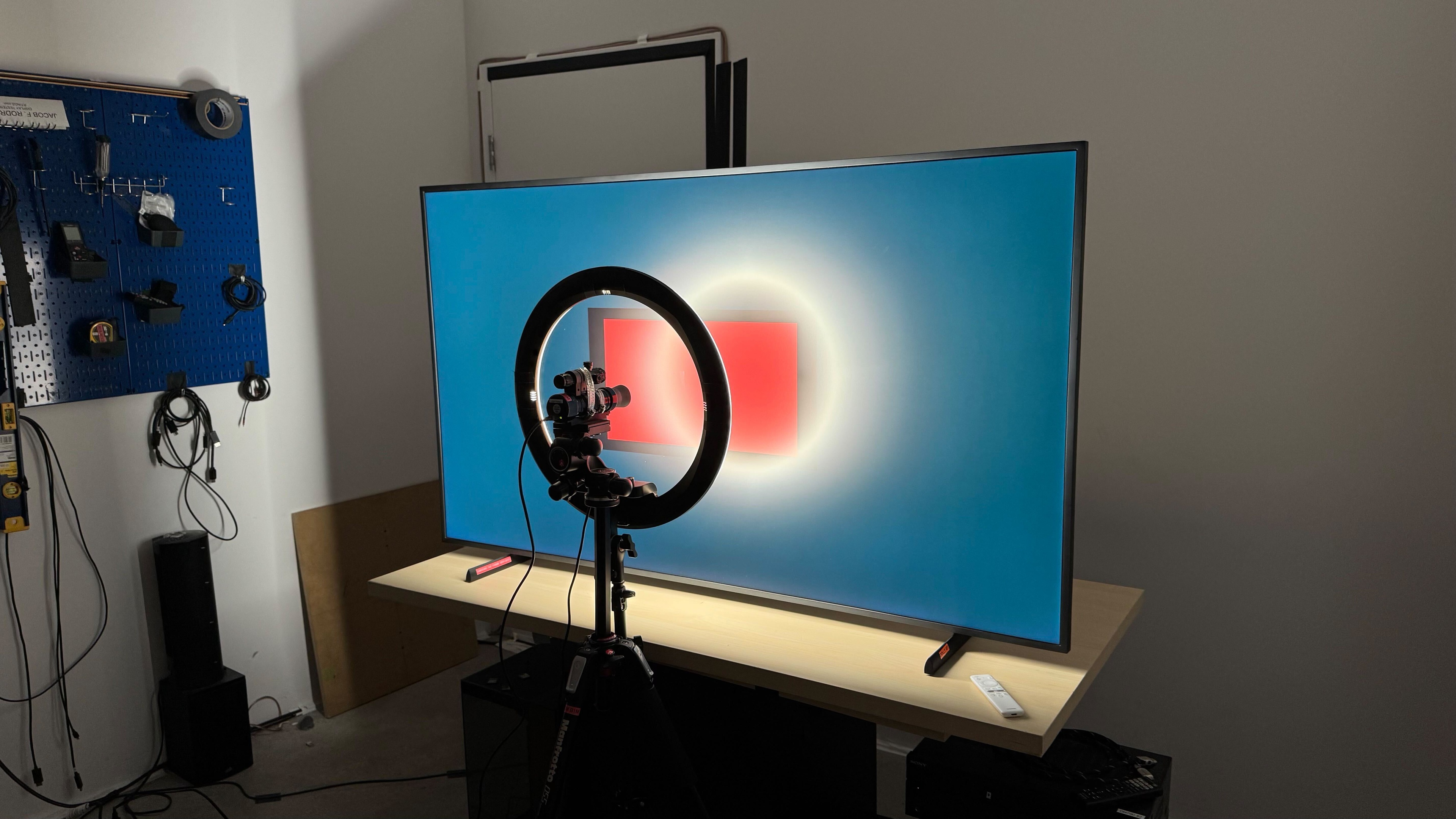
The Samsung The Frame has poor contrast. Its native contrast is good, but it lacks a local dimming feature. This means that blacks are always raised, causing darker scenes to look washed out. The TV's contrast isn't as good as the Samsung The Frame 2022 QLED due to the light bleed in the corners of our unit that is causing black levels to rise, even in a dark room.
The newer Samsung The Frame Pro 2025 has similar native contrast but an edge-lit local dimming feature.
for pictures & test results

This TV doesn't have a local dimming feature, so the TV can't brighten highlights without impacting the rest of the image. This means that blacks are always raised, and dark scenes end up looking washed out.
for videos & test results

This TV doesn't have a local dimming feature, so it can't adjust the backlight of individual zones to brighten up highlights without impacting the rest of the image. But this means that there are no distracting flicker or brightness changes as bright highlights move between zones, as the TV doesn't have any.



for pictures & test results

The TV's black uniformity is alright, but there's no local dimming feature, so the entire screen is blueish and cloudy in darker scenes. Unfortunately, there's some light bleed in the corners, affecting the TV's black uniformity and causing black levels to rise.
for pictures & test results

for pictures & test results

The Samsung The Frame TV has mediocre SDR color volume. Its coverage of the wide BT.2020 color space is inadequate, and it really struggles with displaying most colors outside of some purples and blues. Its coverage of the narrower DCI-P3 color space is decent, but here it particularly struggles with displaying most colors except some blues, magentas, and more saturated reds.
The newer Samsung The Frame Pro 2025 has much better colors, with wider coverage of both the DCI-P3 and BT.2020 color spaces.
| Volume ΔE³ | DCI-P3 Coverage |
BT.2020 Coverage |
|---|---|---|
| L10 | 90.64% | 65.57% |
| L20 | 89.52% | 64.23% |
| L30 | 89.10% | 63.93% |
| L40 | 87.37% | 63.78% |
| L50 | 85.42% | 62.78% |
| L60 | 81.76% | 58.96% |
| L70 | 76.19% | 49.10% |
| L80 | 74.80% | 46.12% |
| L90 | 74.63% | 46.06% |
| L100 | 76.13% | 50.40% |
| Total | 80.86% | 55.06% |
for pictures & test results

for pictures & test results

The TV's color volume is alright. It struggles with some dark saturated colors due to its lack of local dimming and good, but unexceptional, native contrast. It also struggles with displaying colors at high luminance levels due to its mediocre HDR peak brightness.
for pictures & test results

for pictures & test results

for pictures & test results

The TV has good SDR pre-calibration accuracy. Its white balance is great overall, although reds are underrepresented in all shades of gray, and blues are overrepresented in most shades, making the TV's color temperature noticeably cooler than 6,500K. Color accuracy is very good overall, but there are some noticeable errors in whites, blues, reds, and yellows. Gamma is close to 2.2, but dark scenes are too dark, and bright scenes are slightly too bright.
After retesting the TV on firmware 1201, it's confirmed that there are no longer clamping issues with the color space set to 'Auto.'
for pictures & test results

for pictures & test results

for pictures & test results

After calibration, the TV has outstanding accuracy. There are no noticeable errors with white balance, and the color temperature is essentially perfect. Gamma is now even closer to 2.2, but very dark scenes are just a bit too dark, while very bright scenes are slightly too bright. Color accuracy is better, but there are still some minor inaccuracies with saturated blues and reds.
Unfortunately, the TV is a bit difficult to calibrate. When taking readings with a menu open that is out of frame, it would still affect the readings, which made the process quite tedious. As of firmware 1201, there are no longer color space issues with the color space set to 'Auto.'
See our full calibration settings.
for pictures & test results

for pictures & test results

The TV has mediocre accuracy in HDR, mostly due to its color temperature, which is very cold. This can also be seen in how underrepresented its reds are in brighter shades of gray, even though its blues are slightly overrepresented in the same shades. As for color accuracy, it's acceptable, although almost every color is noticeably off target.
for pictures & test results

for pictures & test results

The TV's HDR accuracy isn't much better after calibration, although its color temperature isn't quite as cold. Still, most of the same issues remain, with colors still deviating from what they should be, and its white balance, while improved, still shows significant accuracy errors in dark shades, and some brighter grays.
for pictures & test results

The Samsung The Frame has decent PQ EOTF tracking. Still, blacks and near-blacks are raised, while shadows, mid-tones, and highlights are displayed a bit dimmer than intended. With content mastered at 600 and 1000 nits, there's a gradual roll-off near the TV's peak brightness to retain detail in highlights. With content mastered at 4000 nits, the roll-off is much more gradual.
for pictures & test results

The TV's low-quality content smoothing is decent. It does a very good job of preserving detail, but there's still noticeable macro blocking in dark scenes. If you watch a lot of low-bitrate content, the Hisense CanvasTV QLED 2024 and TCL NXTVISION are similar products with better low-quality content smoothing.
for pictures & test results

The Samsung The Frame TV does a good job at upscaling low-resolution content like DVDs or lower-resolution streams. Details are clear enough, but finer details are hard to make out.
Sharpness processing was calibrated with no over-sharpening for low-resolution content, with the following settings:
- Sharpness: 5
- Picture Clarity Settings: Off
for pictures & test results

The Samsung The Frame TV has fantastic HDR native gradient handling. There's no banding in any colors except dark grays, bright greens, and bright blues, but even with those, the banding is barely noticeable unless you specifically look for it.
This TV has very low input lag when set to Game Mode, which ensures a very responsive gaming experience with very little delay between your actions with your controller or mouse and the action on-screen.
The Samsung The Frame QLED supports most common resolutions up to 4k @ 120Hz, although there are occasional blackouts in 4k @ 120Hz when the TV is connected to a PC with an NVIDIA graphics card.
The TV supports all three types of variable refresh rate (VRR) technology to reduce screen tearing. It works well across a wide refresh rate range and supports sources with Low-Frame-Compensation (LFC), which ensures your games remain nearly tear-free even when your frame rate drops very low.
Unfortunately, there's an issue when using AMD graphics cards where the LFC doesn't activate when the frame rate drops below 48fps.
for pictures & test results
for pictures & test results

The TV's CAD at its maximum refresh rate of 120Hz is decent. The TV does struggle a bit more when going from bright shades to darker ones, but inversely it performs better when going from darker shades to brighter ones.
for pictures & test results

for pictures & test results

The TV's CAD at 120Hz, which is also its maximum refresh rate, is decent. The TV does struggle a bit more when going from bright shades to darker ones, but inversely it performs better when going from darker shades to brighter ones.
for pictures & test results

for pictures & test results

The TV's CAD at 60Hz is sub-par. A few of its transitions are very fast, but, overall most transitions are quite slow at 60Hz, leading to noticeable motion blur in most content.
for pictures & test results

The Samsung The Frame TV is fully compatible with everything the PS5 offers, like 1440p @ 120Hz and 4k @ 120Hz, as well as HDMI Forum VRR. It also supports Auto Low Latency Mode, so you don't have to worry about switching to Game Mode to get the lowest input lag.
for pictures & test results

The Samsung The Frame TV is fully compatible with almost everything the Xbox Series X|S offers, including 4k @ 120Hz, HDMI Forum VRR, and FreeSync Premium Pro. It also supports Auto Low Latency Mode, so you don't have to worry about switching to Game Mode to get the lowest input lag. Unfortunately, 1440p @ 120Hz doesn't work when connected to an Xbox, and Dolby Vision isn't supported on the TV.
for videos & test results
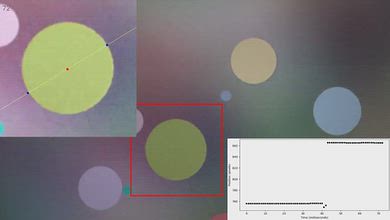
for pictures & test results

for pictures & test results
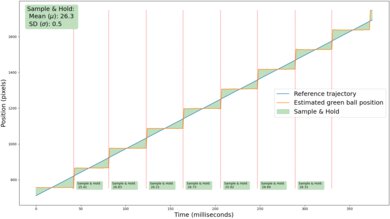
There's noticeable stutter on this TV when watching low frame rate content like movies and most shows. It's especially noticeable in slow panning and wide shots.
for videos & test results
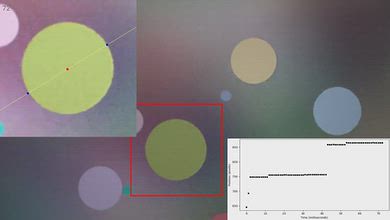
for pictures & test results

for pictures & test results
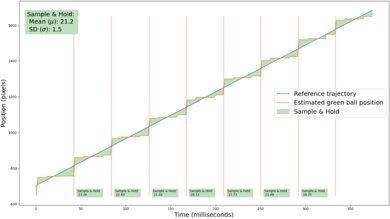
The motion interpolation feature does an okay job reducing stutter. It reduces the frame hold time a bit, which helps reduce stutter, but the feature has just decent consistency. This results in a somewhat varied frame time, so motion can appear inconsistent.
for pictures & test results
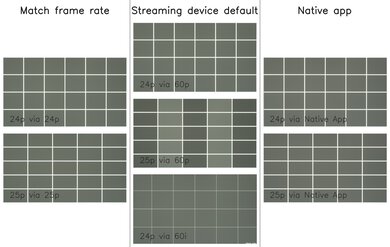
The Samsung The Frame TV automatically removes judder from all sources when watching movies or shows that are in 24p, even if they're in a 60Hz signal, like from a cable box. It can't remove 25p judder from a 60Hz source, though.
for videos & test results
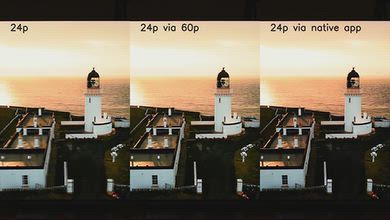
for videos & test results
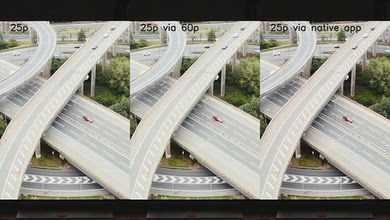
Most content is played properly with no dropped frames, but it struggles with 25p content played via a 60p source, like an older cable box or streaming source.
for pictures & test results

for pictures & test results

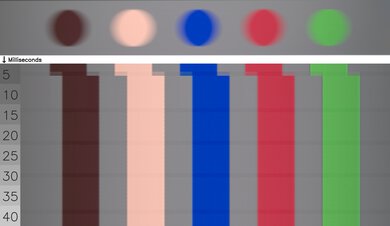
The Samsung The Frame TV has a great response time, with minimal motion blur behind fast-moving objects. Unfortunately, some of its transitions are noticeably slower, such as when going from to a dark shade of gray from any other brighter shade, or when going from a completely dark state to a brighter one.
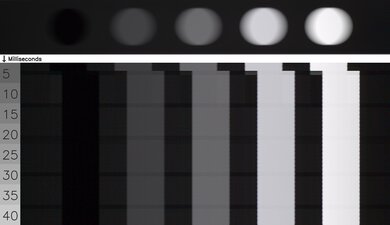
for pictures & test results

The TV uses pulse-width modulation (PWM) to dim its backlight, which introduces flicker that can bother people who are sensitive to it. The amount of flicker varies depending on what picture mode the TV is set to and what settings you're using. It flickers at a very fast 960Hz in the 'Movie' Picture Mode, but all other picture modes, including Game Mode, flicker at a much slower 120Hz, which can cause image duplications or headaches if you're sensitive to flicker. With 'LED Clear Motion' enabled, the TV only flickers at 60Hz.
for pictures & test results

for pictures & test results

The Samsung The Frame TV supports backlight strobing, more commonly known as black frame insertion (BFI). The feature is designed to improve the appearance of motion by strobing its backlight and reducing the amount of persistence blur. The BFI feature on the TV flickers at 60Hz, so there's still some image duplication present.
for pictures & test results

for pictures & test results

The Samsung The Frame Series has excellent direct reflections handling. Its matte coating does an outstanding job at significantly reducing direct reflections, such as from sources of light placed directly opposite the screen. Furthermore, the intensity of the brightness of reflections is greatly reduced, so it performs amazingly well in a bright room.
for pictures & test results

for pictures & test results

The Samsung Frame Series TV has mediocre black levels in a well-lit room. Blacks become elevated in a bright room, so the image looks washed out. The TV has a limited contrast ratio to begin with, so you only get deep blacks in purely dark scenes when viewed in a dark room. In a bright room, blacks look gray even in dark scenes.
for pictures & test results

for pictures & test results

The total reflections performance of this TV is decent. There is no rainbow smearing or light banding on reflections, which is fantastic. Its matte coating does tend to smudge glare across the screen instead of just reducing its size, but, overall, it's satisfactory.
for pictures & test results

The TV has sub-par color saturation in a bright room. Low and high-luminance colors become noticeably washed out as light is added to your room, although mid-luminance colors fare slightly better.
for videos & test results

for pictures & test results

for pictures & test results

for pictures & test results

The Samsung The Frame TV has a passable viewing angle. Overall, it's not the best TV for a wide seating arrangement, but there are worse choices. Still, as you move off-center, there's noticeable gamma shifting, brightness loss, and colors look increasingly washed out as you move further away to the sides.
The TV does perform quite well when it comes to color shifting however, so the colors don't hue shift (i.e. change colors) unless you're viewing the TV from a very wide angle.
for pictures & test results

for pictures & test results

The Samsung The Frame has okay gray uniformity. The sides of the screen are darker than the middle, and there's some noticeable dirty screen effect towards the middle of the screen. On a very dark or near-black screen, its uniformity is very good, but the sides are noticeably brighter than the middle.
for pictures & test results

for pictures & test results

The TV uses a BGR (Blue-Green-Red) subpixel layout instead of the traditional RGB layout. For video or gaming content, this doesn't cause any issues, but for PC monitor use, it can be a problem as it impacts text clarity, although not everyone will notice this.
The TV has good separation between blues, reds, and greens, which helps it display a relatively wide range of colors.
The hazy pixels you see in the photo are caused by the TV's matte coating, but the haziness isn't noticeable when using the TV.
for pictures & test results

for pictures & test results

Although the TV supports HDMI 2.1 bandwidth on HDMI 4, it's limited to 40Gbps. In practice, this doesn't cause any issues or limitations with any current source. Unfortunately, Samsung still doesn't support Dolby Vision. However, it supports HDR10+ instead, which is similar overall but not as widely supported.
The Samsung The Frame TV supports many audio formats, including all Dolby Digital options. Unfortunately, it doesn't support DTS formats, which is disappointing, as many Blu-rays use DTS for their lossless audio tracks.
Unfortunately, Samsung still doesn't support Dolby Vision. However, it supports HDR10+ instead, which is similar overall but not as widely supported.
for pictures & test results

The Samsung The Frame is designed to look more like a framed piece of art than a traditional TV. It has black bezels, but you can buy covers that go over the bezels for a different color and finish. It also comes with the versatile One Connect Box (OCB) to connect all your devices and have one cable going to the TV to help keep your setup tidy.
for pictures & test results

The Samsung Frame Series uses two plastic feet that support the TV well. The height of the feet can be adjusted to two different positions. The lower position, which you can see in the photo, puts the screen close to the table and only lifts the TV about 2.05". The second position lifts the TV about 2.8", so most soundbars fit below the screen.
The footprint of the 65-inch stand is 42.5" x 10.28".
for pictures & test results

The back of the TV is plain and made entirely of plastic. There are square slots for the Slim-Fit Wall Mount, and this TV comes with Samsung's One Connect Box (OCB), which is separate from the TV and houses the inputs. The OCB is versatile and helps keep your setup clean.


for pictures & test results

The TV has excellent build quality. It's made entirely of plastic, but it feels solid overall. There's some wobble front to back when the TV is pushed, but this doesn't cause any issues. It's well-built overall, and there are no issues with quality control.
for pictures & test results

The TV comes with the 2024 version of the Tizen interface. It's user-friendly and has a full page to display all the apps, and navigating through the menus is smooth.
You also have access to Samsung's Art Store to download artwork to display on the TV. It has over 50 paintings by default, but you must pay a subscription to download others. You can also upload photos and save them directly to the TV.
for pictures & test results

Like most TVs on the market, there are ads throughout the TV interface, and although you can turn off targeted ads, there's no option to turn them off entirely.
for pictures & test results

The remote is identical to the one included with most Samsung TVs, but it's white instead of black. It's slim and compact, has quick access buttons for the most popular streaming apps, and is easy to use. The remote has a built-in rechargeable battery with a solar panel on the back of the remote. You can also recharge it via USB-C if it dies unexpectedly.
The TV is compatible with the Bixby and Alexa voice assistants, and its remote has an integrated microphone for voice commands. You can use your voice to launch apps, switch inputs, ask for the weather and time, and adjust certain settings like the TV's brightness.
for pictures & test results

A single button is located at the bottom right of the TV. You can use it to power the TV on/off, change channels, adjust the volume, and switch inputs. You can control the TV hands-free with your voice using the TV's built-in microphone, but you can also turn the microphone off using a small switch on the bottom right of the TV.
for pictures & test results

- Manuals
- Remote
- Power cable
- One Connect cable
- Wall-mount equipment
- Cable management hooks
for pictures & test results

The Samsung The Frame QLED TV has a mediocre frequency response. Like most TVs, it doesn't produce much bass, but the sound profile is well-balanced enough that dialogue is clear at moderate listening levels. Unfortunately, the TV doesn't get very loud, and there are noticeable artifacts at maximum volume.