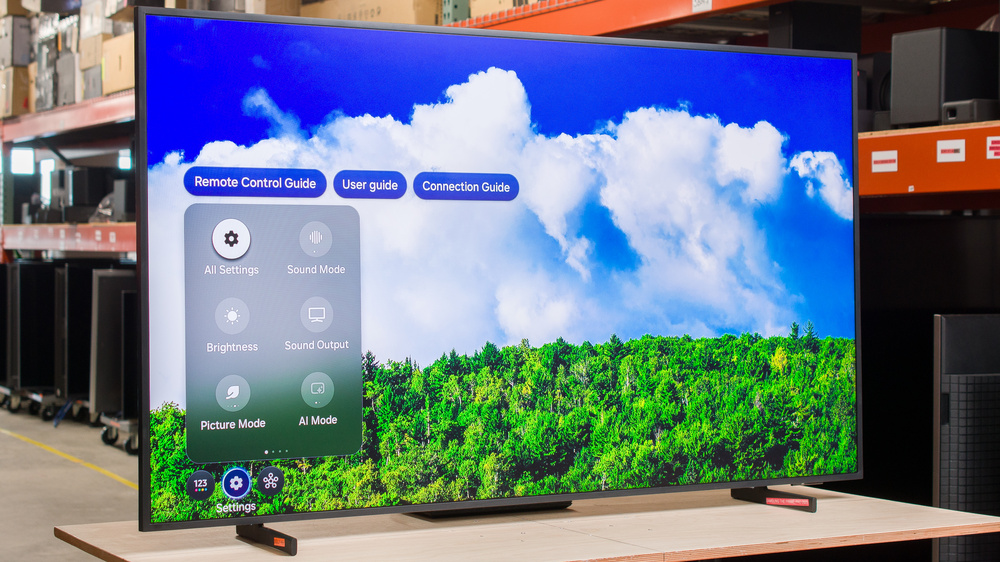
The Samsung The Frame Pro 2025 is a new premium TV released in 2025 as part of Samsung's unique Lifestyle TV lineup. It has a unique design and extra software features that are meant to make it look more like a wall-mounted piece of art than a traditional TV, and you can buy covers that go over the TV's black bezels to change the color or give it a wood-like finish. The biggest change in the 2025 version is the addition of edge-lit local dimming, which Samsung calls Mini LED for some strange reason, and like the Samsung QN990F 8K, it uses a Wireless One Connect box. We bought and tested the 65-inch model, but it's also available in a 75-inch and 85-inch size. It's been replaced in 2026 by the Samsung The Frame Pro 2026.
Our Verdict
The Samsung The Frame Pro is a decent TV for most uses. It's best-suited for watching shows, sports, or movies in a moderately lit or bright room, thanks to its high peak brightness and matte anti-reflective coating. It's okay for dark room viewing, but it has low contrast and an ineffective local dimming feature, so dark scenes are washed out. It's not a great choice for gamers, either, as the Wireless One Connect box adds significant latency, and motion is blurry.
Excellent SDR brightness helps it overcome glare in a well-lit room.
Low-resolution content is upscaled well.
Matte anti-reflective coating effectively eliminates glare from direct reflections.
Bad local dimming feature does nothing to improve black levels.
Image is washed out from the sides.
Noticeable dirty screen effect towards the center of the screen.
Black levels rise in a bright room.
The Samsung Frame Pro TV is just okay for home theater use under reference conditions. It has fairly low contrast and a largely useless local dimming feature, so blacks aren't very deep or uniform in dark scenes. It doesn't support Dolby Vision or advanced audio formats like DTS, which is disappointing for physical media collectors, where those formats are more common. On the other hand, it has good peak brightness and very good processing overall, so it respects creative intent well enough. It has okay motion handling; it can remove judder from most sources and there are few noticeable transition artifacts, but there's noticeable stutter in slow panning shots.
Bright enough to deliver an impactful HDR experience in most scenes.
Good PQ EOTF tracking.
Judder-free from most sources.
Bad local dimming feature does nothing to improve black levels.
No Dolby Vision or DTS audio support.
Bright specular highlights don't stand out.
Noticeable stutter in slow panning shots.
The Samsung Frame Pro is a great choice for use in a bright room. It gets bright enough to overcome some glare, and the matte anti-reflective coating essentially eliminates all direct mirror-like reflections. Black levels rise the brighter your room gets, though, so the image looks a bit more washed out.
Excellent SDR brightness helps it overcome glare in a well-lit room.
Matte anti-reflective coating effectively eliminates glare from direct reflections.
Black levels rise in a bright room.
The Samsung Frame Pro is a good choice for watching sports. It handles bright room reflections well, as the matte anti-reflective coating nearly eliminates all direct reflections. It has very good processing, which is important as a lot of sports feeds stream at a lower resolution. Transitions are clean for the most part, with few noticeable transition artifacts in fast action. On the other hand, its response time is a bit slow, so fast action is blurry, and the image looks washed out when viewed at an angle, so it's not a good choice for a wide seating arrangement. There's also some noticeable dirty screen effect near the center of the screen.
Excellent SDR brightness helps it overcome glare in a well-lit room.
Low-resolution content is upscaled well.
Matte anti-reflective coating effectively eliminates glare from direct reflections.
Transitions are clean with few transition artifacts.
Image is washed out from the sides.
Noticeable dirty screen effect towards the center of the screen.
The Samsung The Frame Pro is mediocre for gaming. It has a good selection of gaming features, including VRR support and a fast refresh rate, but it has a slow response time, so even at the max refresh rate, motion is blurry. The Wireless One Connect box adds noticeable latency, though, so games don't feel responsive. There's a single Micro-HDMI port on the back of the TV that performs better, but this kind of defeats the point of this TV, as you then have to have your console close to it and have it wired in. Unfortunately, it doesn't support HGIG at the moment, so it's difficult to calibrate the HDR output from consoles, especially the Nintendo Switch 2.
Incredible selection of gaming features.
Blurry motion when gaming.
Wireless One Connect box add significant input lag.
Doesn't support HGIG, which makes it difficult to calibrate HDR from game consoles.
The Samsung The Frame Pro has good peak brightness. In SDR, it's bright enough to overcome glare in a bright room. In HDR, it's bright enough to bring out bright highlights in moderate scenes, but the brightest specular highlights aren't as bright as they should be.
Excellent SDR brightness helps it overcome glare in a well-lit room.
Bright enough to deliver an impactful HDR experience in most scenes.
Bright specular highlights don't stand out.
The Samsung Frame Pro has poor black levels. The panel's native contrast is good overall, but the local dimming feature is largely useless, as it can only dim entire columns at a time, leading to distracting halo effect and very little improvement to contrast in any real content. In real-world usage, the local dimming does almost nothing.
Bad local dimming feature does nothing to improve black levels.
Sub-par black uniformity.
The Samsung Frame Pro has decent colors. It has good accuracy out of the box in SDR and decent accuracy in HDR, so it's not necessary to get it calibrated to enjoy a somewhat accurate image. It has limited color volume in both, though, as it can't display dark, saturated colors well, and it barely displays a wide color gamut.
Good SDR accuracy out of the box.
The Samsung Frame Pro has okay motion handling. It removes judder from most sources, ensuring an even frame cadence, and there are very few transition artifacts. On the other hand, despite its slow response time there's noticeable stutter in slow panning shots, and the motion interpolation feature is largely ineffective at reducing it.
Judder-free from most sources.
Transitions are clean with few transition artifacts.
Noticeable stutter in slow panning shots.
Ineffective motion interpolation feature.
The Samsung Frame Pro has mediocre responsiveness in Game Mode. It has a slow response time, even at the max refresh rate, so fast action games are very blurry. The Wireless One Connect box also adds considerable latency, making it a poor choice for competitive gamers. There's a wired Micro-HDMI port on the back of the TV that significantly reduces lag, but it kind of defeats the point of this TV.
Incredible selection of gaming features.
Blurry motion when gaming.
Wireless One Connect box add significant input lag.
Note: We're in the process of improving our tests related to image processing, but this score should give you a general idea of how a TV performs overall with its image processing capabilities.
The Samsung Frame Pro has good processing overall. It upscales low-resolution content well, with no obvious artifacts or over-sharpening. It also does a decent job smoothing out low-resolution content without losing fine details, and its gradient handling is fantastic, with almost no noticeable banding. It has good PQ EOTF tracking, ensuring most content is displayed close to the brightness intended by the content creator, but near-blacks are raised considerably. It also doesn't support HGIG, so it's difficult to calibrate the HDR output from game consoles.
Low-resolution content is upscaled well.
Good PQ EOTF tracking.
Performance Usages
Changelog
- Updated Sep 18, 2026: We converted this review to Test Bench 2.2.1, adding a new Dumb TV test for whether or not the TV can be used offline.
-
Updated May 22, 2026:
We bought and tested the new version of this TV, the Samsung The Frame Pro 2026, and added a comparison in the Supported Resolutions and Audio Passthrough sections of the review.
-
Updated Mar 13, 2026:
We added text to our new Cinematic Motion Handling performance usage and our new Transition Artifacts and Stutter Reduction Via Interpolation test sections after converting the review to TV 2.2.
- Updated Mar 10, 2026: This review has been updated to TV 2.2. We've added new sections for Transition Artifacts and Stutter Reduction Via Interpolation, and updated the way we test Stutter. Additionally, we removed the 'Broken' disclaimer from our Motion Handling usage.
Check Price
Differences Between Sizes And Variants
We bought and tested the 65-inch Samsung The Frame Pro, and the results are also valid for the 75-inch and 85-inch models. There's also a non-Pro version of the Samsung The Frame 2025, which is available in 43, 50, 55, and 65-inch models. This review isn't valid for those models.
| Size | US Model | Short Model Code |
|---|---|---|
| 65" | QN65LS03FWFXZC | QN65LS03FWF |
| 75" | QN75LS03FWFXZC | QN75LS03FWF |
| 85" | QN85LS03FWFXZC | QN85LS03FWF |
Our unit was made in Mexico in March 2025.
Popular TV Comparisons
The Samsung The Frame Pro 2025 is an okay TV designed for specific customers who don't want their TV to be the focal point of the room. With customizable frames and an Art mode, it's designed to look like a framed piece of art when wall-mounted, so it can blend in with the rest of your decor. It's by far the best TV in this rapidly growing market space, significantly outperforming competing offerings like the TCL NXTVISION or the Hisense CanvasTV 2024, but it comes at a steep price premium over other TVs with a more traditional design.
For more options, check out our recommendations for the best 4k TVs, the best TVs for bright rooms, and the best Samsung TVs.
There are very few differences between the Samsung The Frame Pro 2026 and the model it replaces, the Samsung The Frame Pro 2025. The newer model shows less black level rise during the day, but reflects a bit more light, so the end result is that it's roughly the same for daytime viewing. The other main difference is that the newer model now supports a higher refresh rate, going up to 240Hz, but only with a 1080p source.
The Samsung The Frame Pro 2025 is a significant upgrade over the older Samsung The Frame 2024. The Pro version is a lot brighter in both HDR and SDR, so it looks better in a bright room and delivers a more impactful HDR experience. The Pro also has better colors, with a wider range of colors and better color volume. The Pro also adds an edge-lit local dimming feature, which Samsung calls Mini LED, but it has nothing in common with real Mini LED TVs and the feature is largely useless. Since the local dimming can't be disabled on the Pro, the lack of this feature is actually a benefit to the older Frame.
The Samsung The Frame Pro 2025 delivers much better picture quality than the Hisense CanvasTV 2024. The Samsung gets a lot brighter in both SDR and HDR, making it a better choice for both bright room viewing and HDR viewing under reference conditions. The Samsung is also far more accurate out of the box in SDR. The Hisense has slightly better black uniformity, though, and it doesn't have a local dimming feature, which is actually a plus in this case, as it's so bad on the Samsung.
The Samsung The Frame Pro 2025 is significantly better than the TCL NXTVISION in every possible way, except cost. The Samsung is a lot brighter in SDR, so it can better overcome glare in a bright room. The Samsung also delivers a more impactful HDR experience, with brighter highlights and better EOTF tracking. Overall, although the TCL is a much cheaper TV, it's so much worse that it's not worth considering.

We buy and test dozens of TVs yearly, taking an objective, data-driven approach to deliver results you can trust. Our testing process is complex, with hundreds of individual tests that take over a week to complete. Most of our tests use specially designed test patterns that mimic real content, but we also use the same sources you have at home to ensure our results match the real-world experience. We use two main tools for our testing: a Colorimetry Research CR-100 colorimeter and a CR-250 spectroradiometer.
Test Results
for pictures & test results

for pictures & test results

for pictures & test results

The Samsung Frame Pro has good peak brightness in HDR. It's not quite bright enough to bring out bright highlights in really bright, outdoor shots, but it delivers an impactful HDR experience with most content.
Our results above are with the TV set to its most accurate settings after calibration, with HDR Tone Mapping set to 'Static' to preserve creative intent as much as possible. Below are the results with HDR Tone Mapping set to 'Active,' which significantly increases the TV's luminance but makes the image less accurate.
- Hallway Lights: 716 cd/m²
- Yellow Skyscraper: 519 cd/m²
- Landscape Pool: 314 cd/m²
for pictures & test results

for pictures & test results

for pictures & test results

There's no significant difference in brightness when you switch over to the lower-latency Game Mode.
Results with HDR Tone Mapping set to 'Active':
- Hallway Lights: 726 cd/m²
- Cityscape: 406 cd/m²
- Landscape Pool: 243 cd/m²
This TV has excellent peak brightness in SDR and can easily overcome glare even in a bright room. However, the TV's dimming algorithms artificially dim 2% test slides, which is common with Samsung TVs, so some very dark content is darker than it should be.
for pictures & test results

The Samsung Frame Pro has mediocre contrast. The native contrast is good, but local dimming can't be disabled on this TV, so it doesn't matter. Unfortunately, the local dimming feature is ineffective at significantly boosting contrast, so dark areas on the screen appear raised when there are bright highlights nearby.
for pictures & test results

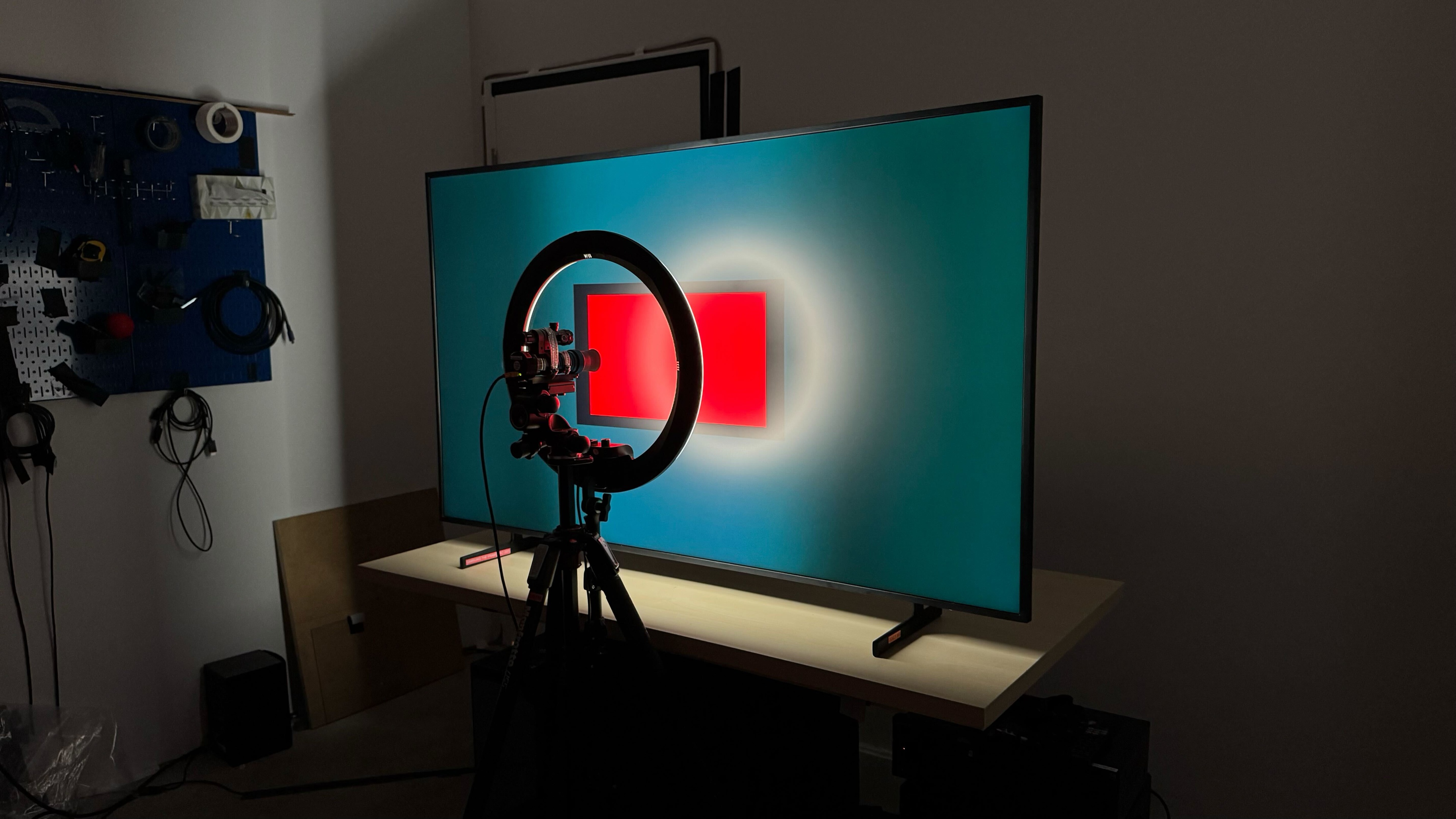
Unfortunately, the edge-lit local dimming feature is completely ineffective at dimming accurately around bright highlights. It can only adjust the light output across entire columns at a time, which means that with most real-world content, the entire backlight is always on.
for videos & test results

Since the TV can only control the light output of entire columns, zone transitions are extremely noticeable. The algorithms can't really keep up with busy scenes, leaving more zones lit up than need to be. Since each zone is fairly large, this is very distracting.



for pictures & test results

for pictures & test results

The black uniformity on this TV is disappointing. Since the local dimming feature can only control entire columns of light, there's noticeable glow around bright highlights. There are noticeable brighter patches around the screen.
Local dimming can't be turned off on this TV, so we tested its native black uniformity with Local Dimming set to 'Low' and Shadow Detail to '1,' with a uniformity image with an RGB value of {5,5,5} as black.
for pictures & test results

for pictures & test results

The SDR color volume on this TV is decent. It has full coverage of the BT.709 color space used with most SDR content. It struggles a bit with brighter shades of red and green, and it can't display the full DCI-P3 color space.
| Volume ΔE³ | DCI-P3 Coverage |
BT.2020 Coverage |
|---|---|---|
| L10 | 91.32% | 70.14% |
| L20 | 91.99% | 69.33% |
| L30 | 92.16% | 69.32% |
| L40 | 91.17% | 69.99% |
| L50 | 89.74% | 69.32% |
| L60 | 87.28% | 64.50% |
| L70 | 84.21% | 54.26% |
| L80 | 84.09% | 51.85% |
| L90 | 84.93% | 52.75% |
| L100 | 83.00% | 59.26% |
| Total | 87.23% | 60.98% |
for pictures & test results

for pictures & test results

The color volume in HDR is good. It can't display dark colors very well due to its low contrast ratio, but bright colors are displayed well.
for pictures & test results

for pictures & test results

for pictures & test results

The TV has good SDR accuracy before calibration. The white balance is very good overall, but blues are underrepresented in brighter shades, making the overall color temperature a bit warm. Gamma is very good for the most part, but bright scenes are a bit too bright. Colors are great overall, with a few minor mapping errors across the board. The errors are minor, though, and most people won't notice them.
for pictures & test results

for pictures & test results

for pictures & test results

The calibration system is very effective and easy to use, and the results are fantastic for the most part. There are still a few minor color mapping errors, but the white balance and color temperature are nearly perfect.
See our full calibration settings.
for pictures & test results

for pictures & test results

The color accuracy in HDR is decent before calibration. The errors are similar to SDR, as the color temperature is a bit warm, and there are some noticeable color mapping errors. The white balance is good overall, though, with some noticeable errors in midtones.


for pictures & test results

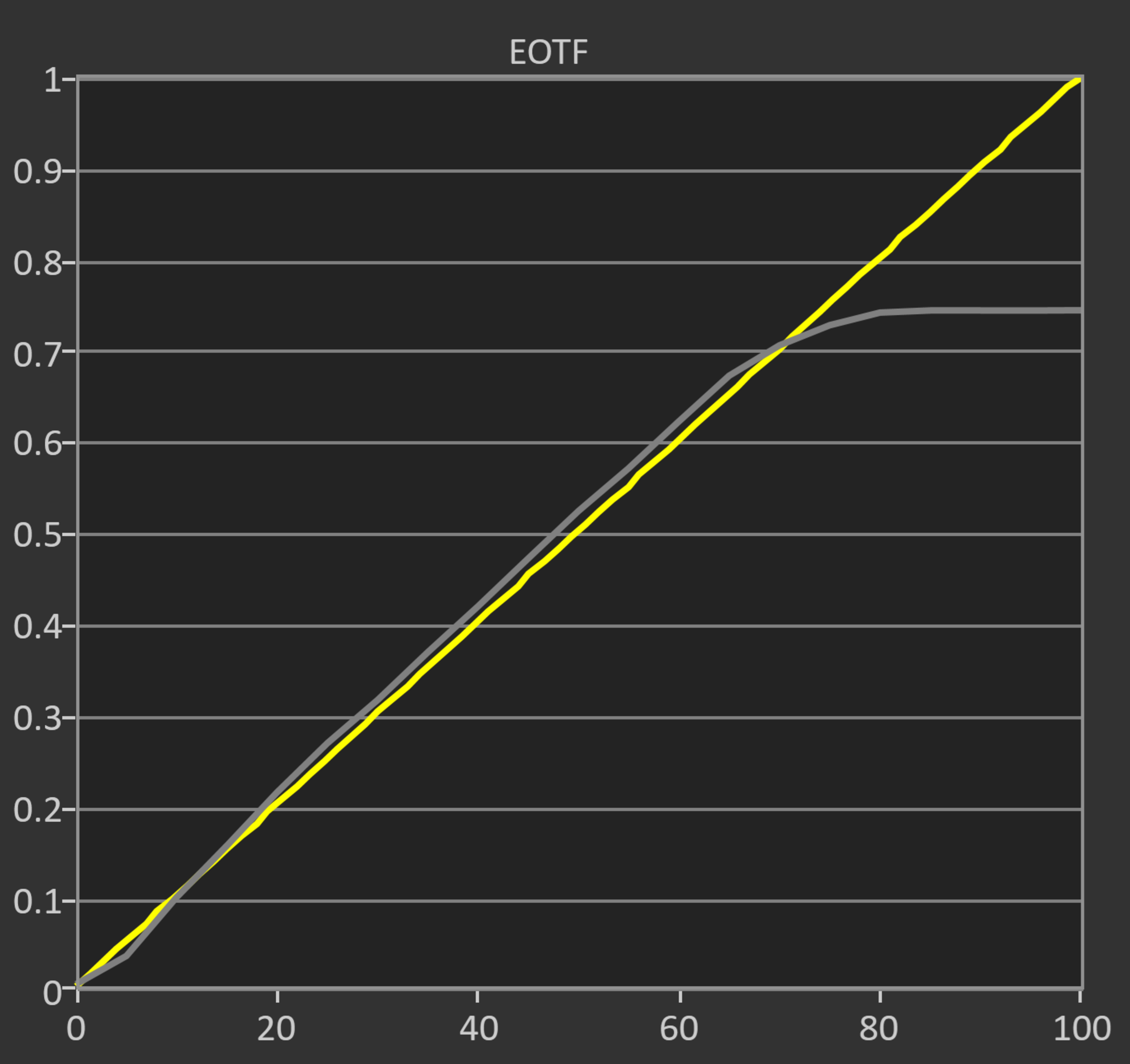
The PQ EOTF tracking on the Samsung The Frame Pro is good overall. Most midtones are displayed well, but near-black shadow details are raised significantly. Content mastered at 600 and 1,000 nits cuts off sharply at the TV's peak brightness, as the TV preserves highlights over gradation. The roll off is more gradual with 4,000 nit content, preserving gradation instead.
Similar to other Samsung models released in 2024 and 2025, this TV doesn't have the setting needed to enable HGIG. The new Original 'Game Genre' doesn't work the way it's supposed to, and the EOTF doesn't clip the way it should. This is an issue for all gamers, but especially for gamers on the Nintendo Switch 2, which requires HGIG for a proper calibration of the HDR brightness.
for pictures & test results

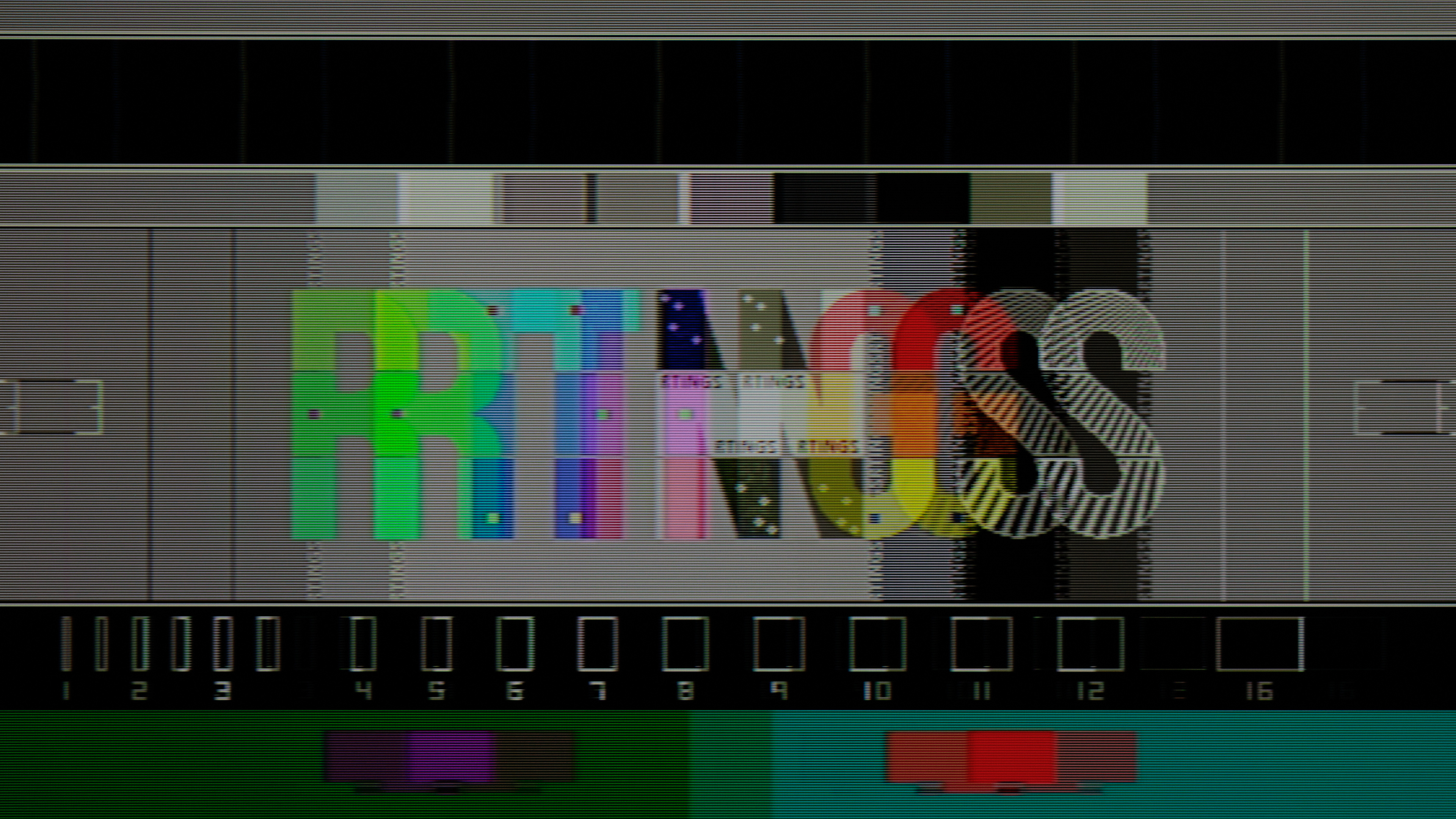
The TV's low-quality content smoothing is decent. It does a great job of preserving fine details, but there's still noticeable macro blocking in dark scenes.
for pictures & test results

This TV has excellent sharpness processing when watching upscaled content.
for pictures & test results

Gradient handling on this TV is superb. There's some very minor banding in dark shades of gray and bright shades of blue and green, but it's very minor.
Unfortunately, the Wireless One Connect box significantly increases the input lag on the Samsung Frame Pro. It's fine for casual gamers or for games that don't need split-second timing, but it's too slow for competitive gaming.
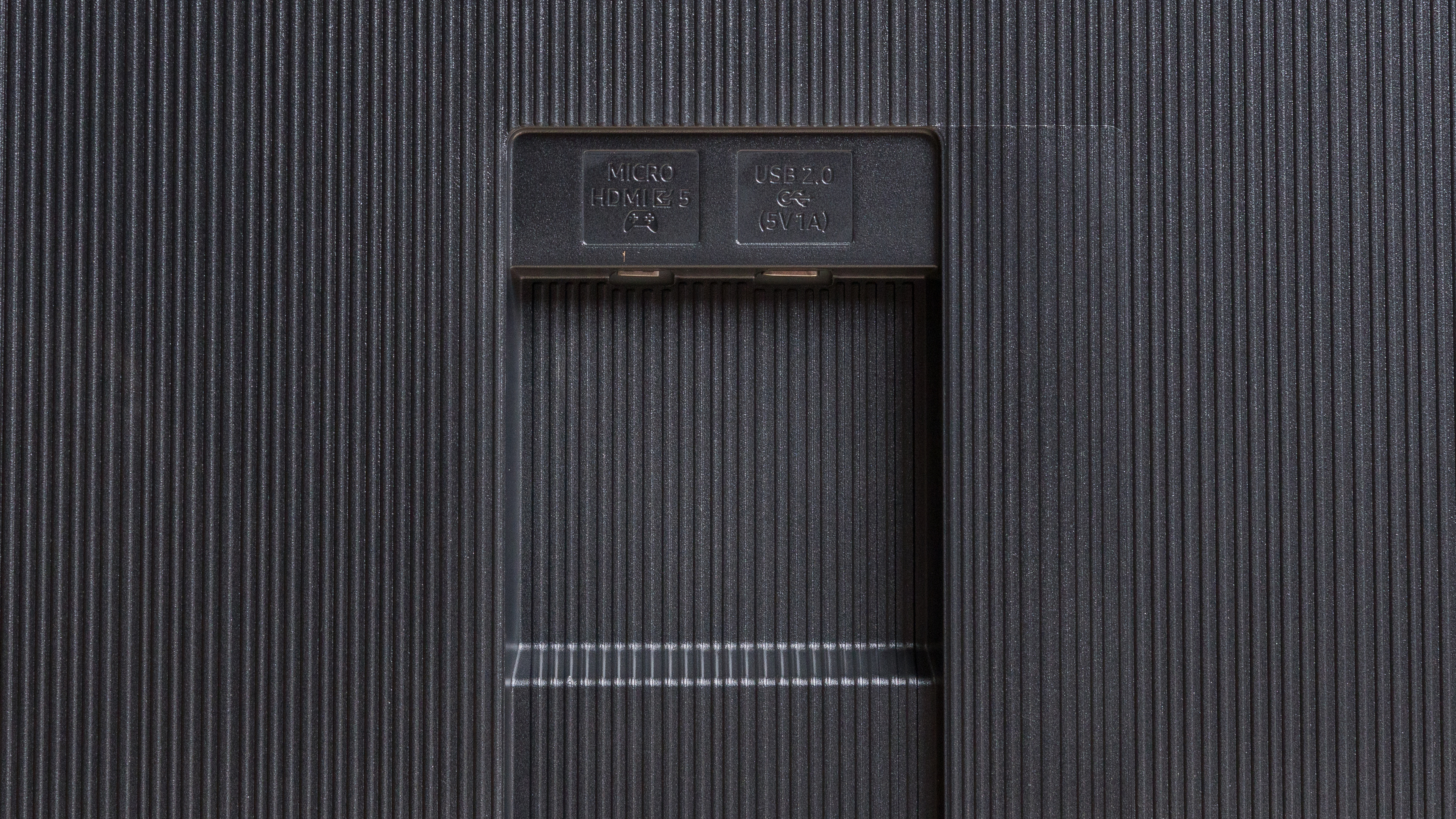
There's a single Micro-HDMI port directly on the back of the TV for gaming. When using that port, the input lag is considerably lower:
| Format | Input Latency |
|---|---|
| 4k @ 60Hz @ 4:4:4 | 10.1 ms |
| 4k @ 60Hz Outside Game Mode | 68.8 ms |
| 4k @ 60Hz With Interpolation | 23.3 ms |
| 4k @ 60Hz | 9.2 ms |
| 1080p @ 60Hz | 9.2 ms |
| 1080p @ 60Hz Outside Game Mode | 92.3 ms |
| 4k @ 120Hz | 5.5 ms |
| 1080p @ 120Hz | 5.4 ms |
| 1080p @ Max Refresh Rate (144Hz) | 4.8 ms |
| 4k @ Max Refresh Rate (144Hz) | 4.8 ms |
This TV supports all common resolutions and refresh rates up to a maximum of 4k @ 144Hz. Chroma 4:4:4 is displayed properly with all supported modes, which is essential for clear text from a PC. Unlike the newer Samsung The Frame Pro 2026, it doesn't support a 240Hz refresh rate at lower resolutions.
The Samsung Frame Pro supports all three variable refresh rate formats, and it works across an extremely wide range of refresh rates. It also works with sources that support Low-Framerate-Compensation (LFC), ensuring your games remain nearly tear-free even when your PC or console can't keep up with the action.
for pictures & test results
for pictures & test results

Unfortunately, even when gaming at 144Hz, this TV has sub-par pixel transitions. Most transitions are very slow, resulting in a very blurry image when gaming. It's also inconsistent, with pixel transitions between bright shades completing much faster than shadow details and midtones.
for pictures & test results

for pictures & test results

Oddly, dropping down to 120Hz from the maximum of 144Hz actually improves motion handling, but not by much. Fast action games are still very blurry, especially in shadow details and midtones.


for pictures & test results

The Samsung Frame Pro TV is fully compatible with everything the PS5 offers, like 1440p @ 120Hz and 4k @ 120Hz, as well as HDMI Forum VRR. It also supports Auto Low Latency Mode, so you don't have to worry about switching to Game Mode to get the lowest input lag.
for pictures & test results

This TV is fully compatible with almost everything the Xbox Series X|S offers, including 4k @ 120Hz, HDMI Forum VRR, and FreeSync Premium Pro. It also supports Auto Low Latency Mode, so you don't have to worry about switching to Game Mode to get the lowest input lag. Of course, like all Samsung TVs, it doesn't support Dolby Vision.

for videos & test results
for pictures & test results

for pictures & test results
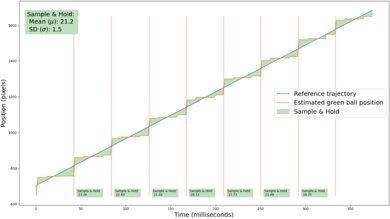
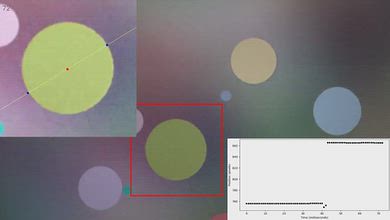
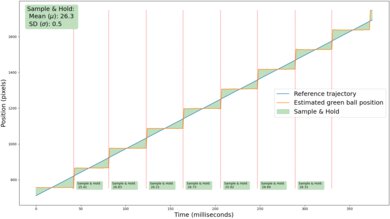
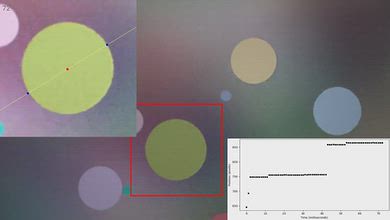
The motion interpolation feature isn't very effective at reducing stutter. It decreases the frame hold time slightly, so you'll see a bit less stutter. It has good consistency, though, so motion is smooth.
for pictures & test results
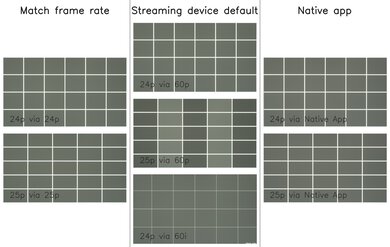
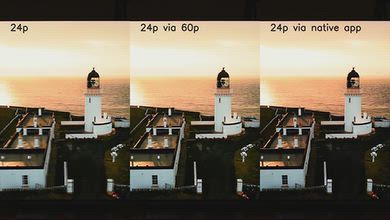
The Samsung Frame Pro automatically removes judder from all sources when watching movies or shows that are in 24p, even if they're in a 60Hz signal, like from a cable box. It can't remove 25p judder sent from a 60p source, though.
for videos & test results
for videos & test results
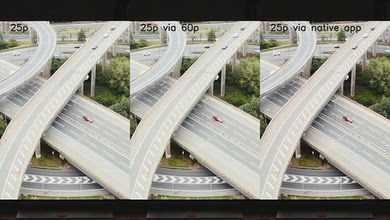
There's just a bit of micro judder on this TV when watching 25p content from a 60p source.
for pictures & test results

for pictures & test results

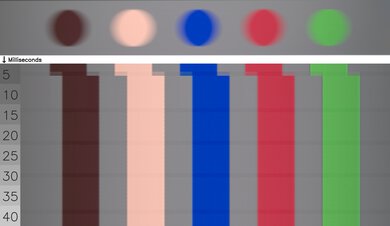
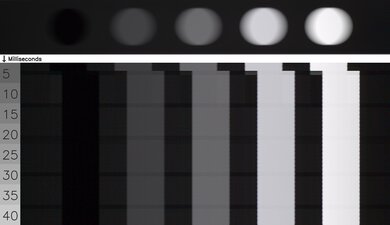
This TV has a slow cinematic response time. This introduces extra blur when watching movies, so motion isn't as crisp, but it helps reduce stutter.
for pictures & test results

The TV uses high frequency flicker with pulse width modulation (PWM) to control the backlight. The amount of flicker varies depending on what picture mode the TV is set to and what settings you're using. It flickers at a very fast 960Hz in the 'Movie' Picture Mode, but most other picture modes flicker at a much slower 120Hz, which can cause image duplications or headaches if you're sensitive to flicker. It flickers at 960Hz in Game Mode, both with and without Game Motion Plus enabled. The available picture modes change when connected to a PC, and both the Entertain and Graphic modes flicker at 120Hz.
for pictures & test results

for pictures & test results

The Samsung The Frame Pro supports backlight strobing, more commonly known as black frame insertion (BFI). The feature is designed to improve the appearance of motion by strobing its backlight and reducing the amount of persistence blur. The BFI feature on the TV flickers at 60Hz, so there's still some image duplication present.
Unfortunately, the strobe timing isn't working properly on this TV. When you first enable this setting, the timing is good, delivering a very crisp image with minimal persistence blur, but the timing starts to drift after a few seconds. This causes a double image to appear that gets worse over time.
for pictures & test results

for pictures & test results

The matte anti-reflective coating on this TV does a fantastic job reducing the intensity of direct mirror-like reflections. Like the Samsung QN990F 8K, direct reflections are barely noticeable.


for pictures & test results

for pictures & test results

Overall, this TV has great reflection handling. Direct reflections are barely visible, but bright lights are spread out a bit across the screen. There are no noticeable diffraction artifacts like the rainbow effect, which is great.
for pictures & test results

This TV has decent color saturation in a bright room. High luminance colors lose a bit of saturation in a bright room, but it's not terrible.
for videos & test results

for pictures & test results

for pictures & test results

for pictures & test results

The Samsung Frame Pro has a mediocre viewing angle. Colors and black levels shift noticeably at a moderate angle. Reds and greens remain accurate at a wide angle, but blues drop off rapidly, giving the TV a warmer color temperature at an angle.
for pictures & test results

for pictures & test results

The Samsung Frame Pro has okay uniformity. Near-black scenes look very good, but the screen is messy and patchy near the center, which is distracting when watching sports. The sides are also a bit darker than the center.
for pictures & test results

for pictures & test results

The TV uses a BGR (Blue-Green-Red) subpixel layout instead of the traditional RGB layout. For video or gaming content, this doesn't cause any issues, but for PC monitor use, it can be a problem as it impacts the text clarity, although not everyone will notice this.
The spectral power distribution on this TV shows an okay separation of red, green, and blue. There are very few impurities between each primary, but the peaks aren't as precise as they should be. The hazy pixels you see in the photo are caused by the TV's matte coating, but the haziness isn't noticeable when using the TV.
for pictures & test results

for pictures & test results

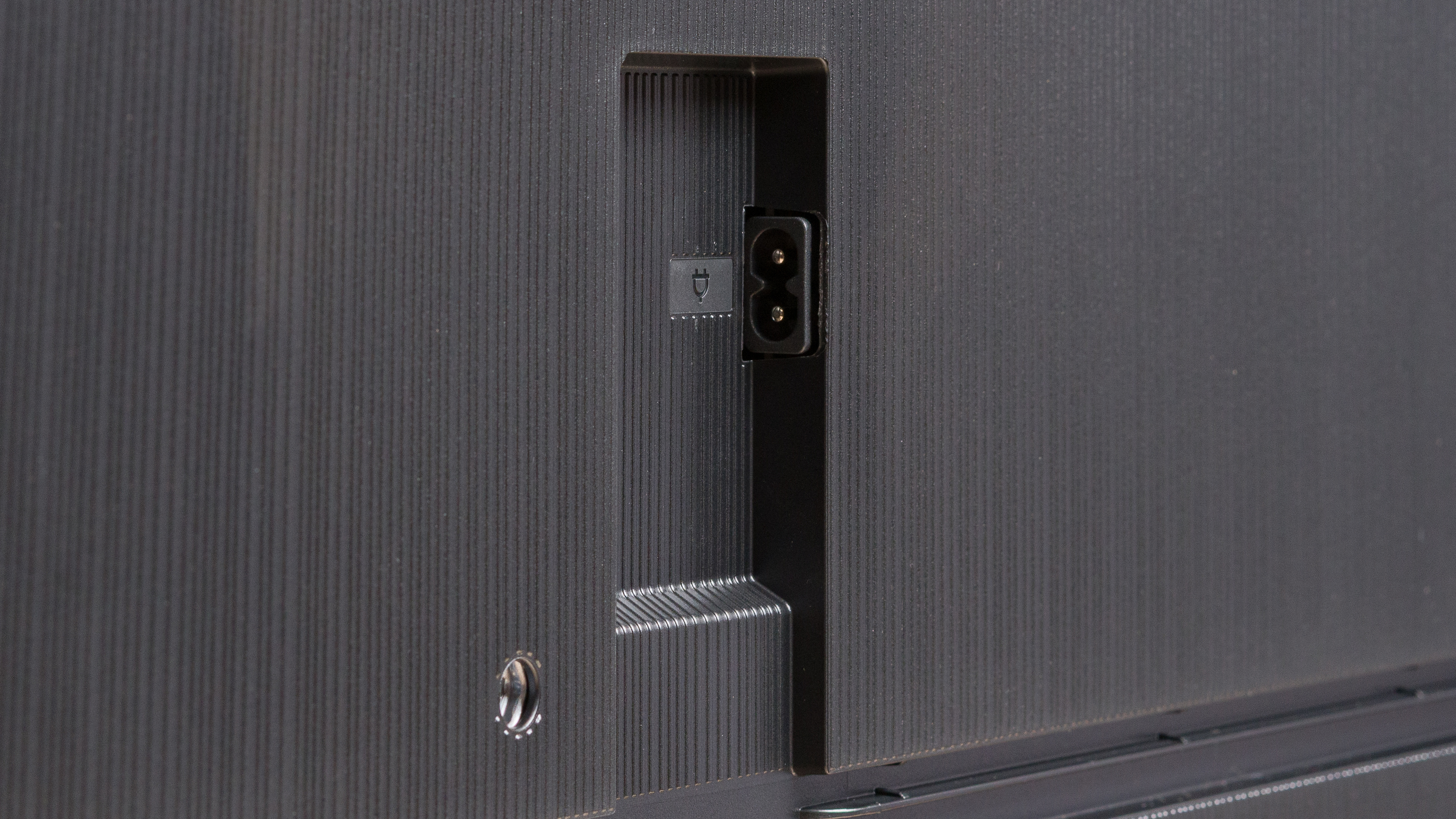
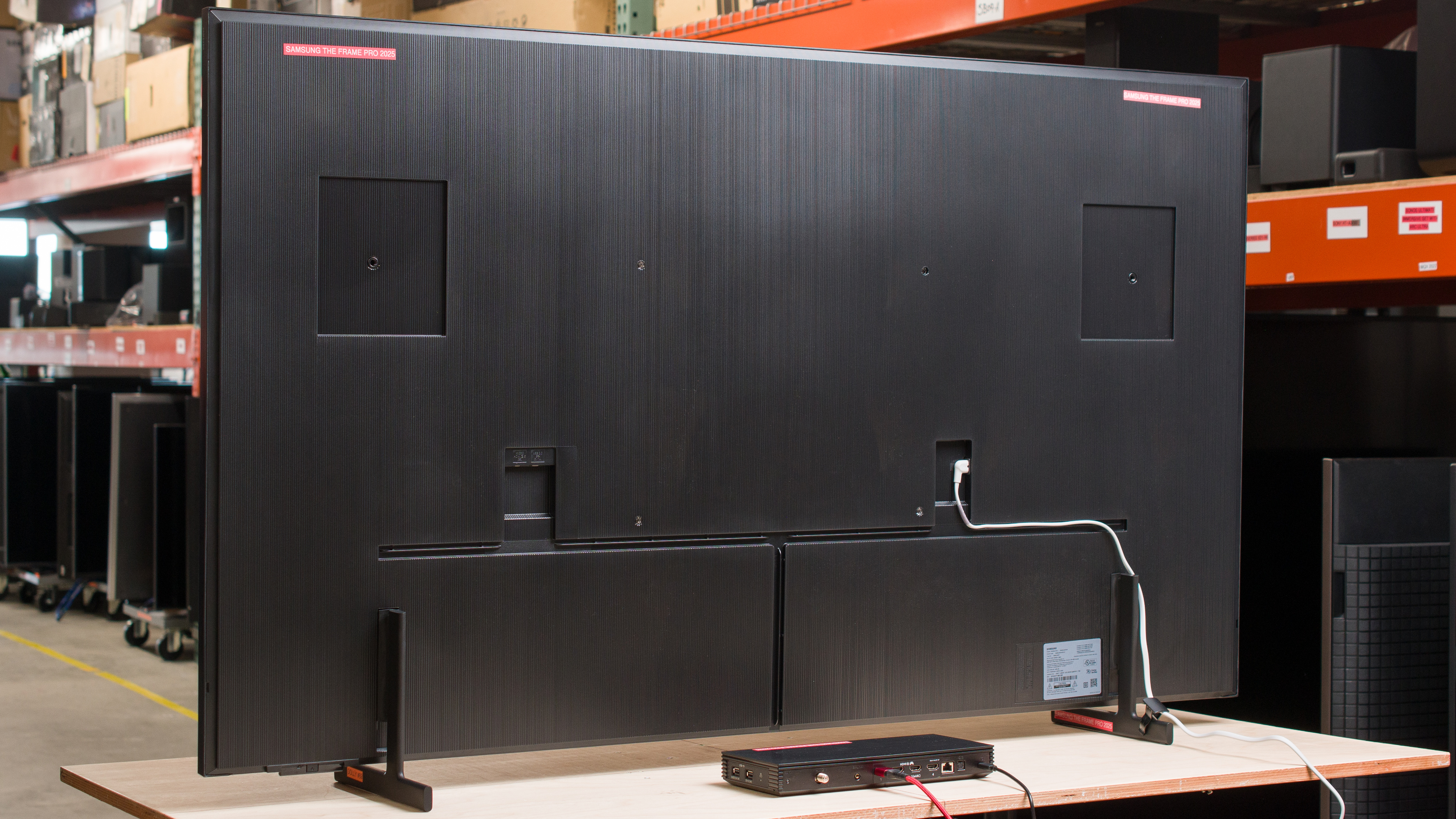
Most of the inputs for this TV are housed on the external Wireless One Connect box. On the TV itself, you'll find a power connector and a second input panel with a Micro HDMI port and a USB port. Unlike the Samsung QN990F 8K, it doesn't use an external power supply. The Micro-HDMI port is limited to 40Gbps, whereas the HDMI ports on the external OCB support the full 48Gbps.
This TV supports many audio formats, including all Dolby Digital options. Unfortunately, it doesn't support DTS formats, which is disappointing, as many Blu-rays use DTS for their lossless audio tracks. 7.1 channel LPCM only works with sources that allow you to manually override the EDID, like a PC. If you can't override the EDID, it's limited to 5.1.
Unfortunately, unlike the newer model of this TV, the Samsung The Frame Pro 2026, there's only one eARC port and it's on the external Wireless One Connect box. This can cause audio sync issues when watching TV with the native apps.
Like all Samsung TVs, this TV doesn't support Dolby Vision.
for pictures & test results

The Samsung Frame Pro has a unique design. The bezels are thicker and bulkier than most, but this is by design. You can buy additional covers that go over these bezels for a more bespoke look. It also comes with the extremely versatile Wireless One Connect box for very easy setup and few visible cables.
for pictures & test results

This TV uses two plastic feet that support the TV well. The height of the feet can be adjusted to two different positions. The lower position, which you can see in the photo, puts the screen close to the table and only lifts the TV about 2.05". The second position lifts the TV about 3.03", so pretty much any soundbar fits in front of the TV without blocking the screen.
The footprint of the 65-inch stand is 41.06" x 10.04".
for pictures & test results

The back of the TV has a nice textured finish that gives it a very premium look. There are two channels near the bottom of the TV to help guide the power cable and Micro-HDMI/USB cable. There's a small clip that goes on one of the feet to help guide cables, but not much else for cable management, since most of the cables go into the Wireless One Connect box.


for pictures & test results

The Samsung Frame Pro has excellent build quality. There are no noticeable issues with the overall build quality. It's entirely made of plastic, but it feels solid and well-built.
for pictures & test results

The remote has a built-in rechargeable battery with a solar panel on the back of the remote. You can also recharge it via USB-C.
for pictures & test results

The Samsung Frame Pro ships with the 2025 version of Tizen OS. The full-screen UI is fairly easy to navigate and has a great selection of streaming apps.
The interface works well for the most part, but there are occasional slowdowns. It also freezes occasionally, requiring a full reboot of both the TV and the Wireless One Connect box to fix it.
for pictures & test results

Like most TVs on the market, there are ads throughout the TV interface, and although you can turn off targeted ads, there's no option to turn them off entirely.

for pictures & test results

- Manuals
- Remote
- Power cable (TV)
- USB-C power cable (One Connect box)
- USB-C cable
- Wireless One Connect box
- Wall-mount equipment
for pictures & test results

The frequency response is okay. It's well balanced at low and moderate listening levels, ensuring dialogue is clear and easy to understand, but there are noticeable compression artifacts at max volume.