The Samsung QN85C/QN85CD QLED is the Samsung QN85B QLED's successor and is Samsung's lowest Neo QLED offering in 2023, sitting below the Samsung QN90C/QN90CD QLED and the Samsung QN95C QLED. It features a Mini LED backlight, allowing for high levels of brightness and fine control over the TV's local dimming zones. It uses Samsung's 2023 Tizen OS smart interface, which offers many apps. It also has an integrated microphone on both the TV and the remote, allowing for hands-free voice control through Bixby or Amazon's Alexa. It's a fully featured gaming TV with 4 HDMI 2.1 bandwidth ports for up to 4k @ 120Hz gaming and support for every variable refresh rate (VRR) technology. It comes in 55, 65, 75, and 85-inch sizes.
Our Verdict
The Samsung QN85C is a very good TV overall. Its contrast is exceptional, especially with local dimming set to 'High', so movies look amazing in a dark room. It has decent reflection handling for bright rooms, and the TV gets bright in both SDR and HDR, so TV shows and sports look great even when there are a ton of lights around. Its primary weakness is its mediocre low-quality content smoothing, negatively affecting the image quality of TV shows and movies from streaming services. Aside from that, the TV has plenty of strengths: exceptionally low input lag for very responsive inputs when gaming or using a PC mouse, a ton of gaming features, and a good response time for clear motion whenever fast-moving objects are on screen. As a whole, the TV is solid.
- Image remains consistent at moderate angles.
- Bright enough to overcome glare in a bright room.
- Easy-to-use smart interface with a great selection of apps.
- Local dimming cannot be fully disabled on this TV.
The Samsung QN85C is very good for TV shows. It has exceptional SDR peak brightness and decent reflection handling, easily handling bright rooms. If you're watching your shows with your family or friends, the TV has a very good viewing angle; people sitting around the TV have an overall pleasant viewing experience. Unfortunately, the TV doesn't have the best image processing capabilities; it's good when upscaling low-resolution content, but its low-quality content smoothing is mediocre, so shows from streaming services don't look their best.
- Image remains consistent at moderate angles.
- Bright enough to overcome glare in a bright room.
- Easy-to-use smart interface with a great selection of apps.
- Local dimming cannot be fully disabled on this TV.
- Mediocre low-quality content smoothing.
The Samsung QN85C is a very good TV for watching sports. Its SDR peak brightness is exceptional, and this model has decent reflection handling, so the TV looks amazing in very bright rooms. The TV has a good response time, so fast-moving objects like a puck or a player are clear and easy to make out. The TV has good gray uniformity, so while there is some banding and vignetting on it, it's not bad enough to be annoying while watching sports with large sections of bright color. Finally, the TV has a very good viewing angle, so your friends have a consistent viewing experience even when sitting at various angles from the TV.
- Image remains consistent at moderate angles.
- Bright enough to overcome glare in a bright room.
- Easy-to-use smart interface with a great selection of apps.
- Good response time.
- Local dimming cannot be fully disabled on this TV.
The Samsung QN85C is a great TV to play games on. It has a bit more blooming in Game Mode, but colors pop, and the TV looks good overall. The TV has superb SDR brightness and decent reflection handling, so games look bright and vibrant in even the brightest of rooms. The TV has four HDMI 2.1 bandwidth ports with up to 4k @ 120Hz support, which is great if you own multiple consoles and a PC, and it supports every variable refresh rate (VRR) technology for a nearly tear-free gaming experience. Finally, the TV has an incredibly low input lag, so your inputs are fast and responsive, and its response time is good for clear motion when gaming.
- Incredibly low input lag.
- Supports every variable refresh rate (VRR) technology.
- Good response time.
- Local dimming cannot be fully disabled on this TV.
The Samsung QN85C is a very good TV for watching the latest HDR movies. It has a great contrast ratio, especially with local dimming set to 'High'. This means that HDR movies pop when watched in a dark room; blacks don't look gray, and highlights are bright and vibrant next to very deep blacks. Plus, the TV has excellent HDR peak brightness, so highlights look amazing in a dark room, and HDR movies on this TV can even wow in a bright room. Unfortunately, it has mediocre low-quality content smoothing, so movies from streaming services have some noticeable macro-blocking in dark scenes, as well as a loss of detail due to the smoothing process.
- Amazing peak brightness in HDR.
- Completely judder-free from all sources.
- Easy-to-use smart interface with a great selection of apps.
- Superb contrast and black uniformity with local dimming set to 'high'.
- Doesn't support Dolby Vision and DTS.
- Local dimming cannot be fully disabled on this TV.
- Mediocre low-quality content smoothing.
The Samsung QN85C QLED is amazing for HDR games. Its HDR brightness in Game Mode is just as good as outside of it, and its contrast and dark details look great in Game Mode. It does come at the expense of a bit more blooming, however. The TV has four HDMI 2.1 bandwidth ports with up to 4k @ 120Hz support, which is great if you own multiple consoles and a PC as you can connect them all, and it supports every VRR technology for a nearly tear-free gaming experience. Finally, the TV has a good response time, ensuring motion is clear even when the action gets fast and furious.
- Amazing peak brightness in HDR.
- Incredibly low input lag.
- Supports every variable refresh rate (VRR) technology.
- Good response time.
- Superb contrast and black uniformity with local dimming set to 'high'.
- Local dimming cannot be fully disabled on this TV.
The Samsung QN85C is amazing when used as a PC monitor. Its reflection handling is decent, but the TV makes up for it in a big way with exceptional brightness in SDR and amazing brightness in HDR, so it can handle any bright office. It has an RGB subpixel layout, so there are no issues with text clarity. Its viewing angle is very good; not the best, but there's minimal color shifting when sitting close to it, except if you were to sit very close to a bigger-sized panel. It supports up to 4k @ 120Hz on all of its HDMI ports, and it supports every VRR technology, so it's a great choice for some PC gaming. It also has an incredibly low input lag and a good response time; your inputs are fast and responsive on this TV, and there's little blur behind fast-moving objects, like when you're quickly dragging windows around on a contrasting background.
- Image remains consistent at moderate angles.
- Bright enough to overcome glare in a bright room.
- Incredibly low input lag.
- Supports every variable refresh rate (VRR) technology.
- Good response time.
- Local dimming cannot be fully disabled on this TV.
Changelog
- Updated May 14, 2024: We mention the newly-reviewed Samsung QN85D/QN85DD QLED in the Compared To Other TVs section of this review.
- Updated May 09, 2024: Mentioned the newly-reviewed Samsung The Frame 2024 QLED in the Response Time section of this review.
- Updated Sep 08, 2023: Updated the text in Pre Calibration to accurately reflect the TV's performance.
- Updated Sep 07, 2023: We retested the response time and flicker frequency in the correct modes, as we originally tested them in the wrong picture mode. As a result, the response time is slower than our initial results. The Response Time, Flicker-Free, and Stutter results have been updated. Multiple usage scores have also decreased slightly as a result.
Check Price
Differences Between Sizes And Variants
We tested the 65-inch Samsung QN85C (QN55QN85CAFXZA), but it's also available in 55, 75, and 85-inch sizes. Note that with Samsung TVs, the six letters after the short model code (CAFXZA in this case) vary between specific retailers and regions. There's also a QN88C variant sold in some UK retailers; differences with the QN85C are cosmetic. European versions of this TV are equipped with a VA panel and perform differently than the North American model we reviewed. VA panels have better native contrast but a worse viewing angle.
| Size | US Model | Short Model Code | Panel type (US) | Panel type (Europe) | Dimming zones* |
|---|---|---|---|---|---|
| 55" | QN55QN85CAFXZA | QN55QN85 | ADS | VA | 504 |
| 65" | QN65QN85CAFXZA | QN65QN85 | ADS | VA | 720 |
| 75" | QN75QN85CAFXZA | QN75QN85 | ADS | VA | 900 |
| 85" | QN85QN85CAFXZA | QN85QN85 | ADS | VA | 1210 |
*Samsung hasn't confirmed this information, but it's currently what they're thought to be.
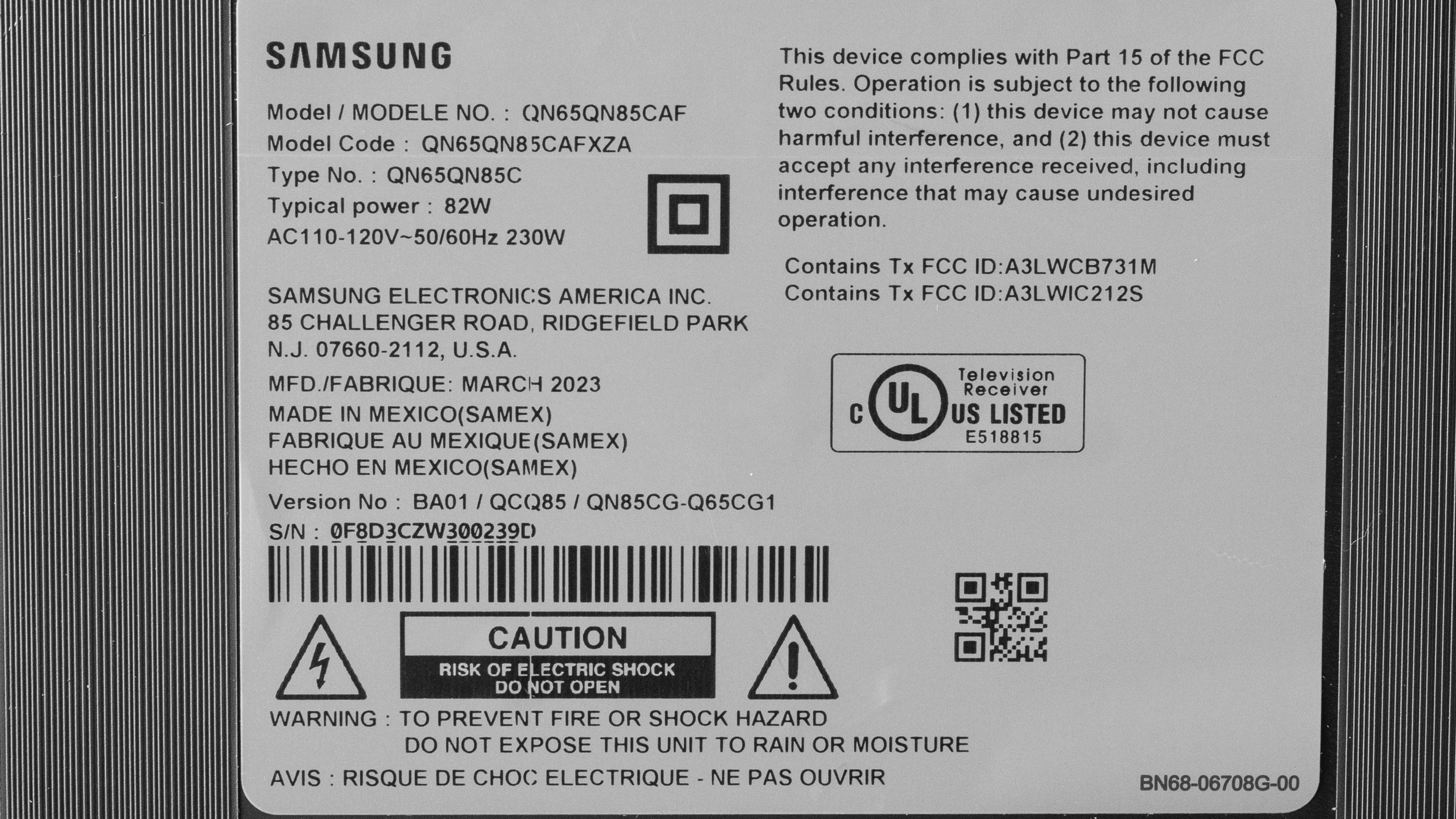
Our unit was manufactured in March 2023; you can see the label here.
Popular TV Comparisons
The Samsung QN85C is a great TV with a truly amazing local dimming feature, giving it an amazing contrast and truly exceptional black uniformity. Overall, it's an excellent TV and is almost as good as the more expensive Samsung QN90C/QN90CD QLED, so it's the better value for most people. It's also leagues ahead of the models below it, like the Samsung Q80C QLED. It's very similar to its predecessors, the Samsung QN85A QLED and Samsung QN85B QLED, so don't bother upgrading if you own one. It's also very similar to its successor, the Samsung QN85D/QN85DD QLED, although the QN85D uses a VA panel, giving it better contrast but with a far worse viewing angle. Still, if you already own the QN85C, it's not worth the upgrade. Unfortunately, the QN85C is outpaced by the top-tier models from budget brands. The Hisense U8/U8H, in particular, is a much better deal for a superior level of performance.
For more options, check out our recommendations for the best TVs, the best QLED TVs, and the best 4k gaming TVs.
The Samsung QN85D and the Samsung QN85C are almost identical, with a few notable exceptions. The newer QN85D has a VA panel, giving it better contrast than the QN85C at the cost of a significantly worse viewing angle. Thus, the QN85D is better as a home entertainment option as movies look extremely punchy when watched in a dark room, while the QN85C is better for large viewing parties as its image doesn't degrade nearly as much when viewed from the sides.
The Samsung QN85B and Samsung QN85C are extremely similar TVs. The QN85C is the more accurate TV with a wider color volume, so it looks more vibrant than its predecessor. Inversely, the QN85B's local dimming zone transitions are a bit better than its successor except in Game Mode, where its zone transitions are noticeably worse than in other modes.
The Samsung QN85C is better than the Sony X90K/X90CK, except for image processing, where Sony is the market leader. The Samsung has a much better local dimming solution with many more zones, giving it a superior overall contrast ratio with much better black uniformity. It also gets much brighter in SDR and HDR and has a much better viewing angle. The Samsung TV also has four full HDMI 2.1 bandwidth ports versus only two on the Sony, one of which is its eARC port. Of course, the Sony TV has much better low-quality content smoothing and low-resolution upscaling and supports advanced audio and video formats such as DTS and Dolby Vision.
The Hisense U8H is better than the Samsung QN85C. The Hisense has much better contrast, helped by a better local dimming feature with less visible zone transitions and less blooming. The Hisense gets much brighter in both HDR, although the Samsung is just as bright in SDR. The Hisense is also more colorful, with a wider color gamut and better color volume. It also has better reflection handling than the Samsung, although the Samsung does have a much better viewing angle. Sadly, the Hisense has terrible image processing, and the Samsung is much better in that regard.

We buy and test dozens of TVs yearly, taking an objective, data-driven approach to deliver results you can trust. Our testing process is complex, with hundreds of individual tests that take over a week to complete. Most of our tests use specially designed test patterns that mimic real content, but we also use the same sources you have at home to ensure our results match the real-world experience. We use two main tools for our testing: a Colorimetry Research CR-100 colorimeter and a CR-250 spectroradiometer.
Test Results
Older Test Bench: We tested this product using an older TV test methodology before a major update. Some of the test results below aren't directly comparable with other TVs. Learn more
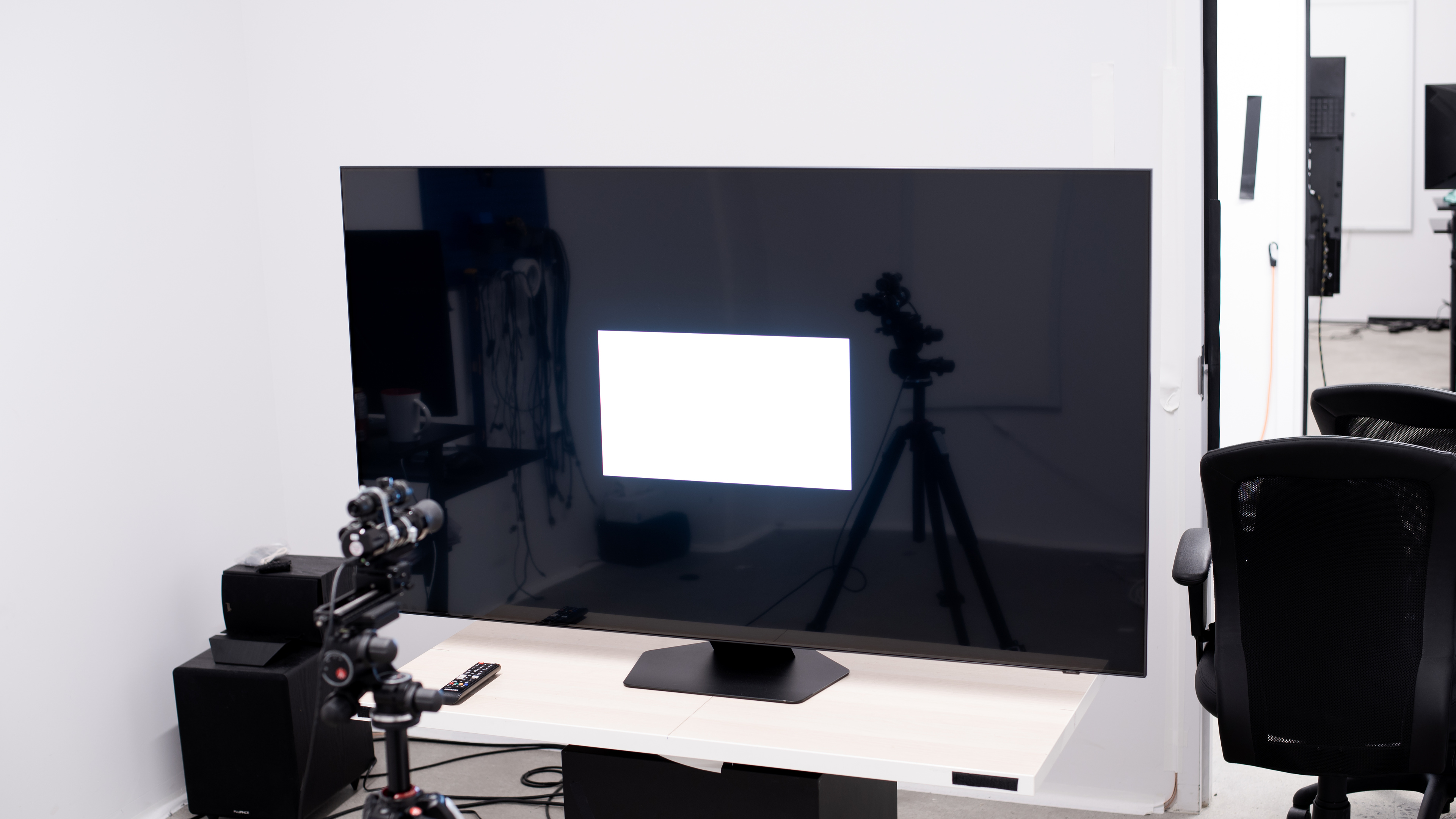
for pictures & test results

The Samsung QN85C has a nice design, although it's nothing original, as it looks extremely similar, if not identical, to many of Samsung's other 2022 and 2023 TVs. But overall, the TV is sleek and feels well-built.
for pictures & test results

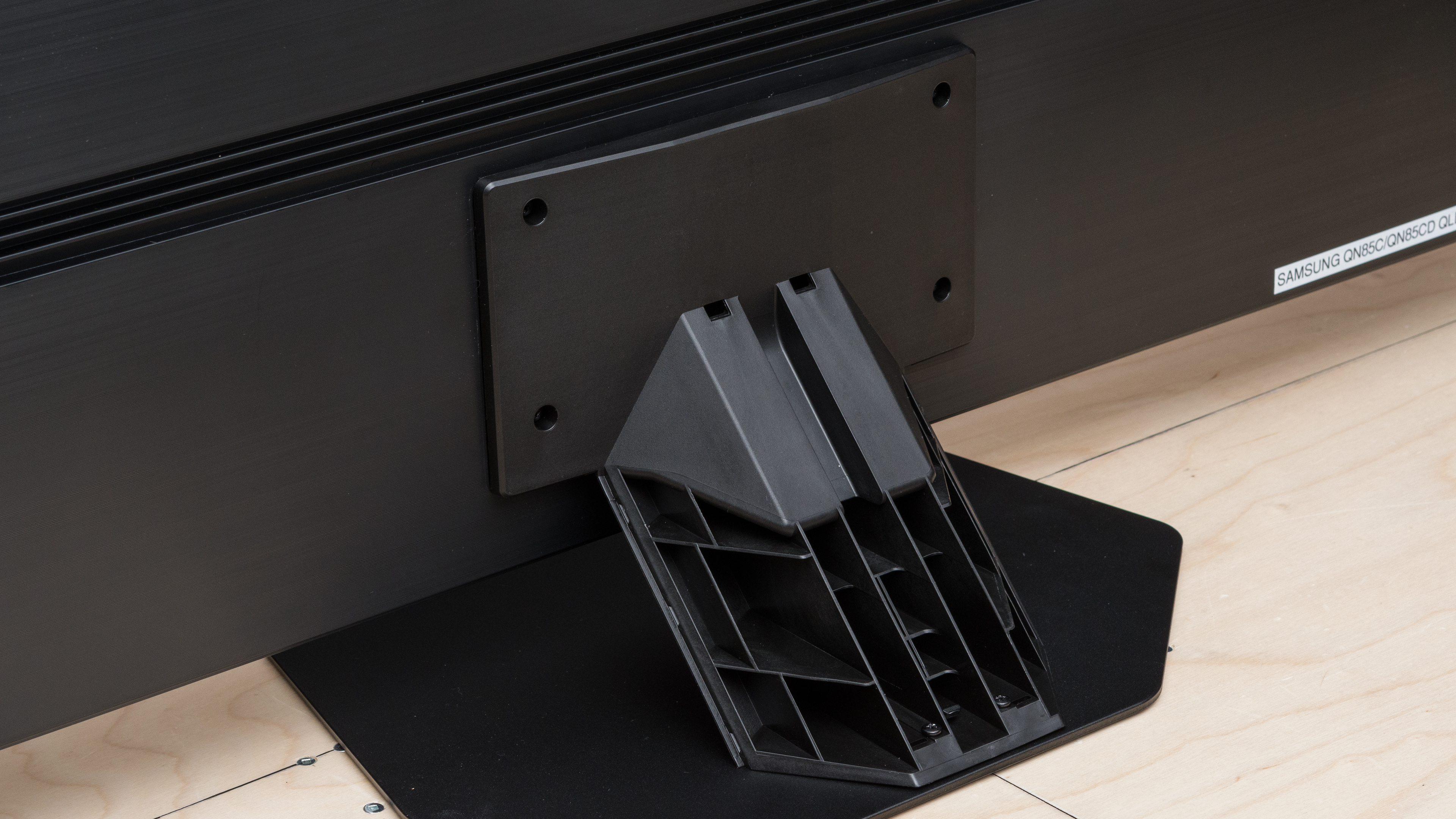
The Samsung QN85C's center-mounted stand is small and doesn't take up much space, so the TV doesn't require a large table or desk. The stand's small size doesn't stop the TV from wobbling, but it's not concerning.
Footprint of the stand on the 65" model: 15.4" x 11.3". The stand lifts the TV about 2.95" above the table, so most soundbars fit in front of the TV without blocking the screen.
for pictures & test results

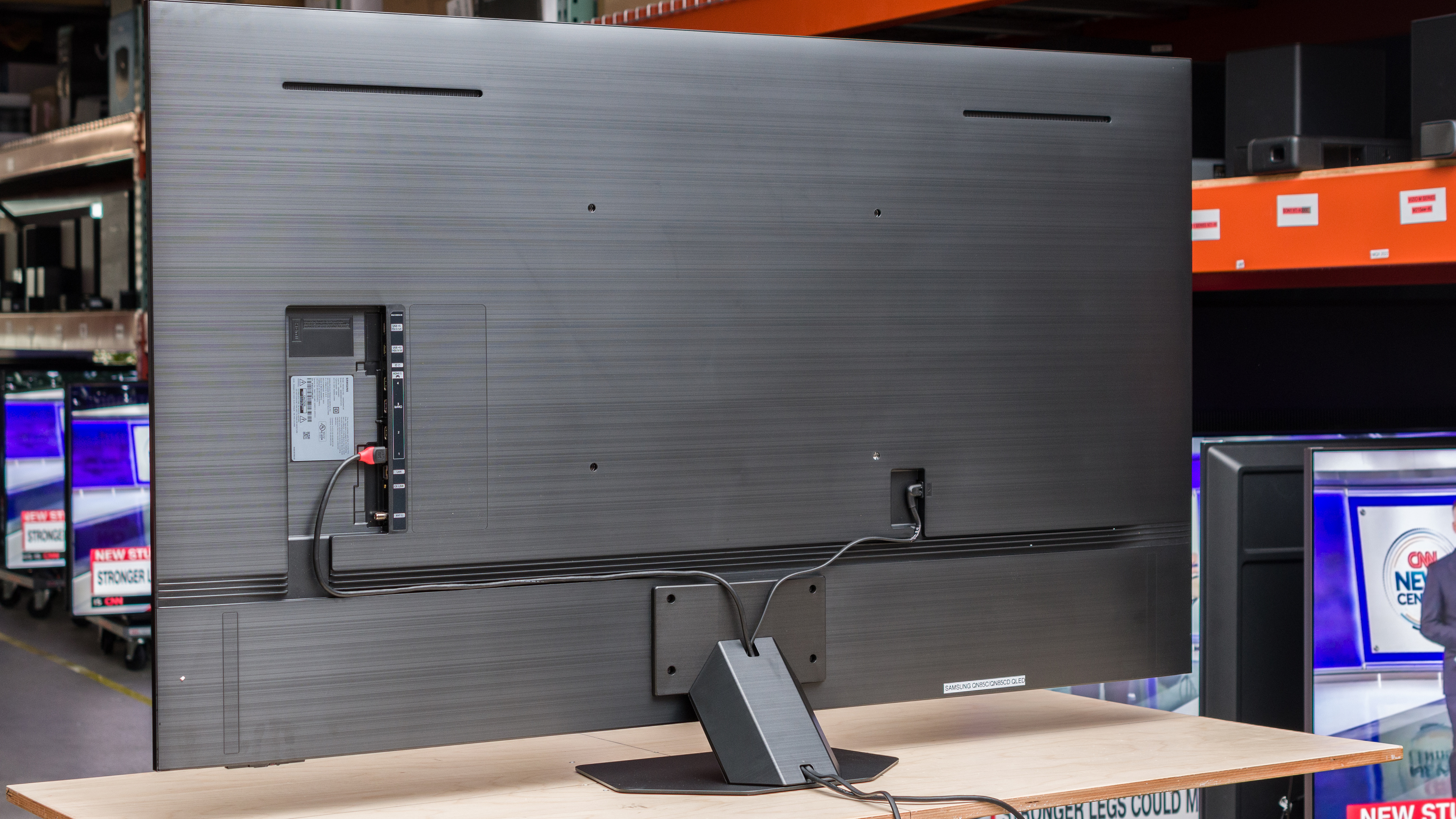
The back of the TV looks good, with a nice textured design. There are cable channels on the back to help with cable management. There are also cable grooves in the stand, hidden with a cover, to further channel cables towards the stand's bottom and out of the TV. Note that the TV's inputs are in a recessed inlet on its back panel. They're hard to access if you wall-mount the TV with a fixed bracket.


for pictures & test results

The build quality of the Samsung QN85C is very good. The TV wobbles from front to back and from side to side due to its small stand, but it's not concerning. However, there's a large amount of flex near the TV's VESA holes and its inputs; nothing too worrying, but it's something to note. Aside from that, the TV feels sleek and is made from premium plastic.
for pictures & test results

The Samsung QN85C has a great contrast ratio. Its native contrast ratio is rather bad, but with local dimming set to high, the TV's contrast is superb; the TV can produce very deep blacks that don't look gray when viewed in a dark room. Note that as you can't fully turn off the local dimming on this TV at the moment, even through the service menu, we calculated the native contrast ratio using this inverse contrast pattern.
for pictures & test results

There's some noticeable blooming around bright highlights and subtitles in dark scenes, but it looks very good overall.
for videos & test results

Lighting zone transitions on the Samsung QN85C are decent, but the algorithm that controls the local dimming feature can't quite keep up with fast content, so transitions are noticeable. When bright highlights move quickly across the screen, the leading edge is darker due to the TV not turning on zones fast enough. There's also a bright halo behind bright highlights that move quickly across the screen.
for pictures & test results

for videos & test results

for videos & test results

The TV's contrast and dark details in Game Mode are very good. The image is overall colder, i.e., has a blueish tint to it, than outside of Game Mode. As a result, colors really pop, and the contrast is very good, but it comes at the expense of a bit more blooming than in other modes.
for pictures & test results

for pictures & test results

for pictures & test results

The TV's HDR peak brightness is excellent. Small specular highlights stand out very well, and while large bright scenes are dimmer, they're still very bright. The TV's Automatic Brightness Limiter (ABL) isn't aggressive at all, so variations in brightness are kept to a minimum, although they're still there.
These measurements are after calibrating the HDR white point with the following settings:
- HDR Picture Mode: Movie
- Brightness: Max
- Contrast: Max
- Color Tone: Warm2
- Local Dimming: High
for pictures & test results

for pictures & test results

for pictures & test results

The TV's HDR peak brightness is very similar in Game Mode when compared to other modes, so it's excellent.
These measurements are after calibrating the HDR white point, with the following settings:
- HDR Picture Mode: Game
- Brightness: Max
- Contrast: Max
- HDR Tone Mapping: Static
- Local Dimming: High
- Color Gamut: Auto
- HDR10+ Gaming: Off
- Game HDR: Basic
for pictures & test results

The Samsung QN85C's PQ EOTF tracking is superb in 'Movie', 'Filmmaker', and 'Game' modes in HDR. It's overbrightened throughout, and its near-blacks are slightly raised. Aside from that, most content displays at the correct brightness level, respecting the content creator's intent. There's a sharp cutoff near the TV's peak brightness; this results in some clipping in really bright scenes, leading to a loss of fine detail.
The TV's SDR peak brightness is fantastic. It's bright enough to overcome glare in even extremely bright rooms with lots of natural light. The TV's Automatic Brightness Limiter (ABL) is not aggressive, although large bright scenes are still dimmer than scenes with smaller highlights. However, the TV is easily bright enough to overcome glare even when dimmed.
These measurements are after calibration with the following settings:
- Picture Mode: Movie
- Brightness: 50
- Local Dimming: High
- Color Tone: Warm2
for pictures & test results

for pictures & test results

The Samsung QN85C has a great color gamut. It can display almost the entire range of colors in the widely used DCI-P3 color space, so HDR content is vivid and lifelike, although most colors are slightly undersaturated. It has an okay coverage of the Rec. 2020 format, good enough for when it becomes more prevalent. However, this isn't the TV for you if you want strong Rec. 2020 coverage for future-proofing.
for pictures & test results

for pictures & test results

The Samsung QN85C has great color volume. It has bright, vibrant colors and can display bright colors very well. It can't quite display the most saturated colors, but it still does an excellent job for an ADS panel.
for pictures & test results

for pictures & test results

for pictures & test results

The TV has very good pre-calibration accuracy. Its white balance is slightly off, especially in very bright shades of gray, where blues are underrepresented. This explains the warmer white balance, which veers towards red. Its gamma tracking is excellent, almost exactly at our target of 2.2 for a moderately lit room, although dark scenes are slightly too dark.
for pictures & test results

for pictures & test results

for pictures & test results

After calibration, the TV has fantastic accuracy. Blues are stubborn and require some work to calibrate, but aside from that, it's not a hard TV to calibrate for. Still, dark scenes are still very slightly too bright, and bright scenes are a tad too dark.
You can see our full calibration settings here.
for pictures & test results

for pictures & test results

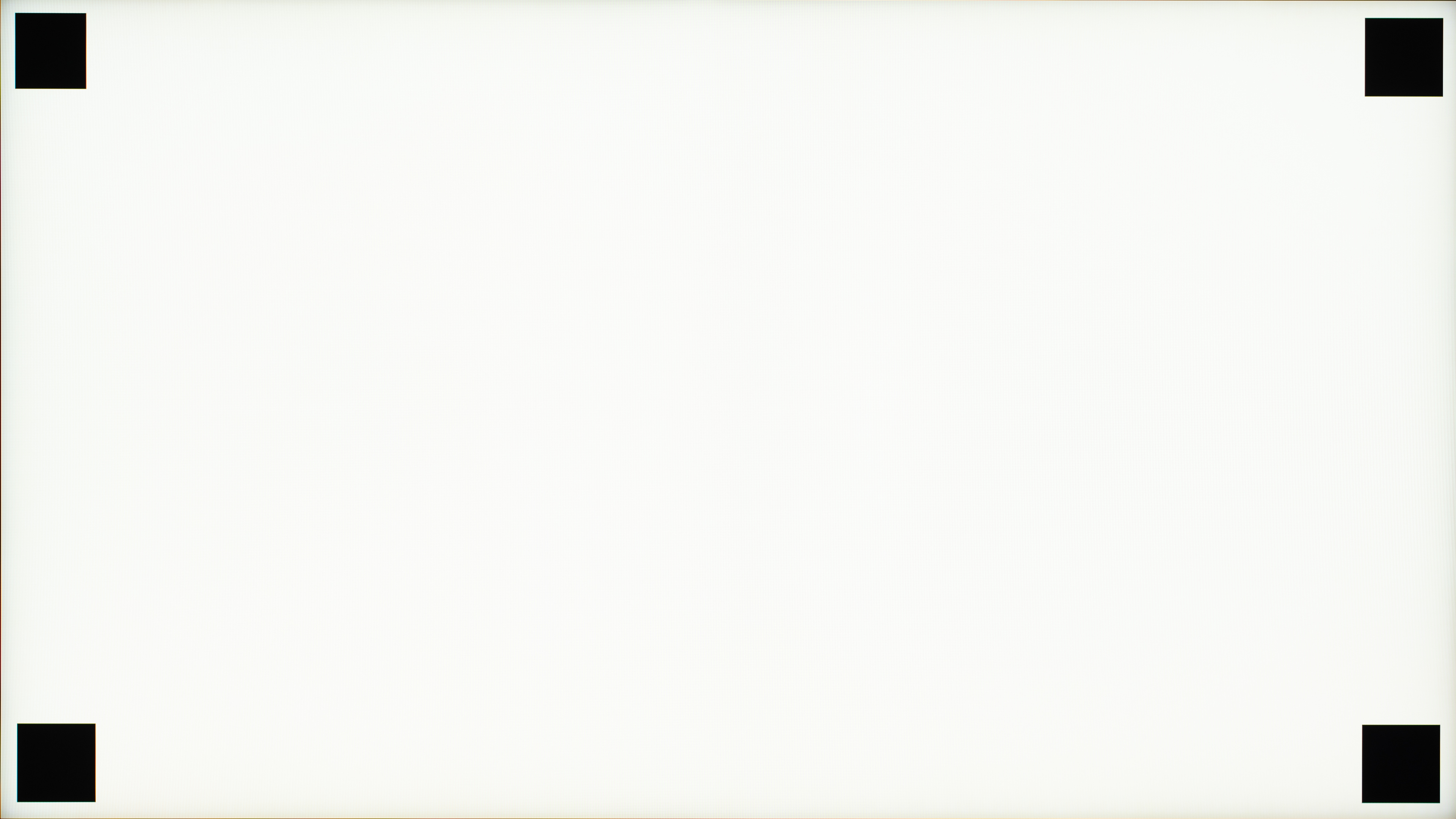
The TV has good gray uniformity. There's some vignetting, where the sides of the image are slightly darker than its center, and vertical banding is noticeable in content with large sections of bright colors, like when watching sports like hockey. Its uniformity with very dark colors is excellent, however.
for pictures & test results

for pictures & test results

The TV's black uniformity is amazing. Note that you can't turn local dimming completely off on this TV due to a more limited service menu, so we took the native black uniformity picture with local dimming set to 'Low'. With that setting, the TV's black uniformity is inadequate; there's a lot of blooming around the bright cross, going beyond it to give the whole screen a blue-ish tint. With local dimming set to 'High', the TV's black uniformity is exceptional.
for videos & test results

for pictures & test results

for pictures & test results

for pictures & test results

The Samsung QN85C has a very good viewing angle. The colors wash out and lose some brightness at moderate angles, but overall it's good enough for a wide seating arrangement.
for pictures & test results

for pictures & test results

for pictures & test results

The TV has decent reflection handling. Its semi-gloss coating diffuses reflections across the screen, making them bigger but less bright.
for pictures & test results

The Samsung QN85CD has impressive HDR gradient handling. However, there's very noticeable banding in saturated greens, as well as in brighter blues.
for pictures & test results

The TV's low-quality content smoothing is acceptable. It does a decent job of preserving details, but it does a mediocre job smoothing out any macro-blocking in dark scenes.
for pictures & test results

The TV has good sharpness processing when upscaling content. It's good enough that low-resolution content looks sharp, although you'll lose some fine details in the process.
for pictures & test results

The Samsung QN85C uses an ADS-type panel, similar to the more commonly known IPS. It uses an RGB subpixel layout, so it won't have any issues rendering text when used as a PC monitor.
for pictures & test results

for pictures & test results

The TV has a good response time. Most transitions are very fast. However, it struggles in very dark scene transitions and has a lot of overshoot in those, causing inverse ghosting behind dark areas. Look at the Samsung The Frame 2024 QLED if you want a Samsung TV with a faster response time.
for pictures & test results

The Samsung QN85C uses pulse width modulation (PWM) to dim its backlight, so unfortunately, it's not flicker-free. The flicker frequency varies between picture modes and with certain settings.
It flickers at 960Hz in the following pictures modes between the stated backlight levels:
- Dynamic: between 26 and 46.
- Standard: between 25 and 47.
- Movie: below 48.
- No motion interpolation: always flickers at 960Hz.
- Game Motion Plus enabled: between 25 and 48.
All other modes and/or backlight levels flicker at 120Hz, except for Game Mode with LED Clear Motion enabled, which stays locked at 60Hz, and the 'Graphic' mode of 'PC' mode with the backlight set to Max, also locked at 60Hz.
for pictures & test results

for pictures & test results

The TV has an optional backlight strobing feature, commonly known as black frame insertion (BFI). The feature helps reduce blur caused by the TV's fast response time, otherwise known as persistence blur. It works at both 60Hz and 120Hz, which is great, but unfortunately, its timing is off, and it causes a duplicate image when enabled.
for pictures & test results

for pictures & test results

The Samsung QN85CD has a feature to increase the frame rate of low frame-rate content up to 120Hz. As is typical of this feature, it works very well with slow panning shots and other slow-paced scenes but shows a lot of artifacts once the action ramps up.
Due to the TV's good response time, low frame rate content, like movies, stutter a bit. It's mainly noticeable in slow panning shots, and motion interpolation or backlight strobing features can mitigate this to some degree, but they come with their own problems.
The Samsung QN85CD automatically removes judder from any source, with no additional settings needed. It's great for watching movies, as motion appears smooth.
The Samsung QN85CD is compatible with all three variable refresh rate (VRR) formats, and it works across a very wide refresh rate range, which ensures that your games remain nearly tear-free when gaming.
The TV has extremely low input lag in Game Mode. It results in a very responsive gaming experience, with very little delay between your inputs and the on-screen action. Unfortunately, the input lag outside Game Mode is too high for gaming or PC use.
The TV supports all common resolutions up to 4k @ 120Hz. All supported formats display chroma 4:4:4 signals properly, essential for clear text from a PC. There are no resolution-halving issues on this TV at any resolution, which is great.
for pictures & test results

The Samsung QN85CD can take full advantage of the PS5, with up to 4k @ 120Hz support on all HDMI ports and support for variable refresh rate (VRR).
for pictures & test results

The TV can take full advantage of the Xbox Series X or S, with up to 4k @ 120Hz support on all its HDMI ports and variable refresh rate (VRR) support.
The Samsung QN85C supports full HDMI 2.1 bandwidth on all four HDMI ports, making it very flexible for users owning multiple HDMI 2.1 devices. Unfortunately, Samsung still doesn't support Dolby Vision, instead supporting the less widely used HDR10+ format.


This TV supports eARC, which lets it pass uncompressed high-quality audio from a connected source to your receiver without sacrificing audio quality. Sadly, it doesn't support DTS audio formats, which is disappointing as many UHD Blu-rays and DVDs use DTS for their lossless audio tracks.
for pictures & test results

The TV's frequency response is okay. Like most TVs, there's barely any bass. However, the TV sounds sharp and clear at moderate volume, but when you raise the volume near or at max, the TV's sound reproduction shows noticeable compression, with dialogue not sounding as clear. Unfortunately, this TV doesn't get loud, so you might have to raise the volume near its max if you are in a loud environment.
for pictures & test results

The TV's distortion handling is okay. While its performance is good at moderate volume levels, distortion is more noticeable at higher volumes.
for pictures & test results

The Samsung QN85CD runs the 2023 version of Tizen OS, which is fast and easy to use. There's no lag whatsoever when using the Smart Hub interface, and finding your favorite content is easy.
for pictures & test results

Unfortunately, like most TVs on the market, there are ads throughout the interface, and there's no option to disable them completely. You can turn off targeted ads, but it doesn't reduce the number of ads you see; it just makes them less personalized to you.
for pictures & test results

The included apps cover most, if not all, of the common streaming services, and there's a great selection of additional apps available in Samsung's app store.
for pictures & test results

The TV comes with a slim remote that is easy to use. It's minimalistic, with few intuitively laid-out buttons. It has a built-in rechargeable battery which you can either charge through USB-C, with a port on the bottom of the remote, or through the solar panel on the back of the remote. The TV is compatible with Bixby and Amazon's Alexa, and both the remote and TV have integrated microphones. The voice commands work well; you can tell the TV to change inputs, ask it to open apps, or even change the brightness. Unfortunately, you can't search for content within apps using voice.
for pictures & test results

The button is under the Samsung branding on the bottom right of the TV. With it, you can turn the TV on and off, change the channel and the volume, and switch input sources. There's also a small toggle to turn the internal microphone on or off if you're worried about privacy.