The Samsung QN95C QLED is a high-end 4k TV released in 2023. Offering nearly double the number of dimming zones than the step-down Samsung QN90C/QN90CD QLED, it's Samsung's flagship 4k TV in 2023, replacing the Samsung QN95B QLED. There are a few key differences between this TV and its predecessor, the most notable of which is the absence of Samsung's external Slim One Connect box. It's powered by Samsung's Neural Quantum Processor 4k, which was first introduced in 2022 and is advertised by Samsung to deliver better upscaling. Like all Samsung TVs, it runs Samsung's proprietary Tizen OS interface, which offers a large selection of apps and games. It's compatible with the Bixby and Alexa voice assistants, and it supports the new Matter smart home standard, so you can control all of your Matter-compatible smart devices from your TV.
Our Verdict
The Samsung QN95C is an impressive TV for any usage or viewing conditions. It's great for watching during the day in a bright room, as it gets incredibly bright to overcome glare, and it has fantastic reflection handling. It's also an impressive TV for watching movies in a dark room thanks to its high contrast ratio and Mini LED local dimming feature. HDR looks amazing thanks to its wide color gamut, and bright highlights stand out well, even in bright scenes. Finally, it's an excellent TV for gaming thanks to its low input lag, great response time, and many gaming features, including a max 144Hz refresh rate and VRR support.
- Image remains consistent when viewed at moderate angles.
- Incredibly high peak brightness so glare isn't an issue.
- Easy-to-use smart interface with a great selection of apps.
- Some noticeable stutter in slow-panning shots.
- Noticeable uniformity issues.
The Samsung QLED is a great TV for watching shows during the day. It gets incredibly bright, so combined with its fantastic reflection handling, glare isn't an issue even in the brightest rooms. It also has a decent viewing angle, so you can walk around the room with the TV on and still enjoy a consistent image from the sides. The built-in smart interface has a massive selection of streaming apps, and with built-in hands-free voice control, you can quickly start watching your favorite shows even if you can't find the remote.
- Image remains consistent when viewed at moderate angles.
- Incredibly high peak brightness so glare isn't an issue.
- Good low-resolution sharpness processing.
- Easy-to-use smart interface with a great selection of apps.
- Mediocre low-quality content smoothing.
- Noticeable uniformity issues.
The Samsung QN95C is a great TV for watching sports. It has a quick response time in bright scenes, so fast-moving action is crisp and clear. It also gets incredibly bright, so glare isn't an issue in a bright room. With its wide viewing angle, you can comfortably enjoy the big game with a large group of friends without fighting over the best seat in the room. Unfortunately, there are a few uniformity issues, though, which are distracting when watching sports, and the speakers aren't very good, so an external soundbar or home theater speakers are recommended if you're throwing a party.
- Image remains consistent when viewed at moderate angles.
- Incredibly high peak brightness so glare isn't an issue.
- Good low-resolution sharpness processing.
- Easy-to-use smart interface with a great selection of apps.
- Great response time for clear motion.
- Mediocre low-quality content smoothing.
- Noticeable uniformity issues.
The Samsung QN95C is an excellent TV for gaming. It has incredibly low input lag, ensuring a smooth, responsive gaming experience. Motion is mostly crisp and fluid thanks to its quick response time, but shadow details aren't as sharp. It offers a great selection of gaming features, including 4k @ 144Hz support for the latest PC GPUs, VRR support to reduce tearing, and full compatibility with the latest-gen gaming consoles like the PS5 and Xbox Series X. It's great for both bright and dark rooms, so if you're gaming during the day glare isn't an issue even in a bright room. At night, dark scenes look amazing, with little blooming around bright highlights.
- Incredibly low input lag.
- Great selection of gaming features including VRR and a 144Hz refresh rate.
- Great response time for clear motion.
- Slightly more blooming in 'Game' mode.
- Noticeable uniformity issues.
The Samsung QN95C delivers an impressive movie-watching experience, especially if you're in a completely dark room. It has an incredibly high contrast ratio and fantastic black uniformity, so dark scenes look great, and bright highlights stand out. Speaking of brightness, HDR content looks amazing thanks to its high peak brightness, and Mini LED local dimming feature, so bright highlights stand out the way they should, even in bright scenes. It also has a wide color gamut, so HDR content is vivid and lifelike. Unfortunately, it doesn't support Dolby Vision HDR, as Samsung focuses on their own HDR10+ format, which is technically similar, but not as widely supported as Dolby Vision.
- Bright highlights in bright scenes stand out well.
- Completely judder-free from all sources.
- Easy-to-use smart interface with a great selection of apps.
- Tracks the content creator's intent well.
- Doesn't support Dolby Vision.
- Doesn't support DTS audio formats.
- Some noticeable stutter in slow-panning shots.
- Noticeable uniformity issues.
The Samsung QN95C delivers an excellent gaming experience in HDR. It's already excellent for gaming thanks to its low input lag, quick response time, and a plethora of gaming features, but HDR-supported games look fantastic. It gets incredibly bright, so bright highlights in games stand out well, and thanks to its wide color gamut, colors are bright and vibrant. It also has fantastic contrast and incredible dark scene performance, making it a great choice for late-night gaming. The local dimming feature isn't quite as good in the 'Game' Picture Mode, though, and there's slightly more blooming, but it still looks good.
- Bright highlights in bright scenes stand out well.
- Incredibly low input lag.
- Great selection of gaming features including VRR and a 144Hz refresh rate.
- Great response time for clear motion.
- Tracks the content creator's intent well.
- Slightly more blooming in 'Game' mode.
- Noticeable uniformity issues.
The Samsung QN95C is a fantastic TV for use as a PC. It displays chroma 4:4:4 and RGB signals properly, which is essential for clear text from a PC. It also has low input lag and a quick response time, so desktop use feels responsive overall and looks great. It has a decent viewing angle, so the sides of the screen remain uniform even if you're sitting close to the screen. Finally, it gets incredibly bright, and combined with its fantastic reflection handling, glare isn't an issue, even if you're using this in a bright room. It's only available in larger sizes, though, so it's not a good choice for smaller desks.
- Image remains consistent when viewed at moderate angles.
- Incredibly low input lag.
- Great selection of gaming features including VRR and a 144Hz refresh rate.
- Great response time for clear motion.
- Noticeable uniformity issues.
Changelog
-
Updated Dec 13, 2024:
We mentioned the newly reviewed Samsung QN95D in the Response Time section of this review.
- Updated Jan 22, 2024: Tested Xbox Series LPCM audio passthrough on Xbox firmware 10.0.25398.2923 and Samsung firmware 1310. The Xbox consoles report that the TV doesn't passthrough LPCM 5.1/7.1 even though it does. Updated the Xbox Series X|S Compatibility text box with the results.
- Updated Dec 20, 2023: Mentioned the newly reviewed Samsung QN900C 8k QLED in the Supported Resolutions section of this review.
- Updated Nov 02, 2023: Review published.
Check Price
Differences Between Sizes And Variants
We bought and tested the 65-inch Samsung QN95C, and these results are also valid for the 55-inch, 75-inch, and 85-inch models. The 55-inch model isn't currently available in the U.S. but is widely available in other regions, and we expect it to perform about the same. At the time of writing, there are no other variants of this TV available. Note that the last five letters in the model number (AFXZA in this case) vary between retailers and individual regions, but there's no difference in performance.
The only significant difference between each size is the number of dimming zones. Despite the significantly higher zone count on larger sizes, this won't make much of a difference in real usage, as Samsung TVs tend to average the backlight out across more zones than needed anyway, so the amount of blooming should be roughly the same.
| Size | US Model | Short Model Code | Dimming Zones |
|---|---|---|---|
| 55" | - | QN55QN95C | ~850 |
| 65" | QN65QN95CAFXZA | QN65QN95C | 1344 |
| 75" | QN75QN95CAFXZA | QN75QN95C | 1920 |
| 85" | QN85QN95CAFXZA | QN85QN95C | 2340 |
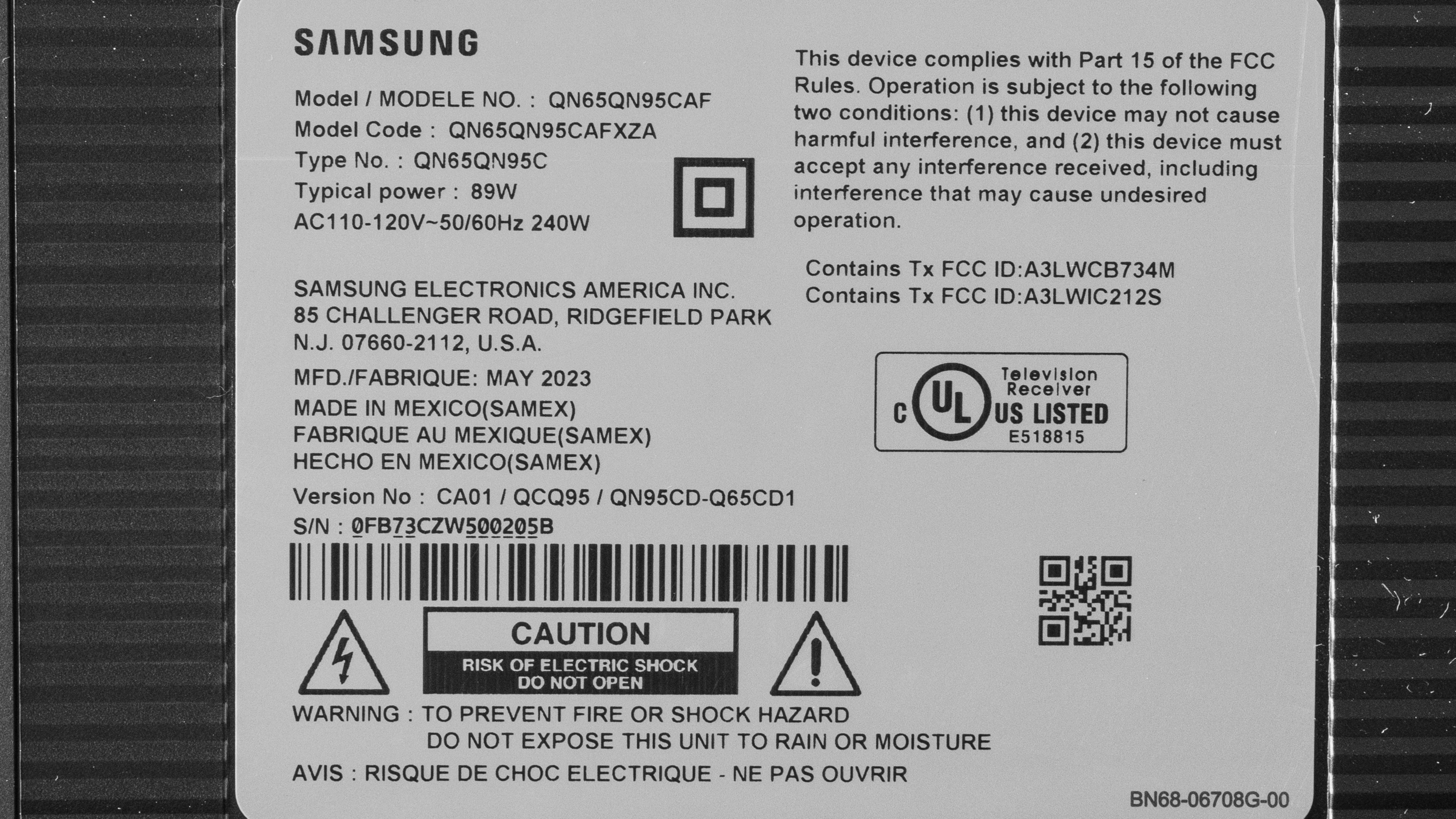
Our unit was manufactured in May 2023; you can see the label here.
Popular TV Comparisons
The Samsung QN95C QLED is an excellent TV that delivers fantastic picture quality and has an impressive selection of additional features. It's a fantastic choice if you're looking to upgrade your home theater or living room setup, but it's pricey, so it's only recommended if you need the absolute best of the best.
For more options, check out our recommendations for the best TVs, the best QLED TVs, and the best 4k gaming TVs.
The Samsung QN95C is better than the Samsung QN95B in some ways, but these improvements come with a few sacrifices. The QN95C has a better local dimming feature, with slightly less blooming and less noticeable zone transitions, thanks to the increased zone count. The QN95C is also more accurate, especially at displaying the content creator's intent in HDR, as it has better tone mapping and tracks the PQ EOTF better. On the other hand, these improvements come at the expense of brightness, as the QN95C isn't quite as bright as the QN95B.
The Samsung QN95C is slightly better than the Samsung QN90C. The QN95C has a more advanced local dimming feature, with significantly more dimming zones, resulting in slightly less blooming around bright highlights in dark scenes and less noticeable zone transitions. The QN95C also gets a bit brighter with real content. Finally, for PC gamers, the QN95C supports a 144Hz refresh rate at 1080p and 4k, resulting in smoother motion handling.
The Samsung S90C OLED is better than the Samsung QN95C. The QN95C is the brighter TV of the two, especially in SDR, so it's preferable for bright room scenarios. Still, the S90C is also quite bright in HDR and has better contrast, so it looks better in dark rooms and almost as good in brighter rooms when watching HDR content. Otherwise, the S90C has typical OLED advantages: a much wider viewing angle, a near-instantaneous response time for gamers, and superior screen uniformity.
The Samsung S95C OLED is better than the Samsung QN95C in most ways. The S95C has better contrast, so blacks are deeper without any blooming or haloing. The S95C also has a wider color gamut and better color volume, so colors are brighter and more vibrant. The S95C has a much wider viewing angle, so it’s the better option for watching TV as a group. However, the QN95C gets a lot brighter in SDR and can overcome more glare, so if you regularly watch TV in a bright room, it’s the better option.

We buy and test dozens of TVs yearly, taking an objective, data-driven approach to deliver results you can trust. Our testing process is complex, with hundreds of individual tests that take over a week to complete. Most of our tests use specially designed test patterns that mimic real content, but we also use the same sources you have at home to ensure our results match the real-world experience. We use two main tools for our testing: a Colorimetry Research CR-100 colorimeter and a CR-250 spectroradiometer.
Test Results
Older Test Bench: We tested this product using an older TV test methodology before a major update. Some of the test results below aren't directly comparable with other TVs. Learn more
for pictures & test results

The Samsung QN95C has a very premium design that looks great in any room. It has a modern and sleek look, and the bezels are incredibly thin.
for pictures & test results

The center-mounted stand is thin and occupies very little space. It doesn't support the TV very well, though, and it wobbles easily.
Footprint of the 65-inch stand: 2.48" x 2.59". The stand lifts the TV about 3.1" above the cabinet, so most soundbars fit in front of the TV without blocking the screen.
for pictures & test results

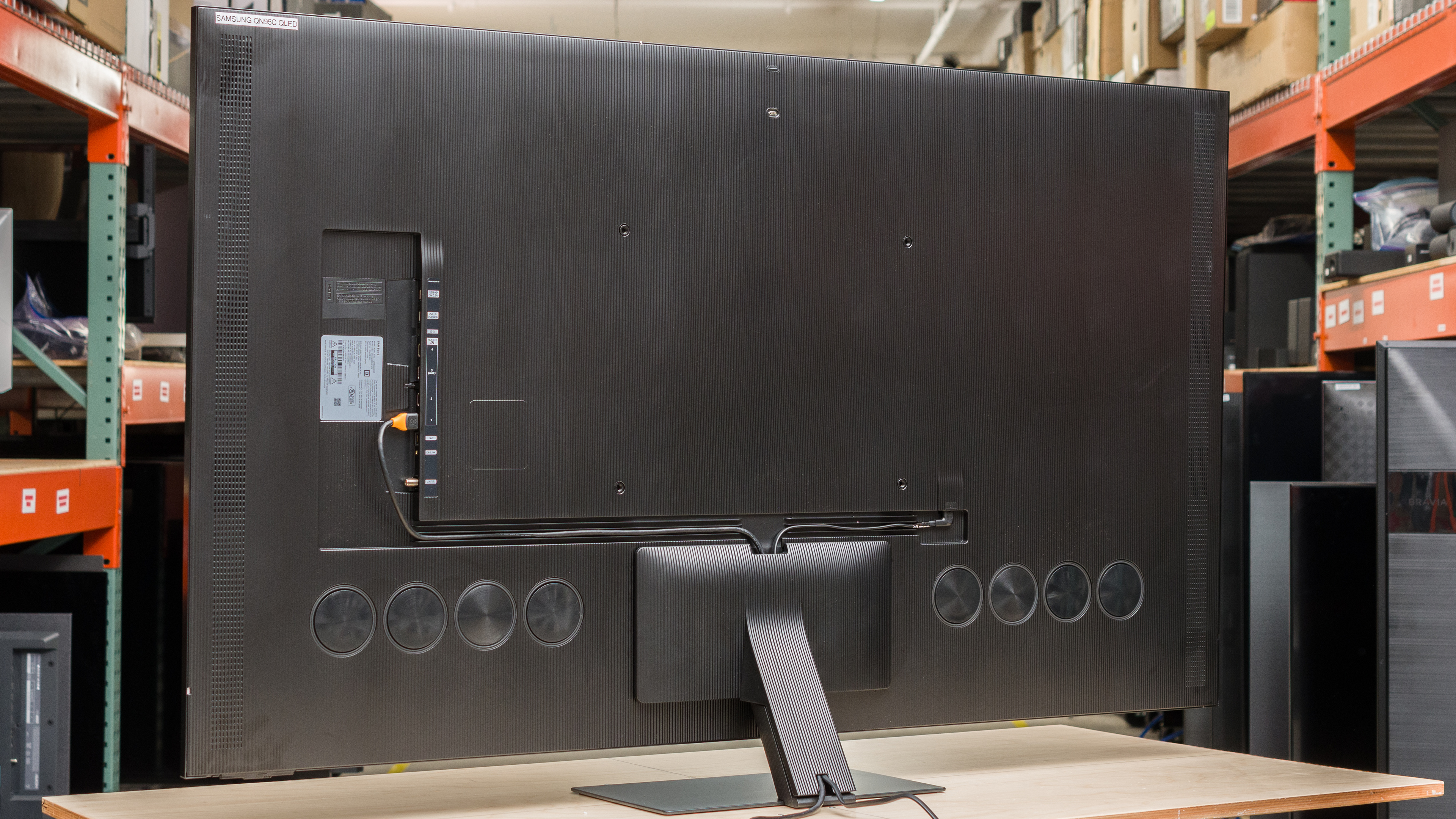
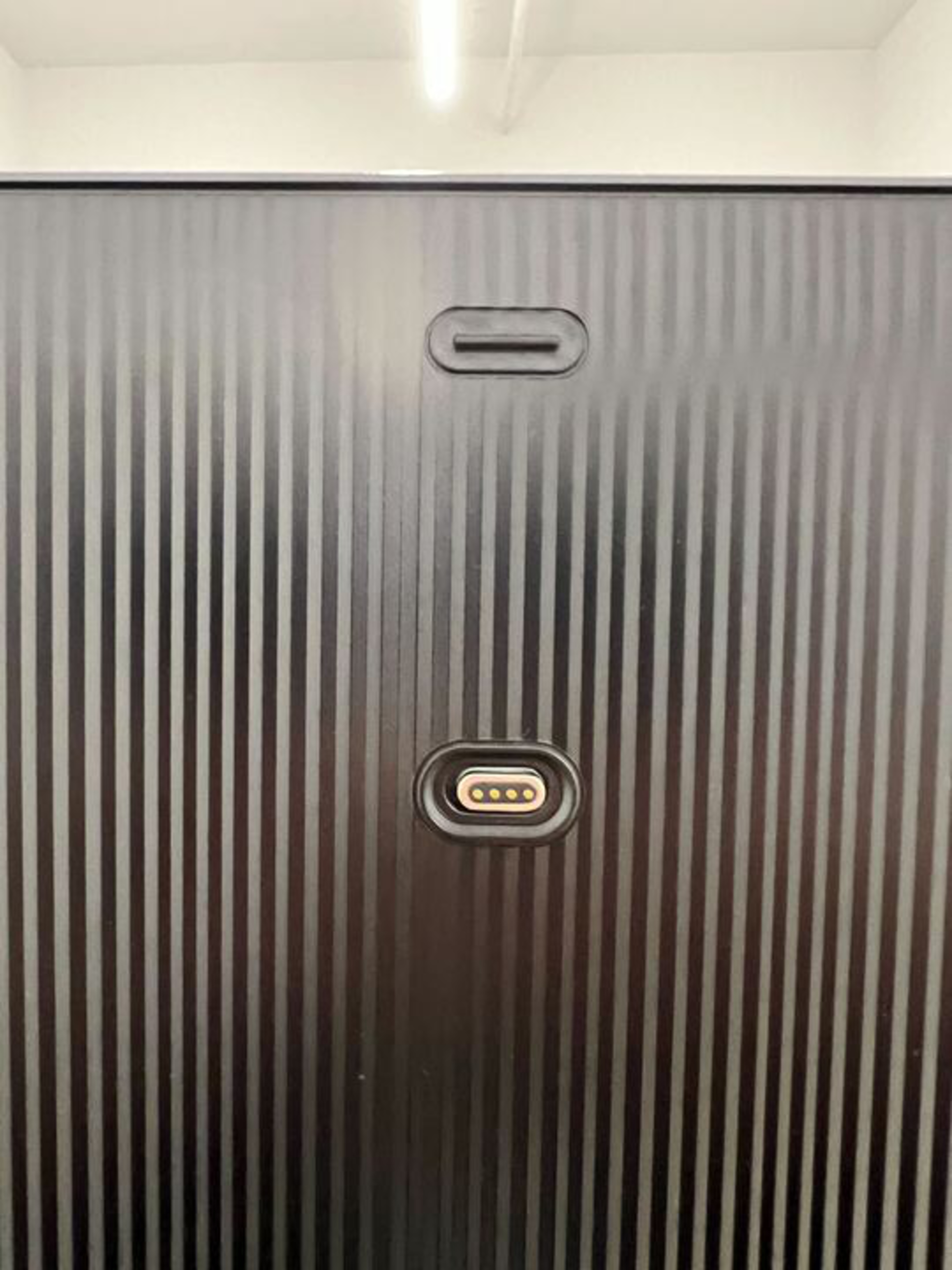
The back of the TV looks great, with a nice textured design to the back panel. There are grooves along the back and through the stand to help with cable management, and a cover that hides the cables on the stand for a really clean setup. There's also a connector near the top of the TV that allows you to connect a Samsung camera add-on, sold separately.


for pictures & test results

The Samsung QN95C has excellent build quality. It's built with premium materials, including a solid metal stand and premium plastic on the back. There's some flex to the back panel, but this is common on TVs and won't cause any issues. The plastic cable cover feels a bit cheap, though.
for pictures & test results

The Samsung QN95C has fantastic contrast. The native contrast of the panel is low due to the inclusion of Samsung's Ultra Viewing Angle tech, which improves the viewing angle but adds a slight haze to the screen that reduces native contrast. With local dimming fully enabled, though, this isn't noticeable, and the TV does a fantastic job displaying deep blacks even in complicated scenes with bright highlights.
Unfortunately, like the Samsung QN85C/QN85CD QLED, Samsung has removed the ability to fully disable the local dimming feature through the service menu. To calculate the native contrast ratio, we used this inverse contrast pattern. We took the average black levels of the four corners with the white area set to 200 cd/m².
for pictures & test results

The Samsung QN95C has impressive blooming control overall, but it struggles a bit in more difficult scenes. In very dark scenes with relatively large bright zones, it does an impressive job limiting the amount of blooming, but it spreads bright lights across more zones than necessary to reduce the harshness of bright lights. In more difficult scenes with large, bright areas or multiple small bright spots, this causes significantly worse blooming, and it's very distracting at times. One example of this that we found with real content is the intro to Stranger Things, Season 3 Episode 2 on Netflix.
for videos & test results

The lighting zone transitions look good overall, but the TV struggles a bit with very fast-moving content. Zones can't quite keep up with very fast content, so the leading edge is darker than it should be, and there's a trailing halo as the zones don't turn off fast enough to keep up with the content.
for pictures & test results

for videos & test results

for videos & test results

Dark scenes look great even in the low-latency 'Game' Picture Mode, but it's a bit worse than in the 'Movie' calibrated picture mode. There's slightly more blooming, but it's not terrible, and zone transitions are about the same.
for pictures & test results

for pictures & test results

for pictures & test results

The Samsung QN95C is bright enough to deliver an amazing HDR experience. It's bright enough to bring out bright specular highlights in already bright scenes, and small bright lights in dark scenes stand out incredibly well.
These measurements are after calibrating the HDR white point with the following settings:
- HDR Picture Mode: Movie
- Brightness: Max
- Contrast: Max
- Color Tone: Warm2
- HDR Tone Mapping: Static
- Local Dimming: High
- Gamma: ST.2084 - 1
Setting HDR Tone Mapping to 'Static' delivers the most natural image, closest to the content creator's intent. If you prefer a brighter image, setting it to 'Active' results in brighter highlights, and most content looks brighter.
| Scene | Brightness | Photo |
| Hallway Lights | 1312 cd/m² | 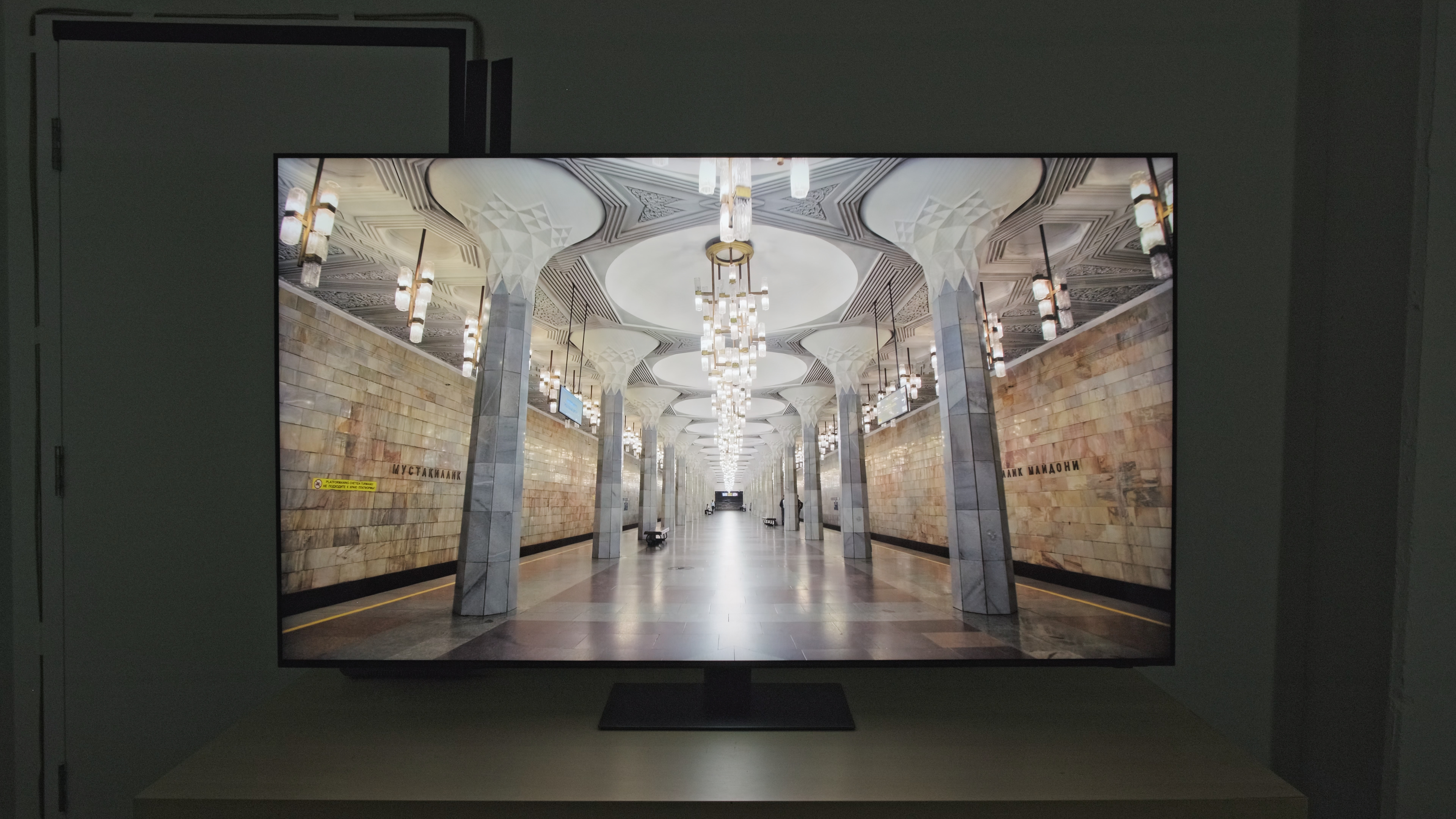 |
| Yellow Skyscraper | 1053 cd/m² | 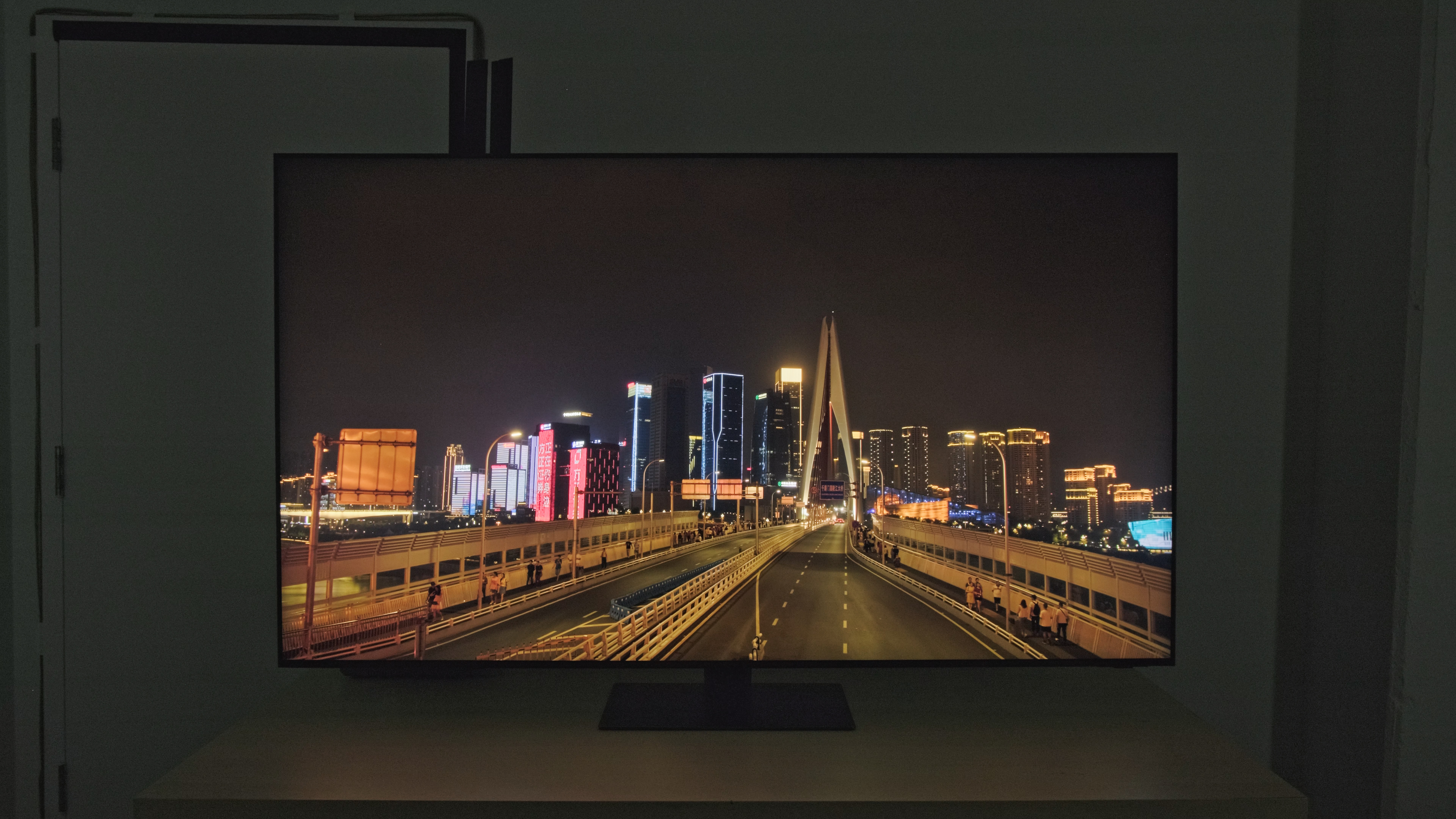 |
| Landscape Pool | 599 cd/m² | 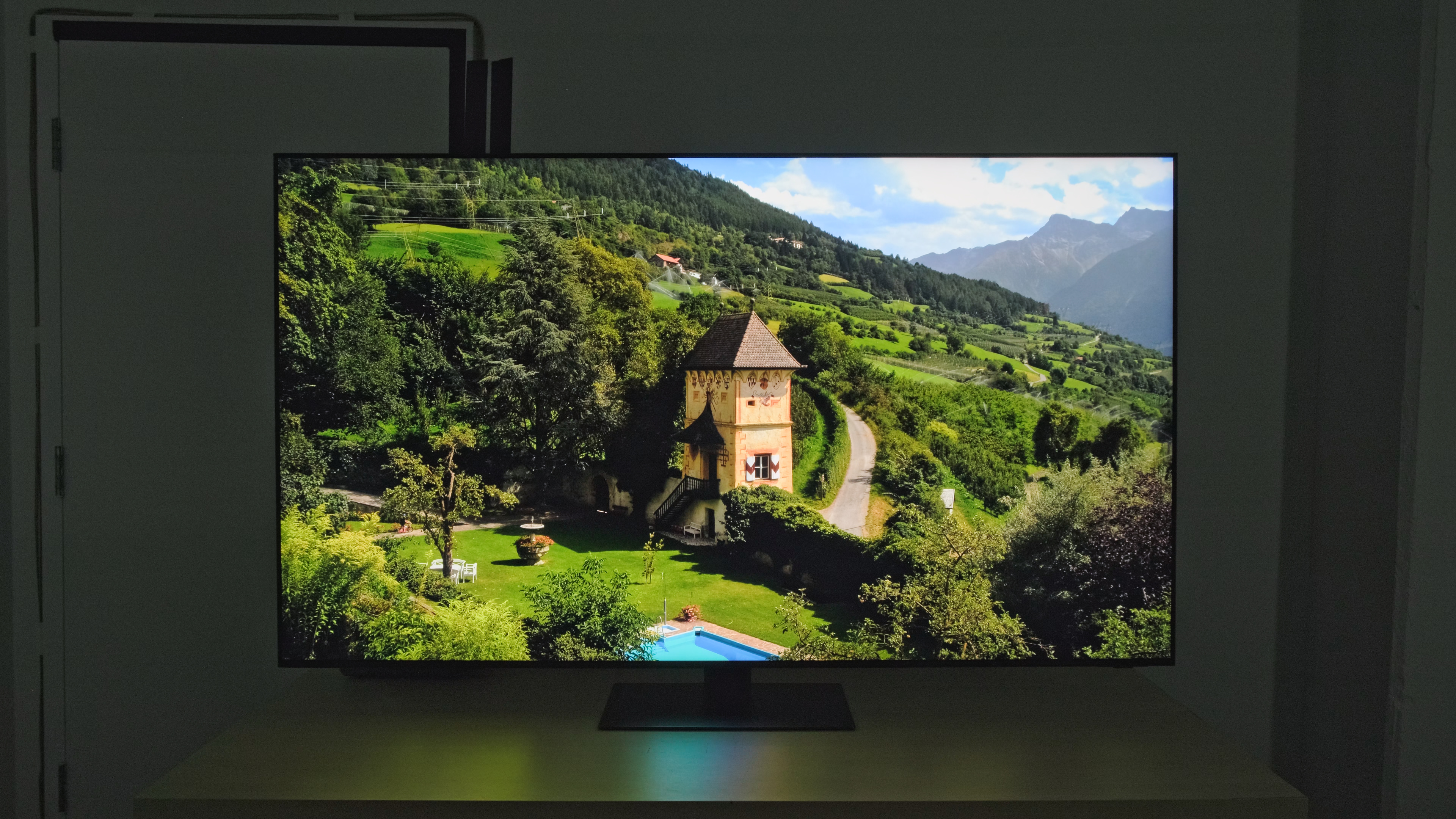 |
for pictures & test results

for pictures & test results

for pictures & test results

With test slides, the peak brightness in 'Game' mode is about the same, on average, as in 'Movie' mode. Unfortunately, most real content is dimmer in 'Game' mode.
These measurements are after calibrating the HDR white point with the following settings:
- HDR Picture Mode: Game
- Brightness: Max
- Contrast: Max
- Color Tone: Warm2
- HDR Tone Mapping: Static
- Local Dimming: High
- Gamma: ST.2084 - 1
- Game HDR: Basic
- HDR10+ GAMING: Off
Setting HDR Tone Mapping to 'Static' delivers the most natural image. If you prefer a brighter image, setting it to 'Active' results in brighter highlights, and most content looks brighter.
| Scene | Brightness | Photo |
| Hallway Lights | 925 cd/m² | 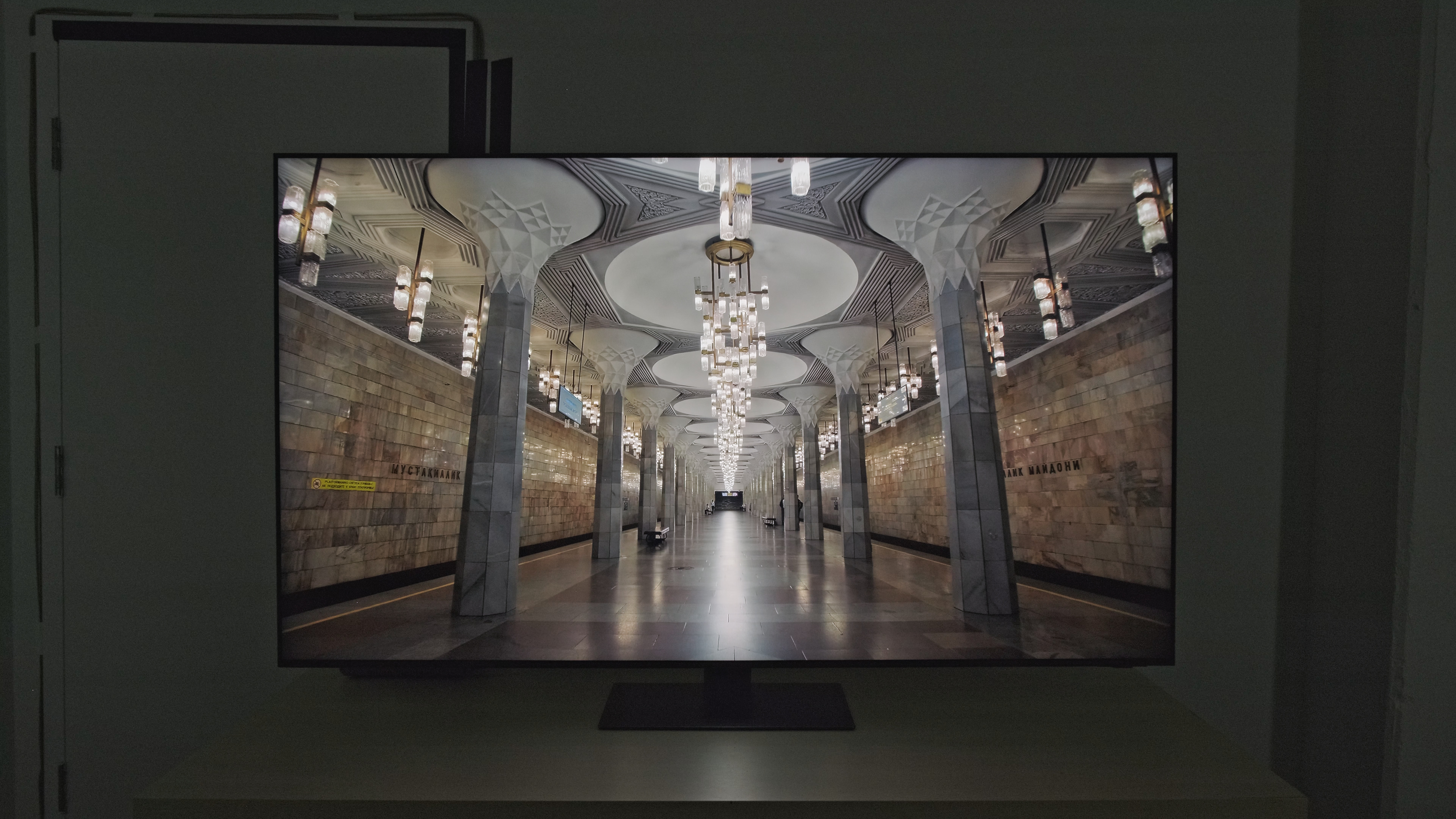 |
| Yellow Skyscraper | 668 cd/m² | 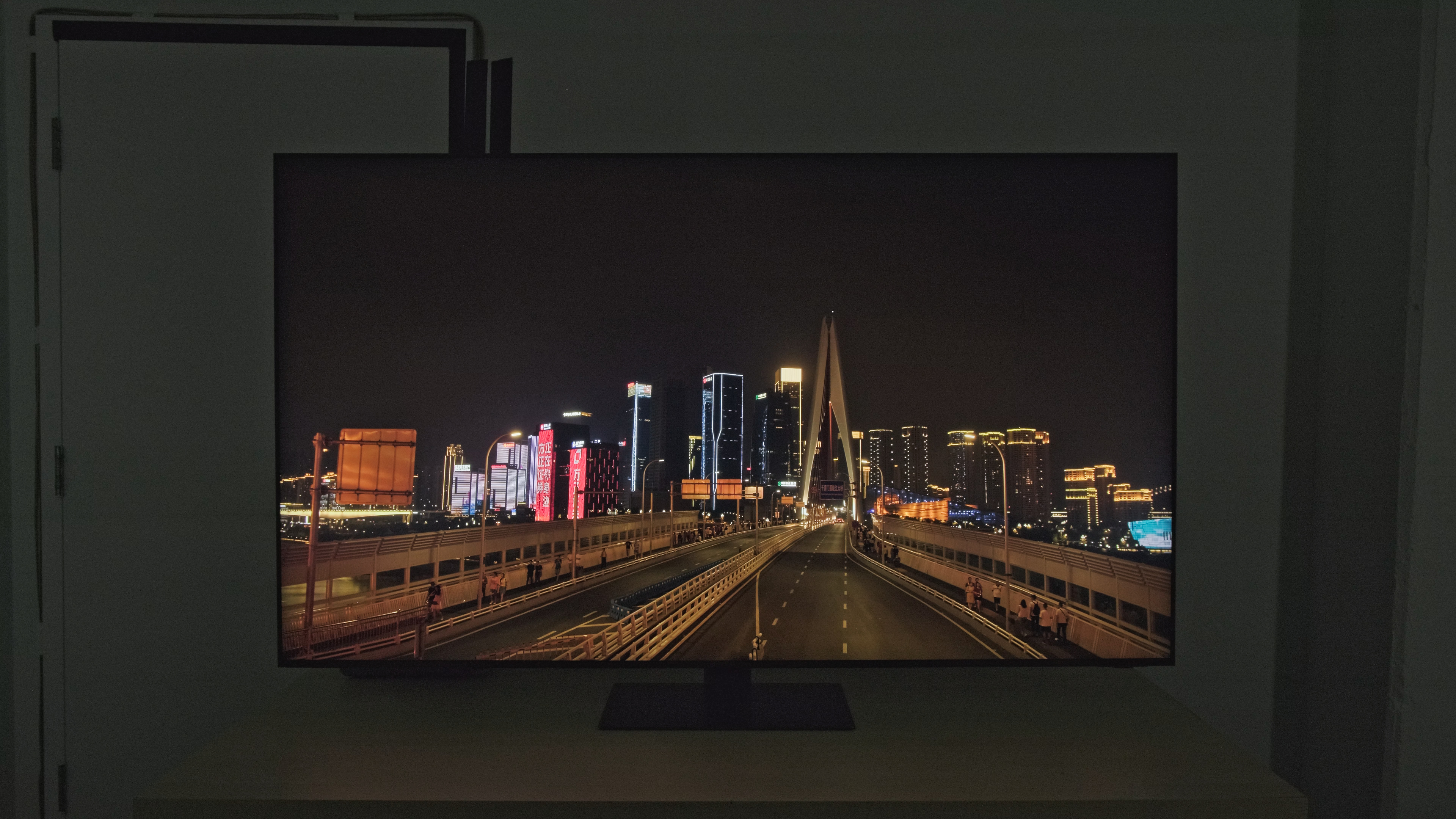 |
| Landscape Pool | 286 cd/m² | 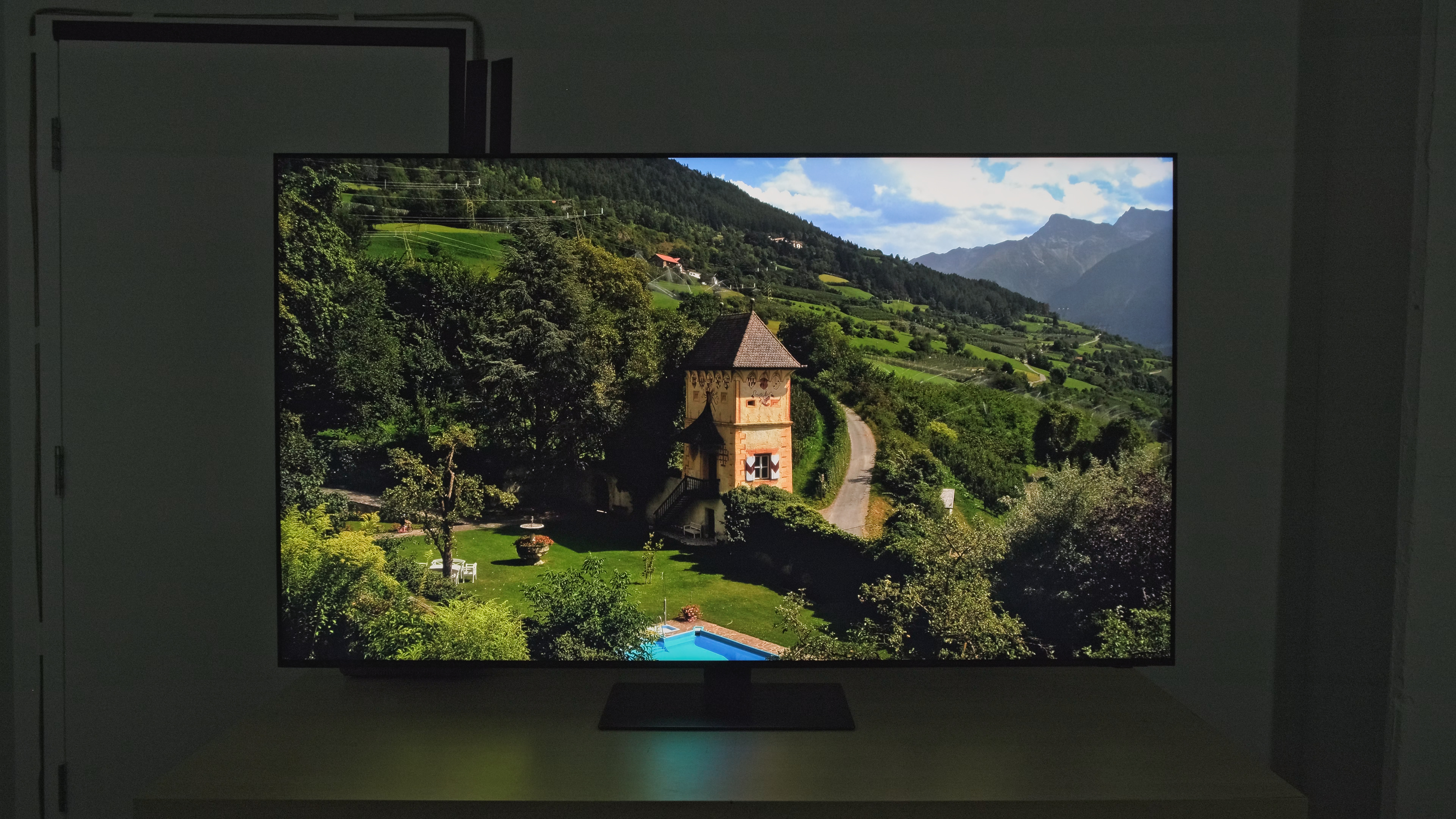 |
for pictures & test results

The PQ EOTF tracking on this TV is fantastic. Thanks to its high contrast ratio, dark shadow details are displayed nearly perfectly. Midtones are nearly perfect, with most content displayed slightly below the content creator's intent, but not noticeably so. There's a sharp cutoff near the TV's peak brightness, so some bright details are clipped, but since it gets so bright anyway, this isn't an issue with the vast majority of content.
The Samsung QN95C has superb peak brightness in SDR. It's bright enough to overcome glare even in extremely bright rooms with lots of natural light. Large, bright scenes are dimmed considerably by the TV's automatic brightness limiter, but it's still bright enough to overcome glare.
These measurements are after calibration with the following settings:
- Picture Mode: Movie
- Brightness: Max
- Local Dimming: High
- Color Tone: Warm2
- Gamma: 2.2
for pictures & test results

for pictures & test results

This TV has a great color gamut. It has excellent coverage of the DCI-P3 color space and excellent tone mapping, with very few noticeable inaccuracies. It has just okay coverage of the wider Rec. 2020 color space, though, and the tone mapping is noticeably off with saturated green and cyan.
for pictures & test results

for pictures & test results

The Samsung QN95C's color volume is amazing. Colors are bright and vibrant and stand out well against bright whites. Dark, saturated colors are also displayed well, thanks to its high contrast ratio.
for pictures & test results

for pictures & test results

for pictures & test results

With a few quick settings changes out-of-the-box, the Samsung QN95C has impressive accuracy in SDR. The white balance and color accuracy are very good overall, with just a few noticeable issues in blues. The color temperature is a bit warm, but it's not noticeable. Gamma doesn't follow the 2.2 setting, tracking much closer to 2.4, so most content is slightly too dim in SDR.
for pictures & test results

for pictures & test results

for pictures & test results

The calibration system is tricky to adjust. The white balance is nearly perfect after calibration, but the color accuracy is still slightly off. The gamma was especially tricky to adjust, and even after calibration, the deepest blacks and the brightest whites are a bit off.
You can see our full calibration settings here.
for pictures & test results

for pictures & test results

Unfortunately, the Samsung QN95C has mediocre gray uniformity. There's quite a bit of distracting dirty screen effect in the center, which is noticeable with most content but especially with sports. The sides of the screen are also quite a bit darker than the center.
for pictures & test results

for pictures & test results

The TV's black uniformity is amazing. Note that you can't turn local dimming completely off on this TV due to a more limited service menu, so the Native Black Uniformity picture is with local dimming set to 'Low'. With that setting, the TV's black uniformity is decent overall, with a few cloudy bands across the screen. With local dimming set to 'High', the TV's black uniformity is exceptional, and the bright bands noticeable on 'Low' are gone.
for videos & test results

for pictures & test results

for pictures & test results

for pictures & test results

The Samsung QN95C has a wide viewing angle thanks to Samsung's inclusion of the Ultra Viewing Angle layer. It's decent for a wide seating arrangement, but colors are washed out and inaccurate if you're at a wide angle.
for pictures & test results

for pictures & test results

for pictures & test results

This TV has superb reflection handling. The glossy coating looks great and significantly reduces the intensity of direct reflections. It uses a different panel type with a different coating than the Samsung QN90C/QN90CD QLED, so although they perform similarly well overall, they do so for different reasons. The QN95C handles direct reflections better, so bright lights reflected in the screen are very faint overall. Unlike the QN90C, though, indirect reflections are more noticeable, and there's a slight haze and smearing effect around bright lights.
for pictures & test results

This TV displays gradients in HDR extremely well. There's some very slight banding in shades of gray and bright highlights, but it's very minor and not distracting.
for pictures & test results

Unfortunately, Samsung's Neural Quantum Processor 4k is mediocre at smoothing out gradients. Some fine details are lost, and there's still significant macro-blocking, especially in darker areas. If you care about low-quality content smoothing, the Sony X93L offers similar picture quality overall but much better processing.
for pictures & test results

The TV has good upscaling and sharpness processing. Fine details in low-resolution content are displayed well, and most text is clear and easy to make out.
The optimal sharpness settings for low-resolution or low-bitrate content, with no over-sharpening, are as follows:
- Sharpness: 5
- Picture Clarity: Off
for pictures & test results

This TV uses a BGR subpixel layout. It doesn't affect picture quality but can cause blurry text in some applications when using it as a PC monitor. The haziness in the pixel photo is caused by the TV's Ultra Viewing Angle layer. You can read more about text clarity here.
for pictures & test results

for pictures & test results

The Samsung QN95C has a great response time for the most part. Fast-moving action is crisp and clear with most content. It struggles more with dark shadow details, though, resulting in a noticeable black smear in shadows. This TV's successor, the Samsung QN95D, has a slightly faster response time overall.
for pictures & test results

Unfortunately, the backlight isn't flicker-free, as Samsung uses pulse width modulation (PWM) to dim the backlight. The exact flicker frequency varies between picture modes and with certain settings:
- Movie: 960Hz, with a secondary 120Hz flicker
- FILMMAKER MODE: 120Hz
- Dynamic: 120Hz
- Eco: 120Hz
- Standard: 120Hz
The backlight flicker behaves very differently in 'Game' mode depending on the extra features and settings enabled:
- Game: 960Hz, with a secondary flicker at 120Hz
- Game Motion Plus w LED Clear Motion: 60Hz
- FreeSync: 960Hz, with a secondary flicker at 120Hz
When connected to a PC, the flicker frequency also varies depending on the settings and picture mode used:
- Entertain: 120Hz
- Graphic: 120Hz
- Game: 960Hz, with a secondary 120Hz flicker
for pictures & test results

for pictures & test results

This TV has an optional backlight strobing feature, commonly known as black frame insertion or BFI. Sadly, it only works at 60Hz, so you can't use it when gaming at 120Hz.
for pictures & test results

for pictures & test results

The Samsung QN95C has a feature to increase the frame rate of low frame-rate content like movies and TV shows. It's okay overall on this TV, but it looks best in slow-paced scenes. Like most TVs, it doesn't look as good in busy scenes with a lot of action, as there are a lot of motion artifacts, and it even stops interpolating at times, causing a sudden change in framerate that can be jarring.
Due to the quick pixel response time, low frame rate content, like movies, appears to stutter in slow panning shots.
The Samsung QN95C can remove judder from any source; however, for most external sources, you have to set Picture Clarity to 'Auto' or 'Custom' with both sliders at 0 to remove judder without adding any motion interpolation.
The Samsung QN95C supports all three types of VRR, and it works across a very wide refresh rate range, ensuring your games remain nearly tear-free even when your system can't keep up with the action.
The Samsung QN95C has incredibly low input lag in 'Game' Mode. This results in a very responsive gaming experience with almost no noticeable delay between your actions and what you see on-screen.
This TV supports most common resolutions up to 4k @ 144Hz. Most supported formats display chroma 4:4:4 signals properly, which is essential for clear text from a PC. The 144Hz mode is only supported with 1080p or 4k signals, though, and 1440p @ 120Hz doesn't display chroma 4:4:4 properly, so text is blurry from a PC in that mode. If you're looking for a TV with similar features that supports 8k, check out the Samsung QN900C 8k QLED.
for pictures & test results

This TV can take nearly full advantage of the PS5. The PS5 doesn't support a 144Hz refresh rate, though, so you're limited to 120Hz.
for pictures & test results

The Samsung QN95C can take nearly full advantage of the Xbox Series S|X systems, except for Dolby Vision gaming. The Xbox doesn't support a 144Hz refresh rate, so you're limited to 120Hz. There's a communication issue between the Xbox Series consoles and the TV; the Xbox reports that the TV doesn't passthrough LPCM 5.1/7.1 audio signals even though it does. Thus, LPCM signals do passthrough regardless of the error messages in the Xbox's audio testing results.
The Samsung QN95C supports the full 48Gbps bandwidth of HDMI 2.1 on all four HDMI ports, giving you the flexibility to take full advantage of multiple high-bandwidth devices, like if you own a PS5 and an Xbox Series X. Unfortunately, Samsung still doesn't support Dolby Vision; however, it supports HDR10+ instead, which is very similar overall but not as widely supported.


The Samsung QN95C supports eARC, which lets it pass uncompressed high-quality audio from a connected source to your soundbar or home theater system without sacrificing audio quality. Sadly, it doesn't support DTS formats, which is disappointing, as many UHD Blu-rays use DTS for their lossless audio tracks.
for pictures & test results

The frequency response is alright, but it's surprisingly worse in some ways than similar Samsung models like the Samsung QN95B QLED and the Samsung QN90C/QN90CD QLED. Like most TVs, there's very little bass, but the sound profile is well-balanced, and dialogue sounds clear. It doesn't get very loud, though, so it's not a good choice for a loud environment.
for pictures & test results

Overall, this TV's distortion handling is very good. There's little audible distortion at moderate listening levels, and it's barely noticeable even at max volume.
for pictures & test results

The Samsung QN95C runs the 2023 version of Tizen OS, which is fast and easy to use. The Smart Hub interface is smooth and has many advanced options, and it's easy to find your favorite content.
for pictures & test results

Unfortunately, like most TVs on the market, there are ads throughout the interface, and there's no option to disable them completely. There are a few privacy-related options, so you can limit things like ad-tracking, but this doesn't reduce the number of ads you see, as it just makes them less personalized.
for pictures & test results

The included apps cover most of the common streaming services, and there's a great selection of additional apps available in Samsung's app store. There's also a connector on the back of the TV that allows you to connect a Samsung camera add-on, sold separately, that enables video calls and other camera apps, including home workouts.
for pictures & test results

The remote is very slim and compact and is easy to use. It has a built-in rechargeable battery with a solar panel on the back of the remote. You can also recharge it via USB-C if it dies unexpectedly. This TV supports hands-free voice control thanks to a built-in mic, or you can use the mic on the remote.
for pictures & test results

The controls are on the bottom bezel of the TV near the right corner. There's a single button to power the TV on/off and change channels, volume, and inputs. There's also a small switch next to the power button that controls the TV's built-in mic for hands-free voice control.