The Samsung QN900C 8k QLED is Samsung's second-highest TV in its 8k TV line-up. It sits below the company's flagship Samsung QN990C 8k QLED and above the Samsung QN800C 8k QLED. The TV replaces the Samsung QN900B 8k QLED and features the same technology as its predecessor, like Samsung's proprietary Quantum Mini LEDs that allow for more precise control of the TV's local dimming zones when compared to their regular Quantum Matrix Technology. It utilizes the same Neural Quantum Processor 8k as the QN900B, which uses AI and is designed to provide more detailed upscaling on a scene-by-scene basis. Like many of Samsung's previous QLEDs, the TV uses the external One Connect Box to help keep your setup tidy and organized. The TV is available in 65-inch, 75-inch, and 85-inch sizes.
Our Verdict
The Samsung QN900C is a great TV for mixed usage. It overcomes glare easily in a bright room thanks to its outstanding SDR peak brightness and excellent reflection handling, so it's great for watching TV shows or sports. It's also very good for use in a dark room due to its effective local dimming feature, so it's a good choice for watching movies. It's an excellent TV for gaming due to its incredibly low input lag and quick response time, so it delivers a responsive gaming experience that has very little blur behind fast-moving objects, and it has VRR support and HDMI 2.1 bandwidth, which makes it a great choice to pair with modern consoles or gaming PCs. The TV is also a great option for use as a PC monitor since it displays chroma 4:4:4 properly, and the viewing angle is wide enough that the sides of the screen stay uniform when sitting up close.
- Effective Local Dimming feature.
- Outstanding SDR peak brightness and excellent reflection handling to overcome glare.
- Good upscaling capabilities.
- Easy-to-use smart interface with a wide selection of streaming apps.
- TV has an only adequate viewing angle.
The Samsung QN900C 8k QLED is very good for watching TV shows in a bright room. The built-in Tizen smart interface is loaded with a big selection of streaming apps, so it's easy to find your favorite shows. The TV has outstanding SDR peak brightness and excellent reflection handling, so it easily overcomes glare in a bright room. It has an adequate viewing angle, so the image remains consistent when viewed from a moderate angle, but anyone watching from a more aggressive angle will see a washed-out image. The TV has good upscaling, which is extra important since 8k content is so rare, and most of the content watched on the TV needs to be upscaled. Unfortunately, the TV has unremarkable low-quality content smoothing, so there are still noticeable artifacts with low-quality streaming content.
- Outstanding SDR peak brightness and excellent reflection handling to overcome glare.
- Good upscaling capabilities.
- Easy-to-use smart interface with a wide selection of streaming apps.
- TV has an only adequate viewing angle.
- Unremarkable low-quality content smoothing.
The Samsung QN900C 8k QLED is great for watching sports. The TV has an amazing response time, so fast motion is clear, with no noticeable blur behind fast-moving balls and players. It also has outstanding SDR peak brightness and excellent reflection handling, making the screen easy to see in a bright room. The TV is a good choice for watching the game with a small group of friends since it has an adequate viewing angle, and the image remains consistent from a moderate angle. Still, it's not a great option for larger groups since anyone watching the game from a more aggressive angle will see a washed-out image. The TV's uniformity is great, so there's very little dirty screen effect when watching sports with large areas of the same color, like hockey or football.
- Outstanding SDR peak brightness and excellent reflection handling to overcome glare.
- Good upscaling capabilities.
- Easy-to-use smart interface with a wide selection of streaming apps.
- Aggressive automatic brightness limiter.
- TV has an only adequate viewing angle.
The Samsung QN900C 8k QLED is an amazing TV for playing video games. The TV has VRR support for a nearly tear-free gaming experience. It also has HDMI 2.1 bandwidth on all four of its ports that allows you to play games in up to 4k @ 144Hz with VRR or 8k @ 60Hz without VRR, so you have many options when pairing the TV with a modern console or gaming PC. The TV gives a responsive gaming experience thanks to its incredibly low input lag, and motion is clear, with very little blur behind fast-moving objects due to its amazing response time.
- Incredibly low input lag.
- Amazing response time for clear motion with minimal blur.
The Samsung QN900C is very good for watching movies in a dark room. The TV has excellent peak brightness in HDR, so bright highlights pop. With the TV's very effective local dimming feature turned on, contrast is excellent, and blacks are deep and uniform, but there's some blooming around subtitles and other bright objects when they are against a dark background. The TV has a wide color gamut, so it displays a wide range of colors, and those colors appear vibrant and bright due to its impressive color volume. Unfortunately, there's noticeable banding with similar shades of certain colors when they are next to each other on screen. The TV supports HDR10+ but lacks Dolby Vision support. It has unremarkable low-quality content smoothing, so there are still noticeable artifacts present with low-quality content.
- Excellent HDR peak brightness.
- Effective Local Dimming feature.
- Easy-to-use smart interface with a wide selection of streaming apps.
- No Dolby Vision support.
- Aggressive automatic brightness limiter.
- Unremarkable low-quality content smoothing.
The Samsung QN900C is an excellent TV for HDR gaming. Games look vibrant and lifelike in HDR thanks to the TV's great color gamut and impressive color volume, and highlights pop due to the TV's excellent HDR peak brightness. The TV has an amazing response time, so there's barely any blur behind fast-moving objects, and the incredibly low input lag delivers a responsive gaming experience. The TV supports the latest gaming features, so you get a nearly tear-free gaming experience thanks to the VRR support and the ability to game in up to 4k @ 144Hz with VRR or 8k @ 60Hz without VRR thanks to the TV's four HDMI 2.1 bandwidth ports.
- Incredibly low input lag.
- Excellent HDR peak brightness.
- Effective Local Dimming feature.
- Amazing response time for clear motion with minimal blur.
- No Dolby Vision support.
The Samsung QN900C is an amazing TV to use as a PC monitor. The viewing angle is wide enough that the edges of the screen remain consistent when sitting up close, and the TV's great uniformity means there's very little dirty screen effect when looking at large areas of the same color, like when browsing the web. It provides a responsive desktop experience thanks to its incredibly low input lag, and there's very little blur behind fast cursor movements due to its amazing response time. The TV's outstanding SDR peak brightness and excellent reflection handling make it a great choice in a bright room, as it overcomes glare easily, and the TV properly displays chroma 4:4:4, so text is clear and easy to read. It's also great to pair with a gaming PC, as it supports HDMI 2.1 bandwidth on all four of its ports, and you can game in up to 4k @ 144Hz or 8k @ 60Hz.
- Incredibly low input lag.
- Amazing response time for clear motion with minimal blur.
- Chroma 4:4:4 is displayed properly for clear text from a PC.
- TV has an only adequate viewing angle.
- No 1440p @ 144Hz support.
Changelog
- Updated Sep 11, 2024: Mentioned the newly-reviewed Samsung QN900D 8k QLED in the Contrast section of this review.
- Updated May 02, 2024: Mentioned the newly-reviewed LG C4 OLED in the Response Time section of this review.
- Updated Apr 23, 2024: Mentioned the newly reviewed Samsung S95D OLED in the Contrast section of this review.
- Updated Jan 05, 2024: We retested the Sustained 2% Window and the Automatic Brightness Limiter in the SDR Brightness section and changed the text in the review to reflect the new scores.
Check Price
Differences Between Sizes And Variants
We bought and tested the 65-inch QN900C (QN65QN900CFXZC), which is also available in 75-inch and 85-inch sizes. Note that with this TV, the two letters before the short model code (QN in this case) and the four letters after the short model code (FXZC in this case) vary between specific regions and different retailers.
| Size | US Model | Short Model Code | UK Model |
|---|---|---|---|
| 65" | QN65QN900CFXZC | QN65QN900C | QE65QN900CTXXU |
| 75" | QN75QN900CFXZC | QN75QN900C | QE75QN900CTXXU |
| 85" | QN85QN900CFXZC | QN85QN900C | QE85QN900CTXXU |
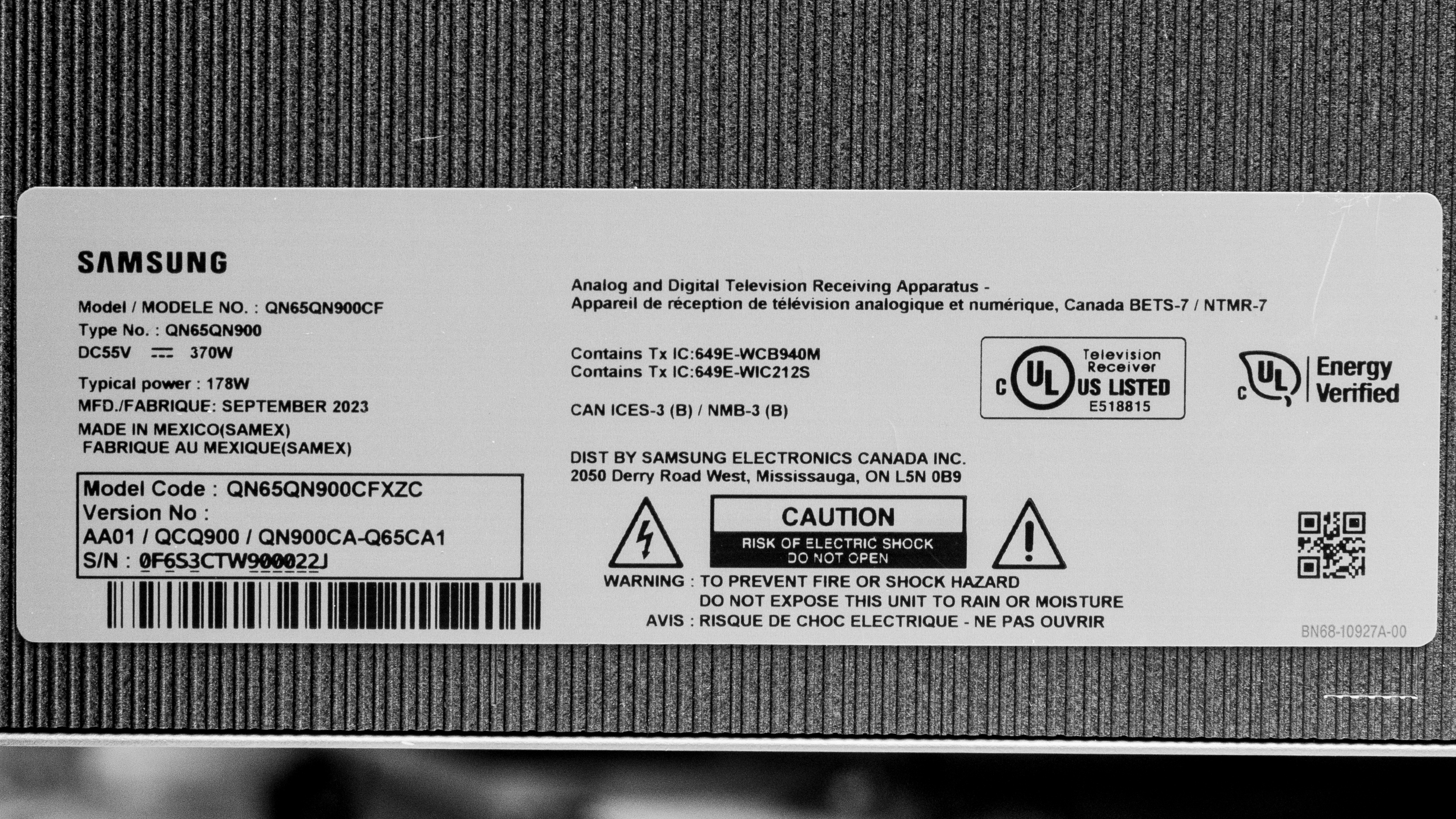
Our unit was manufactured in September 2023; you can see the label here.
Popular TV Comparisons
The Samsung QN900C is an excellent TV, but its aggressive automatic brightness limiter (ABL) and only adequate viewing angle are disappointing. Since 8k content is still very rare, an 8k TV isn't worth it for most people, and you can get similar performance from a 4k TV like the Samsung QN90C/QN90CD QLED for much cheaper.
For more options, check out our recommendations for the best 8k TVs, the best 4k TVs, and the best QLED TVs.
The Samsung QN900C 8K and the Samsung QN900B 8K are very similar TVs, and you'd be hard-pressed to notice a difference between them. The QN900C has a dark gray stand that better matches the rest of the TV than the silver stand found on the QN900B. Even though it's an older model, the QN900B has slightly better contrast, and it gets a bit brighter in HDR than the QN900C, so if you primarily use your TV in a dark room and you can find the QN900B on sale, it's the better buy for that purpose. The QN900C has better PQ EOTF tracking, so if you're after accuracy, it's the better option.
The LG C3 OLED and the Samsung QN900C 8K are better for different uses. The LG is better in a dark room due to its nearly infinite contrast ratio, better black uniformity, no blooming, and perfect zone transitions, so you get perfect blacks with no distractions. The LG also has better HDR gradient handling for less banding, and its wider viewing angle makes it a better choice for watching TV with other people, as no one will have to watch a washed-out image. The Samsung is better for a bright room due to its higher SDR peak brightness, so it overcomes glare better. The Samsung is also capable of 4k @ 144Hz, so it's a better option for a gaming PC capable of 144 fps.
The LG G3 OLED and the Samsung QN900C 8K are better for different uses. The LG is better in a dark room due to its nearly infinite contrast ratio, better black uniformity, no blooming, and perfect zone transitions, so you get perfect blacks with no distractions. The LG also has better HDR gradient handling for less banding, and its wider viewing angle makes it a better choice for watching TV with other people, as no one will have to watch a washed-out image. The LG also has better PQ EOTF tracking and a wider color gamut, so the image is closer to the creator's intent, and HDR colors are a bit more vibrant and lifelike. The Samsung is better for a bright room due to its higher SDR peak brightness, so it overcomes glare better. The Samsung is also capable of 4k @ 144Hz, so it's a better option for a gaming PC capable of 144 fps.
The Samsung S95C OLED and the Samsung QN900C 8K are both excellent TVs that excel in different ways. The S95C is better for a dark room due to its nearly infinite contrast ratio, better black uniformity, no blooming, and perfect zone transitions, so you get perfect blacks without any distractions. The S95C also has a wider color gamut and better color volume, so colors in HDR are more vibrant and lifelike than on the QN900C. If you primarily use your TV in a bright room, the QN900C is better for that purpose as it gets much brighter in SDR, so it overcomes glare better. The QN900C is also capable of 4k @ 144Hz, so it's a better option for a gaming PC capable of 144 fps.

We buy and test dozens of TVs yearly, taking an objective, data-driven approach to deliver results you can trust. Our testing process is complex, with hundreds of individual tests that take over a week to complete. Most of our tests use specially designed test patterns that mimic real content, but we also use the same sources you have at home to ensure our results match the real-world experience. We use two main tools for our testing: a Colorimetry Research CR-100 colorimeter and a CR-250 spectroradiometer.
Test Results
Older Test Bench: We tested this product using an older TV test methodology before a major update. Some of the test results below aren't directly comparable with other TVs. Learn more
for pictures & test results

The Samsung QN900C has a nice premium design. It has very thin bezels that help to immerse the viewer thanks to Samsung's Infinity Screen design, and the dark gray stand matches better with the rest of the TV than the silver stand used on the Samsung QN900B 8k QLED.
for pictures & test results

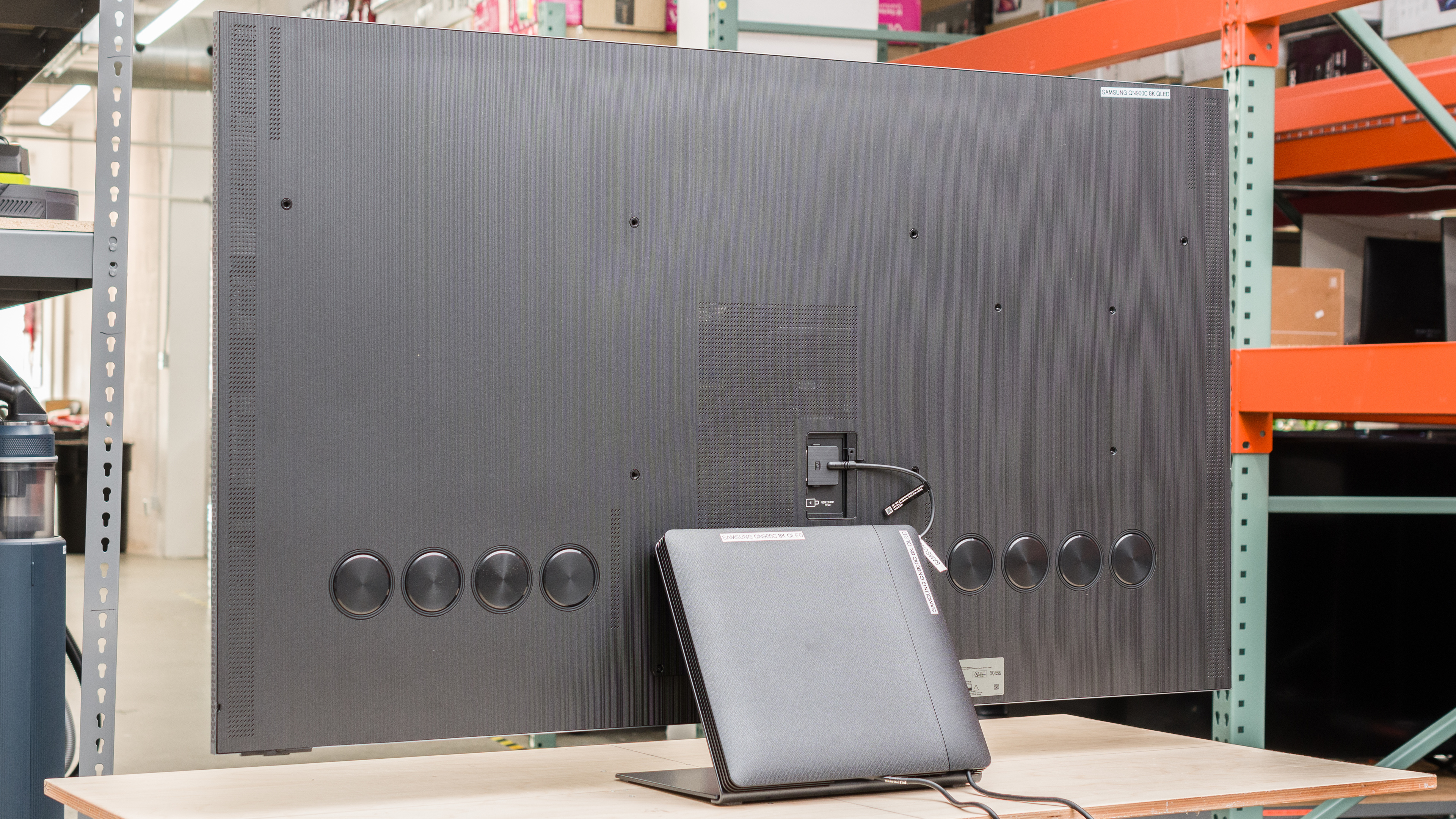
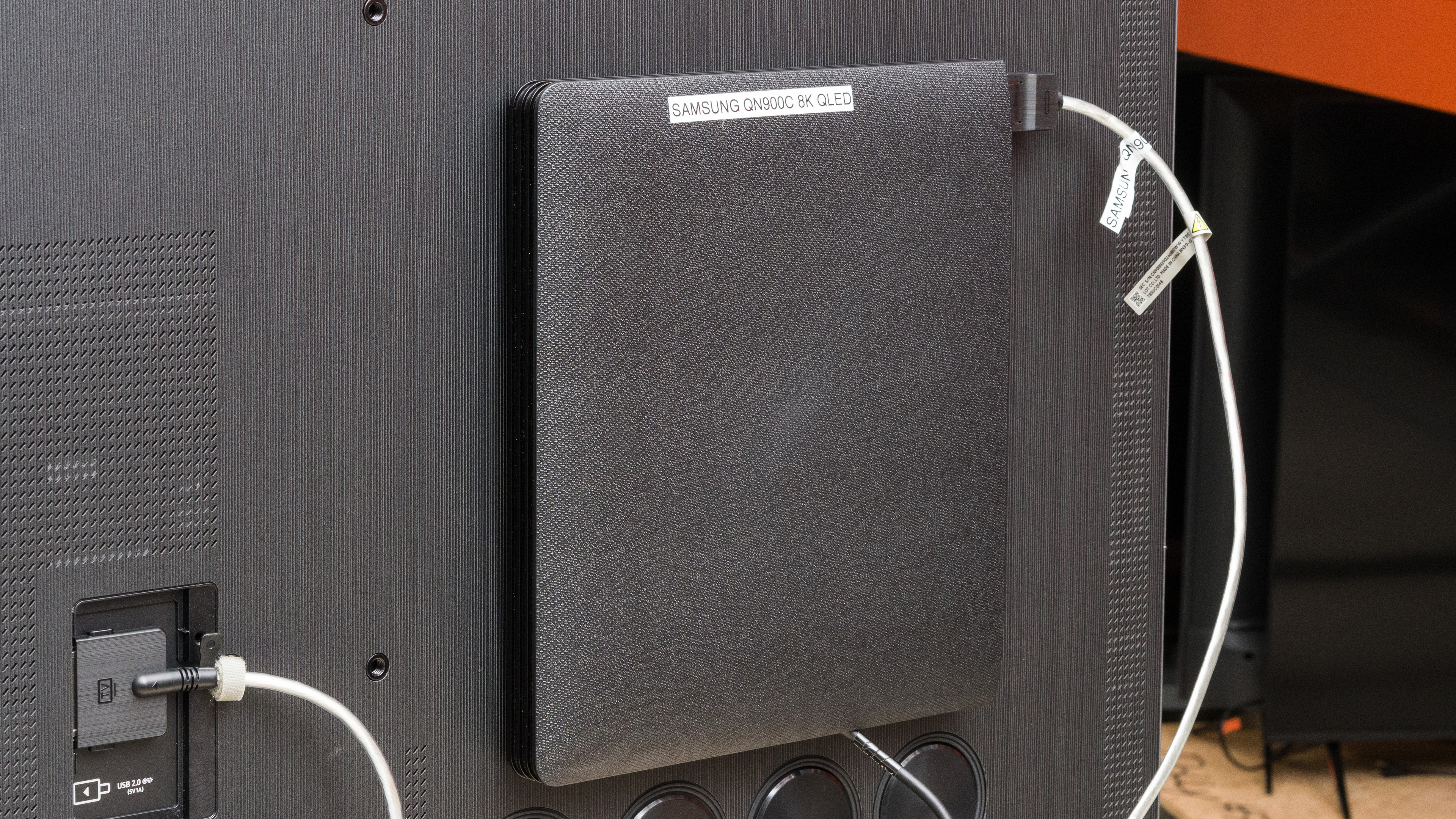
The center stand is great if you have a small table or cabinet since it takes up very little space and supports the TV well, so there's very little wobble. The included One Connect box can be attached to the back of the TV or the back of the stand, or you can place it elsewhere.
Footprint of the 65" stand: 14.2" x 10.6" (or 11.54" with the One Connect box attached). The stand lifts the screen about 3.27" above your table, so most soundbars fit in front of it without blocking the screen.
for pictures & test results

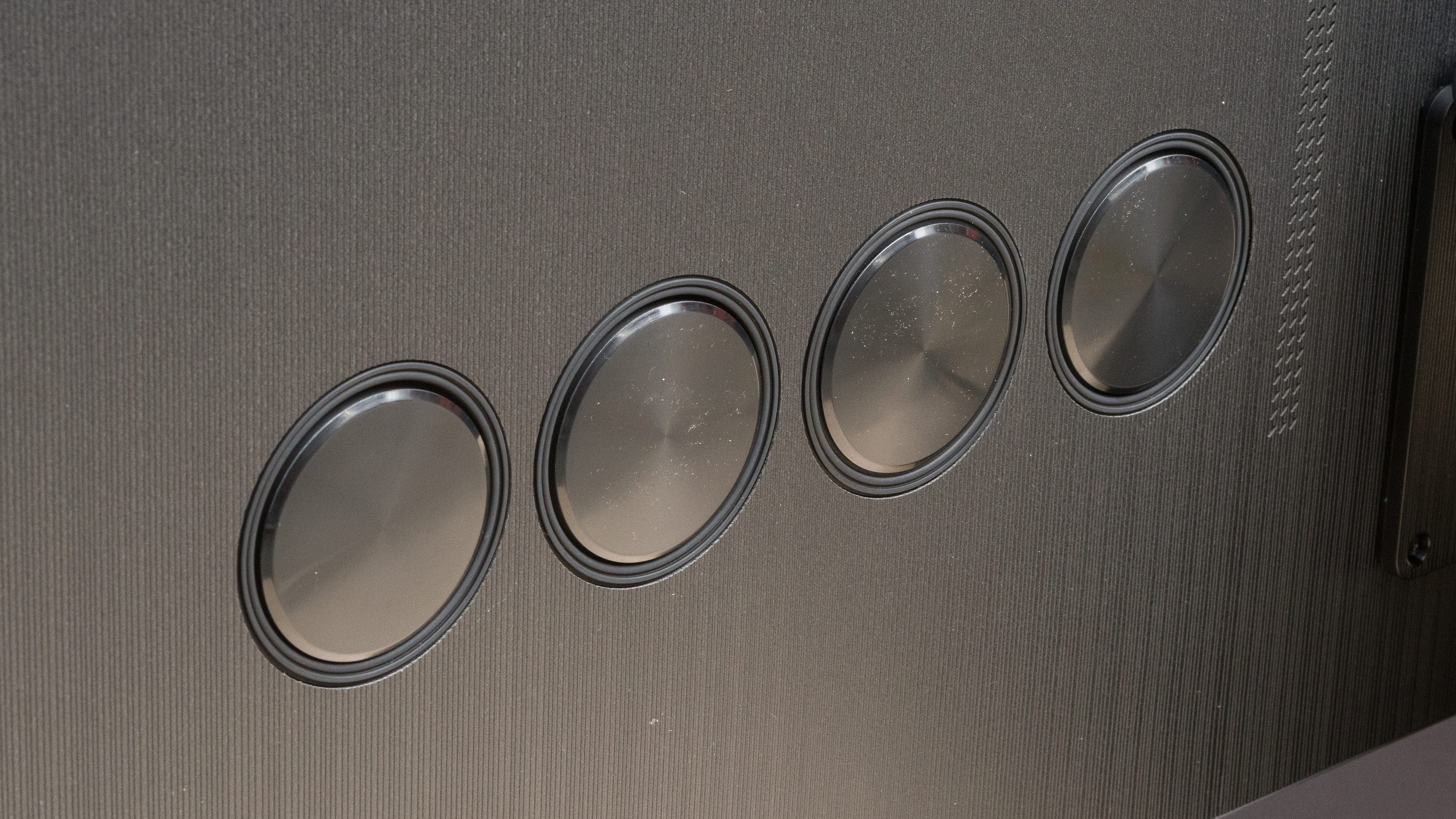
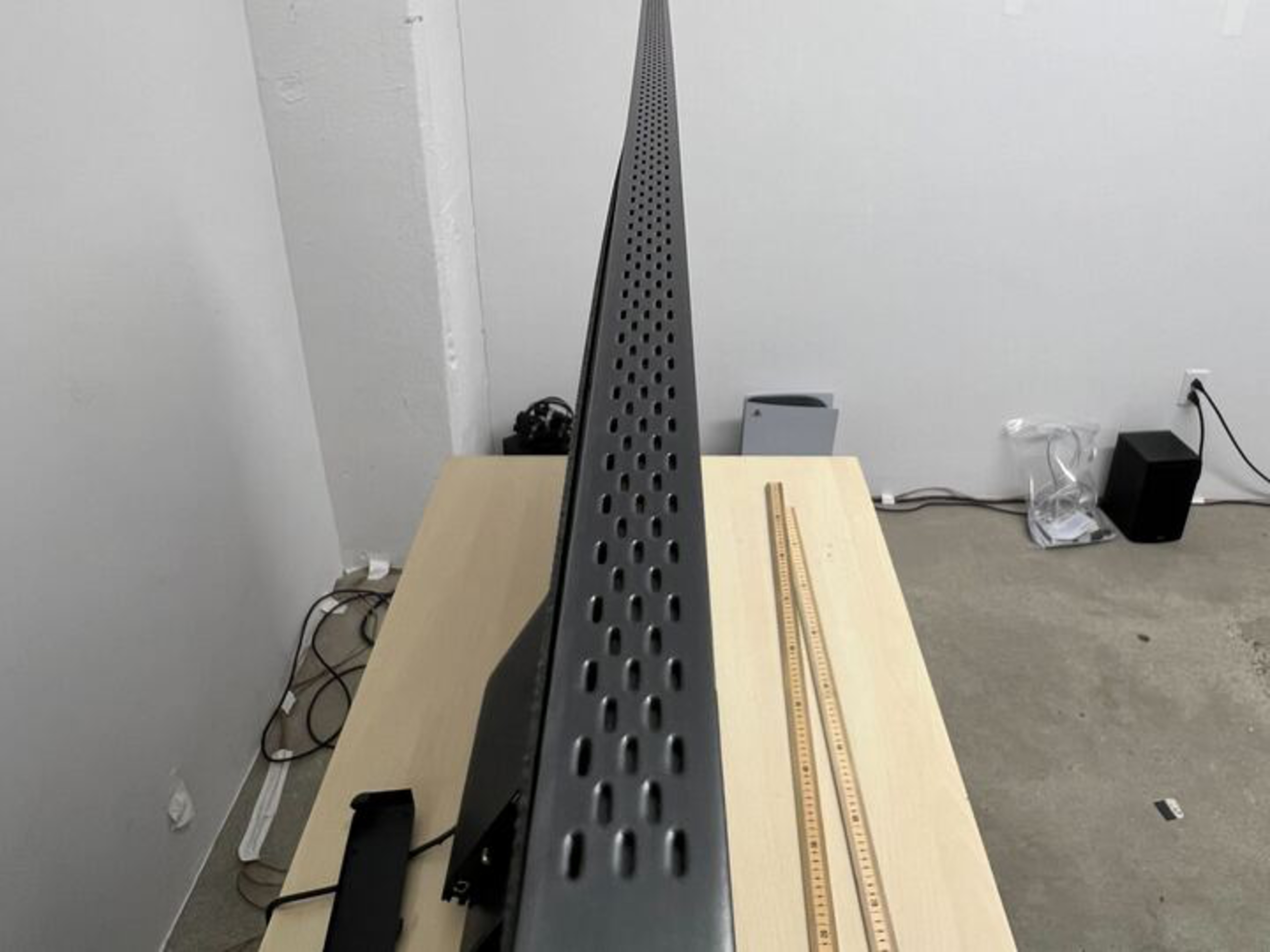
The back of the TV is made of a large flat plastic panel with a new vertical pattern design. If you want to keep the One Connect box with the TV instead of placing it on a shelf, you can either mount it to the back of the stand or to the back of the TV. Since all of your inputs go to the One Connect box instead of the TV itself, there's nothing to help with cable management. There are also eight speakers on the back of the TV designed to improve the frequency response of the TV.


for pictures & test results

The Samsung QN900C has great build quality overall, but there are some issues. The plastic back panel has worse flex than most other TVs, particularly towards the sides. The back panel protrudes on both the top left and right edges, and when we attempted to press them back in, there was an audible clicking sound. The issues with the back panel aren't likely to cause any problems, and they're not noticeable when watching the TV, but they do show some reoccurring issues with Samsung's quality control since we had similar issues with the Samsung QN900B 8k QLED.
for pictures & test results

The Samsung QN900C has excellent contrast with Local Dimming set to 'High,' so even with bright highlights onscreen, blacks stay deep and uniform. The TV has a low native contrast ratio, but since you can't turn off local dimming, this won't be an issue for most people. If you want a TV with better contrast, check out this TV's successor, the Samsung QN900D 8k QLED, or the Samsung S95D OLED.
for pictures & test results

The TV has very good blooming performance, but there's some noticeable blooming around bright objects and subtitles when displayed against a black background.
for videos & test results

The TV has good lighting zone transitions. The leading edge of bright moving objects is noticeably dimmer, and there's visible haloing behind fast-moving objects.
for pictures & test results

for videos & test results

for videos & test results

When the TV is set to 'Game' mode, blacks are more raised, and the overall image is brighter than in 'Movie' mode. There's still blooming, but it's less noticeable because of the raised blacks. The zone transitions are similar to 'Movie' mode, but the leading edges are a bit dimmer when the TV is set to 'Game' mode.
for pictures & test results

for pictures & test results

for pictures & test results

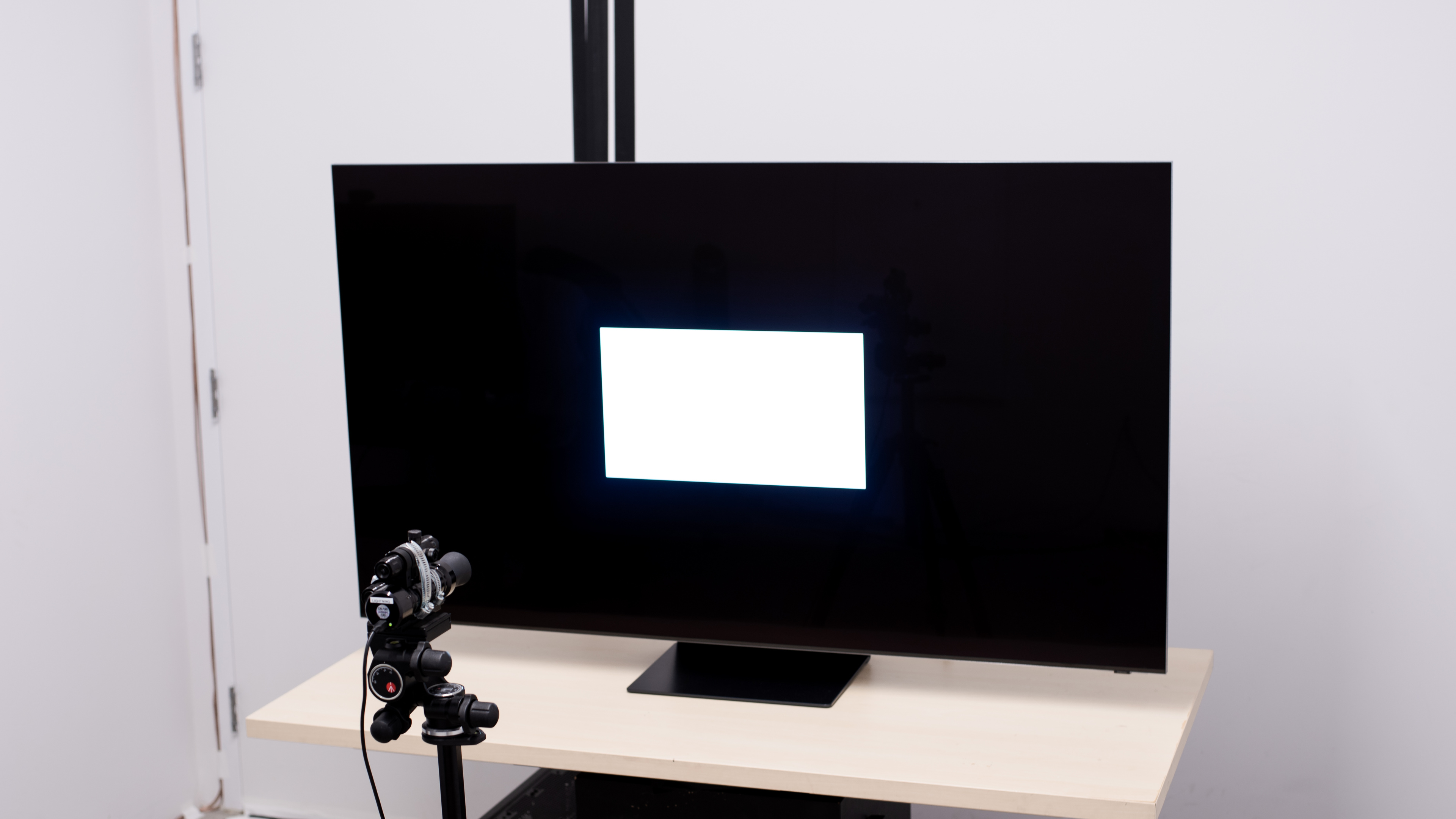
The Samsung QN900C has excellent peak brightness in HDR. Small highlights get very bright and really pop, but unfortunately, the TV has an aggressive automatic brightness limiter (ABL) that substantially dims large, bright scenes.
These measurements are after calibrating the HDR white point with the following settings:
- HDR Picture Mode: Movie
- Brightness: Max
- Contrast: Max
- HDR Tone Mapping: Static
- Local Dimming: High
- Color Tone: Warm 2
- Color Space: Auto
- Gamma: ST.2084 (1)
for pictures & test results

for pictures & test results

for pictures & test results

The TV gets a bit brighter in 'Game' mode than it does in 'Movie' mode.
These measurements are after calibrating the HDR white point with the following settings:
- HDR Picture Mode: Game
- Brightness: Max
- Contrast: Max
- HDR Tone Mapping: Static
- Local Dimming: High
- HDR10+ Gaming: Off
- Game HDR: Basic
- Color Tone: Warm 2
- Color Space: Auto
- Gamma: ST.2084 (0)
for pictures & test results

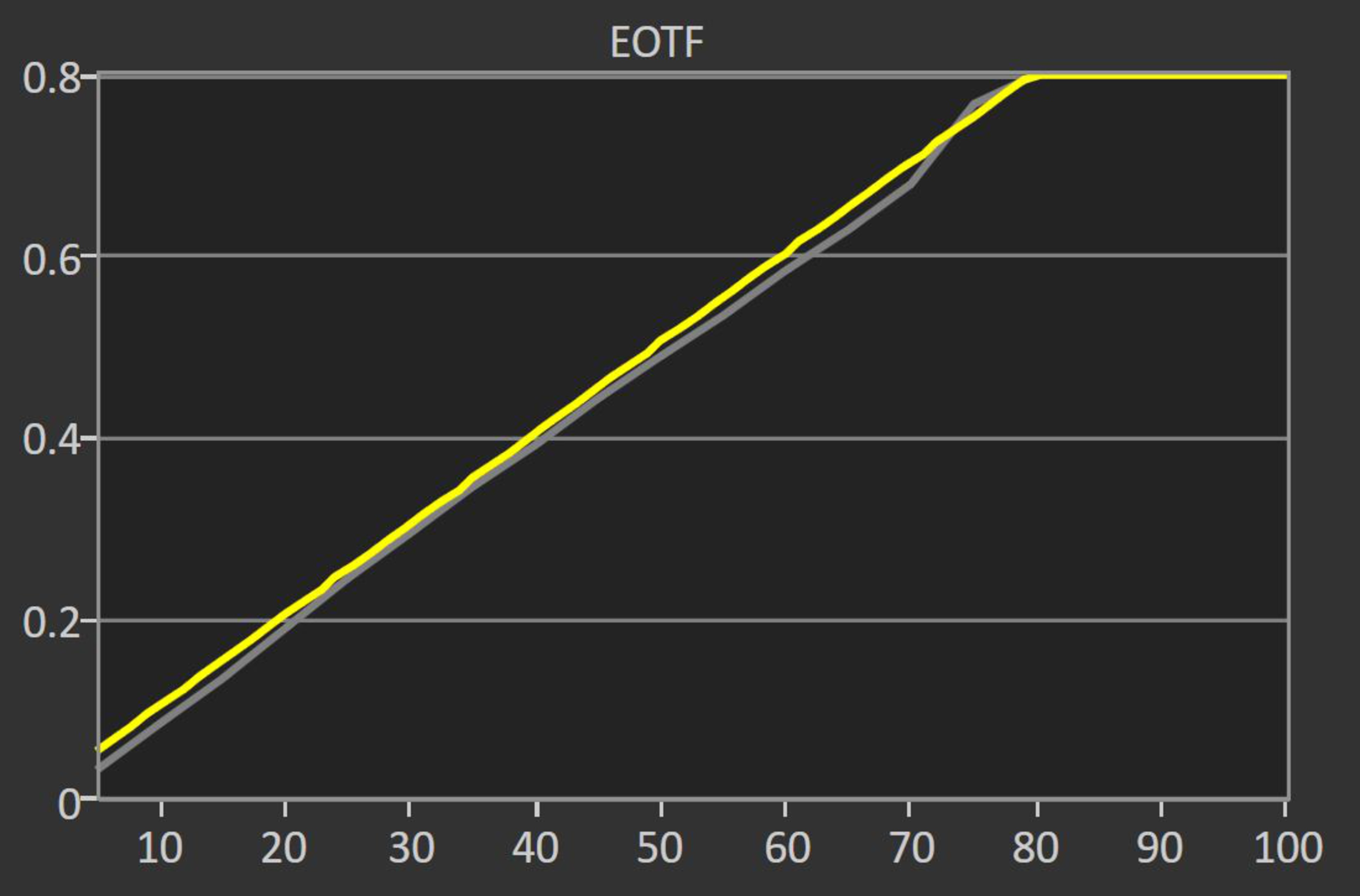
The Samsung QN900C has amazing PQ EOTF tracking after adjusting the Gamma: ST2084 from its default setting of 0 to +1. Dark shadows, midtones, and highlights are displayed a bit darker than intended, and there's an extremely sharp cutoff at the TV's peak brightness, which causes a loss of bright details in extremely bright scenes.
You can view the PQ EOTF graph with the Gamma: ST2084 set to its default of 0 here.
The Samsung QN900C has outstanding peak brightness in SDR and easily overcomes glare in a well-lit room. Unfortunately, it has an aggressive automatic brightness limiter (ABL) that dims scenes with large bright areas, like a hockey rink.
These measurements are after calibration with the following settings:
- Picture Mode: Movie
- Brightness: 50
- Local Dimming: High
- Color Tone: Warm 2
- Gamma: 2.2
- Color Space: Auto
for pictures & test results

for pictures & test results

The Samsung QN900C has a great color gamut. It has remarkable coverage of the DCI-P3 color space used by most UHD Blu-rays. Its coverage of the Rec. 2020 color space that is increasing in popularity is more limited, though, and the tone mapping isn't very good with some highly saturated colors, which causes a loss of fine details.
for pictures & test results

for pictures & test results

The Samsung QN900C has impressive color volume. Colors are very bright and vibrant, and they stand out well compared to bright whites.
for pictures & test results

for pictures & test results

for pictures & test results

With just a few quick settings changes out-of-the-box, the TV has very good accuracy before calibration. Color temperature is very close to the target, and the white balance is good, but bright grays are noticeably off. Color accuracy is good, but shades of purple, blue, and red are a little off. Gamma is off of our target of 2.2, and the entire image is a bit darker than it should be.
for pictures & test results

for pictures & test results

for pictures & test results

After calibration, The Samsung QN900C has exceptional accuracy. Lighter reds and saturated blues are still slightly off, but any other inaccuracies pre-calibration are either gone completely or are so minor that it's not noticeable.
You can see the full settings used for our calibration here.
for pictures & test results

for pictures & test results

The Samsung QN900C has very good gray uniformity. There's some minor dirty screen effect in the center of the screen, which is distracting when watching sports or browsing the web. Fortunately, there's very little vignetting, with the sides of the screen being only slightly darker than the rest of the screen. Uniformity in near-black scenes is fantastic, with no noticeable issues present.
for pictures & test results

for pictures & test results

With local dimming enabled, the TV has superb black uniformity, and there's no noticeable clouding. With local dimming disabled from the service menu, the screen is distractingly cloudy, but we recommend that you don't go into the service menu and turn the feature off.
for videos & test results

for pictures & test results

for pictures & test results

for pictures & test results

The Samsung QN900C has an adequate viewing angle. The image remains consistent from a slight angle, but when viewed from a more aggressive angle, the colors shift, and the image becomes washed out.
for pictures & test results

for pictures & test results

for pictures & test results

The TV has excellent reflection handling. Its glossy coating significantly reduces the intensity of direct reflections, so glare isn't too noticeable in a bright room. Unfortunately, the 'Ultra Viewing Angle' layer that's designed to give a wider viewing angle causes bright lights to create a rainbow smear across the screen, which is noticeable even with lights that aren't directly opposite the TV, like overhead lights.
for pictures & test results

The Samsung QN900C has decent gradient handling. There's noticeable banding with all shades of gray and with darker shades of blue and very apparent banding with darker greens. Other color gradients fare much better, with only minimal banding in darker shades. Using the TV's noise reduction feature reduces banding, but it causes a loss of fine details.
for pictures & test results

The TV has mediocre low-quality content smoothing. Although it preserves details decently, there's very little noticeable smoothing done, and macro-blocking is still present in dark scenes.
for pictures & test results

The Samsung QN900C has good sharpness processing with low-bitrate and low-resolution content. The image is clear and sharp, and finer details are easy to see.
Sharpness processing was calibrated with no over-sharpening for low-resolution or low-bitrate content, with the following settings:
- Sharpness: 5
- Picture Clarity: Off
for pictures & test results

Like most TVs on the market, the Samsung QN900C uses a BGR (Blue-Green-Red) subpixel layout instead of the traditional RGB (Red-Green-Blue) layout. It doesn't cause any issues for video content, but if you're planning on using this TV as a PC monitor, this reduces text clarity a bit, although there are easy workarounds for it. You can read more about text clarity here. Unfortunately, the anti-reflective coating adds a significant haze-like effect, which makes it hard to make out the pixels clearly.
for pictures & test results

for pictures & test results

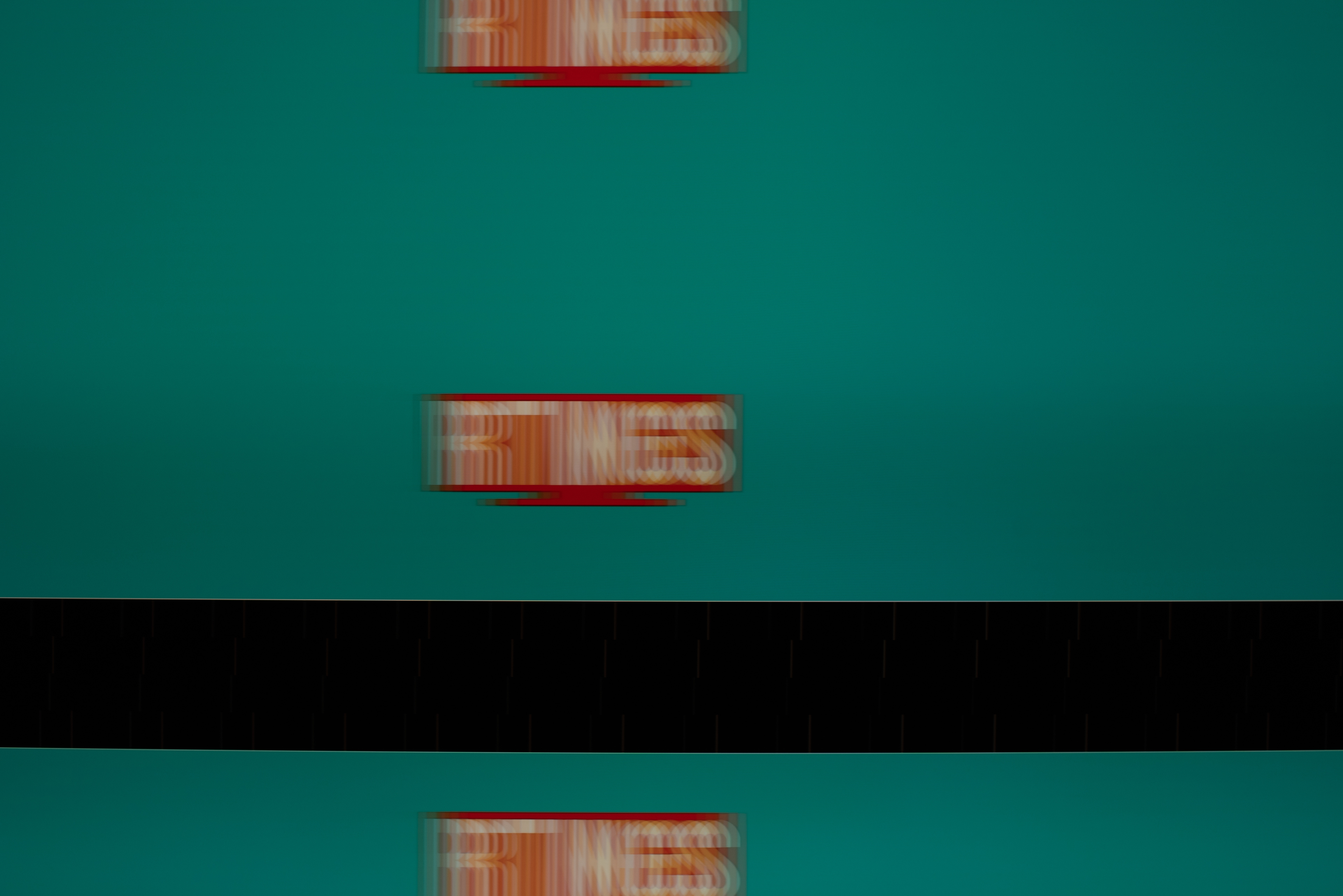
The TV has an excellent response time, so motion is clear, and there's very little blur behind quick-moving objects. Unfortunately, there's noticeable ghosting in shadow details since the TV transitions from black to dark shades much slower. If you need a TV with a faster response time, check out the LG C4 OLED.
for pictures & test results

The TV uses pulse-width modulation (PWM) to dim its backlight, which introduces flicker that can bother people who are sensitive to it. The amount of flicker varies depending on what picture mode the TV is set to, and what settings are being used.
- In 'Dynamic', 'Standard', 'Eco', and 'Filmmaker' modes, the backlight constantly flickers at a low flicker frequency of 120Hz, which can cause headaches if you're sensitive to flicker, and it also causes image duplications with 60Hz content.
- In 'Movie' and 'Game' mode, the backlight flickers at 960Hz with blips of 120Hz.
- With the input label set to 'PC', it flickers at 120Hz in both 'Entertain' and 'Graphic' modes, but it flickers at 960Hz with blips of 120Hz when in 'Game' mode.
for pictures & test results

for pictures & test results

The TV has an optional backlight strobing feature, commonly known as black frame insertion (BFI). The feature works very well, with no image duplication or artifacting present. Unfortunately, we encountered a bug with 4k @ 60Hz that resulted in unusually slow response times with very bad image duplication.
for pictures & test results

for pictures & test results

The TV has optional motion interpolation to smooth out low frame rate content and give it the appearance of high frame rate content. It helps reduce the amount of stutter and works best with slow scenes, but it introduces a lot of motion artifacts in busier scenes and has the noticeable soap opera effect if used in a setting that's too high.
Due to the TV's quick response time, there's noticeable stutter when watching movies or TV shows, and it's most noticeable in slow panning shots.
The TV automatically removes judder from all sources with no additional settings required.
The TV supports all three VRR formats, so it has great compatibility regardless of the source. VRR works well and delivers a nearly tear-free gaming experience up to 4k @ 144Hz, which makes it a great choice for gaming PCs. Unfortunately, you can't take advantage of the 144Hz capabilities if you're gaming in 1440p since the TV is limited to 120Hz in that resolution.
The Samsung QN900C has incredibly low input lag for a very responsive gaming experience in all of its supported resolutions.
The TV natively supports all common formats except 1440p @ 144Hz. Unfortunately, when the TV was set to 'Game' mode, we couldn't achieve 1440p @ 60Hz with both NVIDIA and AMD PCs, despite it displaying natively when the TV was set to 'PC' mode. The TV properly displays chroma 4:4:4 from all formats, which is essential for clear text from a PC. Oddly, 4k @ 144Hz doesn't work with NVIDIA graphics cards, which default to a maximum of 4k @ 120Hz. A forced resolution doesn't work, either.
for pictures & test results

The Samsung QN900C is fully compatible with all supported features of the PS5.
for pictures & test results

The Samsung QN900C is compatible with all of the supported resolutions and frame rates of the Xbox Series X|S. Unfortunately, the TV doesn't include Dolby Vision support, so you're limited to HDR10 when gaming or watching movies on the console.
The Samsung QN900C has HDMI 2.1 bandwidth on all four of its ports, which is great for connecting several devices that support 4k @ 120Hz. Due to the TV's One Connect box, the HDMI ports are limited to 40Gbps instead of the normal 48Gbps found on other HDMI 2.1 bandwidth ports, but this won't cause any issues.

The TV has eARC support, allowing it to pass uncompressed high-quality audio from a connected source to your home theatre system or soundbar. Unfortunately, it doesn't support any DTS formats that are commonly used on many UHD Blu-rays.
for pictures & test results

This TV has an okay frequency response. Like most TVs, it lacks bass, so you don't feel much thump or rumble when using the speakers. The TV has a room correction feature called Adaptive Sound Pro that enhances the audio based on your viewing space, and it works well to improve dialogue clarity. Unfortunately, the TV doesn't get very loud at all.
for pictures & test results

The TV has good distortion handling. There's very little harmonic distortion in the treble range at moderate volume levels, but it increases at max volume.
for pictures & test results

The Samsung QN900C runs the updated 2023 version of Tizen OS, which is fast and easy to use. It's loaded with a huge selection of streaming apps, so finding your favorite shows and movies is no issue.
for pictures & test results

Like most TVs on the market, there are ads throughout the interface, and there's no option to disable them completely.
for pictures & test results

Samsung's app store has all of the most common streaming services like Netflix, Disney+, and Prime Video, and also includes a great selection of additional apps.
for pictures & test results

The remote has four quick-access buttons for the most popular streaming services, but you can't customize them. The remote is slim and easy to use, and you don't have to worry about changing batteries thanks to its internal rechargeable battery, which you can charge via a solar panel on the back or with a USB-C cable (not included). It's compatible with multiple voice assistants, including Bixby, Google Assistant, and Alexa, but it doesn't have a hands-free mode. Voice controls work well and allow you to launch apps, change inputs, and adjust certain settings.
for pictures & test results

The TV has a single button on the bottom right side that allows you to change channels, adjust the volume, change inputs, and power it on/off.
for pictures & test results

- One Connect box (not shown)
- Short One Connect cable (8.6")
- Long One Connect cable (~7.5')
- Power cable
- Remote
- Feet for One Connect box
- Mounting screws for the One Connect box
- Accessory clips
- Manuals