The LG QNED85 is a mid-range 4k TV in LG's 2022 QNED lineup, which combines a quantum dot color filter and LG's NanoCell technology to display a wider range of colors. It mainly competes with other mid-range models, like the Sony X90K/X90CK, Samsung QN85B QLED, and the Hisense U8/U8H, and it's available in a few sizes, from 55 to 86 inches, so you can choose the size that best fits your room. It's the lowest-end model in LG's 2022 lineup to feature a Mini LED full array backlight, which is designed to improve dark scene performance while reducing blooming compared to standard LED backlights with fewer zones. It's powered by LG's α7 Gen 5 AI processor and supports some advanced formats like Dolby Vision HDR.
Our Verdict
The LG QNED85 is a very good TV for most uses. It delivers a great gaming experience thanks to its low input lag and fast response time. It looks good in most viewing environments, so it's a great choice for watching movies in the dark or for watching shows during the day. It's also good for watching sports, as it has very little dirty screen effect in the center, and its wide viewing angle makes it a great choice for watching the big game with a large group of friends. It also delivers an excellent PC monitor experience, and it displays chroma 4:4:4 properly for clear text.
- Displays lower-resolution and 4k content without issue.
- Image remains consistent at an angle.
- Decent reflection handling.
- Great peak brightness to overcome glare in a bright room.
- Colors aren't very bright.
- Noticeable distortion at high volume.
The LG QNED85 is a great TV for watching shows in a bright room. It has great peak brightness in SDR and decent reflection handling, so it can easily overcome glare in a moderately-lit room. It also has a wide viewing angle, ensuring the image remains consistent if you move around with the TV on. It upscales lower resolution shows on DVD and Blu-ray well, and its built-in webOS smart interface has a great selection of streaming apps.
- Displays lower-resolution and 4k content without issue.
- Image remains consistent at an angle.
- Decent reflection handling.
- Great peak brightness to overcome glare in a bright room.
- Noticeable distortion at high volume.
The LG QNED85 is a good TV for watching sports during the day. It has great peak brightness and decent reflection handling, meaning it can handle moderate amounts of glare in a bright room. It also has a wide viewing angle, so the image remains consistent from the sides, making it a great choice for watching the big game with a group of friends, as everyone will see the game clearly. It also has very good uniformity, with very little dirty screen effect in the center, so large areas of uniform color look clean.
- Image remains consistent at an angle.
- Decent reflection handling.
- Very good response time with little blur behind fast-moving objects.
- Great peak brightness to overcome glare in a bright room.
- Noticeable distortion at high volume.
The LG QNED85 is an impressive TV for playing games. It has superb low input lag, so your actions are in sync with what you see on the screen, and it supports variable refresh rate technology to reduce screen tearing. It has a quick response time, so fast motion is clear and easy to see, and it supports HDMI 2.1 bandwidth on two ports for 4k @ 120Hz gaming from a new-gen console or PC. It looks great in any viewing environment, with high peak brightness and decent reflection handling for gaming in a bright room, and good contrast and dark scene details in game mode. Finally, it has a wide viewing angle, so it's a good choice for couch co-op or party games.
- Very good response time with little blur behind fast-moving objects.
- 4k @ 120Hz support.
- Variable refresh rate support to reduce screen tearing.
- Noticeable distortion at high volume.
The LG QNED85 Series is a good TV for watching movies in HDR in a completely dark room. Its Mini LED backlight delivers excellent contrast, with bright highlights in HDR and just a bit of blooming around bright objects. It tracks the PQ EOTF well, ensuring most content is displayed at the brightness level the content creator intended. It has just okay gradient handling in HDR, though, and there's some noticeable banding in dark shades. Finally, it has an impressive color gamut, but just decent color volume overall, so colors are saturated but not very bright.
- Automatically removes 24p judder from any source.
- Impressive color gamut.
- Mini LED local dimming feature delivers deep blacks.
- Some blooming around bright objects in dark scenes.
- Banding in dark shades.
- Colors aren't very bright.
- No support for DTS audio passthrough.
The LG QNED85 is a very good TV for gaming in HDR. It has low input lag, a fast response time, and variable refresh rate support to reduce tearing. It supports 4k @ 120Hz gaming with HDR, which is great for new-gen consoles or PC gamers. HDR looks good thanks to its good contrast and dark scene details in a dark room, and it has decent peak brightness in HDR to bring out bright highlights in games.
- Very good response time with little blur behind fast-moving objects.
- 4k @ 120Hz support.
- Variable refresh rate support to reduce screen tearing.
- Impressive color gamut.
- Banding in dark shades.
The LG QNED85 is an excellent TV for use as a PC monitor. It has very good uniformity, so the screen looks clean when browsing the web. It also has a wide viewing angle, which means the sides of the screen remain uniform even if you're sitting up close. It displays chroma 4:4:4 properly, which is essential for clear text from a PC, and it has low input lag for a responsive desktop experience. It has a very good response time, with very little black smear when you're scrolling text quickly.
- Image remains consistent at an angle.
- Decent reflection handling.
- Very good response time with little blur behind fast-moving objects.
- 4k @ 120Hz support.
- Chroma 4:4:4 displayed properly for clear text.
Changelog
-
Updated Nov 12, 2024:
Mentioned the newly-reviewed LG QNED85T in the Contrast section.
- Updated Jul 24, 2023: Converted to Test Bench 1.11. With this update, we've added a new Upscaling: Sharpness Processing test and revamped our Blooming test so the scores and picture better match the real world experience. With this change, it was necessary to remove the Black Crush test. Finally, we've updated our usage scores to better align our scores with user expectations.
- Updated May 17, 2023: We updated the Version number in the Interface section of the review to match our other reviews, as LG uses the year to indicate the interface version now, not the internal software version.
- Updated Feb 22, 2023: Updated the Differences Between Sizes And Variants section to mention that the AQA variant has a NEXTGEN TV (ATSC 3.0) tuner.
Check Price
Differences Between Sizes And Variants
We bought and tested the 65-inch LG QNED85, and these results are also valid for the 55, 75, and 86-inch models. The exact model code varies between regions and retailers. The QNED85AQA variant sold at Costco comes with a remote that supports NFC and a much longer warranty, and it has a NEXTGEN TV (ATSC 3.0) tuner. There are two minor variants of this TV sold in Europe: the LG QNED86 and the LG QNED87. They both offer nearly identical performance to the QNED85, but with a center-mounted stand and slight cosmetic differences.
| Size | Model Number | Costco Model | Dimming Zones |
|---|---|---|---|
| 55" | 55QNED85UQA | 55QNED85AQA | 120 |
| 65" | 65QNED85UQA | 65QNED85AQA | 180 |
| 75" | 75QNED85UQA | 75QNED85AQA | Unknown |
| 85" | 86QNED85UQA | 86QNED85AQA | Unknown |
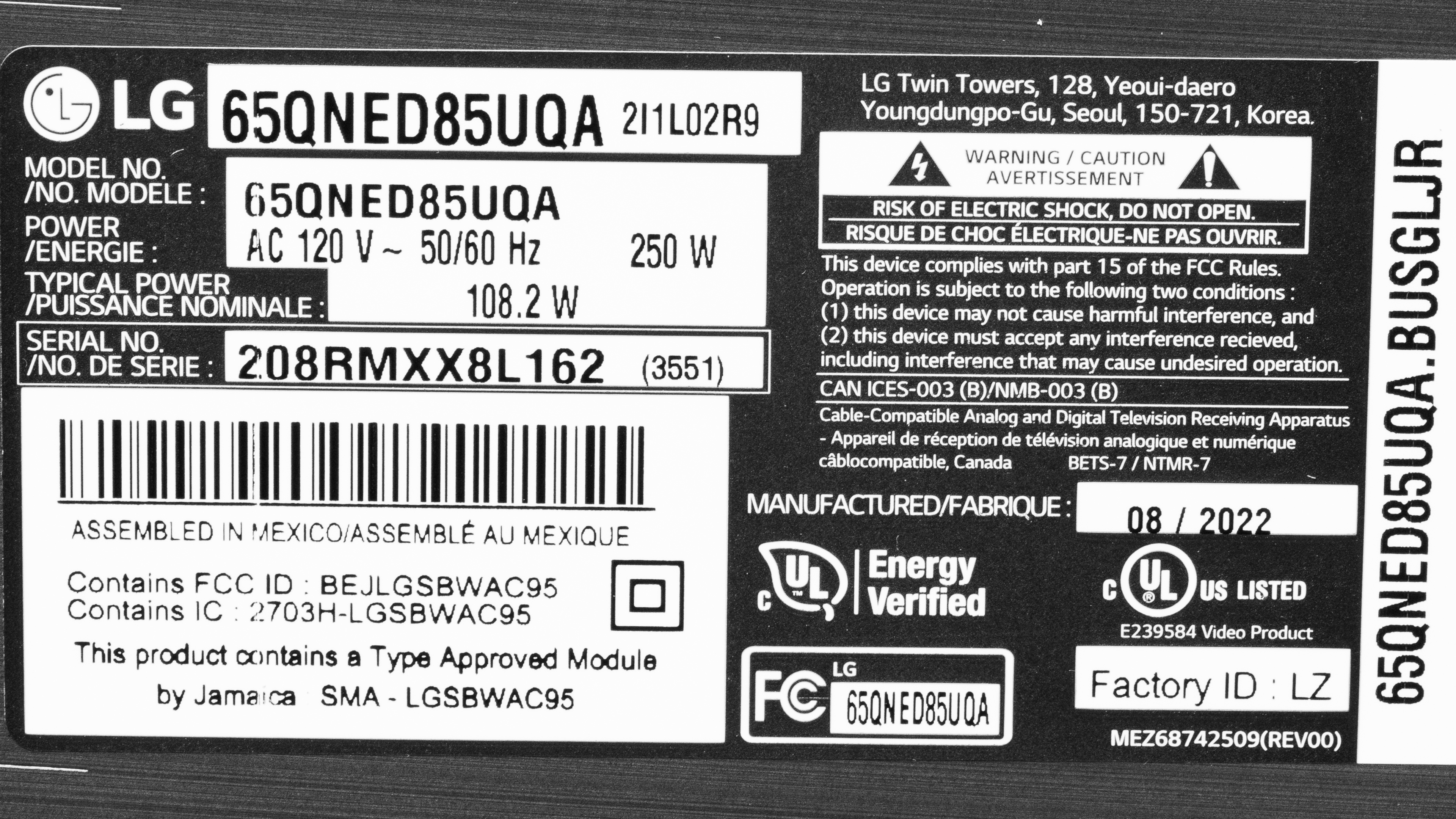
The unit we bought and tested was manufactured in August 2022. You can see the label for it here.
Popular TV Comparisons
The LG QNED85 is a very good TV overall, with a wide viewing angle and deep blacks in a dark room, making it a versatile choice that looks good in any viewing environment. There are good alternatives from other brands, like the Hisense U8/U8H, that offer better overall picture quality but have a worse viewing angle.
See our recommendations for the best smart TVs, the best TVs under $1,500, and the best 4k TVs.
The TCL QM6K is a bit better than the LG QNED85. Although the LG is a bit brighter in some scenes, the TCL delivers better picture quality overall, with much deeper blacks and a more effective local dimming feature. The LG has a wider viewing angle, though, so it's a slightly better choice for a wide seating area.
The TCL QM7K is much better than the LG QNED85. The TCL delivers much better dark room performance, with deeper, more uniform blacks and less noticeable haloing around bright parts of the scene. The TCL also gets much brighter, so small specular highlight details are much brighter and more impactful in HDR. Finally, the TCL is better for gaming, as it supports a much higher refresh rate.
The LG QNED85 is far better than the LG QNED80 2023. The QNED85 has a decent local dimming feature, while the QNED80 doesn't, giving the former substantially more impressive contrast; it's not even close. The QNED85 is also a bit brighter overall and is much more accurate in HDR. The QNED80 is close on other aspects of performance, but ultimately, it can't overcome that massive gap in contrast.
The LG QNED90 is a slight step up over the LG QNED85. The QNED90 has a much better Mini LED local dimming feature, resulting in higher contrast and less blooming around bright areas of dark scenes. Its processing is a bit worse, and shadow details aren't as well-preserved on the QNED90. The QNED90 also gets a bit brighter, and it sustains bright highlights over time, while the QNED's brightness drops over time in bright scenes.

We buy and test dozens of TVs yearly, taking an objective, data-driven approach to deliver results you can trust. Our testing process is complex, with hundreds of individual tests that take over a week to complete. Most of our tests use specially designed test patterns that mimic real content, but we also use the same sources you have at home to ensure our results match the real-world experience. We use two main tools for our testing: a Colorimetry Research CR-100 colorimeter and a CR-250 spectroradiometer.
Test Results
Older Test Bench: We tested this product using an older TV test methodology before a major update. Some of the test results below aren't directly comparable with other TVs. Learn more
for pictures & test results

The LG QNED85 has a simple design that doesn't look very premium, but it doesn't look cheap, either. The bezels are thin, but there's a bit of dead space between the bezels and the first pixels.
This TV isn't part of our 100 TV accelerated longevity test.
for pictures & test results

The v-shaped feet are very basic but made of metal. They support the TV well in the wide position, but there's still a bit of wobble. There's also a narrow position for the feet if you have a small table.
Footprint of the 65" stand:
- Wide position: 45.9" x 11.7"
- Narrow position: 16.7" x 11.7"
In either position, the stand lifts the screen 3.3" off the table, which is great as even large soundbars fit in front of it without blocking the screen.
for pictures & test results

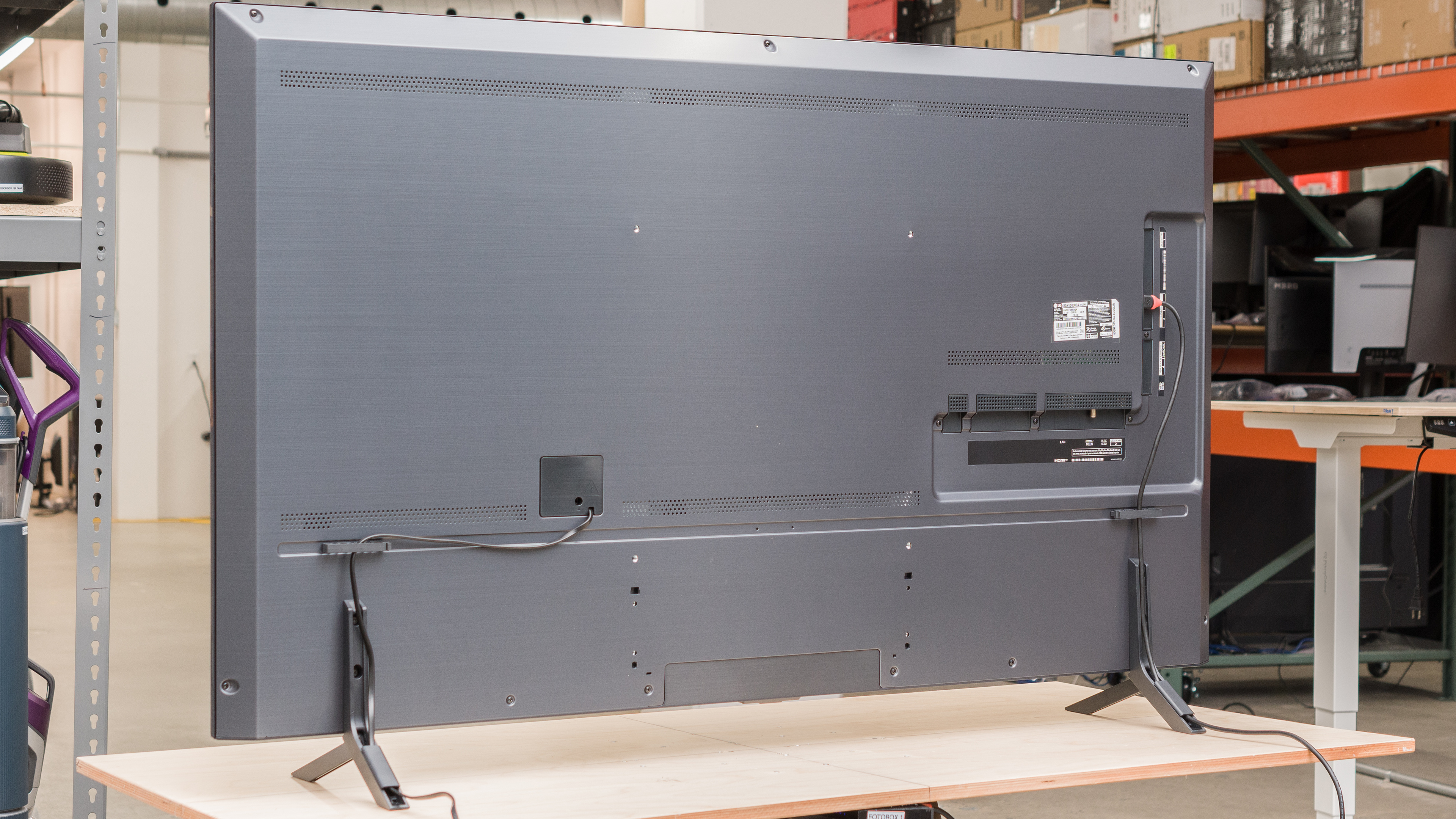
The back of the TV is very plain and is mainly made of a single large metal panel. There are clips on the back for cable management that help guide cables to tracks in the feet. Most of the inputs face to the side and are close to the edge of the TV, so they're easy to access even if you wall-mount the TV.


for pictures & test results

The LG 65QNED85 is excellent build quality. The materials used feel premium, with many metal components that feel well-built, including the back panel, borders, and feet. It's sturdy, but the feet wobble a bit. There's some flex to the back panel, but it's not too bad.
for pictures & test results

The LG QNED85 has excellent contrast. The native contrast of the panel is low, so if you choose to disable local dimming dark areas of the screen will look washed out. With local dimming enabled, however, real content looks excellent. Despite being a 2023 model, the TV's contrast ratio is much higher than the 2024 LG QNED85T.
for pictures & test results

There's a bit of blooming around bright highlights in dark scenes, but it's decent overall. It's a bit more noticeable around subtitles.
for videos & test results

Zone transitions are decent overall, but it's a bit distracting with fast-moving content. The algorithms that control the dimming zones can't quite keep up with bright highlights that move across the screen. The zones are slow to turn on and off, causing the leading edge of moving objects to be a bit darker than it should be and leaving a halo behind them.



for pictures & test results

for pictures & test results

for pictures & test results

The LG 65QNED85UQA has decent peak brightness in HDR. Small bright highlights get very bright and stand out well, but like with SDR, it can't sustain them, and the brightness drops over time.
These measurements are with the following settings:
- HDR Picture Mode: Cinema
- Panel Brightness: 100
- Adjust Contrast: 100
- LED Local Dimming: High
- Color Temperature: Warm 50
for pictures & test results

for pictures & test results

for pictures & test results

There's a slight increase in peak brightness when you switch to the 'Game Optimizer' mode, but it's not really noticeable. There are minor differences in the slides and a slight decrease with most real content, but it's very minor.
These measurements with the following settings:
- HDR Picture Mode: Game Optimizer
- Panel Brightness: 100
- Adjust Contrast: 100
- LED Local Dimming: High
- Color Temperature: Warm 50
for pictures & test results

The TV has excellent PQ EOTF tracking. Shadow details and near-black scenes are displayed well. Oddly, there's a significant difference in the way the TV tone maps content at different brightness levels. Content mastered at 600 nits is a bit too bright in midtones, whereas content mastered at 1,000 or 4,000 nits is a bit too dark. Bright scenes are also handled differently, as content mastered at 4,000 nits has a much smoothing roll-off, ensuring bright details are better preserved. In short, all of this means that the level of fine details you'll see in bright scenes will vary depending on the content.
The peak brightness in SDR is great. There's some variation in brightness with different scenes, but it's bright enough to overcome glare in moderately-lit rooms. Medium-sized highlights in dark scenes get nearly twice as bright as large bright scenes, so they stand out well, but the TV can't sustain those bright highlights for very long, and the brightness decreases over time.
These measurements are after calibration with the following settings:
- Picture Mode: Expert (Dark space, night)
- Panel Brightness: 100
- Adjust Contrast: 80
- LED Local Dimming: High
- Color Temperature: Warm 50
for pictures & test results

for pictures & test results

This TV has an impressive HDR color gamut. It has nearly perfect coverage of the DCI-P3 color space, but the tone mapping is off in bright scenes, so colors aren't as bright. It has just alright coverage of the wider Rec. 2020 color space, though, which is a bit disappointing.
for pictures & test results

for pictures & test results

The LG QNED85 has just decent color volume. Dark saturated colors are displayed well, thanks to its excellent contrast ratio.
for pictures & test results

for pictures & test results

for pictures & test results

Before calibration, the LG QNED85 has amazing accuracy in SDR. The white balance is great, with no significant issues, and the color accuracy is nearly perfect. Except for saturated blues, which are a bit off, most colors are displayed well. The color temperature is a bit cool, giving everything a slightly blue tint. Gamma is nearly flat, but it's a bit lower than our target, so most scenes are slightly too bright.
for pictures & test results

for pictures & test results

for pictures & test results

For the most part, this TV is easy to calibrate and looks fantastic after calibration. The 5% gray is a bit off, even after calibration, as trying to correct it just made the color temperature colder. Pure blues are still a bit off even after calibration.
You can see the full settings used for our calibration here.
for pictures & test results

for pictures & test results

The gray uniformity is very good. The corners of the screen are a bit darker than the center, but it's not too bad. There's some dirty screen effect in the center of the screen that's distracting when watching sports. Dark scenes look much better, though, and there are no significant issues.
for pictures & test results

for pictures & test results

The LG QNED85 has mediocre black uniformity. With local dimming disabled, the entire screen looks blue and patchy due to the low native contrast ratio. Enabling local dimming significantly reduces the black levels across most of the screen, so it doesn't look blue anymore, but there's some distracting blooming around the center cross.
for videos & test results

for pictures & test results

for pictures & test results

for pictures & test results

The LG QNED85 has a great viewing angle, making it a good choice for a wide seating arrangement, as the image remains consistent when viewed from the sides. Colors hardly shift, but the image fades a bit at a wide angle.
for pictures & test results

for pictures & test results

for pictures & test results

This TV has just decent reflection handling. The coating helps reduce the intensity of direct reflections a bit, but they're still distracting. Since it can get very bright, you can always just increase the brightness to overcome glare, so it's an okay choice for a bright room.
for pictures & test results

Gradients in HDR on the LG QNED85 are just okay. There's significant banding in darker shades, especially in greens and grays, but there's noticeable banding in dark blues and reds as well.
for pictures & test results

The LG QNED85 handles low-quality content well. There's still some pixelation in the dark gradients, and sadly, there's some loss of fine details, but it's good overall.
for pictures & test results

480p content, like DVDs, is upscaled well and displayed properly by the TV.

for pictures & test results

for pictures & test results

The LG QNED85 has a very good response time, so motion looks clean and crisp for the most part. There's some noticeable overshoot, which causes some inverse ghosting, like the orange tint to the left of the moving logo photo above, but it's not too distracting.
for pictures & test results

The LG QNED85 is nearly flicker-free. At max brightness, there's no flicker, but if you decrease the brightness setting, it flickers at a very high frequency that usually isn't noticeable.
for pictures & test results

for pictures & test results

This TV has an optional backlight strobing feature, commonly known as black frame insertion (BFI). It's extremely effective at clearing up the appearance of motion, but there's still some slight inverse ghosting noticeable due to the response time overshoot.
for pictures & test results

for pictures & test results

This TV has an optional motion interpolation feature to improve the appearance of motion. It looks good with slower scenes but struggles with busier action, causing more artifacts and haloing.
Unfortunately, there's a bit of stutter when watching low frame-rate content like movies. It's especially noticeable in slow panning shots.
This TV automatically removes judder from any source, ensuring a smooth movie-watching experience.
The LG QNED85 has a fast refresh rate and supports variable refresh rate technology (VRR) to reduce screen tearing. VRR works across a wide range of refresh rates, and thanks to Low Framerate Compensation, it remains nearly tear-free even if the frame rate drops low or if you're playing a game that's locked at a low frame rate.
The LG QNED85 has fantastic low input lag in 'Game' and 'PC' mode, ensuring a responsive gaming and desktop experience. There's almost no difference in input lag with different resolutions, and when gaming at 120Hz, the input lag is incredibly low. Switching to the 'PC' input icon for chroma 4:4:4 support doesn't increase input lag, which is great.
Most common resolutions are accepted and displayed properly.
for pictures & test results

The LG QNED85 is fully compatible with everything the PS5 offers, but only on HDMI ports 3 and 4. Ports 1 and 2 don't support 4k @ 120Hz gaming.
for pictures & test results

This TV is fully compatible with everything the Xbox Series S and Xbox Series X offer, but only on HDMI ports 3 and 4. Ports 1 and 2 don't support 4k @ 120Hz gaming.
HDMI ports 3 and 4 support HDMI 2.1 bandwidth. Unfortunately, it doesn't support ATSC 3.0, so over-the-air broadcasts are limited to 1080p.


The LG QNED85 doesn't support any DTS formats, which is disappointing as DTS is often used as the main audio track on Blu-ray movies.
for pictures & test results

The LG QNED85 has a decent frequency response. Like most TVs, it has very little bass, but above the low-frequency extension, the sound profile is well-balanced, so dialogue is clear and easy to understand. It gets fairly loud, but there's some noticeable compression at high levels.
for pictures & test results

This TV has decent distortion performance. There's very little noticeable distortion in the vocal range at moderate listening levels, but it's noticeably worse at max volume.
for pictures & test results

The LG QNED85 comes with the 2022 version of the webOS smart platform. It's easy to use and has a few more features compared to past models, like the support of user profiles, so each household member can customize their profile how they want.
for pictures & test results

Like most smart platforms, there are ads throughout the interface, and there's no way to disable them.
for pictures & test results

The app store has a ton of apps you can download, so you're sure to find your favorite content.
for pictures & test results

The included Magic Remote has a point-and-press feature that makes it easier to navigate through the menu. Unfortunately, although it also has a built-in mic, it doesn't process voice queries properly and usually just searches the web for whatever you ask it to do, even for things like "Open Netflix".
for pictures & test results

There's a single button underneath the middle of the TV to turn it On/Off, change inputs, adjust the volume, or switch channels.
for pictures & test results

- Remote
- 2x AA batteries
- Power cable
- Cable wrap
- User guides