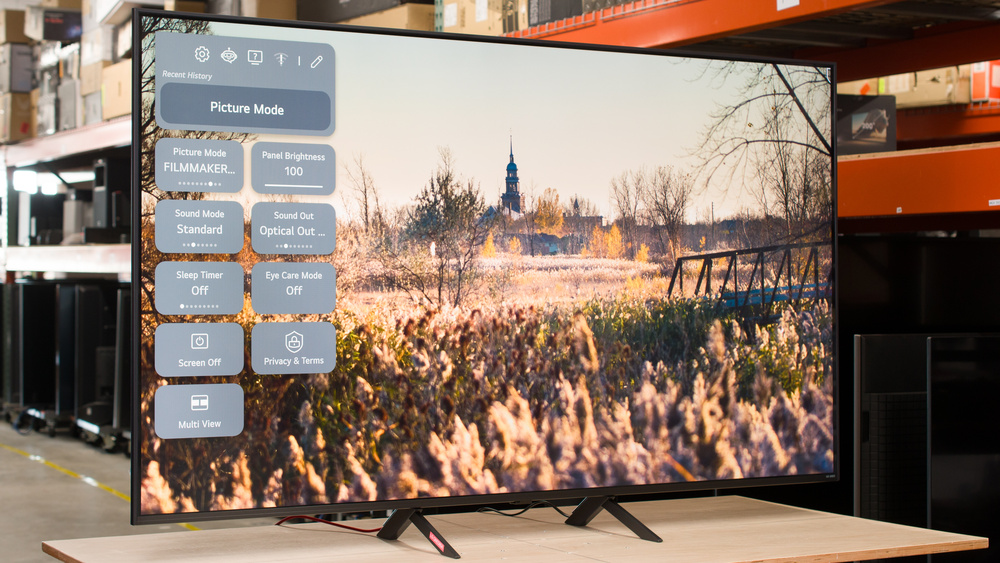
The LG QNED85A is a lower mid-range 4k TV that's part of LG's 2025 QNED lineup, above the LG QNED82A and below the LG QNED92A. It replaces the LG QNED85T, and like its earlier counterpart, the LG QNED85A is an edge-lit model equipped with local dimming. It utilizes LG's proprietary α8 AI Processor Gen2 and features four HDMI ports that support 4k @ 120Hz, VRR, and ALLM to enhance the gaming experience. It's also compatible with HDR10 and HLG, and supports Bluetooth 5.3, eARC, and Wi-Fi 6E connections. The TV comes equipped with the 2025 version of LG's webOS smart interface, which is supported for the next five years as part of LG's Re:New program. We bought and tested the 65-inch model, but it's also available in 50, 55, 65, 86, and 100-inch models.
Our Verdict
The LG QNED85A is a mediocre TV for most uses. The TV has dim peak brightness, so it's not bright enough to fight glare in a well-lit room. Combined with its poor black levels and mediocre color volume, this results in an unremarkable HDR viewing experience. It also exhibits slow pixel transitions across all refresh rates, particularly in darker scenes, which results in noticeable blur with fast-paced content, such as action scenes or first-person shooter games. On the other hand, it does a good job at minimizing stutter and judder, as well as upscaling lower-resolution content like DVDs.
Superb SDR color accuracy after an easy calibration.
Good content smoothing and upscaling of low-quality content and streams.
Black levels don't rise much when there's ambient light.
Too dim for an impactful HDR experience.
Not bright enough to fight glare in well-lit rooms.
Poor native contrast.
Bad local dimming feature introduces a lot of haloing.
Doesn't do enough to reduce the impact of direct reflections.
The LG QNED85A is a sub-par TV for home theaters. Combined with its edge-lit backlight, the TV's local dimming feature results in very noticeable haloing around bright objects, which becomes especially more visible when in darker rooms. As a result, we don't recommend using this feature, especially in a home theater setting. The TV's color gamut is just okay, but with its dim peak brightness and lack of support for HDR10+ and Dolby Vision, the viewing experience in HDR and SDR is unremarkable overall. One of the TV's strengths is its image processing, as it does a good job at upscaling and smoothing out low-bitrate content, while it can also passthrough all Dolby Digital formats. Unfortunately, the TV has a slow response time that leads to blurry motion, and there's visible stutter in slow panning shots.
Superb SDR color accuracy after an easy calibration.
Good content smoothing and upscaling of low-quality content and streams.
Removes judder from most content.
Too dim for an impactful HDR experience.
Poor native contrast.
Bad local dimming feature introduces a lot of haloing.
Mediocre color accuracy out of the box.
No Dolby Vision or HDR10+ support.
Shadows and midtones are shown brighter than intended.
Doesn't passthrough DTS audio formats.
The LG QNED85A is a mediocre TV for watching in bright rooms. It's not bright enough to fight glare, while its glossy screen finish does little to minimize the intensity of direct reflections, which can be distracting, especially in darker scenes. The TV does a passable job of retaining its color saturation and black levels when there's ambient light in the room, though with the TV's poor contrast, blacks are already raised.
Superb SDR color accuracy after an easy calibration.
Black levels don't rise much when there's ambient light.
Not bright enough to fight glare in well-lit rooms.
Mediocre color accuracy out of the box.
Doesn't do enough to reduce the impact of direct reflections.
The LG QNED85A is a passable TV for watching sports. It doesn't get bright enough to combat most glare during the day, and it performs an inadequate job of handling direct reflections, which can hinder the viewing experience when watching afternoon games. It has excellent upscaling and smoothing capabilities, which help low-resolution and low-quality feeds look good. However, the TV's response time is very slow, which leads to noticeable blurring, especially when there are numerous quick pans during the game. However, it has a limited viewing angle before colors start to wash out, so it's not ideal for hosting fellow sports fans to watch the game.
Superb SDR color accuracy after an easy calibration.
Good content smoothing and upscaling of low-quality content and streams.
Only very minor artifacts around edges in fast-paced content.
Not bright enough to fight glare in well-lit rooms.
Mediocre color accuracy out of the box.
Image washes out when not sitting centered to the screen.
Noticeable dirty screen effect towards the center of the screen.
Slow response time leads to blurry motion.
The LG QNED85A is a mediocre gaming TV. It has very slow pixel transitions that result in noticeable blur in fast-moving scenes. At the same time, it has a dim peak brightness, poor contrast, and doesn't support HDR10+ and Dolby Vision, which results in an unspectacular HDR gaming experience. That said, it has very responsive input lag at all refresh rates, and it also supports HDMI Forum VRR, FreeSync, and G-SYNC to minimize screen tearing for gamers on newer gen consoles.
Very responsive input lag across all refresh rates.
Strong suite of gaming features.
Too dim for an impactful HDR experience.
Poor native contrast.
No Dolby Vision or HDR10+ support.
A lot of motion blur when gaming.
This TV has sub-par expected reliability. Our extensive testing has shown that due to concentrated heat, edge-lit TVs like this one are likely to experience significant durability issues and early failure, including warped reflector sheets, cracked light guide plates, and burnt-out LEDs. On the other hand, there's no possibility of long-term image retention or burn-in, so the content you watch doesn't affect the TV's expected lifespan.
No possibility of permanent burn-in.
Edge-lit TVs are prone to early failure.
Uniformity issues from warped reflector sheets and cracked light guide plates are common.
The LG QNED85A has unremarkable brightness. It has a dim peak brightness in HDR that prevents the brightest highlights from truly popping out on the screen, while the TV's brightness in SDR is insufficient to overcome most glare in well-lit rooms.
Too dim for an impactful HDR experience.
Not bright enough to fight glare in well-lit rooms.
The LG QNED85A has poor black levels. It has mediocre uniformity, which makes areas of the screen look blue and patchy. The TV's local dimming feature introduces a lot of haloing around bright objects, especially as they move across the TV's six dimming zones, which is detrimental to the overall viewing experience. As such, we recommend avoiding the use of the TV's local dimming feature.
Poor native contrast.
Bad local dimming feature introduces a lot of haloing.
Unremarkable black uniformity.
The LG QNED85A's color volume and accuracy are just alright. The TV has a mediocre color gamut in HDR, and only an adequate one in SDR, resulting in a dull viewing experience in both HDR and SDR. The TV's color accuracy out-of-the-box is just alright, but its accuracy in SDR can be vastly improved after an easy calibration. On the other hand, the same can't be said for its HDR color accuracy, which can't be noticeably improved with a calibration.
Superb SDR color accuracy after an easy calibration.
Mediocre color accuracy out of the box.
Color gamut and volume are both good, but not great.
The LG QNED85A has decent motion handling when watching most content. The TV only has judder with 25p content via a 60p signal, like when watching some European shows and movies from an older streaming device. Outside of that, there's no distracting judder or micro-judder. The TV does an excellent job handling transitions, so the edges of objects and people in fast-paced scenes and sports are mostly free from artifacts. Unfortunately, the TV has a very slow response time, which leads to blurry motion in most content. This typically means there isn't much stutter, but this TV still has visible stutter in slow panning shots.
No micro-judder in scenes with complex motion.
Removes judder from most content.
Only very minor artifacts around edges in fast-paced content.
Visible stutter in slow-moving shots.
Slow response time leads to blurry motion.
The LG QNED85A has alright responsiveness in Game Optimizer mode. It has very low input lag at all refresh rates, which is ideal for a responsive gaming experience. It also supports HDMI Forum VRR, FreeSync, and G-SYNC to minimize screen tearing. However, it exhibits very slow pixel transitions across all refresh rates, resulting in noticeable blur in fast-moving scenes, especially when transitioning to and from darker details.
Very responsive input lag across all refresh rates.
Supports FreeSync HDMI Forum VRR, and is G-SYNC compatible.
A lot of motion blur when gaming.
Note: We're in the process of improving our tests related to image processing, but this score should give you a general idea of how a TV performs overall with its image processing capabilities.
The LG QNED85A has good image processing overall. It does a good job of smoothing out low-quality content and upscaling lower-resolution content, such as DVDs. Additionally, aside from some banding in dark greens and grays, the TV exhibits very good HDR gradient handling. On the other hand, its near black details in HDR are brighter than they should be, while shadows and mid-tones are slightly darker than intended.
Good content smoothing and upscaling of low-quality content and streams.
Shadows and midtones are shown brighter than intended.
Performance Usages
Changelog
- Updated Oct 02, 2026: We converted this review to Test Bench 2.3. With this update, we've added a new Expected Reliability performance usage, a Lifetime Burn-In Potential test, and a new test box for the Longevity 3.0 test.
- Updated Sep 18, 2026: We converted this review to Test Bench 2.2.1, adding a new Dumb TV test for whether or not the TV can be used offline.
-
Updated Mar 13, 2026:
We added text to our new Cinematic Motion Handling performance usage and our new Transition Artifacts and Stutter Reduction Via Interpolation test sections after converting the review to TV 2.2.
- Updated Mar 10, 2026: This review has been updated to TV 2.2. We've added new sections for Transition Artifacts and Stutter Reduction Via Interpolation, and updated the way we test Stutter. Additionally, we removed the 'Broken' disclaimer from our Motion Handling usage.
Check Price
Differences Between Sizes And Variants
We bought and tested the 65-inch LG QNED85A, and the results are also valid for the 55, 65, and 86-inch models. The 100-inch model of this TV is direct lit and equipped with Mini LED local dimming. As such, our review is not valid for that size. Models starting at 65 inches and larger also support VRR at refresh rates up to 144Hz. There are also Costco variants for the 55, 65, and 75-inch models, which include additional features like Dolby Vision support, VRR up to 144Hz for the 55-inch model.
| Size | US Model | Costco Model | Dimming Technology | VRR |
|---|---|---|---|---|
| 55" | LG 55QNED85AUA | LG 55QNED85AAA | Edge-lit | Up to 120Hz |
| 65" | LG 65QNED85AUA | LG 65QNED85AAA | Edge-lit | Up to 144Hz |
| 75" | LG 75QNED85AUA | LG 75QNED85AAA | Edge-lit | Up to 144Hz |
| 86" | LG 86QNED85AUA | N/A | Edge-lit | Up to 144Hz |
| 100" | LG 100QNED85AU | N/A | Mini LED Full Array | Up to 144Hz |
There are also two European variants for this TV, the LG QNED86A and the LG QNED87, which have some differences that are worth noting. In addition to the differences shown below, for the LEG QNED87, only models 55 inches and bigger include LG's α8 AI Processor 4K Gen2 processor, a 120Hz native refresh rate, and FreeSync support. The 43 and 50-inch models of this variant instead include LG's α7 AI Processor 4K Gen8, a 60Hz native refresh rate, and no FreeSync support.
| Variants | Available sizes | VRR at up to 144Hz | Dolby Vision Support | Wi-Fi Support | Stand |
|---|---|---|---|---|---|
| LG QNED85A | 55", 65", 75", 86", and 100" | Starting at 65" | No | Wi-Fi 6E | Legs |
| LG QNED86 | 55", 65", 75", 86", and 100" | Starting at 65" | Yes | Wi-Fi 6 | Stand |
| LG QNED87 | 43", 50", 55", 65", and 75" | Only at 75" | Yes | Wi-Fi 6* | Stand |
*Starting at 55 inches. The 43 and 50-inch models support Wi-Fi 5.
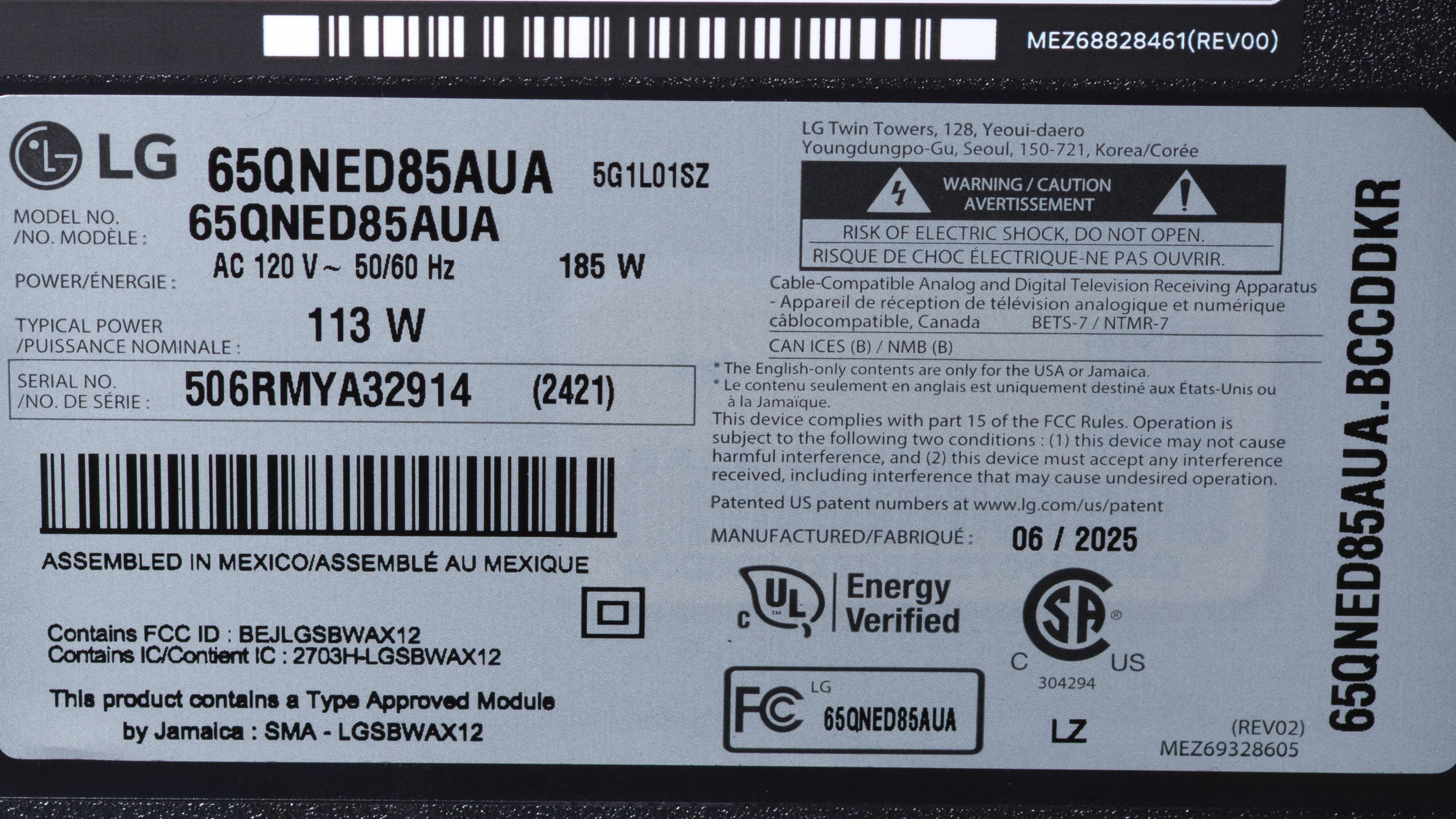
The LG QNED85A unit we tested was assembled in Mexico in June 2025, according to our unit's label.
Popular TV Comparisons
The LG QNED85A is an okay TV overall, but there are several better TVs in the same price range. It's also an edge-lit TV, which is more prone to failure, and while its local dimming feature improves its contrast, it also introduces distracting side effects that negatively impact the viewing and gaming experience, which is why we recommend not using this feature. In the same price range, you can get full-array models like the TCL QM6K, TCL QM7K, or Hisense U75QG, and those TVs offer much better picture quality overall.
For more options, take a look at our recommendations for the best budget TVs, the best smart TVs, and the best LG TVs.
The TCL QM6K is much better than the LG QNED85A. The TCL's full-array Mini LED backlight delivers deeper blacks and a much more impactful image than the LG. Both TVs are fully compatible with newer gen consoles, but the TCL takes the edge with its faster pixel transitions, resulting in less motion blur. On the other hand, if you're planning to use the TV to watch a lot of DVDs or lower-resolution content, the QNED85A is notably better at smoothing out and upscaling lower-quality content.
The TCL QM7K is significantly better than the LG QNED85A. The TCL is brighter, has vastly better contrast, and displays much more vibrant colors than the LG. The TCL also has faster pixel transitions, which result in a more enjoyable viewing and gaming experience, especially in action and fast-moving scenes.
The LG QNED85 is notably better than the LG QNED85A, despite the former being released two years prior. The QNED85 has worse native contrast, but its local dimming feature performs significantly better, delivering deeper blacks and less haloing than the one on the QNED85A. If you're an Xbox gamer, the LG QNED85 also offers the added benefit of supporting Dolby Vision.
The Hisense U75QG is considerably better than the LG QNED85A. While the LG's native contrast is slightly better than the Hisense, the latter delivers a much brighter image than the LG, although its poor tone mapping results in HDR content appearing much brighter than it should be. Although both TVs have slow pixel transitions, the Hisense supports Dolby Vision, providing an added benefit for Xbox gamers.

We buy and test dozens of TVs yearly, taking an objective, data-driven approach to deliver results you can trust. Our testing process is complex, with hundreds of individual tests that take over a week to complete. Most of our tests use specially designed test patterns that mimic real content, but we also use the same sources you have at home to ensure our results match the real-world experience. We use two main tools for our testing: a Colorimetry Research CR-100 colorimeter and a CR-250 spectroradiometer.
Test Results
for pictures & test results

for pictures & test results

for pictures & test results

The LG QNED85A has mediocre peak HDR brightness. It's about on par with the LG QNED85T from 2024, but a clear step down from LG's 2025 flagship LG QNED92A. Its brightness dips notably in dark scenes due to its global dimming feature, a common feature among edge-lit TVs. Combined with its poor contrast, this TV doesn't deliver an impactful HDR viewing experience.
These results are with Local Dimming disabled because this feature decreased the TV's performance, as we'll see later. However, enabling this feature results in a boost in peak brightness in smaller windows, as shown below:
| HDR Brightness | LD Enabled |
|---|---|
| Hallway Lights | 381 cd/m² |
| Yellow Skyscraper | 462 cd/m² |
| Landscape Pool | 282 cd/m² |
| Peak 2% Window | 663 cd/m² |
| Peak 10% Window | 699 cd/m² |
| Peak 25% Window | 514 cd/m² |
| Peak 50% Window | 494 cd/m² |
| Peak 100% Window | 494 cd/m² |
| Sustained 2% Window | 658 cd/m² |
| Sustained 10% Window | 490 cd/m² |
| Sustained 25% Window | 494 cd/m² |
| Sustained 50% Window | 494 cd/m² |
| Sustained 100% Window | 493 cd/m² |
for pictures & test results

for pictures & test results

for pictures & test results

The TV is dimmer in Game Optimizer, but only slightly. Similar to when it's outside of this mode, there's a notable peak brightness boost in smaller windows when Local Dimming is set to 'High'.
| HDR Brightness in Game Mode | LD Enabled |
|---|---|
| Hallway Lights | 392 cd/m² |
| Yellow Skyscraper | 431 cd/m² |
| Landscape Pool | 275 cd/m² |
| Peak 2% Window | 653 cd/m² |
| Peak 10% Window | 688 cd/m² |
| Peak 25% Window | 556 cd/m² |
| Peak 50% Window | 494 cd/m² |
| Peak 100% Window | 484 cd/m² |
| Sustained 2% Window | 644 cd/m² |
| Sustained 10% Window | 482 cd/m² |
| Sustained 25% Window | 484 cd/m² |
| Sustained 50% Window | 484 cd/m² |
| Sustained 100% Window | 483 cd/m² |
The LG QNED85A has mediocre peak SDR brightness. When Local Dimming is set to 'Off', the TV isn't bright enough to overcome glare or reflections in bright rooms.
However, with this feature enabled, SDR brightness does see a notable increase, especially in medium-sized highlights. Unfortunately, some very dark scenes appear much darker than they should as a result of the TV's dimming algorithms, which artificially dims these scenes ('global dimming') and is common among edge-lit TVs.
| SDR Brightness | LD Enabled |
|---|---|
| Real Scene Peak Brightness | 558 cd/m² |
| Peak 2% Window | 129 cd/m² |
| Peak 10% Window | 552 cd/m² |
| Peak 25% Window | 609 cd/m² |
| Peak 50% Window | 499 cd/m² |
| Peak 100% Window | 435 cd/m² |
| Sustained 2% Window | 126 cd/m² |
| Sustained 10% Window | 541 cd/m² |
| Sustained 25% Window | 599 cd/m² |
| Sustained 50% Window | 497 cd/m² |
| Sustained 100% Window | 434 cd/m² |
for pictures & test results

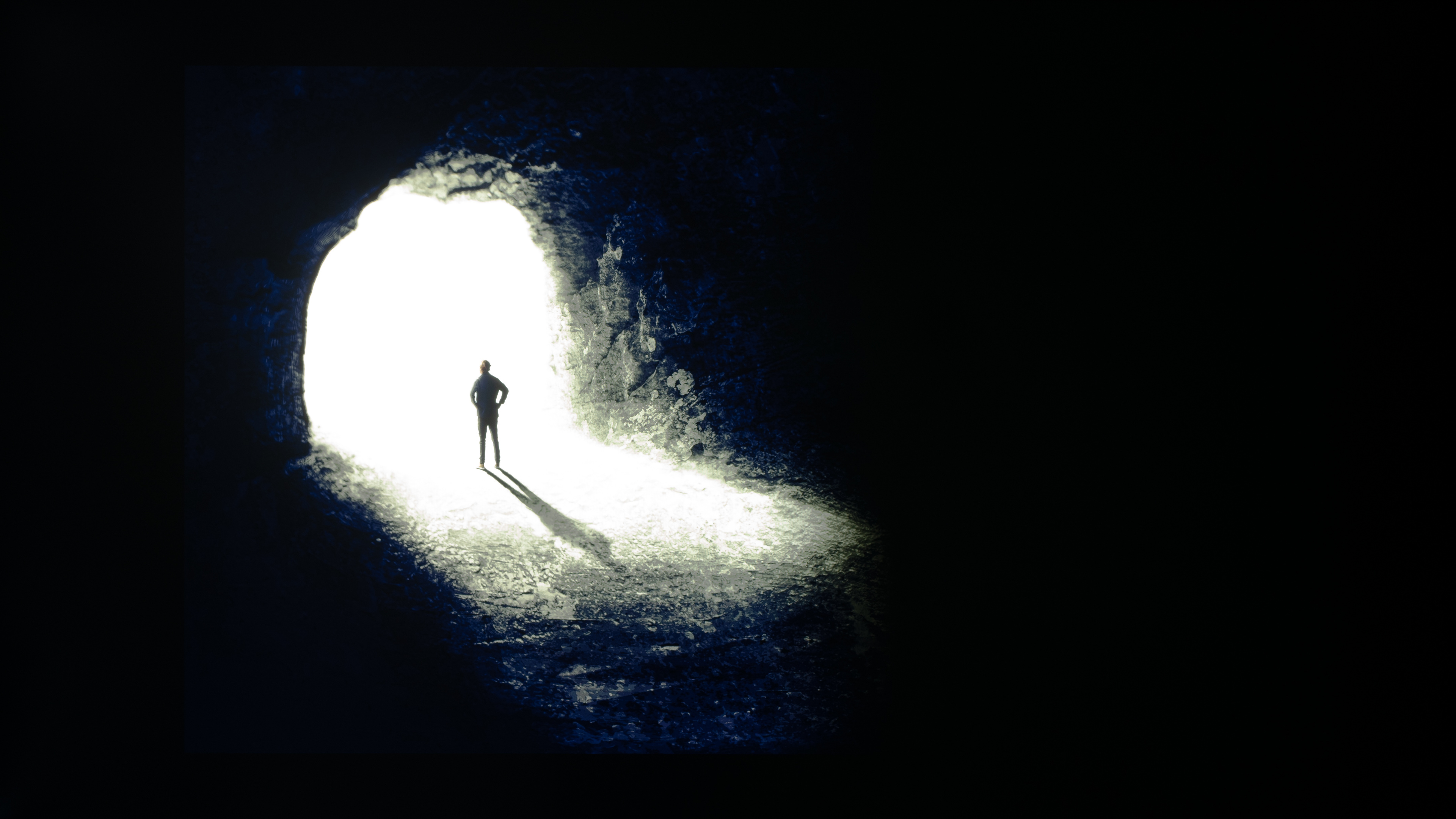
The LG QNED85A has poor native contrast, which is significantly lower than that of the LG QNED85T released in 2024.
While enabling this feature improves the TV's contrast to 21446:1, blacks become raised across any of the TV's six dimming zones if there's a bright highlight shown within that column. As a result, the local dimming feature on this TV is ineffective and can negatively impact the viewing experience.
As such, the results shown are with Local Dimming set to 'Off' as this delivers a much better viewing experience overall.
for pictures & test results

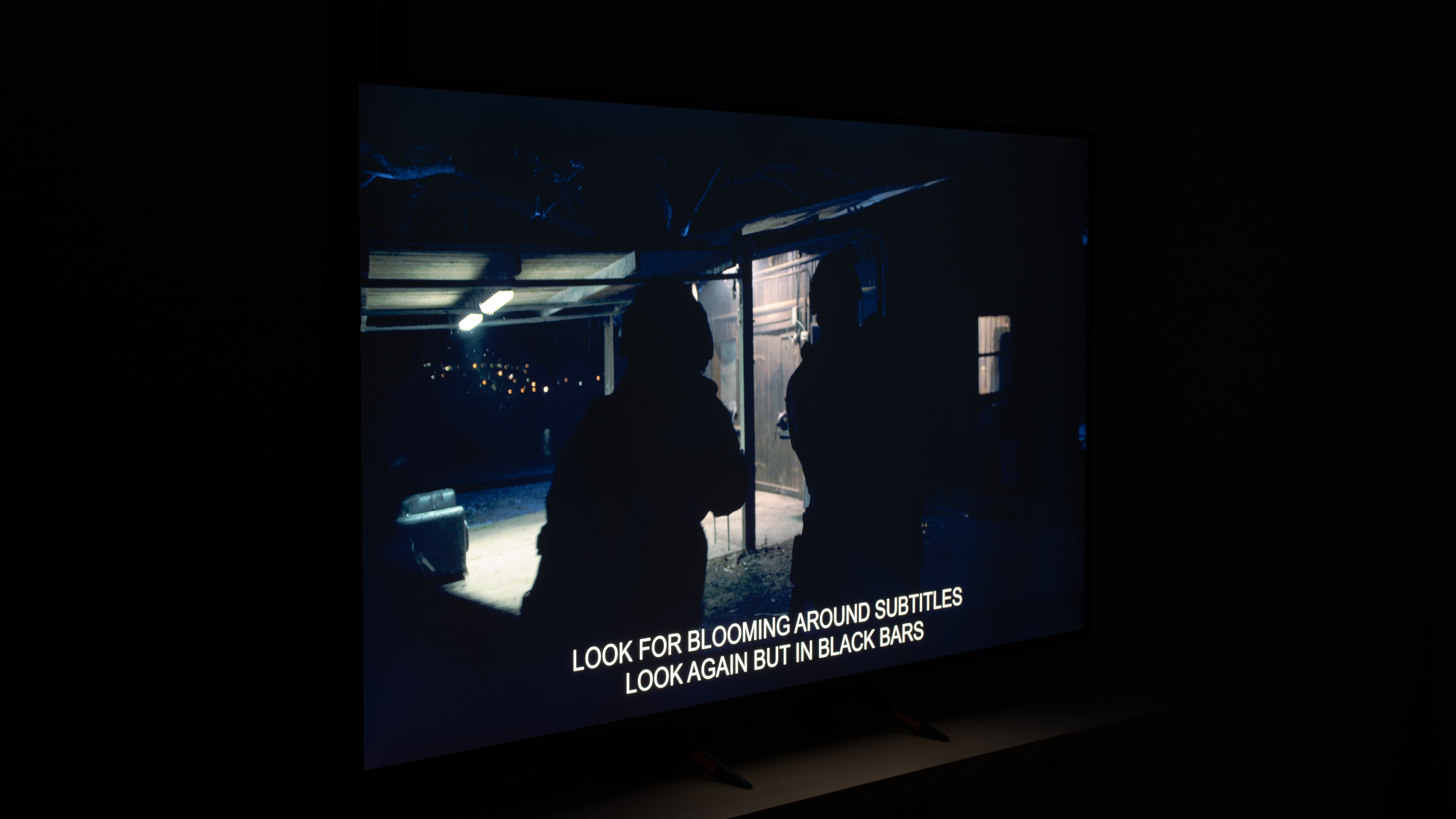
Compared to when the TV's local dimming is disabled (see image above), enabling the TV's local dimming feature improves its contrast, but also introduces a lot of haloing around bright highlights in dark scenes, which is common among TVs with edge-lit backlights. It can only adjust the light output across entire columns at a time, and as the QNED85A has six dimming zones, it means that the entire backlight is often always on when watching real-world content. This is also visible when in Game Optimizer mode.
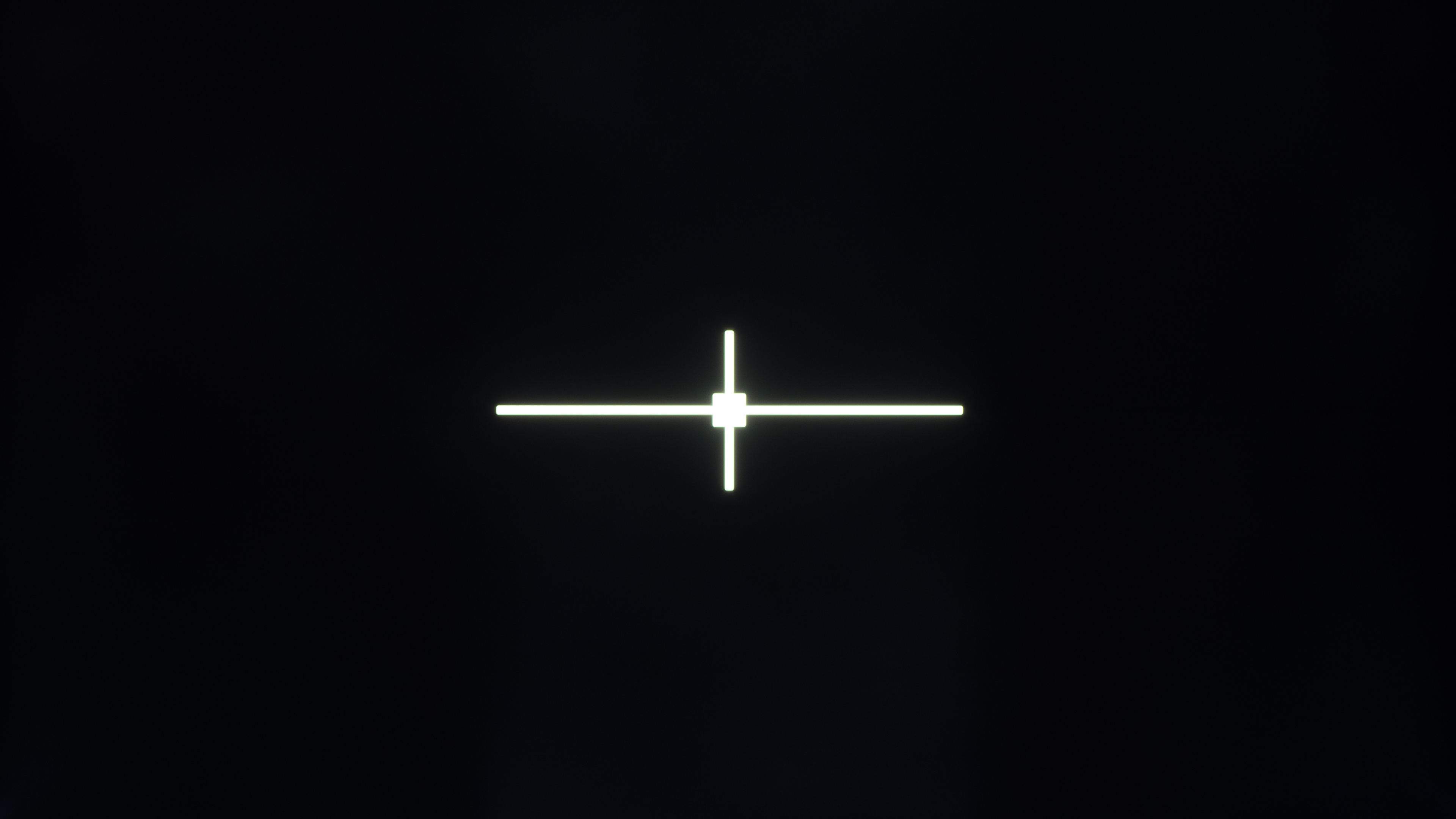
We also encountered a processing bug where the backlight would start flickering on any local dimming setting (except 'Off'), but we weren't able to reproduce it outside of this test slide. This is similar to the issue we also came across with the LG QNED92A. Let us know if you encounter the issue with real content.
for videos & test results

The LG QNED85A has awful lighting zone transitions. The video above shows when the TV's local dimming feature is disabled. With its edge-lit backlight and six dimming zones, large areas of the screen light up, especially when large highlights move quickly across the screen, which is distracting when watching dark scenes.



for pictures & test results

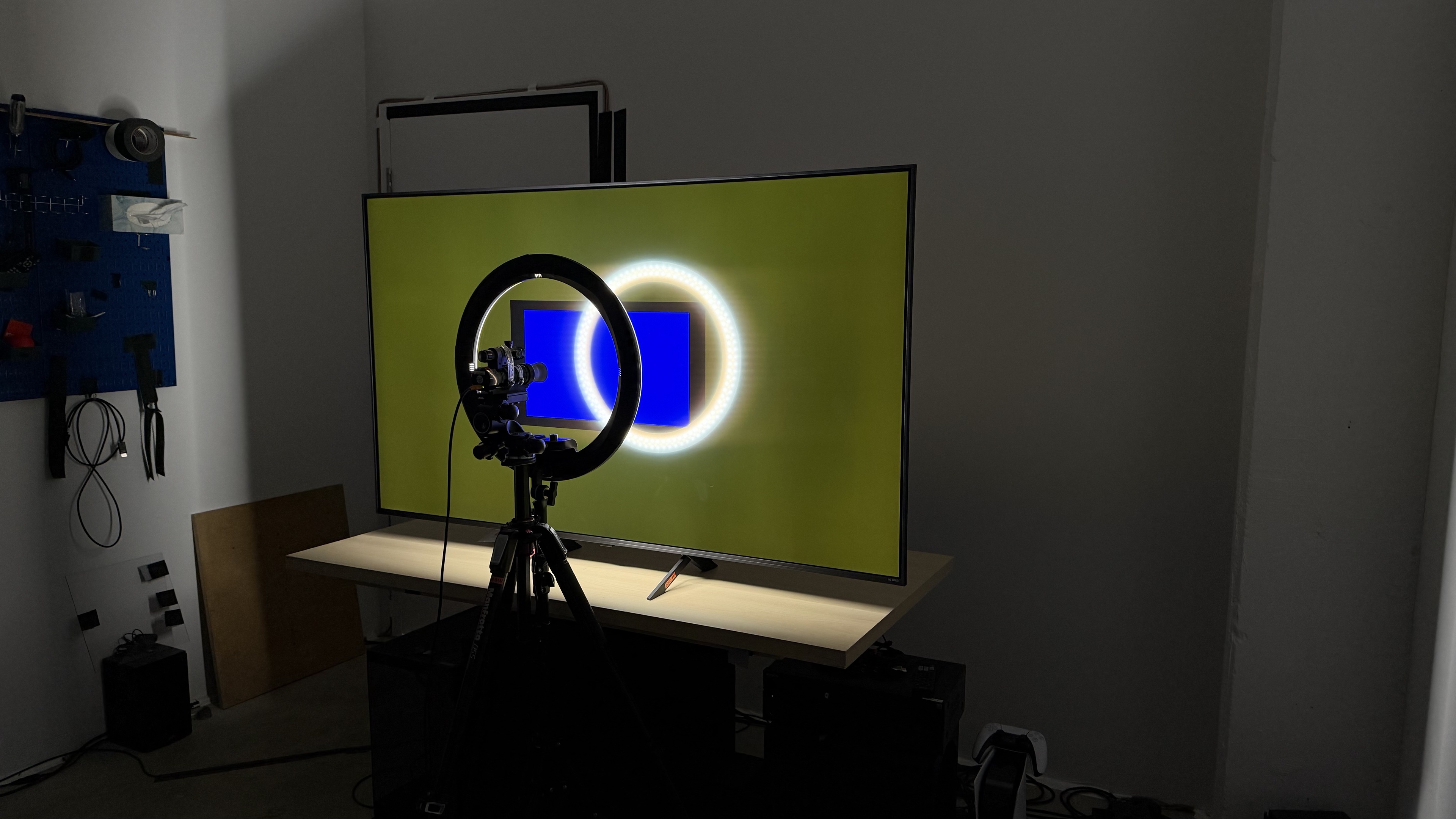
The TV has mediocre black uniformity. With Local Dimming set to 'Off', the screen looks blue and patchy in different parts of the screen due to its low native contrast. Enabling the TV's local dimming feature improves uniformity, though there's still some cloudiness around bright objects.
for pictures & test results

for pictures & test results

The LG QNED85A has decent color volume in SDR. It struggles with saturated greens. That said, it covers a good portion of the BT.2020 color space, and there isn't a significant difference in color coverage at different lightness levels.
| Volume ΔE³ | DCI-P3 Coverage |
BT.2020 Coverage |
|---|---|---|
| L10 | 88.48% | 61.71% |
| L20 | 89.99% | 62.48% |
| L30 | 89.37% | 61.87% |
| L40 | 88.44% | 63.01% |
| L50 | 87.15% | 63.33% |
| L60 | 85.77% | 62.69% |
| L70 | 84.10% | 64.01% |
| L80 | 81.46% | 60.50% |
| L90 | 79.80% | 56.95% |
| L100 | 88.23% | 81.13% |
| Total | 85.19% | 62.53% |
for pictures & test results

for pictures & test results

The TV has mediocre HDR color volume. It struggles to display dark, saturated colors effectively, and combined with its unremarkable peak brightness, it can't display colors at high luminance levels, which prevents it from offering a vibrant viewing experience in HDR.
for pictures & test results

for pictures & test results

for pictures & test results

The LG QNED85A has unremarkable SDR accuracy out-of-the-box. Its white balance is mediocre, with reds becoming very overrepresented towards lighter shades of gray, which gives it a noticeably warm color temperature. Its color accuracy is good overall, with only a few issues with whites and lighter shades. The TV's gamma tracks close to the 2.2 target, though dark scenes are noticeably darker than they should be.
for pictures & test results

for pictures & test results

for pictures & test results

The TV boasts superb SDR accuracy after calibration, and calibration's also easy to perform. White balance and color temperature significantly improved, and the gamma is close to the target 2.2, though very bright scenes appear darker than they should. Its color accuracy is also notably improved, although reds remain slightly off after calibration.
See our full calibration settings.
for pictures & test results

for pictures & test results

The TV has okay HDR accuracy before calibration. Color accuracy is passable, but white balance is notably off, with reds overrepresented and blues underrepresented in lighter shades of gray, resulting in a color temperature that's a bit too warm.
for pictures & test results

for pictures & test results

Calibrating the TV does little to benefit its HDR accuracy. White balance improved, though color dE was barely impacted and remains notably off. Color temperature also remained off-target, but now outputs an image that is a bit too cool.
for pictures & test results

The TV has decent PQ EOTF tracking. Near-black details are shown brighter than intended, while shadows and mid-tones are darker than they should be. However, the TV follows the curve closely with highlights. There's a gradual roll-off near the TV's peak brightness with content mastered at 4000 nits, which helps to retain some details in highlights. For content mastered at 1000 nits, there's some clipping that results in some finer details getting lost in very bright scenes.
for pictures & test results

The TV's low-quality content smoothing is good. It does a very good job smoothing out macro blocking and pixelization from lower-quality streams, though there's some loss of fine details in the process.
for pictures & test results

The TV does a great job upscaling lower-resolution content like DVDs. The image is clear enough that you can make out some detail, while mid- to large-sized texts are easy to read.
for pictures & test results

The LG QNED85A has good HDR native gradient handling. There's some noticeable banding in dark greens and grays, but all other shades have minimal banding.
The LG QNED85A has very low input lag across all resolutions and refresh rates when it's set to Game Optimizer mode, which helps ensure a responsive experience.
The TV supports all common resolutions up to 144Hz. It also properly displays chroma 4:4:4 if you're planning to use it to display text from a PC.
The LG QNED85A supports FreeSync and HDMI Forum VRR up to its maximum 144Hz refresh rate. It's also G-SYNC compatible to help reduce any screen tearing.
for pictures & test results
for pictures & test results

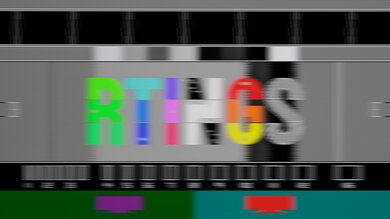
The LG QNED85A has poor motion handling at its max refresh rate of 144Hz. It performs at its best in bright scenes, with very little to no overshoot. However, all other transitions are very slow, resulting in very noticeable blur.
for pictures & test results

for pictures & test results

The LG QNED85A has poor motion handling at 120Hz. While dropping down to this refresh rate does improve the TV's motion handling, it's not by much. Again, it performs better with brighter scenes, and there's little to no overshoot. However, it struggles with darker scenes and introduces noticeable blur that can be distracting when gaming.
for pictures & test results

for pictures & test results

Dropping the refresh rate further to 60Hz doesn't result in any significant changes from how it performs at 120Hz. There's no overshoot, but it struggles a lot in darker scenes, leading to a lot of motion blur.
for pictures & test results

The TV is fully compatible with the PS5, including for gaming at 1440p @ 120Hz and 4k @ 120Hz. It also supports HDMI Forum VRR, along with Auto Low Latency Mode that automatically switches the TV to Game Optimizer mode to ensure the lowest input lag.
for pictures & test results

The TV is almost fully compatible with the Xbox Series X|S, including for gaming at 4k @ 120Hz. It also supports HDMI Forum VRR, FreeSync Premium Pro, as well as Auto Low Latency Mode that automatically switches you to Game Optimizer to give you the lowest input lag. However, it doesn't support Dolby Vision gaming.
for videos & test results
for pictures & test results
for pictures & test results
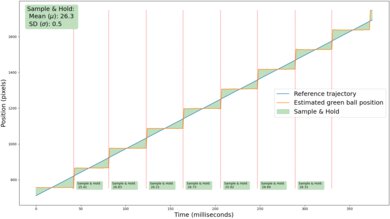
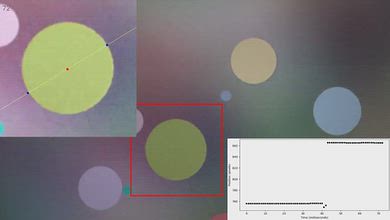
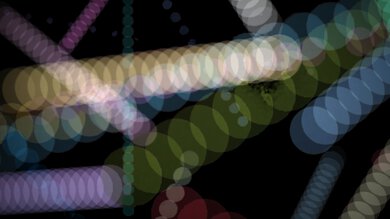
Due to the TV's bad sample and hold behavior, there is stutter in movies and TV shows, which is most noticeable in shots with slow camera movements.
for videos & test results
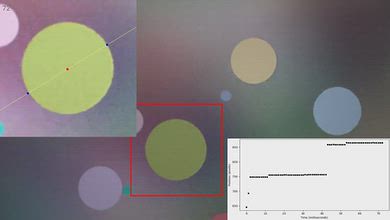
for pictures & test results

for pictures & test results
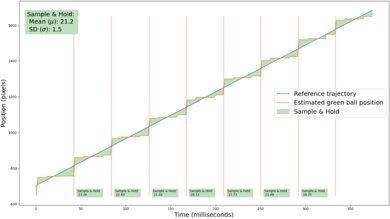
The TV's motion interpolation feature does a very good job of reducing stutter in 24 fps content. When bringing that content up to 30 fps, slow camera movements have good fluidity. The feature also has outstanding consistency, so motion looks nice and even.
for pictures & test results
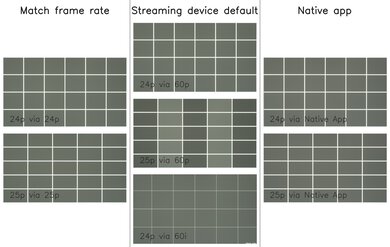
With the Real Cinema setting enabled, the LG QNED85A removes 24p and 25p judder from native apps and external devices that send a 24Hz or 25Hz signal, like an Apple TV with the 'Match Frame Rate' feature enabled. The TV also properly removes judder from 24p content that's being sent to it in either 60p or 60i. However, it doesn't remove 25p judder from 60p signals, and frames are held for an inconsistent duration, which causes motion to look jittery.
for videos & test results
for videos & test results
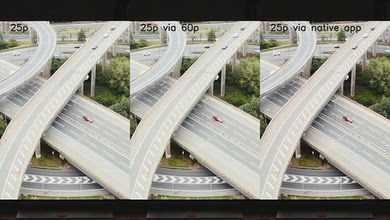
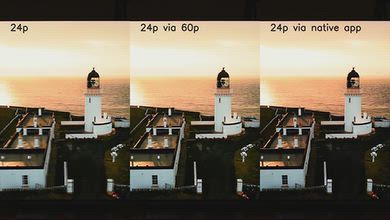
This TV is completely free from micro-judder with all 24p and 25p content, so motion in complex scenes is mostly smooth.
for pictures & test results

for pictures & test results

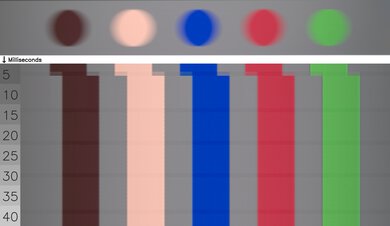
The LG QNED85A has poor cinematic response time, especially when transitioning to and from dark shades. While there is little to no overshoot or inverse ghosting, the TV's slow response time results in noticeable blur behind fast-moving objects whenever you're watching movies, TV shows, or sports.
for pictures & test results
for pictures & test results
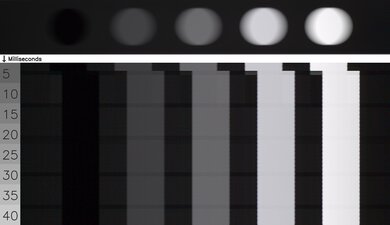
The LG QNED85A does an excellent job of avoiding transition artifacts in movies, TV shows, and sports. The TV is completely free from edge artifacts, so the edges of objects remain consistent with the center during fast-paced scenes and sports. There are some minor color artifacts in fast-paced content, like the hint of yellow that's present in blues, but this is subtle and hard to notice.
for pictures & test results

The TV uses pulse width modulation (PWM) to dim its backlight, which introduces flicker. It flickers on all picture modes, though the frequency varies depending on the local dimming setting applied. With the local dimming feature set to either 'Off', 'Low', or 'Medium', the TV flickers at 240Hz, while setting it to 'High' increases the frequency to 960Hz.
for pictures & test results

for pictures & test results

The TV has an optional backlight strobing feature, commonly known as black frame insertion, that is supported at both 60Hz and 120Hz. While it does help clear up some of the motion artifacts, there's apparent image duplication.
for pictures & test results

for pictures & test results

The TV has inadequate direct reflection handling. Its glossy screen coating does little to reduce the impact of direct light sources, resulting in a mirror-like experience, especially in darker scenes.
for pictures & test results

for pictures & test results

The TV does a remarkable job of handling indirect light, with its black levels barely raising when viewing in a bright room. Although it already has poor contrast on account of its raised blacks, this should be considered.
for pictures & test results

for pictures & test results

The TV does a sub-par job of handling reflected light, including from lamps, windows, and other ambient light sources. These reflections can be especially distracting during dark scenes.
for pictures & test results

The TV does an okay job of retaining its color saturation in bright rooms. It loses some pop in its low-luminance colors, but all other colors are not notably impacted by ambient light.
for videos & test results

for pictures & test results

for pictures & test results

for pictures & test results

The TV has an inadequate viewing angle, making it less ideal for wide seating arrangements. Its colors start to wash out pretty early as you move to either side of the screen, as blues shift in hue rapidly while the other colors remain relatively stable, resulting in a bit of yellow-ish tint. Its black levels also rise, leading to a noticeable loss in contrast. This TV is more ideal for setups where you'll be sitting directly in front of the screen.
for pictures & test results

for pictures & test results

The TV has adequate gray uniformity. The sides of the screen are bit darker than at the center, while there is some dirty screen effect towards the center that can be distracting when watching sports.
for pictures & test results

for pictures & test results

The TV uses a BGR (Blue-Green-Red) subpixel layout instead of the traditional RGB layout. This doesn't impact the experience for watching movies or gaming, but it can cause an issue for text clarity if using the TV as a monitor, though not everyone will notice this.
TVs with LCD panels, like this one, are immune to permanent burn-in.
for pictures & test results

for pictures & test results

The TV supports the full 48Gbps bandwidth of HDMI 2.1 on all four of its HDMI ports, so you can take full advantage of multiple high-bandwidth devices like newer gen consoles (PS5, Xbox Series X|S, Switch 2) or higher-end gaming PCs.
The LG QNED85A supports eARC and passes through all Dolby Digital options. However, DTS passthrough, often used on physical media, is not supported.
for pictures & test results

The LG QNED85A has a basic look and feel, similar to its predecessor, the LG QNED85T, released in 2024. With thick bezels and a mostly-plastic frame, the TV doesn't look very premium.
for pictures & test results

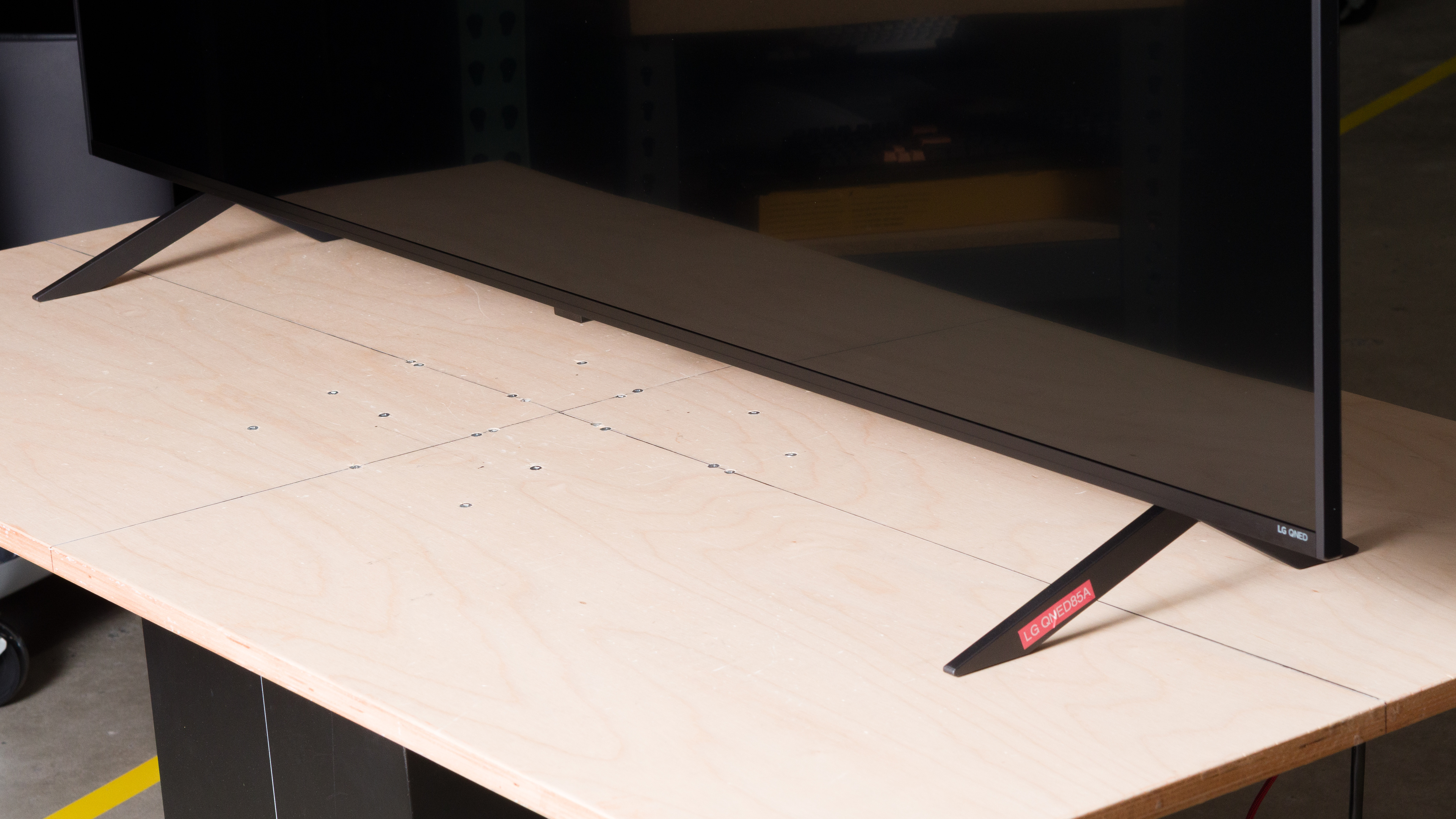
The table comes with two V-shaped plastic feet that can be adjusted into two different positions. The narrow position (pictured above) is great if you have limited space on which to place the TV. The wider position adds more stability to the TV and may be more ideal for when you want to place a soundbar below the screen. In either position, there are about 3.4 inches before you reach the bottom of the screen, which should be enough clearance for most soundbars without blocking the image.
- Footprint of the 65-inch stand in its narrow position: 16.3" x 11.7"
- Footprint of the 65-inch stand in its wide position: 45.5" x 11.7"
for pictures & test results

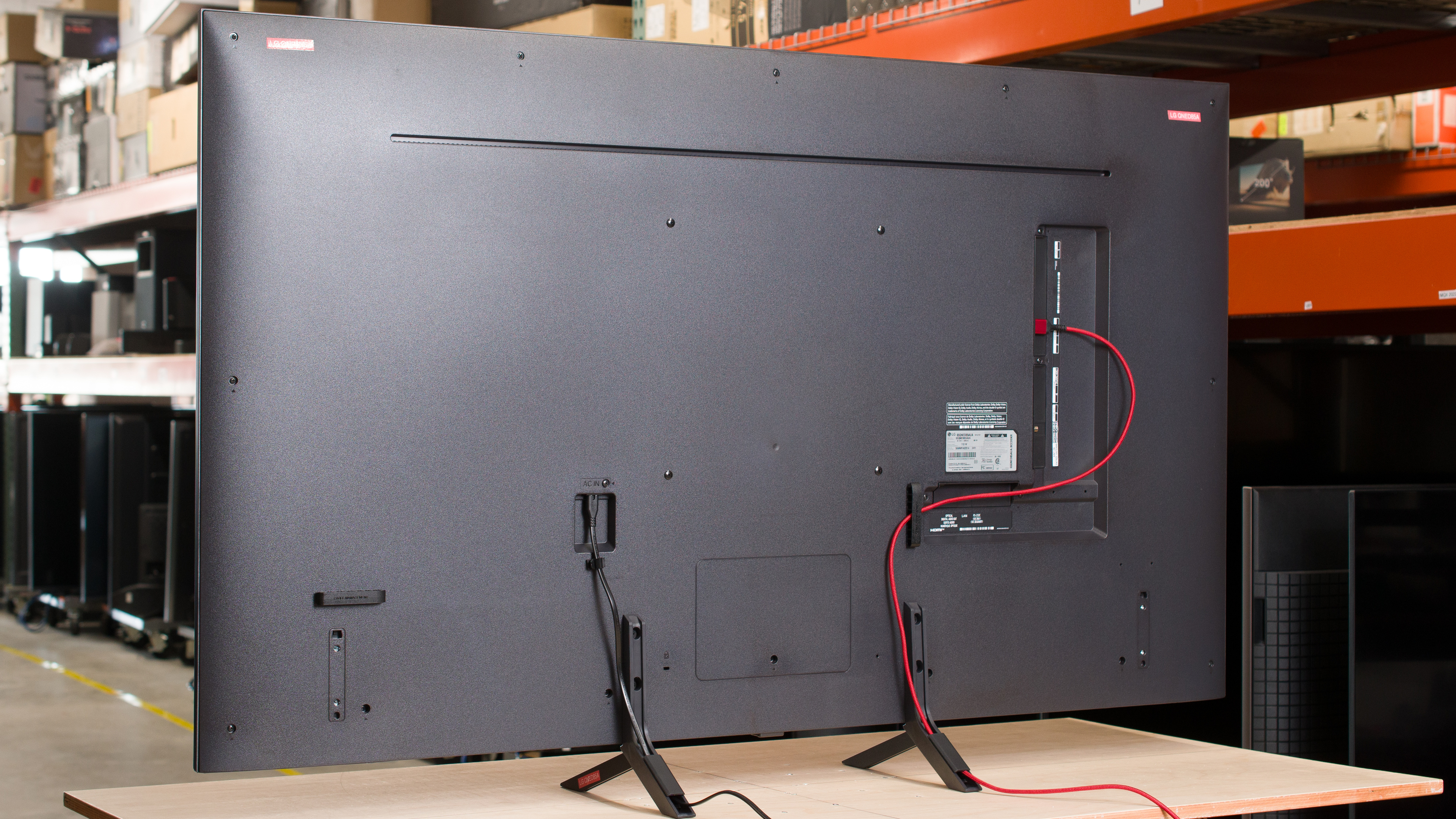
The back of the TV is plastic and has a very basic look. All of the inputs are within an inset on the left side of the TV, which can make them tricky to reach if it's wall-mounted. To help with cable management, the back includes two clips, and you can feed the cables through channels built into the feet to help keep things clean if you're planning to use the stand.


for pictures & test results

The TV has decent build quality. There are no issues with quality control, though it does have a decent amount of flex in the middle largely due to it being made almost entirely out of plastic.
for pictures & test results

The TV comes with LG's new 2025 Magic Remote. Like the old version, it can be used as a pointer, or you can use the traditional buttons to control it. It also supports voice control, giving users a hands-free option to access and search many of their favorite apps. Unlike the old version of this remote, there is no longer a number pad to allow for quick launch shortcuts.
for pictures & test results

The LG QNED85A ships with the 2025 version of LG's proprietary smart interface, webOS. LG promises five years of yearly updates on their TVs as part of their Re:New program.
Unfortunately, it has a bug where the light sensor dynamically adjusts the brightness of the screen based on ambient room light, even when this feature is disabled.
Sometimes, the TV keeps defaulting to PC mode, even after setting the input label to HDMI. We found that we could get around the issue by triggering another handshake by either going back into the HomeHub settings or switching the input back to HDMI.
for pictures & test results

There are two settings in the 'Home Settings' menu, namely the 'Home Promotion' and 'Content Recommendation' settings. These settings remove the top banner ads, suggested content from the home screen, and screen saver promotions. This gives your home screen a clean look, but there's no way to remove ads from the apps page.

for pictures & test results

- Remote (with 2x AAA batteries)
- User manuals
- Power cable
- 2x cable clips
for pictures & test results

The LG QNED85A has poor frequency response. While the TV doesn't produce much bass, its sound profile is fairly well-balanced, helping ensure that dialogue is clear and easy to understand. However, the sound becomes very unbalanced once you reach high volumes.