The Sony X93L is a 4k TV with a Mini LED backlight. Released in 2023, it occupies a strange place in Sony's 2023 lineup. It's almost an exact copy of the 2023 Sony X95K, but it's only available in North America in 65, 75, and 85-inch sizes. It sits above the Sony X90L/X90CL and below the Sony X95L, which is only available in an 85-inch size in North America but is available in other sizes in Europe and other regions. Like Sony's previous flagship X95K, it offers a great selection of extra features, including hands-free voice control, the S-Center speaker input, and an ATSC 3.0 tuner for up to 4k broadcast support. It's powered by Sony's Cognitive Processor XR, which is designed to improve overall image processing and upscaling. For gamers, it has HDMI 2.1 bandwidth and variable refresh rate (VRR) support, so you can take full advantage of the latest consoles. Like past Sony TVs, it's powered by the Google TV smart platform, which is user-friendly and has a ton of apps available to download.
Our Verdict
The Sony X93L is an excellent TV overall. It's great for watching shows or sports in a bright room thanks to its high peak brightness and excellent reflection handling. Thanks to its high peak brightness and Mini LED backlight, it looks great in a dark room, resulting in deep blacks with minimal blooming around bright objects. Finally, it's an amazing gaming TV with low input lag, a quick response time, and many additional gaming features, including variable refresh rate support to reduce screen tearing.
- Local dimming helps it display deep blacks.
- Bright enough to fight glare.
- Excellent reflection handling.
- Mediocre off-angle viewing experience.
The Sony X93L is a great TV for watching shows in a bright room. It has excellent reflection handling and high peak brightness, so you don't have to worry about glare. It has a great selection of streaming apps, so you can quickly find your favorite shows, and it upscales older content extremely well. The only downside to this TV when watching shows is that it has a narrow viewing angle, so it's best enjoyed directly in front. If you like to walk around with the TV on or have a wide seating arrangement, it doesn't look as good when viewed at an angle.
- No upscaling issues.
- Bright enough to fight glare.
- Excellent reflection handling.
- Mediocre off-angle viewing experience.
The Sony X93L is a great TV for watching sports in a bright room. It gets extremely bright, and combined with its excellent reflection handling, glare isn't an issue in a bright room. It has a quick response time, so fast action is smooth and easy to make out, and it has very good gray uniformity, with very little dirty screen effect in the center. Sadly, it has a narrow viewing angle, so it's not as good for watching the big game with a large group of friends or having a wide seating arrangement, as the image degrades when viewed off-angle.
- No upscaling issues.
- Bright enough to fight glare.
- Excellent reflection handling.
- Great motion handling.
- Mediocre off-angle viewing experience.
The Sony X93L delivers an amazing gaming experience. It has superb low input lag, ensuring a responsive gaming experience with little delay between your actions on the controller and what you see on the screen. Its fast response time makes motion smooth and fluid, and it supports advanced gaming features like a variable refresh rate. It's especially good for PS5 gamers thanks to a few extra Sony features, including Auto HDR Tone Mapping and Auto Genre Picture Mode.
- Local dimming helps it display deep blacks.
- Great motion handling.
- HDMI 2.1 bandwidth and VRR support.
- Low input lag.
- Noticeable black smear.
The Sony X93L is an excellent TV for watching movies. It has excellent contrast, so dark areas of the screen are deep and uniform, with very little blooming around bright highlights. It has a great HDR color gamut, ensuring your favorite movies look how the creator intended. Sony TVs are well-known for their processing features, and this one is no exception, as it has great gradient handling in HDR and impressive low-quality content smoothing, which is great if you prefer streaming movies.
- Local dimming helps it display deep blacks.
- Removes 24p judder.
- Displays a wide range of colors.
- Makes highlights pop.
The Sony X93L is an amazing TV for gaming in HDR. It delivers an amazing gaming experience with low input lag and a quick response time, and it supports a wide array of gaming features like VRR. HDR looks incredible thanks to its excellent contrast ratio and superb peak brightness. Bright highlights in games are punchy and stand out well, with minimal blooming in darker areas of the scene. It also has a great color gamut in HDR, so games look vivid and lifelike.
- Local dimming helps it display deep blacks.
- Great motion handling.
- HDMI 2.1 bandwidth and VRR support.
- Low input lag.
- Displays a wide range of colors.
- Makes highlights pop.
- Noticeable black smear.
The Sony X93L is an excellent TV for use as a PC monitor. It has low input for gaming, although it's a bit high for cursor movements, so you'll notice some slight delays when on the desktop. It has very good gray uniformity, with very little dirty screen effect. Sadly, it has a narrow viewing angle, so the sides of the screen fade and look inaccurate compared to the center, especially if you're sitting very close to the screen.
- Bright enough to fight glare.
- Excellent reflection handling.
- HDMI 2.1 bandwidth and VRR support.
- Low input lag.
- Mediocre off-angle viewing experience.
- Noticeable black smear.
Changelog
- Updated May 27, 2024: We bought and tested the replacement model to this one, the Sony BRAVIA 7 QLED, and added a few comparisons in the Reflections and Viewing Angle sections of the review.
- Updated Dec 05, 2023: Verified the TV's 1440p resolution support with firmware PKG6.7480.0852NAA; the TV still doesn't natively support 1440p, as it upscales to 4k instead. We updated the 1440p results in the Variable Refresh Rate text box from 'Unknown' to 'N/A' to ensure standardized results across reviews.
- Updated Nov 08, 2023: Mentioned the newly reviewed Hisense UX in the Lighting Zone Transitions section of this review.
- Updated Sep 14, 2023: We bought and tested the Sony X95L and added a few relevant comparisons below.
Check Price
Differences Between Sizes And Variants
We bought and tested the 65-inch Sony X93L, and these results are also valid for the 75-inch and 85-inch models. The larger sizes are expected to have more dimming zones and slightly better local dimming, but unfortunately, no information is currently available on the number of zones on the larger sizes.
There's also a warehouse variant of this TV, the Sony X93CL, available in 65- and 75-inch sizes. It performs the same but comes with a more premium remote and a longer warranty.
| Size | Model Number | Costco Model |
|---|---|---|
| 65" | XR-65X93L | XR-65X93CL |
| 75" | XR-75X93L | XR-75X93CL |
| 85" | XR-85X93L | - |
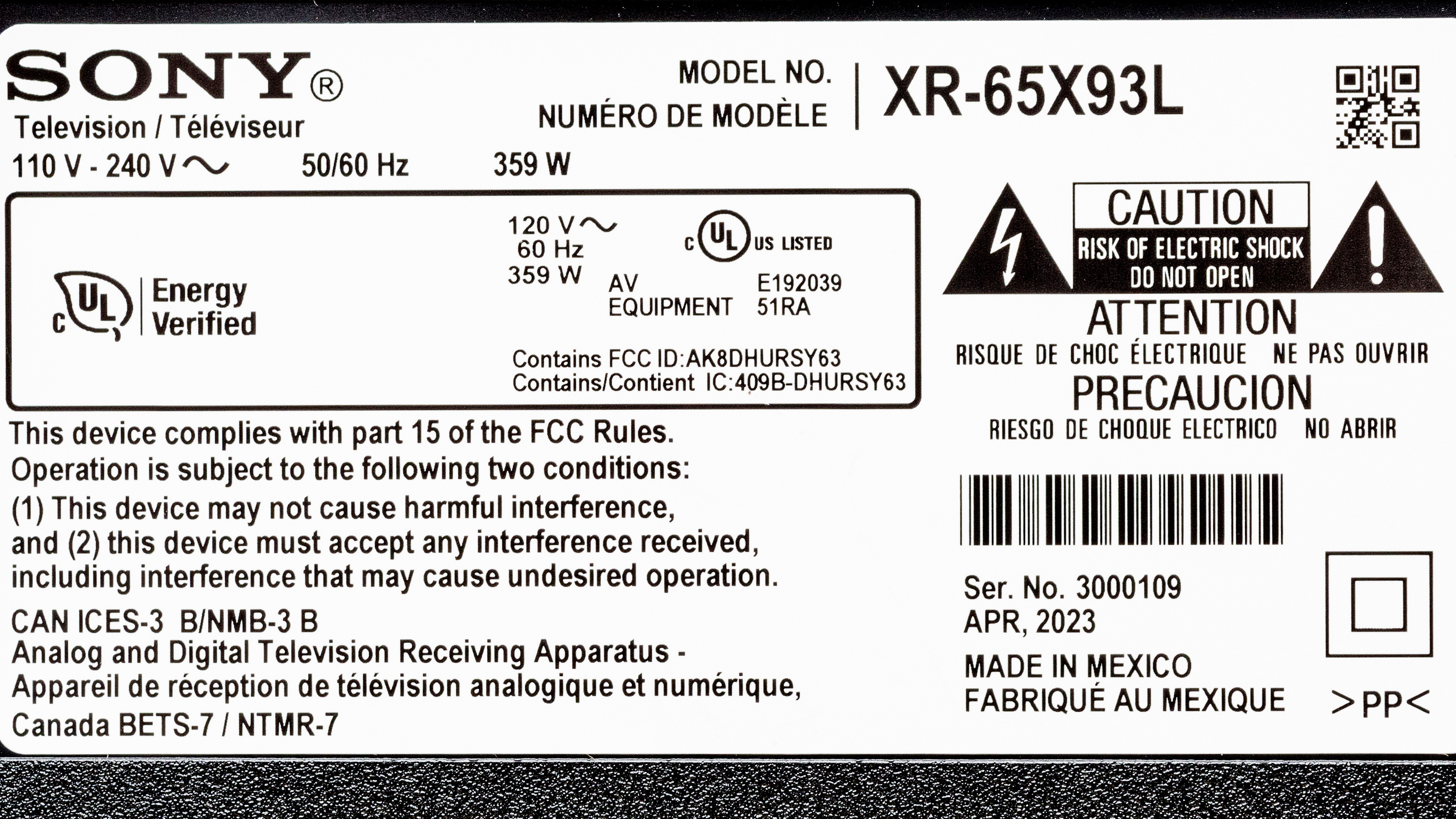
Our unit was manufactured in April 2023; you can see the label here.
Popular TV Comparisons
Sony TVs are usually a safe bet if you care about picture quality and accuracy, and the Sony X93L is no exception. It delivers fantastic picture quality and an excellent HDR experience, not to mention its wide selection of extra features. That said, some of its features are a bit outdated, like the fact that only two of its HDMI ports support HDMI 2.1 bandwidth. It's been replaced in 2024 by the Sony BRAVIA 7 QLED, which delivers slightly better picture quality overall, with much higher peak brightness, but it also has worse viewing angles and more noticeable glare in a bright room.
See our recommendations for the best TVs for watching movies, the best smart TVs, and the best 65-inch TVs.
The Sony X95L is slightly better than the Sony X93L/X93CL. The biggest difference between them is the number of local dimming zones. The X95L has more local dimming zones and higher contrast, resulting in a better dark-room viewing experience, with deeper blacks and better black uniformity. The X95L is also slightly brighter.
The Sony X93L/X93CL is much better than the Sony X90L/X90CL. The X93L has much better reflection handling, so it's a better choice for a bright living room. The biggest difference is the X93L's Mini LED backlight, which delivers much deeper blacks, significantly less blooming around bright objects, and significantly improved zone transitions with no flicker as bright objects move across the screen.
The Sony X93L and the Sony X95K are extremely similar overall, but the newer X93L is slightly better. Sony has tweaked the local dimming algorithms, so there's less blooming around bright highlights in dark scenes on the X93L.
The Sony X93L/X93CL and the Samsung QN90C are very similar overall. The Sony offers better processing, so it can smooth out low-quality content better, and upscaling looks better overall. The Sony TV also supports Dolby Vision, a better and more widely supported HDR format than the Samsung model's HDR10+ format. The Samsung is a bit brighter overall, and small specular highlights stand out better.

We buy and test dozens of TVs yearly, taking an objective, data-driven approach to deliver results you can trust. Our testing process is complex, with hundreds of individual tests that take over a week to complete. Most of our tests use specially designed test patterns that mimic real content, but we also use the same sources you have at home to ensure our results match the real-world experience. We use two main tools for our testing: a Colorimetry Research CR-100 colorimeter and a CR-250 spectroradiometer.
Test Results
Older Test Bench: We tested this product using an older TV test methodology before a major update. Some of the test results below aren't directly comparable with other TVs. Learn more
for pictures & test results

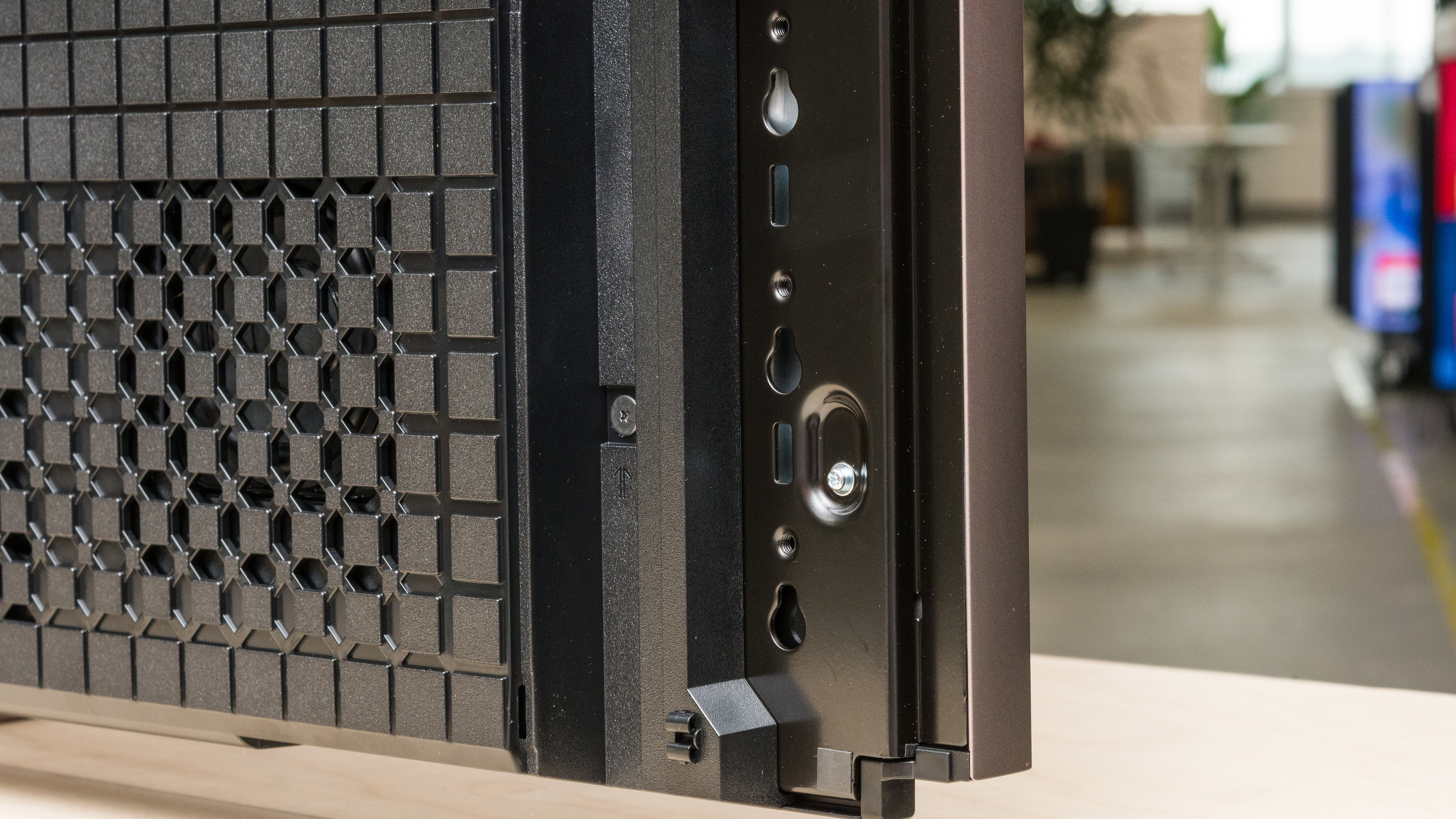
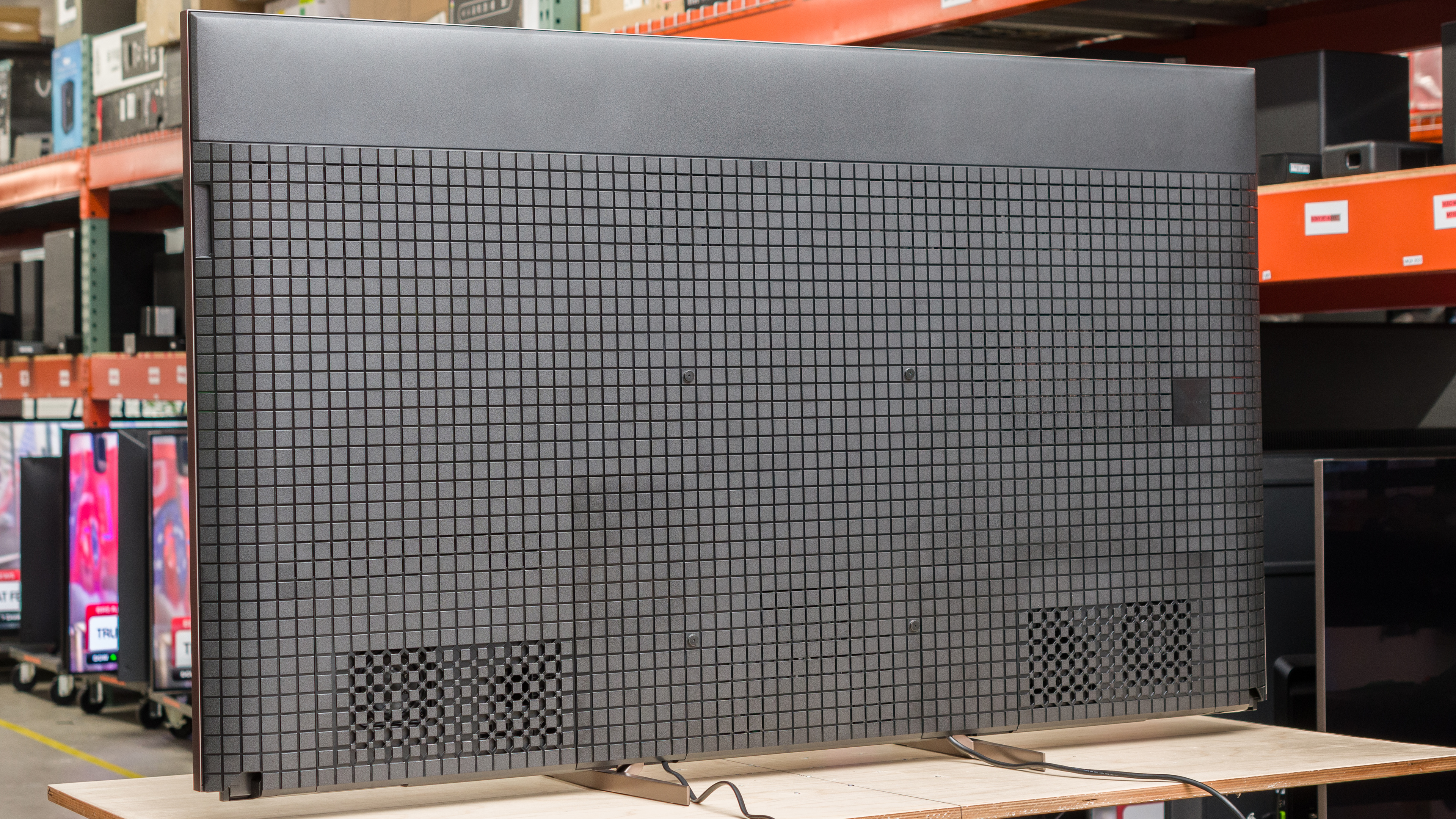
The Sony X93L has a premium design with a unique checkerboard pattern on the back and thin bezels. It's designed for a clean look, with adjustable feet and removable panels to help with cable management.
for pictures & test results

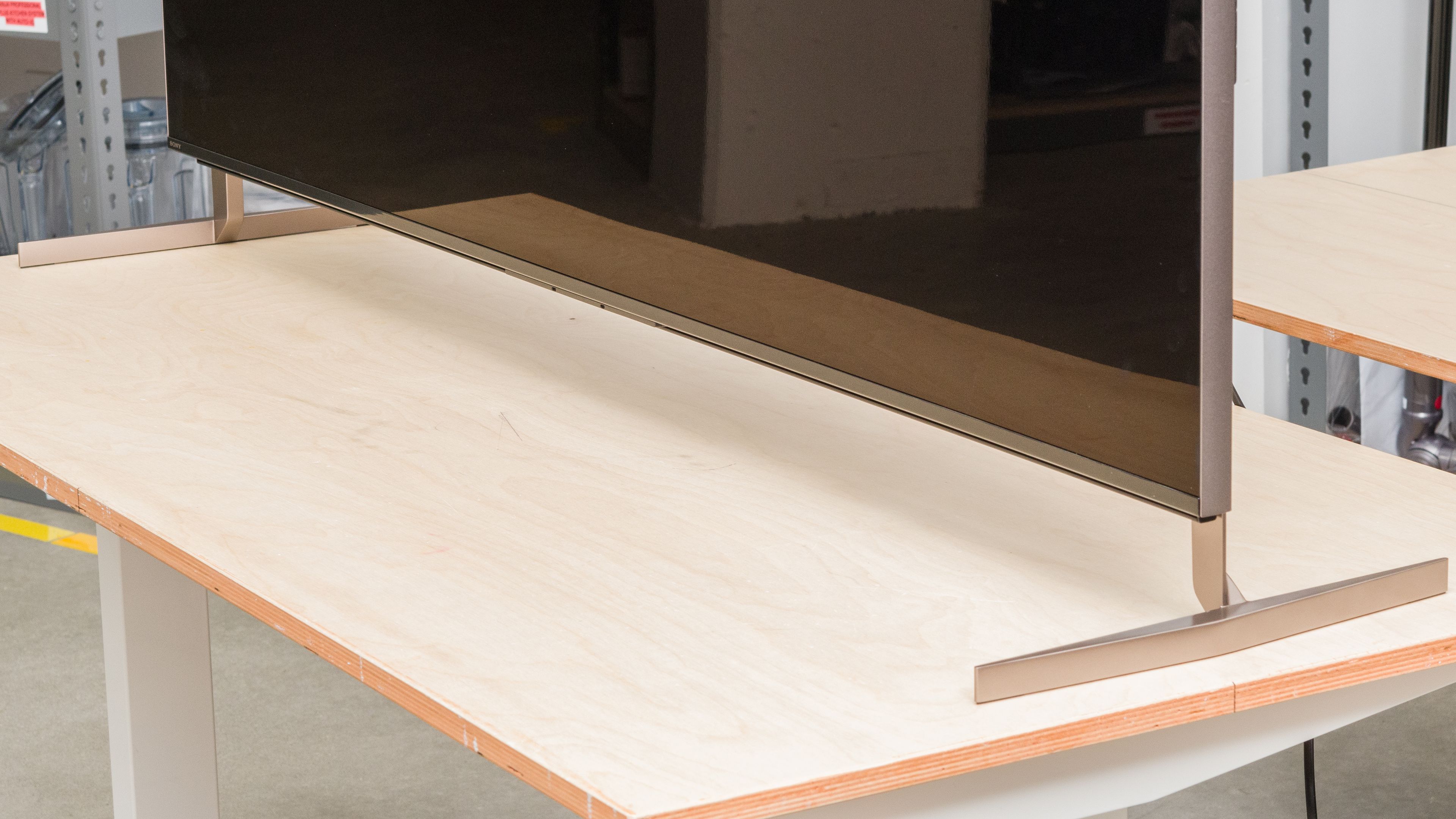
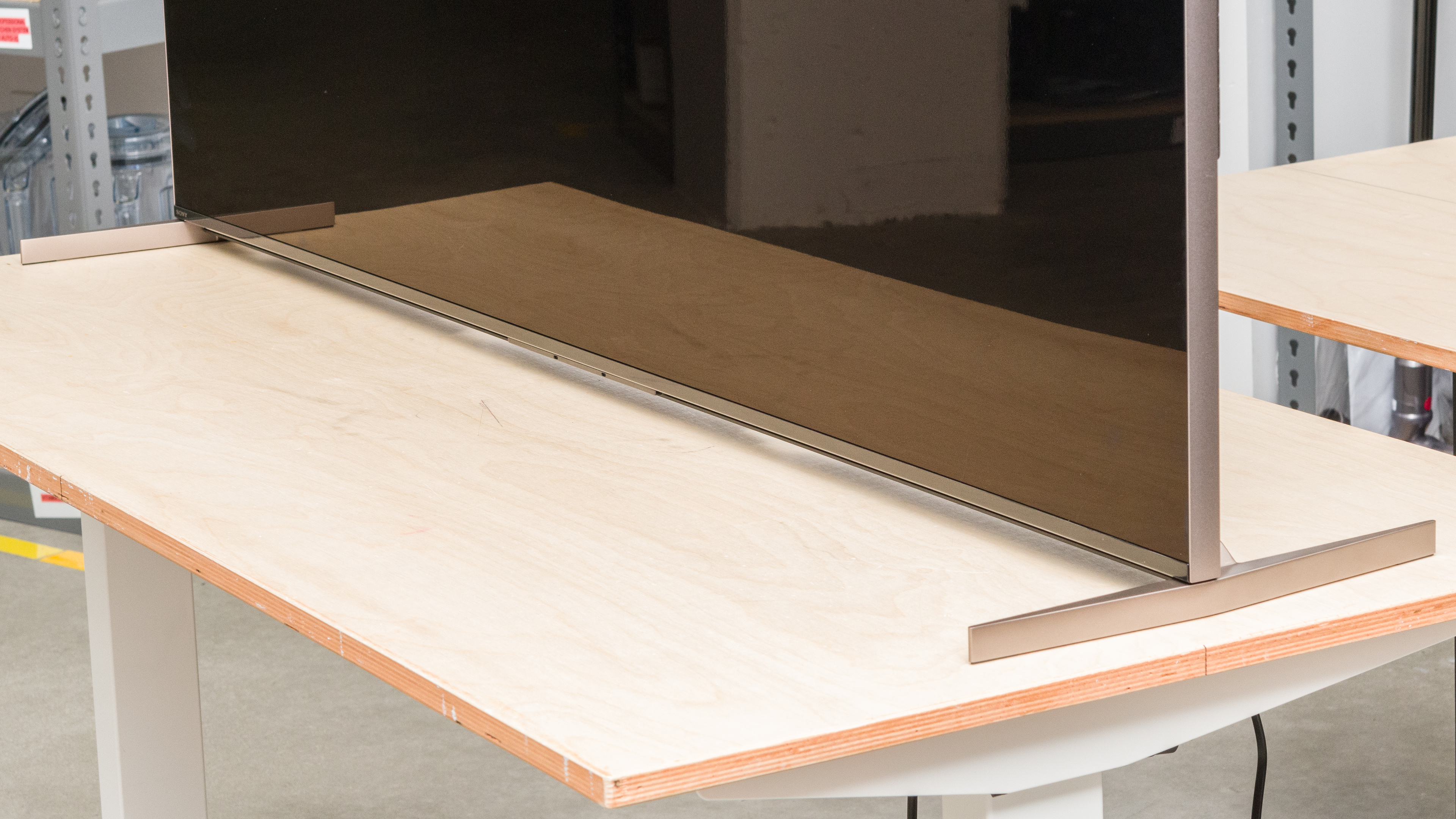
The Sony X93L has straight metal feet that hold the TV very well. Along with the narrow position shown, the feet can be attached in a wide position for better stability. There are multiple mounting points for the feet, allowing you to adjust the height of the TV to fit a soundbar in front without blocking the screen (highest position shown here). Footprint of the 65-inch model:
- Narrow position (pictured above): 20.2" x 13.5"
- Wide Position: 56.7" x 13.5"
The distance from the table to the display varies depending on the position of the feet:
- Narrow position: 1.8"
- Wide low position: 1.3"
- Wide high position: 3.7"
for pictures & test results

The back of the TV is entirely plastic and made of a checkerboard pattern similar to other recent Sony TVs like the Sony X95K. There are covers that can be attached to the back to hide the inputs and for basic cable management.


for pictures & test results

The Sony X93L has excellent build quality. It's very stable, with minimal wobble in any of the three stand positions. It has a premium look, with metal borders around the screen and metallic feet. The back panels are made of plastic but are well-built overall despite a bit of flex. The only noticeable issue is with the cable management panels, which don't quite clip into the back properly.
for pictures & test results

The Sony X93L has excellent contrast, resulting in deep blacks and bright highlights in dark scenes. The native contrast with local dimming disabled is lower than usual for this type of TV due to the X-Wide Viewing Angle layer, which improves the viewing angle at the expense of some contrast. As long as you leave Auto Local Dimming enabled, though, dark areas of the screen look excellent. If you'd prefer a Mini LED TV with better contrast, look at the Hisense U8/U8K or the step-up model from this one, the Sony X95L.
for pictures & test results

The Sony X93L has very good blooming performance. There's some noticeable blooming around bright areas of the screen in otherwise dark scenes, like if you have subtitles enabled, or bright lights in an alley.
for videos & test results

The lighting zones have a decent response time to changing scenes. The algorithms can't quite keep up with fast-moving objects, causing the leading edge to appear darker than it should be. For the same reason, the trailing edge leaves a slight bright trail. On the other hand, there's no noticeable flicker as zones toggle on and off. If you're looking for a better local dimming feature, check out the Hisense UX, which has 5000 dimming zones in its 85-inch model.



for pictures & test results

for pictures & test results

for pictures & test results

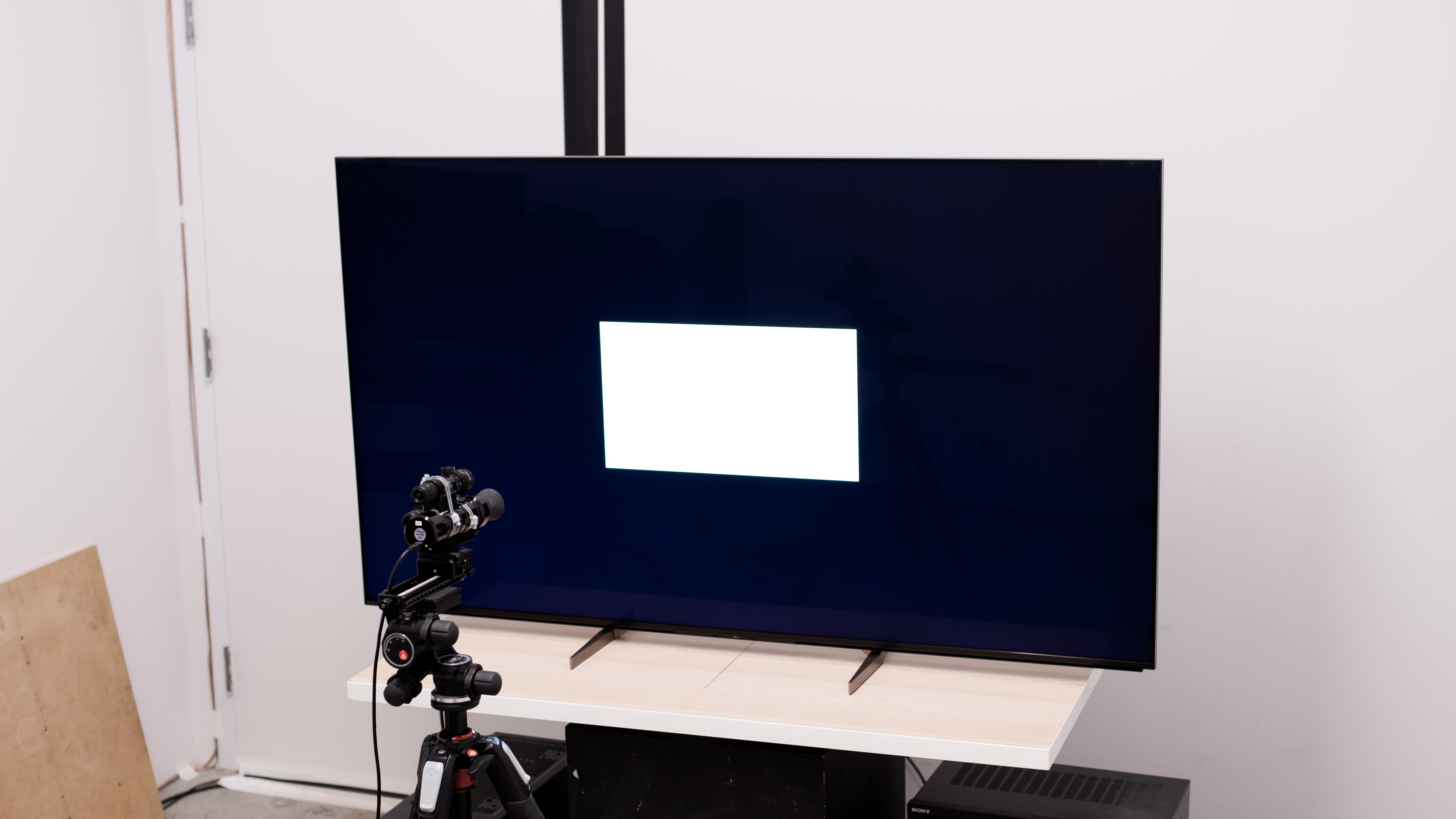
The Sony X93L has superb HDR peak brightness. Bright highlights stand out well, and real scenes are bright and vivid. Although bright highlights in test slides are brighter on the Sony X95K, real scenes are brighter on the X93L, and HDR is more vivid overall. The next model down in Sony's lineup, the Sony X90L/X90CL, is about as bright with some highlight details, but most real scenes are brighter on the X93L. On the other end, the step-up Sony X95L is slightly brighter, but it's not a significant difference.
These measurements are after calibrating the HDR white point with the following settings:
- HDR Picture Mode: Custom
- Brightness: Max
- Contrast: 90
- Color Temperature: Expert 2
- HDR Tone Mapping: Gradation Preferred
- Peak Luminance: High
- Auto Local Dimming: High
for pictures & test results

for pictures & test results

for pictures & test results

Switching to the 'Game' HDR Picture Mode results in a slightly dimmer image overall, but it's not a very noticeable difference with real content.
These measurements are after calibrating the HDR white point with the following settings:
- HDR Picture Mode: Game
- Brightness: Max
- Contrast: 90
- Color Temperature: Expert 2
- HDR Tone Mapping: Gradation Preferred
- Peak Luminance: High
- Auto Local Dimming: High
for pictures & test results

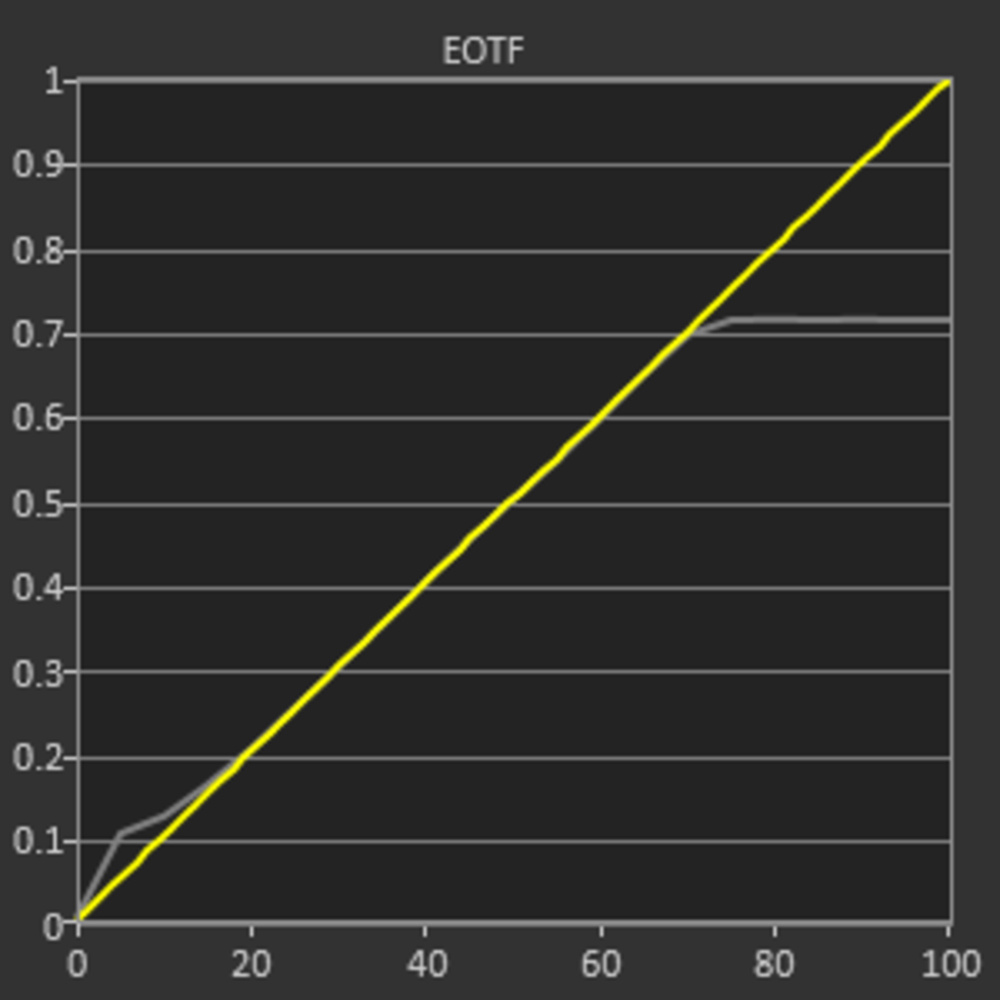
Like most Sony TVs, the Sony X93L has fantastic PQ EOTF tracking in most HDR picture modes. Most content is slightly too dark, but the difference is minor. In the 'Game' HDR Picture Mode, near-blacks are raised, causing some shadow details to appear washed out.
The Sony X93L has fantastic SDR peak brightness. It's bright enough to easily overcome glare in a bright room. Large bright scenes are considerably dimmer, but they're still bright enough for a well-lit room, so you won't notice this.
These measurements are after calibration, with the following settings:
- Picture Mode: Custom
- Brightness: Max
- Contrast: 90
- Color Temperature: Expert 1
- Peak Luminance: High
- Auto Local Dimming: High
for pictures & test results

for pictures & test results

The Sony X93L has a great HDR color gamut, so colors in HDR are vibrant and life-like. It has nearly perfect coverage of the commonly-used DCI-P3 color space, as well as decent coverage of the Rec. 2020 color space. Tone mapping is good in both color spaces, but saturated greens and blues are noticeably off in the Rec. 2020 color space.
for pictures & test results

for pictures & test results

The color volume is excellent. Colors are bright and vibrant, and thanks to its high contrast ratio with local dimming, dark saturated colors are displayed well.
for pictures & test results

for pictures & test results

for pictures & test results

Even without calibrating it, the Sony X93L has impressive accuracy in SDR. Gamma is very close to the 2.2 target for a moderately-lit room, and the white balance is very good. Colors are accurate for the most part, but pure blues are slightly off. The color temperature is a bit cool, giving the image a very slight blue tint.
for pictures & test results

for pictures & test results

for pictures & test results

The Sony X93L is very easy to calibrate, and the results after calibration are fantastic. Blues are still off, but the color temperature is much closer to ideal, and the white balance and color accuracy are nearly perfect.
You can see the full settings used for our calibration here.
for pictures & test results

for pictures & test results

The gray uniformity of this TV is very good. The sides of the screen are a bit darker than the center, which is distracting if you want to use it as a PC monitor. There's very little dirty screen effect in the center, which is great for watching sports as the playing field looks clean and uniform. In near dark scenes, the uniformity is significantly improved, with no noticeable issues.
for pictures & test results

for pictures & test results

The black uniformity, especially with Auto Local Dimming enabled, is great. There's a bit of blooming around bright highlights on a dark background, but it's not very distracting. With local dimming turned off, the black uniformity is worse, but it's not terrible. There are no noticeable bright spots, but the entire screen looks blue due to the relatively low native contrast of the panel.
for videos & test results

for pictures & test results

for pictures & test results

for pictures & test results

Unfortunately, despite Sony's 'X-Wide Angle' technology, the off-angle viewing of this TV is mediocre. As you move off-center, colors appear washed out, and there's a more pronounced red hue. Its replacement, the Sony BRAVIA 7 QLED, doesn't have this wide angle filter and looks even worse when viewed at an angle.
for pictures & test results

for pictures & test results

for pictures & test results

The Sony X93L has excellent reflection handling. Direct reflections are significantly reduced in intensity, but there's a noticeable rainbow smear when any light source is visible on-screen. Strangely, Sony has replaced the anti-reflective coating on the replacement model to this, the Sony BRAVIA 7 QLED, with a worse semi-gloss coating. The X93L is a better choice if you're in a bright room.
for pictures & test results

The Sony X93L has great gradient handling in HDR. There's some light banding in bright shades of blue, but everything else looks great.
for pictures & test results

Like most Sony TVs, the Sony X93L does a great job smoothing out low-quality content. Macro-blocking and pixelization issues are smoothed out well, and there's very little loss of fine details.
for pictures & test results

The Sony X93L has superb sharpness processing capabilities. Low-resolution content is upscaled well, and lines are sharp with very little over-sharpening. Fine details in busy scenes are easy to make out, and hardcoded text looks great.
These results are with the following processing settings:
- Sharpness: 60
- Reality Creation: Auto

for pictures & test results

for pictures & test results

The Sony X93L has an excellent response time. There's very little blur behind fast-moving objects, so games and fast action in sports is clear and easy to make out. There's some distracting black smear behind fast-moving dark objects caused by the TV's slower 0-20% response time.
for pictures & test results

This TV uses pulse width modulation (PWM) at all backlight levels. It always flickers at 720Hz, which is high enough that it'll only bother you if you're extremely sensitive to flicker.
for pictures & test results

for pictures & test results

There's an optional backlight strobing feature, commonly known as black frame insertion, which can be enabled to improve the appearance of motion. This TV can only flicker at 120Hz, which causes image duplication with 60 fps content.
for pictures & test results

for pictures & test results

This TV can interpolate lower-frame-rate content up to 120 fps. Like most TVs, it works well with slower scenes, but there are noticeable artifacts with fast-moving scenes.
Due to its relatively fast response time, there's some noticeable stutter when watching movies. It's especially noticeable in slow panning shots.
This TV removes judder automatically from 24p sources, like a Blu-ray player or an external streaming device with a 'Match Frame Rate' feature. For 60Hz sources, like a cable box, or the native apps, Motionflow has to be enabled, with both sliders at 'Min' and CineMotion set to 'High' to remove judder.
The Sony X93L supports variable refresh rate technology to reduce screen tearing. HDMI Forum VRR and G-SYNC compatibility work over the entire refresh rate range. The TV doesn't natively support 1440p, as it upscales it to 4k instead.
This TV has superb low input lag when in the 'Game' Picture Mode, ensuring a smooth and responsive gaming experience. It's a bit higher than competing models from LG and Samsung but still low enough for most gamers.
Most common signals are supported by this TV, up to 4k @ 120Hz with HDMI ports 3 and 4. Chroma 4:4:4 and RGB signals are displayed properly with 1080p and 4k signals, which is essential for clear text when using it as a PC monitor. HDMI ports 1 and 2 are limited to HDMI 2.0 bandwidth, and they don't support 4k @120Hz inputs.
for pictures & test results

This TV can support almost everything the PS5 has to offer. Since this TV doesn't support 1440p @ 120Hz signals, it doesn't work with that format from the PS5. The Sony X93L offers unique features when paired with a PS5, including Auto HDR Tone Mapping and Auto Genre Picture Mode.
for pictures & test results

The Sony X93L can nearly take full advantage of the Xbox Series S|X consoles. It only supports Dolby Vision gaming at 60Hz, not at 120Hz, though, and the TV doesn't support 1440p @ 120Hz.
HDMI ports 3 and 4 support the full 48 Gbps bandwidth of HDMI 2.1, while HDMI 1 and 2 are limited to HDMI 2.0 bandwidth. However, because HDMI 3 is an HDMI 2.1 and eARC port, you lose an HDMI 2.1 slot if you connect a receiver, so you can't use HDMI 2.1 bandwidth on multiple devices simultaneously unless the receiver also supports it. Also, the tuner supports ATSC 3.0, allowing you to stream over-the-air channels at up to a 4k resolution.


The Sony X93L supports eARC, which allows you to pass high-quality, uncompressed audio to a compatible receiver through an HDMI cable. It supports all major audio formats, so you don't have to worry about compatibility with external sources.
for pictures & test results

The frequency response of this TV is good overall. It has a well-balanced sound profile, so dialogue sounds clear, but like most TVs, it doesn't produce much bass. It's loud enough for a fairly noisy environment.
for pictures & test results

The Sony X93L has good distortion handling. There aren't too many distortion artifacts at moderate listening levels; even if there's more at the max volume, it isn't too bad.
for pictures & test results

The Sony X93L has the same Google TV smart platform as past Sony models like the Sony X95K. Oddly, it runs the older Google TV 10 version instead of the newer version 11 release that's already been included on some older Sony models like the Sony X85K. The differences between versions 10 and 11 are minor, though.
for pictures & test results

Unfortunately, like most TVs, there are ads throughout the interface. You can opt out of personalized ads, but this doesn't change the number of ads you'll see; they just won't be personalized to match your search and viewing history.
for pictures & test results

The Google Play Store has tons of apps available to download, and they run very smoothly. It has Google Chromecast built-in, meaning you can cast content from your phone. You can also connect the Bravia webcam for video calls.
for pictures & test results

The included remote is small, as it doesn't have a numpad. There are mics in the remote and built into the TV, and they allow you to ask it to search for content, change settings, and open apps.
for pictures & test results

There's a single button on the back left side to turn it On/Off, change channels, adjust the volume, or switch inputs. There's also a switch to turn off the mic on the TV if you're concerned about privacy. However, these controls are set into the TV and hard to access with it wall-mounted, especially if you have the wall-mounted, and the plastic covers block access to the buttons.
for pictures & test results

- Remote
- 2x AAA Batteries
- Manuals and user guides