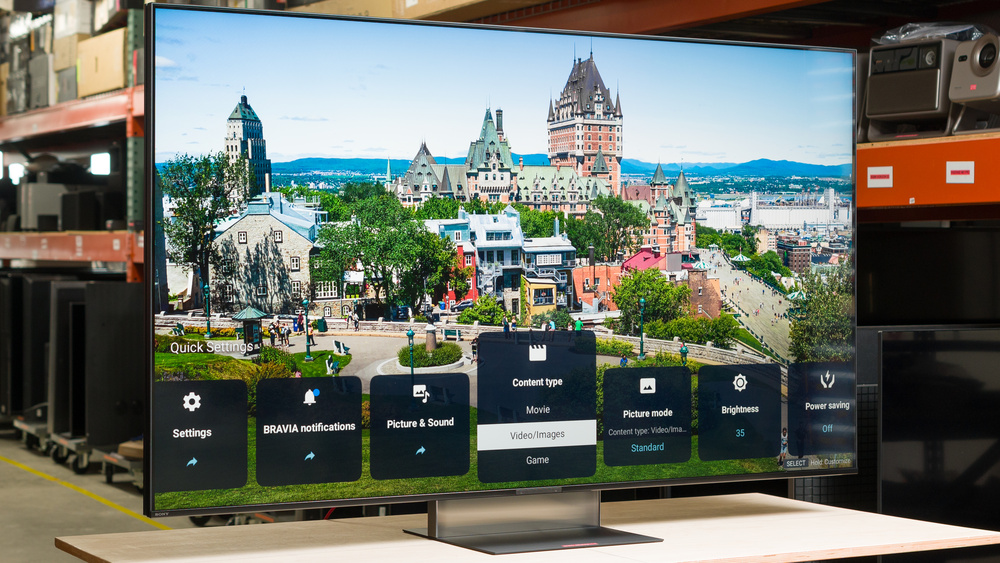
The Sony BRAVIA 7 II, also known as the Sony BRAVIA 7 Mark 2, is a premium TV released alongside the higher-end Sony BRAVIA 9 II in 2026. It replaces the Sony BRAVIA 7 from 2024, and features a new RGB Mini LED backlight, which replaces the older blue backlight and quantum dot film with separate red, green, and blue LEDs in each zone. It offers a wide range of features, including an ATSC 3.0 tuner, the Google TV 14 smart interface, and HDMI 2.1 bandwidth on two inputs. It's powered by Sony's proprietary XR Processor, and features Sony's X-Wide Angle Pro screen coating. We bought and tested the 65-inch model, but it's also available in 50-, 55-, 75-, 85-, and 98-inch sizes.
Our Verdict
The Sony BRAVIA 7 II is a great TV for most uses. It excels in a dark room thanks to its deep blacks and high contrast ratio. Movies stand out incredibly well thanks to its high peak brightness and vivid colors. It's also an excellent choice for watching shows during the day, but its mediocre reflection handling means dark scenes can be a bit difficult to see. It's good for other uses like gaming, but motion is noticeably blurry in very fast action when gaming.
Great black levels with minimal haloing.
Bright details in HDR stand out incredibly well.
Fantastic SDR brightness helps it overcome glare during the day.
Fantastic upscaling and great low-quality content smoothing.
Colors are incredibly bright and vivid.
Dark scenes are hard to see during the day.
The Sony BRAVIA 7 II is an excellent TV for home theater. It looks fantastic in a dark room thanks to its high contrast ratio and excellent local dimming feature. Movies are bright and vibrant, with vivid colors that look incredible. It also gets incredibly bright, so small bright details in movies and shows stand out well, delivering a more life-like experience. It also supports Dolby Vision video playback and all common audio formats, making it a fantastic choice for physical media collectors. Finally, it has fantastic processing, so it does a great job displaying low-quality streaming content or older movies on DVD.
Great black levels with minimal haloing.
Bright details in HDR stand out incredibly well.
Fantastic upscaling and great low-quality content smoothing.
Colors are incredibly bright and vivid.
Outstanding PQ EOTF tracking.
Whites can take on a tint from surrounding colors.
The Sony BRAVIA 7 II is excellent for watching TV in a bright room. It has fantastic peak brightness, so it can easily overcome glare in bright scenes. It has mediocre reflection handling, though, so dimmer scenes are still hard to see during the day. On the other hand, ambient light has almost no impact on picture quality, with no noticeable increase in black levels and no significant change to color saturation.
Fantastic SDR brightness helps it overcome glare during the day.
Colors are incredibly bright and vivid.
Ambient light has no negative impact on picture quality.
Dark scenes are hard to see during the day.
Whites can take on a tint from surrounding colors.
The Sony BRAVIA 7 II is an excellent TV for watching sports. It has great visibility during the day, with high peak brightness and bright, vibrant colors during the day. It has a decent response time when watching content, but fast motion can be a bit blurry. Transitions are fairly even, though, with only minor unwanted color artifacts. It has just an okay viewing angle, though, so it's not the best choice for a wide seating arrangement.
Fantastic SDR brightness helps it overcome glare during the day.
Fantastic upscaling and great low-quality content smoothing.
Colors are incredibly bright and vivid.
Only very minor color artifacts in fast-paced scenes and sports.
Dark scenes are hard to see during the day.
Whites can take on a tint from surrounding colors.
The Sony BRAVIA 7 II is a good gaming TV. It has low input lag, so games feel responsive most of the time. It also has a pretty good selection of gaming features, including VRR support and HDMI 2.1 bandwidth to take full advantage of the latest consoles. It only supports it on two ports, though, which is a bit limiting if you have multiple consoles. It also has a very high CAD, resulting in very blurry motion in fast action.
Bright details in HDR stand out incredibly well.
Colors are incredibly bright and vivid.
Game Mode has no impact on picture quality.
Low input lag.
Only two HDMI 2.1-bandwidth ports.
Whites can take on a tint from surrounding colors.
Fast action is very blurry.
This TV has great expected reliability. Similar to direct-lit models, since the LEDs are housed directly behind the LCD layer, they're less likely to overheat and fail than edge-lit models. There's also no possibility of burn-in or image retention, so the type of content you watch doesn't affect its lifespan. Unlike direct-lit models, the LEDs are grouped together in zones, so a single failed LED will usually cause only one zone to fail, not the entire backlight.
No possibility of permanent burn-in.
Single LED failures affect only a single zone, not the entire backlight.
The Sony BRAVIA 7 II has excellent peak brightness. Bright highlight details in movies and shows stand out incredibly well, and bright scenes stand out incredibly well. Its also bright enough to overcome glare during the day.
Bright details in HDR stand out incredibly well.
Fantastic SDR brightness helps it overcome glare during the day.
The Sony BRAVIA 7 II has excellent black levels. Blacks are deep and uniform, with very little haloing around bright highlights or subtitles. There's very little backlight bleed or clouding in dark scenes, and the local dimming feature does a great job increasing the brightness of highlight details without impacting nearby dark areas.
Great black levels with minimal haloing.
The Sony BRAVIA 7 II has excellent colors. Colors are incredibly bright and vibrant in both SDR and HDR. It also has good color accuracy out of the box, but there's no color calibration system to help you fully correct it. Like all RGB Mini LED TVs, though, colors can bleed into whites, giving them a noticeable tint. Certain settings can help reduce this effect, though, and you can force the TV to only use a white backlight if this bothers you.
Colors are incredibly bright and vivid.
Good accuracy out of the box.
Whites can take on a tint from surrounding colors.
No color calibration system (CMS).
The Sony BRAVIA 7 II has great motion handling when watching content. It removes judder from most content for a smooth motion cadence, and there's no micro judder. It also has only very minor transition artifacts and unwanted intermediate colors in fast action. There's very little stutter thanks to its relatively slow response time, and its motion interpolation feature does a fantastic job improving motion smoothing, even at low levels.
Only very minor color artifacts in fast-paced scenes and sports.
Most content is judder free.
Low input lag.
The Sony BRAVIA 7 II has okay responsiveness in Game Mode. It has very low input lag for a responsive feel, but because of its slow response time, there's significant motion blur in fast-moving action.
Game Mode has no impact on picture quality.
Only two HDMI 2.1-bandwidth ports.
Fast action is very blurry.
Note: We're in the process of improving our tests related to image processing, but this score should give you a general idea of how a TV performs overall with its image processing capabilities.
The Sony BRAVIA 7 II has excellent processing. It does a great job cleaning up low-quality content streams like most streaming services, so the image is crisp and clear with little loss of fine details. It also upscales DVDs and other low-quality sources extremely well. It also respects creative intent well when watching more recent HDR content, with very little banding and accurate brightness levels.
Fantastic upscaling and great low-quality content smoothing.
Outstanding PQ EOTF tracking.
Very little banding in color gradients.
Performance Usages
Changelog
-
Updated Oct 06, 2026:
We bought and tested the LG MRGB95B, and added a link in the HDR Brightness section of the review.
- Updated Oct 02, 2026: We converted this review to Test Bench 2.3. With this update, we've added a new Expected Reliability performance usage, a Lifetime Burn-In Potential test, and a new test box for the Longevity 3.0 test.
- Updated Sep 18, 2026: We converted this review to Test Bench 2.2.1, adding a new Dumb TV test for whether or not the TV can be used offline.
-
Updated Sep 09, 2026:
We added information to the Audio Passthrough section outlining an audio delay issue. This issue affects all Sony TVs running Android 14 that use a MediaTek Pentonic 1000 chipset.
Check Price
Differences Between Sizes And Variants
We bought and tested the 65-inch Sony BRAVIA 7 II, and these results also apply to the 50-, 55-, 75-, 85-, and 98-inch models. The number of local dimming zones varies between individual sizes, but Sony doesn't provide the exact zone counts for each size. The increase in zones usually doesn't drastically change dark scene performance, as the number of zones usually increases proportionally with the size of the screen. There's also a "Pro" variant sold at some retailers. It's the exact same TV, but it includes a better remote, 3-year warranty, and more credits for the Sony Pictures Core streaming service.
| Size | US Model |
|---|---|
| 50" | K-50XR70M2 |
| 55" | K-55XR70M2 |
| 65" | K-65XR70M2 |
| 75" | K-75XR70M2 |
| 85" | K-85XR70M2 |
| 98" | K-98XR70M2 |
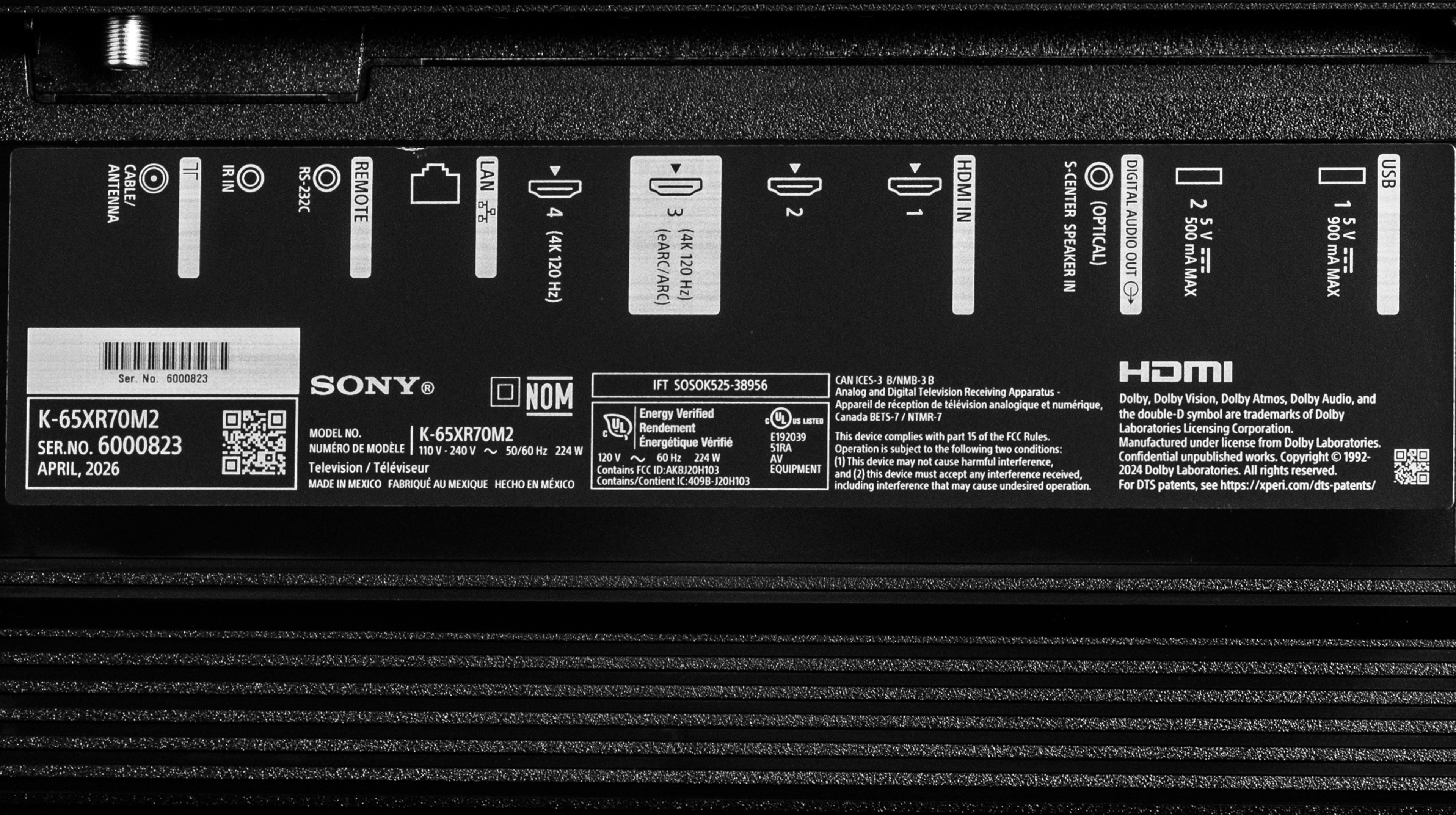
Our unit was manufactured in Mexico in April 2026.
Popular TV Comparisons
The Sony BRAVIA 7 II is a great TV overall, with impressive picture quality and the same fantastic processing and motion handling that Sony is known for. Its RGB Mini LED backlight is a bit limiting, though, and while it helps improve colors over older LED technology, the TV looks best when the backlight falls back to white. It's also held back by its mediocre viewing angle and very blurry motion when gaming. While it remains a competitive choice over other RGB Mini LED models like the Samsung R95H or LG MRGB95B, cheaper traditional Mini LED models like the TCL QM8L offer similar performance for less and remain the best choice for most people.
For more options, check out our recommendations for the best TVs, the best gaming TVs, and the best RGB Mini LED TVs.
The TCL QM8L and the Sony BRAVIA 7 II are fairly evenly matched. The TCL offers a bit better brightness and contrast, so movies and shows have a bit more of a vibrant look to them. The Sony offers better accuracy, though, and it does a better job cleaning up low-quality streaming content and lower-resolution cable TV channels. Finally, the TCL is a much better gaming TV, as it has a wider selection of gaming features, including a higher refresh rate and full HDMI 2.1 bandwidth on all four inputs.
The LG C6 OLED 2026 is a bit better than the Sony BRAVIA 7 II. The LG delivers a much better dark room experience, great for home theater setups, thanks to its much deeper, more uniform blacks, with no haloing around bright highlights. The LG also delivers a smoother gaming experience thanks to its much faster response time. This results in significantly less blur, so fast games are crisp and clear and feel much more responsive.
The Sony BRAVIA 9 II is a noticeable step up over the Sony BRAVIA 7 II. The local dimming feature is better on the 9, resulting in deeper blacks in most content, and it helps boost highlight details to much higher levels than the 7. Combined with its higher peak brightness, this results in a more impactful movie-watching experience on the 9, and most content is delivered exactly how the creator intended. The 9 is also a better choice for a bright room thanks to its matte coating, which effectively eliminates daytime glare.
The Sony BRAVIA 7 II is much better than the Samsung R95H. Both TVs use RGB backlights with bright, vibrant colors, but Sony's implementation is much smoother, with less color cross talk and distracting artifacts. The Sony also allows you greater control, as you can disable local dimming entirely if you want to or set the backlight to white. The Sony is also brighter, with better contrast, better zone control, and significantly less haloing around bright highlights.

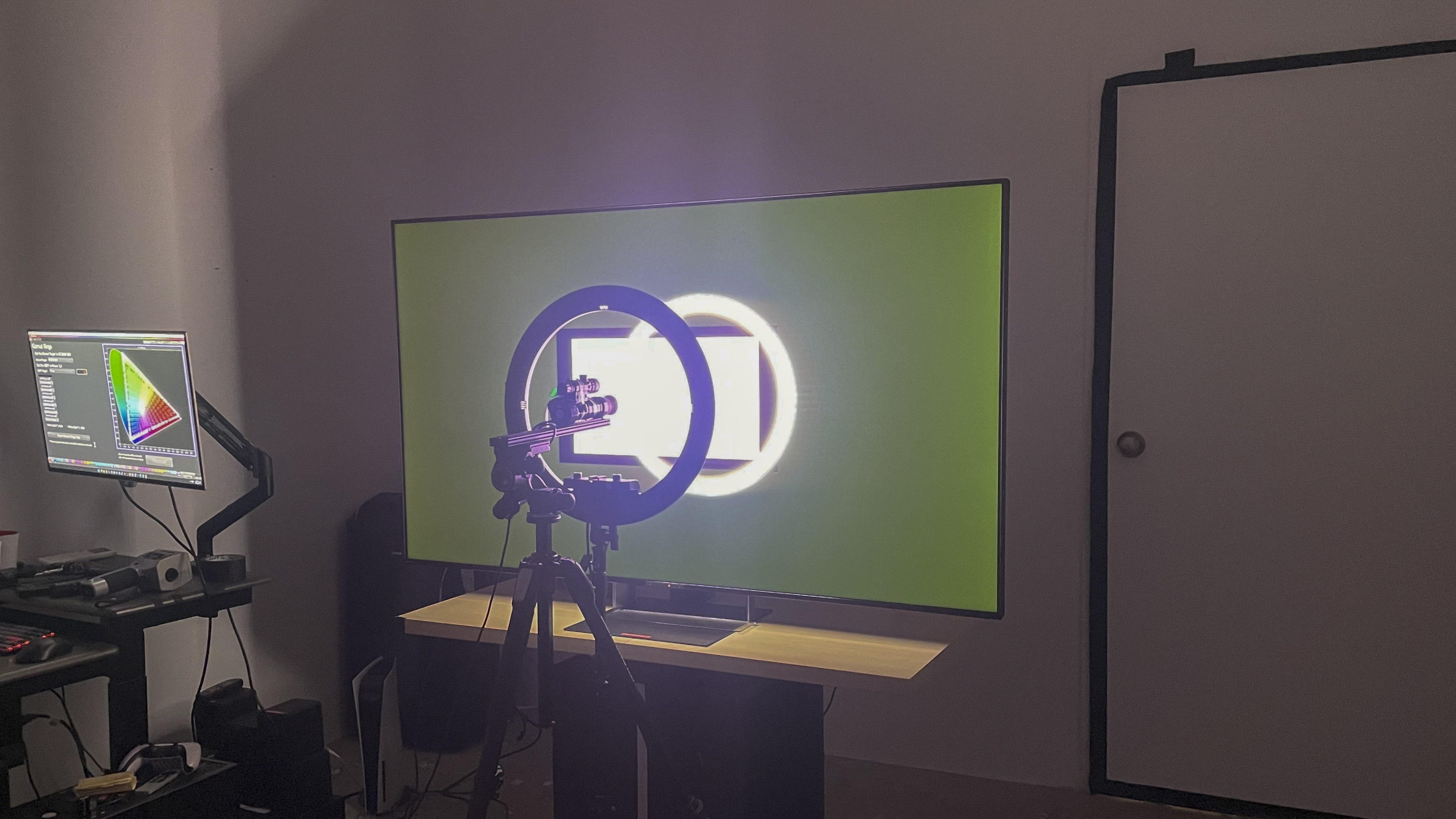
We buy and test dozens of TVs yearly, taking an objective, data-driven approach to deliver results you can trust. Our testing process is complex, with hundreds of individual tests that take over a week to complete. Most of our tests use specially designed test patterns that mimic real content, but we also use the same sources you have at home to ensure our results match the real-world experience. We use two main tools for our testing: a Colorimetry Research CR-100 colorimeter and a CR-250 spectroradiometer.
Test Results
for pictures & test results

for pictures & test results

for pictures & test results

The Sony BRAVIA 7 II has excellent peak brightness in HDR. Small highlight details are incredibly bright and impactful, and this model maintains that brightness well, even when more of the scene is bright at once. The higher-end Sony BRAVIA 9 II is only slightly brighter when most of the screen is bright at once, like when watching sports, but small highlight details are substantially brighter. It's not as bright as the TCL RM9L or LG MRGB95B, though, and small details stand out much better on those models.
These results are after a full calibration with Auto local dimming set to 'Medium'. Setting it to 'High' increases the brightness of very bright scenes, but decreases the impact of small highlight details and most real scenes.
- Hallway Lights: 980 cd/m²
- Yellow Skyscraper: 400 cd/m²
- Landscape Pool: 280 cd/m²
- Peak 2% Window: 1,613 cd/m²
- Peak 10% Window: 1,939 cd/m²
- Peak 25% Window: 2,097 cd/m²
- Peak 50% Window: 1,217 cd/m²
- Peak 100% Window: 841 cd/m²
- Sustained 2% Window: 1,589 cd/m²
- Sustained 10% Window: 1,883 cd/m²
- Sustained 25% Window: 2,063 cd/m²
- Sustained 50% Window: 1,215 cd/m²
- Sustained 100% Window: 839 cd/m²
The above measurements are all with HDR tone mapping set to 'Gradation preferred', which limits the overall peak brightness of some content but ensures fine details remain visible in bright areas. Setting it to 'Brightness Preferred' instead changes the peak brightness of real scenes:
With Auto local dimming set to 'Medium':
- Hallway Lights: 1,093 cd/m²
- Yellow Skyscraper: 1,402 cd/m²
- Landscape Pool: 703 cd/m²
With Auto local dimming set to 'High':
- Hallway Lights: 1,237 cd/m²
- Yellow Skyscraper: 743 cd/m²
- Landscape Pool: 767 cd/m²
for pictures & test results

for pictures & test results

for pictures & test results

The HDR peak brightness in Game Mode is fantastic. There's very little difference in brightness between this mode and the calibrated one. Note that the Backlight lighting mode can't be changed in this mode; it's locked to the RGB mode.
The Sony BRAVIA 7 II has fantastic peak brightness in SDR. It's bright enough to easily overcome glare during the day, even when watching very bright content like sports.
These results are after a full calibration with Auto local dimming set to 'Medium'. Setting it to 'High' increases the TV's peak brightness across all scenes, but it's not recommended as there are some noticeable downsides to this mode.
- Real Scene: 953 cd/m²
- Peak 2% Window: 1,323 cd/m²
- Peak 10% Window: 1,583 cd/m²
- Peak 25% Window: 1,710 cd/m²
- Peak 50% Window: 1,105 cd/m²
- Peak 100% Window: 766 cd/m²
- Sustained 2% Window: 1,309 cd/m²
- Sustained 10% Window: 1,541 cd/m²
- Sustained 25% Window: 1,687 cd/m²
- Sustained 50% Window: 1,102 cd/m²
- Sustained 100% Window: 766 cd/m²
for pictures & test results

The Sony BRAVIA 7 II has great contrast. The native contrast of the panel is good, which helps maintain deep blacks in more complicated scenes when the local dimming feature can't keep up. The local dimming is very effective at boosting contrast, resulting in deep blacks in most scenes, but it's not quite as good as the Hisense UR9SG.
for pictures & test results

The local dimming feature does an excellent job of dimming around bright highlights or subtitles. There's very little light bleed into adjacent zones.
for videos & test results

The zone transitions on this TV are good. It keeps up well with fast-moving objects, and there's relatively little flicker as they move between zones. Sony's algorithms are relatively conservative, though, leaving more zones on than strictly necessary.
for pictures & test results

for videos & test results
for videos & test results

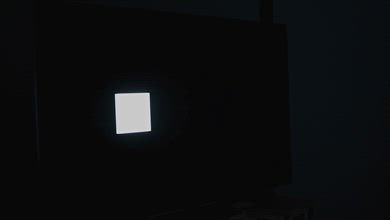
There's no difference in dark details when you switch to Game Mode. The local dimming feature is a bit different, though, as you can't set it to white only in this mode. The TV will still fall back to white only in more complicated scenes, but you can't force it into this mode unless you disable local dimming entirely.


for pictures & test results

for pictures & test results

The Sony BRAVIA 7 II has excellent color volume in SDR. Colors are incredibly bright and vibrant, and there's almost no loss of saturation in lighter scenes. These results are in the most accurate post-calibration mode, with the backlight set to 'RGB' and local dimming enabled. The exact combination of local dimming settings used has a significant impact on how colors are displayed.
With Auto Local Dimming set to 'Medium', the TV will fall back to a pure white backlight with the vast majority of real content. This behavior is different from other RGB Mini LED TVs, like the Samsung R95H or Hisense UR9SG, which stay in the RGB mode. You can also force the backlight to white only, which changes the results a bit:
- CIELAB DCI-P3 Coverage: 90.53%
- CIELAB BT.2020 Coverage: 72.20%
The white results represent the most frequent scenario that you'll encounter with most real content, since the TV will fall back to a white backlight in scenes with varied colors. If you set Auto Local Dimming to 'High' instead, it'll maintain the separate red, green, and blue zones more often, but like the Samsung R95H, this also leads to noticeable color cross-talk.
| Volume ΔE³ | DCI-P3 Coverage |
BT.2020 Coverage |
|---|---|---|
| L10 | 97.10% | 78.64% |
| L20 | 97.78% | 79.02% |
| L30 | 97.45% | 78.03% |
| L40 | 94.71% | 78.11% |
| L50 | 93.61% | 78.99% |
| L60 | 93.50% | 77.01% |
| L70 | 95.72% | 71.90% |
| L80 | 98.69% | 74.87% |
| L90 | 98.55% | 74.11% |
| L100 | 96.12% | 74.21% |
| Total | 95.87% | 75.90% |
for pictures & test results

for pictures & test results

The HDR color volume on this TV is fantastic. Dark, saturated colors are displayed incredibly well thanks to the TV's high contrast ratio, and colors are bright and vivid. Like with SDR, though, the TV often falls back to a white backlight, which reduces color saturation a bit.
for pictures & test results

for pictures & test results

for pictures & test results

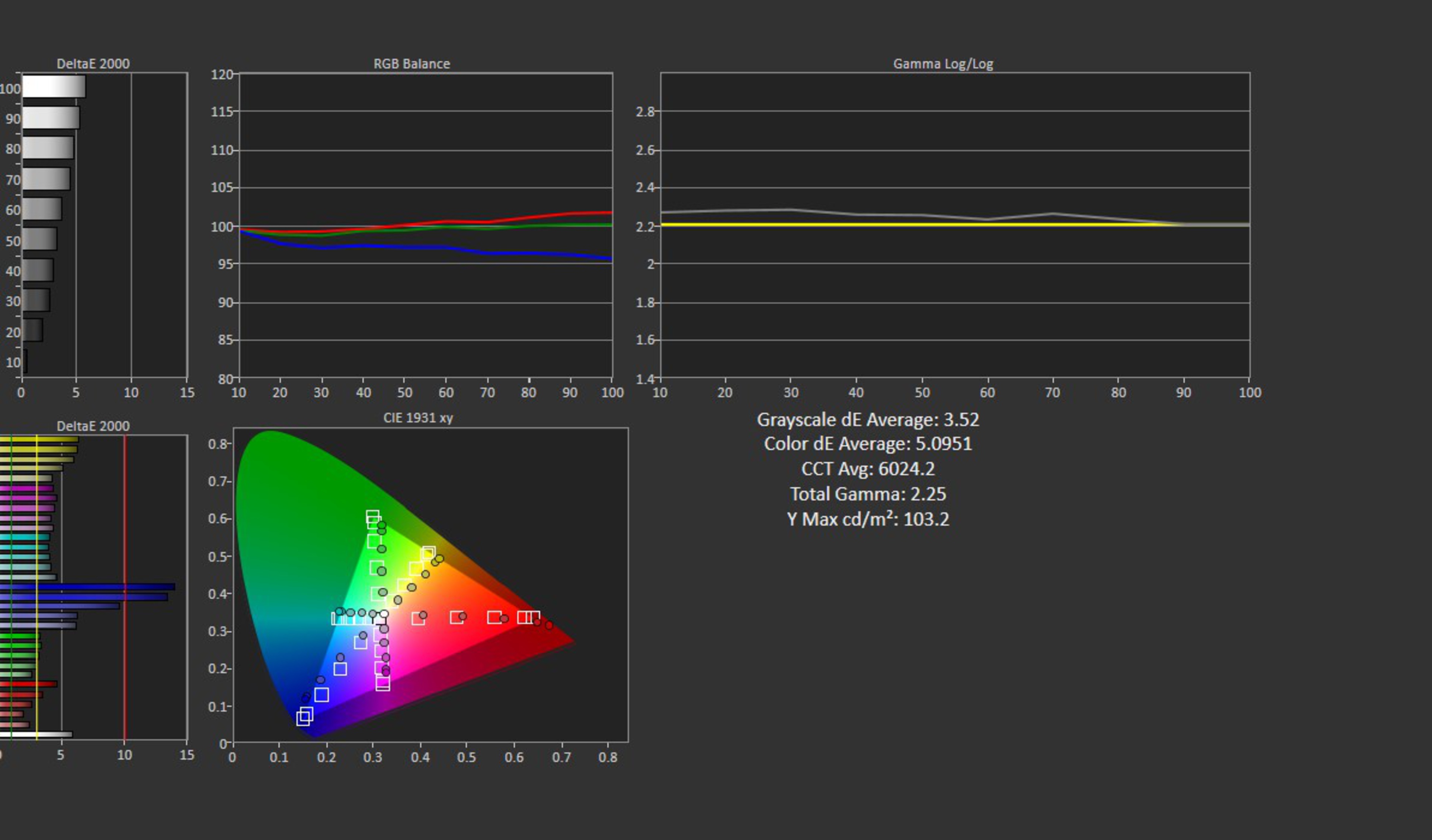
The Sony BRAVIA 7 II has good accuracy out of the box. The white balance and overall color accuracy are both great, with very few noticeable issues. The overall color temperature is a bit warm, though, and the TV has a slightly reddish tint out of the box. Gamma is fantastic, but very bright scenes are over-brightened a bit.
Note that, unlike our usual process, the pre-calibration results on this TV are with Auto Local Dimming set to 'Medium' instead of disabling it. This is because disabling it forces the backlight to white instead, and it's less accurate in that configuration.
for pictures & test results

for pictures & test results

for pictures & test results

The Sony BRAVIA 7 II has fantastic accuracy after calibration, but it's not as good as previous Sony TVs, as there's no color management system. The white balance and overall color accuracy are excellent, and the color temperature is much closer to the target, so most of the red tint is gone.
See our full calibration settings.
for pictures & test results

for pictures & test results

This TV has good accuracy in HDR before calibration. The overall white balance and color accuracy are good, with a few noticeable issues, mostly in midtones. Color mapping is quite good, but there are some issues with saturated reds, and the overall color temperature is too warm.


for pictures & test results

The PQ EOTF tracking on this TV is nearly perfect. Midtones and bright highlights are slightly raised, but it's extremely minor and not noticeable. Shadow details are displayed incredibly well, but near blacks are very slightly raised. Unlike most TVs, there's no difference in EOTF tracking with content mastered at different brightness levels. It's bright enough to display content mastered at 600 and 1,000 nits nearly perfectly, though, so this doesn't matter much.
for pictures & test results

The Sony BRAVIA 7 II does a great job smoothing out low-quality content. Compression issues like macro-blocking are smoothed out well without causing any significant loss of fine details.
for pictures & test results

This TV does a fantastic job upscaling lower-resolution channels and older movies on DVD. There's no obvious over-sharpening or other artifact, and text is well defined and easy to read.
for pictures & test results
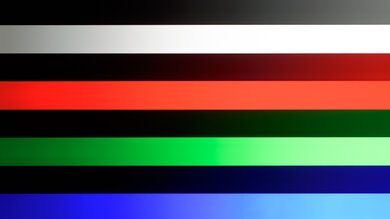
This TV has great gradient handling. There's some very minor banding across all shades, but it's not very noticeable.
The Sony BRAVIA 7 II has excellent input lag across all supported modes, as long as you're in Game Mode. Unlike most other brands, it doesn't offer a low-latency motion interpolation mode, though, so the input lag with interpolation enabled is too high to be playable.
This TV has fantastic format support, but it's limited to a 120Hz refresh rate, which is disappointing to PC gamers. Chroma 4:4:4 and RGB signals are displayed properly with 1080p and 4k signals, which is essential for clear text when using it as a PC monitor. HDMI ports 1 and 2 are limited to HDMI 2.0 bandwidth and don't support 4k @ 120Hz inputs.
The Sony BRAVIA 7 II supports variable refresh rate technology to reduce screen tearing. HDMI Forum VRR and G-SYNC compatibility work over the entire refresh rate range, but it doesn't support FreeSync.
for pictures & test results
for pictures & test results

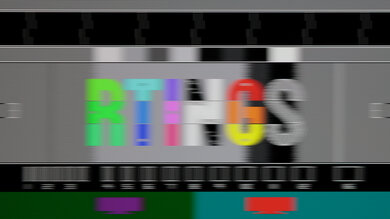
Unfortunately, the TV's CAD at 4k @ 120Hz is disappointing. There's very little overshoot or inverse ghosting, but most transitions are slow, resulting in blurry motion overall.
for pictures & test results

for pictures & test results

The maximum refresh rate supported by this TV is 120Hz, so these results are identical to the Max Refresh Rate test.


for pictures & test results

Except for 1440p, the TV is fully compatible with everything the PS5 and PS5 Pro offer, like 4k @ 120Hz, as well as HDMI Forum VRR. It also supports Auto Low Latency Mode, so you don't have to manually switch to Game Mode to get the lowest input lag.
for pictures & test results

With the exception of 1440p, the TV is fully compatible with everything the Xbox Series X|S offers, including 4k @ 120Hz, HDMI Forum VRR, and Dolby Vision gaming. It also supports Auto Low Latency Mode, so you don't have to manually switch to Game Mode to get the lowest input lag.
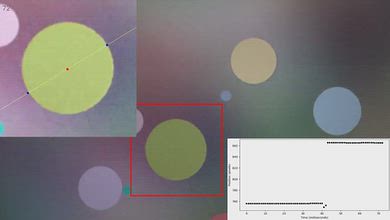
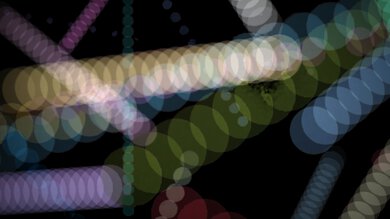
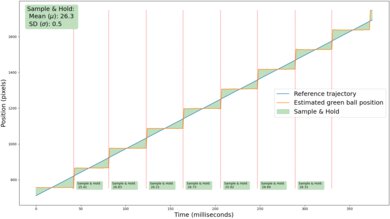
for videos & test results
for pictures & test results

for pictures & test results
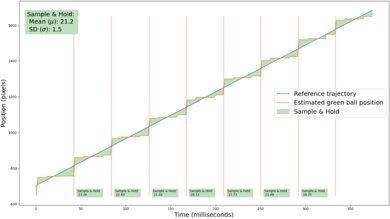
The motion interpolation feature on this TV does a great job of reducing stutter. Even with very low levels of interpolation, the TV reduces the frame hold time considerably. The feature is also very consistent, so the frame pacing is even and smooth.
for pictures & test results
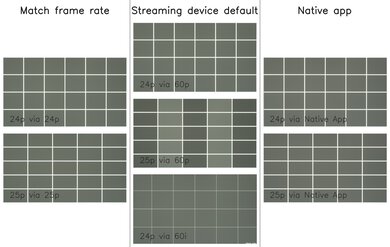
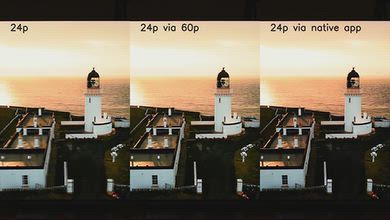
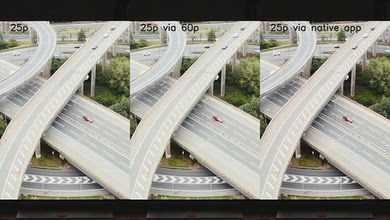
The Sony BRAVIA 7 II removes judder from most content. 24p signals are always judder-free, but 60Hz sources and the native apps require a few extra settings. The frame timing isn't quite perfect with 25p content, like many European shows and movies, but it's not too bad.
for pictures & test results

for pictures & test results

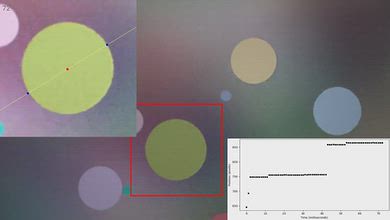
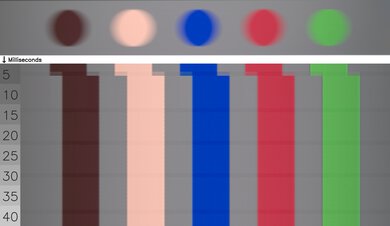
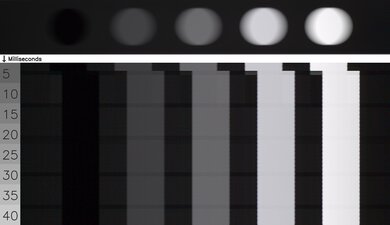
This TV has a decent response time when watching content. It's a bit slow overall, which causes fast action to look blurry, but it handles movies well. It struggles most when going from a very bright scene to a very dark one.
for pictures & test results

The Sony BRAVIA 7 II uses pulse width modulation (PWM) to adjust the backlight intensity. It flickers at 720Hz in all picture modes, even with Auto Local Dimming disabled.
for pictures & test results
for pictures & test results
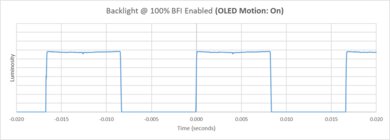
This TV has an optional backlight strobing feature, which is commonly called black frame insertion. It flickers at either 60Hz or 120Hz to match the frame rate of the content you're watching, which is great. Unfortunately, the pulse timing is a bit off, causing two secondary images. They're faint and difficult to spot with most real content, though.


for pictures & test results

for pictures & test results

The total amount of reflected light is decent. You'll see reflections from bright lights and lamps opposite the TV, and there's a small rainbow smear around bright lights. Its bright enough to overcome this glare in bright content, but dark scenes are hard to see if you're watching during the day.
for pictures & test results

Ambient light has no noticeable impact on color saturation.
for videos & test results
for pictures & test results

for pictures & test results

for pictures & test results

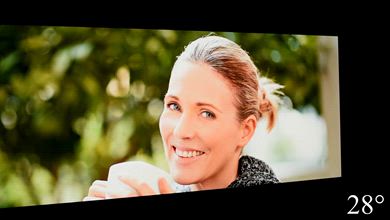
The Sony BRAVIA 7 II has a mediocre viewing angle. The image fades at a fairly consistent rate, so there's no sudden drop off as you move to the sides of the screen, but colors gradually wash out and brightness decreases. It's not a good choice for a wide seating arrangement.


for pictures & test results

for pictures & test results

The Sony BRAVIA 7 II uses a new RGB Mini LED panel, which is mainly designed to increase color volume. Instead of a traditional blue backlight with quantum dot color converters, it uses separate red, green, and blue LEDs to produce light.
There are high peaks on reds, blues, and greens, and there's excellent separation between them, giving the TV great color purity. It uses an RGB subpixel arrangement, which helps with text clarity when used with a PC.
TVs with LCD panels, like this one, are immune to permanent burn-in.
for pictures & test results

The Sony BRAVIA 7 II supports HDMI 2.1 bandwidth, but only on two of the inputs. One of the high-bandwidth ports is also the eARC port, so you can connect the TV to a receiver with high bandwidth passthrough if you need more high bandwidth inputs.
This TV supports eARC, which allows you to pass high-quality, uncompressed audio to a compatible receiver through an HDMI cable. It supports all major audio formats, so you don't have to worry about compatibility with external sources.
Update 09/09/2026: Unfortunately, there's a significant audio-sync issue affecting all Sony TVs with the MediaTek Pentonic 1000 chipset running Android 14 when using LPCM audio over ARC. The issue is intermittent and tends to appear after extended gameplay, particularly after switching between different video output modes, such as 4k @ 60Hz SDR and HDR, or switching to a different refresh rate, such as 1080p @ 120Hz. These changes trigger an HDMI handshake, after which the audio delay can gradually develop over the course of 20 minutes or more. Once it occurs, audio can progressively fall out of sync by several hundred milliseconds, making games effectively unplayable. We reproduced approximately 250 ms of delay on the A95L, 438 ms on the Bravia 7 II, and over 600 ms on the Bravia 9 after updating it from Android 12 to Android 14. These measurements reflect when we happened to measure the delay, rather than a difference in severity between the TVs, as all affected models are capable of producing the same delays. The delay persists even when the soundbar is disconnected, and the TV's internal speakers are used, confirming that this is a TV-processing issue.
The audio problems aren't limited to LPCM. We were also able to reproduce audio stuttering while playing Dolby MAT content from an Apple TV on the Bravia 9 after extended playback, although this behavior was inconsistent and could not be reliably reproduced. We could not reproduce the LPCM audio-delay issue on TCL TVs using the same Pentonic 1000 chipset, including models running Android 14, which indicates that the problem is specific to Sony TVs rather than an inherent Pentonic 1000 issue.
for pictures & test results

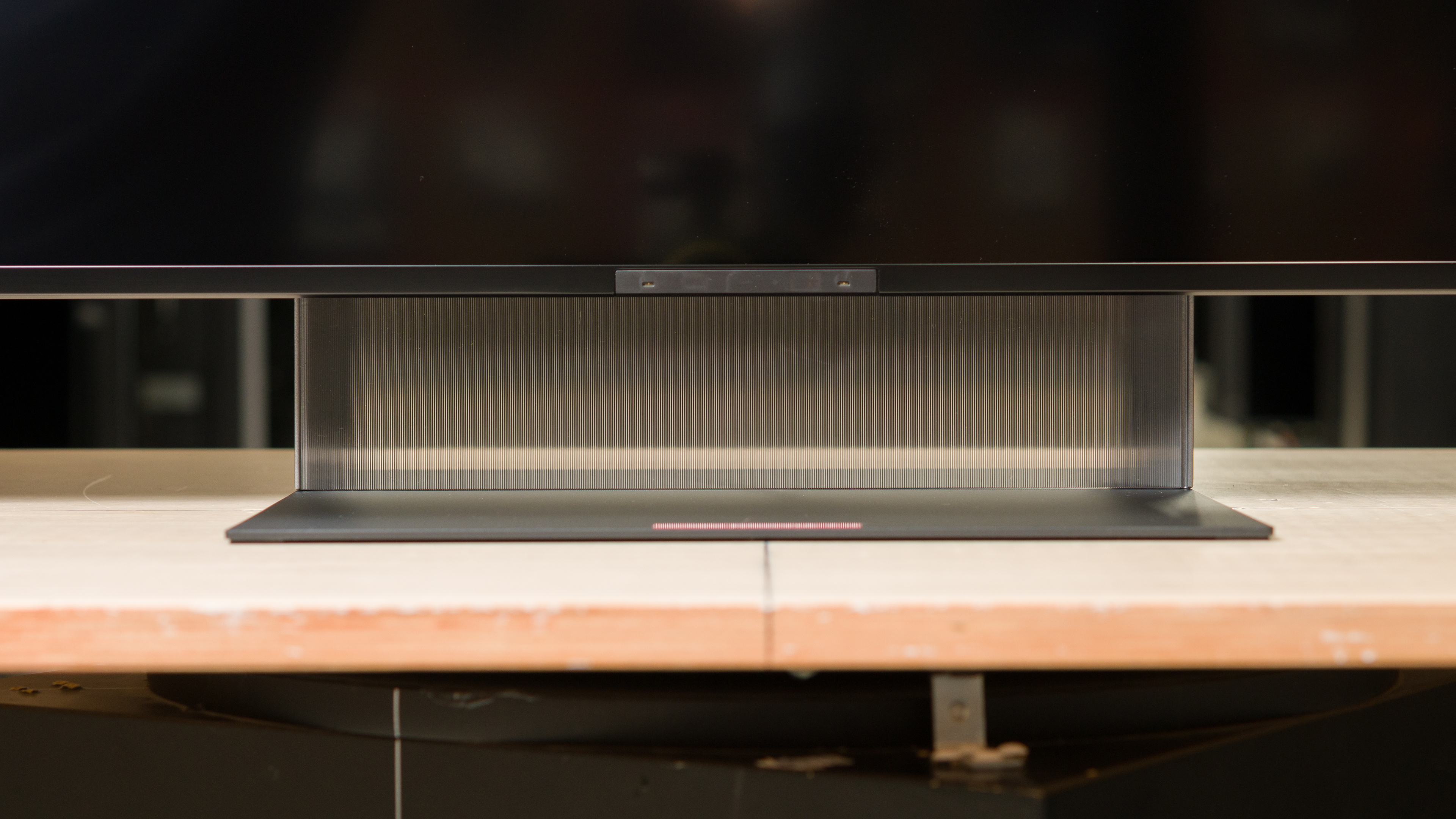
The TV has a very premium design that looks great in any setting. It has thin, uniform bezels on all four sides. The stand has a unique lens panel on it that hides cables routed through the back.
for pictures & test results

The center-mounted pedestal stand has a unique design, with a semi-opaque lens panel that helps hide cables that are routed through the back.
Footprint of the 65-inch stand: 13.6" x 13.4" x 3.6"
for pictures & test results

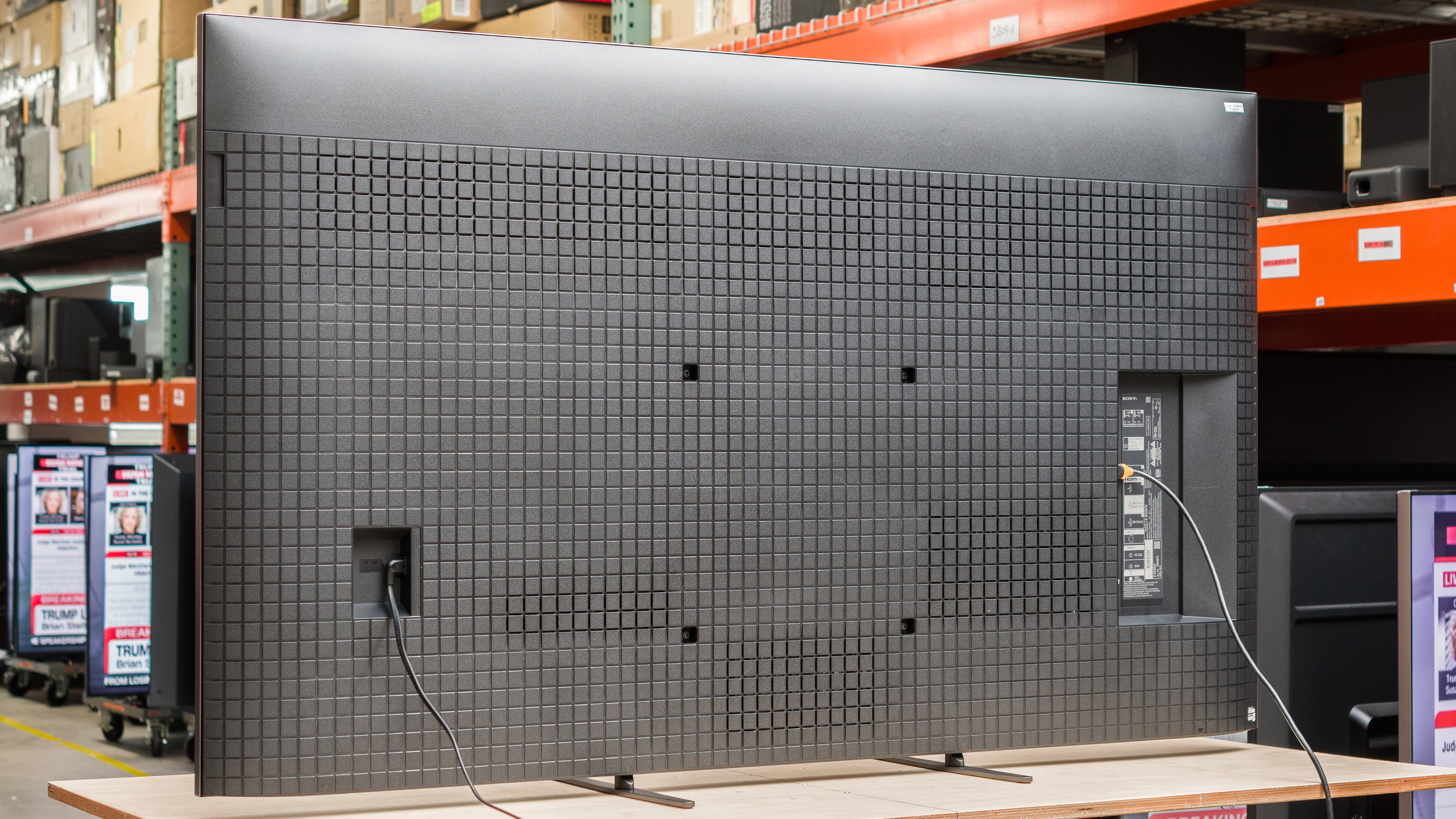
The back of the TV has a nice, clean look, but it lacks the checkerboard pattern found on previous high-end Sony TVs. There are cable clips on the back of the TV to help with cable management.


for pictures & test results

The Sony BRAVIA 7 II has fantastic build quality. Although it's largely made of plastic, it feels high-quality and sturdy, with no signs of issues or quality control problems.

for pictures & test results

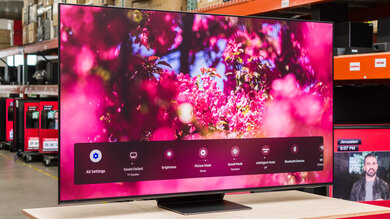
The Sony BRAVIA 7 II ships with Google TV version 14. It's fast and easy to use, and we didn't encounter any issues or bugs during testing.
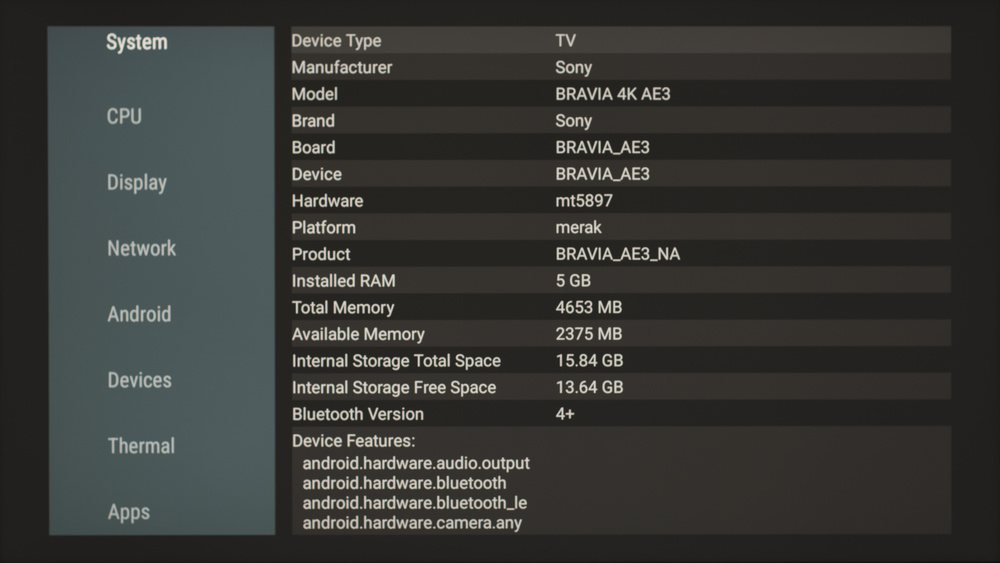
Running AIDA64 on the TV shows that it's powered by the MediaTek 1000 chipset.
for pictures & test results

Unfortunately, like most TVs, the interface contains ads. You can opt out of personalized ads, but this doesn't change the number of ads you'll see; they just won't be personalized to match your search and viewing history.
During initial setup of the TV you can opt-out of signing in to Google and use the TV as a basic TV instead. This disables most smart features and removes ads.

for pictures & test results

- Remote control
- 2x AAA batteries
- User guides
- Cable ties
- Optical adapter
This TV was initially tested with firmware version 114.602.050.1NAA.
for pictures & test results

The frequency response on this TV is decent. It gets very loud, so it's a great choice for loud rooms, but voices become a bit drowned out by other sound effects at max volume. It has a well-balanced sound profile at low and moderate listening levels.