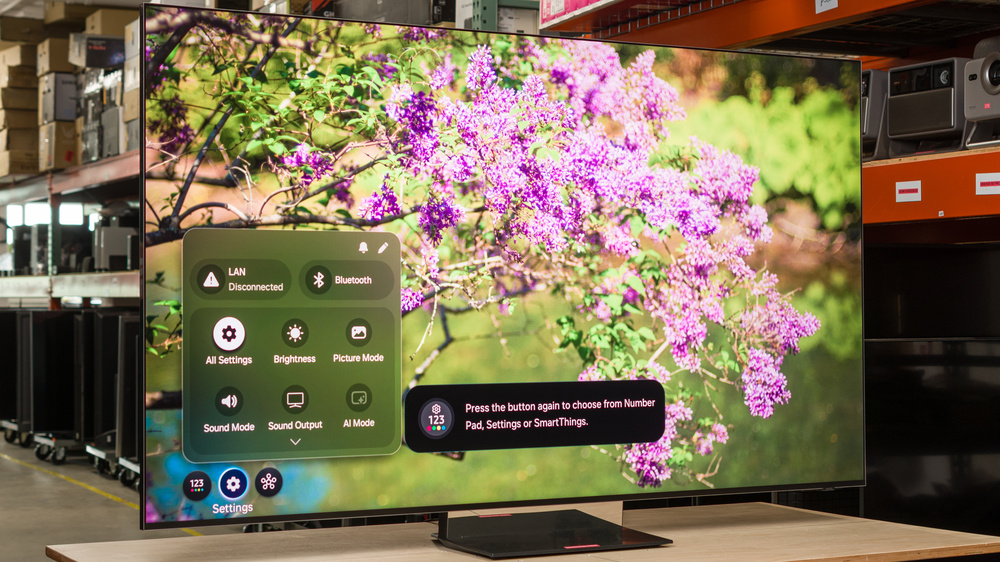
The Samsung R95H utilizes a brand new Micro RGB panel, which is also known by other brands as RGB Mini LED. This new technology is designed to improve the range of colors the TV produces over standard Mini LED models. It sits at the top of Samsung's lineup alongside the Samsung S95H OLED, making it the brand's flagship LED model in 2026. It's powered by the new Micro RGB AI Engine Pro processor, which is designed specifically for this new type of panel, and the TV ships with the 2026 version of the Tizen OS. The TV has four HDMI 2.1 ports capable of up to 4k @ 165Hz or 1080p @ 240Hz, and it supports all three types of VRR. The TV also supports all Dolby audio formats and HDR10+, but it doesn't support DTS audio or Dolby Vision. We bought and tested the 65-inch model, but it's also available in 75-inch and 85-inch sizes.
Our Verdict
The Samsung R95H is an excellent TV overall. It performs well in dark spaces due to its excellent black levels, vivid colors, and punchy highlights in HDR content. It's also a fantastic bright room option, since it easily overcomes glare even in direct sunlight. The TV has a ton of gaming features that give it great compatibility with modern consoles, with low input lag and crisp motion. Its decently wide viewing angle means you can watch TV from a slight angle and the image still looks good, making it a good choice for a wide seating area. Unfortunately, the TV has a blue tint out of the box, so it requires calibration for a more neutral image.
Motion is crisp and clear at high refresh rates.
Very deep and uniform blacks with almost no haloing around highlights.
Outstanding SDR peak brightness.
Colors are vivid and punchy.
Incredible reflection handling.
Poor accuracy out of the box gives the TV a blue tint.
The Samsung R95H is great for a home theater. The TV's local dimming works very well, so blacks are very deep, and there's almost no haloing around bright lights and subtitles. Its fantastic HDR brightness leads to punchy highlights in HDR movies and shows, and it displays a very wide range of incredibly rich and vivid colors. However, colors can bleed into white areas of the image, giving those areas a noticeable tint. Furthermore, the TV has bad color accuracy out of the box, and the whole image has a very blue tint to it. The TV does a good job of upscaling and cleaning up low-quality content, and it's judder-free from almost all sources.
Very deep and uniform blacks with almost no haloing around highlights.
Colors are vivid and punchy.
Highlights really pop out in HDR content.
Entirely removes judder from almost all content.
Poor accuracy out of the box gives the TV a blue tint.
Whites can take on a tint from surrounding colors.
No Dolby Vision or DTS audio support.
Some minor stutter in slow-panning and wide shots.
The Samsung R95H is fantastic for a bright room. Its combination of outstanding brightness and top-tier reflection handling means it overcomes glare in the brightest rooms, even if you have lights facing the screen. On top of that, colors remain incredibly well-saturated in rooms with ambient light. Blacks aren't as deep in a bright room as they are in a dark space, but they still remain deep enough that the image doesn't look washed out.
Outstanding SDR peak brightness.
Colors are vivid and punchy.
Incredible reflection handling.
Poor accuracy out of the box gives the TV a blue tint.
Whites can take on a tint from surrounding colors.
The Samsung R95H is impressive for watching sports. The TV's incredible reflection handling and very high peak brightness mean you can watch Sunday afternoon football without glare being an issue at all. It has very good upscaling, and it does a fantastic job of reducing artifacts in low-quality cable feeds. Its viewing angle is decently wide, so your friends can watch the game from a slight angle, and image quality isn't drastically reduced. Colors are very vivid, but the whole image has a blue tint unless you calibrate it. It also has a quick response time, so there's very little blur behind fast-moving objects. Finally, the corners of the screen are noticeably dimmer than the center.
Motion is crisp and clear at high refresh rates.
Outstanding SDR peak brightness.
Colors are vivid and punchy.
Very good upscaling.
Incredible reflection handling.
Does an excellent job of cleaning up artifacts in low-quality content.
Poor accuracy out of the box gives the TV a blue tint.
Whites can take on a tint from surrounding colors.
Corners of the screen are noticeably dimmer than the center.
The Samsung R95H delivers a great gaming experience. Its four HDMI 2.1 ports support high refresh rates and VRR to reduce screen tearing, so it has great compatibility with modern consoles and PCs. The TV's image quality makes games look great, with vivid colors, deep blacks, and bright highlights in HDR games. It also has a low CAD, especially when gaming at 120Hz or higher, so motion in games is crisp and clear, with minimal blur behind fast-moving objects.
Motion is crisp and clear at high refresh rates.
Very deep and uniform blacks with almost no haloing around highlights.
Highlights really pop out in HDR content.
Supports high refresh rates and has an impressive selection of gaming features.
Poor accuracy out of the box gives the TV a blue tint.
Whites can take on a tint from surrounding colors.
The Samsung R95H has fantastic brightness overall. The TV's SDR brightness is outstanding, and it easily gets bright enough to overcome glare in very bright rooms. It also has fantastic HDR brightness, so specular highlights and bright scenes really pop out in HDR content.
Outstanding SDR peak brightness.
Highlights really pop out in HDR content.
The Samsung R95H has excellent black levels. The TV's native contrast is decent, but with local dimming enabled, it displays very deep, bold blacks. Blacks are also incredibly uniform across the screen, so dark scenes look even, and there's almost no visible haloing around bright lights and subtitles.
Very deep and uniform blacks with almost no haloing around highlights.
The Samsung R95H has good colors overall. The TV's color volume in SDR and HDR is exceptional, so it can display a very wide range of incredibly rich and vivid colors. However, colors can bleed into whites, which gives whites a noticeable tint. An example of this is the white lines on a soccer or football field having a green tint due to the green playing field. Unfortunately, it has bad color accuracy in SDR and HDR out of the box, and the whole image has a very noticeable blue tint if you don't get it calibrated.
Colors are vivid and punchy.
Poor accuracy out of the box gives the TV a blue tint.
Whites can take on a tint from surrounding colors.
The Samsung R95H has great motion handling overall when watching movies, shows, and sports. There's only some subtle judder when watching 25p content via a 60p signal, so the cadence of motion is even unless you're watching certain European content from an older device or console. The TV also has a quick response time, so motion is quick with minimal blur behind fast-moving objects. There are no distracting edge artifacts, either, and most transitions are even. There are some minor color artifacts, but they're not very noticeable. On the other hand, its quick response time results in some noticeable stutter, especially in slow-panning and wide shots.
Motion is crisp and clear at high refresh rates.
Entirely removes judder from almost all content.
No micro-judder.
Some minor stutter in slow-panning and wide shots.
The Samsung R95H delivers a very responsive gaming experience. The TV has a ton of modern gaming features, such as four HDMI 2.1 ports, 4k @ 165Hz, 1080p @ 240Hz, and VRR to reduce screen tearing, so it has excellent compatibility with modern consoles and gaming PCs. Its input lag is slightly higher than it is on most other TVs, but gaming still feels snappy. It also has a fairly low CAD, especially when gaming at high refresh rates on consoles or PCs. Motion is crisp and clear, with minimal ghosting behind fast-moving objects and no noticeable overshoot.
Motion is crisp and clear at high refresh rates.
Supports high refresh rates and has an impressive selection of gaming features.
Slightly higher input lag than most competing models.
Note: We're in the process of improving our tests related to image processing, but this score should give you a general idea of how a TV performs overall with its image processing capabilities.
The Samsung R95H has great processing. It does an excellent job of cleaning up artifacts in low-quality content, and low-resolution content is upscaled well. The TV's excellent PQ EOTF tracking means HDR content is mostly displayed at the proper brightness level, and its very good gradient handling means banding is kept to a minimum.
Very good upscaling.
Very good gradient handling.
Excellent PQ EOTF tracking.
Does an excellent job of cleaning up artifacts in low-quality content.
Performance Usages
Changelog
-
Updated Sep 10, 2026:
We retested the TV after updating it to firmware 1235. Samsung has considerably improved the TV's response time and all three CAD results, and the pre-calibration results in both SDR and HDR improved slightly. We also updated the stutter results and contrast, and spot-checked our other measurements to ensure nothing else changed. The TV's overall scores and text have been updated to reflect the latest firmware.
-
Updated Sep 04, 2026:
We bought and tested the TCL RM9L, and added a comparison in the Direct Reflections section of the review.
-
Updated Aug 20, 2026:
We bought and tested the Samsung R85H and added a comparison in the HDR Brightness section of the review.
-
Updated Jul 16, 2026:
We bought and tested the Sony BRAVIA 9 II, and added a comparison in the SDR Pre-Calibration Color Accuracy section of the review.
Check Price
Differences Between Sizes And Variants
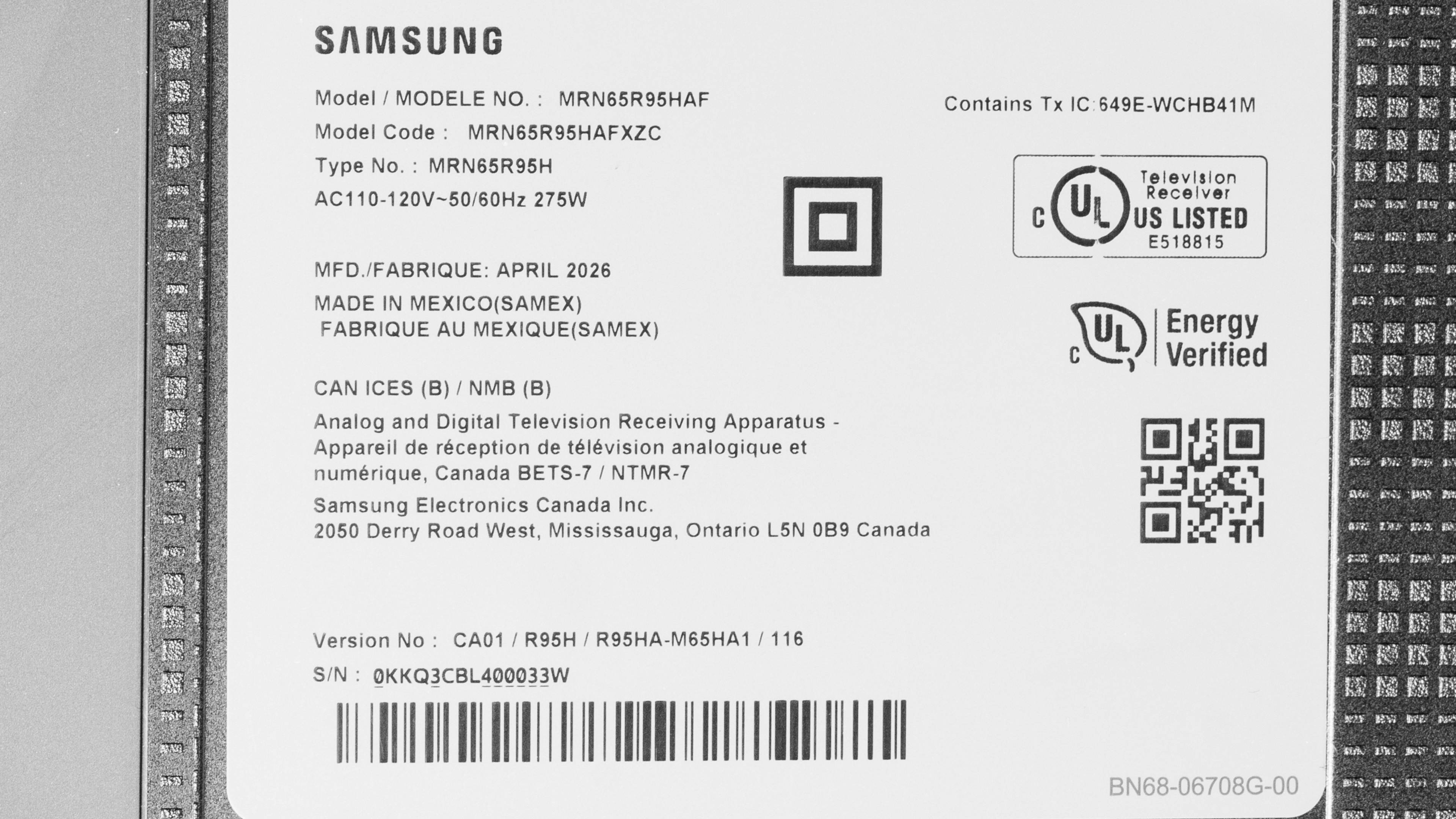
We bought and tested the 65-inch Samsung R95H, and these results also apply to the 75-inch and 85-inch models. Samsung seems to be carrying over the 115-inch R95F from 2025, but we don't know how it performs, so our results aren't valid for that model. Note that with all Samsung TVs, the last four digits of the model code (FXZA in this case) vary between regions, but there's no difference in performance.
| Size | US Model |
|---|---|
| 65" | MRN65R95HAFXZA |
| 75" | MRN75R95HAFXZA |
| 85" | MRN85R95HAFXZA |
Our unit was manufactured in Mexico in April 2026.
Popular TV Comparisons
The Samsung R95H is a great TV overall, and the new Micro RGB panel does an excellent job of increasing color volume over more traditional Mini LED TVs. The new technology isn't flawless, though, since the presence of whites can slightly dilute color saturation, and whites can take on a tint of whatever color they're close to. It's also very inaccurate out of the box, with an extremely cold color temperature that gives the image a blue tint. Still, it's a very bright TV with top-notch local dimming that deepens blacks with almost no haloing, so it still provides solid image quality. It supports a ton of gaming features and, as of firmware update 1235, delivers a great overall gaming experience.
Unfortunately, it's one of the most expensive TVs on the market, and you can get a better TV, like the Samsung S95H OLED, that offers a more well-rounded experience for about the same price. You can also save yourself a ton of money and get a similar experience by going with a TV like the TCL QM8L, or even the Sony BRAVIA 7 II if you really want an RGB Mini LED backlight.
For more options, check out our recommendations for the best TVs, the best gaming TVs, and the best RGB Mini LED TVs.

We buy and test dozens of TVs yearly, taking an objective, data-driven approach to deliver results you can trust. Our testing process is complex, with hundreds of individual tests that take over a week to complete. Most of our tests use specially designed test patterns that mimic real content, but we also use the same sources you have at home to ensure our results match the real-world experience. We use two main tools for our testing: a Colorimetry Research CR-100 colorimeter and a CR-250 spectroradiometer.
Test Results
for pictures & test results

for pictures & test results

for pictures & test results

The Samsung R95H has fantastic peak brightness in HDR. It's significantly brighter than the lower-end Samsung R85H, but it's not quite as bright as the Hisense UR9SG. Small specular highlight details get incredibly bright, so it delivers a very impressive HDR experience with most content. Large areas of brightness, like a daytime scene outside, are dimmer than small highlights due to the TV's automatic brightness limiter (ABL), but even those types of scenes are very bright.
The posted results are with the TV in its most accurate picture mode with 'HDR Tone Mapping' set to 'Static.' Below are the results with the setting set to 'Active,' which significantly increases the brightness of most content but isn't as accurate.
- Hallway Lights: 1,305 cd/m²
- Yellow Skyscraper: 942 cd/m²
- Landscape Pool: 611 cd/m²
for pictures & test results

for pictures & test results

for pictures & test results

Switching to Game Mode gives you an even brighter image, so you don't have to worry about sacrificing brightness for the best possible gaming performance.
The posted results are with 'HDR Tone Mapping' set to 'Static.' Below are the results with the setting set to 'Active,' which significantly increases the brightness of the image but isn't as accurate.
- Hallway Lights: 1,383 cd/m²
- Yellow Skyscraper: 983 cd/m²
- Landscape Pool: 543 cd/m²
The peak brightness in SDR is outstanding. You really don't have to worry about glare as it's bright enough to avoid reflections in even the brightest rooms.
for pictures & test results

The Samsung R95H has fantastic contrast with firmware 1235. The panel's native contrast is decent, so black levels remain fairly low in more complicated scenes when the local dimming can't keep up. The local dimming feature does a fantastic job of boosting contrast, though, and blacks are incredibly deep in most real content.
for pictures & test results

The TV's lighting zone precision is outstanding. There's barely any haloing around subtitles and bright lights in darker scenes, and it's so subtle that most people won't notice it.
for videos & test results

The zone transitions on this TV are okay. The leading edge of bright, fast-moving objects is noticeably dimmer than it should be, and there's a subtle flicker as objects move quickly across zones.



for pictures & test results

for pictures & test results

The Samsung R95H has exceptional black uniformity. There's no noticeable flashlighting, and blacks are very deep and uniform across the screen.
Local dimming can't be turned off on this TV, so we tested its native black uniformity with Local Dimming set to 'Low' and Shadow Detail to '1,' with a uniformity image with an RGB value of {5,5,5} as black.
for pictures & test results

for pictures & test results

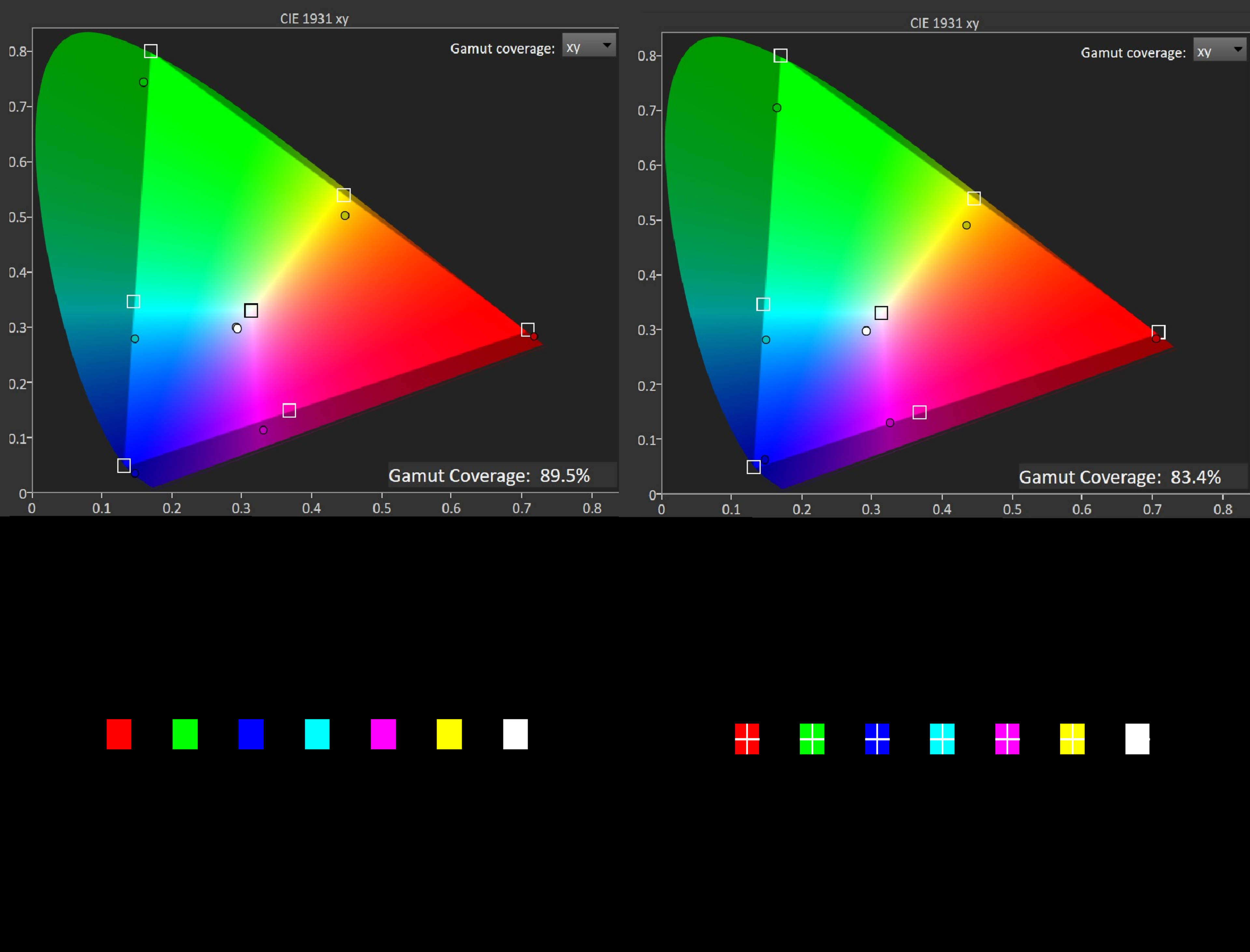
The Samsung R95H has outstanding color volume in SDR. It covers almost the entirety of the DCI-P3 color space, and it also has excellent coverage of the very wide BT.2020 color space, so color are punchy and vivid regardless of the content.
| Volume ΔE³ | DCI-P3 Coverage |
BT.2020 Coverage |
|---|---|---|
| L10 | 99.05% | 84.64% |
| L20 | 98.63% | 85.10% |
| L30 | 98.31% | 86.04% |
| L40 | 97.85% | 88.04% |
| L50 | 97.24% | 88.80% |
| L60 | 96.90% | 88.83% |
| L70 | 96.53% | 87.39% |
| L80 | 96.37% | 84.72% |
| L90 | 96.44% | 84.63% |
| L100 | 97.14% | 91.33% |
| Total | 97.05% | 87.07% |
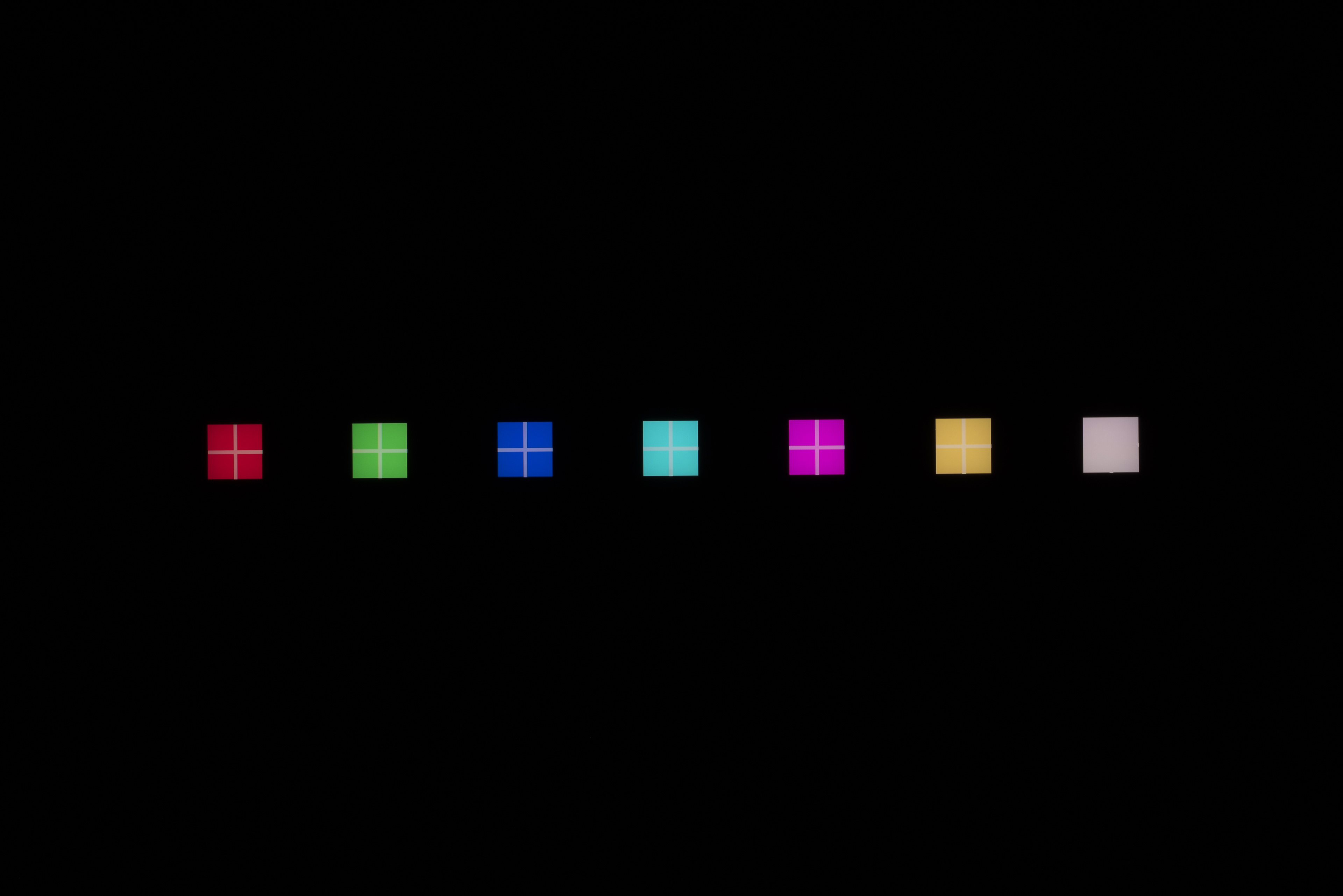
Due to the new Micro RGB technology, the presence of white on the screen influences the TV's color volume. We ran our tests with a custom pattern that adds a white cross to the colored squares that we typically use during testing. Although there's not a big difference in color space coverage overall, whites do slightly dilute well-saturated colors.
Additionally, white objects tend to take on the tint of the color they overlap with, and it can take a couple of seconds for the tint to disappear before white objects return to normal. In more static content, like a green soccer field with white lines, the white lines take on a green tint.
Samsung's approach here is a bit more aggressive than Sony's implementation of RGB Mini LED technology. On the Sony BRAVIA 7 II, for example, switching to a lower local dimming level improves this, as the TV simply falls back to a white backlight in complex scenes, so the vast majority of real content looks fine, with no cross-talk.
for pictures & test results

for pictures & test results

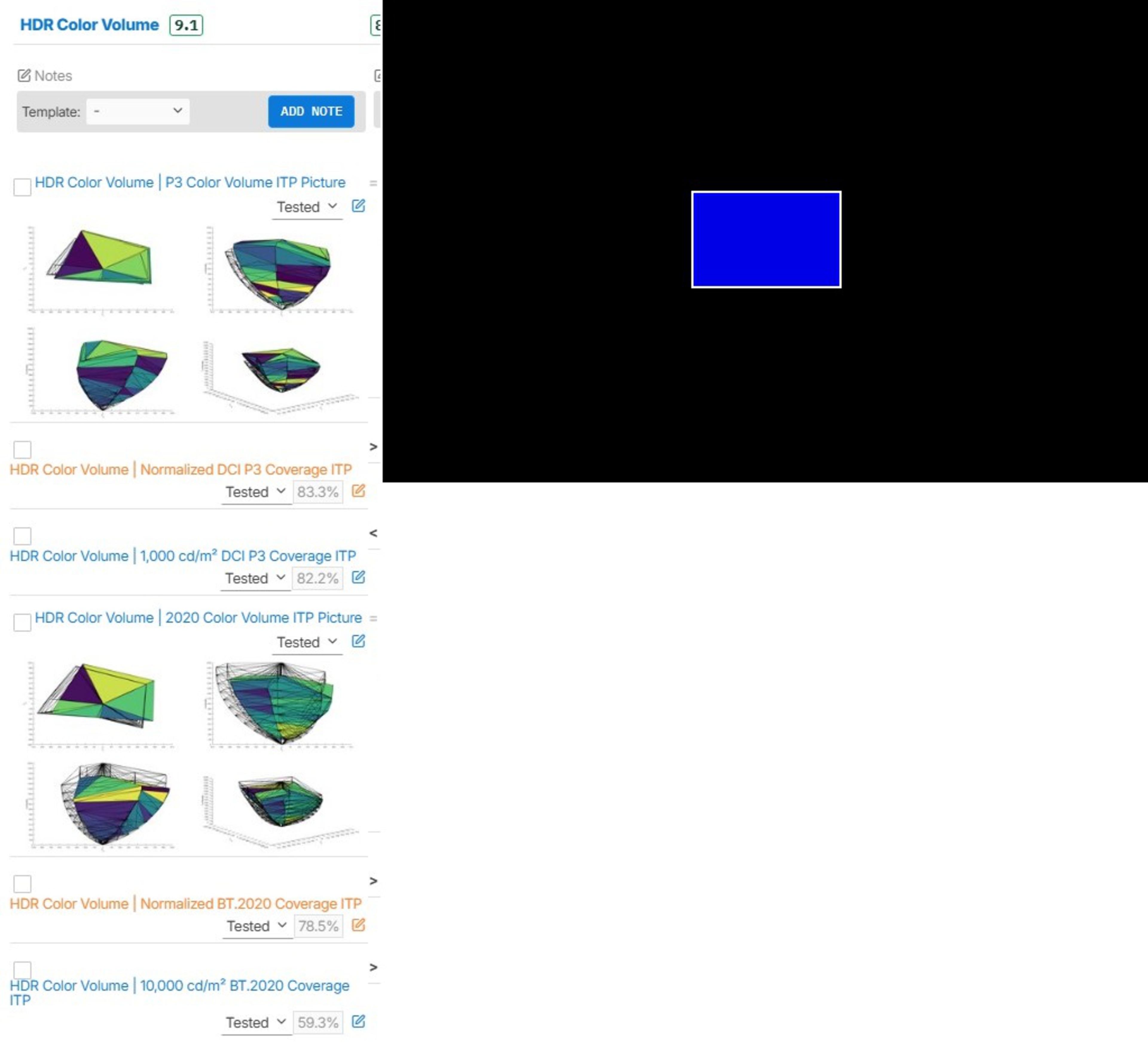
The Samsung R95H has exceptional color volume in HDR. Dark, saturated colors look very rich, and it can display bright, vivid colors that don't look washed out.
Just like in SDR, the presence of whites on the screen influences the TV's HDR color volume. We took additional measurements with custom color patterns, and the TV's color space coverage does decrease. It's not a massive difference, but anytime whites are close to colors on the screen, the TV's color volume is affected.
for pictures & test results

for pictures & test results

for pictures & test results

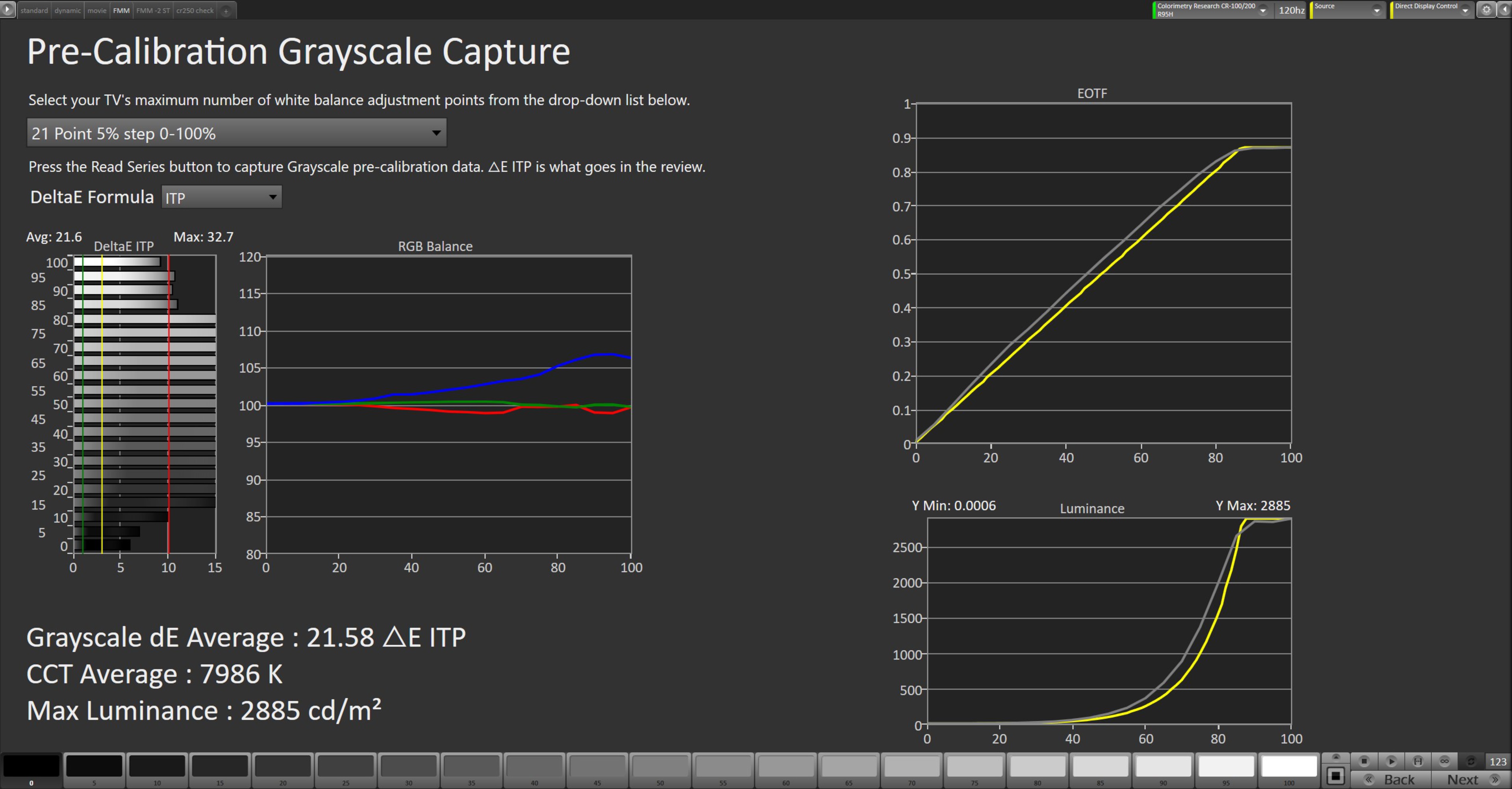
Unfortunately, the Samsung R95H has poor accuracy in SDR before calibration, even with firmware 1235. There's significantly too much blue and not nearly enough red in most shades of gray. This leads to a color temperature that is drastically too cold, giving the TV a very apparent blue tint. Overall color accuracy is bad, since all hues are too blue. The Sony BRAVIA 9 II delivers a far more accurate image in both SDR and HDR, even before calibration.
for pictures & test results

for pictures & test results

for pictures & test results

Calibrating the TV leads to excellent color accuracy in SDR, and it's easy to calibrate in SDR. The white balance is essentially perfect now, and the blue tint is gone since the color temperature is almost exactly 6500K. The overall accuracy of colors isn't perfect, but there are only subtle inaccuracies that are incredibly hard to notice in real content.
See our full calibration settings.
for pictures & test results

for pictures & test results

The TV has sub-par accuracy in HDR before calibration as of firmware 1235. The white balance is decent, but there are noticeable issues in all shades of gray. It also has an extremely cool average color temperature, with a noticeable blue tint, especially in brighter shades. It has mediocre color accuracy, with significant color mapping errors across all shades.
for pictures & test results

for pictures & test results

The TV has much better accuracy after a full HDR calibration with firmware 1235. The average color temperature is still a bit cool, but the blue tint is mostly gone. The white balance is a lot better, but midtones are still a bit off. Finally, color mapping is better but still not great.
for pictures & test results

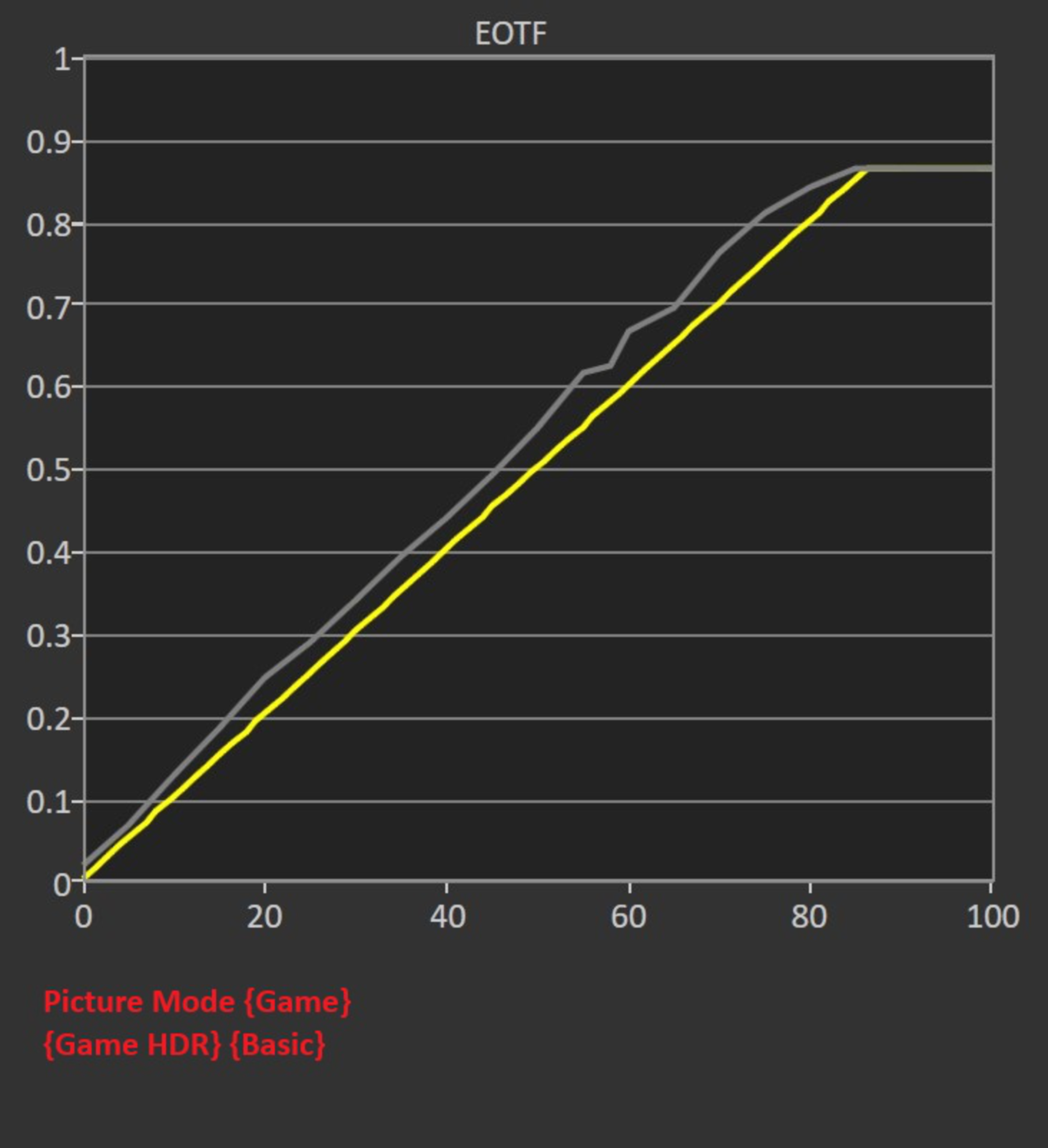
The TV has excellent PQ EOTF tracking. Blacks are slightly raised, shadow details are a bit crushed, and some highlights are brighter than intended, but the TV mostly respects the content creator's intent. There's a sharp cutoff at the TV's peak brightness with content mastered at 600 and 1,000 nits, and slightly more gradual rolloff with content mastered at 4,000 nits that helps to retain some detail in specular highlights.
These results are with the TV calibrated and the ST.2084 setting at -2, since the TV overtracked with the default setting of 0.
In Game Mode with 'Game HDR' set to 'Basic,' which is the proper setting for HGiG, the TV overbrightens the entire image.
for pictures & test results

The TV does an excellent job smoothing out low-quality content. Macro-blocking and other artifacts are essentially gone, but some details are lost in the process.
for pictures & test results

The upscaling on this TV is great. Fine details are clear and easy to make out, and there's no obvious over sharpening.
for pictures & test results

The Samsung R95H has very good gradient handling. There's some visible banding in greens, but outside of that, all other gradients only have subtle banding or none at all.
The Samsung S95H has low enough input lag to provide a snappy feel when gaming, but it's about 1.5 to 3 ms higher than it is on other similar TVs, depending on the refresh rate.
This TV supports most common formats, up to a maximum of 4k @ 165Hz or 1080p @ 240Hz. The higher 240Hz refresh rate is only supported with 1080p signals, it doesn't work with 1440p or 4k inputs. Chroma 4:4:4 signals are displayed properly across all supported formats, which is important for clear text from a PC.
The TV supports FreeSync, HDMI Forum VRR, and is G-SYNC certified, ensuring a nearly tear-free gaming experience from any VRR-enabled source. It works well across the TV's entire refresh rate range and supports sources with Low Framerate Compensation (LFC), which ensures your games remain nearly tear-free even when your frame rate drops very low.
for pictures & test results
for pictures & test results

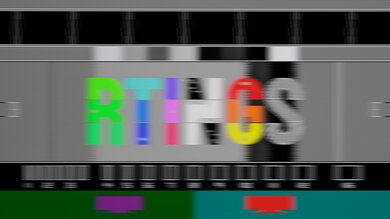
The CAD at the TV's maximum 4k refresh rate of 165Hz is decent as of firmware 1235. Most motion is clear and crisp, with minimal blur behind fast-moving objects.
for pictures & test results

for pictures & test results

The CAD at 120Hz is decent as of firmware 1235. Motion is crisp and clear for the most part, but it struggles coming out of black, resulting in more noticeable blur in very dark shadow details.
for pictures & test results

for pictures & test results

The TV's CAD at 60Hz is mediocre as of firmware 1235. It struggles going to and from dark shades, so shadow details are blurrier than bright ones. There's some overshoot in certain transitions, but it's extremely minor and remains close to the target shade, so it's not noticeable.
for pictures & test results

The TV is fully compatible with everything the PS5 offers, like 1440p @ 120Hz and 4k @ 120Hz, as well as HDMI Forum VRR. It also supports Auto Low Latency Mode, so you don't have to worry about switching to Game Mode to get the lowest input lag.
for pictures & test results

The TV is almost fully compatible with everything the Xbox Series X|S offers, including 1440p @ 120Hz, 4k @ 120Hz, HDMI Forum VRR, and FreeSync Premium Pro. It also supports Auto Low Latency Mode, so you don't have to worry about switching to Game Mode to get the lowest input lag. Dolby Vision isn't supported on the TV, so gaming in Dolby Vision isn't possible.
for videos & test results
for pictures & test results

for pictures & test results
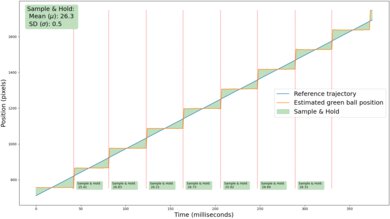
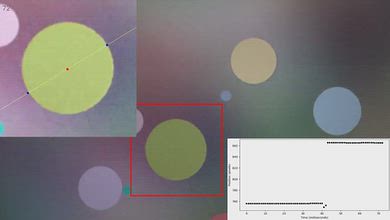
Due to the TV's relatively quick response time as of firmware 1235, there's some noticeable stutter. It's especially present in slow-panning and wide shots.
for videos & test results
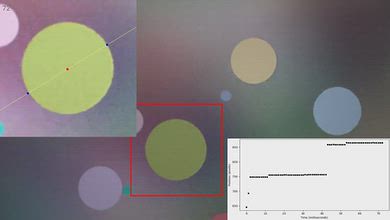
for pictures & test results

for pictures & test results
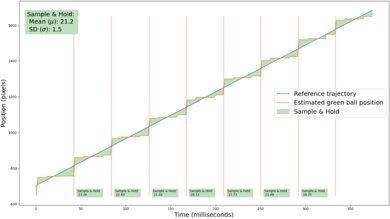
Adding low levels of motion interpolation helps reduce stutter a bit. It decreases the frame hold time noticeably, but it's not very consistent, which can cause motion to appear choppy.
for pictures & test results
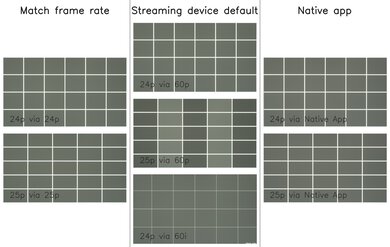
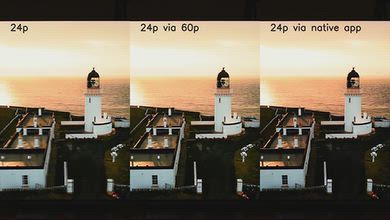
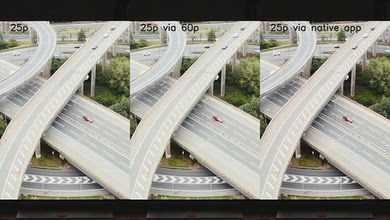
The vast majority of content is played perfectly, with no noticeable judder. The frame timing is only slightly off with 25p content played from a 60p source, like when watching some European content through an older cable box or a streaming stick that can't match the content frame rate, but it's not very noticeable.
for pictures & test results

for pictures & test results

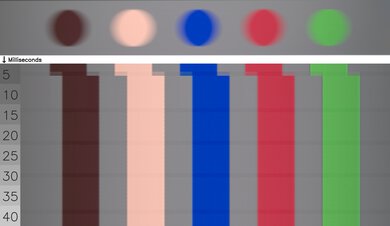
The response time when watching content is great. It improved significantly with firmware update 1235, and while there's still some ghosting, especially when coming out of a dark shade, it's great overall. There's some undershoot in certain transitions, but it's extremely minor and remains close to the target shade, so it's not noticeable.
for pictures & test results
for pictures & test results
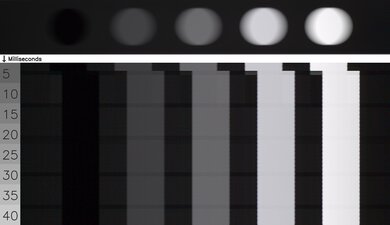
The Samsung Micro RGB R95H has very even transitions. As of firmware 1235, there are no edge artifacts, and most color transitions are clean. There are a few minor color artifacts, but they're not noticeable in most real content.
for pictures & test results

The TV uses pulse-width modulation (PWM) to dim its backlight, which introduces flicker that can bother people who are sensitive to it. It flickers at 120Hz in the 'Eco,' 'Standard,' and 'Dynamic' picture modes, and flickers at 960Hz in the 'FILMMAKER Mode,' 'Movie,' and 'Game Mode' picture modes. The backlight setting has no impact on the flicker frequency.
for pictures & test results

for pictures & test results

This TV has an optional backlight strobing feature that helps to improve the appearance of motion, commonly known as black frame insertion (BFI).
for pictures & test results

for pictures & test results

The matte coating does an incredible job reducing the intensity of direct, mirror-like reflections. They're basically impossible to see on this TV. This coating gives it a significant advantage over glossy screens, like the TCL RM9L, when watching TV during the day.


for pictures & test results

for pictures & test results

The TV does an excellent job with total reflected light. The reflections of direct light sources are more spread out than they are on TVs with glossy coatings, but they're much softer and blend in well with the rest of the image, without any undesirable artifacts like rainbow smearing.
for pictures & test results

Colors remain incredibly vivid and punchy in a room with ambient lighting.
for videos & test results

for pictures & test results

for pictures & test results

for pictures & test results

The Samsung R95H has a decent viewing angle. The image is consistent when viewed from a slight angle, but there's color shifting, color washout, and brightness loss the more you move off-center. Still, its black levels don't raise at all from an angle, and overall, it's a satisfactory choice for a wide seating arrangement.
for pictures & test results

for pictures & test results

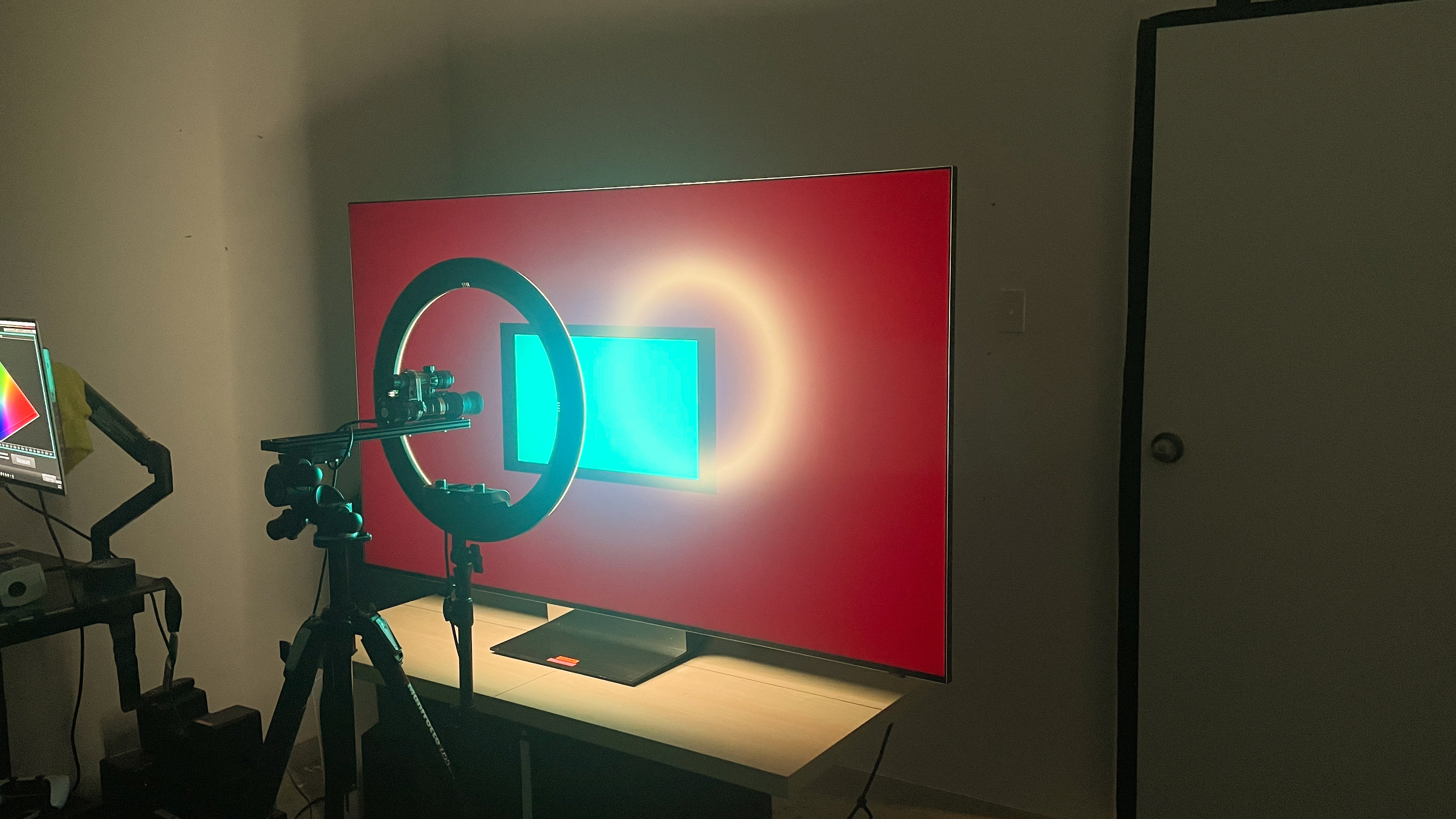
The Samsung R95H has mediocre gray uniformity. The corners of the screen are a lot darker than the center, and there's some dirty screen effect towards the middle. It's more uniform when displaying near-blacks.
Note: The red tint you can see in the image is an interaction between the camera sensor and the very strong red peak emitted by the TV. It's not noticeable in person.
for pictures & test results

for pictures & test results

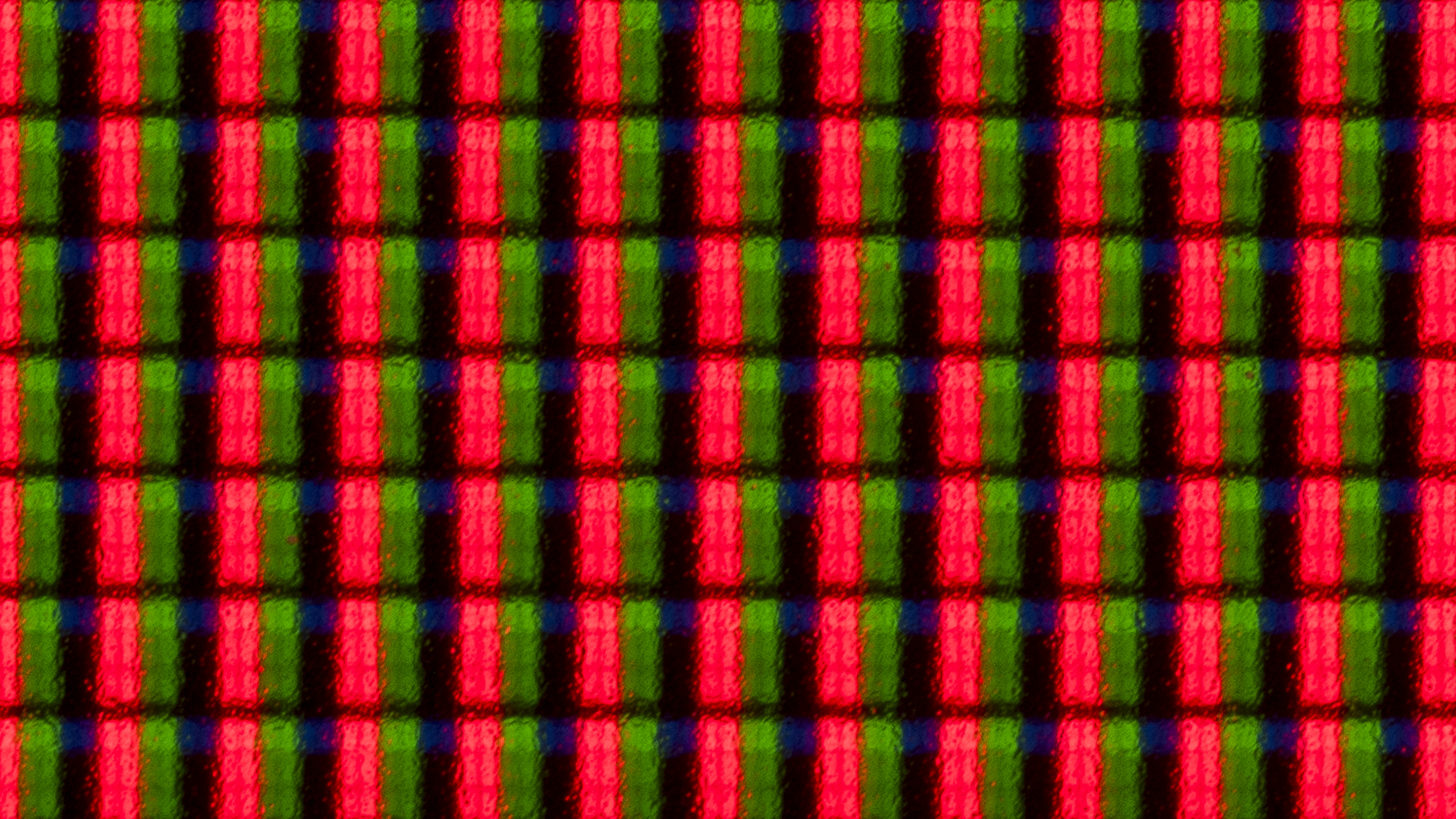
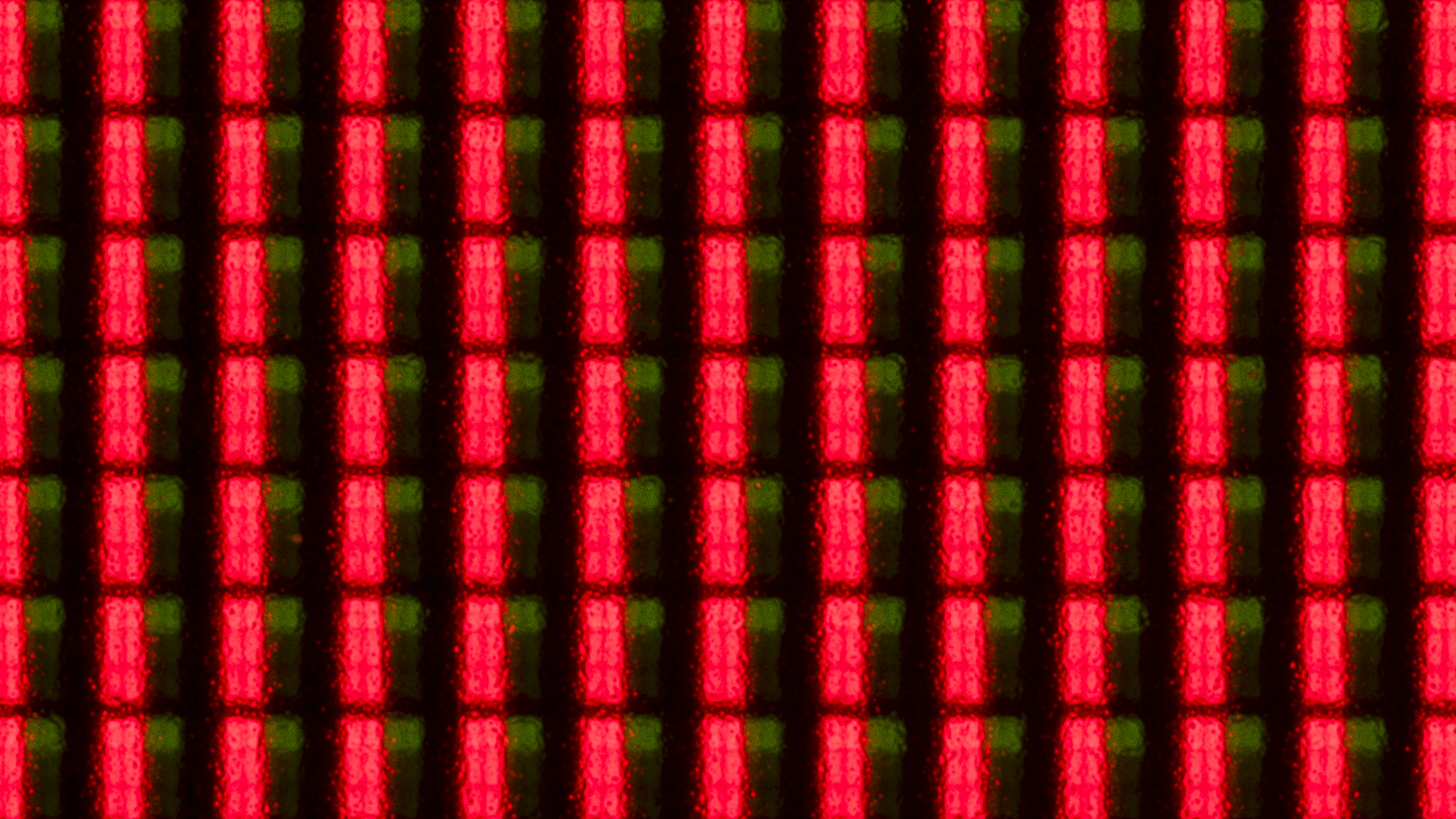
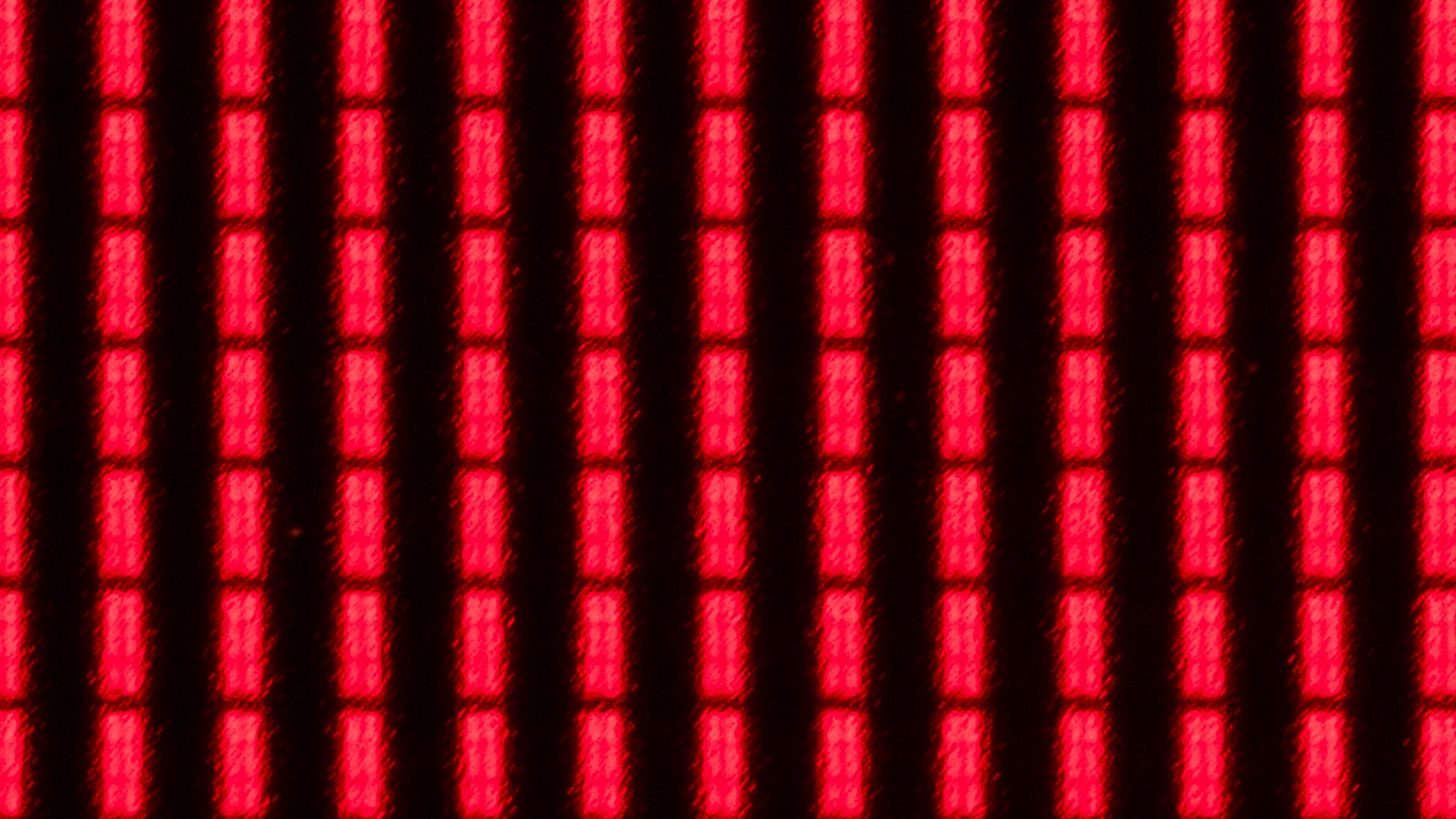
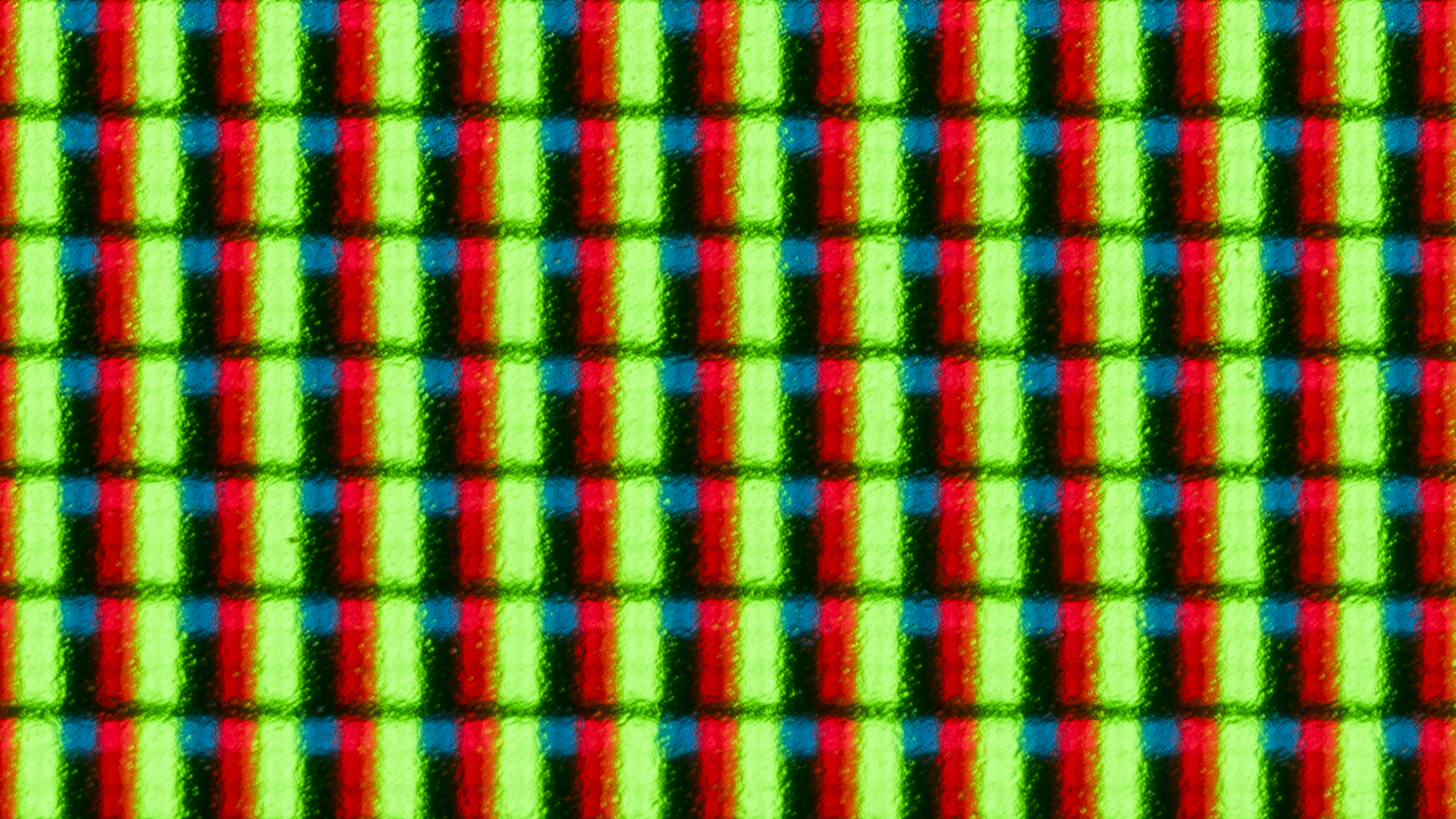
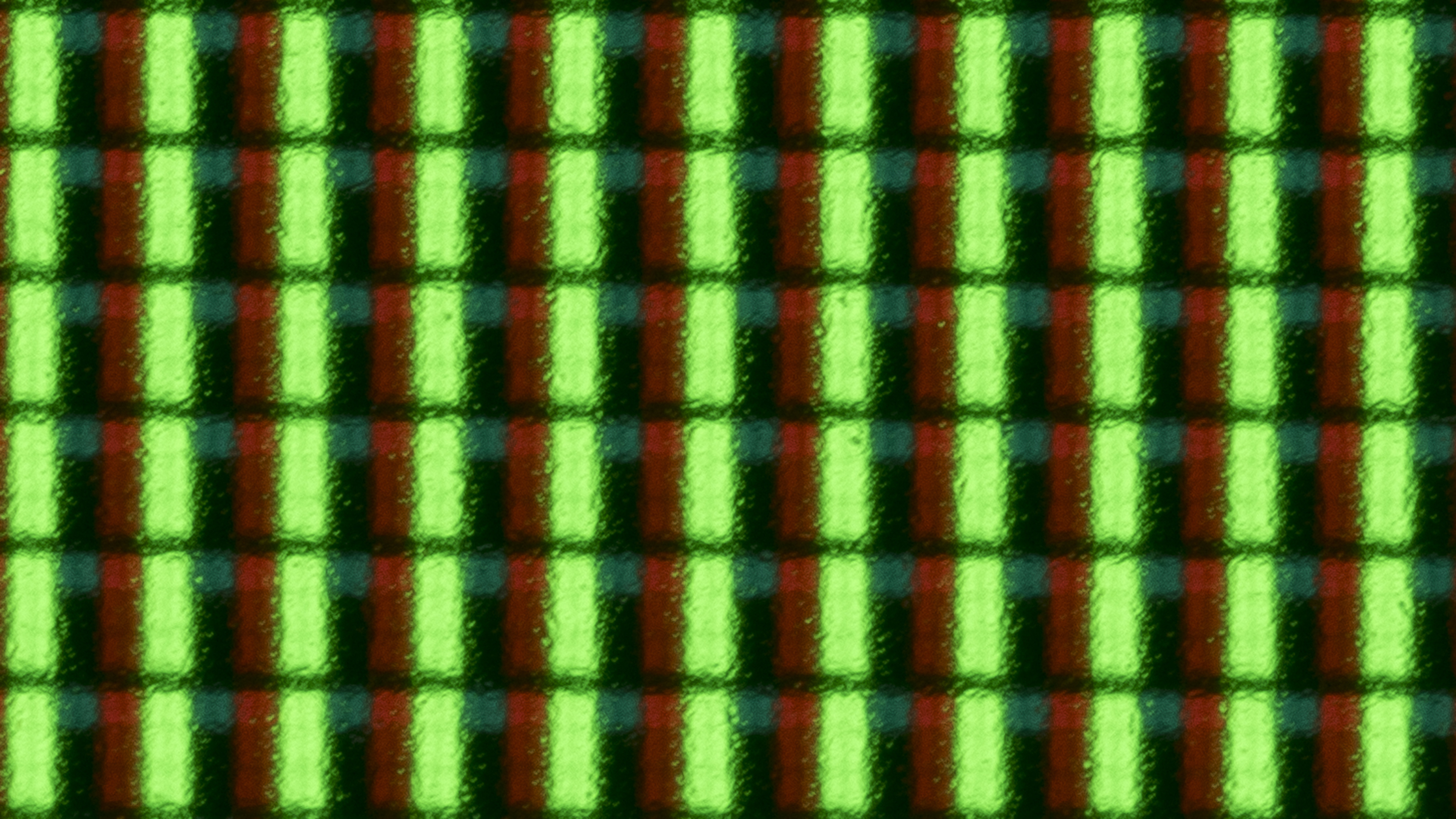
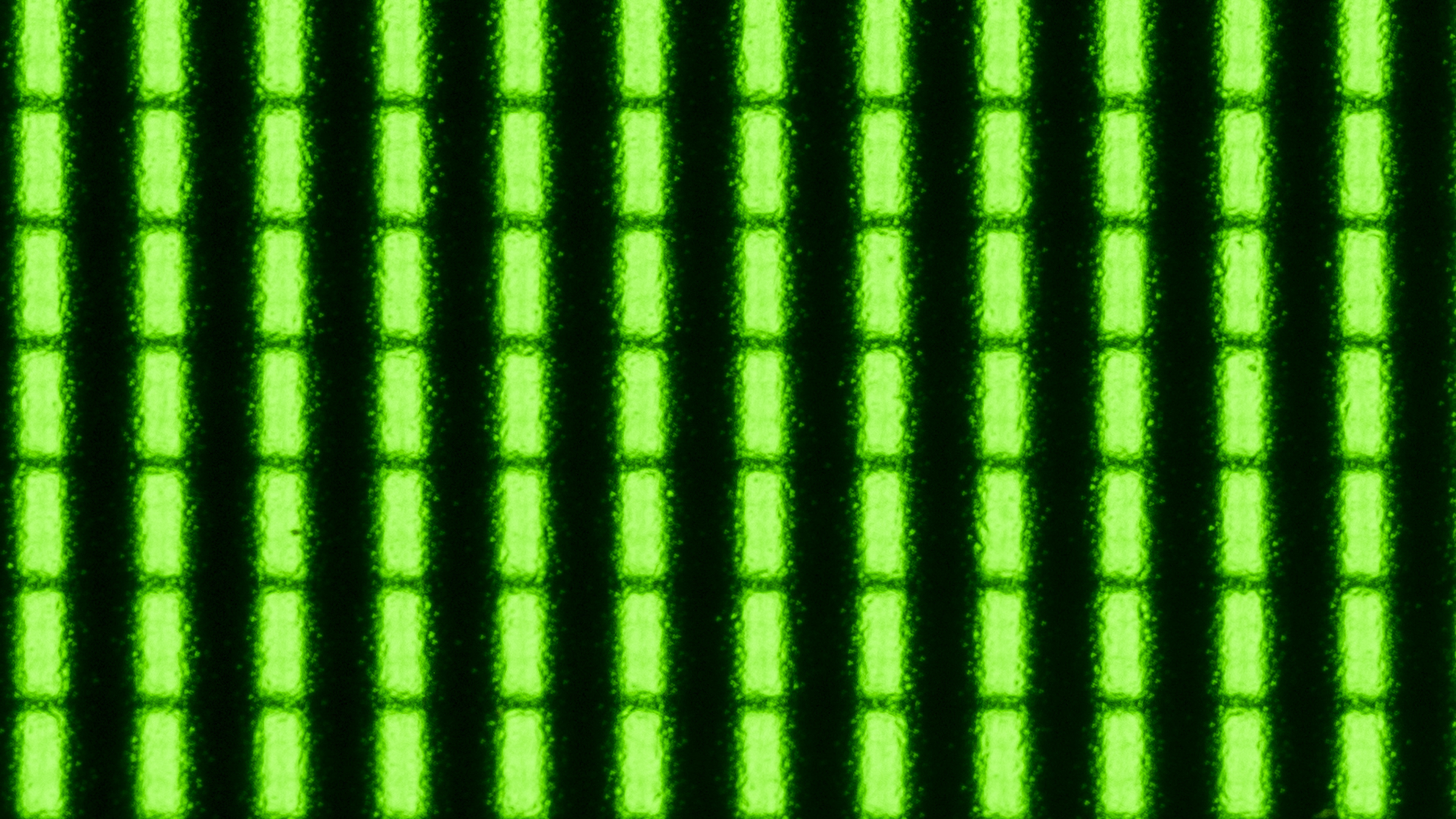
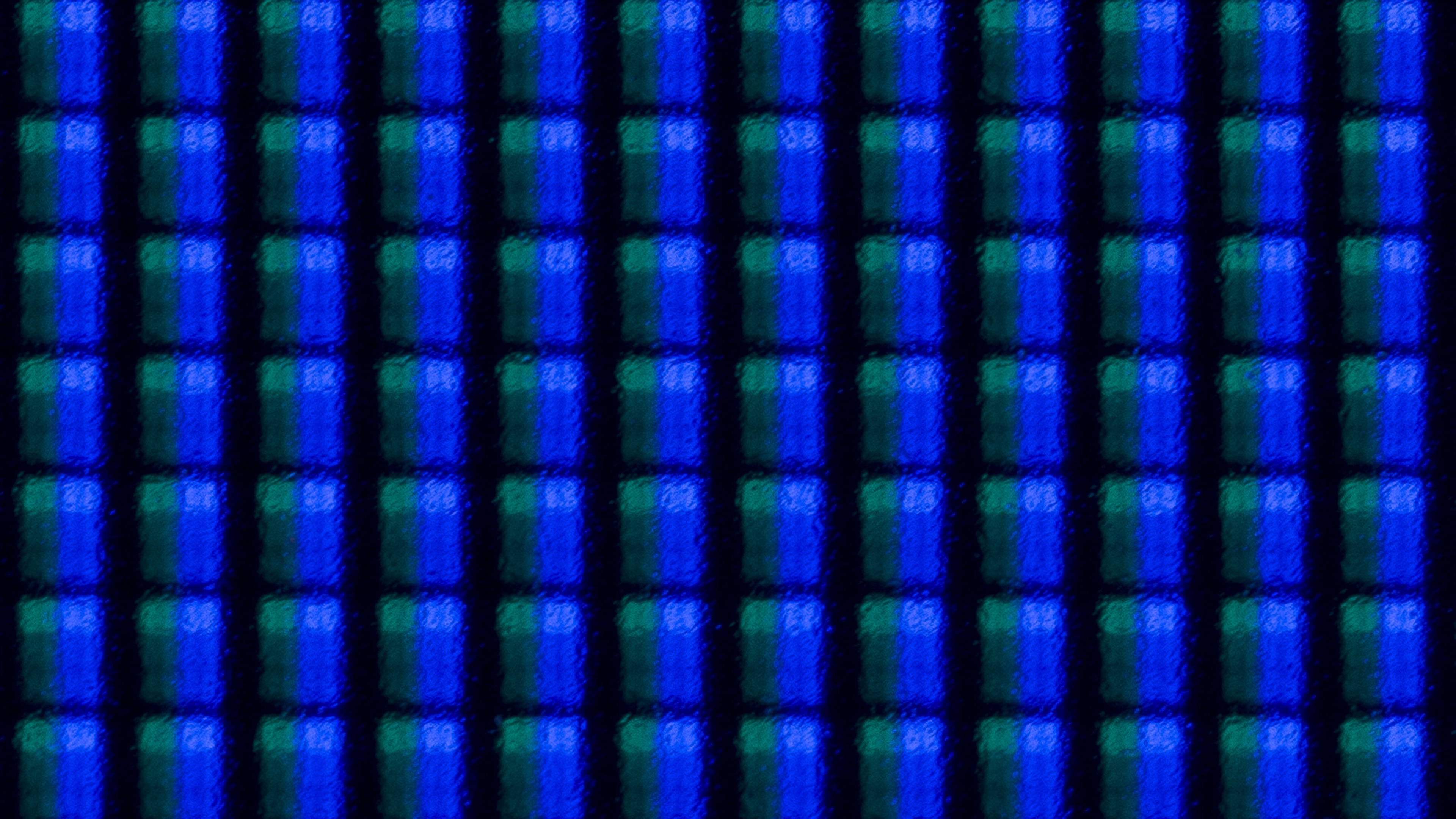
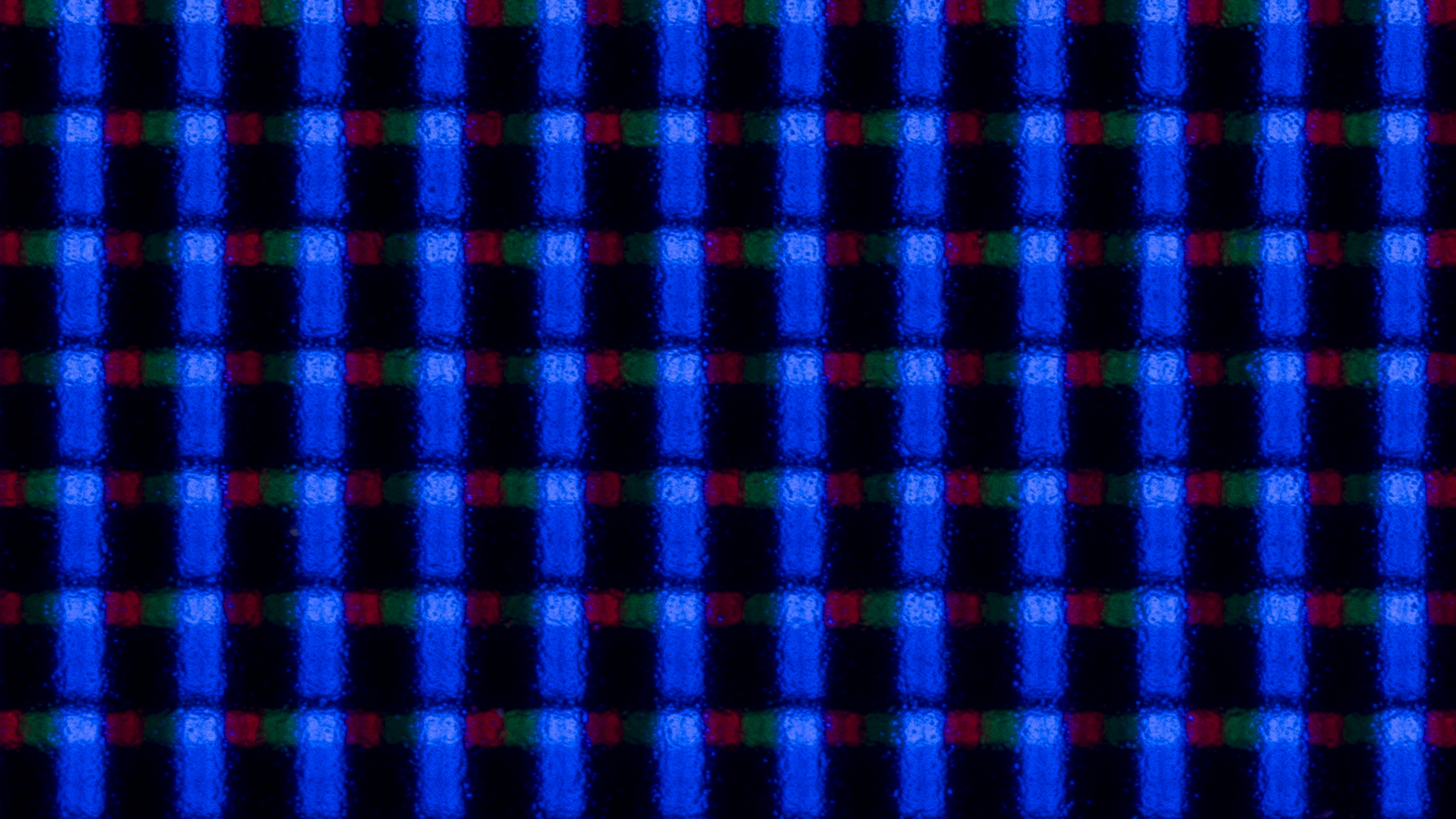
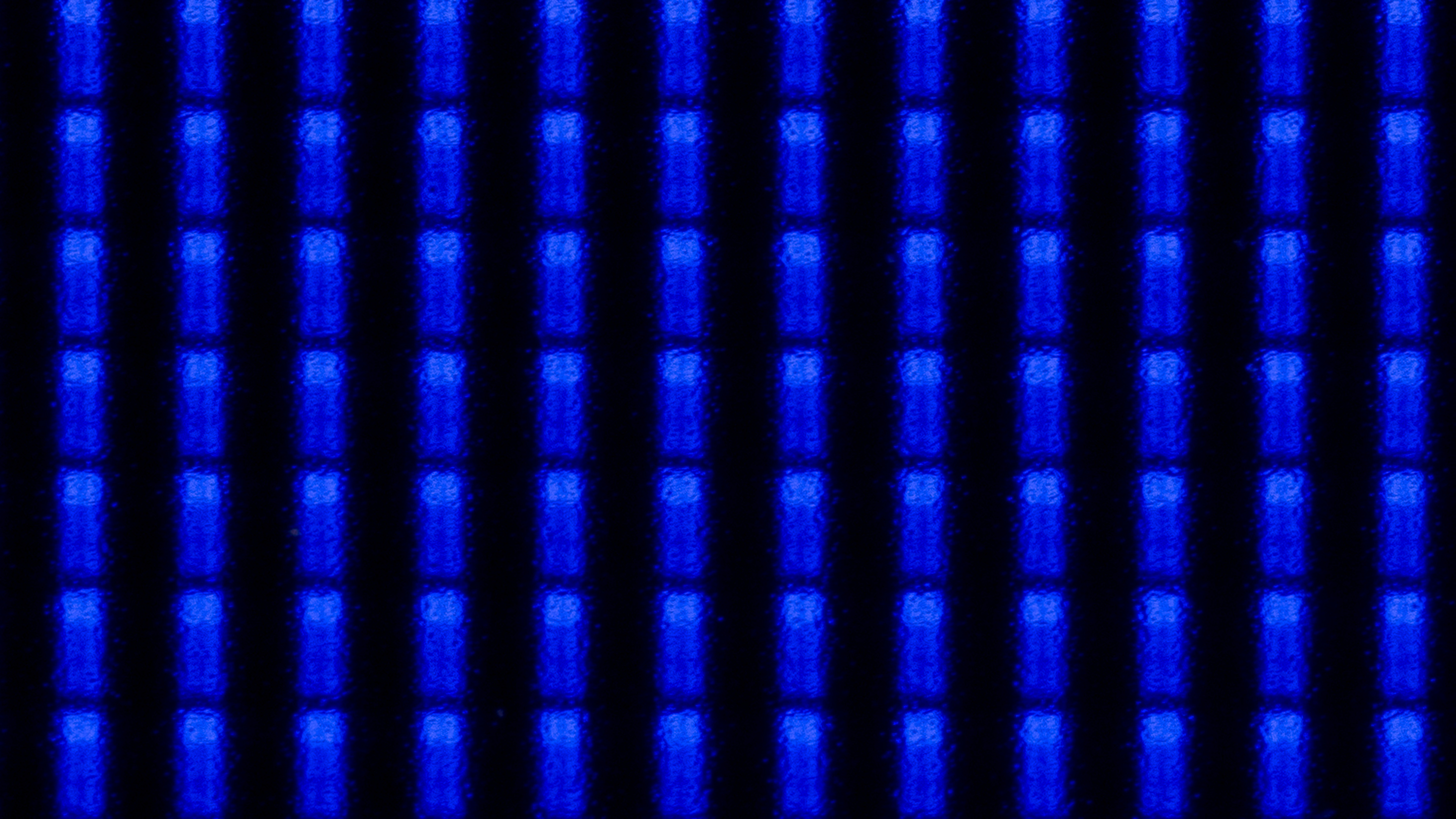
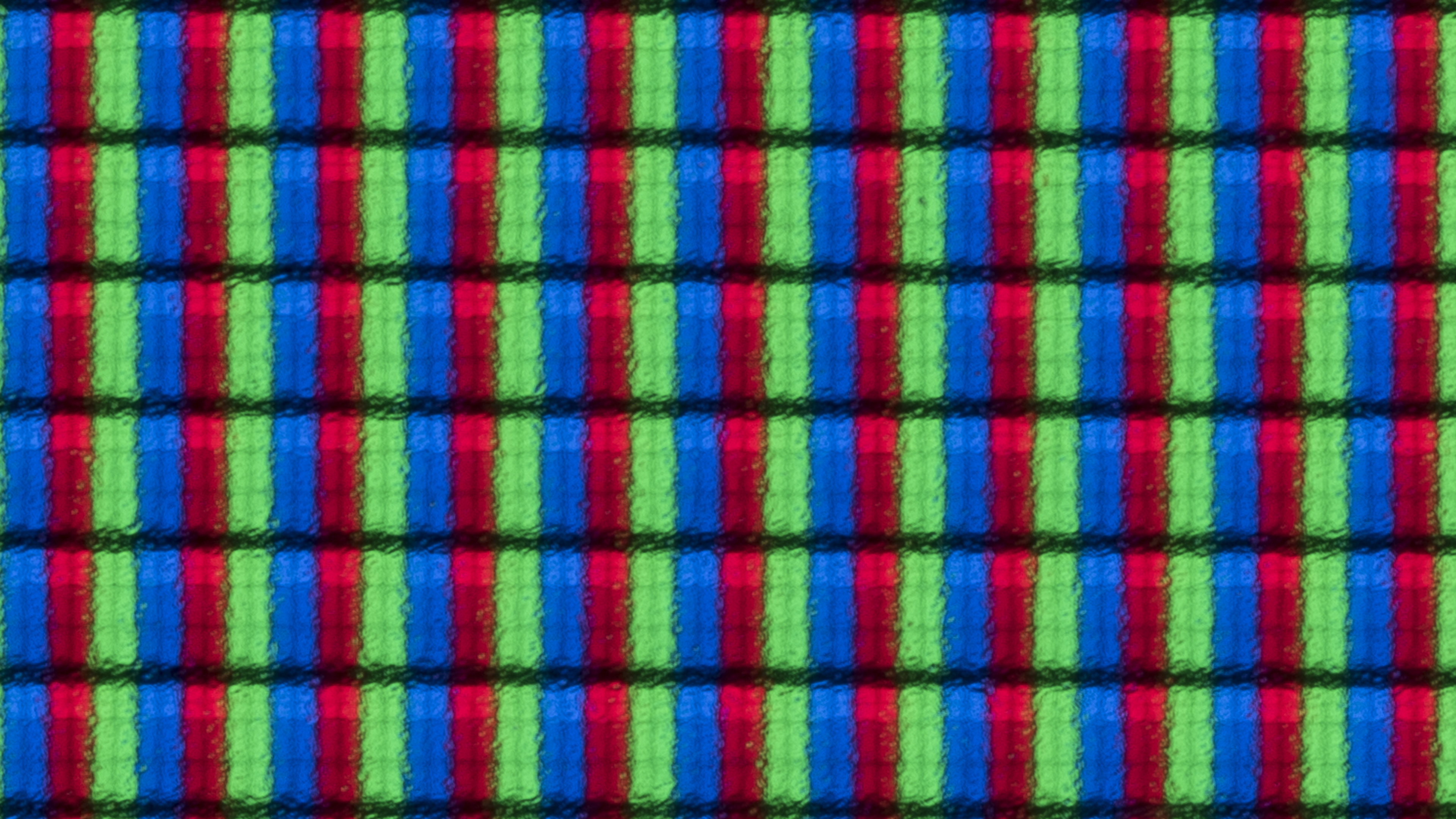
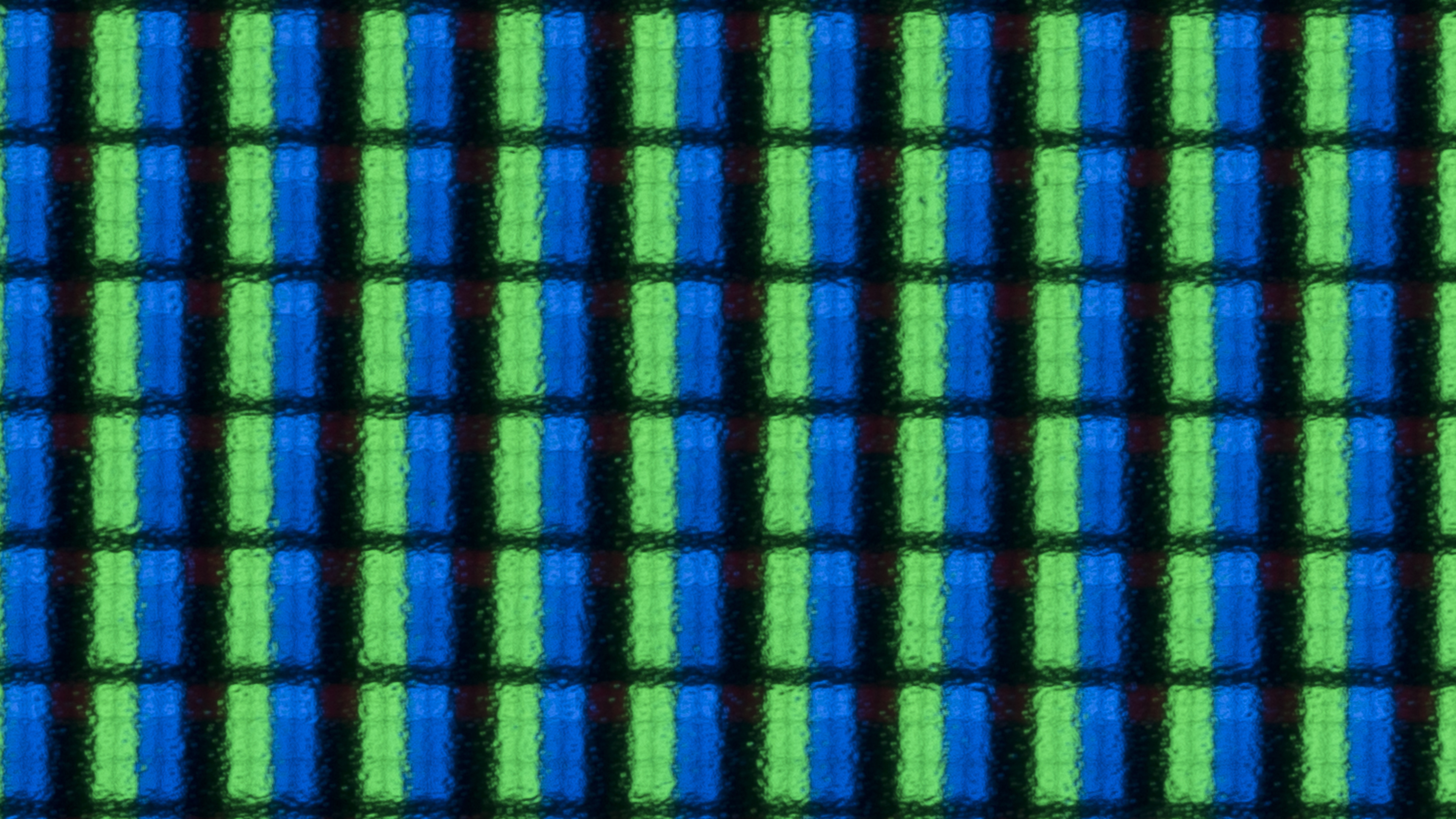
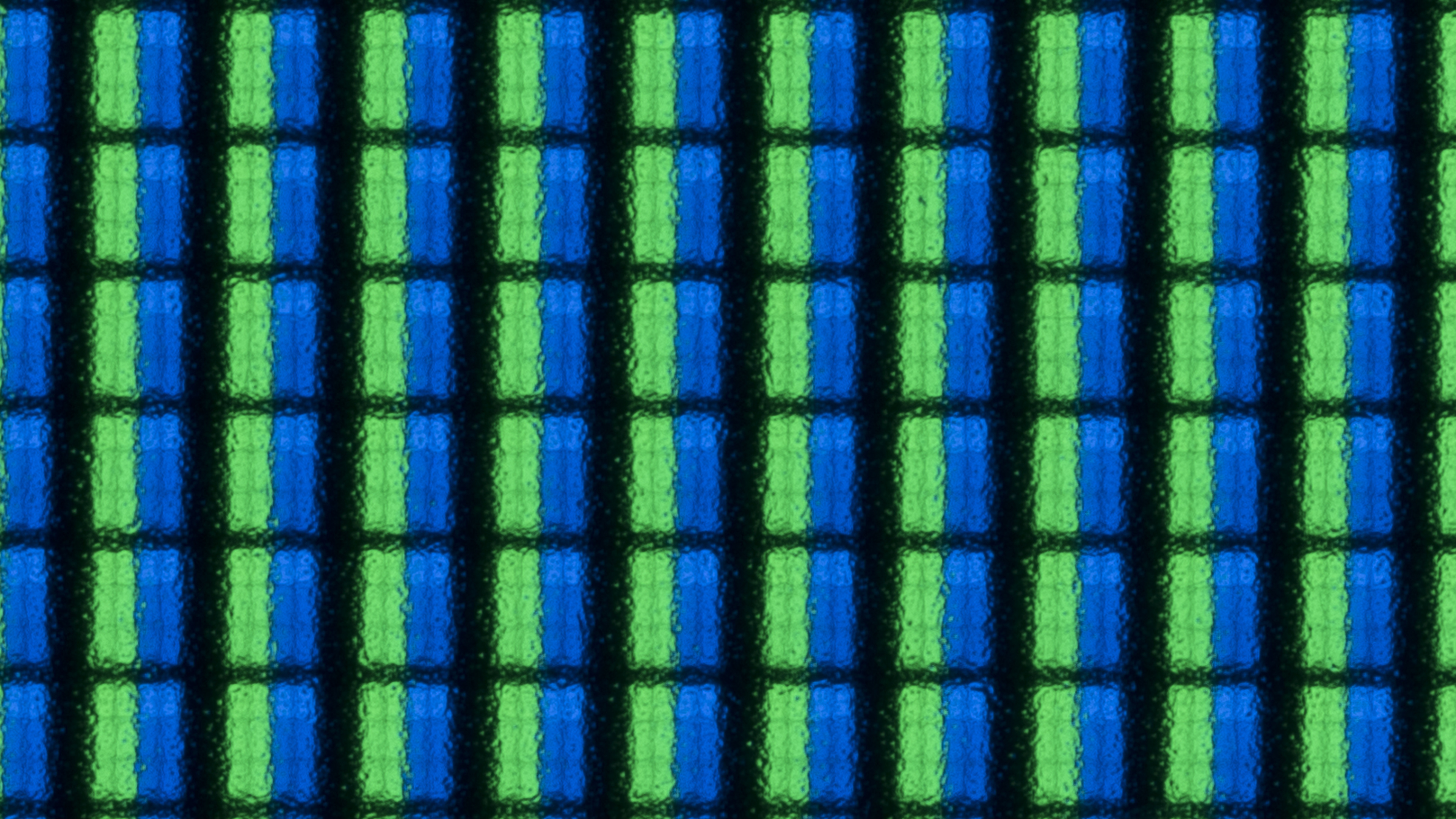
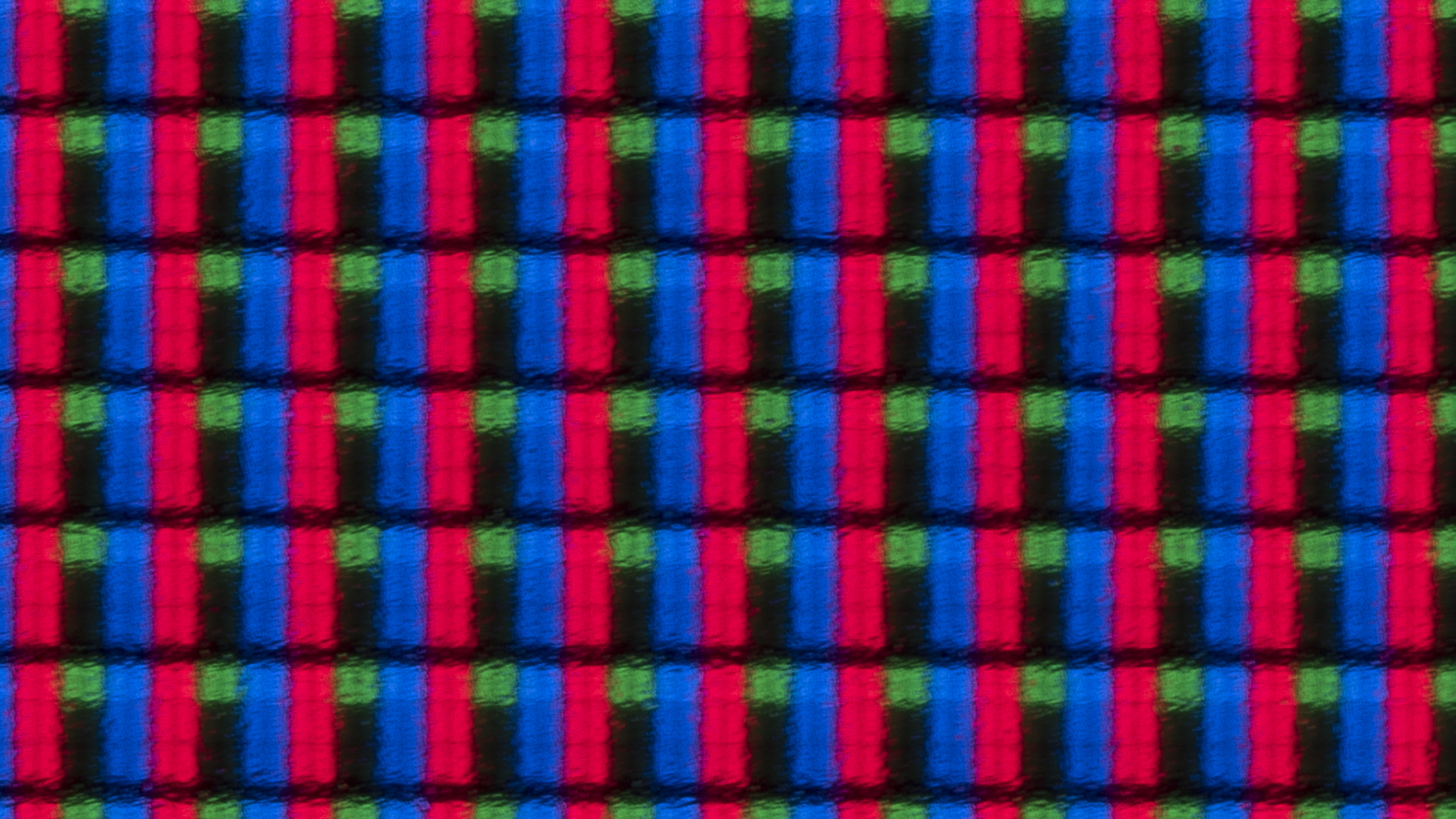
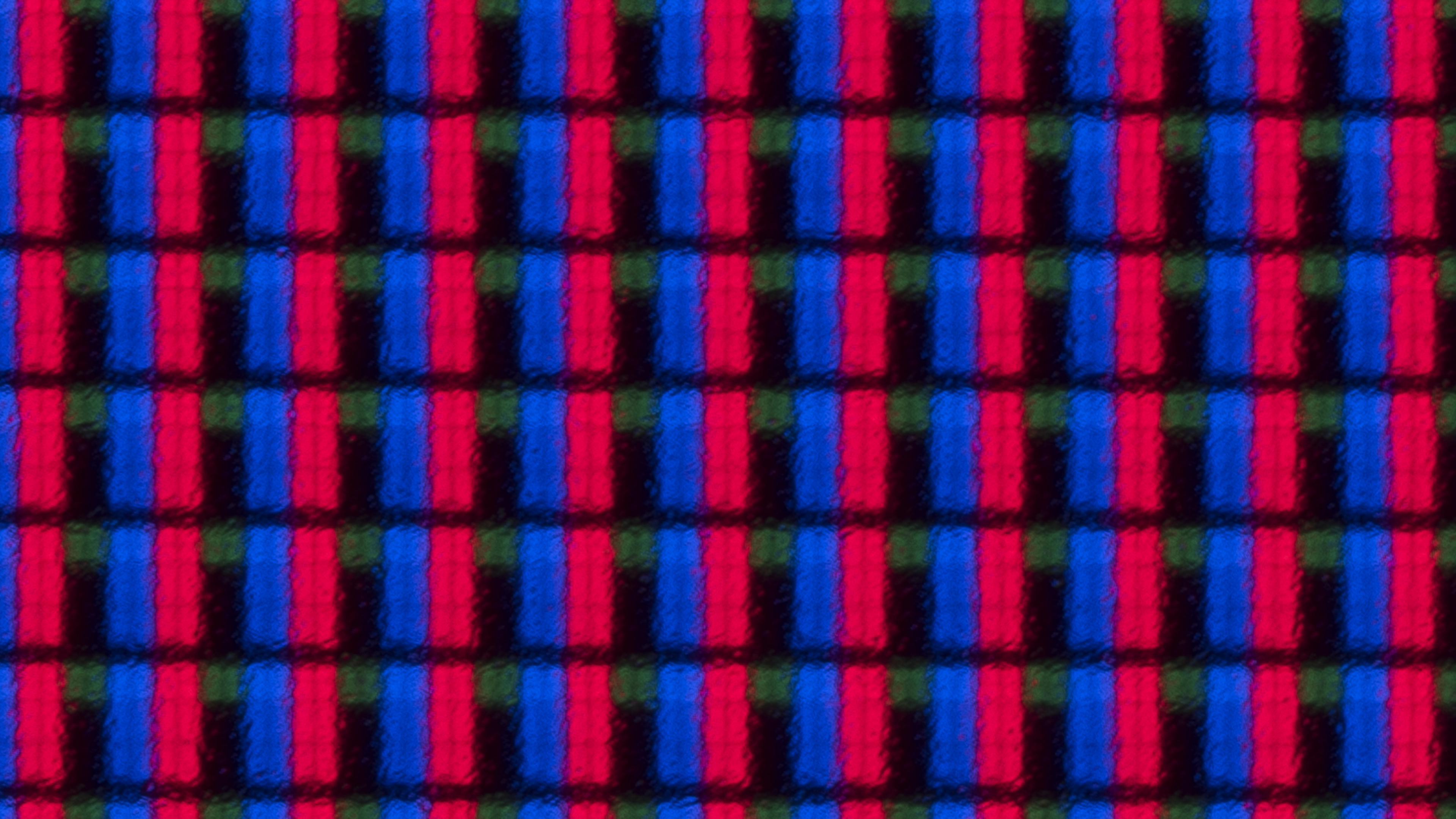
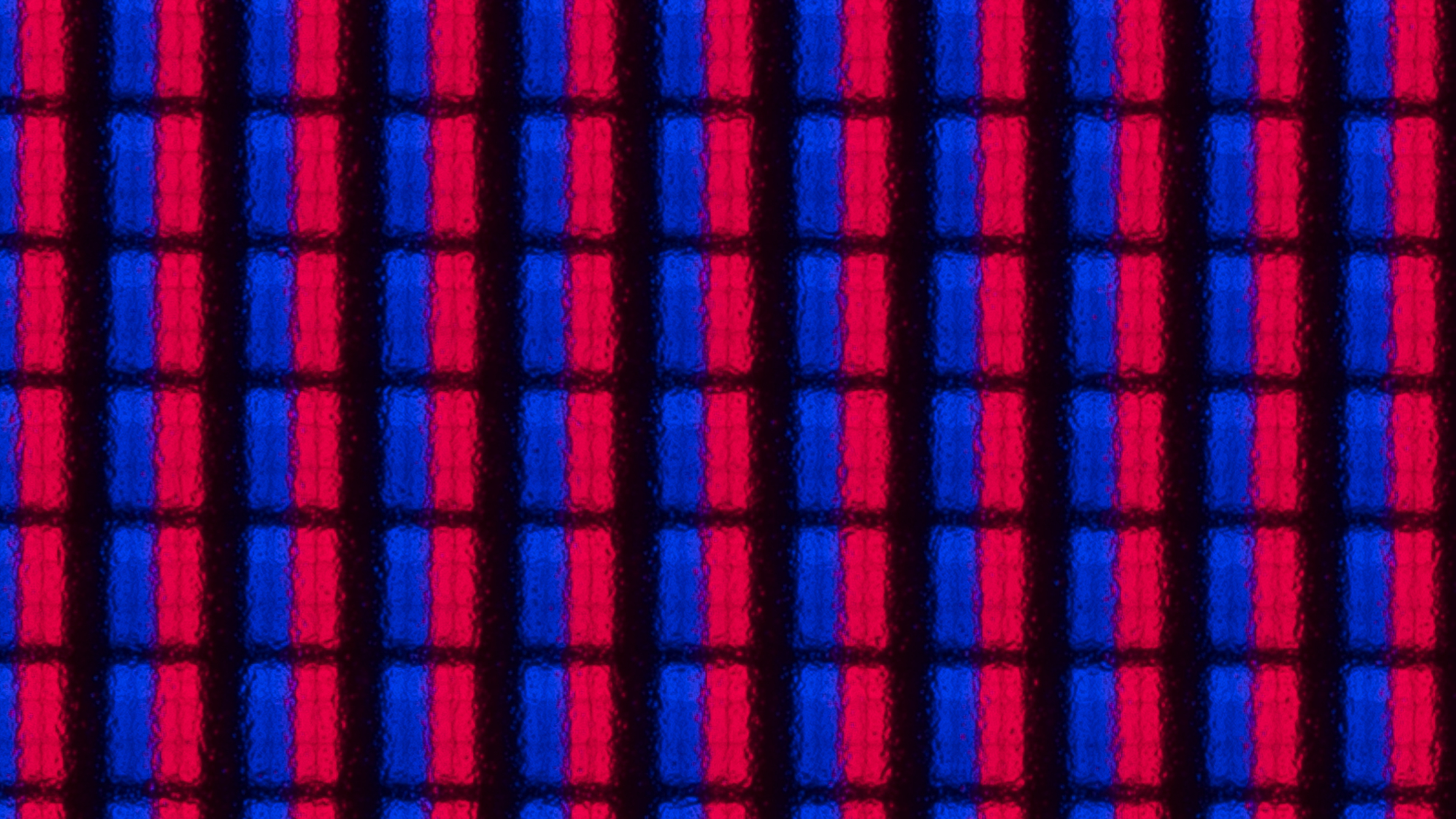
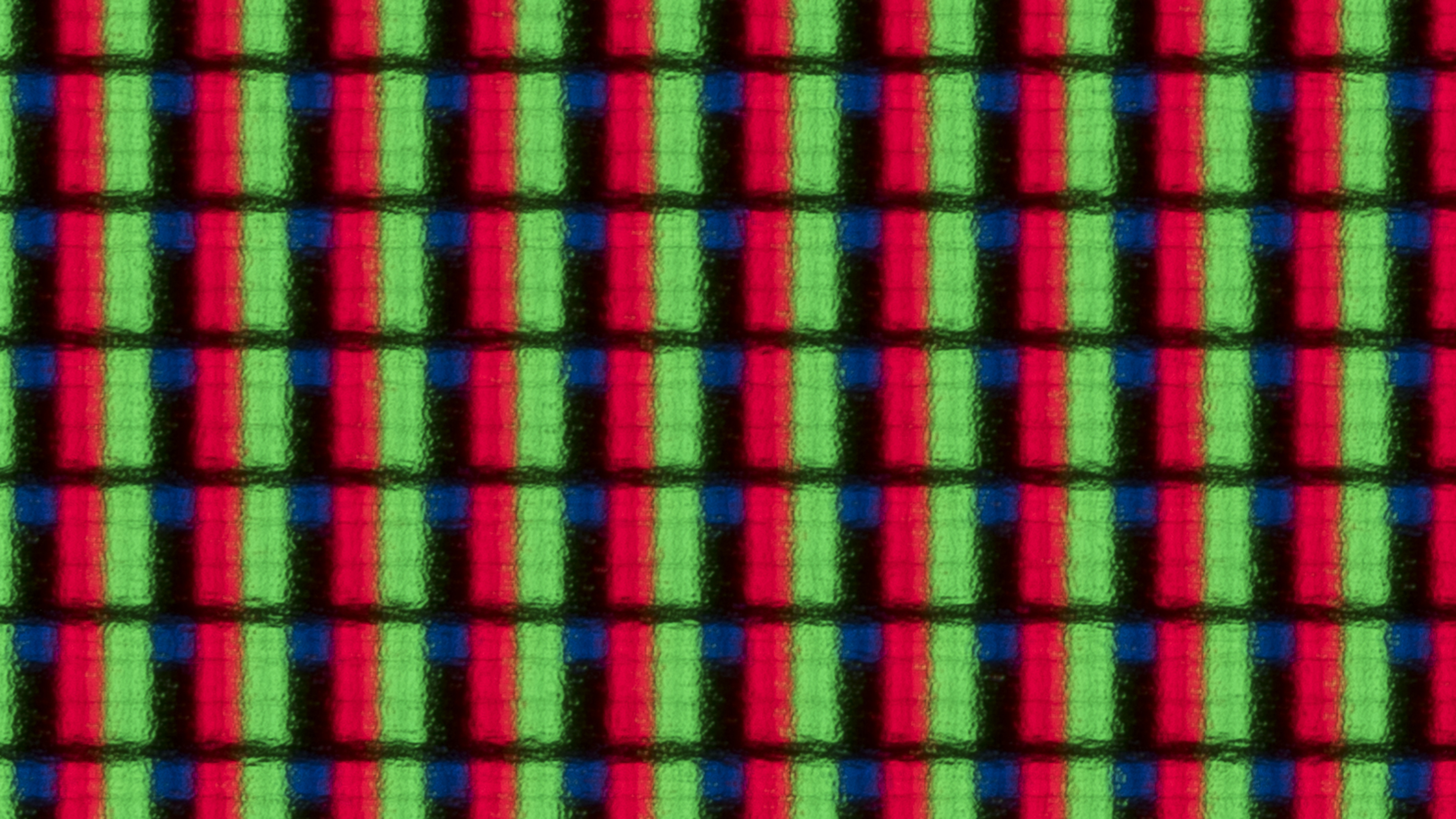
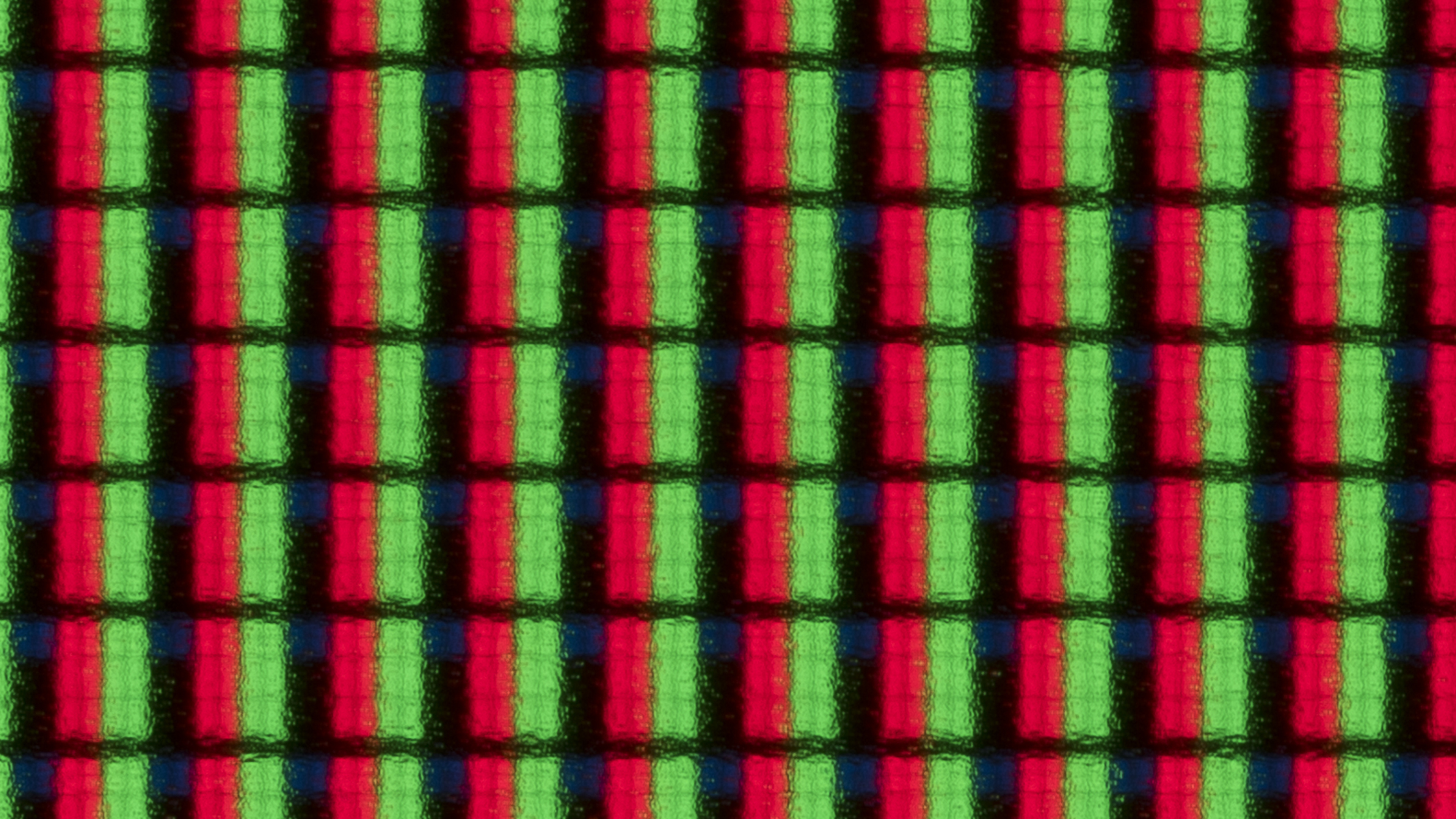
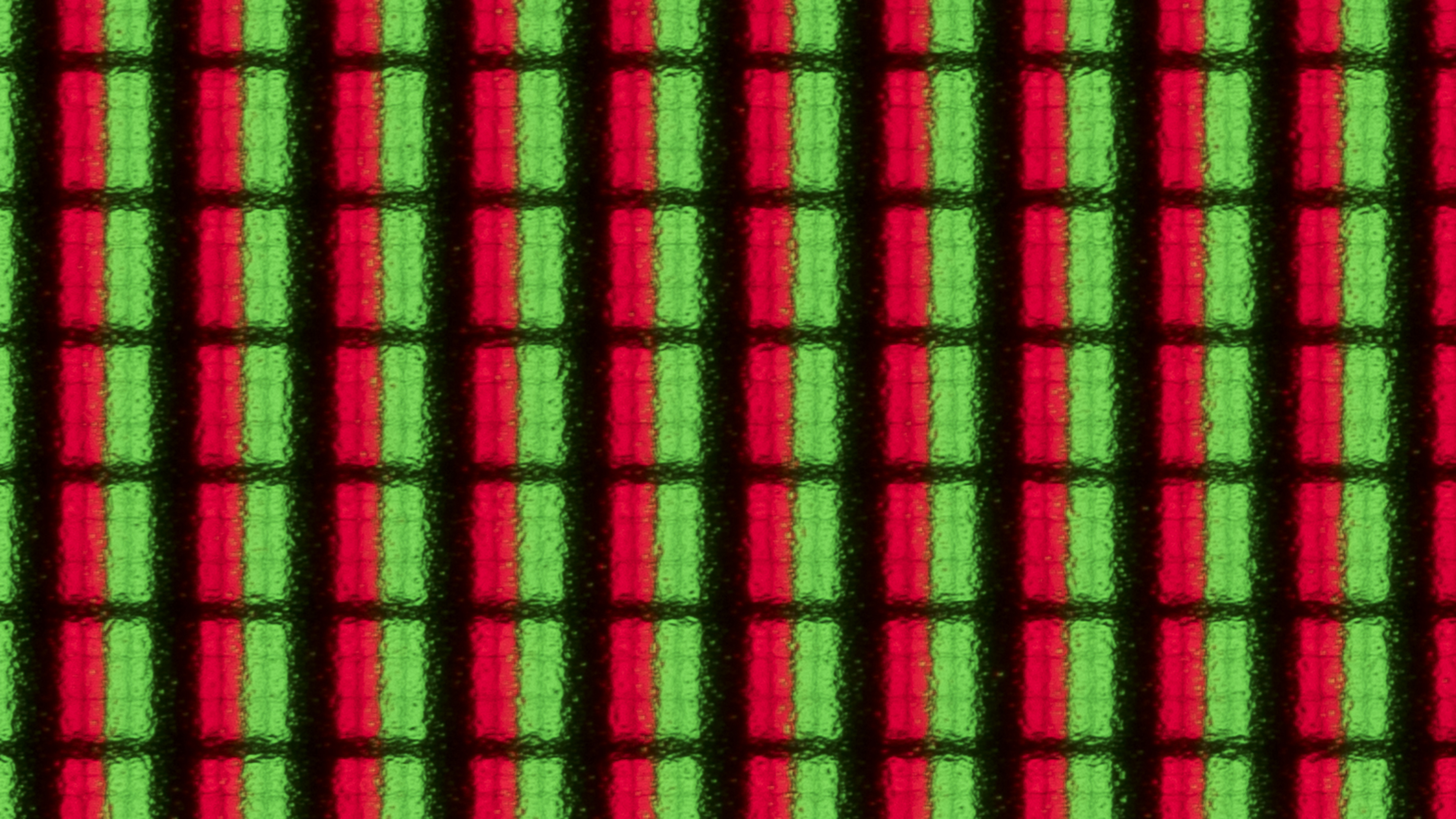
The Samsung R95H uses a new Micro RGB panel, which is mainly designed to increase color volume. There are high peaks on reds, blues, and greens, and there's excellent separation between them, giving the TV great color purity. It uses an RGB subpixel arrangement, which helps with text clarity when used with a PC.
Below are additional photos so you can see how the subpixels react when displaying different colors depending on the color space setting the TV is set to.
for pictures & test results

for pictures & test results

The TV supports the full 48Gbps bandwidth of HDMI 2.1 on all four HDMI ports. It can also be paired with Samsung's Wireless One Connect box, which is sold separately. This option expands the number of available inputs, allowing you to connect up to eight HDMI 2.1 devices at once.
The Samsung R95H supports all Dolby audio formats, but it doesn't support any DTS formats that are commonly used on physical media.
Like all Samsung TVs, this model doesn't support Dolby Vision, but it does support the similar HDR10+.
for pictures & test results

The Samsung R95H has a very sleek and premium design, with very thin bezels and a modern-looking stand.
for pictures & test results

The center-mounted stand is solid and small, supporting the TV well. The stand lifts the display 3.1 inches above the table, so almost any soundbar fits in front of it without blocking the viewable portion of the screen.
Footprint of the 65-inch stand: 14" x 11.9".
for pictures & test results

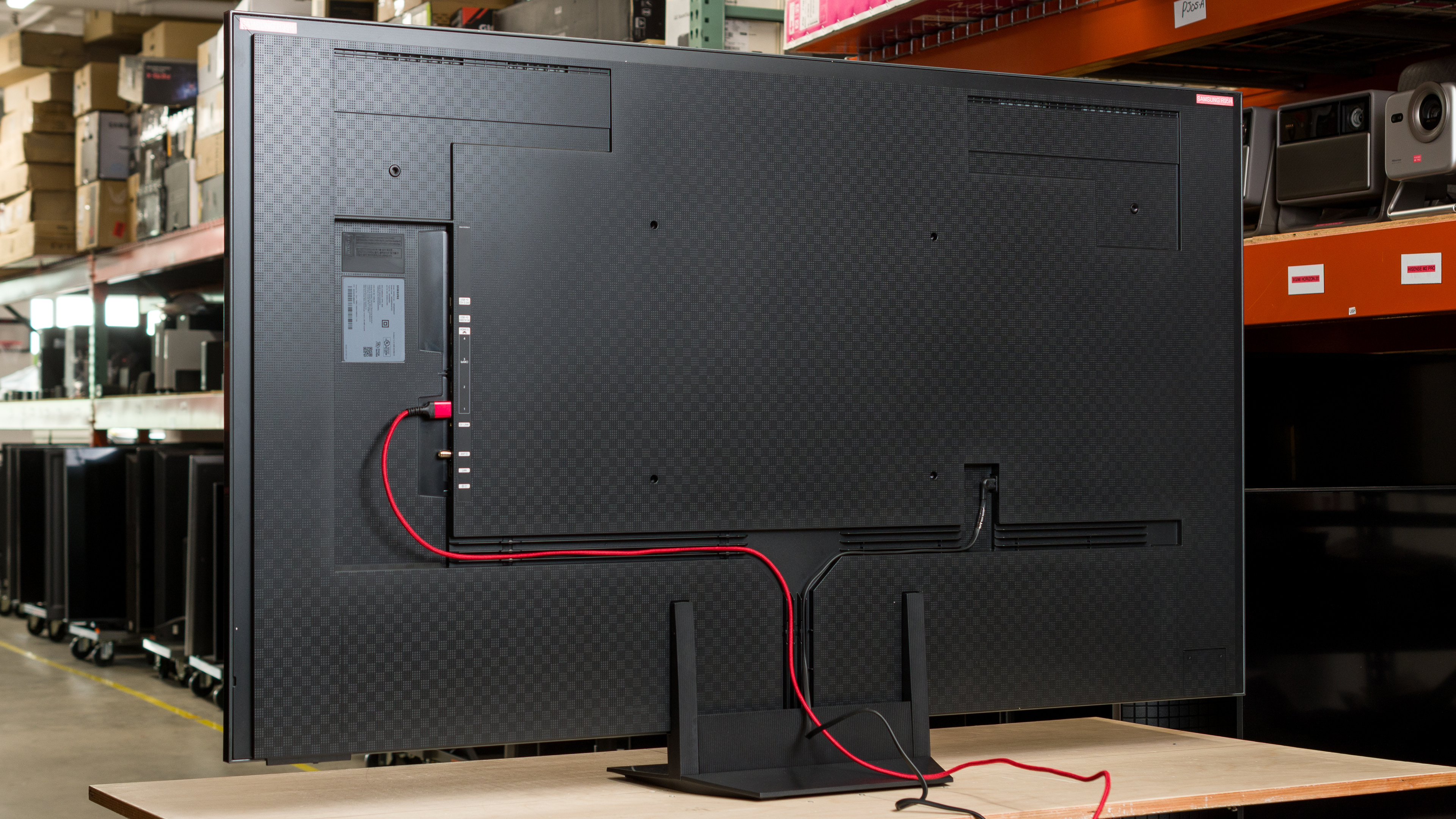
The back of the TV is uniform, with all the inputs located in a shallow cutout on the side. The inputs are hard to access if you have the TV mounted flush to a wall. There are grooves on the back that can be used to help with cable management.


for pictures & test results

The Samsung R95H has excellent build quality. It's a solid TV with a premium metal stand, and there's very little flex on the back since it uses high-quality plastic.
for pictures & test results

The Samsung Micro RGB R95H runs the 2026 version of Samsung's Tizen OS, which feels noticeably snappier compared to older versions of the OS.
There's a minor bug that can sometimes make the TV's automatic brightness optimization turn on when hand shaking with another device.
for pictures & test results

Like most TVs on the market, it has ads throughout its interface, and although you can disable targeted ads, there's no option to disable them completely.
for pictures & test results

The remote has a built-in rechargeable battery with a solar panel on the back of the remote. You can also recharge it via USB-C if it dies unexpectedly.


This TV was initially tested on firmware 1122.
for pictures & test results

The TV speakers have a decent frequency response. Dialogue is fairly clear at most volume levels, but there's some thumping. The sound profile is more unbalanced at maximum volume, causing the speakers to sound a bit bright. The speakers get pretty loud, but like most TVs, they don't produce any meaningful low bass.