The Nikon COOLPIX A1000 is a compact point-and-shoot camera with a built-in 35x optical zoom lens. It's fantastically portable and feels decently well-built, which makes it a good option for on-the-go use. While image quality is decent overall, sharpness decreases significantly at higher ISO levels, so it isn't the best option for shooting in poorly lit environments. Its autofocus system also struggles to track subjects consistently in both photography and video. While video quality in both FHD and 4k is sub-par overall, it can record 4k footage at 30 fps without a crop, which is somewhat useful.
Our Verdict
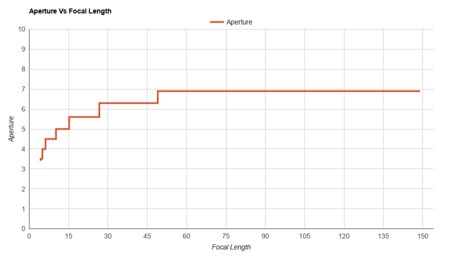
The Nikon COOLPIX A1000 is decent for travel photography. It's small and lightweight, so you can carry it around in a coat pocket easily. Its built-in lens' wide zoom range gives you the flexibility to shoot fairly wide-angle shots or snap a clear picture of far-away subjects. Its optical stabilization feature is effective, allowing you to shoot clear photos even at fairly slow shutter speeds. However, the lens' maximum aperture is rather narrow, which can present an obstacle to shooting well-exposed images in dimly-lit settings. Its autofocus system is also fairly limited and struggles with moving subjects.
- Compact, lightweight design.
- Wide focal length range.
- Exceptional image stabilization performance.
- Poor overall autofocus performance.
- Poor low-light performance.
- Relatively slow built-in lens.
The Nikon A1000 isn't the best choice for landscape photography. Image quality is fine for its class, but its dynamic range is very limited, and it doesn't perform well in low light. On the upside, its built-in lens has a wide focal range, giving you plenty of flexibility in framing your shot. It also feels decently well-made and is exceptionally portable, making it easy to bring to remote shooting locations.
- Compact, lightweight design.
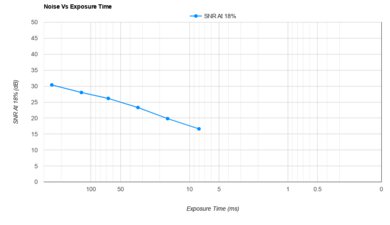
- Poor low-light performance.
- Very limited dynamic range.
The Nikon A1000 is a fair option for sports and wildlife photography if you need something compact. Its maximum continuous shooting speed isn't particularly rapid, but it can clear its buffer very quickly, so you shouldn't have to wait around for too long between firing off a couple of bursts. Its very long maximum focal length also allows you to zoom in on far-away subjects, while its snap-back zoom function helps let you reacquire focus on moving subjects at long zoom lengths. Unfortunately, its autofocus system does a poor job of tracking moving subjects in photography.
- Wide focal length range.
- Exceptional image stabilization performance.
- Fast buffer clearing speed.
- Poor overall autofocus performance.
- Poor low-light performance.
- Relatively slow built-in lens.
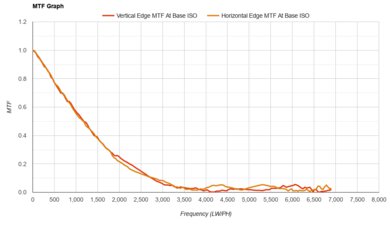
The Nikon COOLPIX A1000 has poor RAW image quality. Its dynamic range is very limited, so you'll lose out on shadow or highlight detail in contrasty scenes. Images aren't especially detailed when punching in, and the camera has very poor noise handling in low light. That said, you can still get usable results in bright lighting conditions.
- Poor low-light performance.
- Very limited dynamic range.
The Nikon A1000 is adequate for vlogging. You can flip its tilting screen downwards to see what's being displayed even when the camera is pointed at you. The camera's lightweight, compact construction makes it easy to carry around for extended periods. You can also record 4k video at 30 fps without a crop, so there's no reduction in the field of view. Unfortunately, video quality in 4k and FHD isn't particularly sharp, and its autofocus system does a terrible job of tracking faces while recording.
- Compact, lightweight design.
- Tilting screen.
- Poor overall autofocus performance.
- Middling video quality.
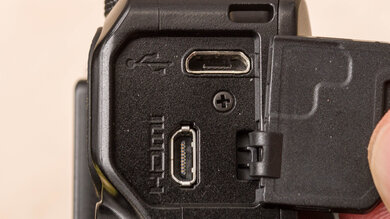
The Nikon COOLPIX A1000 isn't intended for studio video. Video quality in 4k and FHD is middling, with noticeable visual noise in poorly-lit environments and poorly-defined object contours and surfaces. Its autofocus system also struggles to track moving subjects. The selection of inputs and outputs is also rather limited, with no headphone or microphone jacks to help improve the audio quality of your recording. Thankfully, its menu system is easy to navigate, and you can easily pair your smartphone with the camera to operate it remotely.
- Easy-to-use menu system.
- Poor overall autofocus performance.
- Middling video quality.
- Limited selection of inputs and outputs.
The Nikon COOLPIX A1000 isn't designed for action video. It's compact, lightweight, and feels decently well-built, but isn't rated as being rugged or weather-resistant. It does a decent job of smoothing out camera shake in FHD video, though its performance in this respect in 4k is mediocre. It also only supports 30 fps recording in 4k and can only record at a maximum of 60 fps in FHD, so it isn't especially well-suited to shooting smooth action video in 4k or high-quality slow-motion video in FHD.
- Compact, lightweight design.
- Middling video quality.
- Limited selection of frame rates in video.
Changelog
- Updated Jan 29, 2024: Added text to the 'Raw Photo Performance' verdict box and updated existing verdict boxes for clarity and accuracy.
- Updated Jan 29, 2024: Converted to Test Bench 0.12.1.
- Updated Sep 07, 2023: We've updated the 'Sensor Type' from 'CMOS' to 'BSI CMOS'.
- Updated Apr 24, 2023: Converted to Test Bench 0.12.
Check Price
Differences Between Sizes And Variants
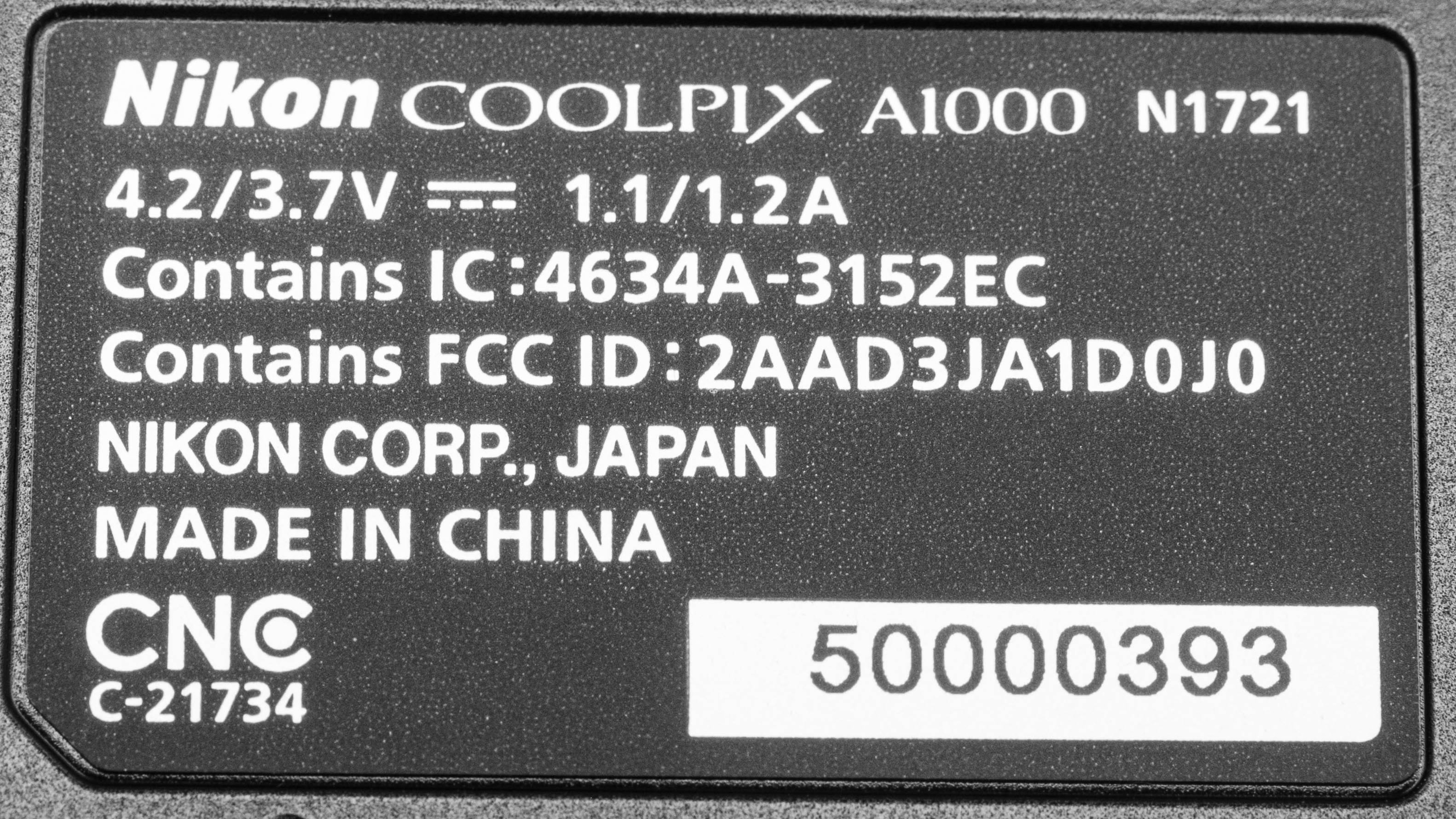
The Nikon COOLPIX A1000 comes in two color variants: 'Black' and 'Silver'. We tested the 'Black' variant, and you can see its label here. We expect the other variant to perform similarly.
If you encounter another variant, let us know in the discussions so we can update our review.
Popular Camera Comparisons
The Nikon COOLPIX A1000 is a bit better than the Canon PowerShot SX740. It has a viewfinder, a more versatile tilting screen, and RAW image capability, giving you more flexibility for photography. That said, the Canon has a better autofocus system.
Test Results
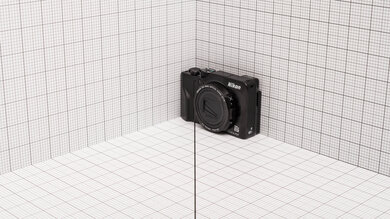
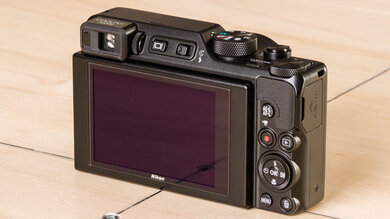
- Metal and plastic construction
- Flash mechanism feels fragile
- Control dials and buttons offer decent physical feedback
- Tilting screen mechanism is solid
- Input and output compartment is covered by a hard plastic flap
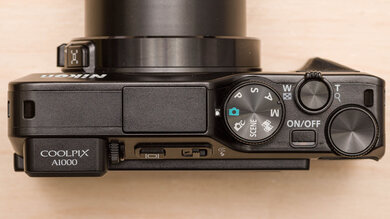
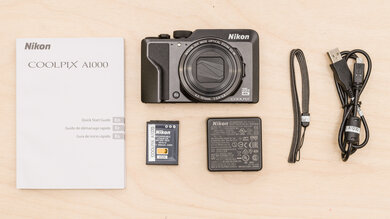
- Nikon COOLPIX A1000 camera
- Wrist strap
- Battery charger
- 1x Nikon EN-EL12 battery
- USB-A to Micro-USB cable
- Quick Start Guide
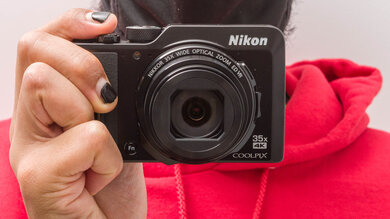
- Textured handgrip provides a secure hold, but it isn't especially comfortable to hold due to its small size
- Two control dials make it easy to adjust shutter speed and aperture quickly
- No quick menu to let you quickly access frequently-used functions or features
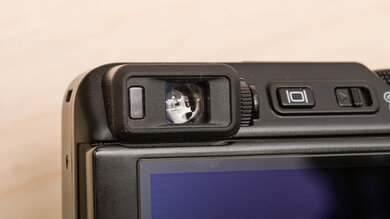
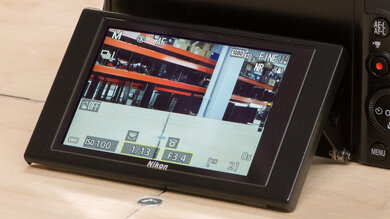
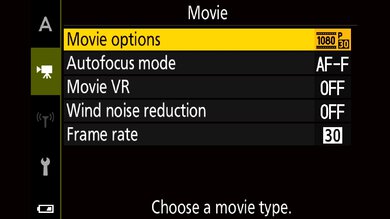
- Camera's limited feature-set makes the menu system easy to navigate, either via physical controls or with touch inputs
- Guide Mode provides additional information concerning some settings and features
- No separate video mode
- You can pair your smartphone to the camera via the Nikon SnapBridge app to instantly share photos or operate the camera remotely