
Transparency mode is kind of the opposite of active noise cancellation (ANC). When using transparency mode, it deliberately lets outside sound in, using built-in microphones to feed ambient noise into your ears alongside your audio. Whereas with ANC, headphones use microphones and special processing to block out ambient noise (by generating 'anti-noise' signals) so you can focus on your music. In other words, transparency mode mixes the sounds of your environment with your music, so you can hear what's happening around you without taking off your headphones.
Why Use Transparency Mode?

Transparency mode keeps you aware of your surroundings while wearing closed-back or noise-cancelling headphones and earbuds. Noise cancelling (also called ANC) can be helpful, but sometimes you need to hear what's going on around you. Here are a few common scenarios where you might find transparency mode helpful:
Safety
While walking or running in busy areas, you'll want to be aware of hazards like traffic, bikes, and pedestrians. Transparency mode, by mixing the sound of your environment with your audio, helps keep you alert to everything going on around you. It can help prevent you from zoning off into the ANC bubble that closed-back, noise cancelling headphones often create.
In The Office Or During Conversations
At work or home, transparency mode lets you catch when someone speaks to you without removing your headphones. Some models even lower or pause audio automatically during conversations, but more on that later. Regardless, it can be convenient to hear both your audio and your work environment for a variety of reasons.
Listening For Announcements Or Alerts
In places like airports, stations, and cafés, transparency mode lets you keep listening to your audio while still hearing flight calls, train stops, or doorbells. (It's worth noting that this isn't the same as Auracast being used in a public place, which is more to do with things like announcements being broadcast to many devices at once.)
Comfort
Beyond these more practical scenarios, transparency mode simply makes headphones feel less isolating. It's like opening a window to the outside world: you maintain a sense of space and awareness, which many people find more comfortable for extended wear. If you've ever felt too disconnected from the world with ANC on, switching to transparency mode can relieve that by blending some natural ambient sound back in.
Many Names, but the Same Idea
Many headphone makers have their own brand name for transparency mode, and some also offer different versions of transparency optimized for conversations. They're all basically the same idea, but you might see different terminology in marketing and user manuals:
Sony And Samsung – Ambient Sound
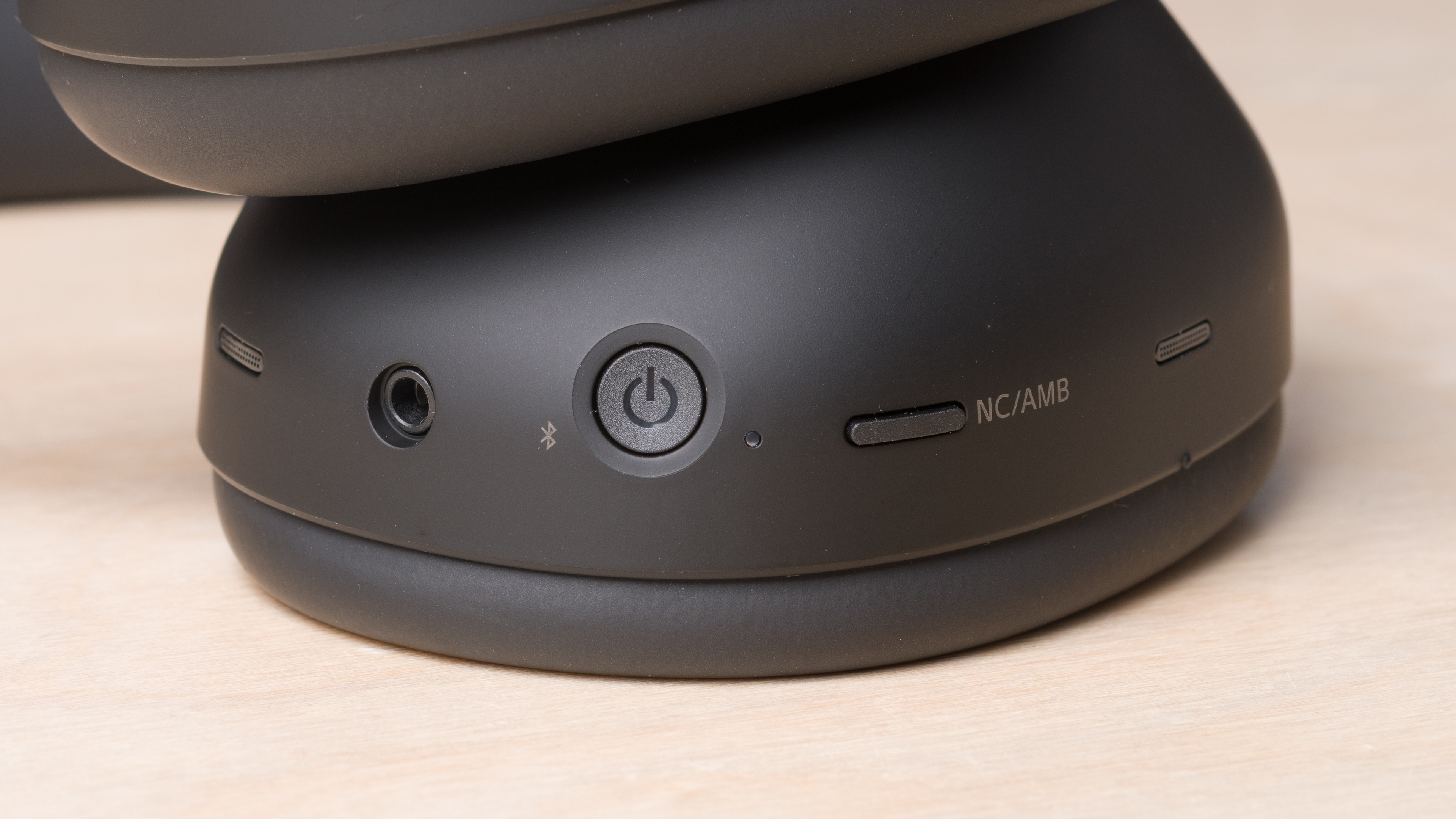
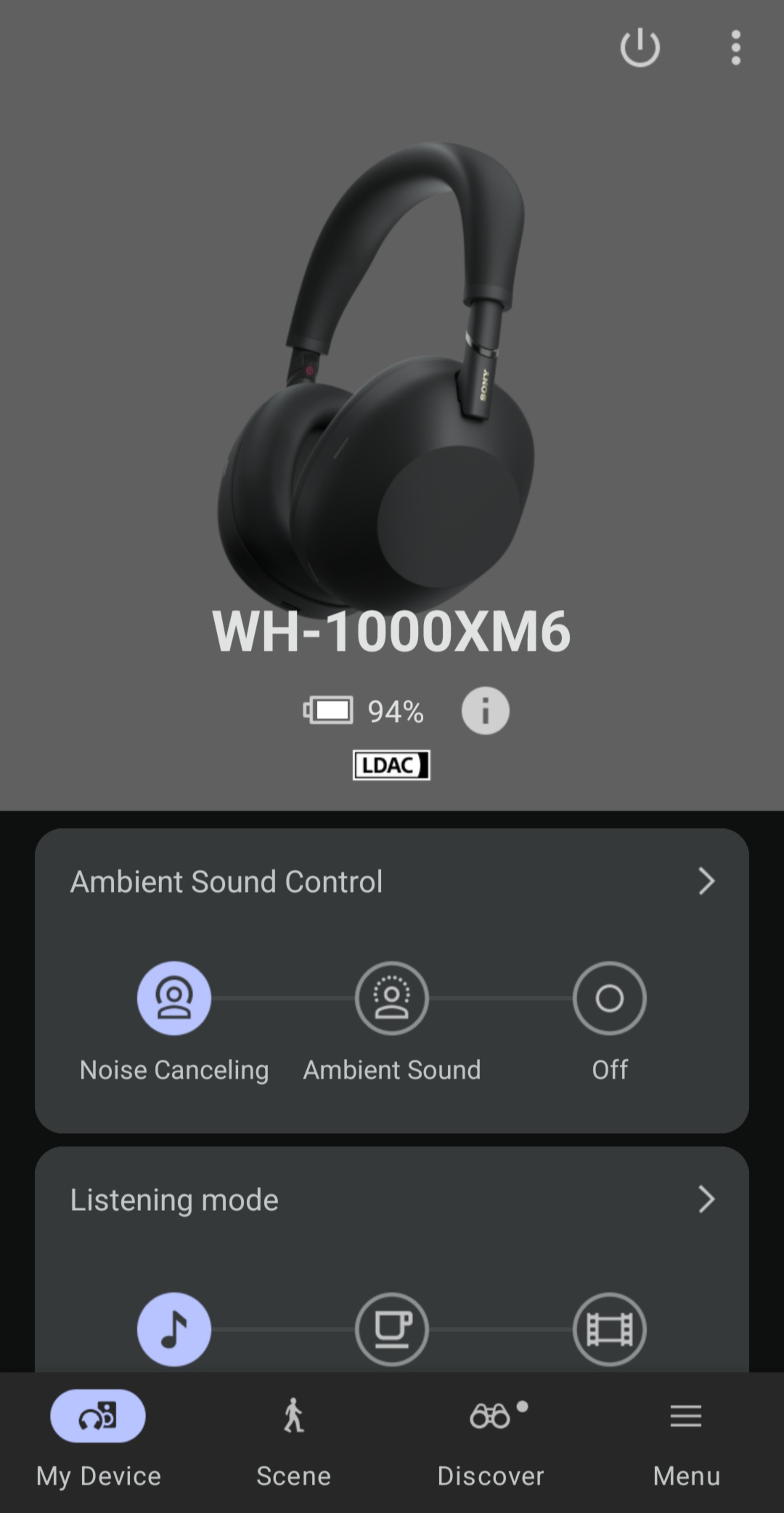
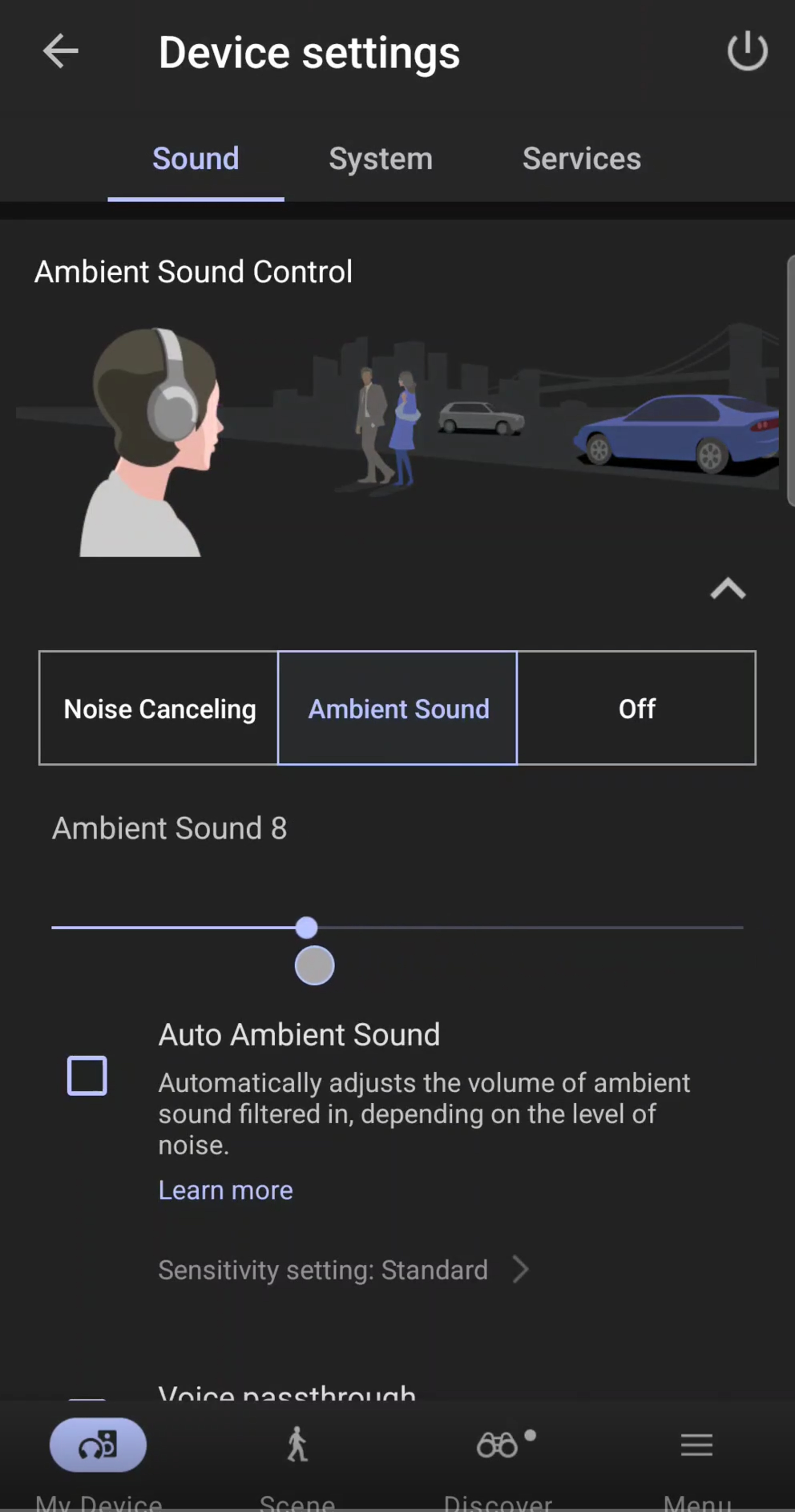
Sony and Samsung refer to transparency mode as Ambient Sound. With Sony over-ears, you can usually access the mode via on-ear controls. For example, pressing the NC/AMB button on the Sony WH-1000XM6 toggles between ANC and Ambient Sound Mode, and you can even adjust how much ambient sound to allow in through the app. In addition to ambient sound level adjustments, Samsung even offers Hearing enhancements for its Ambient Sound mode, which aim to make it easier for people with hearing impairments to discern noise and voices in their vicinity.
Bose – Aware Mode
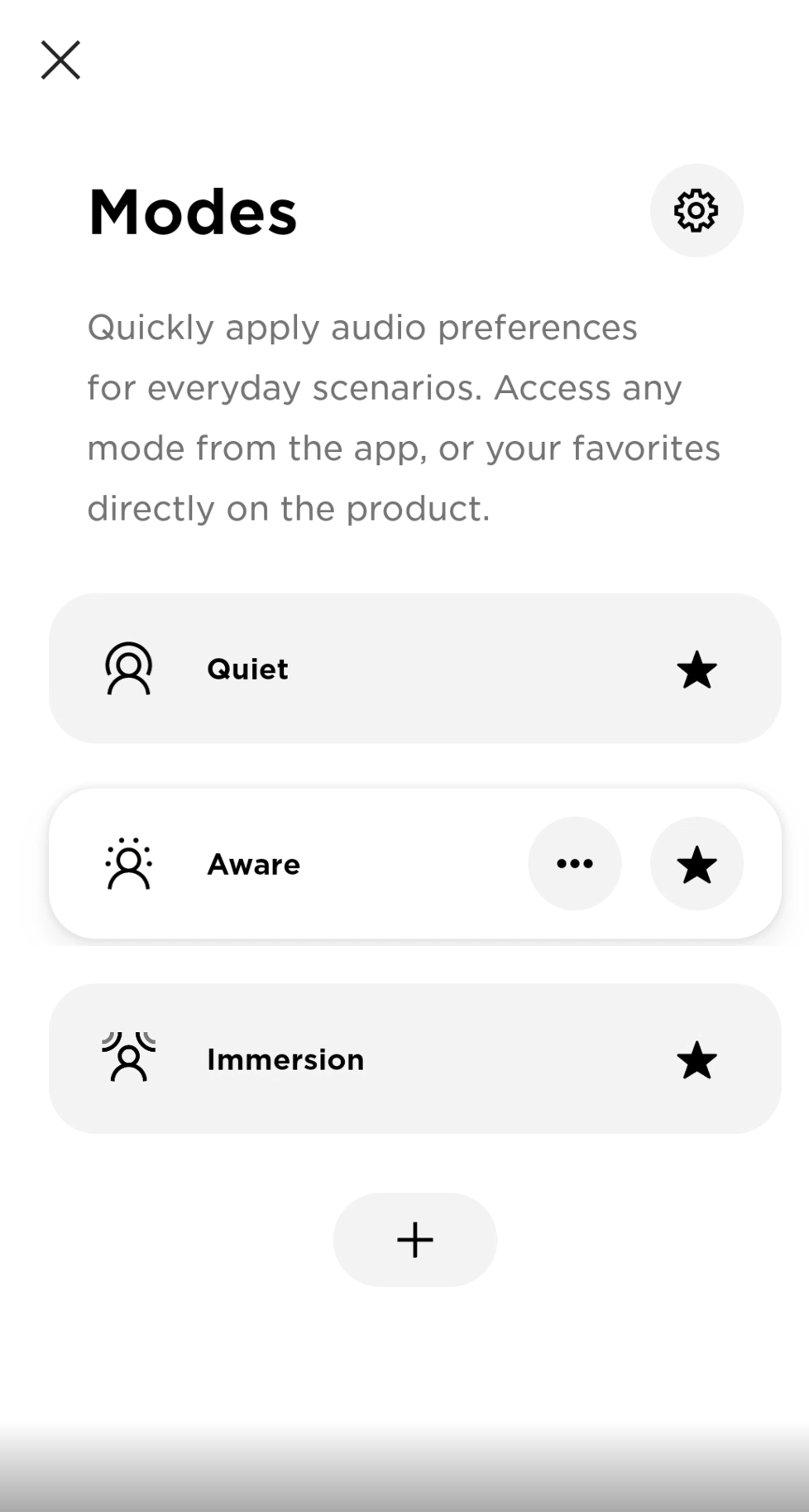
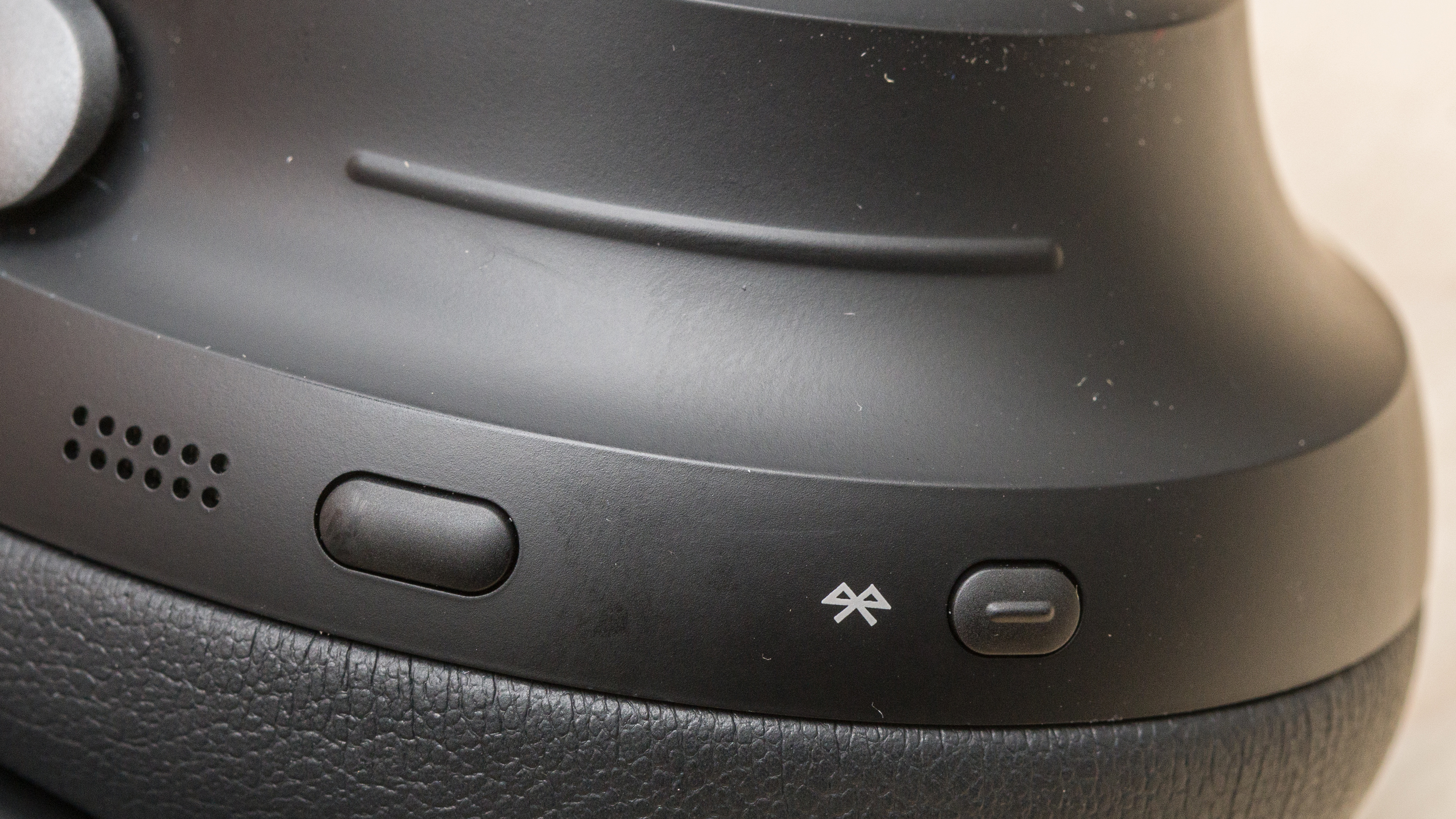
The Bose QuietComfort series of headphones calls their transparency feature Aware Mode. As with many high-end, noise cancelling headphones, you can cycle through various ANC modes using on-ear controls. For example, pressing and holding the Multifunction button on the Bose QuietComfort Ultra Headphones Wireless cycles between Quiet (ANC on), Aware, and Immersion (a kind of virtual soundstage) Modes. Bose even uses a technology called ActiveSense in Aware Mode to automatically soften sudden loud noises, saving your ears from acoustic shocks.
 |
 |
 |
Apple And Sennheiser – Transparency
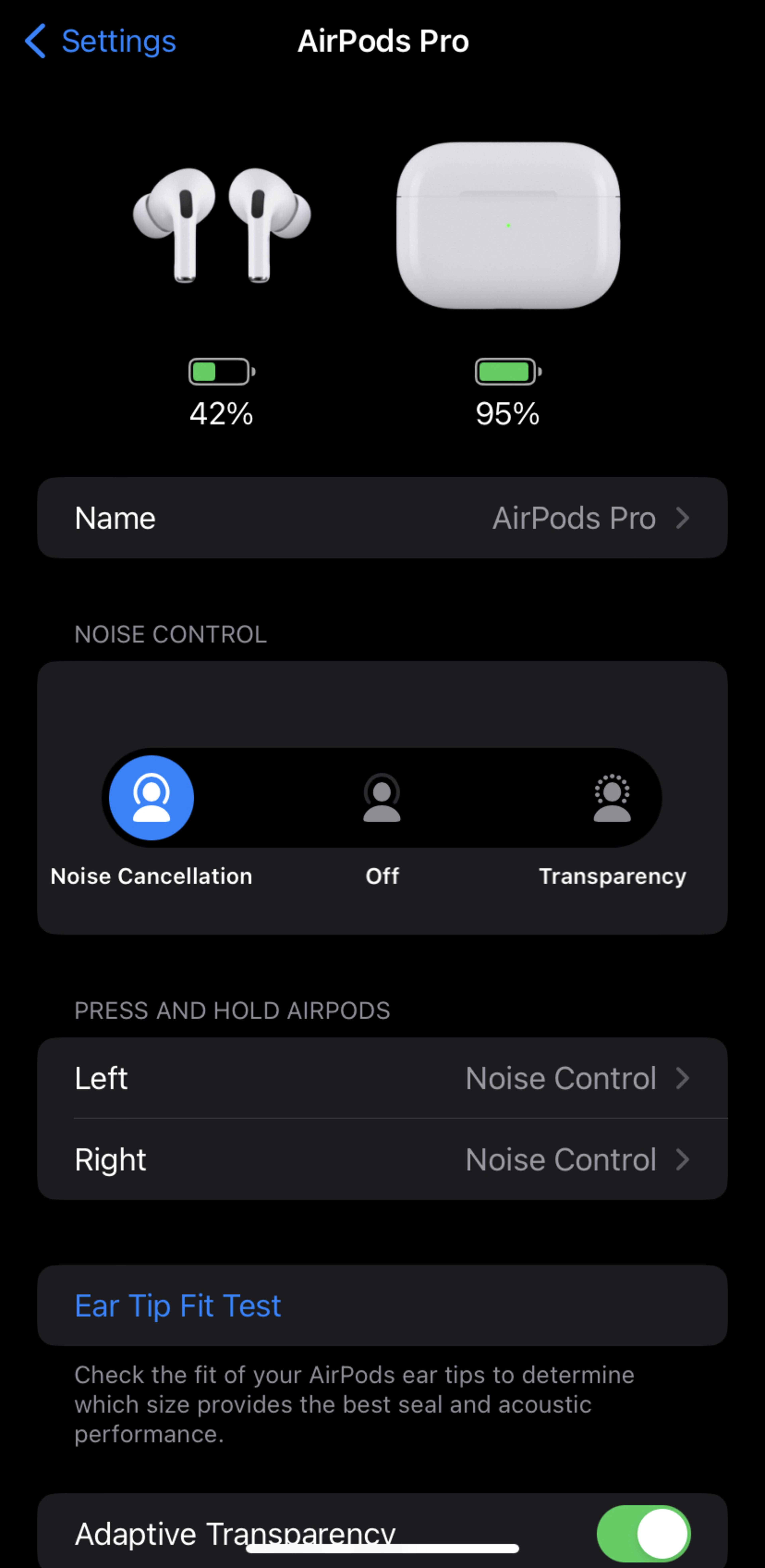
Apple and Sennheiser stick with the generic name (minus the word 'mode'). Apple's AirPods Transparency mode is generally well-regarded for sounding very natural and lifelike. You can switch between ANC and Transparency mode via on-ear controls (such as the stems on the Apple AirPods Pro (2nd generation) or via iOS's Control Center. Like Bose, some Apple headphones also have an Adaptive Transparency mode that automatically reduces extremely loud noises so they don't hurt your ears. Cheaper Sennheiser cans offer a switch between ANC and Transparency in the companion app, while more premium headphones like the Sennheiser MOMENTUM 4 Wireless offer a slider that lets you customize the setting between 100% ANC and 100% Transparency. The MOMENTUM 4 also provides on-ear controls for adjusting the ANC percentages.
Anker/Soundcore – Transparency Mode
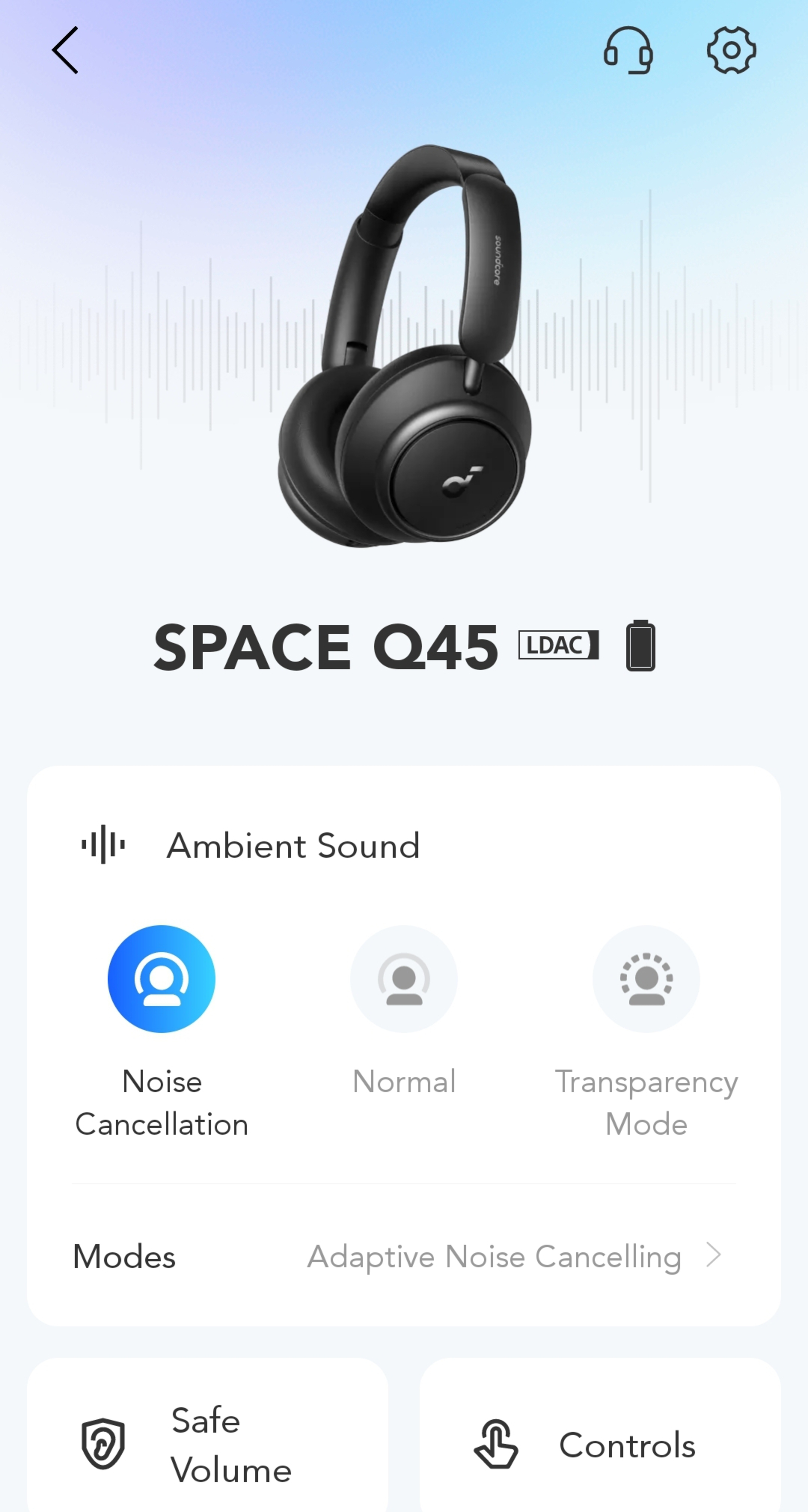
Many headphones in Anker's Soundcore lineup also offer a transparency feature simply called Transparency Mode. For instance, on the Anker Soundcore Space Q45 Wireless, you can press the Noise Cancellation button to cycle between Noise Cancelling, Normal, and Transparency Modes.
 |
 |
JBL – Ambient Aware And TalkThru
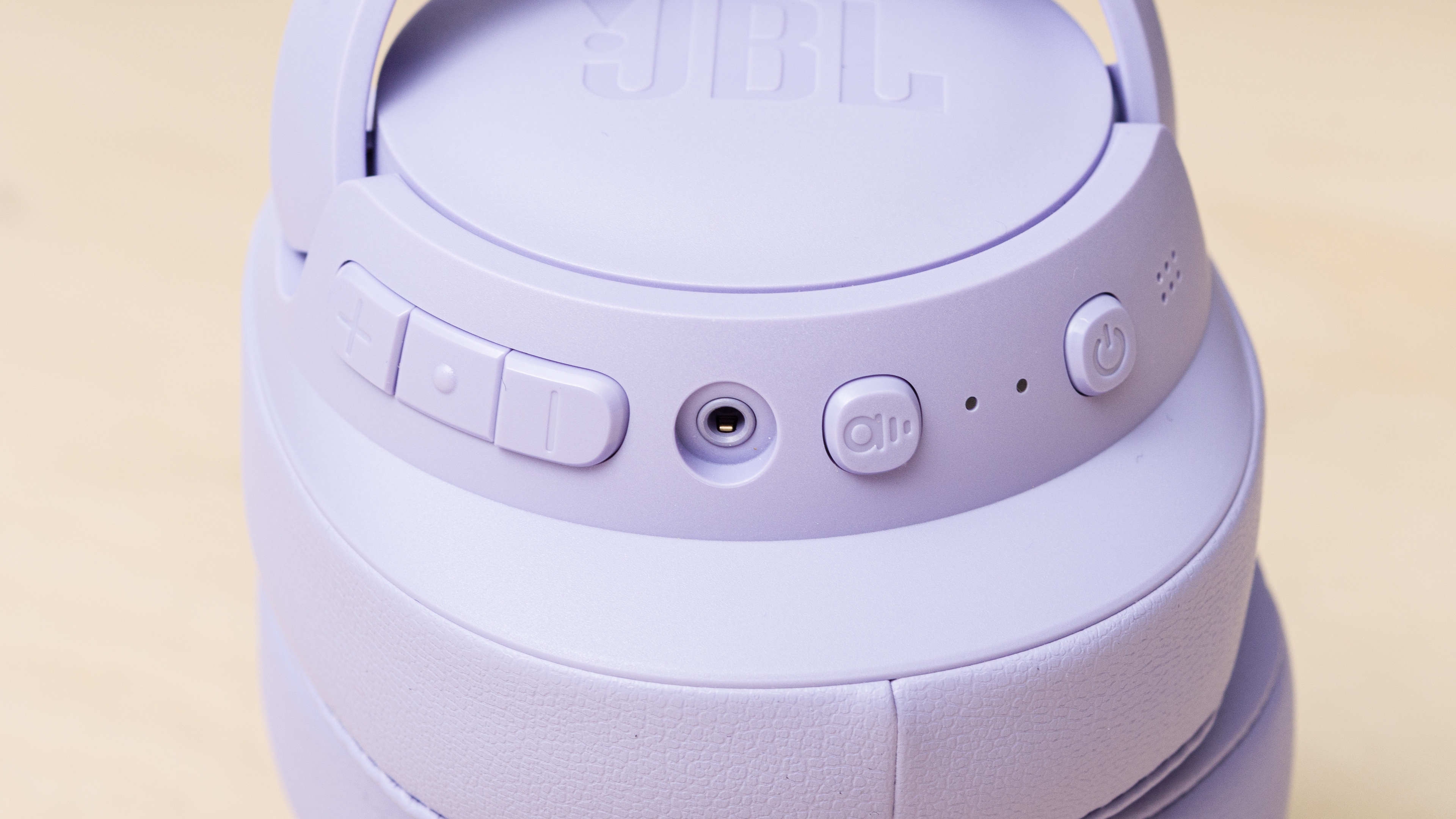
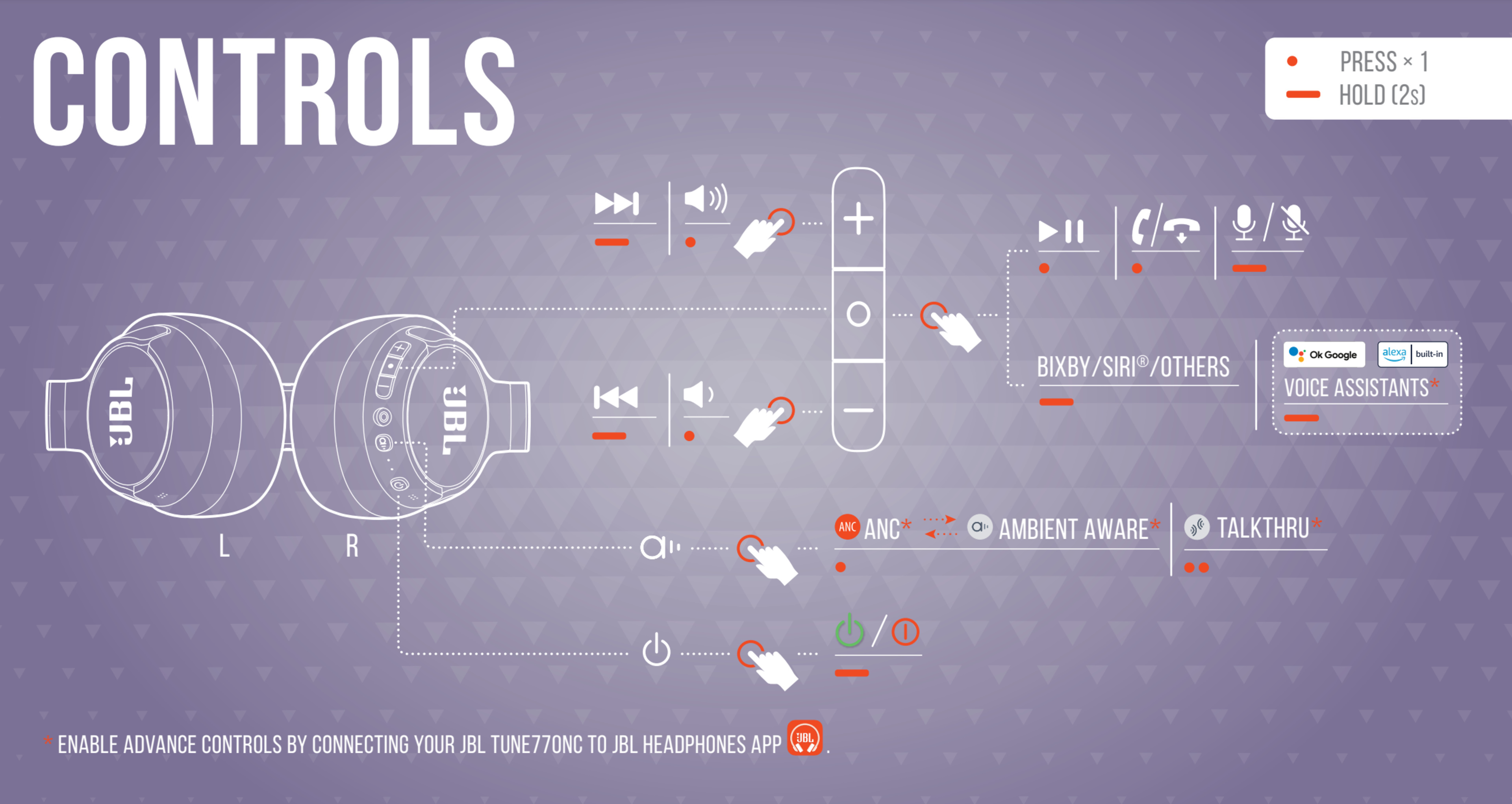
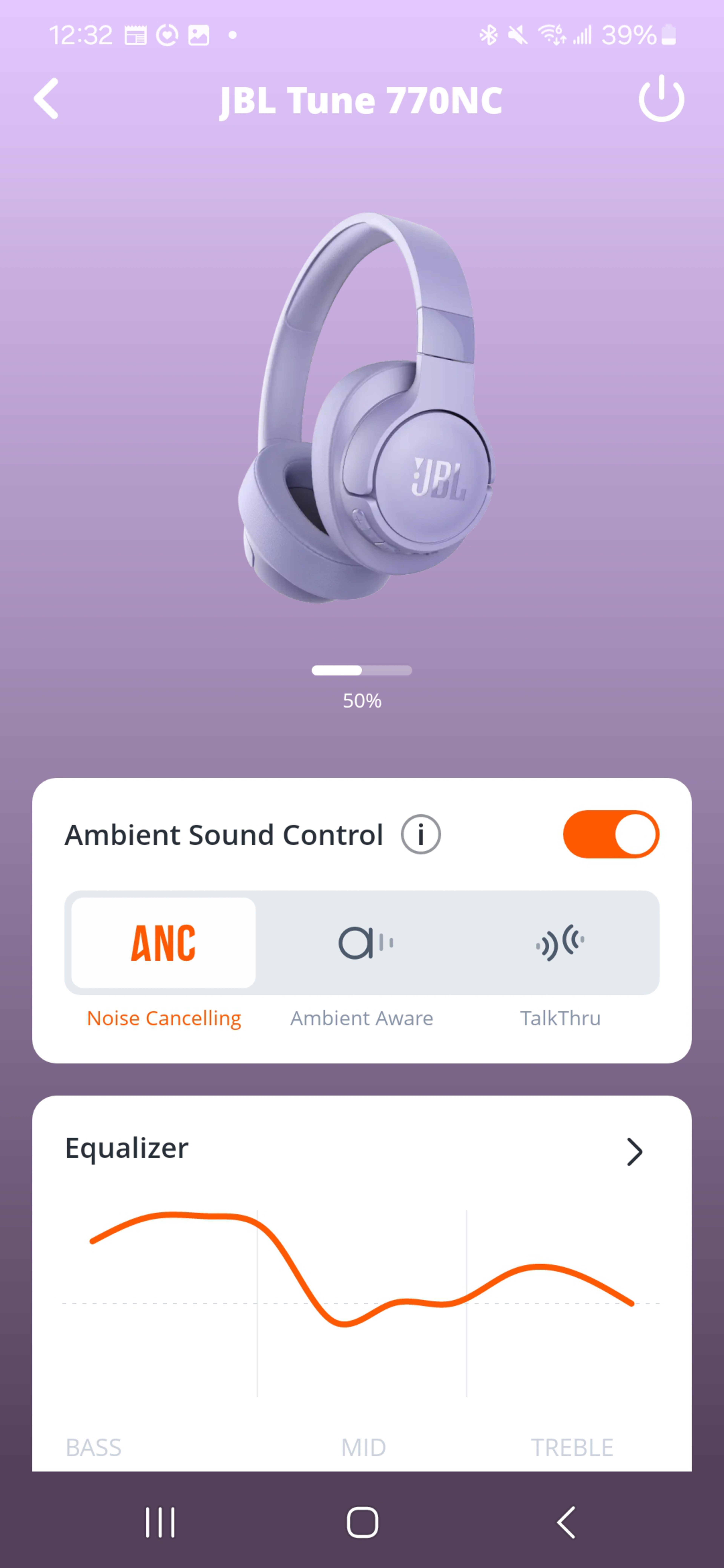
JBL offers two related modes. Ambient Aware is their standard transparency feature, while TalkThru is designed specifically for conversations: it lowers your music volume and boosts vocal frequencies picked up by the microphones, making voices sound clearer while you keep your headphones on. On models like the JBL Tune 770NC, you can switch between these modes with the ANC button or just use the companion app, as explained in the next section.
How to Activate Transparency Mode
Switching to transparency or ambient mode is usually fairly simple, and most headphones give you multiple ways to do it.
On-Headphone Controls
Many ANC headphones have a button or touch gesture to toggle transparency. For example, on the Sony WH-1000XM6, pressing the 'NC/AMB' button cycles between ANC and Ambient Sound. Bose QuietComfort models use a Multifunction (or Action) button to switch between ANC and Aware Mode. With the Apple AirPods Pro (2nd generation), a long squeeze on the stem toggles between ANC and Transparency. We can't list out all possible configurations here, but we do mention or link to the full control set in our dedicated headphone reviews. If you're wondering whether your cans have on-ear controls for toggling Transparency mode, check out our reviews or the manufacturer's website.
Companion Apps
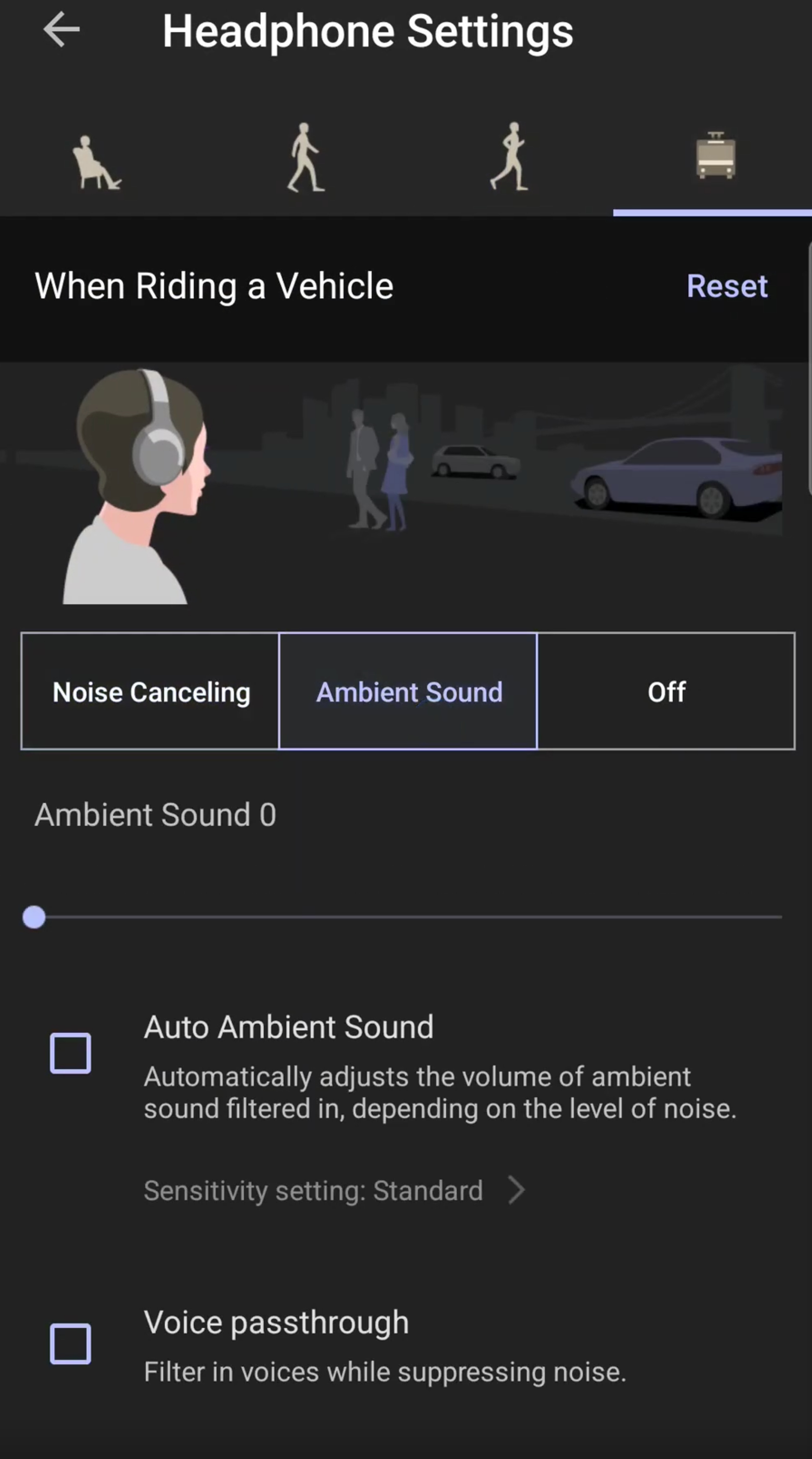
These days, most ANC-equipped headphones come with an app (like Sony Sound Connect, Bose Music, or Anker Soundcore) that lets you change modes with a tap. But apps often also enable fine-tuning, so you can adjust the level of ambient sound, toggle wind noise reduction features, or customize what the on-ear ANC button does.
  |
 |
Automatic Modes
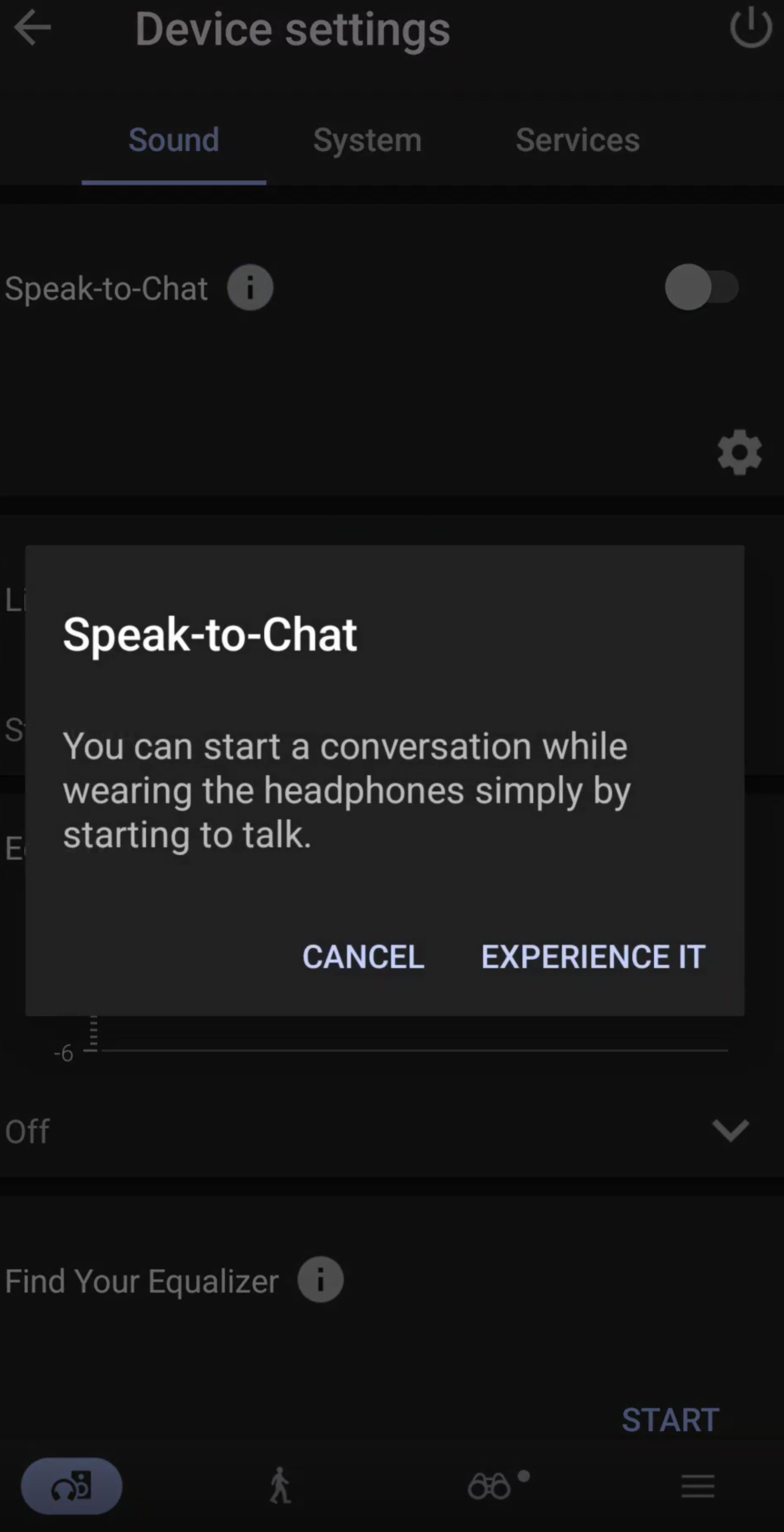
Some headphones activate transparency modes automatically. For example, Sony's Speak-to-Chat pauses your music and enables ambient sound as soon as you start talking, then resumes playback once you're done, while Quick Attention Mode (available on models such as the Sony WH-1000XM5 Wireless) temporarily lowers your music and pipes in outside sound when you cup a hand over the touch-sensitive panel. Newer Sony models can also automatically adjust ANC based on your location via a feature called Adaptive Sound Control. In addition to a Voice detect mode, Samsung also offers a Siren detect mode, which automatically activates transparency mode when earbuds like the Samsung Galaxy Buds3 Pro detect a siren.
 |
 |
 |
How Does Transparency Mode Work?
Transparency mode works by re-purposing the microphones used for ANC: instead of reducing noise, they capture ambient sound and feed it through the drivers, creating a passthrough effect. Well-implemented versions then process this captured sound so that it sounds natural and realistic to you. This processed signal is then mixed with your music so you hear both your environment and audio. Some models, like the Apple AirPods Pro (2nd generation), have adaptive features that automatically adjust levels so sudden loud sounds don't overwhelm you.
Regardless of your specific headphones, it's important to note that this feature is an active feature, meaning it uses battery power, so your headphones have to be turned on for it to work.
If you'd like to know how ANC works in more detail, check out our dedicated article.
Can Transparency Mode Help if You Have Hearing Loss?
Transparency mode is designed for awareness, not medical-grade amplification. It passes outside sound through to you, so that your environment sounds natural and true-to-life. That said, many earbuds now add features that can help people with mild hearing difficulties. Apple's Headphone Accommodations, Conversation Boost, and Live Listen can enhance speech or amplify sounds, offering a discreet, budget-friendly assistive option. Similarly, the Samsung Galaxy Buds2 Pro come with an Amplify Ambient Sound feature that includes options to adjust volume and tone, letting you tailor external audio levels, which can be useful for those with hearing difficulties. Sennheiser's Conversation Clear Plus earbuds use beamforming mics and noise reduction to make speech clearer (though we haven't tested them). Still, it's important to remember that while these kinds of advanced transparency modes can provide a useful boost for mild hearing challenges, they're not a replacement for proper hearing aids if you have significant hearing loss.
On the other hand, the Apple AirPods Pro 2 do have a clinical-grade Hearing Aid feature, which can help enhance the perceived quality of audio for people with mild to moderate hearing loss. We're unable to comment on how well this feature works, though. If you're having trouble hearing, consult a doctor to figure out the best course of action.
Conclusion
In this article, we answered a couple of key questions: what is transparency mode, and why might you use it? Transparency mode has quickly become a very common and very useful feature on modern noise cancelling headphones and earbuds. It makes your headphones more versatile, giving you both the immersive peace and quiet of ANC-equipped cans and the awareness of open-backs (or no headphones) in the same package. Whether it's called Ambient Sound, Aware Mode, Hear-Through, or just Transparency, the concept is the same. Listeners whose top priority is remaining attuned to their environment often use open-fit headphones like the Bose Ultra Open Earbuds or bone conduction headphones. But if you'd just like a little extra versatility from regular cans, transparency mode offers many of the benefits of open-fit buds, without sacrificing the possibility of a more private listening experience. ANC blocks the world out, but transparency mode is for when you want to let the world in.