Logitech ERGO K860 vs Wave Keys

Which Keyboard Is Better?

Products

Logitech ERGO K860
Logitech Wave Keys

Tested using Methodology v1.3.1

Updated May 30, 2025 04:24 PM

SEE PRICE
Amazon.com

Tested using Methodology v1.4.2

Updated Sep 25, 2025 06:38 PM

SEE PRICE
Amazon.com
  1. Recommended in 2 articles:
  2. Ergonomic
  3. Office
  1. Recommended in 2 articles:
  2. Ergonomic
  3. Quiet

Our Verdict

Logitech ERGO K860

Logitech Wave Keys

The Logitech ERGO K860 and the Logitech Wave Keys are full-size keyboards with ergonomic designs. Both have curved key layouts that tent slightly toward the middle. Additionally, both models have integrated palm rests. The ERGO K860 is larger, and its keys are more widely spaced. It also has a split key cluster design, with more distinct spacing between the left and right key clusters, and it uses low-profile, scissor switches that are a bit heavier-feeling and have a more noticeable tactile bump. Comparatively, the Wave Keys is a more compact design with more closely spaced keys. It also has more lightweight-feeling rubber dome switches.

2 

Variants

  • ERGO K860 (Black)
  • Wave Keys (Graphite)
  • Wave Keys (Off White)
  • Wave Keys for Mac (Off-white)
  • Wave Keys (Rose)

Check Price

Black
ERGO K860
SEE PRICE
Amazon.com
Graphite
Wave Keys
SEE PRICE
Amazon.com
Black
ERGO K860
SEE PRICE
BestBuy.com
Off White
Wave Keys
SEE PRICE
Amazon.com
Black
ERGO K860
SEE PRICE
Walmart.com
Off-white
Wave Keys for Mac
SEE PRICE
Amazon.com
Black
ERGO K860
SEE PRICE
B&H
Rose
Wave Keys
SEE PRICE
Amazon.com
Read more

Main Differences for
Gaming

Threshold 

0.10

Gaming 

5.3
6.0

Chord Split 
 

1.5
4.2

Multi-Key Latency 
 

5.9
7.5

Single-Key Latency 
 

6.6
7.8

Full Comparison

Design

Dimensions 
 

Top Picture  

Size 
 

Full-size (100%)
Full-size (100%)

Height 
 

1.5" (3.8 cm)
1.2" (3.0 cm)

Width  

17.9" (45.5 cm)
14.8" (37.6 cm)

Depth 
 

9.3" (23.5 cm)
8.6" (21.9 cm)

Depth With Wrist Rest 
 

9.3" (23.5 cm)
8.6" (21.9 cm)

Weight 
 

2.43 lbs (1.100 kg)
1.54 lbs (0.699 kg)
Show Text 

Build Quality 
 

7.0
7.0

Build Quality Close Up  

Keycap Material  

ABS
ABS
Show Text 

Ergonomics 
 

9.0
9.0

Side Picture  

Curved/Angled 
 

Yes
Yes

Split Keyboard 
 

No
No

Key Alignment 
 

Staggered
Staggered

Minimum Incline 
 

2.5°

Medium Incline 
 

-6°
N/A

Maximum Incline 
 

-9°

Home Row Height 
 

35.4 mm (1.4")
34.8 mm (1.4")
Show Text 

Hardware Customizability 
 

0.0
0.0

Customizability Overview  

Replaceable Cherry Stabilizers 
 

No
No

Stabilizer Fixation 
 

Non-Customizable Design

Spacebar Stabilizer Size 
 

Non-Customizable Design

Size Of Right Mod Keys 
 

Non-Standard
Non-Standard

Hot-Swappable Switches 
 

No
No

Switch Stem Shape 
 

Non-Customizable Design

Mechanical Switch Compatibility 
 

Non-Customizable Design
No Mechanical Switch Pinout

Magnetic Switch Compatibility 
 

No Magnetic Switch Support

North-Facing Cherry MX Interference 
 

Non-Customizable Design
Show Text 

Backlight Features 
 

0.0
0.0

Backlighting Picture  

Brightness Max  

Backlighting  

No
No

Brightness Min  

RGB 
 

No
No

Per-Key Backlighting 
 

No
No

Effects 
 

No
No

Software Controllable 
 

No
No
Show Text 

Backlight Clarity 
 

0.0
0.0

White Shot  

Show Text 

Cable & Connector  

Connectivity  

Wireless
Wireless

Detachable 
 

No
No

Length  

N/A
N/A

Connector (Keyboard side) 
 

No Cable
No Cable
Show Text 

Wireless Versatility 
 

9.8
9.8

Bluetooth 
 

Yes
Yes

Bluetooth Multi-Device Pairing 
 

3
3

Proprietary Receiver 
 

Yes
Yes

Battery Type 
 

2x AAA
2x AAA
Show Text 

Macro Keys And Programming 
 

0.0
0.0

Dedicated Macro Keys Count  

0
0

Onboard Macro Programming 
 

No
No

Macro Programming With Software 
 

No
No
Show Text 

Extra Features 
 

Extra Features  

Media Keys 
 

Non-Dedicated
Non-Dedicated

Trackpad / Trackball  

No
No

Scroll Wheel 
 

No
No

Control Knob 
 

No
No

USB Passthrough 
 

No
No

Numpad  

Yes
Yes

Windows Key Lock 
 

No
Yes

Lock Indicator  

Caps Lock
Caps Lock
Show Text 

In The Box  

Bundle Picture  

Show Text 
Typing Experience

Typing Quality 
 

8.0
7.0

Key Spacing 
 

18.5 mm (0.728")
18.5 mm (0.728")
Show Text 

Typing Noise 
 

9.7
9.7

Typing Sample  

Average Loudness 
 

38.8 dBA
38.9 dBA

High Pitch Clicks 
 

No
No
Show Text 

Keystrokes 
 

Key Switch Actuation Graph  

See details
See details

Operating Force 
 

69 gf
48 gf

Actuation Force 
 

40 gf
31 gf

Pre-Travel 
 

1.5 mm
1.9 mm

Total Travel 
 

2.2 mm
2.1 mm
Show Text 

Adjustable Input Granularity 
 

0.0

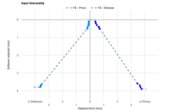
Input Linearity Graph  

See details

Analog Output Graph  

Top Deadzone 
 

N/A

Bottom Deadzone 
 

N/A

Detection Ratio 
 

N/A

Minimum Step Depth 
 

N/A
Show Text 

Switches 
 

Wobble Video  

Switch Name 
 

No Marketed Name
No Marketed Name

Switch Type 
 

Scissor
Rubber Dome

Feel 
 

Tactile
Tactile

Output Type 
 

No
Non-Adjustable
Show Text 
Performance

Single-Key Latency 
 

6.6
7.8

Single-Key Latency Graph  

See details
See details

Best Connection 
 

26.7 ms
12.4 ms

Best Connection Std Dev  

±2.3 ms
±2.2 ms

Wired 
 

N/A
N/A

Receiver 
 

26.7 ms
12.4 ms

Bluetooth 
 

28.8 ms
16.2 ms

PCB (Estimated) 
 

25.6 ms
11.0 ms
Show Text 

Multi-Key Latency 
 

5.9
7.5

Latency Video  

Multi-Key Latency Graph  

See details
See details

Connection Evaluated  

Receiver
Receiver

Key Press 
 

25.9 ms
15.1 ms

Key Release 
 

42.8 ms
Show Text 

Data Transmission 
 

5.3
5.4

Multi-Key Raw USB  

Connection Evaluated  

Receiver
Receiver

USB Polling Rate 
 

500 Hz
1,000 Hz

Effective Update Rate 
 

125 Hz
143 Hz

N-Key Rollover (NKRO) 
 

No
No

Multiple Keys Per USB Report 
 

No
No
Show Text 

Chord Split 
 

1.5
4.2

Chord Split Graph  

See details
See details

4 Chord Split Delay 
 

59.6 ms
21.6 ms

8 Chord Split Delay 
 

N/A
N/A
Show Text 
Software and Operating System

Configuration Software 
 

Software Tour  

Software Name  

Logitech Options
Logi Options+

Software Windows Compatible 
 

Yes
Yes

Software macOS Compatible 
 

Yes
Yes

Onboard Memory 
 

No
No

Profiles 
 

6+
6+
Show Text 

Computer Compatibility 
 

10
10

Windows 
 

Fully Compatible
Fully Compatible

macOS 
 

Fully Compatible
Fully Compatible

Linux (Ubuntu 22) 
 

Fully Compatible
Fully Compatible

Media Key Compatibility 
 

Windows, MacOS & Linux
Show Text 

Wireless Mobile Compatibility 
 

10
10

Android 
 

Fully Compatible
Fully Compatible

iOS 
 

Fully Compatible
Fully Compatible

iPadOS 
 

Fully Compatible
Fully Compatible

Media Key Compatibility 
 

Android, iPhone & iPad
Show Text 

Check Price

Black
ERGO K860
SEE PRICE
Amazon.com
Graphite
Wave Keys
SEE PRICE
Amazon.com
Black
ERGO K860
SEE PRICE
BestBuy.com
Off White
Wave Keys
SEE PRICE
Amazon.com
Black
ERGO K860
SEE PRICE
Walmart.com
Off-white
Wave Keys for Mac
SEE PRICE
Amazon.com
Black
ERGO K860
SEE PRICE
B&H
Rose
Wave Keys
SEE PRICE
Amazon.com

Logitech ERGO K860

Logitech Wave Keys

Comments

  1. Comparison

Logitech ERGO K860 vs Logitech Wave Keys: Main Discussion

What do you think of these products? Let us know below.


Looking for a personalized buying advice from the RTINGS.com experts? Insiders have direct access to buying advice on our insider forum.

PreviewBack to editorFormat guide
Sort by:
newest first
  1. 2
    1
    0
    1
    0

    Having used both keyboards I can say with certainty that the Logi Waves keyboard is a quieter and sturdier keyboard. I have owned two Logi K860 keyboards over the span of 2 years and both have had quality issues that make me hesitate to recommend it. My first one had keys randomly break off, and my second one’s feet broke off after a year of use. For some reason, the plastics in the Logi K860 just don’t seem to be as sturdy as other Logi products. While the Logi Waves keyboard isn’t as tactile or satisfying feeling to type on, I have had no build quality issues since owning. It’s also better for office use than the Logi K860, because typing is significantly quieter. I’m not as fond of the layout of the Logi Waves key layout as it does feel a bit cramped compared to the Logi K860, but this isn’t significant enough to keep me from using it.

    Hey CarterGullickson, I just wanted to thank you for taking the time to share your experiences with these keyboards!

    Best wishes.

  2. 4
    3
    2
    3
    0

    Having used both keyboards I can say with certainty that the Logi Waves keyboard is a quieter and sturdier keyboard.

    I have owned two Logi K860 keyboards over the span of 2 years and both have had quality issues that make me hesitate to recommend it. My first one had keys randomly break off, and my second one’s feet broke off after a year of use.

    For some reason, the plastics in the Logi K860 just don’t seem to be as sturdy as other Logi products.

    While the Logi Waves keyboard isn’t as tactile or satisfying feeling to type on, I have had no build quality issues since owning. It’s also better for office use than the Logi K860, because typing is significantly quieter.

    I’m not as fond of the layout of the Logi Waves key layout as it does feel a bit cramped compared to the Logi K860, but this isn’t significant enough to keep me from using it.