Keychron K2 HE [K4 HE, K8 HE, etc.]  Keyboard Review

Review updated Jul 02, 2025 at 02:19pm
Tested using Methodology v1.4.2 
Keychron K2 HE [K4 HE, K8 HE, etc.]
8.5
Gaming 
8.1
Office 
7.3
Mobile/Tablet 
8.1
Programming 
6.3
Entertainment / HTPC 
8.5
Raw Performance 
 2

The Keychron K2 HE is a compact 75% model in Keychron's K HE series of gaming keyboards. These keyboards use Hall effect switches, which allow you to adjust the actuation and reset points of individual keys. They feature an ABS plastic chassis with an aluminum frame and durable PBT keycaps. The K HE series also supports advanced features through Keychron’s web-based configuration software, including Rapid Trigger and One Key Multiple Command. These can offer tangible benefits over standard mechanical keyboards, particularly in fast-paced genres like FPS or rhythm games.

We bought and tested the compact 75% Keychron K2 HE. See the Differences Between Variants for a comparison between other models in the wider series.

Our Verdict

8.5
Gaming 

The Keychron K HE keyboards are excellent for gaming, with great build quality and amazing raw performance. They're well-suited for gaming in all genres at any competitive level. The web-based software offers in-depth customization with accurate actuation and reset distances, as well as more advanced features that can provide advantages in games like FPS or rhythm titles.

Pros
  • Great build quality.

  • Excellent raw performance.

  • True 1000Hz polling rate using a wired or 2.4GHz wireless connection.

  • Web-based software offers in-depth switch customization options.

Cons
  • Switches wobble a bit in their housing.

  • Hot-swappable PCB only supports Gateron Double-Rail Magnetic switches.

8.1
Office 

The Keychron K HE keyboards are impressive for office use. They have great overall build quality and connect wirelessly with an included 2.4GHz receiver or via Bluetooth with up to three devices. They also offer an excellent typing experience with smooth and consistent pre-lubed switches and stabilizers. There are multiple layers of acoustic material inside the case that dampen and round out the sound profile, making them extremely quiet to type on and unlikely to bother those around you. That said, they have a fairly tall profile, so we recommend using these keyboards with a wrist rest for the most comfortable experience, though note that they don't come with one in the box. The K2 HE version we tested lacks a numpad and some navigation keys. However, the lineup offers a variety of layouts, all the way from 65% to a full-sized keyboard, with a bunch of compact variants in between.

Pros
  • Great build quality.

  • Excellent overall typing quality with only minor issues that may not bother everyone.

Cons
  • Switches wobble a bit in their housing.

  • Tray mount design may not suit those who prefer a softer, more cushioned typing feel.

  • Hot-swappable PCB only supports Gateron Double-Rail Magnetic switches.

7.3
Mobile/Tablet 

The Keychron K HE keyboards are satisfactory for use with mobile devices and tablets. They connect wirelessly via Bluetooth and support multi-device pairing with up to three devices simultaneously. That said, even the more compact layouts (K2 and K6) are fairly heavy and have a tall chassis, so they aren't very easy to slip into bags or regularly move between hot desks or around the house.

Pros
  • Great build quality.

  • Multi-device pairing with up to three devices simultaneously.

Cons
  • Lacks dedicated media keys.

  • Fairly tall profile and somewhat heavy; not very portable despite its compact layout.

8.1
Programming 

The Keychron K HE keyboards are impressive for programming. They have great build quality with pre-lubed switches and stabilizers, and layers of acoustic material inside the case help dampen their sound profile, providing an excellent and extremely quiet typing experience overall. You can connect these keyboards wirelessly, either with an included 2.4GHz receiver or via Bluetooth, with up to three devices simultaneously. They also have full RGB backlighting and keycaps with shine-through legends that are easy to read in darker rooms. The K HE series is also offered in a variety of sizes, so you can find the perfect layout for your needs.

Pros
  • Great build quality.

  • Excellent overall typing quality with only minor issues that may not bother everyone.

Cons
  • Switches wobble a bit in their housing.

  • Tray mount design may not suit those who prefer a softer, more cushioned typing feel.

  • Hot-swappable PCB only supports Gateron Double-Rail Magnetic switches.

6.3
Entertainment / HTPC 

The Keychron K HE keyboards are acceptable for use in a home theater setup. They have great build quality and support wireless connectivity via a USB receiver or Bluetooth. However, they lack dedicated media keys and, even the smaller K2 and K6 versions, are fairly heavy for their size, making them unwieldy to use from a sitting position. That being said, they also have full RGB backlighting with legends that are easy to read in the dark.

Pros
  • Great build quality.

Cons
  • Lacks dedicated media keys.

  • Fairly tall profile and somewhat heavy; not very portable despite its compact layout.

8.5
Raw Performance 

The Keychron K HE keyboards provide excellent raw performance well-suited for playing games in all genres and at a casual or competitive level. Single-key and multi-key latency is remarkably low, and regardless of whether you're using these keyboards wired or wirelessly, they have an effective update rate of 1000Hz that isn't bottlenecked by other latency elements.

Pros
  • Excellent raw performance.

  • True 1000Hz polling rate using a wired or 2.4GHz wireless connection.

Cons
None
  • 8.5
    Gaming
  • 8.1
    Office
  • 7.3
    Mobile/Tablet
  • 8.1
    Programming
  • 6.3
    Entertainment / HTPC
  • 8.5
    Raw Performance
  • Changelog

    1.  Updated Oct 02, 2025: Our 1.4.2 Test Bench Update makes changes to the Hardware Customizability test group. We've created a new Magnetic Switch Compatibility test and renamed our previous PCB Socket test to Mechanical Switch Compatibility. See our full changelog.
    2.  Updated Aug 26, 2025: We've converted this review to Test Bench 1.4.1. This update removes the Key Release test and a video element from the Multi-Key Latency section, resulting in minor score changes. See our full 1.4.1 changelog for details.
    3.  Updated Jul 02, 2025: 

      We've updated this review to reflect not just the Keychron K2 HE we tested, but the broader Keychron K HE lineup. In addition to changing the title, we've expanded our coverage with new information—most notably in the Differences Between Variants, Dimensions, and Extra Features sections.

    4.  Updated May 15, 2025: 

      We've written text for the new Adjustable Input Granularity box, added with Test Bench 1.4, and we've made sure all text throughout the review reflects any changes.

    Check Price

    Black (Special Edition ISO)K2 HE
    Amazon.com
    Black (Special Edition)K2 HE
    SEE PRICE
    Amazon.com
    Black (Special Edition)K8 HE
    Amazon.com
    Black (Special Edition)K4 HE
    SEE PRICE
    Amazon.com
    Black (Special Edition)K10 HE
    SEE PRICE
    Amazon.com
    Black (Special Edition)K6 HE
    Amazon.com
    Black (Standard Edition)K2 HE
    SEE PRICE
    BestBuy.com
    Black (Standard Edition)K8 HE
    Amazon.com
    Black (Standard Edition)K4 HE
    SEE PRICE
    Amazon.com
    Black (Standard Edition)K10 HE
    SEE PRICE
    Amazon.com
    Black (Standard Edition)K6 HE
    Amazon.com
    White (Special Edition)K2 HE
    SEE PRICE
    Amazon.com
    White (Special Edition)K8 HE
    Amazon.com
    White (Special Edition)K4 HE
    SEE PRICE
    Amazon.com
    White (Special Edition)K10 HE
    SEE PRICE
    Amazon.com
    White (Special Edition)K6 HE
    Amazon.com

    Differences Between Sizes And Variants

    We bought the Keychron K2 HE Standard Version in Black. You can see an image of our unit's label here.

    In the table below, we've listed the different size variants currently available in the wider K Max series lineup. Our test results for the Keychron K2 HE we about and tested apply to all variants listed below. If you encounter another variant, let us know in the comments, and we'll update our review.

    Name Size Connectivity Assembly Options Switch Type (Fully assembled) Hot-Swappable
    Keychron K6 HE Compact (65%) 2.4GHz and Bluetooth 5.2 Fully Assembled, Barebones Gateron Double-Rail Magnetic Nebula Yes
    Keychron K2 HE Compact (75%) 2.4GHz and Bluetooth 5.2 Fully Assembled, Barebones Gateron Double-Rail Magnetic Nebula Yes
    Keychron K8 HE TKL (80%) 2.4GHz and Bluetooth 5.2 Fully Assembled, Barebones Gateron Double-Rail Magnetic Nebula Yes
    Keychron K4 HE Compact (96%) 2.4GHz and Bluetooth 5.2 Fully Assembled, Barebones Gateron Double-Rail Magnetic Nebula Yes
    Keychron K10 HE Full-size (100%) 2.4GHz and Bluetooth 5.2 Fully Assembled, Barebones Gateron Double-Rail Magnetic Nebula Yes

    All models of the Keychron K HE keyboards are available in either a Standard Version or a Special Edition configuration. The Standard Version features an aluminum frame, an ABS plastic chassis, and shine-through Cherry profile keycaps. The Special Edition uses the same aluminum frame and ABS chassis but adds wooden accents along the sides and comes with non-shine-through OSA profile keycaps. The Standard Version is only available in black, while the Special Edition comes in either black or white.

    Popular Keyboard Comparisons

    The Keychron K2 HE is a compact (75%) wireless gaming keyboard in Keychron's K HE series lineup. The K HE series is itself part of a wider family of Keychron's HE keyboards with Hall effect switches that include the more premium-priced Keychron Q HE Series models. The major difference between them is that the K HE series has an aluminum frame around a plastic case and a stiffer tray mount design compared to the solid aluminum case and springier-feeling double-gasket mount found on the Q HE series.

    The K HE series keyboards are a great budget option if you're looking for a wireless Hall effect gaming option, as there remain relatively few on the market at the moment. In particular, they represent a less expensive alternative to the Q HE series if you don't mind giving up the more premium all-aluminum case and softer typing feel, as it has virtually identical performance. However, it doesn't match the high-end competitive performance of wired-only options like the NuPhy Field75 HE or the Wooting 80HE.

    For more recommendations, see our picks for the best wireless keyboard, the best gaming keyboard, and the best budget gaming keyboard.

    Wooting 80HE

    The Wooting 80HE and Keychron K2 HE are gaming keyboards with Hall effect switches. The Wooting is a wired-only model and a better fit for competitive gaming with significantly better raw performance and a higher maximum polling rate of 8000Hz. Additionally, it has a gasket mount design for a slightly springier-feeling typing experience, and it's available with either a heavyweight zinc alloy or much lighter ABS plastic case. On the other hand, the Keychron is a wireless model and has a relatively stiffer-feeling tray mount design. Its case design features a thin aluminum frame and a plastic bottom.

    Keychron Q1 HE [Q5 HE, Q6 HE, etc.]

    Both the Keychron Q1 HE and the Keychron K2 HE are wireless gaming keyboards with Hall effect switches and virtually identical raw performance. The Q1 HE has a much heavier solid aluminum case and a double-gasket mount design that provides a softer, springier-feeling typing experience. Unfortunately, its stabilizers are somewhat inconsistent and prone to rattling. Comparatively, the K2 HE has an ABS plastic bottom chassis and a thinner aluminum frame. It has a relatively stiffer-feeling tray mount design but much more consistent stabilizers.

    Lemokey P1 HE

    The Keychron K2 HE and Lemokey P1 HE are both wireless Hall effect keyboards with virtually the same raw gaming performance. While they're both compact 75% models, the Keychron has a slightly more compact key layout, while the Lemokey has a more traditional layout and a control knob. The Lemokey also boasts a more premium build, featuring a solid aluminum case, greater key stability, and better-tuned stabilizers. Additionally, its gasket mount design provides a softer, more refined typing feel compared to the stiffer, tray-mounted structure of the Keychron.

    Keychron K2 (Version 2)

    The Keychron K2 HE and the Keychron K2 (Version 2) are wireless models with the same compact 75% layout, but the K2 HE has significantly better raw gaming performance and uses Hall effect switches that allow you to customize the actuation distance of individual keys. Comparatively, the K2 (Version 2) is a much more straightforward model with mechanical switches. It isn't designed for competitive gaming and is much better suited for productivity and everyday desktop use.

    NuPhy Field75 HE

    The NuPhy Field75 HE and the Keychron K2 HE are gaming keyboards with Hall effect switches. The NuPhy offers better overall raw performance and a higher maximum polling rate of 8000Hz, making it better positioned for competitive play. It has a very distinct visual style with two sets of dedicated macro buttons and a knurled control knob, as well as a gasket mount design that lends a noticeably softer and more cushioned-feeling typing experience. The Keychron, on the other hand, has a more straightforward look and a relatively stiffer tray mount design, but it also has additional wireless connectivity, which the NuPhy lacks.


    NuPhy Halo65 HE

    The Keychron K2 HE and the NuPhy Halo65 HE are both keyboards with Hall effect switches. The Keychron K2 HE has a 75% layout with a dedicated function row, arrow keys, and a cluster of navigation keys, making it more versatile for productivity tasks without sacrificing too much desk space. It also offers wireless connectivity, which the NuPhy lacks. On the other hand, the NuPhy has better raw performance with a maximum polling rate of 8000Hz. It also has a more robust set of adjustable actuation features and a wraparound RGB lighting strip, which the Keychron lacks.

    NuPhy Air60 HE

    The Keychron K2 HE and the NuPhy Air60 HE are analog gaming keyboards. The Keychron is a wireless model with a slightly larger form factor and a taller, standard profile. Comparatively, the NuPhy is a wired-only model. It has a thinner low-profile design and better raw performance with a maximum polling rate of 8000Hz.

    IQUNIX EZ80/EZ75

    The IQUNIX EZ80/EZ75 and the Keychron K2 HE are gaming keyboards that use Hall effect switches. The IQUNIX models are wired-only and deliver much stronger raw performance, including an 8000Hz maximum polling rate compared to the Keychron's 1000Hz polling. They also use a gasket mount design that gives typing a slightly springier feel, and their cases are built entirely from metal. The Keychron takes a different approach with wireless connectivity for more flexibility. It has a stiffer tray mount design and a case made with a thin aluminum frame and a plastic bottom. The Keychron also offers several size variants, including a 65%, a 75%, a TKL, and a full-size model, while the IQUNIX is available in either a 75% or a TKL size.

    Test Results

    perceptual testing image
    Sort:
    RATINGS
    Category:
    All
    Design
    Dimensions
    Size
    Compact (75%)
    Height
    1.6" (4.0 cm)
    Width12.5" (31.7 cm)
    Depth
    5.0" (12.7 cm)
    Depth With Wrist Rest
    N/A
    Weight
    2.10 lbs (0.952 kg)

    The Keychron K2 HE keyboard has a compact (75%) layout. It lacks a Numpad and several keys from the navigation cluster, but it takes up considerably less space on your desk than a conventional full-size keyboard. It also has a somewhat unusual function row layout, with a non-staggered arrangement and no cluster spacing from the top alphanumeric row compared to a standard 75% layout.

    The broader Keychron K HE lineup includes multiple size variants, from the smaller 65% Keychron K6 HE to larger models like the TKL Keychron K8 HE, the compact 96% Keychron K4 HE, and the full-size Keychron K10 HE. For a full comparison, see the Differences Between Variants section.

    If you're looking for other gaming keyboards with adjustable actuation, consider the Corsair K70 PRO TKL for a TenKeyLess (80%) option, or the Ducky One X if you prefer a full-size layout.

    8.0
    Build Quality
    Keycap MaterialPBT

    The Keychron K HE keyboards have great overall build quality. They have an ABS plastic bottom case and an aluminum top frame made of four aluminum plates secured by screws. Altogether, they feel quite sturdy and don't suffer from any deck flexing when fully assembled.

    Note that the Special Edition case has wooden side panels. Keychron sells extra wooden side panels with optional laser engraving, but indicates these panels are only compatible with the Special Edition configuration. For more details, see the Differences Between Variants section.

    The keycaps are made of PBT plastic with a pleasant textured finish. Both the switches and stabilizers are evenly pre-lubed from the factory, and the stabilizers include what Keychron calls reinforced sidewalls around their stems. While Keychron's advertising claims for these new stabilizer mounts may be a bit exaggerated, they feel quite consistent, and we didn't experience any stabilizer rattle on the unit we tested, which is noteworthy as that's usually an issue we encounter on Keychron models.

    Unfortunately, the keys wobble a bit, although we should note that this is fairly typical for Hall effect switches and isn't very noticeable while typing normally.

    Lastly, on the bottom of the keyboards, the rubber pads in the corners and the flip-out feet do a reasonably good job of keeping it in place without slipping.

    If you're looking for a similar wireless keyboard with Hall effect switches but prefer a more premium aluminum case, gasket mount design, and significantly better stabilizers, check out the Lemokey P1 HE or the IQUNIX EZ60/EZ63.

    6.0
    Ergonomics
    Curved/Angled
    No
    Split Keyboard
    No
    Key Alignment
    Staggered
    Minimum Incline
    Medium Incline
    9.3°
    Maximum Incline
    12.3°
    Home Row Height
    31.2 mm (1.2")

    These keyboards have a standard, high-profile design. There are flip-out feet on the bottom that offer two additional incline settings.

    Using them with a supportive wrist rest provides the best ergonomic experience. Unfortunately, a wrist rest isn't included in the box, but Keychron sells them separately on its website.

    7.9
    Hardware Customizability
    Replaceable Cherry Stabilizers
    Yes
    Stabilizer Fixation
    Screw-in
    Spacebar Stabilizer Size
    6.25u
    Size Of Right Mod Keys
    1u
    Hot-Swappable Switches
    Yes
    Switch Stem Shape
    Cherry MX Style
    Mechanical Switch Compatibility
    No Mechanical Switch Pinout
    Magnetic Switch Compatibility
    Horizontal
    North-Facing Cherry MX Interference
    Yes

    The Keychron K HE keyboards offer a good degree of hardware customizability and include a set of tools for disassembly.

    These keyboards have a hot-swappable PCB. However, Keychron indicates on their product page that this board is only compatible with other Gateron Double-Rail Magnetic Switches available from Keychron's website, which is limiting compared to similar keyboards from other manufacturers.

    The switches are installed north-facing out of the box. Due to this north-facing orientation, there is always a small possibility of interference with some aftermarket sets of Cherry MX profile keycaps.

    We tested the switches in a south-facing orientation, and they functioned as expected overall. However, this orientation significantly reduces RGB visibility and may impact Rapid Trigger release accuracy. Additionally, orienting the switches south-facing may risk damaging the LEDs or PCB.

    The Standard Version of this keyboard that we tested has Cherry profile keycaps, which don't have any interference issues, and we expect the likelihood of issues with other Cherry profile sets to be low. There should be no reason to install the switches in a south-facing orientation.

    10
    Backlight Features
    BacklightingYes
    RGB
    Yes
    Per-Key Backlighting
    Yes
    Effects
    Yes
    Software Controllable
    Yes

    These keyboards have fully addressable RGB backlighting with individually backlit keys. You can customize backlighting brightness and effects directly on the keyboard or using the configuration software.

    8.0
    Backlight Clarity

    The backlighting is generally clear, and the legends are easy to read with relatively minor obstructions. Just note that the secondary legends on the function row are noticeably dimmer since they're on the bottom edge of the keycaps, further from the LED emitter. The backlighting also has a slightly blueish tint when set to white only.

    Additionally, the domed design of the LED emitter on the switches seems to refract light and project additional colors that can leak from under keycaps and onto surrounding keys. This can result in a slightly inconsistent backlighting effect, especially when set to a white-only setting, visible in this photo.

    Cable & Connector
    ConnectivityWireless
    Detachable
    Yes (Wired Mode and Charge)
    Length5.9 ft (1.8 m)
    Connector (Keyboard side)
    USB type-C

    The Keychron K HE keyboards come with a braided USB-A to USB-C cable that retains considerable kinks from its packaging.

    It connects to the keyboard on the left side at a 90° angle. While this doesn't present any issues with normal usage, it can be more prone to accidental damage than a connection leading out the back.

    10
    Wireless Versatility
    Bluetooth
    Yes
    Bluetooth Multi-Device Pairing
    3
    Proprietary Receiver
    Yes
    Battery Type
    Rechargeable

    The Keychron K HE keyboards all have a 4000 mAh battery, which Keychron indicates has a working time (backlighting off) of up to 110 hours.

    Keychron doesn't explicitly state the connection type used to produce these estimates, but we expect it reflects the maximum battery life using a Bluetooth connection. The included 2.4GHz wireless receiver connection provides superior stability and performance at the cost of battery life.

    4.0
    Macro Keys And Programming
    Dedicated Macro Keys Count0
    Onboard Macro Programming
    No
    Macro Programming With Software
    Yes

    These keyboards lack dedicated macro keys, and you can't record macros directly on the keyboard using hotkey combinations. However, you can program macros to any key using the configuration software.

    Extra Features
    Media Keys
    Non-Dedicated
    Trackpad / TrackballNo
    Scroll Wheel
    No
    Control Knob
    No
    USB Passthrough
    No
    NumpadNo
    Windows Key Lock
    Yes
    Lock IndicatorCaps Lock

    These keyboards have two switches on the left side. One toggles between Windows and macOS compatibility modes, and the other toggles between connection types.

    All keyboards in the lineup, including the larger Keychron K4 HE and Keychron K10 HE variants, lack media keys. The media controls are non-dedicated hotkeys on the function row. The Keychron K8 HE and Keychron K10 HE models also have LED indicator lights that the other variants lack.

    The user manual lists hotkey commands for media controls, backlighting, Bluetooth pairing, and battery level indicators. You can reference an online version of the manual on Keychron's website.

    In The Box

    • USB-C to USB-A cable
    • USB-A wireless receiver
    • USB-C to USB-A Extension adapter for receiver
    • Alternate Windows keycaps (1.25u-sized Windows, Alt key and 1u-sized Insert, Alt key)
    • Screwdriver
    • Hex Key
    • Keycap/switch puller
    • User documentation
    Typing Experience
    8.5
    Typing Quality
    Key Spacing
    19.0 mm (0.748")

    The Keychron K HE keyboards offer excellent typing quality. The switches and stabilizers are pre-lubed from the factory and feel very smooth and consistent.

    These keyboards have a tray mount rather than a springier-feeling gasket-mount design found on the more premium Keychron Q HE models. Ultimately, it's a matter of preference, but generally speaking, its comparatively stiffer mounting should provide better accuracy for actuation settings.

    Several layers of sound-absorbing material inside the case help to round out the sound profile and slightly dampen the impact of bottoming-out keystrokes.

    Unfortunately, the switches wobble a bit in their housing. While this is fairly common for HE switches, it's somewhat noticeable while typing and may be irritating if you have a strong preference for stability.

    The keycaps are made of PBT plastic with a pleasant, slightly textured finish. The Standard Version model we tested has Cherry profile keycaps, while the Special Edition configuration has OSA profile keycaps, which are significantly taller and have more rounded, spherical tops.

    The Keychron K2 HE that we tested has standard spacing between keys, but the function row has an unusual layout. It has no cluster spacing or offset from the top alphanumeric row, which may take a bit of getting used to.

    9.3
    Typing Noise
    Average Loudness
    43.3 dBA
    High Pitch Clicks
    No

    The Keychron K2 HE and other variants in the wider K HE series are very quiet and unlikely to bother those around you, even in noise-sensitive environments.

    We expect all compatible Gateron Double-Rail Magnetic switches will produce similar typing noise. For more information on compatible switches, see the Switches section.

    Keystrokes
    See details on graph tool
    Operating Force
    41 gf
    Actuation Force
    41 gf
    Pre-Travel
    0.5 mm
    Total Travel
    3.9 mm

    For this test, we measured using the following actuation settings:

    • 0.2 mm actuation
    • 0.1 mm Rapid Trigger enabled (press and release)

    Using the configuration software, you can customize the actuation distance between 0.2 mm and 3.8 mm. The default actuation setting is 2.0 mm with Rapid Trigger disabled.

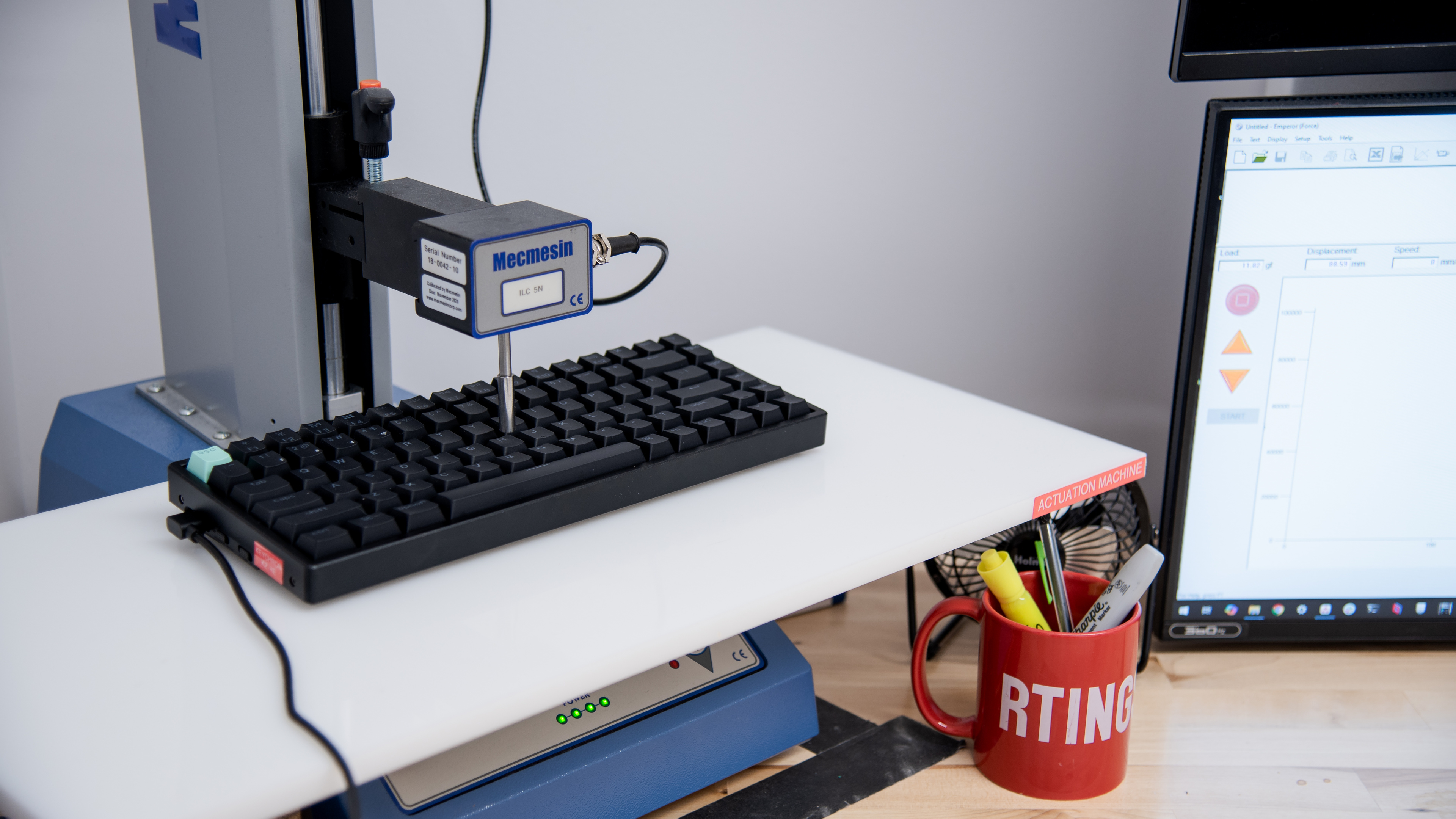
    We conducted supplementary measurements at various actuation points and confirmed actuation is typically within 0.2 mm of the advertised range, indicating that the settings are reasonably accurate and consistent.

    7.8
    Adjustable Input Granularity
    See details on graph tool
    See details on graph tool
    Top Deadzone
    0.39 mm
    Bottom Deadzone
    0.26 mm
    Detection Ratio
    83%
    Minimum Step Depth
    0.09 mm

    The Keychron K HE series keyboards deliver very good input granularity. They demonstrate a high degree of linearity and minimal deadzones for fast initial and follow-up inputs, which is ideal for gaming scenarios like tap-strafing in FPS titles.

    These keyboards offer near full-travel control with good precision thanks to their high detection ratio and fairly low minimum step depth.

    They also support true analog output, though its implementation is somewhat basic. The output curve appears stepped rather than smooth and doesn't match the physical position of each key as accurately as other flagship gaming keyboards with true analog output. In our testing, some keys produced reliably measurable analog signals, while others didn't. We were able to record expected results using Steam Input, with the keyboard recognized as a game controller. See this Reddit thread for a relevant discussion of other user experiences. If you have this keyboard and would like to share your experiences using analog output, let us know in the comments.

    Switches
    Switch Name
    Gateron Double-Rail Magnetic Nebula
    Switch Type
    Magnetic
    Feel
    Linear
    Output Type
    Analog

    The Keychron K HE keyboards use Gateron Double-rail Magnetic Nebula switches, which are linear, medium-weight Hall effect switches that come pre-lubed from the factory.

    At the time of writing, you can only purchase the fully assembled configuration of these keyboards with Gateron Double-Rail Magnetic Nebula switches. However, Keychron sells two other compatible switch options on their website. These include Gateron Double-Rail Magnetic Dawn switches, which are more lightweight, and Gateron Double-Rail Magnetic Aurora switches, which have a slightly heavier feel.

    Performance
    9.0
    Single-Key Latency
    See details on graph tool
    Best Connection
    3.4 ms
    Best Connection Std Dev±0.6 ms
    Wired
    3.4 ms
    Receiver
    5.6 ms
    Bluetooth
    9.9 ms
    PCB (Estimated)
    N/A

    The Keychron K HE keyboards maintain remarkably low single-key latency and deliver an extremely responsive-feeling experience for gaming in all genres at any competitive level.

    We conducted this test with the following settings:

    • 0.2 mm actuation
    • 0.1 mm Rapid Trigger enabled (press and release)
    8.9
    Multi-Key Latency
    See details on graph tool
    Connection EvaluatedWired
    Key Press
    3.4 ms

    The Keychron K HE keyboards have excellent multi-key latency performance. They're well-suited for games in which you need to press additional keystrokes while already pressing and maintaining multiple keys.

    We conducted supplementary Multi-Key Latency using a wireless receiver connection

    • Receiver Key Press 5 ms
    • Receiver Key Release 7.2 ms

    We conducted all tests with the following settings:

    • 0.2 mm actuation
    • 0.1 mm Rapid Trigger enabled (press and release)
    8.2
    Data Transmission
    Connection EvaluatedWired
    USB Polling Rate
    1,000 Hz
    Effective Update Rate
    1,000 Hz
    N-Key Rollover (NKRO)
    Yes
    Multiple Keys Per USB Report
    No

    These keyboards have a maximum polling rate of 1000Hz. There's no data transmission bottleneck caused by other latency components.

    Using a Bluetooth connection limits the maximum polling rate to 125Hz, but this is normal and expected.

    These keyboards have 6KRO enabled out of the box, but you can use the FN+N shortcut to enable full NKRO.

    7.4
    Chord Split
    See details on graph tool
    4 Chord Split Delay
    7.5 ms
    8 Chord Split Delay
    9.5 ms

    These keyboards deliver decent overall chord split performance. Its 8-chord split delay is impressive, but its 4-chord split is only okay. Altogether, they're a viable choice for playing rhythm games, but other wired Hall effect gaming keyboards like the NuPhy Field75 HE or Wooting 80HE perform better.

    Software and Operating System
    Configuration Software
    Software NameKeychron Launcher
    Software Windows Compatible
    Yes
    Software macOS Compatible
    Yes
    Onboard Memory
    Yes
    Profiles
    3

    These keyboards are compatible with open-source QMK firmware and use a web-based configurator that you can access from Keychron's website using any Chromium-based browser. It's fairly intuitive and allows you to change a range of expected settings, including key assignments, custom profiles and macros, and RGB lighting effects.

    You can only adjust HE settings when using a wired connection, but you can save the settings to the onboard memory, making them accessible at all times, even when using the keyboard wirelessly. These settings include actuation distance and custom rapid trigger (key reset) distances.

    These keyboards support several additional features related to their adjustable switches, which are detailed below. Please note that many of these features are in active development, and their exact behavior may change with future updates.

    • Rapid Trigger: This setting can dynamically adjust your switches' actuation and reset points based on distance rather than being fixed at a specific point along the keystroke. This allows for faster follow-up inputs, which can be especially beneficial in scenarios like counter-strafing in FPS games.
    • One Key Multiple Commands: Allows you to map up to four different actions to a single key based on actuation distance.
    • Snap Click: Actively monitors two keys, prioritizing whichever input you press further downwards.
    • Gamepad Analog: This feature lets you take advantage of true analog output so keys can mimic joysticks, like those found on game controllers. You can map keys to specific gamepad inputs, and the switches can register gradual input, which can be useful for games like flight simulators or racing games to give you more precise control.

    Note: Accessing the Keychron Launcher software works on Windows and macOS right out of the box, but if you're a Linux user, you may need to adjust udev rules first. A helpful member of the community has posted a guide for this process in a Reddit thread.

    10
    Computer Compatibility
    Windows
    Fully Compatible
    macOS
    Fully Compatible
    Linux
    Fully Compatible
    Media Key Compatibility
    Windows, MacOS & Linux

    The web-based software is compatible with Windows and macOS out-of-the-box, while Linux users may have to adjust their system permissions first. For more details on Linux software compatibility, see the note in the Configuration Software section.

    There's a switch along the keyboard's left edge to toggle between compatibility modes. Note that Linux users should use the Windows compatibility mode. There's also a set of alternative Windows keycaps included in the box.

    10
    Wireless Mobile Compatibility
    Android
    Fully Compatible
    iOS
    Fully Compatible
    iPadOS
    Fully Compatible
    Media Key Compatibility
    Android, iPhone & iPad