Logitech Alto Keys K98M  Keyboard Review

Reviewed Feb 05, 2026 at 09:03am
Tested using Methodology v1.4.3 
Logitech Alto Keys K98M
7.1
Gaming 
7.9
Office 
6.6
Mobile/Tablet 
8.1
Programming 
6.2
Entertainment / HTPC 
6.4
Raw Performance 
 0

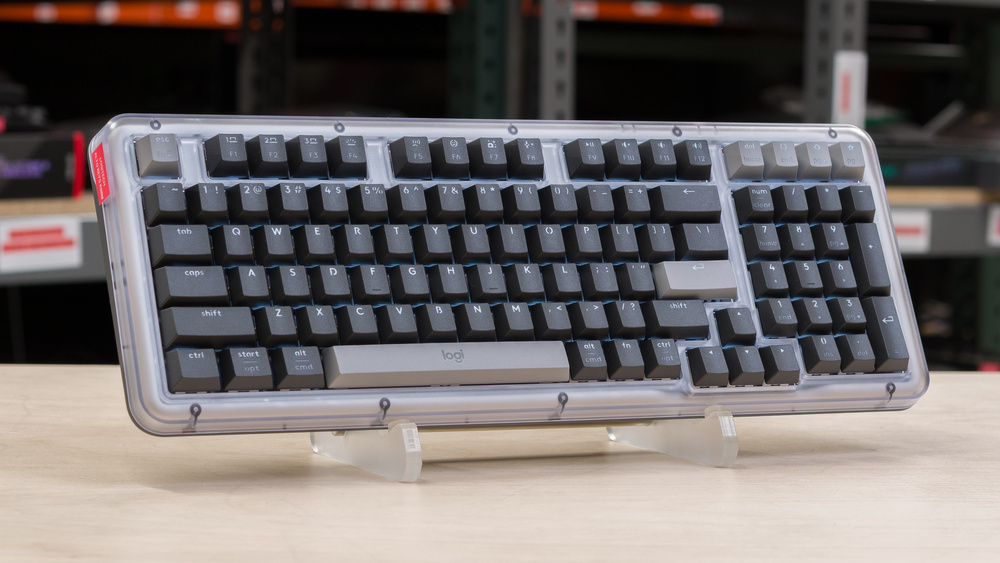
The Logitech Alto Keys K98M is a wireless mechanical keyboard that uses what Logitech calls a UniCushion design, more commonly referred to in the mechanical keyboard space as a gasket mount. This implementation relies on a large internal damping layer to deliver a softer, more cushioned typing feel. The keyboard features a distinctly Y2K-inspired design and is available in several colorways with transparent plastic cases. It also includes white backlighting, which you can customize along with other basic settings through Logitech's downloadable configuration software.

Our Verdict

7.1
Gaming 

The Logitech K98M isn't designed explicitly for gaming, but it's satisfactory for casual play. That said, it has higher, less consistent single-key and multi-key latency, making it unsuitable for playing fast-paced competitive titles like Rhythm games or FPS games.

Pros
  • Impressive build quality.

  • Satisfactory latency performance for casual gaming.

Cons
  • Not suitable for playing fast-paced, competitive titles.

  • Limited software flexibility for rebinding keys or recording complex macros.

7.9
Office 

The Logitech Alto Keys K98M is a very good office keyboard with impressive build quality and an excellent typing experience. Its smooth linear switches are pre-lubed from the factory, and its full-frame gasket mount does a good job of isolating typing vibrations while providing a slightly cushioned bottom-out feel. It also offers flexible wireless connectivity through either the included 2.4GHz receiver or Bluetooth. Unfortunately, typing noise is on the louder side and isn't well-suited for quiet or shared workspaces. Its profile isn't particularly tall, but it's most comfortable to use with a wrist rest during longer typing sessions, which isn't included in the box.

Pros
  • Impressive build quality.

  • Excellent typing quality.

  • Flexible wireless connectivity via 2.4GHz receiver or Bluetooth.

Cons
  • Limited software flexibility for rebinding keys or recording complex macros.

6.6
Mobile/Tablet 

The Logitech K98M is alright for use with a mobile device or tablet. Its only standout weakness is that it's quite large, designed not to be carried around but rather used in a desktop setup. That said, it has impressive build quality and a comfortable typing experience.

Pros
  • Impressive build quality.

  • Flexible wireless connectivity via 2.4GHz receiver or Bluetooth.

Cons
  • Large and heavy.

8.1
Programming 

The Logitech Alto Keys K98M is very good for programming. It has impressive build quality and delivers an excellent typing experience with pre-lubed switches and stabilizers, along with the full-frame gasket mount that helps reduce vibrations and provide a slightly cushioned bottom-out feel. Unfortunately, software customizability is quite limited. You can only record relatively simple macros, and you can only assign them to select keys on the function row. Its standard profile isn't especially high, but you'll also likely want to use a wrist rest for best comfort, which isn't included.

Pros
  • Impressive build quality.

  • Excellent typing quality.

  • Flexible wireless connectivity via 2.4GHz receiver or Bluetooth.

Cons
  • Limited software flexibility for rebinding keys or recording complex macros.

6.2
Entertainment / HTPC 

The Logitech Alto Keys K98M is acceptable for use with an entertainment or home theater PC, but its relatively large size and weight make it less ideal to use from your couch. That said, it has impressive build quality, supports Bluetooth connections with up to three devices, and features a clear white backlight with shine-through legends that make the keys easy to read in the dark. Its media keys are also primary functions on the function row.

Pros
  • Impressive build quality.

  • White backlighting and shine-through legends make keys easy to read in the dark.

  • Flexible wireless connectivity via 2.4GHz receiver or Bluetooth.

Cons
  • Large and heavy.

6.4
Raw Performance 

The Logitech Alto Keys K98M has passable raw performance, making it more than suitable for work, everyday browsing, and casual gaming. However, its single-key and multi-key latency performance are only satisfactory. This keyboard isn't suitable for playing fast-paced competitive games and particularly games that require many simultaneous inputs, given it only supports 6-key rollover.

Pros
  • Satisfactory latency performance for casual gaming.

Cons
  • Higher and less consistent single-key and multi-key latency performance compared to dedicated gaming keyboards.

  • Only supports 6-key rollover.

  • 7.1
    Gaming
  • 7.9
    Office
  • 6.6
    Mobile/Tablet
  • 8.1
    Programming
  • 6.2
    Entertainment / HTPC
  • 6.4
    Raw Performance
  • Changelog

    1.  Updated Feb 05, 2026: Review published.
    2.  Updated Jan 27, 2026: Early access published.
    3.  Updated Jan 20, 2026: Our testers have started testing this product.
    4.  Updated Nov 13, 2025: The product has arrived in our lab, and our testers will start evaluating it soon.

    Check Price

    Differences Between Sizes And Variants

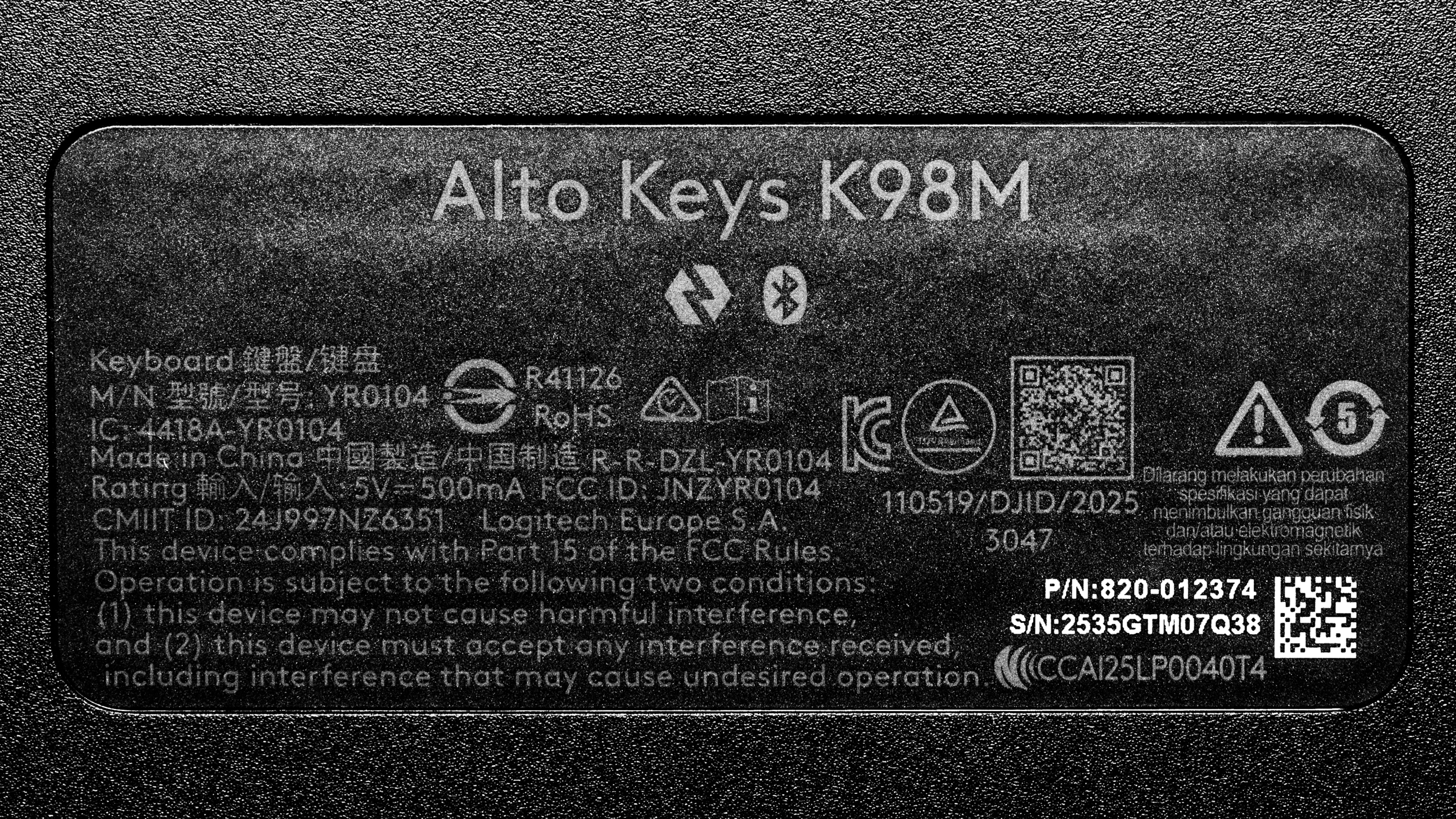
    The Logitech Alto Keys K98M is available in Graphite, Lilac, and Off White color options. We bought the Graphite colorway. See an image of our unit's label.

    Currently, no size variants of this keyboard are available in North America. However, there is a smaller 75% version of this keyboard called the Logitech Alto Keys K75M, available in Asian markets as of February 2026.

    Popular Keyboard Comparisons

    The Logitech Alto Keys K98M is Logitech's first standard-profile mechanical keyboard available in the North American market. In contrast to its older low-profile Logitech MX Mechanical, the K98M reflects a broader shift among larger manufacturers toward adding features previously associated with the custom keyboard space, including gasket mounting for a more premium typing feel, more durable PBT keycaps, and a hot-swappable PCB that lets you easily change switches.

    That said, it enters a competitive segment. Budget-focused options like the Keychron V5 Max and the rest of the V Max series offer more size choices and significantly deeper software customization, while cheaper alternatives such as the AULA F99/F75 deliver a similarly comfortable gasket-mounted typing experience. Although these options don't align with Logitech's warranty coverage or long-term support reputation, the AULA models, in particular, fall short in overall build quality. Overall, the Alto Keys K98M is a well-designed, visually distinctive keyboard with a comfortable typing feel at a budget price. It's a good option if you want a straightforward mechanical keyboard for work or everyday use, but if you expect extensive software customization, Logitech's relatively basic Options+ ecosystem may feel limiting because of its limited key remapping.

    For more recommendations, see our picks for the best wireless keyboards, the best mechanical keyboards, and the best Logitech keyboards.

    Logitech MX Mechanical

    The Logitech Alto Keys K98M and Logitech MX Mechanical are wireless mechanical keyboards with different profiles. The Alto Keys K98M has a taller standard profile and a slightly more compact 98% size. It also offers a better typing experience, with better-tuned and less rattly stabilizers, along with a full-frame gasket mount that provides improved vibration dampening and a slightly softer bottom-out feel. By comparison, the MX Mechanical has a low-profile design, which makes it more comfortable to use without a wrist rest. However, its typing quality and overall build quality are worse than those of the Alto Keys K98M.

    Logitech MX Keys S

    The Logitech MX Keys S and Logitech Alto Keys K98M are both wireless keyboards. The MX Keys S is a full-size model with a much thinner low-profile design, which makes it more comfortable to use without a wrist rest. It uses scissor switches with a much shorter travel distance. By comparison, the Alto Keys K98M has a taller standard profile design and uses mechanical switches. It also has a gasket mount design that does a good job of isolating vibrations and adds a slight cushioned feel to typing, but typing noise is noticeably louder than on the MX Keys S.

    Keychron V5 Max [V1 Max, V2 Max, etc.]

    Both the Keychron V5 Max and Logitech Alto Keys K98M are wireless mechanical keyboards with gasket mounting, which provides a slightly softer, springy typing experience. The Keychron is part of a wider lineup with many different size options, uses VIA software that provides much more flexibility for key bindings and macros, and offers better gaming latency. It also includes a control knob, which the Logitech lacks, and is available with full RGB backlighting, though it doesn't have shine-through legends. Comparatively, the Logitech only has white backlighting but has shine-through legends, which makes the keys easier to read in the dark. The Logitech is also only available in one size in the North American market and has a comparatively more robust full-frame gasket mount system, though this primarily results in slightly less felt vibration rather than a significantly softer typing experience.

    AULA F99/F75

    The AULA F99 and the Logitech Alto Keys K98M are wireless mechanical keyboards with gasket mount designs. The AULA has significantly better latency performance, making it a better choice for gaming. Its gasket implementation uses less material but feels noticeably softer, and it offers full RGB lighting, though its keycaps don't have shine-through legends. The Logitech, by comparison, only has white backlighting, but its keycaps have shine-through legends. It also uses a much more robust full-frame gasket design, which feels comparatively stiffer but does a better job overall of isolating typing vibrations.

    Test Results

    perceptual testing image
    Sort:
    RATINGS
    Category:
    All
    Design
    Dimensions
    Size
    Compact (96%)
    Height
    1.6" (4.0 cm)
    Width15.6" (39.6 cm)
    Depth
    6.1" (15.5 cm)
    Depth With Wrist Rest
    N/A
    Weight
    2.38 lbs (1.079 kg)

    This keyboard has an exploded 96% size. It includes nearly all the same keys as a full-size 100% keyboard, but with some navigation keys moved to the function row and the arrow keys and numpad positioned closer to the alphanumeric cluster to reduce the overall footprint.

    Logitech produces a smaller 75% version called the Logitech Alto Keys K75M in some Asian markets, but this size variant isn't available in North America as of February 2026.

    8.0
    Build Quality
    Keycap MaterialPBT

    The Logitech Alto Keys K98M has impressive build quality. While the case is made of plastic, it feels high quality overall, with good fit and finish and extremely minimal deck flex, even when twisting the board.

    The UniCushion gasket uses a thick, full-frame design that provides fairly good vibration isolation and a slight amount of cushioning and rebound when bottoming out. However, it doesn't contribute much to sound dampening. This approach is somewhat unusual, as most gasket-mounted keyboards rely on smaller strips or pads around the edges of the PCB to isolate it from the case. Despite the added material, the full-frame gasket doesn't meaningfully enhance the perceived premium feel.

    Logitech also advertises that this keyboard is partly made from recycled materials, though the exact percentage varies by colorway.

    There are four rubber feet on the underside that do a great job of keeping the board in place on your desk without sliding around.

    6.0
    Ergonomics
    Curved/Angled
    No
    Split Keyboard
    No
    Key Alignment
    Staggered
    Minimum Incline
    4.5°
    Medium Incline
    N/A
    Maximum Incline
    Home Row Height
    31.9 mm (1.3")

    The Logitech Alto Keys K98M has a fairly typical profile, so you'll need to angle your wrists slightly upward to reach all the keys. Thankfully, the home row height isn't unusually high. There's also a pair of flip-out plastic feet on the underside that provide a single incline option.

    The keyboard doesn't include a wrist rest, but ergonomics improve if you use one, as you don't need to angle your wrists as much to reach the keys.

    8.2
    Hardware Customizability
    Replaceable Cherry Stabilizers
    Yes
    Stabilizer Fixation
    Plate-Mounted
    Spacebar Stabilizer Size
    6.25u
    Size Of Right Mod Keys
    1u
    Hot-Swappable Switches
    Yes
    Switch Stem Shape
    Cherry MX Style
    Mechanical Switch Compatibility
    5-Pin Cherry
    Magnetic Switch Compatibility
    No Magnetic Switch Support
    North-Facing Cherry MX Interference
    Yes

    This keyboard offers impressive hardware customizability. If you want to modify or tune the stabilizers, you'll need to remove the top case by unscrewing it to access them.

    7.5
    Backlight Features
    BacklightingYes
    RGB
    No
    Per-Key Backlighting
    Yes
    Effects
    No
    Software Controllable
    Yes
    8.0
    Backlight Clarity

    This keyboard provides impressive backlight clarity, with shine-through legends that are easy to see in darkened rooms. However, the maximum brightness isn't very high, and the lighting is slightly uneven on some keys.

    Cable & Connector
    ConnectivityWireless
    Detachable
    Yes (Charge Only)
    Length3.3 ft (1.0 m)
    Connector (Keyboard side)
    USB type-C

    The included charging cable is a basic but reasonably flexible rubber cable.

    Note that this is a wireless-only keyboard, and the cable doesn't support USB data transfer. You can use the keyboard while it's charging, but it must remain connected wirelessly at all times to function.

    10
    Wireless Versatility
    Bluetooth
    Yes
    Bluetooth Multi-Device Pairing
    3
    Proprietary Receiver
    Yes
    Battery Type
    Rechargeable

    Logitech advertises a battery life of up to 12 months with the backlighting turned off and connected via either Bluetooth or the included Logi BOLT USB receiver.

    4.0
    Macro Keys And Programming
    Dedicated Macro Keys Count0
    Onboard Macro Programming
    No
    Macro Programming With Software
    Yes

    Using the software, you can program simplified macros, which Logitech calls 'Smart Actions.' However, you can only assign these to some of the keys on the function row at the top of the keyboard. For more details, see the Configuration Software section later on.

    Extra Features
    Media Keys
    Non-Dedicated
    Trackpad / TrackballNo
    Scroll Wheel
    No
    Control Knob
    No
    USB Passthrough
    No
    NumpadYes
    Windows Key Lock
    Yes
    Lock IndicatorCaps Lock

    There's a battery status indicator located between the backspace and Num keys. On the underside, there's also a compartment for storing the wireless receiver when you're not using it.

    Note that the hotkey commands labeled on the F-row, which include Dictate (F5), Emoji (F6), and all Media Controls, are the primary functions by default, so you need to press and hold the Fn key to access the standard F-key inputs.

    You can only rebind a limited set of keys on the function row, specifically F4 through F12, along with the End, Page Up, and Page Down keys. If you prefer standard F-keys as the primary inputs, you can enable Fn Lock in the configuration software or toggle it with Fn+Escape.

    In The Box

    • USB-A to USB-C charging cable
    • Logi BOLT USB-A receiver.
    • User Documentation
    Typing Experience
    8.5
    Typing Quality
    Key Spacing
    19.0 mm (0.748")

    The Logitech Alto Keys K98M offers an excellent typing experience. Key spacing and layout are standard, and the linear mechanical switches feel very smooth and quite lightweight. Logitech's UniCushion gasket mount effectively absorbs vibrations and provides a slightly cushioned typing feel. There's minimal wobble in the switches and keycaps overall, though the keycaps have a fairly smooth finish that may feel a bit slippery compared to most PBT keycaps, which are typically more textured. There's also a slight wobble and minor rattling on larger stabilized keys, particularly the Spacebar, left Shift, and Backspace keys.

    7.2
    Typing Noise
    Average Loudness
    53.4 dBA
    High Pitch Clicks
    No

    The typing noise isn't particularly loud, but it's noticeably louder than most dedicated office keyboards with membrane or scissor switches, such as the much quieter Logitech MX Keys

    It's also louder than some mechanical keyboards with better dampening layers and silent switch options, like the NuPhy Gem80

    As a result, using this keyboard may be distracting in shared workspaces or other noise-sensitive environments.

    Keystrokes
    Initial Force
    33 gf
    Peak Tactile Force
    N/A
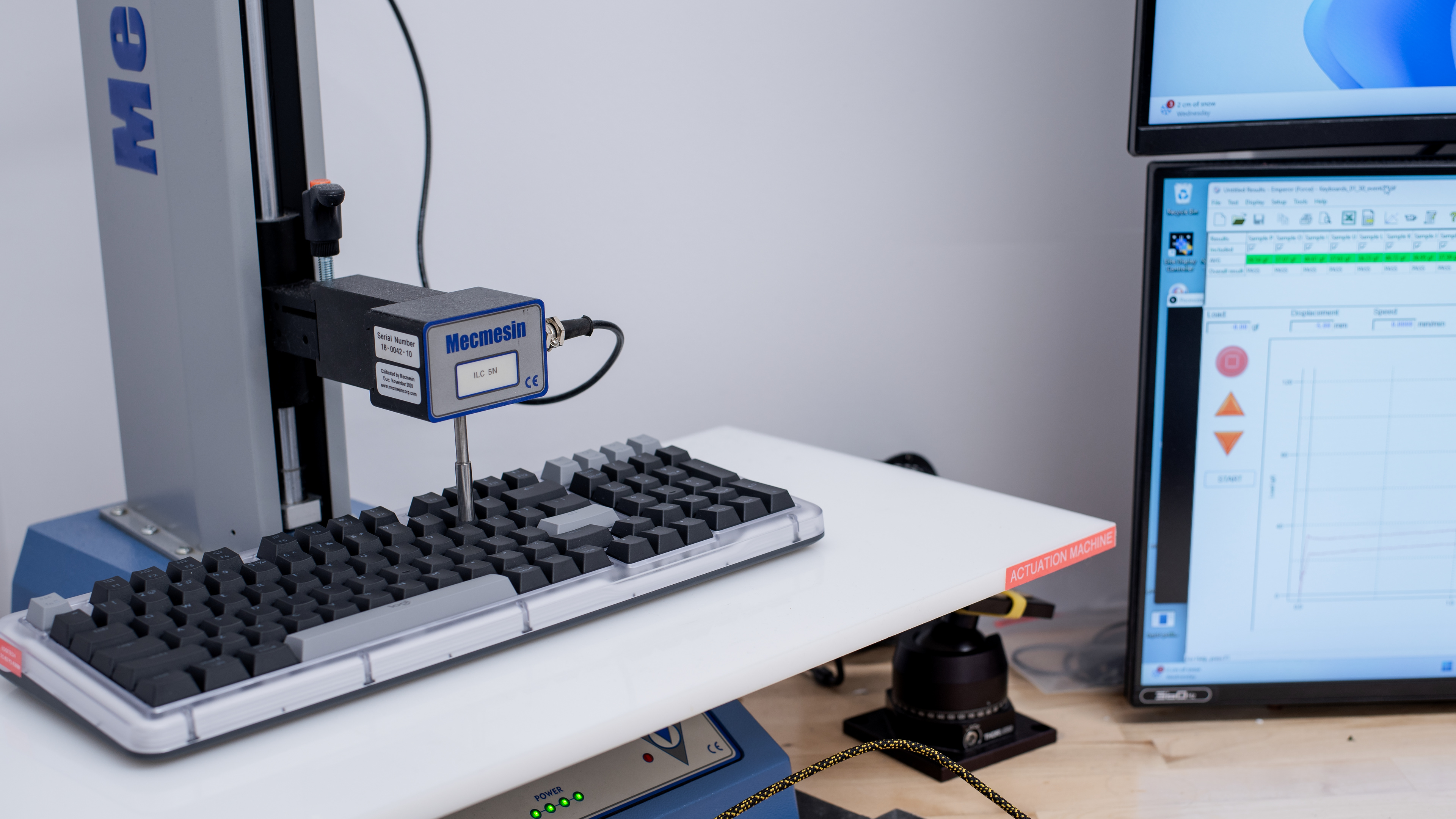
    Actuation Force
    40 gf
    Bottom-Out Force
    46 gf
    Pre-Travel Distance
    1.8 mm
    Total Travel Distance
    3.5 mm
    0.0
    Adjustable Input Granularity
    Top Deadzone
    N/A
    Bottom Deadzone
    N/A
    Detection Ratio
    N/A
    Minimum Step Depth
    N/A

    This keyboard uses non-adjustable switches.

    Switches
    Switch Name
    Marble Switch
    Switch Type
    Mechanical
    Feel
    Linear
    Output Type
    Non-Adjustable
    Performance
    7.3
    Single-Key Latency
    Best Connection
    16.1 ms
    Best Connection Std Dev±3.3 ms
    Wired
    N/A
    Receiver
    16.1 ms
    Bluetooth
    21.0 ms
    PCB (Estimated)
    14.6 ms

    The Logitech Alto Keys K98M has satisfactory single-key latency, perfectly suitable for work, everyday browsing, and casual gaming. However, it isn't well-suited for playing fast-paced, reaction-based games at a competitive level.

    7.3
    Multi-Key Latency
    Connection EvaluatedReceiver
    Key Press
    16.8 ms

    The Logitech Alto Keys K98M has satisfactory multi-key latency performance and is suitable for casual gaming across most genres. However, latency is higher and less consistent than on most dedicated gaming keyboards, which can be limiting in fast-paced titles such as rhythm games, RTS games, or competitive FPS titles.

    5.4
    Data Transmission
    Connection EvaluatedReceiver
    USB Polling Rate
    500 Hz
    Effective Update Rate
    143 Hz
    N-Key Rollover (NKRO)
    No
    Multiple Keys Per USB Report
    No

    This keyboard only supports 6-key rollover.
    This doesn't present any issues for most people, especially since it doesn't support particularly complex multi-key macros. 

    However, if you're an extremely fast typist (100+ WPM), the keyboard may occasionally fail to register inputs or register them in the wrong order.

    4.2
    Chord Split
    4 Chord Split Delay
    21.9 ms
    8 Chord Split Delay
    N/A

    This keyboard has poor chord split performance. It's not suitable for playing games that require large numbers of simultaneous inputs, such as rhythm titles.

    Software and Operating System
    Configuration Software
    Software NameLogi Options+
    Software Windows Compatible
    Yes
    Software macOS Compatible
    Yes
    Onboard Memory
    No
    Profiles
    6+

    The software is fairly simple and clearly laid out. It allows you to change various expected settings, including connectivity, battery, and backlighting settings.

    The software also supports programming reasonably complex macros, which Logitech calls Smart Actions, and includes several pre-made templates for actions involving multiple keystrokes, text input, and interactions across multiple programs.

    However, you can only change keybindings and assign Smart Actions to a limited set of keys on the function row, specifically F4 through F12, as well as the End, Page Up, and Page Down keys. This limitation may be disappointing if you're used to other mechanical keyboards that typically allow complex macros to be assigned to any key on the board.

    Additionally, this keyboard lacks onboard memory, so you need to have the software installed and running to use and retain your custom settings.

    10
    Computer Compatibility
    Windows
    Fully Compatible
    macOS
    Fully Compatible
    Linux
    Fully Compatible
    Media Key Compatibility
    Windows, MacOS & Linux

    On Windows: All functions work as expected.

    On macOS: The Dictate (F5) and Mic Mute (F8) functions don't work.

    On Linux: The Dictate (F5), Emoji (F6), Screenshot (F7), and Mic Mute (F8) do nothing.

    10
    Wireless Mobile Compatibility
    Android
    Fully Compatible
    iOS
    Fully Compatible
    iPadOS
    Fully Compatible
    Media Key Compatibility
    Android, iPhone & iPad

    On Android: The Emoji (F6) and Mic Mute (F8) buttons do nothing.

    On iOS: The Emoji (F6) and Mic Mute (F8) keys don't do anything. Smart Actions on the Home, End, Page Up, and Page Down keys also don't work, but their standard functions do.

    On iPadOS: The Mic Mute (F8) key doesn't do anything. Smart Actions on the Home, End, Page Up, and Page Down keys don't work, but their standard functions do.