SteelSeries Apex Pro Gen 3  Keyboard Review

Reviewed Nov 18, 2024 at 11:44am
Tested using Methodology v1.4.2 
SteelSeries Apex Pro Gen 3
8.7
Gaming 
7.0
Office 
0.9
Mobile/Tablet 
7.5
Programming 
3.2
Entertainment / HTPC 
8.8
Raw Performance 
 13

The SteelSeries Apex Pro Gen 3 is a full-size gaming keyboard that continues SteelSeries' Apex Pro lineup. Like its predecessors, it uses SteelSeries OmniPoint Hall effect switches that allow you to customize actuation and Rapid Trigger settings. This model brings a new generation of these switches and introduces some new analog software features, including 'Protection Mode,' which reduces the sensitivity of surrounding keys to avoid accidental keystrokes. Otherwise, this model also features minor build quality improvements, including more sound-dampening case material and tuned stabilizers.

Our Verdict

8.7
Gaming 

The SteelSeries Apex Pro Gen 3 is excellent for gaming. It has remarkably good latency performance suitable for playing games in any genre and at any competitive level. Its switches allow you to customize actuation and reset points, and the software supports a wide range of features, including Rapid Trigger, Dual Actuation, and Protection Mode, which can provide noticeable advantages in certain gaming scenarios, such as tap-strafing in competitive FPS games.

Pros
  • Great build quality

  • Remarkably good latency performance.

Cons
None
7.0
Office 

The SteelSeries Apex Pro Gen 3 is decent for office work, but it isn't designed specifically with this use in mind. That said, it has great build quality and includes a wrist rest that provides good palm support. The typing quality is great overall as well, with high-quality PBT keycaps that feel pleasant to the touch and only minor wobble and rattling on some of the larger stabilized keys. There are also several layers of acoustic material inside the case that help dampen out the sound profile. That said, it's a wired-only model with no multi-device connectivity.

Pros
  • Great build quality

  • Impressive typing quality.

  • Fairly quiet typing noise.

Cons
  • Wired-only

0.9
Mobile/Tablet 

The SteelSeries Apex Pro Gen 3 is a wired-only keyboard that isn't compatible with mobile devices or tablets.

7.5
Programming 

The SteelSeries Apex Pro Gen 3 is good for programming. It has great build quality and typing quality overall, with only minor key wobble and minimal stabilizer rattle. Several layers of internal acoustic foam also do a good job of rounding out the sound profile and keeping noise levels quite low. It has full per-key addressable RGB and shine-through legends if you prefer working in darker rooms. While it doesn't have dedicated macro keys, you can program macros to any key on the fly with shortcuts or using the configuration software. Lastly, its full-size form factor also includes dedicated Print Screen and Pause/Break keys, which are heavily relied on for some coding workflows.

Pros
  • Great build quality

  • Impressive typing quality.

Cons
  • Wired-only

3.2
Entertainment / HTPC 

The SteelSeries Apex Pro Gen 3 isn't well-suited for an entertainment or home theater setup primarily because it's a wired-only model. It's also a full-size model that's quite heavy and unwieldy to use from a couch. Lastly, it lacks dedicated media keys, though you can control media playback using the OLED screen controls. On the bright side, it features full RGB lighting with shine-through legends, making the keys easy to read in the dark.

Pros
  • Great build quality

Cons
  • Wired-only

  • Heavy, bulky

  • Lacks dedicated media keys (although you can control media using the OLED screen controls).

8.8
Raw Performance 

The SteelSeries Apex Pro Gen 3 has excellent raw performance, making it well-suited for playing games in any genre, at any competitive level. It has remarkably low single-key and multi-key latency, supports N-key rollover out of the box, and can send multiple inputs per USB report. It supports a maximum polling rate of 1000Hz and isn't bottlenecked by other latency elements.

Pros
  • Remarkably good latency performance.

Cons
None
  • 8.7
    Gaming
  • 7.0
    Office
  • 0.9
    Mobile/Tablet
  • 7.5
    Programming
  • 3.2
    Entertainment / HTPC
  • 8.8
    Raw Performance
  • Changelog

    1.  Updated Nov 03, 2025: 

      We've updated the text in several places, including the Keystrokes and Adjustable Input Granularity sections, to reflect improvements to actuation setpoint accuracy following testing on new firmware.

    2.  Updated Oct 02, 2025: Our 1.4.2 Test Bench Update makes changes to the Hardware Customizability test group. We've created a new Magnetic Switch Compatibility test and renamed our previous PCB Socket test to Mechanical Switch Compatibility. See our full changelog.
    3.  Updated Aug 26, 2025: We've converted this review to Test Bench 1.4.1. This update removes the Key Release test and a video element from the Multi-Key Latency section, resulting in minor score changes. See our full 1.4.1 changelog for details.
    4.  Updated Jun 21, 2025: We've updated this review with our new Test Bench 1.4 methodology. It adds a new Output Type classification in the Switches box, indicating whether the keyboard's output is non-adjustable, adjustable, or analog. It also introduces a new Adjustable Input Granularity test, which improves comparability between keyboards with adjustable input.

    Check Price

    BlackApex Pro Gen 3
    SEE PRICE
    Amazon.com
    BlackApex Pro TKL Gen 3
    SEE PRICE
    Amazon.com

    Differences Between Sizes And Variants

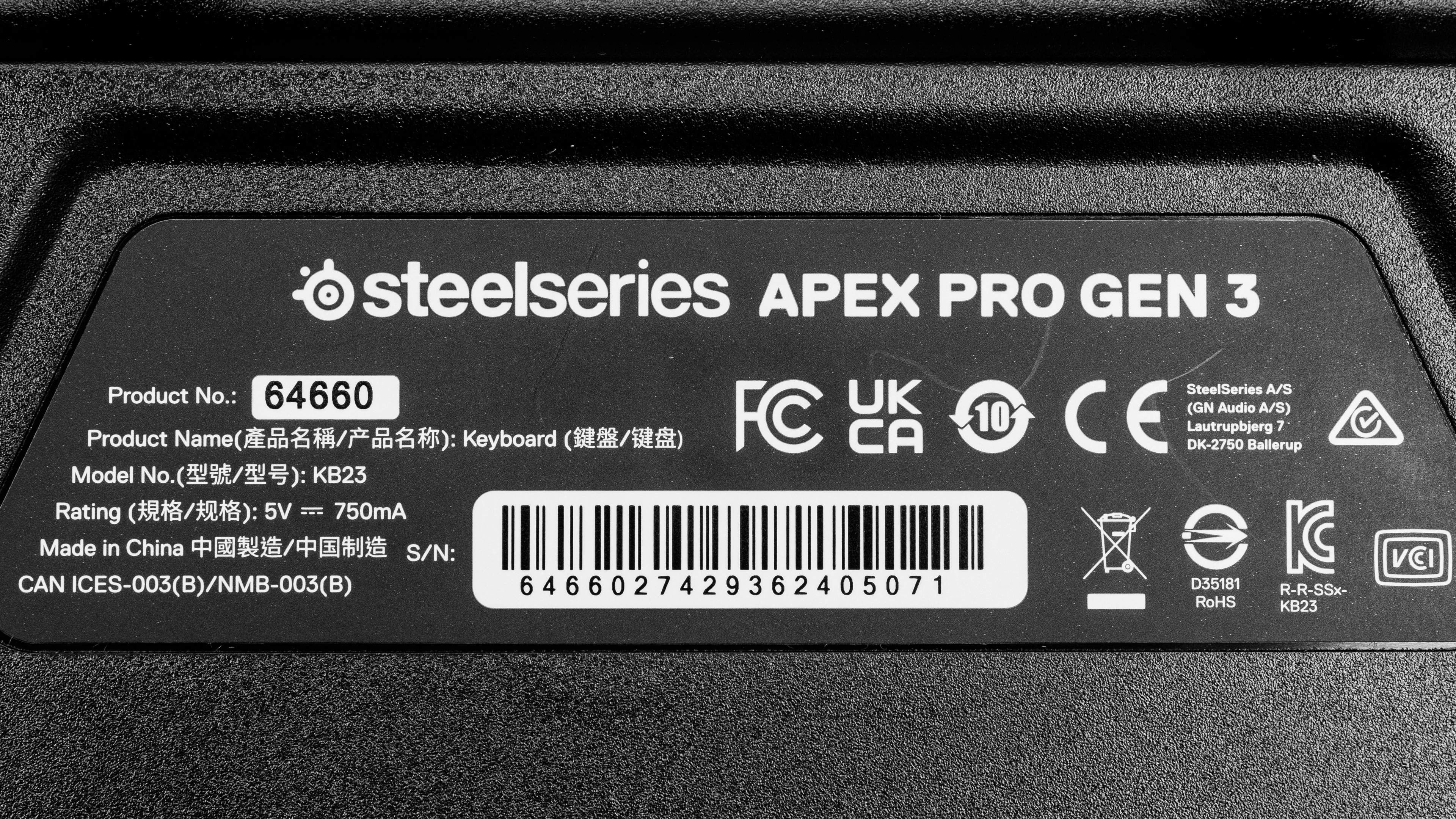
    The SteelSeries Apex Pro Gen 3 is only available in a Black color option. See a photo of our unit label.

    There's a smaller variant of this keyboard called the SteelSeries Apex Pro TKL Gen 3. Our review applies to this variant, but there are some minor build quality differences, detailed below.

    Name Size Notes
    SteelSeries Apex Pro Gen 3 Full-size (100%) N/A
    SteelSeries Apex Pro TKL Gen 3 Tenkeyless (80%) This model's flip-out feet provide one addition incline option and has an added storage slot for the keycap puller on the underside.

    Popular Keyboard Comparisons

    The SteelSeries Apex Pro Gen 3 continues the SteelSeries Apex Pro lineup and makes several iterative improvements over the previous generation, the SteelSeries Apex Pro TKL (2023). Changes include more sound-dampening materials and tuned stabilizers. SteelSeries has also introduced new analog software features with this update. Notably, it introduces a Protection Mode, which temporarily reduces the sensitivity of surrounding keys while a key is being pressed, helping to avoid accidental keystrokes. Just note that this feature has also been added to previous models in the lineup as well.

    Compared to other popular analog gaming keyboards, it doesn't quite have the same build quality as more premium models, such as the Keychron Q1 HE. It also lacks the software refinement of the Wooting 60HE, and it doesn't quite offer the same high-end raw performance as the NuPhy Field75 HE. Overall, this is a high-performing gaming keyboard with numerous customization options and impressive overall build quality and typing quality; however, it doesn't excel in any particular area. Lastly, some people may be disappointed that only the alphanumeric keys are adjustable while the rest use standard mechanical switches, which is unusual compared to other Hall effect keyboards. See the Switches section for more details. All said, this keyboard remains a compelling option if you're interested in a full-size analog keyboard, as many other options currently available are 75% or TKL models.

    For more recommendations, see our picks for the best keyboards, the best gaming keyboards, and the best mechanical keyboards.

    Razer Huntsman V3 Pro [Mini, TKL]

    The Razer Huntsman V3 Pro and SteelSeries Apex Pro Gen 3 are both wired analog gaming keyboards with similar raw performance output. The Razer has better overall build quality while the SteelSeries provides a better typing experience with layers of acoustic case foam that also helps round out and dampen the sound profile. The SteelSeries also has a programmable OLED screen which the Razer lacks. Unfortunately, the actuation settings on the SteelSeries are much less accurate.

    Wooting 60HE

    The Wooting 60HE and the SteelSeries Apex Pro Gen 3 are wired, analog gaming keyboards. The Wooting has a smaller compact 60% form factor and somewhat more robust software with certain analog features the SteelSeries lacks, like analog control that mimics the gradual input of a gamepad or joystick. It also has better build quality and marginally better raw performance altogether. The SteelSeries, on the other hand, has a larger full-size form factor. It includes a wrist rest and has an OLED display that the Wooting lacks. Unfortunately, the actuation settings on the SteelSeries are much less accurate.

    SteelSeries Apex Pro TKL (2023)

    Both the SteelSeries Apex Pro Gen 3 and the SteelSeries Apex Pro TKL (2023) are wired, analog gaming keyboards with comparable gaming performance in the same product lineup. The Apex Pro Gen 3 is a newer model with a full-size layout compared to the older Apex Pro TKL (2023) which has a tenkeyless (80%) layout. The newer Gen 3 has some minor build quality improvements, like tuned stabilizers and acoustic foam that improve the sound profile and dampen typing noise. Unfortunately, its actuation settings are much less accurate, although this may be something SteelSeries can fix with firmware updates in the future. 

    Wooting two HE

    The SteelSeries Apex Pro Gen 3 and the Wooting two HE are full-size, wired gaming keyboards with Hall-effect switches. On the one hand, the SteelSeries has more extra features, such as a programmable OLED display and an included wrist rest. It also has acoustic material inside the case that makes it quieter. Otherwise, both keyboards have fairly similar raw performance output, but the Wooting supports some minor analog features the SteelSeries doesn't, notably Analog Mode which can provide gradual input like a gamepad or joystick.

    Show more 

    Test Results

    perceptual testing image
    Sort:
    RATINGS
    Category:
    All
    Design
    Dimensions
    Size
    Full-size (100%)
    Height
    1.6" (4.0 cm)
    Width17.2" (43.7 cm)
    Depth
    5.5" (13.9 cm)
    Depth With Wrist Rest
    8.3" (21.1 cm)
    Weight
    2.42 lbs (1.098 kg)

    The SteelSeries Apex Pro Gen 3 is a fairly large, full-size keyboard that takes up quite a bit of desk space.

    There's a more compact variant of this keyboard, called the SteelSeries Apex Pro TKL Gen 3. You can reference the dimensions of this variant at the bottom of SteelSeries' product page.

    8.0
    Build Quality
    Keycap MaterialPBT

    This keyboard has impressive build quality. The chassis is made of plastic, and the top plate is made of aluminum. Altogether, the board is quite stiff without any noticeable deck flexing. The keycaps are made of high-quality doubleshot PBT plastic. They feel nice to the touch and have a slightly rough textured finish.

    The back of the keyboard also has four large rubber pads, and they do a good job of keeping the keyboard in place without slipping on desks.

    A channel for cable management is on the underside that mirrors the design of the cable channel on the last-gen SteelSeries Apex Pro. However, the cable on the newer Gen 3 is a bit thinner in diameter, and the port is in a different location. This means that this channel isn't as functional, and we found the cable easily slid out of this channel during testing.

    This new model has added acoustic foam inside the case and small foam pieces inside the spacebar, which helps dampen the noise and impact while typing.

    There's some wobbling on the keys, but it isn't as noticeable as it is on previous models in the Apex Pro lineup. The stabilizers generally do a good job of keeping larger keys stable. However, there's some rattling on the right side of the spacebar as well as the backspace, shift, and enter keys, which is also present on the previous-generation SteelSeries Apex Pro TKL (2023).

    This keyboard also includes a removable wrist rest. It has a rubberized top, a black plastic bottom, and two strong magnets that secure it in place. The rubber feet on the bottom of the wrist rest provide good traction on desks but tend to get dusty quite easily.

    There are some minor build quality differences between this keyboard and its smaller variant, the SteelSeries Apex Pro TKL Gen 3, which doesn't have a cable channel. However, its feet have an additional incline angle and a slot for storing the included keycap puller on the underside.

    If you're looking for a similar wireless keyboard with Hall effect switches but prefer a more premium aluminum case, gasket mount design, and better-tuned stabilizers, check out the IQUNIX EZ60/EZ63.

    6.0
    Ergonomics
    Curved/Angled
    No
    Split Keyboard
    No
    Key Alignment
    Staggered
    Minimum Incline
    Medium Incline
    N/A
    Maximum Incline
    11°
    Home Row Height
    32.8 mm (1.3")

    The SteelSeries Apex Pro Gen 3 includes a wrist rest that provides good palm support while typing and attaches to the keyboard with a pair of magnets.

    There are two flip-out feet on the back of the keyboard that offer an additional incline option.

    On the smaller variant of this keyboard, the Apex Pro TKL Gen 3, the feet provide one additional incline angle.

    5.7
    Hardware Customizability
    Replaceable Cherry Stabilizers
    Yes
    Stabilizer Fixation
    Plate-Mounted
    Spacebar Stabilizer Size
    6.25u
    Size Of Right Mod Keys
    1.25u
    Hot-Swappable Switches
    No
    Switch Stem Shape
    Cherry MX Style
    Mechanical Switch Compatibility
    No Mechanical Switch Pinout
    Magnetic Switch Compatibility
    Non-Standard Magnetic Switch
    North-Facing Cherry MX Interference
    Yes

    Unlike previous Apex Pro Gen 3 keyboards where all switches were soldered to the PCB, all the alphanumeric keys with OmniPoint 3.0 switches on this keyboard are removable. However, all Gateron Red mechanical switches are soldered. For more details, see the Switches section.

    If you're interested in a gaming keyboard with a hot-swappable PCB that's compatible with both mechanical and Hall effect switches, check out the GLORIOUS GMMK 3 PRO HE.

    10
    Backlight Features
    BacklightingYes
    RGB
    Yes
    Per-Key Backlighting
    Yes
    Effects
    Yes
    Software Controllable
    Yes

    This keyboard has outstanding full RGB backlighting. You can use the customization software or the keyboard's OLED screen to adjust lighting effects, brightness, and colors.

    Note that you need to have the software running in the background to use custom RGB settings.

    8.5
    Backlight Clarity

    The keycaps have shine-through legends, making them easy to read in darker rooms. When set to display white-only backlighting, it has a fairly strong blue tint.

    While the legends are still quite clear, they're a bit more obstructed compared to the legends on the previous generation SteelSeries Apex Pro TKL (2023). This may be caused by changes to the new LED design on the new OmniPoint 3.0 switches or may be related to the fact that they aren't soldered to the PCB as the previous-generation switches were.

    Cable & Connector
    ConnectivityWired
    Detachable
    Yes (Wired Only Keyboard)
    Length7.5 ft (2.3 m)
    Connector (Keyboard side)
    USB type-C

    This keyboard has a detachable, braided USB-A to USB-C cable. The cable is quite long and feels high quality. It also comes with a velcro strap. However, it retains some kinks from its packaging.

    0.0
    Wireless Versatility
    Bluetooth
    No
    Bluetooth Multi-Device Pairing
    No
    Proprietary Receiver
    No
    Battery Type
    No Batteries
    5.5
    Macro Keys And Programming
    Dedicated Macro Keys Count0
    Onboard Macro Programming
    Yes
    Macro Programming With Software
    Yes

    The SteelSeries Apex Pro Gen 3 doesn't have dedicated macro keys, but you can record macros to any key, either on-the-fly using a keyboard shortcut (SteelSeries Function Key + F10) or using the configuration software.

    Extra Features
    Media Keys
    Non-Dedicated
    Trackpad / TrackballNo
    Scroll Wheel
    Yes
    Control Knob
    No
    USB Passthrough
    No
    NumpadYes
    Windows Key Lock
    Yes
    Lock IndicatorCaps, Scroll & Num lock

    This keyboard has a fairly wide array of extra features, including a programmable OLED screen. Using the button and scroll wheel next to it, you can control media playback or enable a variety of settings, including Rapid Trigger and switch actuation distance. You can also use this screen to perform a factory reset, conduct a switch calibration routine, or display system information such as CPU and GPU temperature. Additionally, you can upload and display a small image or video file (.gif, .jpg, .jpeg, .png, or .bmp).

    The Caps Lock, Scroll Lock, Windows Key lock and Num lock keys display white backlighting when enabled.

    Using keyboard shortcuts, you can change profiles, adjust actuation distance, and enable Rapid Trigger settings, among other settings. For a list of shortcuts and other information regarding extra features, see an online version of the user manual.

    For all extra features related to switch actuation settings, see the Configuration Software section.

    In The Box

    • USB-A to USB-C cable
    • Wrist rest
    • Keycap puller
    • User documentation
    Typing Experience
    8.0
    Typing Quality
    Key Spacing
    19.0 mm (0.748")

    The SteelSeries Apex Pro Gen 3 provides an impressive typing experience. The keys wobble slightly, though it's a bit less noticeable than on previous models in the lineup. The keycaps have a slightly rough texture for added grip but feel pleasant to the touch.

    The stabilizers are pre-lubed, but it's quite minimal. They mostly do a fine job of keeping larger keys stable, but there's still a bit of a higher pitched rattle on the right side of the spacebar and minor wobble on the backspace, shift, and enter keys, which is also present on the previous generation SteelSeries Apex Pro TKL (2023).

    There are layers of sound-dampening foam inside the case and under the spacebar which helps to considerably round out the sound signature and dampen unwanted clacky noises.

    8.1
    Typing Noise
    Average Loudness
    49.6 dBA
    High Pitch Clicks
    No

    This keyboard is quiet and unlikely to bother those around you, despite some rattle on larger stabilized keys and the spacebar in particular.

    Keystrokes
    See details on graph tool
    Operating Force
    43 gf
    Actuation Force
    43 gf
    Pre-Travel
    2.5 mm
    Total Travel
    4.0 mm

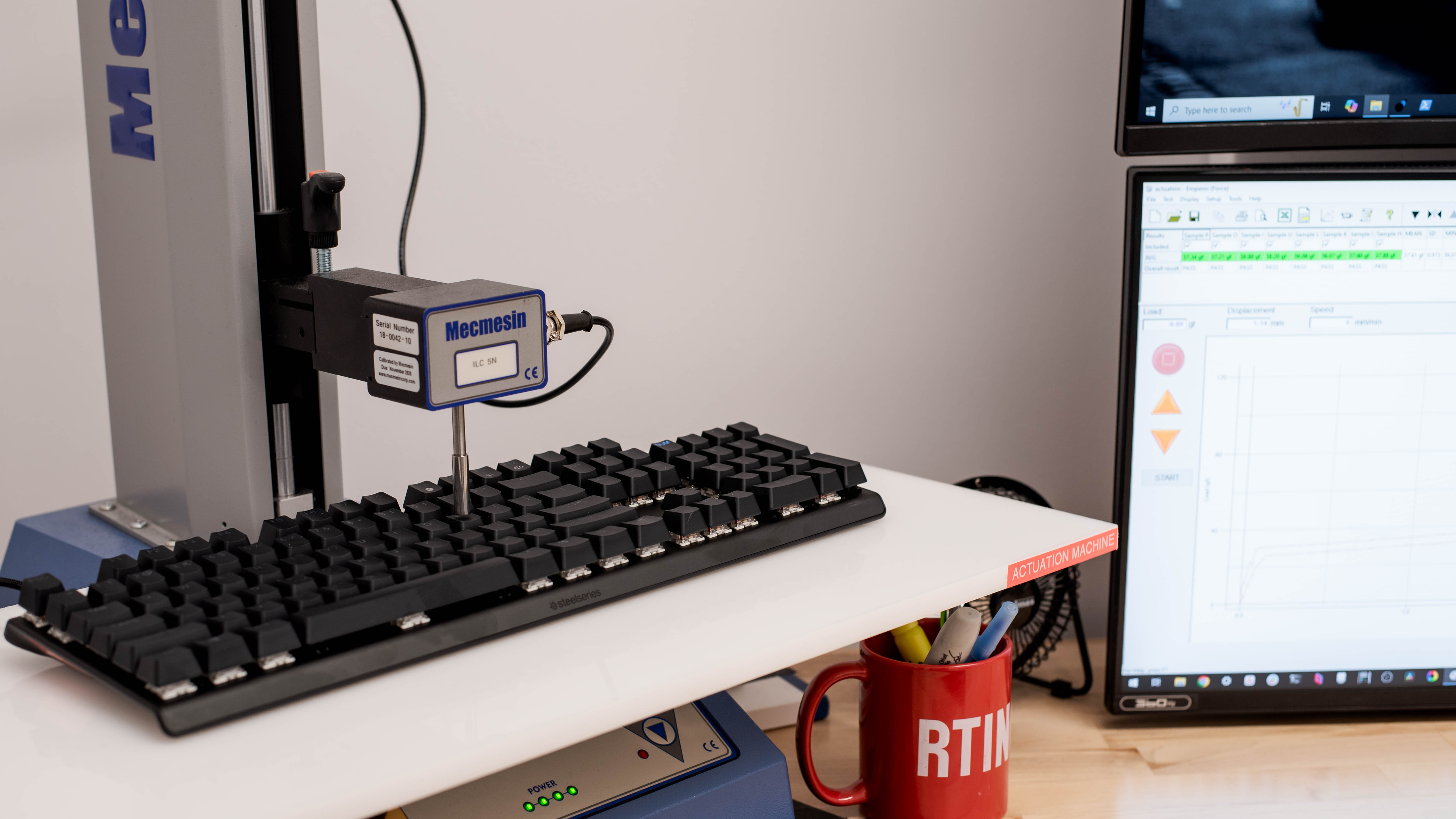
    The OmniPoint 3.0 switches on this keyboard are Hall effect switches that allow you to customize actuation and reset points. They're quite lightweight and have a smooth travel without any tactile bump.

    By default, the actuation point of the switches is set to 1.8 mm, which is the setting we used to test this keyboard and produce the graph above. You can adjust the pre-travel distance of keys within a range of 0.1 mm–4.0 mm.

    Note: When we first tested this keyboard, we found that the software actuation setpoints were quite inaccurate, even after performing a full factory reset and switch calibration. SteelSeries has since improved actuation accuracy through several firmware updates, as shown in our Adjustable Input Granularity test, which we added in a test bench update after our initial review. However, accuracy still falls somewhat short compared to competing options, such as the Wooting 80HE and NuPhy Field75 HE.

    7.7
    Adjustable Input Granularity
    See details on graph tool
    Top Deadzone
    0.60 mm
    Bottom Deadzone
    0.30 mm
    Detection Ratio
    78%
    Minimum Step Depth
    0.05 mm

    This keyboard offers very good input granularity overall, with a small minimum step depth. However, it has a moderate top deadzone, so the most sensitive settings don't fully match their software setpoints, and it also shows a somewhat limited detection ratio across the full keystroke. These factors don't cause any noticeable issues in gameplay, but they make it slightly less responsive in measured performance compared to some competing models.

    It doesn't support true analog output, but that's rarely a limitation in most gaming scenarios. However, it also means the keyboard can't mimic gamepad or joystick inputs, which some users may want for platformers, racing sims, or flight sims.

    Switches
    Switch Name
    OmniPoint 3.0
    Switch Type
    Magnetic
    Feel
    Linear
    Output Type
    Adjustable Actuation

    Most of the keys on the SteelSeries Apex Pro Gen 3 use OmniPoint 3.0 Hall effect switches, which allow you to customize actuation settings. See this image, which highlights all 61 customizable switches.

    However, the function row, navigation cluster, and numpad use Gateron Red mechanical switches. You can't customize actuation settings on those switches.

    Performance
    9.2
    Single-Key Latency
    See details on graph tool
    Best Connection
    2.7 ms
    Best Connection Std Dev±0.5 ms
    Wired
    2.7 ms
    Receiver
    N/A
    Bluetooth
    N/A
    PCB (Estimated)
    N/A

    The SteelSeries Apex Pro Gen 3 has remarkably low single-key latency. It delivers an extremely responsive-feeling experience for games in any genre and casual or competitive play.

    We tested with the actuation point set to its lowest setting (0.1 mm) and with Rapid Trigger set to its most sensitive setting (0.1 mm).

    9.1
    Multi-Key Latency
    See details on graph tool
    Connection EvaluatedWired
    Key Press
    2.7 ms

    The SteelSeries Apex Pro Gen 3 has remarkable multi-key latency. It's very well-suited for playing games that require additional keystrokes while multiple keys are pressed and maintained.

    We tested with the actuation point set to its lowest setting (0.1 mm) and with Rapid Trigger set to its most sensitive setting (0.1 mm).

    8.7
    Data Transmission
    Connection EvaluatedWired
    USB Polling Rate
    1,000 Hz
    Effective Update Rate
    1,000 Hz
    N-Key Rollover (NKRO)
    Yes
    Multiple Keys Per USB Report
    Yes

    This keyboard has a maximum polling rate of 1000Hz, and data transmission isn't bottlenecked by other latency components. It also supports N-key rollover by default out of the box and can send multiple inputs per USB report.

    7.9
    Chord Split
    See details on graph tool
    4 Chord Split Delay
    5.8 ms
    8 Chord Split Delay
    11.2 ms

    The SteelSeries Apex Pro Gen 3 has very good chord split performance, with fairly low 4-chord and 8-chord split delay, making it suitable for playing rhythm titles or other games requiring many simultaneous inputs.

    Software and Operating System
    Configuration Software
    Software NameSteelSeries GG
    Software Windows Compatible
    Yes
    Software macOS Compatible
    Yes
    Onboard Memory
    Yes
    Profiles
    6+

    The software has a straightforward layout and is reasonably intuitive, though it may take some experimentation, as it offers some fairly complex advanced customization options.

    You can reprogram keys, change RGB lighting and effects, record macros, and configure custom profiles. You can also save all your custom settings to the keyboard's onboard memory.

    This keyboard supports several additional features related to switch actuation settings, detailed below. 

    • Rapid Trigger
      Allows you to customize switch reset points or the distance a switch needs to travel back upwards once you've activated a keystroke. This setting can be useful for making much faster repeat inputs.
    • Protection Mode
      This mode protects against accidental keypresses by reducing the sensitivity of surrounding keys. For more details, SteelSeries has an FAQ response about this feature on their website.
    • Dual Actuation/ Dual Bindings
      Lets you program two different actions to the same key, depending on how far down you press.
    • Rapid Tap (SOCD)
      Specifies pairs of keys with custom trigger behavior along optional parameters. Ex: prioritizes the last-pressed key in a pair, without needing to fully release the previous key. Disclaimer: Using this setting may not be allowed in some competitive online games, such as CS:2.

    Similar to the software options from other major manufacturers, this software receives criticism for requiring frequent updates and taking up disproportionate system resources. You may find this software frustrating if you prefer more lightweight software options or no software at all.

    Note: SteelSeries indicates on its website that not all features are compatible with MacOS. However, during testing on a Mac, we didn't encounter any features that behaved unusually. In particular, all actuation settings, including Rapid Trigger, Protection Mode, and Rapid Tap, worked as expected.

    10
    Computer Compatibility
    Windows
    Fully Compatible
    macOS
    Fully Compatible
    Linux
    Fully Compatible
    Media Key Compatibility
    Windows, MacOS & Linux

    All default functions on this keyboard work in Windows, macOS, and Linux. However, the customization software is only compatible with Windows and macOS.

    0.0
    Wireless Mobile Compatibility
    Android
    Not Compatible
    iOS
    Not Compatible
    iPadOS
    Not Compatible
    Media Key Compatibility
    Not Compatible