
TenKeyLess (TKL) keyboards are essentially full-size keyboards without a numpad. This makes them a particularly popular choice for gamers, but they're also a good fit for anyone who wants a more compact keyboard without giving up a dedicated navigation cluster and arrow keys.
Compared to a full-size keyboard, a TKL model gives you:
- More room for broad mouse movements
- More freedom to position or angle your keyboard comfortably
- A smaller size that's easier to move around, whether around the home or between hot desks at the office
For competitive gaming, prioritize low latency and consider whether you want magnetic switches with adjustable actuation and Rapid Trigger. For work and everyday use, typing feel, noise, and wireless connectivity may matter more.
We've tested over 300 keyboards, including over 50 TKL models; below are our picks for the best TKL mechanical keyboards and non-mechanical keyboards, with options for dedicated gaming models and versatile ones for gaming as well as everyday use or work. If you'd like to explore smaller sizes, see our picks for the best 75% keyboards and the best 60% keyboards.
Or for other focused options, see our best gaming keyboards, the best office keyboards, or the best wireless keyboards.
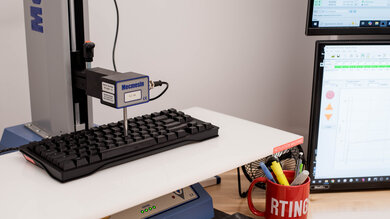
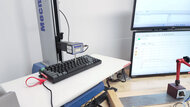
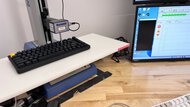
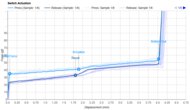
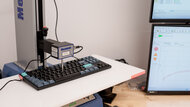
We test dozens of keyboards each year, and to maintain independence, we buy every unit ourselves. Our reviews go beyond subjective typing impressions or quick gaming sessions. Each keyboard is put through the same standardized test bench, so you can directly compare our results. We use specialized tools like a Mecmesin force tester to measure switch force curves and a Beagle 480 USB analyzer to capture input data for latency testing. Multiple teams contribute to each review in a process that can take days or even weeks from start to finish.
-
Best TKL Keyboard
 GamingOfficeProgrammingMobile/TabletEntertainment / HTPCConnectivity:WiredSwitch Type:MagneticHot-Swappable Switches:YesBluetooth:See all our test resultsBluetooth Multi-Device Pairing:
The Wooting 80HE is the best TKL keyboard we've tested. While all of our picks on this list are very capable gaming options, the Wooting is especially well-suited for high-level competitive gaming. The 80HE delivers some of the best latency performance we've tested and supports a maximum polling rate of 8000Hz. The real-world benefit of that higher polling rate is admittedly small, but it helps minimize input delay and variation in latency. It also has outstanding build quality, with plenty of acoustic material inside the case and your choice of an ABS plastic or more premium zinc-alloy case.
Its standout features are its magnetic switches and extensive customization through straightforward web-based software, which lets you adjust each key's actuation point, create custom profiles, customize RGB lighting and macros, and use advanced features like Rapid Trigger for faster, more responsive inputs. It also has a gasket-mounted design, which adds a bit of cushion to keypresses, though it feels fairly stiff overall.
-
Best Mid-Range TKL Keyboard
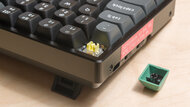
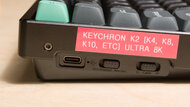
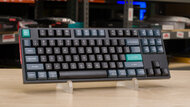
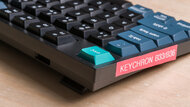
GamingOfficeProgrammingMobile/TabletEntertainment / HTPCConnectivity:WirelessSwitch Type:MechanicalHot-Swappable Switches:YesBluetooth:See all our test resultsBluetooth Multi-Device Pairing:For a less expensive option, we recommend the Keychron K8 Ultra 8K, a versatile wireless keyboard for everyday desktop use, work, or gaming. We tested the smaller Keychron K2 Ultra 8K pictured here, but the K8 Ultra 8K in the same series has a standard TKL layout. Compared with the Wooting 80HE above, it offers wireless connectivity, but its conventional mechanical switches don't support adjustable actuation or Rapid Trigger. It has a thick aluminum frame but a plastic underside, which makes it feel less premium than the Wooting's zinc alloy case option. Its keycaps also lack shine-through legends, making them harder to read in dim lighting.
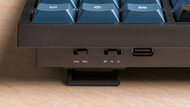
It's available with linear or tactile switches and has a hot-swappable PCB if you want to try different switches without soldering. An included toolkit also lets you disassemble the keyboard for further hardware customization. It delivers outstanding latency performance and supports 8000Hz polling over both wired and 2.4GHz wireless connections, making it well-suited for competitive gaming. Bluetooth lets you pair with up to three devices and switch between them, while web-based software provides key remapping, macros, and backlighting customization.
-
Best Budget TKL Keyboard
GamingOfficeProgrammingMobile/TabletEntertainment / HTPCConnectivity:WirelessSwitch Type:MechanicalHot-Swappable Switches:YesBluetooth:See all our test resultsBluetooth Multi-Device Pairing:We recommend the Keychron J4 as the best budget TKL keyboard. We bought and tested its smaller 75% sibling, the J2, pictured above, but the J4 has a standard TKL layout with dedicated navigation keys. It's a good option if you don't mind a less premium build than the Keychron K8 Ultra 8K above. It still delivers excellent typing quality and very low latency, though parts of its plastic case feel cheaper, and its spacebar feels slightly hollow.
It connects with a 2.4GHz receiver or Bluetooth, which lets you pair with up to three devices and switch between them. Web-based software provides key remapping, macros, and RGB customization. It's available with linear or tactile switches, but choose a hot-swappable configuration if you want to change switches without soldering later. Unlike the Keychron K8 Ultra 8K above, the black and white colorways have shine-through legends that are easier to read in dim lighting, though the dark blue colorway doesn't.
-
Best Cheap TKL Keyboard
GamingOfficeProgrammingMobile/TabletEntertainment / HTPCConnectivity:WirelessSwitch Type:ScissorHot-Swappable Switches:NoBluetooth:See all our test resultsBluetooth Multi-Device Pairing:For a cheaper option, we recommend the Keychron B33. It uses deep scissor switches that feel soft and comfortable, though they're a bit mushy and don't deliver as satisfying a typing experience as the mechanical switches used on the options above. That said, a major advantage of these switches is that they're extremely quiet, making this pick an outstanding option if you need a keyboard for a noise-sensitive or shared space.
This keyboard feels noticeably cheaper than our budget pick, the Keychron J4 above, with thinner, cheaper-feeling plastic, a bit of deck flex, and more noticeable key wobble. It connects wirelessly with a 2.4GHz USB receiver or Bluetooth and lets you pair with up to three devices and switch between them. However, it lacks backlighting, so its legends can be harder to read in dim lighting.
-
Best TKL Keyboard For Enthusiasts
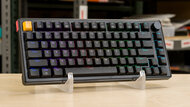
GamingOfficeProgrammingMobile/TabletEntertainment / HTPCConnectivity:WirelessSwitch Type:MechanicalHot-Swappable Switches:YesBluetooth:See all our test resultsBluetooth Multi-Device Pairing:If you lean more into an enthusiast keyboard camp and are looking for the best TKL mechanical keyboard that offers the widest range of hardware customizability, we recommend the NuPhy Gem80. It's sold directly on NuPhy's website, though availability can be limited. The main thing to know is that this keyboard is only available as a barebones kit in either a wired or wireless configuration. This means that all the internal components, including the PCB, sound-dampening material, and stabilizers, are in place straight out of the box. However, you'll have to buy and install your own switches and keycaps, so factor those additional costs into your budget when comparing it with the fully assembled picks above.
It also comes with several gasket-mount options, so you can adjust how soft or springy typing feels. While this keyboard's latency performance doesn't quite match our top pick, the Wooting 80HE, it still has impressive raw performance that's more than suitable for gaming in any genre and at any competitive level. The main trade-off is the extra assembly. It's a good fit if you want to choose your own components and fine-tune the typing feel, but it's less convenient if you want a keyboard that's ready to use out of the box.




Notable Mentions
-
8BitDo Retro Mechanical Keyboard:
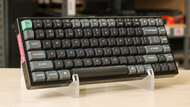
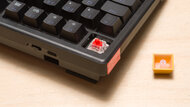
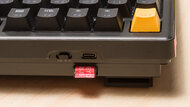
The 8BitDo Retro Mechanical Keyboard is a gaming-focused wireless model that's typically a bit less expensive than the Keychron K8 Ultra 8K. It lacks backlighting, has higher latency, and is loud to type on, but it has a distinct retro style and clicky mechanical switches that offer satisfying old-school tactility.
See our review
Recent Updates
Oct 20, 2026:
We've replaced the Keychron V5 Max, AULA F75, and Keychron C1 Pro with the Keychron V3 Ultra 8K, Keychron J4, and Keychron B33 as our mid-range, budget, and cheap picks, respectively. We've also removed the NuPhy Halo75 V2 and the upper mid-range category, removed the Lofree Flow84 from Notable Mentions, and revised some of our text to clarify buying advice and trade-offs between picks.
Jun 29, 2026:
We've removed the ASUS ROG Azoth from our Notable Mentions list, as it's discontinued and no longer widely available. We've also made a few text adjustments to the intro and several entries to make the benefits of a TKL keyboard and the tradeoffs between picks more explicit.
Mar 27, 2026:
We moved the Keychron V3 Max from a budget pick to mid-range, and added the AULA F75 as our new budget pick. We also added the NuPhy Halo75 V2 as our new upper mid-range pick. The NuPhy WH80 and Keychron B33 are new additions as wireless alternatives to our top and budget picks, respectively. Finally, we added the Lofree Flow 2 as a Notable Mention for a low-profile, upper mid-range option.
Mar 18, 2025:
We've added the Logitech G PRO X TKL RAPID as a cheaper alternative to the Wooting 80HE in our Notable Mentions, and made small edits throughout for clarity.
Dec 17, 2024:
We've replaced the SteelSeries Apex Pro TKL (2023) with the Wooting 80HE as our top pick. While the Wooting is more expensive, it feels better built and offers a better typing experience and gaming performance.
All Reviews
Our recommendations above are what we think are currently the best TenKeyLess models for most people. We factor in the price, feedback from our visitors, and availability.
If you'd like to do the work of choosing yourself, below is the list of all our relevant keyboard reviews. Be careful not to get too caught up in the details. While no keyboard is perfect for every use, most are good enough to please almost everyone, and the differences often aren't noticeable unless you really look for them.