![NuPhy Air75 V3 [Air65 V3, Air100 V3]](https://i.rtings.com/assets/products/RSJD0lwe/nuphy-air75-v3/design-medium.jpg?format=auto)
The NuPhy Air75 V3 is a compact (75%) model in NuPhy's Air V3 series of mechanical keyboards, which also includes the smaller NuPhy Air60 V3 and the larger NuPhy Air100 V3. For more details, see the Differences Between Variants section.
This keyboard retains the low-profile design and dual-mode wireless connectivity of its predecessor, the NuPhy Air75 V2, and adds a new gasket-mount design for a softer typing experience. This new version also adds an optional knob at the top-right of the keyboard that controls volume by default. The launch of this keyboard also coincides with the launch of NuPhy's updated NuPhyIO 2.0 software experience. While it's mostly a UI update, it adds an offline client for people who would want to change their settings without an internet connection. In terms of performance, it maintains a 1000Hz polling rate and very good latency. The NuPhy Air75 V3 also has a hot-swappable PCB compatible with Gateron low-profile 3.0 switches.
Our Verdict
Even if it isn't designed explicitly for this use, the NuPhy Air75 V3 is great for gaming. It delivers impressive latency performance and a 1000Hz polling rate. The build quality is also excellent. The keyboard feels solid, and the gasket-mount delivers a slightly bouncy and very comfortable gaming experience over long periods. The backlighting is very clear despite the lack of stock shine-through keycaps.
Excellent build quality.
Impressive latency performance.
1000Hz polling rate.
Bright RGB backlighting.
Stock keycaps don't have shine-through legends.
The NuPhy Air75 V3 is great for office use. Its low-profile design makes typing comfortable even without a wrist rest, since your wrists don't need to bend much to reach the keys. It's also very quiet to type on, thanks to layers of internal sound-dampening material, especially with the silent Blush Nano switches. The keyboard has excellent build quality and offers flexible connectivity, whether through its USB receiver or via Bluetooth with up to three devices at once. It's fully compatible with both Windows and macOS. However, the compact layout and flat nSA profile keycaps can feel a bit cramped at first, so it may take some time to adjust. People who prefer more tactile feedback may also feel that it feels a tad mushy, especially when paired with the Gateron Blush Nano switches we had on our unit.
Excellent build quality.
Very quiet and comfortable to type on over long periods.
Connects wirelessly via USB or via Bluetooth with up to three devices simultaneously.
Flat nSA keycap profile and compact form-factor may take a bit of getting used to initially.
As a compact and low-profile keyboard. the NuPhy Air75 V3 is easy to slip into a bag or carry around for use with tablets and mobile devices. However, it's slightly heavier and taller than its predecessor. It connects wirelessly via Bluetooth and can pair with up to three devices at the same time. The build quality is excellent, giving it a sturdy and reliable feel despite its portability. If you want to carry your keyboard around, NuPhy also gives you the option to buy a separate portfolio carrying case that doubles as a stand for your phone or tablet.
Excellent build quality.
Connects wirelessly via USB or via Bluetooth with up to three devices simultaneously.
On the heavier side compared to other keyboards designed for mobile devices.
The NuPhy Air75 V3 is well-suited for programming. Its low-profile design makes it both portable and comfortable to type on, even without a wrist rest. The build quality is excellent, and the internal sound-dampening layers help keep typing noise to a minimum. While it doesn't include dedicated macro keys, you can assign macros to any key through the companion software. It also features full RGB backlighting, though the stock keycaps aren't shine-through, which can make the legends harder to see in darker environments. You can, however, spec it with shine-through keycaps.
Excellent build quality.
Bright RGB backlighting.
Very quiet and comfortable to type on over long periods.
Stock keycaps don't have shine-through legends.
Flat nSA keycap profile and compact form-factor may take a bit of getting used to initially.
The NuPhy Air75 V3 is acceptable for home theater or entertainment use. Its compact size makes it convenient to use from the couch, and it can connect wirelessly to up to three devices at once over Bluetooth. However, it lacks useful features like a trackpad and dedicated media keys. Also, while it does include full RGB backlighting, the stock keycaps don't have shine-through legends, which makes the keys difficult to read in a dark room.
Bright RGB backlighting.
Connects wirelessly via USB or via Bluetooth with up to three devices simultaneously.
Stock keycaps don't have shine-through legends.
The NuPhy Air75 V3 delivers impressive raw performance that's well-suited for gaming in all genres at a casual or competitive level. It supports full N-key rollover and the ability to send multiple keystrokes per USB report. When wired or connected wirelessly through its included USB receiver, it offers excellent single-key and multi-key latency along with a 1000Hz polling rate.
Impressive latency performance.
1000Hz polling rate.
Changelog
-
Updated Apr 29, 2026:
We've added a link to the NuPhy Node Series in the Typing Quality section.
-
Updated Apr 22, 2026:
We've added new information to the Introduction, Differences Between Variants, and Dimensions sections about the NuPhy Air65 V3 and NuPhy Air100 V3 size variants, which were released after our initial review publication.
-
Updated Jan 22, 2026:
We've added a link to the Lofree Flow 2 in the Typing Quality section.
- Updated Jan 22, 2026: Our Test Bench 1.4.3 update adds clearer terminology and new measurements to our Keystrokes test group. For more details, see the full changelog.
Check Price
Differences Between Sizes And Variants
NuPhy Air75 V3 [Air65 V3, Air100 V3] are a series of wireless low-profile keyboards that come in two color options: Nova White and Nebula Dark. You can also configure them in one of three Gateron 3.0 Low Profile (Nano) switch options. The default keycaps are double-shot PBT, which aren't shine-through, though NuPhy offers a shine-through set for an additional cost.
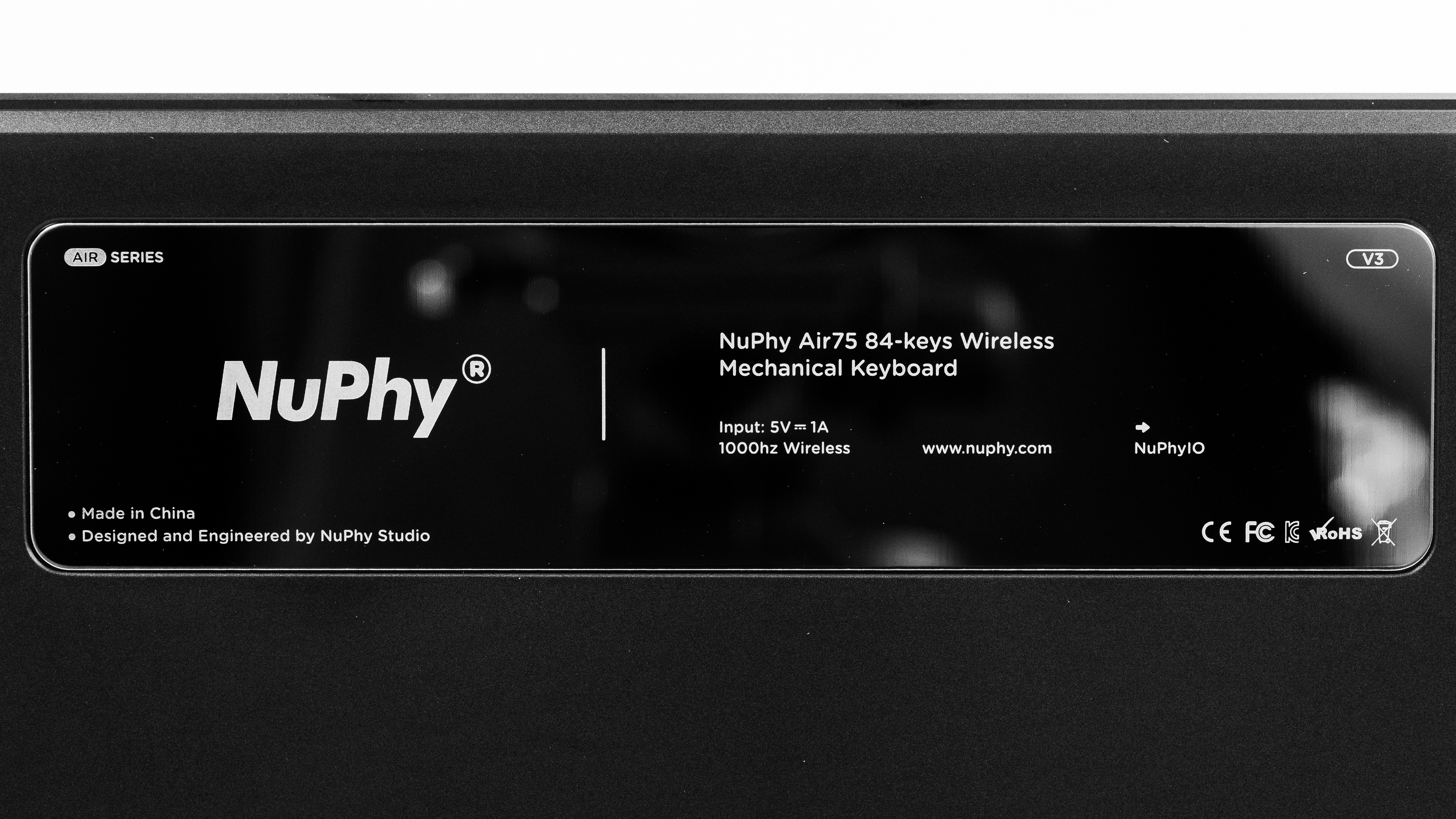
We bought and tested a NuPhy Air75 V3 model in the Nebula Dark colorway with Gateron Nano Blush switches. See our unit's label.
We expect all our test results to apply to each size variant, with the only meaningful difference being their size and number of keys. See the Dimensions section for more details.
| Name | Color Options | Size | Switch Options | Keycap Options |
|---|---|---|---|---|
| NuPhy Air75 V3 | Nova White, Nebula Dark | Compact (75%) | Gateron Nano Red (Linear) Gateron Nano Brown (Clicky) Gateron Nano Blush (Silent Linear) | Shine-through (extra cost), Non-shine-through PBT |
| NuPhy Air65 V3 | Nova White, Nebula Dark | Compact (65%) | Gateron Nano Red (Linear) Gateron Nano Brown (Clicky) Gateron Nano Blush (Silent Linear) | Shine-through (extra cost), Non-shine-through PBT |
| NuPhy Air100 V3 | Nova White, Nebula Dark | Full-size (100%) | Gateron Nano Red (Linear) Gateron Nano Brown (Clicky) Gateron Nano Blush (Silent Linear) | Shine-through (extra cost), Non-shine-through PBT |
Popular Keyboard Comparisons
The NuPhy Air75 V3 is a low-profile mechanical keyboard that succeeds the well-regarded NuPhy Air V2 series. Building on that foundation, the new Air75 V3 adds a multi-function rotary knob, a new gasket-mount design that enhances typing comfort with a more springy feel, and brighter backlighting.
Altogether, this wireless keyboard is a versatile choice for everyday browsing, productivity, and even casual or competitive gaming, and its compact form factor makes it easy to use on the go. It's a standout alternative to productivity boards that use laptop-style scissor switches, like the Logitech MX Keys S, and competes directly with low-profile mechanical options like the Keychron K3 Max and the Lofree Flow84. Although it shares many features with these competitors, the NuPhy stands out for its distinct aesthetic, its multi-function rotary knob, and its Gateron 3.0 Nano switches. These switches have a noticeably longer total travel distance, providing a typing feel closer to a standard mechanical keyboard while keeping the ergonomic and comfort benefits of a low-profile design, a major plus if you've found the typing experience on other low-profile boards too short and abrupt.
For more options, see our picks for the best keyboards, the best wireless keyboards, the best low-profile keyboards, and the best office keyboards.
The NuPhy Air75 V3 and the Lofree Flow 2 are wireless, low-profile mechanical keyboards. The NuPhy has a plastic case but boasts full RGB backlighting, wider aftermarket switch compatibility, and slightly better gaming performance overall. The Lofree, on the other hand, is available in three different sizes and has somewhat better and more premium-feeling build quality with a solid aluminum case design. However, it only has white backlighting and uses relatively more limited VIA configuration software.
The Keychron K5 Max and the NuPhy Air75 V3 are wireless mechanical keyboards with low-profile designs. Overall, these two keyboards are very comparable in terms of features and are very well-built. The NuPhy, however, includes an optional knob and clearer backlighting and should last longer on a single charge. Its newer Gateron Low-Profile 3.0 switches also provide a full 3.5 mm of travel, which is longer than the Keychron's maximum of 3.0 mm.
The NuPhy Air75 V3 [Air65 V3, Air100 V3] and NuPhy Node Series are lineups of wireless mechanical keyboards. The Air models are available in three sizes but only as low-profile options, while the Node models come in two sizes and are available as either low-profile or high-profile keyboards. Both lineups are available with linear, tactile, or silent linear switches. The Air models feel slightly more premium overall, with an aluminum frame, while the Node models have all-plastic builds but provide slightly better typing quality thanks to more consistent stabilizers and a softer gasket-mount design. The Node models also have a touch bar that allows for simple gestures, like adjusting backlight brightness or muting media playback.
The Logitech MX Keys S and the NuPhy Air75 V3 are low-profile keyboards mainly targeted at office workers. While Logitech benefits from the inclusion of shine-through keycaps and a very quiet and comfortable typing experience, the NuPhy's mechanical switches are more satisfying to type on. The latter also delivers much better latency performance and a more robust software experience.
Test Results
![NuPhy Air75 V3 [Air65 V3, Air100 V3] Top Picture Sample](https://i.rtings.com/assets/sample-images/keyboard/dimensions-small.jpg?format=auto)
![NuPhy Air75 V3 [Air65 V3, Air100 V3] Build Quality Close Up Sample](https://i.rtings.com/assets/sample-images/keyboard/build-quality-small.jpg?format=auto)
![NuPhy Air75 V3 [Air65 V3, Air100 V3] Underside Picture Sample](https://i.rtings.com/assets/sample-images/keyboard/underside-small.jpg?format=auto)
for pictures & test results
![NuPhy Air75 V3 [Air65 V3, Air100 V3] Side Picture Sample](https://i.rtings.com/assets/sample-images/keyboard/ergonomics-small.jpg?format=auto)
for pictures & test results
![NuPhy Air75 V3 [Air65 V3, Air100 V3] Customizability Overview Sample](https://i.rtings.com/assets/sample-images/keyboard/custom-small.jpg?format=auto)
![NuPhy Air75 V3 [Air65 V3, Air100 V3] Backlighting Picture Sample](https://i.rtings.com/assets/sample-images/keyboard/backlight-small.jpg?format=auto)
![NuPhy Air75 V3 [Air65 V3, Air100 V3] Brightness Max Sample](https://i.rtings.com/assets/sample-images/keyboard/brightness-max-small.jpg?format=auto)
![NuPhy Air75 V3 [Air65 V3, Air100 V3] Brightness Min Sample](https://i.rtings.com/assets/sample-images/keyboard/brightness-min-small.jpg?format=auto)
![NuPhy Air75 V3 [Air65 V3, Air100 V3] White Shot Sample](https://i.rtings.com/assets/sample-images/keyboard/whiteshot-small.jpg?format=auto)
for pictures & test results
![NuPhy Air75 V3 [Air65 V3, Air100 V3] Extra Features Sample](https://i.rtings.com/assets/sample-images/keyboard/features-small.jpg?format=auto)
![NuPhy Air75 V3 [Air65 V3, Air100 V3] Bundle Picture Sample](https://i.rtings.com/assets/sample-images/keyboard/in-the-box-small.jpg?format=auto)
![NuPhy Air75 V3 [Air65 V3, Air100 V3] Typing Sample Sample](https://i.rtings.com/assets/sample-images/keyboard/typing-sample-small.jpg?format=auto)
for pictures & test results
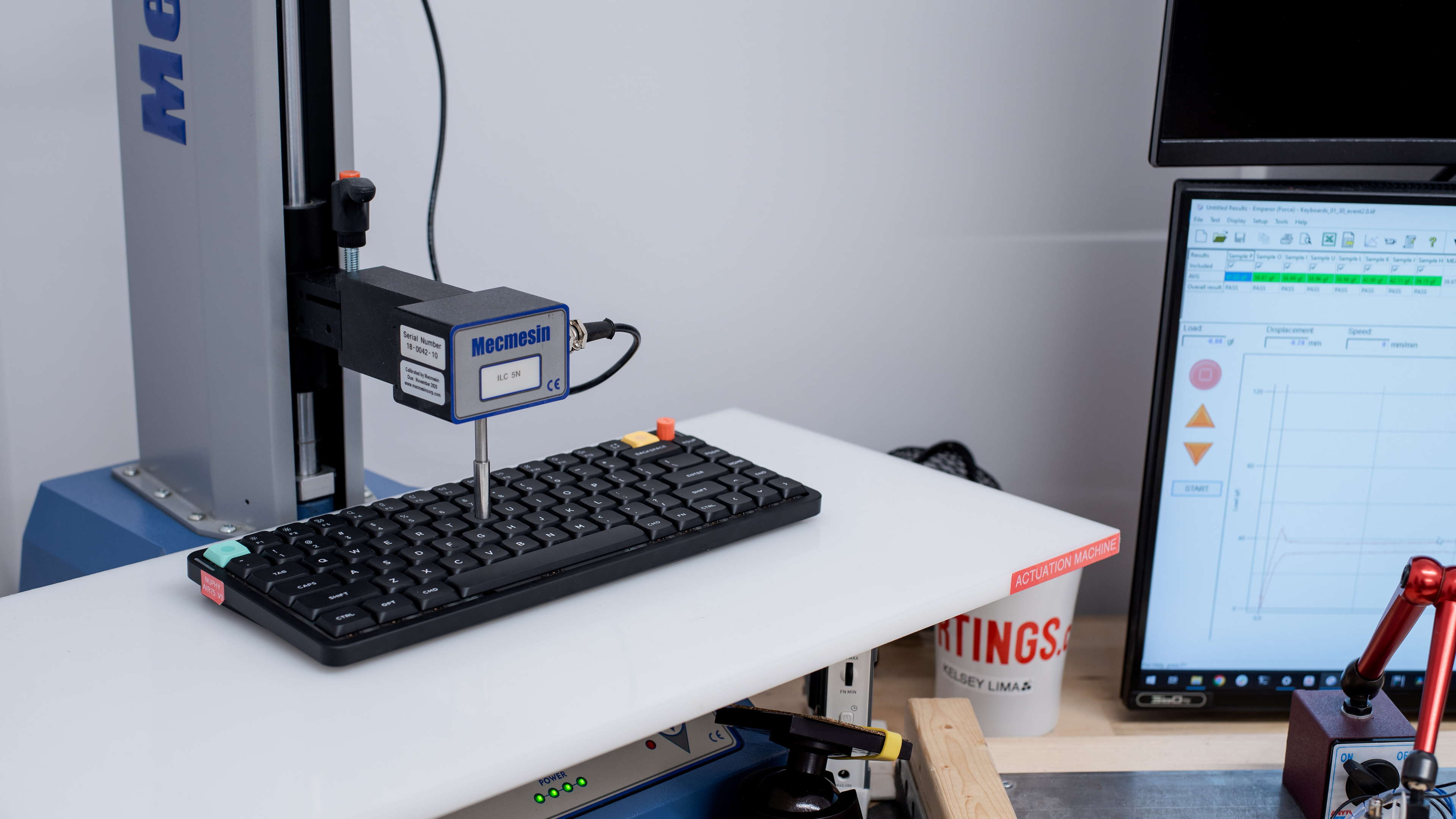
![NuPhy Air75 V3 [Air65 V3, Air100 V3] Key Switch Actuation Graph Sample](https://i.rtings.com/assets/sample-images/keyboard/feel-graph-small.jpg?format=auto)
for pictures & test results
![NuPhy Air75 V3 [Air65 V3, Air100 V3] Input Linearity Graph Sample](https://i.rtings.com/assets/sample-images/keyboard/keyboard-input-granularity-graph-small.jpg?format=auto)
![NuPhy Air75 V3 [Air65 V3, Air100 V3] Wobble Video Sample](https://i.rtings.com/assets/sample-images/keyboard/wobble-small.jpg?format=auto)
for pictures & test results
![NuPhy Air75 V3 [Air65 V3, Air100 V3] Single-Key Latency Graph Sample](https://i.rtings.com/assets/sample-images/keyboard/latency-single-graph-small.jpg?format=auto)
![NuPhy Air75 V3 [Air65 V3, Air100 V3] Multi-Key Latency Graph Sample](https://i.rtings.com/assets/sample-images/keyboard/latency-multi-graph-small.jpg?format=auto)
for pictures & test results
![NuPhy Air75 V3 [Air65 V3, Air100 V3] Multi-Key Raw USB Sample](https://i.rtings.com/assets/sample-images/keyboard/rollover-small.jpg?format=auto)
![NuPhy Air75 V3 [Air65 V3, Air100 V3] Chord Split Graph Sample](https://i.rtings.com/assets/sample-images/keyboard/keyboard-chordsplit-graph-small.jpg?format=auto)
for videos & test results
![NuPhy Air75 V3 [Air65 V3, Air100 V3] Software Tour Sample](https://i.rtings.com/assets/sample-images/keyboard/software-tour-small.jpg?format=auto)