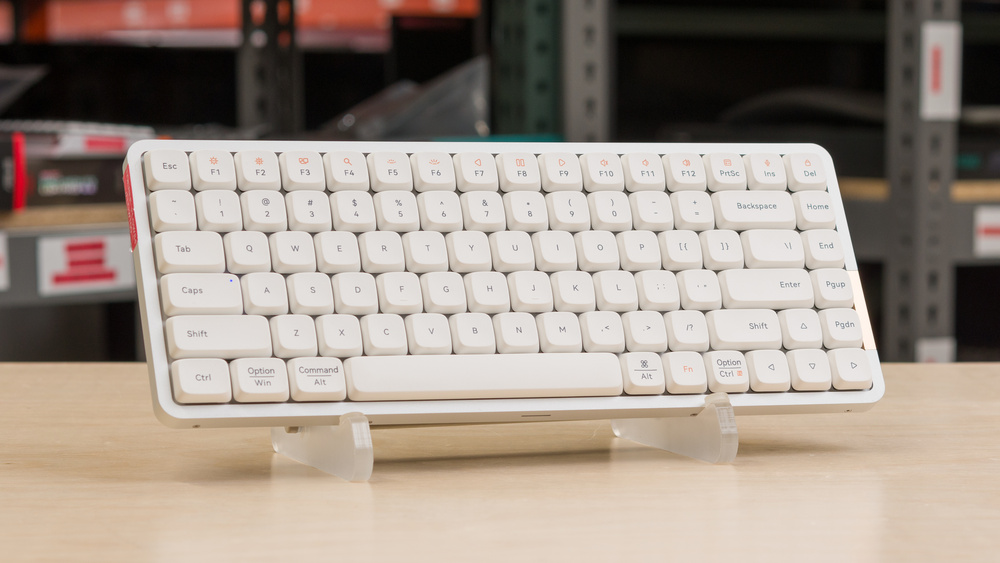
The Lofree Flow84/Flow100 are wireless mechanical keyboards with a low-profile gasket-mounted design. A gasket mount is somewhat unusual for low-profile keyboards and helps produce a somewhat cushioned and almost springy typing experience compared to more traditional tray-mounted mechanical keyboards. You can connect these keyboards either wired with a USB cable or wirelessly via Bluetooth, and they support multi-device pairing. They're driverless, so you don't need to worry about downloading software for configuration. However, this means they're less customizable than many similar options, so you can't remap keys, create custom profiles, or record macros. That said, you can adjust some elements, such as backlighting directly on the keyboard using hotkey combinations.
We bought and tested the Lofree Flow84, which has a compact 75% form factor. The Lofree Flow100 is a larger variant with a 96% form factor. See the Differences Between Sizes and Variants section for more details.
Our Verdict
The Lofree Flow84/Flow100 keyboards are good for gaming. They have excellent build quality and deliver low-latency performance using a wired connection, suitable for gaming in all genres. That said, latency performance is also quite inconsistent, which can have an impact if you play at an extremely high competitive level. These keyboards are also completely unsuitable for playing fast-paced, competitive titles over a wireless connection, as they only support Bluetooth connectivity, which has dramatically higher latency that you will notice in-game. While these keyboards have backlighting, it's white only (with the exception of two RGB strips on the sides). The backlighting also doesn't support effects, and the legends lack shine-through legends, so you can't read keycaps in darker rooms.
Excellent build quality.
Very good wired latency.
No 2.4GHz connectivity.
Keycaps lack shine-through legends so you can't read them in the dark.
The Lofree Flow84 or Lofree Flow100 are great for office use. They offer excellent build quality with a premium-feeling aluminum case and smooth keycaps made of durable PBT plastic. The typing experience is quiet and satisfying thanks to the gasket-mount design, which adds a slightly soft, springy quality. They support multi-device pairing over Bluetooth, and their slim profile makes them comfortable to use even without a wrist rest. The smaller Flow84 variant is a great option if you want to prioritize portability, while the larger Flow100 is ideal if you need a numpad for the work you do. Unfortunately, there aren't any incline adjustments, and there's no software for creating custom profiles or macros, which can be a limitation for some workflows.
Excellent build quality.
Excellent typing quality.
Supports multi-device pairing over Bluetooth.
No 2.4GHz connectivity.
The Lofree Flow84/Flow100 keyboards are excellent for tablet or mobile use. They connect wirelessly over Bluetooth and support multi-device pairing. They also have excellent build quality and typing quality out of the box, with a slightly springy gasket-mount design. Their low profile also makes them very comfortable to type on without a wrist rest, and while they're not quite as compact and easy to take with you as some dedicated mobile keyboards, they offer a very good compromise of portability with a typing quality those keyboards can't match.
Excellent build quality.
Supports multi-device pairing over Bluetooth.
Somewhat heavier and thicker than dedicated mobile keyboards.
The Lofree Flow 84 and Lofree Flow 100 are good for programming. They combine excellent build quality with premium aluminum cases and high-quality PBT keycaps, delivering a quiet, slightly springy typing experience thanks to their gasket-mount design and internal dampening layers. They support multi-device Bluetooth pairing, and their low-profile design makes them comfortable to type on for long periods without a wrist rest. That said, they lack incline options, and the keycaps don't have shine-through legends, which may be an issue if you often code in low-light environments. Additionally, there's no configuration software, so you can't remap keys, create macros, or build custom profiles. Depending on your workflow, that may be a significant limitation.
Excellent build quality.
Excellent typing quality.
Supports multi-device pairing over Bluetooth.
No 2.4GHz connectivity.
Keycaps lack shine-through legends so you can't read them in the dark.
The Lofree Flow84/Flow100 keyboards are disappointing for an entertainment or home theater setup. While they have excellent build quality and support multi-device pairing over Bluetooth, they lack dedicated media keys, and their keycaps don't have shine-through legends, so you can't read them in the dark.
Supports multi-device pairing over Bluetooth.
No 2.4GHz connectivity.
No dedicated media keys.
Keycaps lack shine-through legends so you can't read them in the dark.
The Lofree Flow84/Flow100 keyboards offer great all-around performance with a wired connection. Both their single-key and multi-key latency is suitable for playing games in any genre, but it's relatively inconsistent compared to most dedicated gaming keyboards. While you won't notice this inconsistency, it can still affect your experience if you play competitive, fast-paced titles. These keyboards also perform unusually well in our Chord Split test, likely due to how they package and send simultaneous inputs in batches. However, despite scoring exceptionally well, this doesn't translate into any real-world advantage for rhythm gaming, as it doesn't account for any added processing delay on the keyboard's side during this batching process. See the Chord Split test section below for more details.
Very good wired latency.
Exceptionally poor wireless performance.
Latency is somewhat inconsistent.
Changelog
- Updated Jan 06, 2026: Our Test Bench 1.4.3 update adds clearer terminology and new measurements to our Keystrokes test group. For more details, see the full changelog.
- Updated Oct 02, 2025: Our 1.4.2 Test Bench Update makes changes to the Hardware Customizability test group. We've created a new Magnetic Switch Compatibility test and renamed our previous PCB Socket test to Mechanical Switch Compatibility. See our full changelog.
- Updated Aug 26, 2025: We've converted this review to Test Bench 1.4.1. This update removes the Key Release test and a video element from the Multi-Key Latency section, resulting in minor score changes. See our full 1.4.1 changelog for details.
- Updated Jun 19, 2025: Review published.
Check Price
Differences Between Sizes And Variants
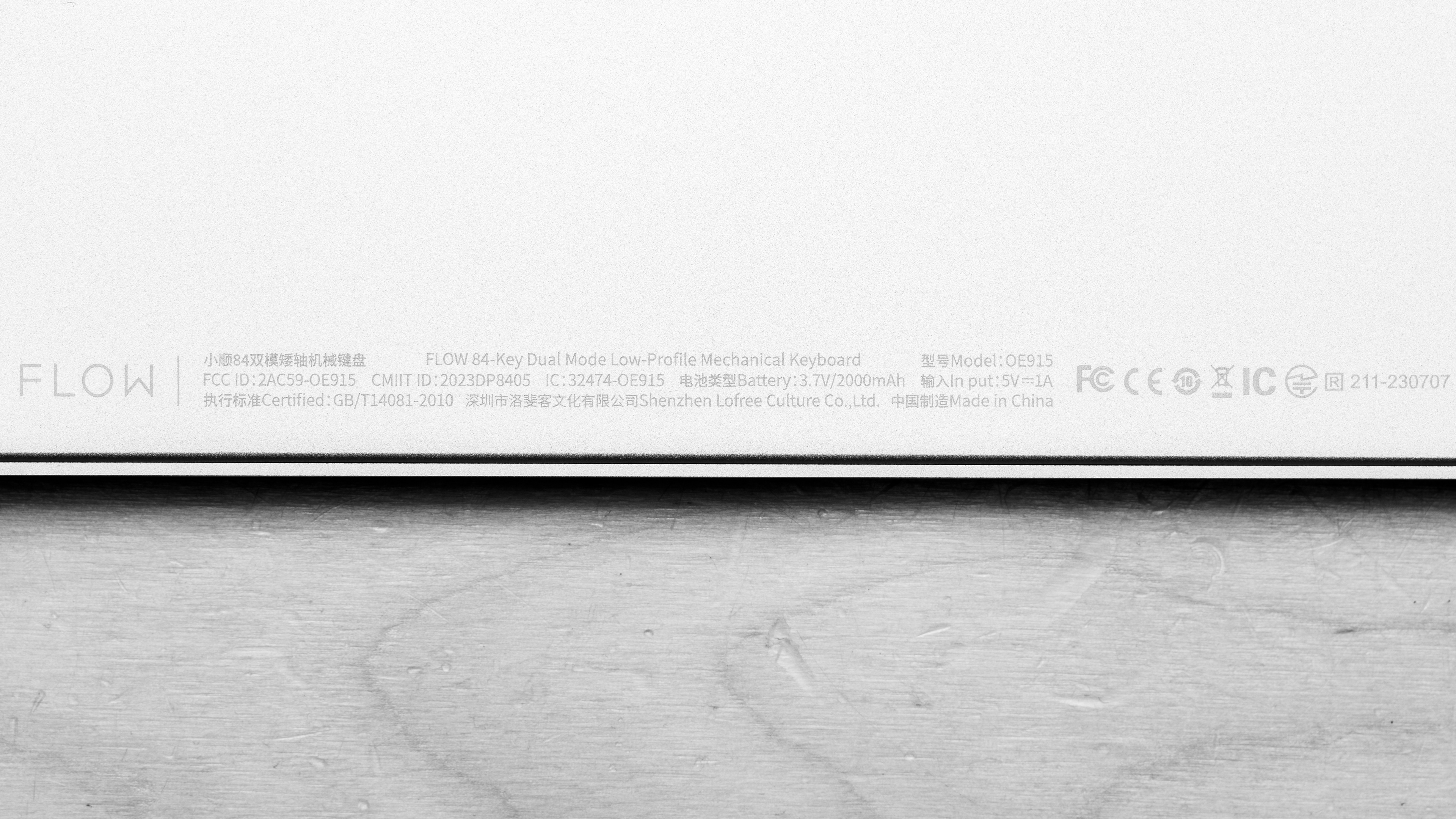
The Lofree Flow keyboards are available in two size variants and two color/switch options. See our unit's label.
| Name | Size | Color/Switch Options |
|---|---|---|
| Lofree Flow 84 | Compact (75%) |
Black with Kailh Phantom (tactile) Switches White with Kailh Ghost (linear) Switches |
| Lofree Flow 100 | Compact (96%) |
Black with Kailh Phantom (tactile) Switches White with Kailh Ghost (linear) Switches |
Note: Separate Lofree Lite84 and Lofree Lite100 models are available, but our review doesn't apply to these keyboards as they have more significant build quality and design differences. These Lite models are positioned as somewhat more affordable options and have ABS plastic instead of aluminum cases. They also use configuration software, have different color/switch options, and support 2.4GHz connectivity, while the standard Lofree Flow models don't.
Popular Keyboard Comparisons
The Lofree Flow84/Flow100 keyboards are wireless, low-profile mechanical keyboards designed for general productivity and everyday browsing. Their very slim and compact key layouts make them a good choice for portable use, and they support multi-device pairing over Bluetooth. Their gasket-mount design gives the typing experience a softer, slightly cushioned feel, an experience that's more found on much taller, standard profile models, like the AULA F99/F75 or the Keychron V Max series keyboards.
As low-profile models, the Lofree Flow boards compete directly with models like the NuPhy Air75 V2 [Air60 V2, Air96 V2], which deliver a similarly excellent build quality and satisfying typing experience out of the box. However, the NuPhy models are more customizable, with support for VIA configuration software and added wireless flexibility through 2.4GHz connectivity. In contrast, the Lofree keyboards trade that flexibility for more premium-feeling aluminum cases and a slightly springier, softer typing feel. If you're looking for a more budget-friendly alternative, Lofree also offers Lofree Lite series options. These models use a lighter ABS plastic case that feels less premium but adds 2.4GHz connectivity and software customization support—features that are more in line with the NuPhy boards.
For more recommendations, see our picks for the best keyboards, the best wireless keyboards, and the best office keyboards.
The Lofree Flow84/Flow100 keyboards are earlier models in the Flow series, while the Lofree Flow 2 models are newer and come in 84, 100, and a new 68-key size. The Flow 2 keyboards feel more premium because they use a solid aluminum case. They also have larger batteries with longer advertised battery life, and they support VIA software, while the original Flow models don't support any configuration software.
The Logitech MX Keys S and the Lofree Flow100 are low-profile keyboards, but they differ in several key ways. The Logitech is noticeably thinner, but it uses scissor switches and has a plastic case that doesn't feel as premium as the aluminum case on the Lofree. The Lofree, by contrast, uses mechanical switches and features a gasket-mount design, giving it a softer, slightly springy typing feel. That said, the Lofree also lacks configuration software, so it doesn't support custom profiles or macro recording, unlike the Logitech
The NuPhy Air75 V2 and the Lofree Flow84 are low-profile mechanical keyboards. While both have excellent build quality and deliver a very satisfying typing experience out of the box, the Lofree's construction feels a bit more premium, and it uses a gasket-mount design which provides a softer, slightly springier typing feel. On the other hand, the NuPhy has added 2.4GHz connectivity and robust software for configuration, which are features the Lofree lacks.
Both the AULA F75 and the Lofree Flow84 are compact 75% models with gasket-mount designs that lend a softer, slightly springy typing experience. The standout difference is their profile: the AULA has a fairly tall standard profile, while the Lofree has a much thinner, low-profile which makes it more portable and more comfortable to type on without a wrist rest. The Lofree also has considerably better and more premium-feeling build quality with an aluminum case. In contrast, the AULA supports 2.4GHz wireless in addition to Bluetooth, which provides significantly better wireless gaming performance.
Test Results



for pictures & test results

for pictures & test results





for pictures & test results



for pictures & test results

for pictures & test results


for pictures & test results


for pictures & test results