Wooting 60HE v2  Keyboard Review

Reviewed Jan 29, 2026 at 08:59am
Tested using Methodology v1.4.3 
Wooting 60HE v2
9.2
Gaming 
7.1
Office 
1.9
Mobile/Tablet 
7.6
Programming 
2.9
Entertainment / HTPC 
9.5
Raw Performance 
 5

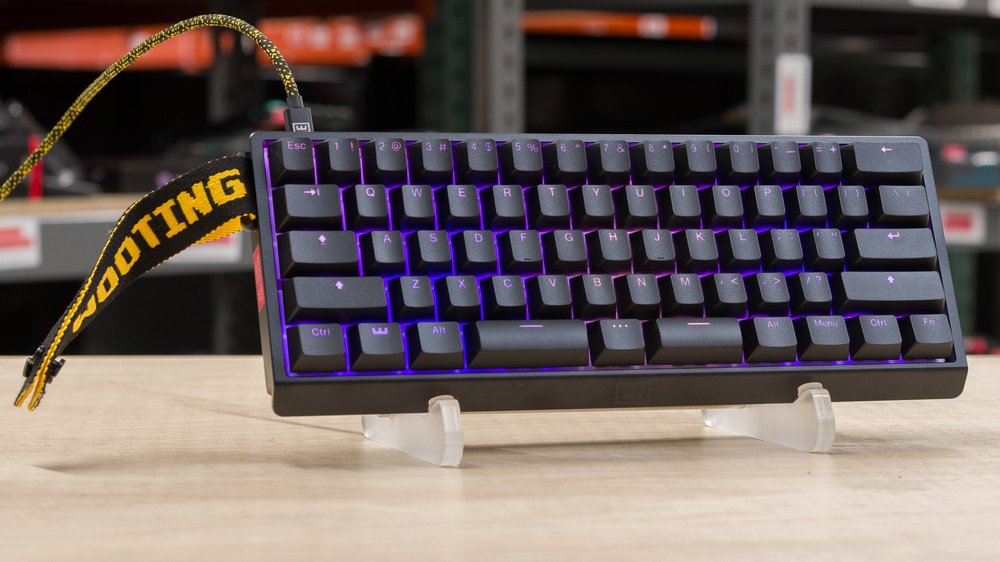
The Wooting 60HE v2 is a gaming keyboard with Hall effect switches that continues the Wooting 60HE lineup. This version comes in either a standard ANSI or ANSI split-spacebar layout, introduces a new friction-fit mounting system, and offers a choice between ABS plastic and aluminum cases. It also uses a new generation of Wooting's Lekker switches and now supports a higher maximum polling rate of 8000Hz. Like other Wooting keyboards, you can configure actuation settings and other advanced gaming features using the web-based or downloadable software utility.

Our Verdict

9.2
Gaming 

The Wooting 60HE v2 is an outstanding gaming keyboard. It delivers extremely low, consistent latency and supports advanced, adjustable actuation features like Rapid Trigger and SOCD, which can provide small but noticeable advantages in competitive FPS and rhythm games. It also has remarkably good build quality, with pre-lubed switches and stabilizers, and is available in either a more affordable ABS keycap and plastic case configuration or a higher-end version with PBT keycaps and an aluminum case, which is the one we tested. The backlighting is fully addressable, and the keycaps have clear shine-through legends. Its friction-fit mounting and damping layers provide slight cushioning and sound treatment while preserving switch stability and input granularity. Unfortunately, there's minor stabilizer rattle and wobble on some larger keys on the unit we tested, though it's hard to notice during normal in-game use.

Pros
  • Outstanding build quality.

  • Exceptionally low and consistent latency performance.

  • Effective 8000Hz polling rate.

  • Intuitive, feature-rich software with extensive actuation settings and advanced functions such as Rapid Trigger, SOCD, and DKS.

Cons
  • Minor stabilizer rattle and very slight wobble on some larger keys.

7.1
Office 

The Wooting 60HE v2 is decent for office use. It has outstanding build quality and great typing quality, with multiple layers of dampening materials, a friction-fit mounting design, and longer-travel switches that feel closer to traditional mechanical switches than many magnetic ones, which together provide a comfortable typing experience that isn't too loud for most office settings. Unfortunately, it lacks Bluetooth connectivity and has a somewhat high-profile design, which can be uncomfortable during extended typing sessions without a separate wrist rest. Its small size may also limit some workflows, especially if you aren't used to working with layers. Additionally, the software only supports very basic macro creation, so you'll need to rely on third-party tools if you need more complex macros.

Pros
  • Outstanding build quality.

  • Great overall typing experience.

Cons
  • Minor stabilizer rattle and very slight wobble on some larger keys.

  • No native software option for creating complex macros.

1.9
Mobile/Tablet 

The Wooting 60HE v2 is a wired-only model that isn't suitable for use with tablets or mobile devices.

7.6
Programming 

The Wooting 60HE v2 is good for programming. It has outstanding build quality and impressive typing quality, thanks to its friction-fit mounting system, multiple layers of dampening materials, and pre-lubed stabilizers and switches. Its longer-travel switches feel closer to traditional mechanical switches and provide a more natural bottom-out than many magnetic designs. Unfortunately, the keyboard has a relatively high-profile design, which can be uncomfortable during long typing sessions without a separate wrist rest. Additionally, if you rely heavily on macros in your workflow, macro creation isn’t very flexible, since Wooting's software only supports fairly basic macros, so you may need to rely on third-party tools.

Pros
  • Outstanding build quality.

  • Great overall typing experience.

Cons
  • Minor stabilizer rattle and very slight wobble on some larger keys.

  • No native software option for creating complex macros.

2.9
Entertainment / HTPC 

The Wooting 60HE v2 isn't designed specifically for an entertainment or home theater PC setup. It's a wired-only model, which means you'll have to sit fairly close to your playback device to use it. While its small size makes it easy to use from a seated position, the aluminum case version is heavy. It also lacks dedicated media keys. That said, the build quality is outstanding overall, and its default keycaps have shine-through legends that are fairly easy to read in the dark.

Pros
  • Shine-through keycaps allow you to read the legends in the dark.

Cons
  • Wired-only.

  • Aluminum case option is fairly heavy.

9.5
Raw Performance 

The Wooting 60HE v2 delivers exceptionally good raw performance. It has remarkably low latency and supports a maximum polling rate of 8000Hz, which doesn't have a noticeable in-game impact but slightly reduces total latency and significantly improves consistency. It also offers highly accurate input granularity, extremely small dead zones, and near-perfect detection across the entire keystroke range. Together, these characteristics result in fast and reliable initial and follow-up inputs that closely track software setpoints, making it extremely well-suited for competitive gaming.

Pros
  • Exceptionally low and consistent latency performance.

  • Effective 8000Hz polling rate.

Cons
None
  • 9.2
    Gaming
  • 7.1
    Office
  • 1.9
    Mobile/Tablet
  • 7.6
    Programming
  • 2.9
    Entertainment / HTPC
  • 9.5
    Raw Performance
  • Changelog

    1.  Updated Jan 29, 2026: Review published.
    2.  Updated Jan 26, 2026: Early access published.
    3.  Updated Jan 07, 2026: Our testers have started testing this product.
    4.  Updated Dec 18, 2025: The product has arrived in our lab, and our testers will start evaluating it soon.

    Check Price

    Black60HE v2
    Amazon.com
    Black60HE v2
    B&H
    Black60HE v2
    BestBuy.com
    Black60HE v2
    Wooting
    Black60HE v2
    Walmart.com

    Differences Between Sizes And Variants

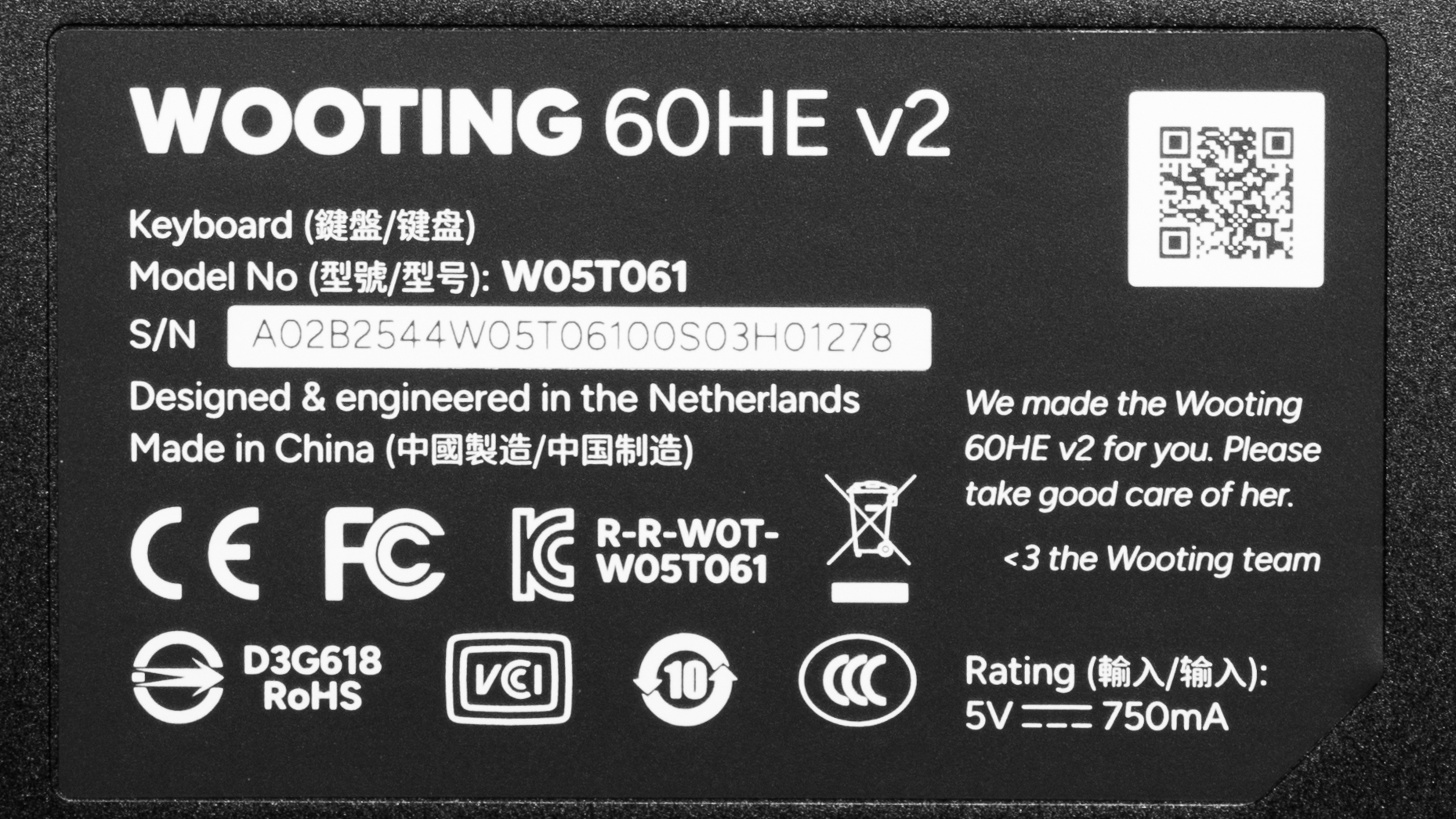
    The Wooting 60HE v2 is available in several different prebuilt configurations. We bought the ANSI Split layout with a Black Aluminum case, and a default set of black double-shot backlit PBT keycaps and default Lekker Tikken Medium switches. See an image of our unit's label here.

    You can also buy a Wooting 60HE v2 Module version, which only includes the keyboard PCBA and poron sandwich mounting pad. This version is intended for those who want to buy their own compatible case, keycaps, and switches to assemble themselves. For more details, see Wooting's product page.

    Wooting 60HE v2 Layout * Case Keycaps

    ANSI Split

    ANSI

    Aluminum (Black, Silver)

    ABS Plastic (Black)

    Doubleshot Backlit PBT (Black, White)
    Five-sided Dye-sub PBT (Various colorways)
    Optimum PBT (Gray)

    *Additional ISO and JIS layouts are available, but for the sake of simplicity, we focused on the ANSI layout options for comparison in this review.

    Popular Keyboard Comparisons

    The Wooting 60HE v2 makes a set of iterative changes over the previous-generation Wooting 60HE. Additions like the optional split spacebar are an interesting upgrade for gamers who want to experiment with more accessible bottom-row bindings, while the updated Lekker Tikken switches see small but meaningful refinements, including reduced stem wobble and a more muted, less clacky sound profile. This revision also leans further into modability, with a friction-fit mounting system and the choice between an ABS or aluminum case. Wooting has also added support for 8000Hz polling, bringing its performance in line with the Wooting 80HE. While the uplift is measurable, its real-world impact is almost negligible and unlikely to be noticeable in-game for most people.

    Altogether, these updates are modest and likely won't justify an upgrade if you already own the older 60HE or the newer 80HE. That said, it remains an outstanding option for competitive gamers for largely the same reasons that made the original 60HE compelling, including strong overall build quality and excellent raw performance. Other standout elements include Wooting's four-year warranty (excluding LEDs), configuration software widely considered the standard for adjustable actuation keyboards, and a proven track record of long-term product support.

    The 60HE v2 also comes closer to feeling like a custom keyboard than close competitors such as the Razer Huntsman V3 Pro 8KHz, which delivers virtually identical raw performance but still feels more like a traditional prebuilt gaming keyboard. At the same time, the market for adjustable actuation keyboards has expanded significantly, with emerging alternatives like the MonsGeek FUN60 Ultra offering similar latency performance and premium features such as an aluminum case and even wireless connectivity at much lower prices. However, these alternatives also come with trade-offs: shorter warranties, less established customer support records, and software that is typically less intuitive or feature-rich.

    For more recommendations, see our picks for the best keyboards, the best gaming keyboards, and the best 60% keyboards.

    Wooting 80HE

    The Wooting 80HE and Wooting 60HE v2 are wired gaming keyboards with Hall effect switches. They both boast exceptionally good raw performance and a maximum polling rate of 8000Hz and identical software feature sets. The main difference is size: the 80HE uses a TKL form factor with arrow keys, navigation keys, and a function row, while the 60HE v2 has a compact 60% layout and is available in standard ANSI or Split ANSI configurations. Both are offered with either an ABS or metal case, zinc alloy on the 80HE and aluminum on the 60HE v2. The 80HE also uses a somewhat softer gasket mount, while the 60HE v2 has a stiffer friction-fit mount that makes modding into compatible GH60 cases easier.

    Wooting 60HE

    The Wooting 60HE v2 is the successor to the original Wooting 60HE. The 60HE v2 is available with either an ABS or aluminum case, and in standard ANSI or Split ANSI layouts. Other changes include a higher maximum polling rate of 8000Hz. While it provides a small measurable latency improvement, it's not something you'll notice in-game, though it does significantly improve latency consistency, which can have a more noticeable impact. It also introduces a new friction-fit mounting design, which improves typing feel and sound while making it easier to mod the keyboard into compatible GH60 cases. Lastly, it uses a new generation of Wooting's Lekker switches with slightly tighter tolerances for reduced stem wobble and a closed bottom design, resulting in a slightly less clacky sound profile.

    MonsGeek FUN60 Ultra

    The MonsGeek FUN60 Ultra and Wooting 60HE v2 are 60% gaming keyboards with similarly high-end performance suited for competitive play. The MonsGeek uses TMR sensing technology with a hot-swappable PCB that supports both magnetic and mechanical switches, and it offers wireless connectivity over 2.4GHz or Bluetooth, which the Wooting lacks. By comparison, the Wooting uses Hall effect sensing and only supports magnetic switches, but it delivers slightly better input granularity and accuracy. It also supports true analog output, allowing gradual joystick-like input that can be useful in certain games, such as flight sims or platformers. The Wooting is available in standard ANSI or Split ANSI layouts and offers better build quality and a slightly more refined typing feel. Its friction-fit mounting design also makes it easier to mod into compatible GH60 cases.

    IQUNIX EZ60/EZ63

    Both the IQUNIX EZ60 and Wooting 60HE v2 are high-end magnetic keyboards well-suited for competitive gaming. The IQUNIX is available in either a standard 60% layout or a 63% layout with dedicated arrow keys, while the Wooting is offered in standard 60% ANSI or Split ANSI layouts with a split spacebar. The Wooting delivers marginally better input granularity and latency performance, though the difference is unlikely to be noticeable in-game. Both keyboards have outstanding build quality, but while typing quality is subjective, we found the IQUNIX to feel slightly more refined, with less noticeable rattle and key wobble. The IQUNIX uses a somewhat softer gasket mount, which can affect the consistency of adjustable input accuracy, whereas the Wooting uses a stiffer friction-fit mounting design that maintains more consistent input behavior and makes the keyboard significantly easier to mod.

    Show more 

    Test Results

    perceptual testing image
    Sort:
    RATINGS
    Category:
    All
    Design
    Dimensions
    Size
    Compact (60%)
    Height
    1.5" (3.8 cm)
    Width12.1" (30.7 cm)
    Depth
    4.4" (11.3 cm)
    Depth With Wrist Rest
    N/A
    Weight
    2.09 lbs (0.946 kg)

    The Wooting 60HE v2 has a standard 60% size, so it's much smaller than a full-size keyboard and lacks a numpad, arrow keys, navigation cluster, and function row. The upside is substantially more desk space for mouse movement.

    We bought the ANSI Split version, which uses a split-spacebar layout, but the overall dimensions are identical to those of the standard ANSI version. See the Hardware Customizability section for more details about the key sizes on the ANSI split option. 

    We also purchased the heavier aluminum case version, though Wooting also offers a lighter ABS plastic case that it lists at 1.35 lbs (0.606 kg).

    9.0
    Build Quality
    Keycap MaterialPBT

    The Wooting 60HE v2 has outstanding build quality. We bought the aluminum case version, which has an anodized finish with no apparent blemishes or flaws. A less expensive ABS case is also available, which we expect will feel somewhat less premium overall, though we haven't seen any significant reports of build quality issues with either version.

    Thick silicone feet on the underside do a good job of keeping the keyboard firmly in place, and the added weight of the aluminum case certainly helps.

    Internally, the keyboard uses an FR4 plate along with several layers of dampening material. These include a thick silicone sheet at the bottom of the aluminum case, a PET film on top of the PCB, and a tape mod on the underside. It also uses a friction-fit mounting design, with a Poron layer under the alphanumeric keys and silicone around the edges that keeps the module securely seated in the case without screws or other hard mounting points. This provides a small degree of cushioning while typing, though it's not nearly as springy as a typical gasket-mount design.

    The new generation of Wooting's Lekker switches has good tolerances and slightly less noticeable stem wobble compared to earlier iterations. Both the switches and stabilizers are pre-lubed from the factory and operate very smoothly, though we did encounter some faint rattling on several stabilizers.

    We bought this keyboard with Wooting's more premium doubleshot PBT keycaps, which have a pleasant, slightly textured finish. A more budget-oriented ABS keycap set is also available, but ABS is generally less durable than PBT and tends to develop a slippery, shinier texture over time.

    6.0
    Ergonomics
    Curved/Angled
    No
    Split Keyboard
    No
    Key Alignment
    Staggered
    Minimum Incline
    Medium Incline
    N/A
    Maximum Incline
    N/A
    Home Row Height
    31.5 mm (1.2")

    This keyboard has a moderately tall, standard-profile design with the same home row height as the original Wooting 60HE. Unlike the Wooting 80HE, it doesn't include silicone feet for adjustable incline levels.

    Reaching the keys requires angling your wrists upward somewhat, and while this isn't immediately fatiguing, it can cause strain over long sessions.

    This keyboard doesn't include a wrist rest, though Wooting sells a silicone wrist rest on their website.

    8.1
    Hardware Customizability
    Replaceable Cherry Stabilizers
    Yes
    Stabilizer Fixation
    Screw-in
    Spacebar Stabilizer Size
    2u x 2
    Size Of Right Mod Keys
    1.25u
    Hot-Swappable Switches
    Yes
    Switch Stem Shape
    Cherry MX Style
    Mechanical Switch Compatibility
    No Mechanical Switch Pinout
    Magnetic Switch Compatibility
    N-Pole Down
    North-Facing Cherry MX Interference
    Yes

    For the ANSI split key layout version of the Wooting 60HE v2 we purchased, the keycap sizes on the bottom row from left to right are 2.75u, 1.25u, and 2.25u.

    The standard ANSI layout uses a more conventional 6.25u spacebar keycap and stabilizer spacing.

    Note that magnetic switch pole orientation alone doesn't guarantee magnetic switch compatibility and should only be used as a general guide. A switch's physical dimensions and magnetic flux range also contribute. For more guidance on switch compatibility, Wooting has compiled a compatibility and sound database.

    This keyboard uses a friction-fit mounting system without hard mount points or screws. It includes a tool that lets you slide out the entire module and install it in compatible aftermarket GH60 cases.

    The aluminum case version we purchased also lets you customize the strap mounting point on either the left or right side, and a decorative plug is included to fill the unused mounting position.

    Also note that the ANSI Split layout uses a different PCB design, so once you choose either the ANSI Split or standard ANSI layout at purchase, you can't convert between them without buying a separate PCB module.

    Wooting also states that you can use the Wooting 60HE v2 module version of this keyboard, which comes without a case, and install it in a Wooting 60HE+ ABS case. However, you'll need to remove the friction pad and install the foam sandwich pad instead.

    10
    Backlight Features
    BacklightingYes
    RGB
    Yes
    Per-Key Backlighting
    Yes
    Effects
    Yes
    Software Controllable
    Yes

    This keyboard has full RGB backlighting with individually addressable keys. You can adjust the backlighting using hotkeys or with the configuration software.

    8.0
    Backlight Clarity

    While the legends are generally easy to read, there are some minor obstructions visible on some keys, such as the W in the image above. Additionally, the white-only lighting has a very noticeable reddish hue that may irritate you if you intend to sync multiple white-only RGB devices in your setup.

    Cable & Connector
    ConnectivityWired
    Detachable
    Yes (Wired Only Keyboard)
    Length6.6 ft (2.0 m)
    Connector (Keyboard side)
    USB type-C

    This keyboard includes a braided cable with a black-and-yellow pattern, though it retains noticeable kinks from its packaging.

    0.0
    Wireless Versatility
    Bluetooth
    No
    Bluetooth Multi-Device Pairing
    No
    Proprietary Receiver
    No
    Battery Type
    No Batteries
    4.0
    Macro Keys And Programming
    Dedicated Macro Keys Count0
    Onboard Macro Programming
    No
    Macro Programming With Software
    Yes

    The Wooting 60HE v2 has no dedicated macro keys, and you can't program macros using the keyboard alone. However, you can use Wooting's standard Wootility software to create simple 1:1 macros, as well as somewhat more advanced macros using the Dynamic Keystrokes (DKS) feature. Unfortunately, the software doesn't support multi-step sequences, delays, repeats or loops, or conditional logic.

    Previously, Wooting maintained a separate open source software utility called Wootomation for macro creation. Unfortunately, while Wootamation is available on GitHub, it's no longer maintained or actively promoted by Wooting, leaving no clear option for advanced macro creation outside of commonly used third-party tools such as AutoHotkey or Key Manager. Be aware that using third-party macro programs can also risk triggering anti-cheat measures in some competitive games.

    Extra Features
    Media Keys
    Non-Dedicated
    Trackpad / TrackballNo
    Scroll Wheel
    No
    Control Knob
    No
    USB Passthrough
    No
    NumpadNo
    Windows Key Lock
    Yes
    Lock IndicatorCaps Lock

    You can reference the quick start guide on Wooting's website for a list of supported hotkeys and other helpful information.

    This keyboard has optional strap mounting points (left mounting point pictured above), which we cover in the Hardware Customizability section.

    In The Box

    • USB-C to USB-C cable.
    • USB-C (female) to USB-A (male) adapter (pictured attached to the cable)
    • Alternate EPDM dampening foam pad
    • Wooting strap
    • Strap attachment piece (stainless steel)
    • Decorative no-strap piece
    • Module puller tool
    • Switch and keycap puller
    • 20x 'Switchy Heist' Lekker Tikken switches (founder/pre-order bonus)
    • Spare strap attachment screws (M2 x 3 mm)
    • Spare PCBA screws (M2 x 4 mm)
    • Spare silicone plugs
    • Stickers
    • Postcard
    • Documentation
    Typing Experience
    8.0
    Typing Quality
    Key Spacing
    19.0 mm (0.748")

    The Wooting 60HE v2 provides impressive typing quality that feels more refined than most prebuilt gaming keyboards, with clear emphasis on sound tuning. The stabilizers and Lekker Tikken switches are pre-lubed from the factory, and the switches feel very smooth, with no noticeable scratchiness and minimal stem wobble. This is an improvement over the original Lekker switches we tested on the Wooting 60HE.

    Like earlier iterations of Wooting's Lekker switches, these use a slightly longer standard travel of around 4 mm, compared to the roughly 3.5 mm travel common among many other magnetic switches with shorter springs. This contributes to a less abrupt typing feel, especially if you're used to mechanical switches with full travel.

    The switches also use a closed bottom design which, combined with the longer total travel, results in a more rounded, thocky bottom-out sound compared to the clackier sound that's common to many magnetic switches with shorter travel and open-bottom stems.

    The friction-fit mounting design provides very little cushioning, though in terms of overall stiffness, it feels closer to a typical tray mount than to a softer, springier gasket mount. The FR4 plate is softer than aluminum or steel and has a mild muting effect on the sound profile.

    Inside the case, there are multiple layers of dampening and sound treatment, including a Poron foam sheet sandwiched between the PCB and switch plate, a PET film on top of the PCB, and a tape mod on the underside. These layers, along with the friction-fit mounting, help reduce overall vibration and contribute to a slightly deeper typing sound. The aluminum case version also includes a thick silicone dampening sheet at the bottom, which further reduces impact noise.

    8.4
    Typing Noise
    Average Loudness
    48.5 dBA
    High Pitch Clicks
    No

    The sound signature differs somewhat between the ABS plastic case and the aluminum case we tested, though we don't expect either to be significantly louder than the other.

    In addition to the other sound treatment layers discussed in more depth in the Typing Quality section, the aluminum case version includes a thick silicone layer at the bottom of the case to help mute and dampen sound. It also comes with an EPDM foam layer that you can swap in if you prefer less dampening. By comparison, the ABS case uses an EPDM foam layer at the bottom and doesn't include an alternate silicone sheet.

    For an in-depth comparison, Wooting has a sound test video on their YouTube channel using the stock Lekker Tikken switches with various build configurations.
     

    Keystrokes
    Initial Force
    36 gf
    Peak Tactile Force
    N/A
    Actuation Force
    41 gf
    Bottom-Out Force
    54 gf
    Pre-Travel Distance
    1.7 mm
    Total Travel Distance
    4.1 mm

    We performed this test with the default actuation setting of 1.6 mm and with Rapid Trigger off.

    9.7
    Adjustable Input Granularity
    Top Deadzone
    0.04 mm
    Bottom Deadzone
    0.02 mm
    Detection Ratio
    99%
    Minimum Step Depth
    0.02 mm

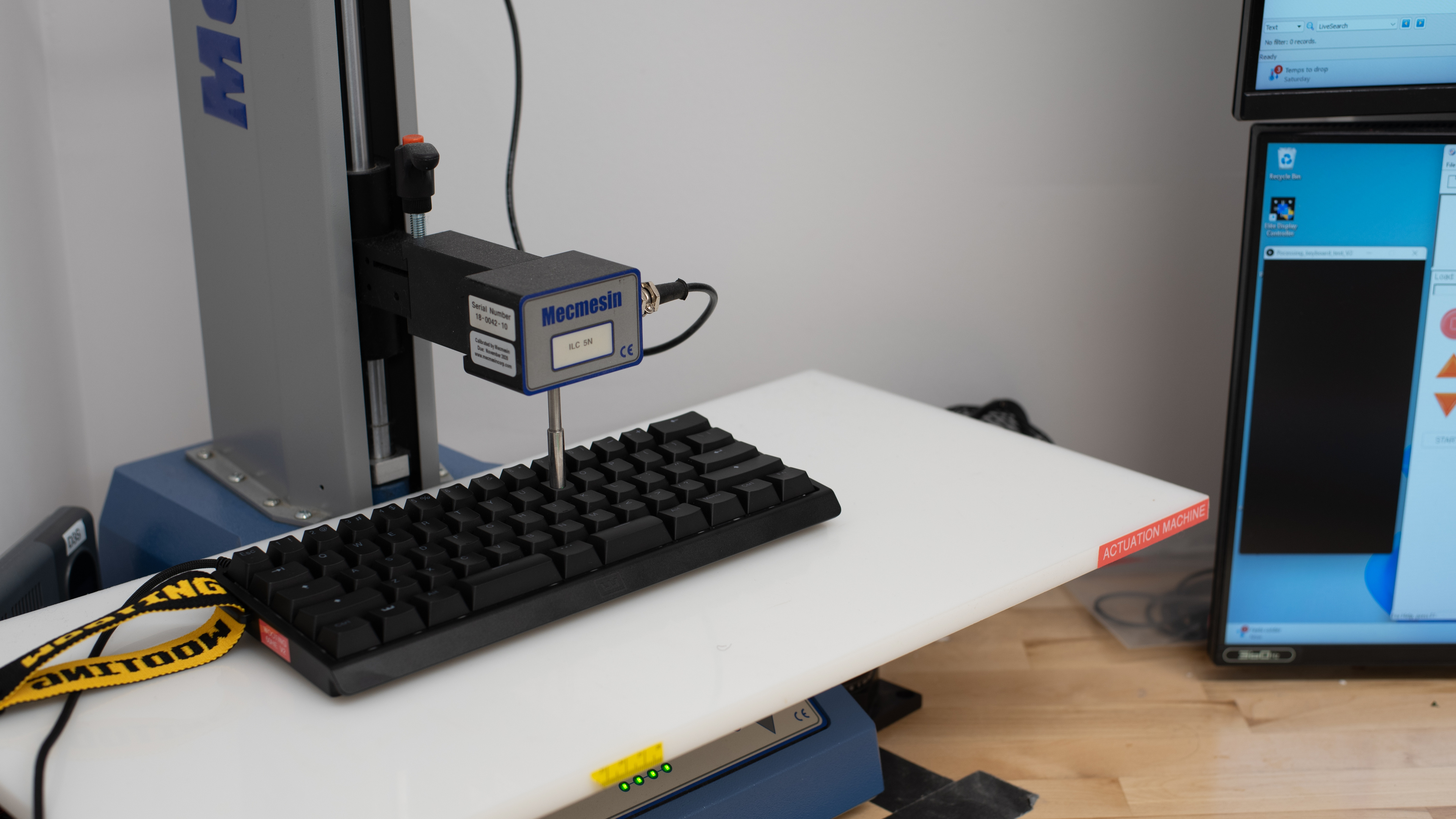
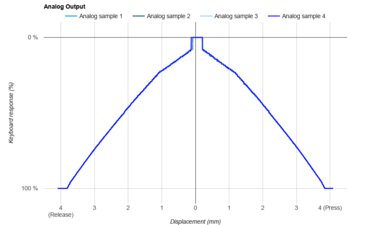
    The Wooting 60HE v2 has outstanding input granularity, with a high degree of linearity, extremely small deadzones, and virtually perfect detection across the entire keystroke. This results in fast and accurate initial and follow-up inputs, with physical travel distances that consistently track software setpoints, making it particularly effective for competitive techniques like tap-strafing in FPS titles.

    It also supports true analog output that closely follows physical displacement across nearly the entire travel. This makes it a strong option for games that benefit from gradual input, such as racing sims, flight sims, and platformers.

    Switches
    Switch Name
    Lekker Tikken Medium
    Switch Type
    Magnetic
    Feel
    Linear
    Output Type
    Analog

    This new version of Wooting's Lekker switches have a nylon bottom housing, polycarbonate top, and POM stem.

    Wooting sells several other compatible switch options on their website, including GEONWORKS Raw L50 Linear, and Wooting x TTC KOM switches. For more notes on switch compatibility, see the Hardware Customizability section.

    Performance
    9.8
    Single-Key Latency
    Best Connection
    0.6 ms
    Best Connection Std Dev±0.1 ms
    Wired
    0.6 ms
    Receiver
    N/A
    Bluetooth
    N/A
    PCB (Estimated)
    N/A

    The Wooting 60HE v2 maintains exceptionally low single-key latency to deliver an extremely responsive and consistent in-game experience.

    This test was conducted using the following settings:

    • Tachyon Mode enabled
    • 8000Hz scan rate
    • 8000Hz polling rate
    • 0.1 mm actuation
    • 0.15 mm Rapid Trigger (press and release)
    9.7
    Multi-Key Latency
    Connection EvaluatedWired
    Key Press
    0.8 ms

    The Wooting 60HE v2 provides exceptionally low and consistent multi-key latency performance. It's extremely well-suited for playing any game that requires additional keystrokes while multiple keys are pressed and maintained.

    This test was conducted using the following settings:

    • Tachyon Mode enabled
    • 8000Hz scan rate
    • 8000Hz polling rate
    • 0.1 mm actuation
    • 0.15 mm Rapid Trigger (press and release)
    9.6
    Data Transmission
    Connection EvaluatedWired
    USB Polling Rate
    8,000 Hz
    Effective Update Rate
    8,000 Hz
    N-Key Rollover (NKRO)
    Yes
    Multiple Keys Per USB Report
    Yes
    8.7
    Chord Split
    4 Chord Split Delay
    4.0 ms
    8 Chord Split Delay
    7.0 ms

    The Wooting 60HE v2 provides excellent chord split performance, with very low 4-chord and 8-chord split delay. It's an outstanding option for playing rhythm titles or other games requiring many simultaneous inputs.

    Software and Operating System
    Configuration Software
    Software NameWootility
    Software Windows Compatible
    Yes
    Software macOS Compatible
    Yes
    Onboard Memory
    Yes
    Profiles
    6+

    The companion software is available as a web-based or downloadable client with feature parity.

    The software is clearly laid out and fairly intuitive to use, despite the complexity of its feature set. It also runs smoothly, with responsive changes and quick transitions between pages and settings, which sets it apart from many competing software suites that feel slow or occasionally buggy. Settings are arranged on multiple pages, but there are helpful tooltips with definitions for many features. Unfortunately, macro creation support is limited, and Wooting's previously separate Wootomation software is no longer in active development. See the Macro Keys and Programming section for more details.

    In addition to expected features such as actuation adjustment, the software supports a broad range of more advanced adjustable actuation features. We've added our own explanations of the most important of these features below, but Wooting has helpful explainer videos on their YouTube channel that demonstrate and explore several of these features in greater depth.

    • Rapid Trigger: This setting lets specified keys use dynamic actuation and reset points based on distance rather than being fixed to specific points along the keystroke. This enables faster response times for actions that trigger on key release, as well as quicker follow-up inputs, which can be especially beneficial in scenarios like counter-strafing in FPS games.
    • Tachyon Mode: This mode is designed to ensure the best possible input latency performance. When turned on, it disables RGB lighting effects, which can impact the keyboard's processing power, and it locks the keyboard to its maximum 8000Hz scan rate.
    • Dynamic Keystroke (DKS): Allows you to program up to four different actions to a single key based on press depth.
    • Mod Tap: This is the ability to set two different actions to a single key based on whether you tap or hold down the key.
    • Toggle Key: You can lock a specific action between an on or off state by tapping the key. Holding down the key activates the key's normal function.
    • Rappy Snappy: This setting monitors the press depth of two opposing directional keys and prioritizes the key that's pressed down the farthest.
    • Snappy Tappy (SOCD): Specifies a pair of keys to activate based on custom trigger parameters. For example:
      • Last input priority: The last pressed key overrides the first if both exceed the actuation point.
      • Absolute priority: One key overrides the other if both exceed the actuation point.
      • Neutral priority: When both keys are triggered, neither registers.

    Disclaimer: Using Snappy Tappy isn't allowed in some competitive online games, like CS:2. Wooting has more information on their website.

    • Gamepad: This collection of settings lets you map gamepad controller inputs to keys on your keyboard. This includes face buttons and shoulder buttons, but it also allows you to take advantage of true analog output, so specified keys can mimic joysticks with gradual input. This can be particularly useful in games like flight simulators or racing games, giving you more precise control. Note that analog controls only work in games that support either Xinput (Xbox controller) or DirectInput (generic controller) simultaneously with keyboard and mouse input.
    10
    Computer Compatibility
    Windows
    Fully Compatible
    macOS
    Fully Compatible
    Linux
    Fully Compatible
    Media Key Compatibility
    Windows, MacOS & Linux

    The companion software for this keyboard works with all major operating systems.

    0.0
    Wireless Mobile Compatibility
    Android
    Not Compatible
    iOS
    Not Compatible
    iPadOS
    Not Compatible
    Media Key Compatibility
    Not Compatible

    The companion software for this keyboard works with all major operating systems.