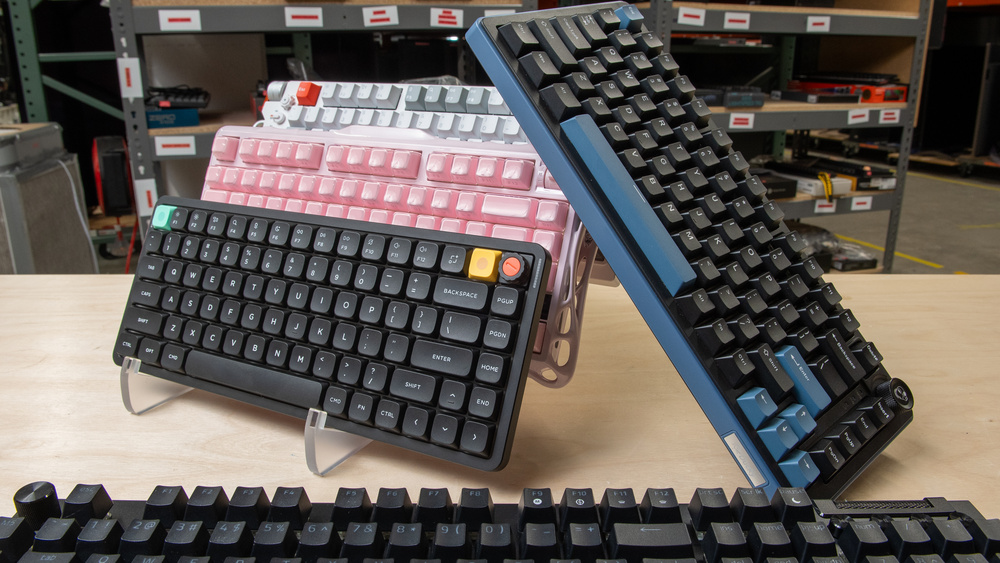
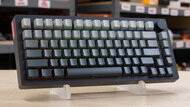
A 75% keyboard omits the numpad and some of the less commonly used navigation keys found on full-size keyboards. They're especially popular with gamers since their smaller footprint leaves more room for mouse movements, but they're a great option for anyone who doesn't need a numpad.
Before buying, there are a few things worth keeping in mind:
- Gaming performance: All our picks are suitable for casual and competitive gaming, but we'll highlight any models that are especially well-suited for top-level competitive play.
- Compact vs. exploded layouts: 75% keyboards generally come in two main styles. Compact 75% layouts keep all key clusters close together, while exploded 75% layouts add small gaps between sections like the arrow keys and navigation keys. This makes it easier to distinguish these sections by feel, though exploded layouts take up slightly more desk space.
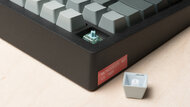
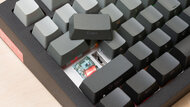
- Typing feel and build: Switch type, case materials, stabilizer tuning, and mounting style all affect how a keyboard feels and sounds. We call out the major differences between our picks, but you can also read our article on mechanical vs. membrane switches if you want more background on switch types to find what's right for you.
For more options without a numpad, see our picks for the best TKL keyboards, which are typically only slightly larger, or our picks for the best 60% keyboards, which typically lose the arrow keys and the function row for an even smaller footprint.
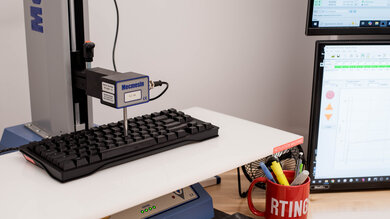
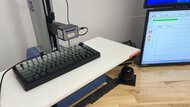
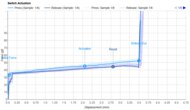
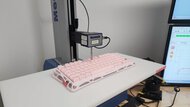
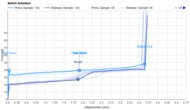
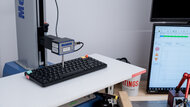
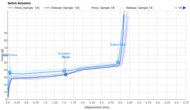
We test dozens of keyboards each year, and to maintain independence, we buy every unit ourselves. Our reviews go beyond subjective typing impressions or quick gaming sessions. Each keyboard is put through the same standardized test bench, so you can directly compare our results. We use specialized tools like a Mecmesin force tester to measure switch force curves and a Beagle 480 USB analyzer to capture input data for latency testing. Multiple teams contribute to each review in a process that can take days or even weeks from start to finish.
-
Best All-Around 75% Keyboard
 GamingOfficeMobile/TabletProgrammingEntertainment / HTPCRaw PerformanceSize:Compact (75%)Connectivity:WirelessBluetooth:Switch Type:MagneticSee all our test resultsHot-Swappable Switches:Yes
We recommend the Lemokey P1 HE as the best all-around 75% keyboard for most people, whether you're browsing, working, or gaming at a casual or even competitive level. Its build quality is immediately apparent when you pick it up, as its solid aluminum case gives it a premium, tank-like feel. Despite its chunky metal case, it also delivers a surprisingly refined typing experience, with evenly lubed switches, stable stabilizers, and a soft gasket-mounted design that gives bottoming out a slightly cushioned feel. Its durable PBT keycaps also resist developing a shiny finish better than the ABS keycaps found on many cheaper keyboards. It supports tri-mode connectivity, so you can use it wired, wirelessly with its USB receiver, or over Bluetooth, with support for multiple paired devices.
This keyboard is what's known as a Hall effect keyboard, meaning it uses magnetic switches. These switches have the same smooth travel you'd expect from linear mechanical switches but add customizable actuation, letting you adjust where in the keystroke an input registers. This is mainly useful for gaming, where shorter actuation distances and Rapid Trigger support can help with faster inputs and quicker follow-up movements. These features are aimed squarely at competitive gamers, so you may not spend much time with them if you mostly use your keyboard for work or general browsing. Still, the Lemokey P1 HE offers the best overall balance of build quality, typing feel, connectivity, and gaming performance on this list. It isn't the absolute fastest option here, but it's quieter, more refined, and more broadly appealing than our more competitive gaming-focused pick, the MonsGeek M1 V5 TMR below.
-
Best All-Around Budget 75% Keyboard
GamingOfficeMobile/TabletProgrammingEntertainment / HTPCRaw PerformanceSize:Compact (75%)Connectivity:WirelessBluetooth:Switch Type:MechanicalSee all our test resultsHot-Swappable Switches:YesA straightforward mechanical keyboard for desktop use, productivity, and gaming, the Ducky OK-M is our budget pick for the best 75% keyboard. Compared to the Lemokey P1 HE above, it uses a less expensive all-plastic case rather than a solid aluminum one, but the fit and finish of all pieces is still top-notch, and its overall typing feel is surprisingly similar. It uses conventional mechanical switches rather than magnetic switches, but they still have a smooth linear feel. Although the stabilizers aren't quite as consistent as the Lemokey's, there isn't any noticeable rattling or ticking, and typing remains very smooth and comfortable. It also has a gasket-mounted design and several layers of internal dampening material, giving each keystroke a bit of softness and bounce.
It's available with either linear or tactile switches at purchase. The linear option is the better choice if you prefer a smooth keystroke all the way down, while the tactile option is better if you prefer a bit of resistance and a small bump to indicate when you've pressed far enough to register a keystroke. The biggest difference between this and our top pick is that, because this keyboard uses mechanical switches, you can't adjust the actuation distance or enable features like Rapid Trigger for faster follow-up inputs. Even in gaming scenarios, this has only a minor impact on performance, and any latency difference is far too small to notice in-game.
The Ducky OK-M is a terrific, versatile wireless option if you don't care about having a premium aluminum case or experimenting with advanced gaming-centric features like adjustable actuation and Rapid Trigger. Likewise, you should check out the Keychron J2, another great all-rounder that also delivers improved raw gaming performance.
-
Best 75% Keyboard For Competitive Gaming
GamingOfficeMobile/TabletProgrammingEntertainment / HTPCRaw PerformanceSize:Compact (75%)Connectivity:WirelessBluetooth:Switch Type:MagneticSee all our test resultsHot-Swappable Switches:YesAll the keyboards on this list have low enough latency for casual or competitive play. However, if gaming performance is your top priority, we recommend the MonsGeek M1 V5 TMR. Like our best all-around pick above, the Lemokey P1 HE, it uses magnetic switches with support for adjustable actuation and Rapid Trigger. These features let you set shorter, more sensitive actuation and reset points, which can help with faster repeated inputs and make actions like counter-strafing in FPS games easier to perform consistently. The MonsGeek also has measurably better latency performance, and it's among the lowest we've ever measured, partly thanks to its higher 8000Hz polling rate, which allows it to report inputs to your computer more frequently.,
Like the Lemokey, this keyboard also has a premium-feeling, solid aluminum case that adds a surprising amount of weight. However, its typing experience isn't quite as satisfying. It has a stiffer gasket-mounted design and is significantly louder, with a more resonant, slightly pingy sound signature that's generally less desirable for typing. That may matter less if you're primarily buying this keyboard for competitive gaming.
The standout feature is its use of TMR sensors, a relatively new development for magnetic keyboards. Compared to more common Hall effect designs like the one used in the Lemokey, TMR can offer better power efficiency for longer battery life. It also allows this keyboard to accept both magnetic and mechanical switches, giving you more flexibility if you want to use mechanical switches on some keys while keeping magnetic switches and their adjustable actuation features on common gaming keys like W, A, S, and D.
-
Best 75% Keyboard For Typing Feel
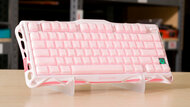
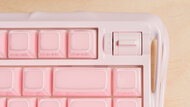
GamingOfficeMobile/TabletProgrammingEntertainment / HTPCRaw PerformanceSize:Compact (75%)Connectivity:WirelessBluetooth:Switch Type:MechanicalSee all our test resultsHot-Swappable Switches:YesWe recommend the GravaStar Mercury K1 if you're primarily looking for a premium-feeling typing experience in a 75% keyboard. It uses smooth linear mechanical switches that feel consistent and well-lubed from the factory. Its slightly springy gasket-mounted design, exceptionally well-tuned stabilizers, rigid aluminum frame, and several layers of internal dampening all help produce the deep, thocky sound profile many typing enthusiasts look for. This sound profile is a major part of what makes the typing experience so satisfying, but it does lean on the louder side. As a result, this keyboard is a better fit for a personal setup than a shared workspace where the typing volume may bother others. See our typing test video of the GravaStar Mercury K1, which includes a dBA measurement, to get a better sense of what this board sounds like.
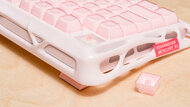
That said, it has a very distinctive look that may not suit everyone's tastes. Its futuristic-looking metal frame has sculpted, almost organic-looking curves and open spaces that reveal RGB lighting zones. It's also available in a wide range of bold colorways, from the bubble-gum pink Sakura Pink colorway we tested to lighter blue and lavender options, as well as darker styles with gradient keycaps. Some colorways, such as the one we tested, also have keycaps with a clear polycarbonate outer layer. Most people will find this surface smooth and comfortable, but some may find it slightly tacky or too slippery, so it's worth checking the keycap material when choosing between color options.
-
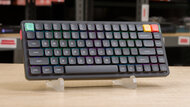
Best Low-Profile 75% Keyboard
GamingOfficeMobile/TabletProgrammingEntertainment / HTPCRaw PerformanceSize:Compact (75%)Connectivity:WirelessBluetooth:Switch Type:MechanicalSee all our test resultsHot-Swappable Switches:YesWe recommend the NuPhy Air75 V3 as the best low-profile 75% keyboard. The main advantage of a low-profile design is comfort, especially if you use your keyboard for long stretches. Because it sits lower on your desk, you don't have to angle your wrists as steeply to reach the keys, making it comfortable to type on even without a wrist rest. Its shorter key travel also gives it a slightly quicker, lower-effort feel than a conventional mechanical keyboard.
The NuPhy is also wireless, making it a great option for multi-device setups. Its slim design makes it easy to slide into a bag between work and home or carry between hot desks at the office or different spots around your home. It also has bright RGB lighting, though its keycaps don't have shine-through legends, which can be an issue if you plan to use it in darker rooms and need to see the keys while you type.
In terms of typing quality, it resembles many of the other options on this list in broad strokes, but its shorter key travel makes it feel closer to typing on a laptop keyboard, which some people may prefer. You can choose from smooth linear, tactile, louder clicky, or silent switch options at purchase. The silent switches are essentially linear switches fitted with silicone dampeners, making typing significantly quieter without making keystrokes feel mushy. See our article on the best keyboards for typing if you're interested in deeper typing comparisons to help you solidify your choice before making a final decision.


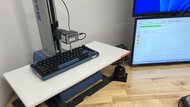
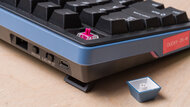
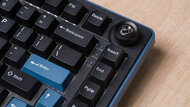
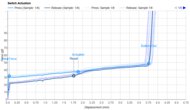
Notable Mentions
-
ASUS ROG Falcata:
The ASUS ROG Falcata is a wireless gaming keyboard with a unique ergonomic split design, though it forms a compact 75% layout when connected. It's a good option if you want to experiment with tenting or spacing the halves for a more neutral shoulder position. However, it's significantly more expensive than the MonsGeek M1 V5 TMR and doesn't match its latency performance, especially wirelessly.
See our review -
NuPhy Field75 HE V2:
The NuPhy Field75 HE V2 is a wired-only competitive gaming model with a distinctive cassette-futurist look. It uses magnetic switches like the Lemokey P1 HE and MonsGeek M1 V5 TMR, but its plastic case doesn't feel as premium. That said, it has slightly better latency performance than the Lemokey and better typing quality than the MonsGeek, making it a strong middle-ground option.
See our review
Recent Updates
Sep 09, 2026:
We've confirmed the price and availability of all picks. We haven't made any changes to our lineup with this update, as these products continue to represent the best options available.
Aug 05, 2026:
The picks on this list are still accurate and available. We added a mention of the newly reviewed Keychron J2 in the best all-around budget pick.
All Reviews
Our recommendations above are what we think are currently the best 75% keyboards available. We factor in the price (a cheaper product wins over a pricier one if the difference isn't worth it), the feedback from our visitors, and availability (no keyboard that is difficult to find or almost out of stock everywhere).
If you'd like to do the work of choosing yourself, below is a list of all the 75% keyboards we've tested. We recommend not getting too caught up in the details. While no product is perfect for every use, most keyboards perform well enough to please almost everyone, and the differences often aren't very noticeable unless you really look for them.