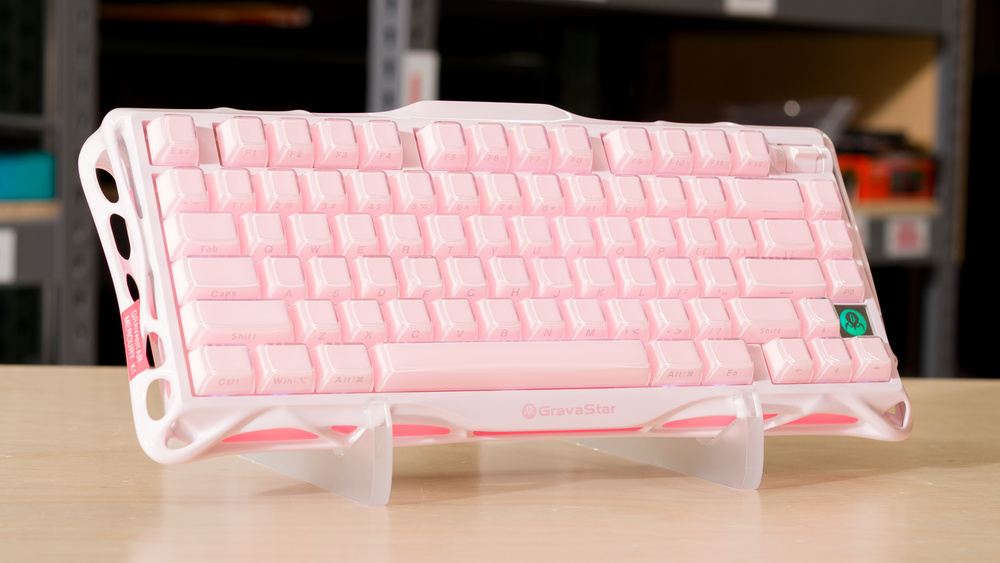
The GravaStar Mercury K1 is a wireless mechanical keyboard with a sci-fi-inspired sculpted aluminum case. It has a gasket-mounted design and several layers of sound-dampening material inside the case, which helps give typing a slightly softer, cushioned feel. It connects wirelessly through a 2.4GHz receiver or Bluetooth and has a multi-function roller for media control. It also uses downloadable software for changing key assignments, profile preferences, sleep timers, and other settings.
This keyboard comes in several expressive colorways. GravaStar also has two related keyboard lineups: the GravaStar Mercury K1 Lite and the GravaStar Mercury K1 Pro, which we compare in more detail in the Differences Between Variants section.
Our Verdict
The GravaStar Mercury K1 is an excellent gaming keyboard. It has superb build quality with a premium-feeling aluminum case, and its low, consistent wired latency is well-suited for fast-paced games. However, its wireless latency is a bit higher and less consistent, so it's less suited for high-level competitive play over a wireless connection. This keyboard also has bright RGB backlighting that you can customize in the downloadable software, along with a fairly wide range of other settings, including remapping, profiles, and macros. The keycaps also have a smooth polycarbonate outer layer, which feels pleasant but can sometimes feel slightly slick or tacky depending on how dry or sweaty your hands are. Unfortunately, the keycaps have front-printed legends rather than shine-through legends, which might be an issue if you like to game in darker rooms and need to see the keys.
Superb build quality.
Excellent wired latency performance.
Bright RGB backlighting.
Wireless latency performance is less than ideal for high-level competitive play.
Polycarbonate keycap surfaces can occasionally feel slightly slick or tacky, depending on how dry your hands are.
The GravaStar Mercury K1 is excellent for office work. It has superb build quality and provides a remarkably good typing experience, in part due to its gasket-mounted design, which gives typing a soft, almost springy feel. The sound profile is deep, thocky, and refined, but it does lean on the louder side, which may be a concern in a shared workspace. It also connects wirelessly with a 2.4GHz receiver or Bluetooth, with support for multi-device pairing. However, the software is a downloadable client, which can be an issue in some locked-down workplaces. The keycaps also have a transparent polycarbonate coating that makes them quite smooth. Most people will likely find these keycaps pleasant, but they can feel slightly tacky or slippery depending on how dry or sweaty your hands typically are.
Superb build quality.
Remarkable typing quality.
Connects wirelessly with 2.4Ghz receiver or Bluetooth.
Polycarbonate keycap surfaces can occasionally feel slightly slick or tacky, depending on how dry your hands are.
Sound profile is very pleasant but on the louder side.
The GravaStar K1 is decent for use with tablets and mobile devices. However, it's a fairly bulky standard-profile keyboard, and it's quite heavy due to its aluminum frame, so it isn't a good candidate for taking with you on the go. That said, if you're using it at a desk with your tablet or mobile device, it has superb build quality and remarkably good typing quality. It also supports multi-device pairing. Just note that if you want to adjust settings like backlighting or key assignments, you'll need to access the downloadable software on a separate computer.
Superb build quality.
Connects wirelessly with 2.4Ghz receiver or Bluetooth.
Polycarbonate keycap surfaces can occasionally feel slightly slick or tacky, depending on how dry your hands are.
Bulky and quite heavy.
The GravaStar Mercury K1 is excellent for programming. It has superb build quality and provides a remarkably good typing experience, thanks in part to a gasket-mounted design that feels soft without being too mushy. It connects wirelessly and supports multi-device pairing, and its downloadable software is fairly robust, with complex macro programming. Unfortunately, while the backlighting is very bright and customizable, the keycaps lack shine-through legends. Additionally, the keycaps have a thick polycarbonate coating. This coating is quite smooth, and many people will appreciate how it feels under their fingers, but the keycaps can feel slightly tacky or even a bit slippery depending on how dry or sweaty your hands tend to get.
Superb build quality.
Remarkable typing quality.
Connects wirelessly with 2.4Ghz receiver or Bluetooth.
Bright RGB backlighting.
Polycarbonate keycap surfaces can occasionally feel slightly slick or tacky, depending on how dry your hands are.
Sound profile is very pleasant but on the louder side.
The GravaStar K1 is passable for an entertainment or home theater PC setup, but it's quite bulky and very heavy, so it's only really comfortable to use from a couch if you have a table nearby. That said, it connects wirelessly with a 2.4GHz receiver or Bluetooth. While it doesn't have a full set of dedicated media controls, you can control volume and mute functions with its multi-function roller, and it supports other media hotkeys on the function row, such as play/pause. Unfortunately, while it has bright RGB lighting, the keycaps aren't shine-through. They have front-printed legends instead, making them much harder to read in the dark.
Connects wirelessly with 2.4Ghz receiver or Bluetooth.
Keycaps lack shine-through legends.
Bulky and quite heavy.
Lacks a full set of dedicated media keys.
The GravaStar Mercury K1 has excellent raw performance. Its wired single-key and multi-key latency are low and consistent, making it well-suited for competitive gaming. However, its wireless latency is a bit higher and less consistent, making wireless play less suitable for high-level competitive use. This keyboard only supports a maximum polling rate of 1000Hz, which gives it marginally higher and less consistent latency than some more specialized gaming keyboards. However, this difference is much too small to notice in-game.
Excellent wired latency performance.
Wireless latency performance is less than ideal for high-level competitive play.
1000Hz polling rate means marginally higher and less consistent latency compared to some dedicated gaming boards.
Check Price
Differences Between Sizes And Variants
The GravaStar Mercury K1 is available in several colorways:
- Stealth Black
- Gradient Black
- Opaline White
- Ice Blue
- Lavender Purple
- Gradient White
- Special Edition - Sakura Pink
We bought and tested the Special Edition - Sakura Pink version. To our understanding, there are no functional differences between these colorways apart from their case and keycap color designs. See our unit's label.
GravaStar has a related, lower-spec GravaStar Mercury K1 Lite version of this keyboard. These models have a plastic case and half the battery capacity. They're available in four colorways:
- Crystal Aurora
- Transparent Black
- Special Edition - Lumen Rose
- Special Edition - Aurora Mist
Some of these colorways also have fully transparent polycarbonate (PC) or pudding-style keycaps that allow the RGB lighting to shine through more prominently. These less expensive models may not feel as premium due to the material changes, and will have shorter battery life due to their smaller battery. It's unclear whether there are other internal electronic differences, so we can't say whether they perform identically.
GravaStar also sells a separate GravaStar Mercury K1 Pro version with a slightly different case design that includes two adjustable claw-shaped stabilizer feet in the top corners. These models also come with GravaStar x Kailh Speedy Mint Linear switches, pudding-style PBT or PC keycaps, and different colorway options:
- CyberFlare
- Interstellar
- Special Edition Cyberpunk
- Special Edition Battle-Worn Yellow
We expect the Pro models to deliver similar latency performance, since there's no indication they use different internal electronics. However, typing feel and sound may differ because they use different switches, keycaps, and case elements.
Popular Keyboard Comparisons
While the GravaStar Mercury K1 is a wireless mechanical keyboard that initially stands out for its futuristic-looking aluminum case design and expressive selection of colorways, it also has superb build quality with no major weaknesses. Its typing quality is even more impressive, with a rich, sought-after "thocky" sound signature, a soft but not mushy gasket-mounted design, and extremely consistent stabilizers. This combination is especially surprising given its budget-to-mid-range price point.
Its build and typing quality stand out compared to slightly lower-priced models, such as the Keychron K2 Max or the AULA F75. However, both of those keyboards are also available in other sizes, while the GravaStar is only available in a 75% size, which may be an issue if you need a keyboard with a number pad.
This keyboard also performs well for fast-paced gaming, though its latency isn't quite as low or consistent as more gaming-focused picks, like the Wooting 80HE, Razer Huntsman V3 Pro 8KHz, or NuPhy WH80. It also lacks the more advanced adjustable-actuation switches found on those models.
For more recommendations, see our picks for the best wireless keyboards, the best mechanical keyboards, and the best budget and cheap mechanical keyboards.
The Keychron V1 Max and the GravaStar Mercury K1 are 75%, wireless mechanical keyboards. The Keychron has a plastic case and a much more conventional aesthetic, but it has a much quieter sound profile. It's also part of a wider lineup with many size variants available and multiple switch options at purchase. The GravaStar has comparatively more premium build quality, with an aluminum outer frame. It also has better typing quality, with a softer gasket-mounted design and much more consistent stabilizers. However, it's only available as a 75% model and doesn't have multiple switch options at purchase.
The AULA F75 and the GravaStar Mercury K1 are wireless mechanical keyboards with gasket-mounted designs. The AULA has a comparatively softer, springier gasket mount implementation. This comes down to preference, but some may find it too bouncy and a bit mushy. The GravaStar's implementation is a bit stiffer, but its typing quality is better overall, mainly because of its highly consistent stabilizers and lower switch wobble. The GravaStar also has significantly better build quality overall and a more premium-feeling aluminum case.
The Keychron K2 Max and the GravaStar Mercury K1 are both 75% wireless mechanical keyboards. The Keychron has a more understated, conventional look, and it’s part of the wider K Max lineup, which includes many other size options. The GravaStar, on the other hand, has a flashier sci-fi look. It also has better build quality, including an aluminum outer frame compared to the Keychron's plastic frame with an optional aluminum bracket. Lastly, the GravaStar has better typing quality, with a springier gasket-mounted design and exceptionally consistent stabilizers, though it's a bit louder than the Keychron.
The NuPhy Kick75 and GravaStar Mercury K1 are 75% wireless mechanical keyboards. The NuPhy is most noteworthy for being available in either a low-profile or standard-profile version, and NuPhy also sells conversion kits if you’d like to switch the keyboard between versions. It's also available with several switch options, some of which make it much quieter. By comparison, the GravaStar doesn't have any profile or switch options at purchase. However, it has significantly better build quality and much better typing quality, with a less spongy, more consistent-feeling gasket-mounted design and extremely well-tuned stabilizers, though the GravaStar is noticeably louder.
Test Results
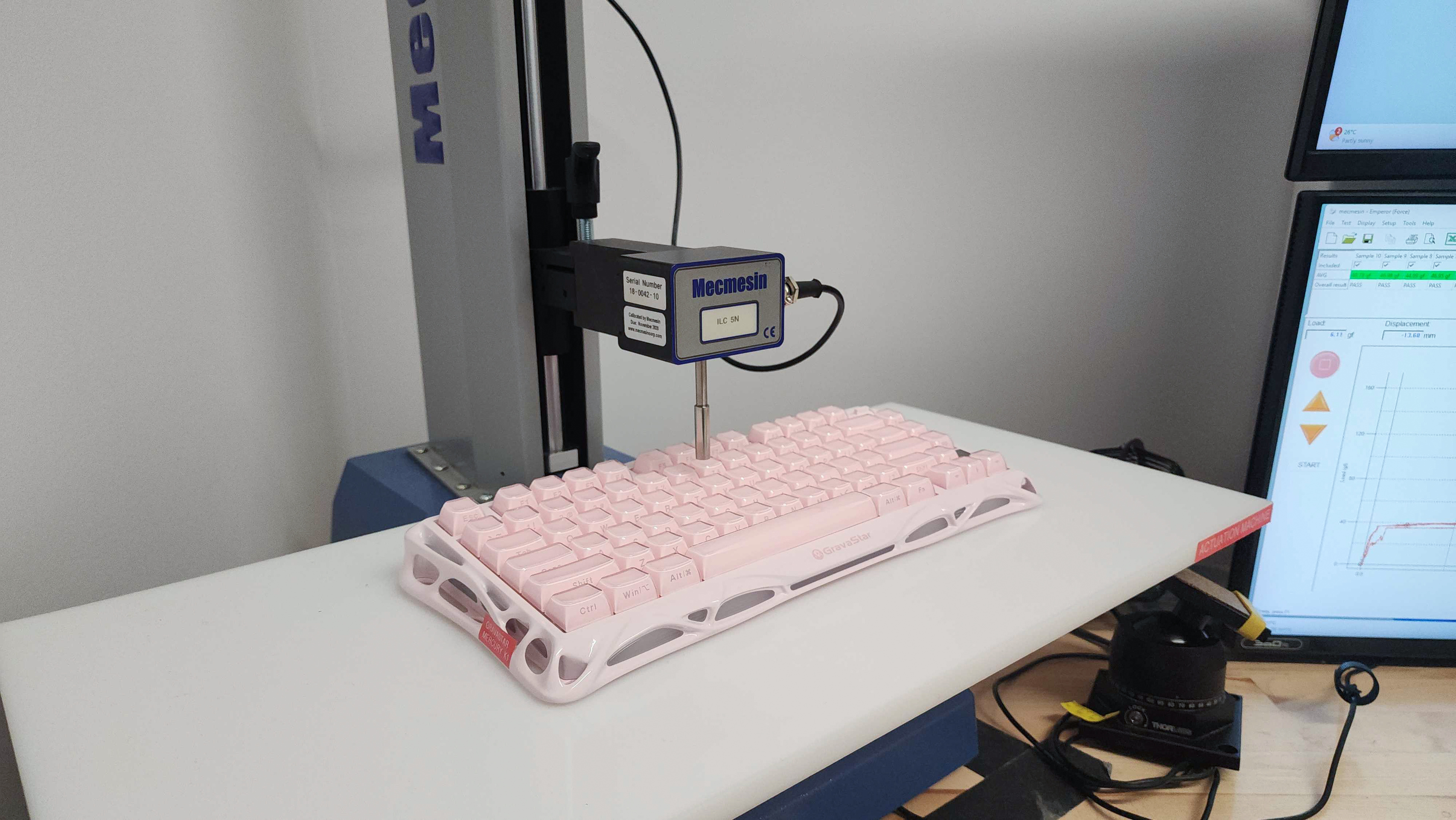



for pictures & test results

for pictures & test results





for pictures & test results



for pictures & test results

for pictures & test results


for pictures & test results


for pictures & test results


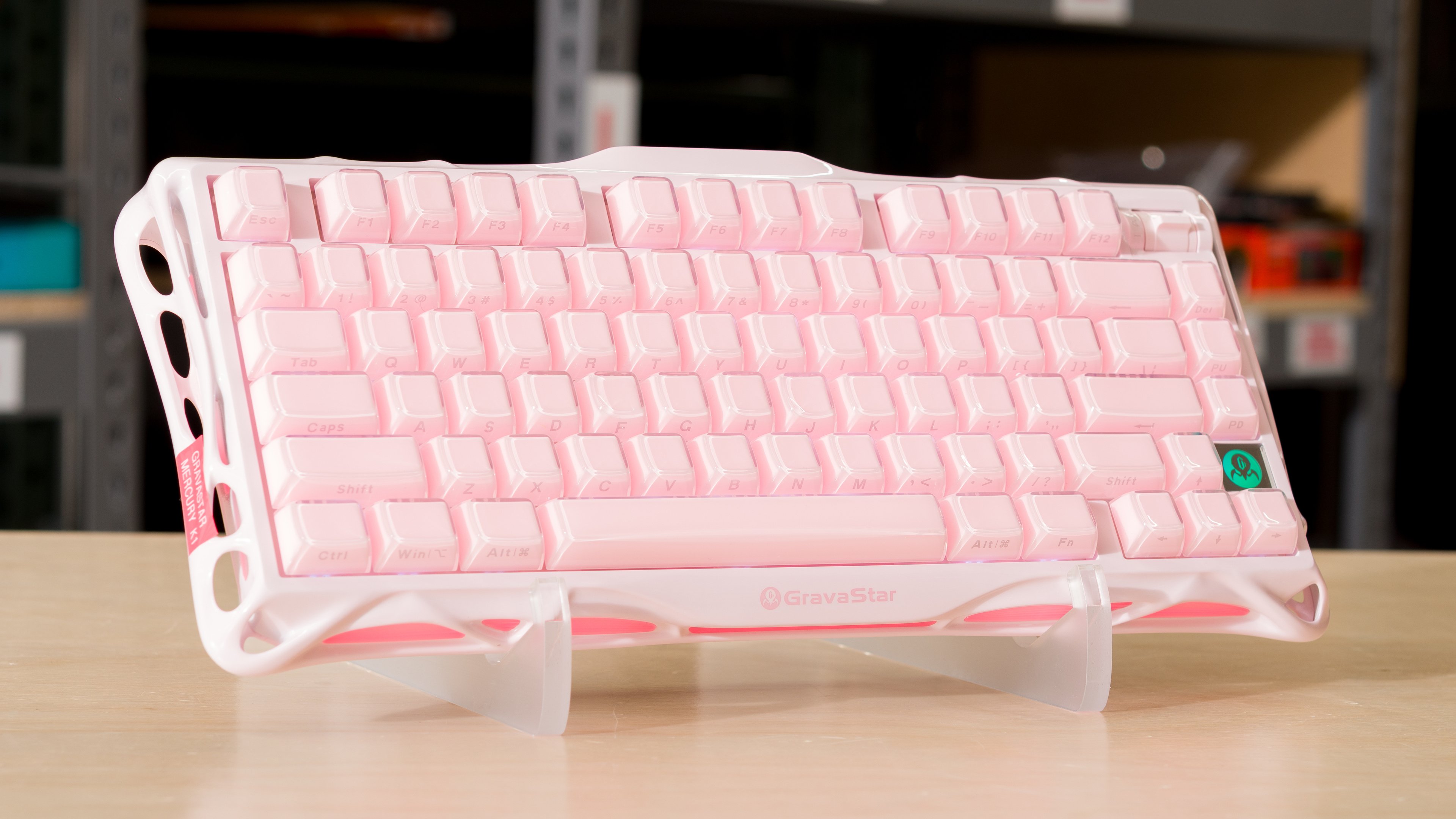
for videos & test results
