![Keychron K8 Max [K2 Max, K10 Max, etc.]](https://i.rtings.com/assets/products/FMA3BfKo/keychron-k8-max-k2-max-k10-max-etc/design-medium.jpg?format=auto)
The Keychron K8 Max is a TenKeyLess model in Keychron's wider K Max series of wireless mechanical keyboards. This keyboard has a standard profile, but there are also low-profile variants in this series, like the Keychron K5 Max, which we've reviewed separately. All models connect wirelessly with their included USB receiver or via Bluetooth with up to three devices simultaneously. They're available in tactile or linear mechanical switch options and with white-only or full RGB backlighting. Additionally, there's an option for a hot-swappable PCB that allows you to change the switch options without soldering, and like most recent Keychron releases, these models are compatible with Keychron's web-based software and open-source QMK firmware for customization.
We bought and tested the Keychron K8 Max with linear Keychron Super Red switches. To compare other size variants and assembly options in the wider K Max series, see the Differences Between Sizes and Variants section.
Our Verdict
The Keychron K Max keyboards are impressive for gaming, whether at a casual or even competitive level. They offer excellent build quality and deliver excellent overall latency performance over both wired and 2.4GHz wireless connections. These keyboards are available with either full RGB or white-only backlighting, both of which can be adjusted, along with other settings, using the web-based configuration software. Just note that the keycaps don't have shine-through legends, making them difficult to read in the dark.
Excellent build quality.
Excellent overall raw gaming performance.
Keycaps lack shine-through legends, so legends are hard to read in darker rooms.
The Keychron K Max keyboards are great for office work. They have excellent build quality, with pre-lubed switches and stabilizers that contribute to a smooth, consistent typing experience. There's also no noticeable stabilizer rattle and minimal key wobble, which helps the keyboard feel well-tuned out of the box. They support wireless connectivity via an included 2.4GHz receiver or Bluetooth, with pairing support for up to three devices simultaneously. You can also remap keys, adjust backlighting, and create custom profiles using either web-based or downloadable configuration software. That said, despite several layers of acoustic dampening material, these keyboards aren't especially quiet to type on. The typing feel is also relatively stiff, which you may prefer; however, it could be less appealing if you're looking for the softer, more cushioned experience found in gasket-mounted designs.
Excellent build quality.
Connects wirelessly with a 2.4GHz receiver or via Bluetooth with multi-device pairing for up to three devices simultaneously.
Not especially quiet typing noise.
The Keychron K Max is acceptable for use with tablets and mobile devices. It has excellent build quality and typing quality, and connects wirelessly with either a USB receiver or with up to three devices simultaneously via Bluetooth. That said, these keyboards have a fairly tall, standard-profile design, which makes them easy enough to carry around but less ideal for packing into a bag or using on the go. We tested the TenKeyLess Keychron K8 Max, but the slightly more compact Keychron K2 Max is a more portable choice.
Excellent build quality.
Connects wirelessly with a 2.4GHz receiver or via Bluetooth with multi-device pairing for up to three devices simultaneously.
Somewhat bulky and heavy build isn't designed for portability.
The Keychron K Max keyboards are great for programming. They have excellent build quality and connect wirelessly either with their USB receiver or with up to three devices simultaneously via Bluetooth. They also deliver excellent typing quality with pre-lubed switches and stabilizers, very little switch wobble, and multiple layers of acoustic and dampening material that help soften the feel and reduce noise. You can configure the board using VIA software or make more advanced changes with QMK firmware. We tested the TenKeyLess Keychron K8 Max, but larger models are also available and include dedicated macro keys. While the keyboard features per-key backlighting, the stock keycaps don't have shine-through legends, which may be a drawback in dimly lit environments.
Excellent build quality.
Connects wirelessly with a 2.4GHz receiver or via Bluetooth with multi-device pairing for up to three devices simultaneously.
Not especially quiet typing noise.
Keycaps lack shine-through legends, so legends are hard to read in darker rooms.
The Keychron K Max keyboards are sub-par for an entertainment or home theater setup. On the bright side, they have excellent build quality and connect wirelessly with a USB receiver or via Bluetooth with up to three devices simultaneously. Unfortunately, there aren't any dedicated media keys, and while these keyboards have per-key backlighting, the keycaps aren't easy to read in the dark, as the stock keycaps don't have shine-through legends.
No dedicated media keys.
Keycaps lack shine-through legends, so legends are hard to read in darker rooms.
The Keychron K Max offers amazing all-around performance, making it suitable for both casual and competitive gaming. Its latency is remarkably low, and it offers a true 1000Hz polling rate in both wired and wireless mode using the included 2.4GHz adapter.
True 1000Hz polling rate using a wired or 2.4GHz wireless connection.
Latency is suitably low for casual or competitive gaming.
Changelog
-
Updated Jun 23, 2026:
We've added a link to the GravaStar Mercury K1 to the Typing Quality section.
-
Updated Apr 29, 2026:
We've added a link to the NuPhy Node Series in the Typing Quality section.
- Updated Jan 22, 2026: Our Test Bench 1.4.3 update adds clearer terminology and new measurements to our Keystrokes test group. For more details, see the full changelog.
- Updated Jan 09, 2026: Our 1.4.2 Test Bench Update makes changes to the Hardware Customizability test group. We've created a new Magnetic Switch Compatibility test and renamed our previous PCB Socket test to Mechanical Switch Compatibility. See our full changelog.
Check Price
Differences Between Sizes And Variants
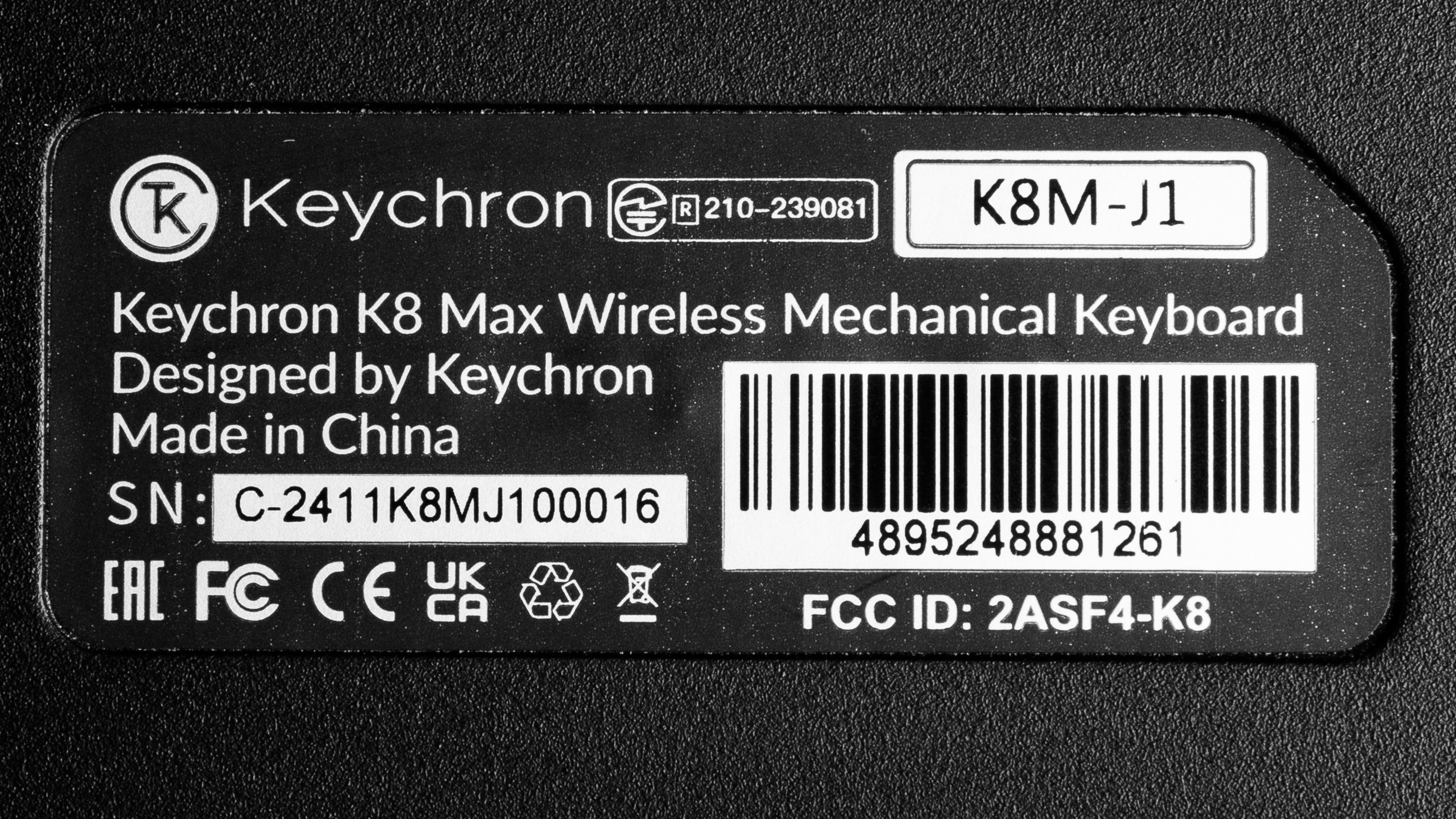
The Keychron K8 Max [K2 Max, K10 Max, etc.] series is available in a variety of sizes and assembly configurations. We bought and tested a fully assembled, hot-swappable Keychron K8 Max model with RGB backlighting, an aluminum frame, and Keychron Super Red switches. See a photo of our unit's label.
| Name | Size | Type and Color | Version | Switch Options | Dedicated Macro Keys |
|---|---|---|---|---|---|
| Keychron K2 Max | Compact (75%) |
Black - Fully Assembled (Hot-swappable) Black - Fully Assembled White - Fully Assembled (Hot-swappable) |
RGB Backlight Aluminum Frame* White Backlight RGB Backlight |
Keychron Super Red Keychron Super Brown Keychron Super Banana |
No |
| Keychron K4 Max | Compact (96%) |
Black - Fully Assembled (Hot-Swappable) Black - Fully Assembled |
White Backlight RGB Backlight |
Keychron Super Red Keychron Super Brown Keychron Super Banana |
No |
| Keychron K8 Max | TKL (80%) |
Black - Fully Assembled (Hot-Swappable) Black - Fully Assembled |
RGB Backlight Aluminum Frame* White Backlight RGB Backlight |
Keychron Super Red Keychron Super Brown Keychron Super Banana |
No |
| Keychron K10 Max | Full-size (100%) |
Black - Fully Assembled (Hot-swappable) Black - Fully Assembled White - Fully Assembled (Hot-swappable) |
White Backlight RGB Backlight |
Keychron Super Red Keychron Super Brown Keychron Super Banana |
4 |
* All models in this series have an ABS plastic chassis, but the RGB Backlight Aluminum Frame option includes an additional aluminum bracket frame around the exterior. For more details, see the Build Quality section.
Note that all even-number models (K2 Max, K4 Max, etc.) in the wider K Max lineup are standard profile models. There are also low-profile models with odd-number names, such as the Keychron K5 Max [K1 Max, K3 Max, etc.], which we've reviewed separately. The low-profile variants support both VIA software and Keychron Launcher, while the standard profile models exclusively use Keychron Launcher. For more details, see the Configuration Software section.
Popular Keyboard Comparisons
The Keychron K8 Max [K2 Max, K10 Max, etc.] models are standard-profile wireless mechanical keyboards available in several layout options. They're part of the broader K Max series, which also includes low-profile variants, including the Keychron K5 Max [K1 Max, K3 Max, etc.], which we've reviewed separately. The K Max lineup builds on the foundation of Keychron's earlier K and K Pro series, with the most notable upgrade being the addition of 2.4GHz wireless connectivity, which offers significantly improved performance for gaming. These boards also include additional layers of acoustic-dampening material inside the case, contributing to an improved sound and feel.
Positioned as Keychron's mainline budget lineup, the K Max series provides more robust wireless capabilities than the Bluetooth-only connectivity of earlier models. These keyboards use a standard tray mount design, distinguishing them from the similarly priced Keychron V Max series, which feature a slightly springier gasket mount. They also come with plastic or aluminum-framed plastic chassis, in contrast to the solid aluminum builds of the more premium Keychron Q Max lineup. Compared to the wider market, the K Max keyboards stand out for their accessible pricing and broad range of layout options. They're particularly well-suited for first-time mechanical keyboard buyers, or for anyone who values flexibility in layout and assembly options, offering more configuration choices at purchase than other popular models in the same price range, such as the AULA F75, the Epomaker TH80 Pro, or the 8BitDo Retro Mechanical Keyboard.
For more recommendations, see our picks for the best keyboards, the best mechanical keyboards, and the best wireless keyboards.
The Keychron V5 Max and the Keychron K8 Max are similar wireless mechanical keyboards. While the V5 Max has a plastic case, the K8 Max is available in a full plastic case or a plastic case with an aluminum bracket frame, which contributes a noticeably more durable and premium feel. On the other hand, the V5 Max provides a softer, almost springier-feeling typing experience due to its gasket mount design.
The Keychron K8 Max and the Keychron K8 Pro are wireless mechanical keyboards. The major difference between them is that the K Max model has added support for 2.4GHz connectivity, offering considerably better raw gaming performance. Additionally, there are several more layers of acoustic foam inside the case and somewhat better overall build quality with better-tuned stabilizers that provide a higher-quality typing experience.
The Keychron Q5 Max and the Keychron K8 Max are related wireless mechanical keyboards with very simillar features. The standout difference is that the Q5 Max has a more premium-feeling all-aluminum chassis and a double-gasket mount design that lends a softer, slightly springy feeling typing experience. Comparatively, the K8 Max is available in a full plastic or plastic and aluminum bracket framed chassis and has a comparatively stiffer tray mount design. That said, it also has better-tuned stabilizers out of the box.
The Keychron K5 Max is a low-profile model, while the Keychron K8 Max is a standard-profile model, but they both belong to the same lineup. There are a few other minor differences: the K5 Max has somewhat better latency performance, likely due to its matrix design or firmware implementation. It's also compatible with VIA software as well as Keychron's new web-based software. Comparatively, the K8 Max is only compatible with Keychron's web-based software and is somewhat louder to type on, but it also delivers a slightly improved typing quality with better-tuned stabilizers.
Test Results
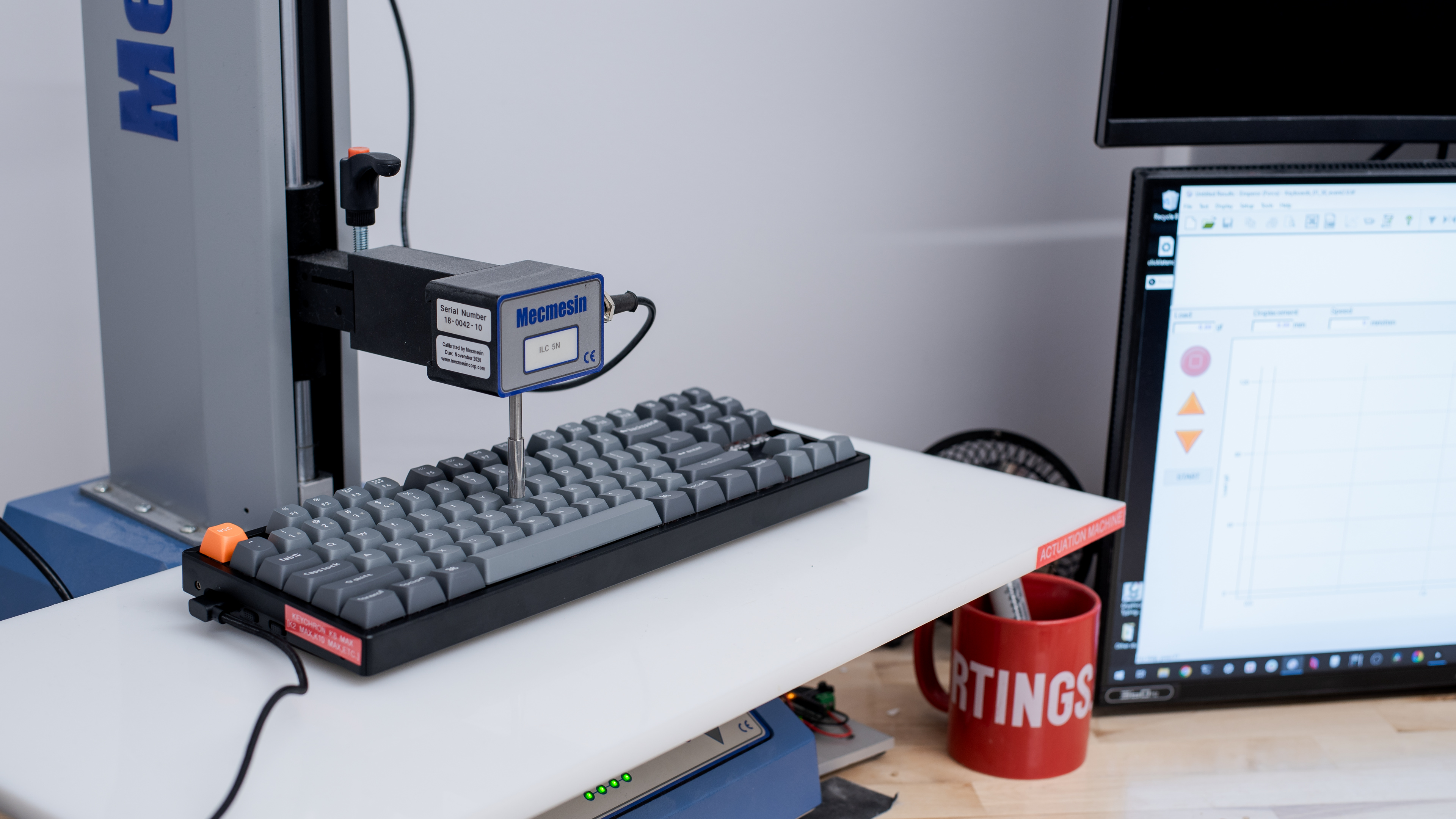
![Keychron K8 Max [K2 Max, K10 Max, etc.] Top Picture Sample](https://i.rtings.com/assets/sample-images/keyboard/dimensions-small.jpg?format=auto)
![Keychron K8 Max [K2 Max, K10 Max, etc.] Build Quality Close Up Sample](https://i.rtings.com/assets/sample-images/keyboard/build-quality-small.jpg?format=auto)
![Keychron K8 Max [K2 Max, K10 Max, etc.] Underside Picture Sample](https://i.rtings.com/assets/sample-images/keyboard/underside-small.jpg?format=auto)
for pictures & test results
![Keychron K8 Max [K2 Max, K10 Max, etc.] Side Picture Sample](https://i.rtings.com/assets/sample-images/keyboard/ergonomics-small.jpg?format=auto)
for pictures & test results
![Keychron K8 Max [K2 Max, K10 Max, etc.] Customizability Overview Sample](https://i.rtings.com/assets/sample-images/keyboard/custom-small.jpg?format=auto)
![Keychron K8 Max [K2 Max, K10 Max, etc.] Backlighting Picture Sample](https://i.rtings.com/assets/sample-images/keyboard/backlight-small.jpg?format=auto)
![Keychron K8 Max [K2 Max, K10 Max, etc.] Brightness Max Sample](https://i.rtings.com/assets/sample-images/keyboard/brightness-max-small.jpg?format=auto)
![Keychron K8 Max [K2 Max, K10 Max, etc.] Brightness Min Sample](https://i.rtings.com/assets/sample-images/keyboard/brightness-min-small.jpg?format=auto)
![Keychron K8 Max [K2 Max, K10 Max, etc.] White Shot Sample](https://i.rtings.com/assets/sample-images/keyboard/whiteshot-small.jpg?format=auto)
for pictures & test results
![Keychron K8 Max [K2 Max, K10 Max, etc.] Extra Features Sample](https://i.rtings.com/assets/sample-images/keyboard/features-small.jpg?format=auto)
![Keychron K8 Max [K2 Max, K10 Max, etc.] Bundle Picture Sample](https://i.rtings.com/assets/sample-images/keyboard/in-the-box-small.jpg?format=auto)
![Keychron K8 Max [K2 Max, K10 Max, etc.] Typing Sample Sample](https://i.rtings.com/assets/sample-images/keyboard/typing-sample-small.jpg?format=auto)
for pictures & test results
![Keychron K8 Max [K2 Max, K10 Max, etc.] Key Switch Actuation Graph Sample](https://i.rtings.com/assets/sample-images/keyboard/feel-graph-small.jpg?format=auto)
for pictures & test results
![Keychron K8 Max [K2 Max, K10 Max, etc.] Input Linearity Graph Sample](https://i.rtings.com/assets/sample-images/keyboard/keyboard-input-granularity-graph-small.jpg?format=auto)
![Keychron K8 Max [K2 Max, K10 Max, etc.] Wobble Video Sample](https://i.rtings.com/assets/sample-images/keyboard/wobble-small.jpg?format=auto)
for pictures & test results
![Keychron K8 Max [K2 Max, K10 Max, etc.] Single-Key Latency Graph Sample](https://i.rtings.com/assets/sample-images/keyboard/latency-single-graph-small.jpg?format=auto)
![Keychron K8 Max [K2 Max, K10 Max, etc.] Multi-Key Latency Graph Sample](https://i.rtings.com/assets/sample-images/keyboard/latency-multi-graph-small.jpg?format=auto)
for pictures & test results
![Keychron K8 Max [K2 Max, K10 Max, etc.] Multi-Key Raw USB Sample](https://i.rtings.com/assets/sample-images/keyboard/rollover-small.jpg?format=auto)
![Keychron K8 Max [K2 Max, K10 Max, etc.] Chord Split Graph Sample](https://i.rtings.com/assets/sample-images/keyboard/keyboard-chordsplit-graph-small.jpg?format=auto)
for videos & test results
![Keychron K8 Max [K2 Max, K10 Max, etc.] Software Tour Sample](https://i.rtings.com/assets/sample-images/keyboard/software-tour-small.jpg?format=auto)