Keychron B33/B36  Keyboard Review

Reviewed Nov 24, 2025 at 09:21am
Tested using Methodology v1.4.2 
Keychron B33/B36
6.6
Gaming 
8.0
Office 
8.2
Mobile/Tablet 
7.5
Programming 
5.2
Entertainment / HTPC 
7.8
Raw Performance 
 0

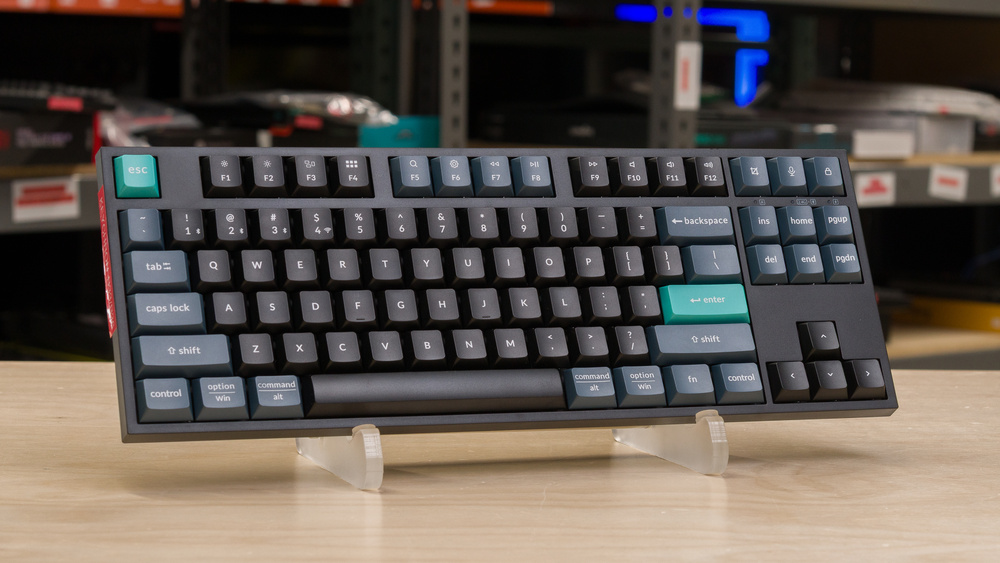
The Keychron B33/B36 are membrane keyboards in Keychron's B series. They're available in a full-size and TenKeyLess layout depending on your needs. Whereas the Keychron B1/B6 Pro features an ultra-slim profile similar to the Apple Magic Keyboard and the Logitech MX Keys S, this new entry is taller, with a profile that resembles low-profile mechanical keyboards. This gives a deeper keystroke that's relatively unique for a scissor switch. Although they lack backlighting, these keyboards offer wireless connectivity, supporting both Bluetooth and 2.4GHz connections via the included USB receiver. They're also compatible with Keychron's online software for customizing macros and secondary functions.

Our Verdict

6.6
Gaming 

The Keychron B33 isn't designed for gaming, but its latency performance is surprisingly good when used wired. We expect the B36 to deliver the same performance. That said, their gaming capability is limited by the lack of NKRO, which means these keyboards can't reliably register more than four simultaneous key presses. The build quality is decent, but the ABS plastic used is quite thin, and the keyboard exhibits some flex, which may not be ideal for gaming. They also lack backlighting, which isn't ideal for late-night gaming sessions.

Pros
  • Latency performance is reasonably good for casual gaming in wireless mode, and excellent if used wired.

Cons
  • No backlighting.

  • Cheap-feeling materials.

8.0
Office 

The Keychron B33/B36 are very good office keyboards. They deliver very good typing quality with stable switches with decent tactility, and a quiet sound profile that doesn't disturb nearby coworkers. Build quality is only decent, as these keyboards feel relatively cheap, but it shouldn't be an issue for durability. They also offer considerable flexibility in terms of connectivity. You can use them wirelessly with the included 2.4GHz receiver, via Bluetooth with up to three devices, or wired.

Pros
  • Great typing quality with satisfying and stable switches.

  • Low-profile design is comfortable to use without a wrist rest.

  • Very quiet typing noise.

  • Connects wirelessly with 2.4GHz receiver or via Bluetooth, with multi-device pairing for up to three devices.

Cons
  • Cheap-feeling materials.

  • No dedicated macro keys.

8.2
Mobile/Tablet 

The Keychron B33 and B36 keyboards work well with tablets and mobile devices. Their relatively slim and lightweight designs make them easy to carry, and the more compact B33 variant offers even better portability. Their build quality is decent, but they rely on fairly inexpensive materials, which may limit long-term durability if you frequently transport your keyboard. They connect wirelessly through Bluetooth and support multi-pairing with up to three devices. They also maintain full compatibility with all major mobile operating systems.

Pros
  • Connects wirelessly with 2.4GHz receiver or via Bluetooth, with multi-device pairing for up to three devices.

Cons
  • Cheap-feeling materials.

7.5
Programming 

The Keychron B33 and B36 are good for programming. Their low-profile design feels comfortable, even without a wrist rest. Their build quality is only decent, and the keyboards feel relatively inexpensive, but this drawback shouldn't cause major issues when it comes to durability. They're also very versatile in terms of connectivity: you can use the included 2.4GHz wireless receiver, pair them with up to three devices over Bluetooth, or switch to a wired connection. However, they lack backlighting, which isn't ideal for work in low-light conditions.

Pros
  • Great typing quality with satisfying and stable switches.

  • Low-profile design is comfortable to use without a wrist rest.

  • Very quiet typing noise.

Cons
  • No backlighting.

  • Cheap-feeling materials.

  • No dedicated macro keys.

5.2
Entertainment / HTPC 

While the Keychron B33 and B36 have a lightweight design and wireless multi-device support with up to three devices, the lack of backlighting can make it difficult to use in dimly lit environments. They also lack dedicated media keys. That said, you can program hotkeys within Keychron's software.

Pros
  • Connects wirelessly with 2.4GHz receiver or via Bluetooth, with multi-device pairing for up to three devices.

Cons
  • No backlighting.

  • No dedicated media keys.

7.8
Raw Performance 

The Keychron B33/B36 have good overall raw performance, and their performance is surprisingly good in wired connection with excellent single-key and multi-key latency. However, they only support up to 6-key rollover, the performance of which is also inconsistent. This can be quite limiting if you need to press many keys at the same time.

Pros
  • Latency performance is reasonably good for casual gaming in wireless mode, and excellent if used wired.

Cons
None
  • 6.6
    Gaming
  • 8.0
    Office
  • 8.2
    Mobile/Tablet
  • 7.5
    Programming
  • 5.2
    Entertainment / HTPC
  • 7.8
    Raw Performance
  • Changelog

    1.  Updated Nov 24, 2025: Review published.
    2.  Updated Nov 13, 2025: Early access published.
    3.  Updated Nov 10, 2025: Our testers have started testing this product.
    4.  Updated Oct 16, 2025: The product has arrived in our lab, and our testers will start evaluating it soon.

    Check Price

    Differences Between Sizes And Variants

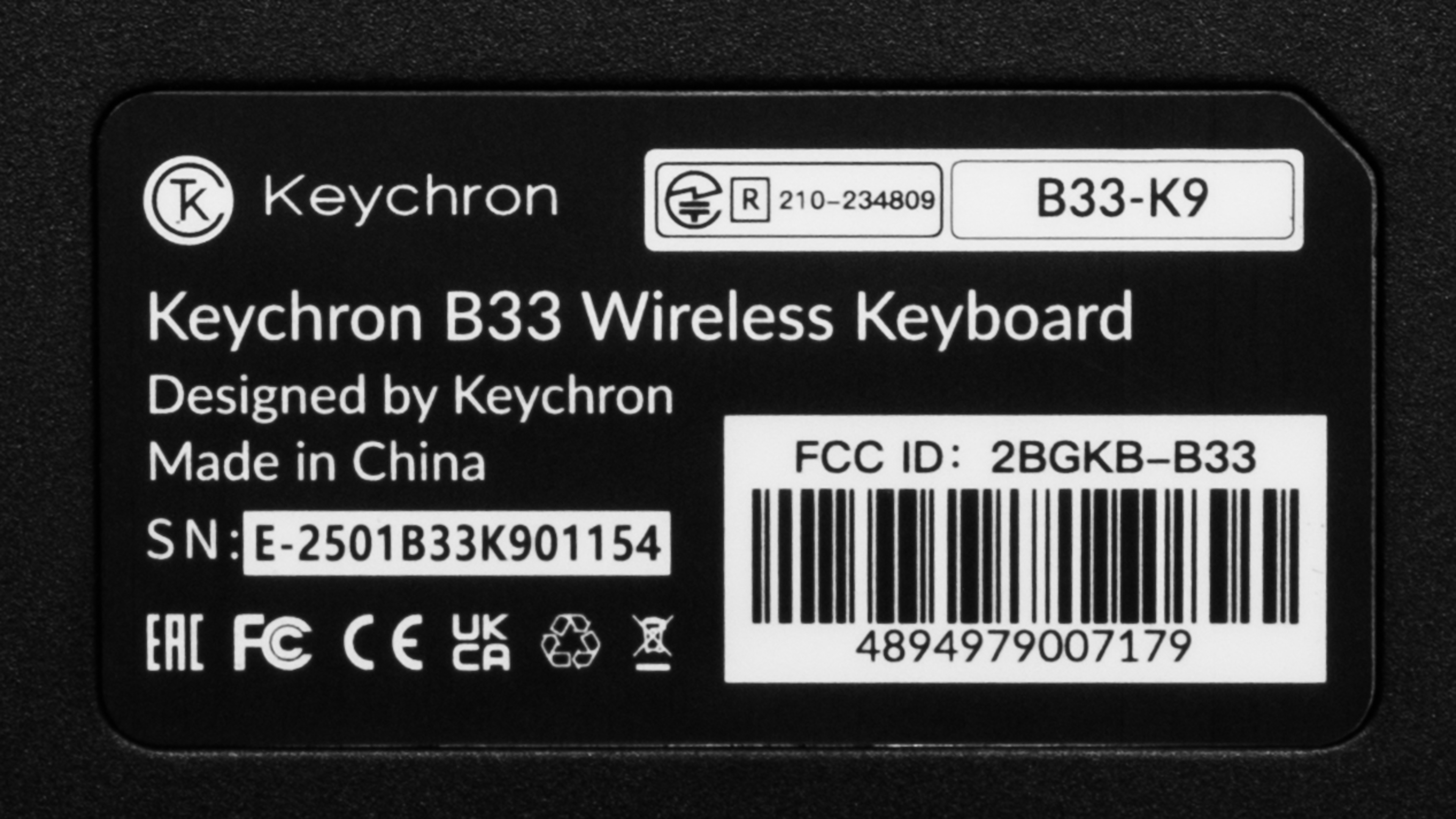
    These keyboard comes in a single Deep Black colorway. The B33 features a TenKeyLess layout, while the B36 features a full-size layout. We bought and tested the B33 TKL version for our testing. Here's the label from our unit. We expect the full-size B36 version to perform the same.

    No additional size variants have been announced. If you find another size or color option, leave a comment below so we can update our review.

    Popular Keyboard Comparisons

    The Keychron B33/B36 are entry-level, low-profile wireless keyboards designed for regular, everyday tasks and office work. Their relatively deep scissor switches position themselves as a middle ground between more conventional low-profile membrane keyboards, such as the Logitech MX Keys S or the Keychron B1/B6 Pro keyboards, and low-profile mechanical keyboards, like the NuPhy Air75. The B33/36 keyboards are cheaper than most of their competitors, but they come with some compromises. They lack backlighting, and while typing quality is very good, it may not feel as satisfying as what you can find on mechanical keyboards, which can deliver a more tactile and less mushy typing experience. Still, thanks to their wireless versatility, deep scissor switches, and comprehensive software suite, these keyboards offer a relatively unique set of features at this price point.

    For more recommendations, see our picks for the best low-profile keyboards, the best wireless keyboards, the best office keyboards, and the best budget and cheap keyboards.

    Logitech MX Keys Mini

    The Logitech MX Keys Mini and the Keychron B33 are wireless low-profile keyboards designed for productivity and everyday browsing. The Keychron model offers more customizability through lightweight web-based software and supports a higher 1000Hz polling rate. It also delivers significantly better latency when used in wired mode, and you may prefer its typing experience if you want more key travel. In comparison, the Logitech offers superior build quality, higher-end materials, and a more premium typing experience for most users. It features very stable keys, coupled with a comfortable, rounded indent in the keycaps, which helps you hit the key in the center and reduces typos. It also includes full per-key backlighting and shine-through legends, features that the Keychron lacks.

    Keychron K8 Pro [K2 Pro, K3 Pro, K4 Pro, etc.]

    The Keychron K8 Pro is a better overall keyboard than the Keychron B33. Its build quality is superior, and it includes hot-swappable mechanical switches. It also features backlighting and more reliable performance for gaming. That said, the B33 keyboard is usually more affordable, and you may prefer it if you want a silent typing experience or plan to carry your keyboard around.  

    Keychron B1/B6 Pro

    The Keychron B1/B6 Pro and the Keychron B33/B36 keyboards are low-profile wireless offerings with similar overall performance. The B33 and B36 switches deliver deeper keystrokes, while the B1 and B6 Pro keyboards have very low-profile switches. Both models offer very similar feature sets and build qualities. However, the B33 and B36 deliver significantly better latency performance when used wired, which can be practical for occasional gaming sessions. Ultimately, the model you prefer will mainly depend on the type of switches you would like.  

    Logitech Pebble Keys 2 K380s

    The Logitech Pebble Keys 2 K380s and the Keychron B33 are compact, low-profile wireless keyboards designed for everyday use. The Keychron supports wired, Bluetooth, and 2.4GHz connections, and it delivers much better raw performance in wired mode, which makes it suitable for gaming. Its keystrokes are noticeably deeper, which some users may prefer, and it comes with an internal rechargeable battery. It's also offered in a full-size B36 variant. In comparison, the Logitech is far more portable due to its slimmer design and lighter weight. The Logitech also relies on AA batteries instead of an internal rechargeable option.

    Test Results

    perceptual testing image
    Sort:
    RATINGS
    Category:
    All
    Design
    Dimensions
    Size
    TenKeyLess (75%)
    Height
    1.1" (2.7 cm)
    Width14.1" (35.7 cm)
    Depth
    5.2" (13.1 cm)
    Depth With Wrist Rest
    N/A
    Weight
    1.23 lbs (0.556 kg)

    We bought the Keychron B33, which has a TenKeyLess layout that omits the numpad. This keyboard is also available in a full-size B36 variant if you require a number pad for your workflow. Here are the dimensions advertised by Keychron for the B36 variant:

    Front Height: 0.7" ( 1.8 cm)
    Back Height: 1" (2.6 cm)
    Depth: 5.15" (13.1 cm)
    Width: 17.2" (43.7 cm)
    Weight: 1.4 ± 0.02 lbs (0.650 ± 0.010 kg) 

    7.0
    Build Quality
    Keycap MaterialABS

    The build quality of these keyboards is satisfactory. They have a quite thin all-plastic ABS chassis, which makes lightweight builds that flex easily under pressure and feel less durable than models with metal reinforcement. While their overall assembly is reasonably good for the price with no major construction gaps, their thin casings and low weight make them feel somewhat cheap. Despite their light weight, they remain stable while you type thanks to the five rubber feet on the bottom of the keyboard.

    Key wobble is noticeable during use, though larger stabilized keys remain surprisingly quiet and smooth. That said, the recessed plate design can trap debris that's difficult to clean without removing the keycaps. The ABS keycaps are pad-printed, which is ideal for durability. Overall, these keyboards function adequately but feel cheap, especially as competing products at similar price points increasingly offer sturdier materials and more advanced switches.

    7.0
    Ergonomics
    Curved/Angled
    No
    Split Keyboard
    No
    Key Alignment
    Staggered
    Minimum Incline
    Medium Incline
    6.5°
    Maximum Incline
    8.5°
    Home Row Height
    19.9 mm (0.8")

    The Keychron B33/B36 keyboards have a low profile that's comfortable to use even without a wrist rest. Note that even if they use scissor switches, these keyboards are taller than the average very low-profile keyboard with scissor switches, such as the Logitech MX Keys S or the Keychron B1/B6 Pro. They're about the same height as a low-profile mechanical keyboard and remain comfortable to use for extended periods.

    0.7
    Hardware Customizability
    Replaceable Cherry Stabilizers
    No
    Stabilizer Fixation
    Non-Customizable Design
    Spacebar Stabilizer Size
    Non-Customizable Design
    Size Of Right Mod Keys
    1.25u
    Hot-Swappable Switches
    No
    Switch Stem Shape
    Non-Customizable Design
    Mechanical Switch Compatibility
    No Mechanical Switch Pinout
    Magnetic Switch Compatibility
    No Magnetic Switch Support
    North-Facing Cherry MX Interference
    Non-Customizable Design

    This keyboard isn't customizable; it uses scissor switches, and you can't swap the keycaps.

    0.0
    Backlight Features
    BacklightingNo
    RGB
    No
    Per-Key Backlighting
    No
    Effects
    No
    Software Controllable
    No

    These keyboards have no backlighting.

    0.0
    Backlight Clarity
    Cable & Connector
    ConnectivityWireless
    Detachable
    Yes (Wired Mode and Charge)
    Length4.9 ft (1.5 m)
    Connector (Keyboard side)
    USB type-C

    These keyboards come with a very basic USB-C to USB-A cable that retains some kinks from its packaging.

    10
    Wireless Versatility
    Bluetooth
    Yes
    Bluetooth Multi-Device Pairing
    3
    Proprietary Receiver
    Yes
    Battery Type
    Rechargeable

    Both the Keychron B33 and Keychron B36 use an 800 mAh rechargeable battery. Keychron lists the battery life for both models as up to 320 hours of use. The company doesn't specify which connection it used to arrive at this estimate, but we expect that they used the less power-intensive Bluetooth connection.

    4.0
    Macro Keys And Programming
    Dedicated Macro Keys Count0
    Onboard Macro Programming
    No
    Macro Programming With Software
    Yes

    The Keychron B33 doesn't include dedicated macro keys, but you can assign a macro to any key through Keychron's web-based configuration software. The Keychron B36 has four customizable keys above its number pad, which gives more flexibility.

    Extra Features
    Media Keys
    Non-Dedicated
    Trackpad / TrackballNo
    Scroll Wheel
    No
    Control Knob
    No
    USB Passthrough
    No
    NumpadNo
    Windows Key Lock
    Yes
    Lock IndicatorCaps Lock

    In the top right corner, there are three LED indicators that show Caps Lock, Num Lock, connectivity status, and battery level. Pressing Fn + B when the keyboard is unplugged shows the battery level. Keychron doesn't specify the exact percentage at which the battery light changes colors; it simply transitions between green and red as the battery level decreases.

    Along the top edge, the keyboard includes two labeled switches: one to select the connectivity mode and another to switch between operating system compatibility modes. You can switch between paired Bluetooth devices using Fn+1, 2, or 3.

    You can toggle the Fn lock by holding Fn+X+L for three seconds, which changes the default behavior of the function row between hotkey commands and F1 to F13 inputs. You can perform a factory reset by holding Fn+J+Z for four seconds.

    A complete list of hotkeys is available in the digital manual on Keychron's website.

    In The Box

    • USB-A 2.4GHz wireless receiver
    • USB-C to USB-A charging cable
    • User documentation
    Typing Experience
    8.0
    Typing Quality
    Key Spacing
    19.0 mm (0.748")

    These keyboards feature ABS keycaps with a light texture and a comfortable shape, which should suit most office users. Although the keys feel reasonably stable, there's a tiny amount of wobble during travel, which can make them feel slightly shaky if you're a heavy typist. Larger keys, such as the spacebar, shift, and enter, perform consistently, with stabilizers that feel balanced and smooth. Typing on these keyboards feels natural, and the keys provide a good amount of feedback. The keystrokes can feel a little mushy if you're coming from a tactile mechanical keyboard, but otherwise, typing on these keyboards feels very comfortable.

    Key shape and spacing are standard, and the switches offer a 3.5 mm travel that helps approximate a mechanical keyboard experience. It's a sort of middle ground between mechanical switches and scissor switches. The Keychron B33/B36 also have an inoffensive sound profile and are quiet enough for shared workspaces.

    9.3
    Typing Noise
    Average Loudness
    42.4 dBA
    High Pitch Clicks
    No

    These keyboards are very quiet and very unlikely to bother people around you.

    Keystrokes
    See details on graph tool
    Operating Force
    43 gf
    Actuation Force
    38 gf
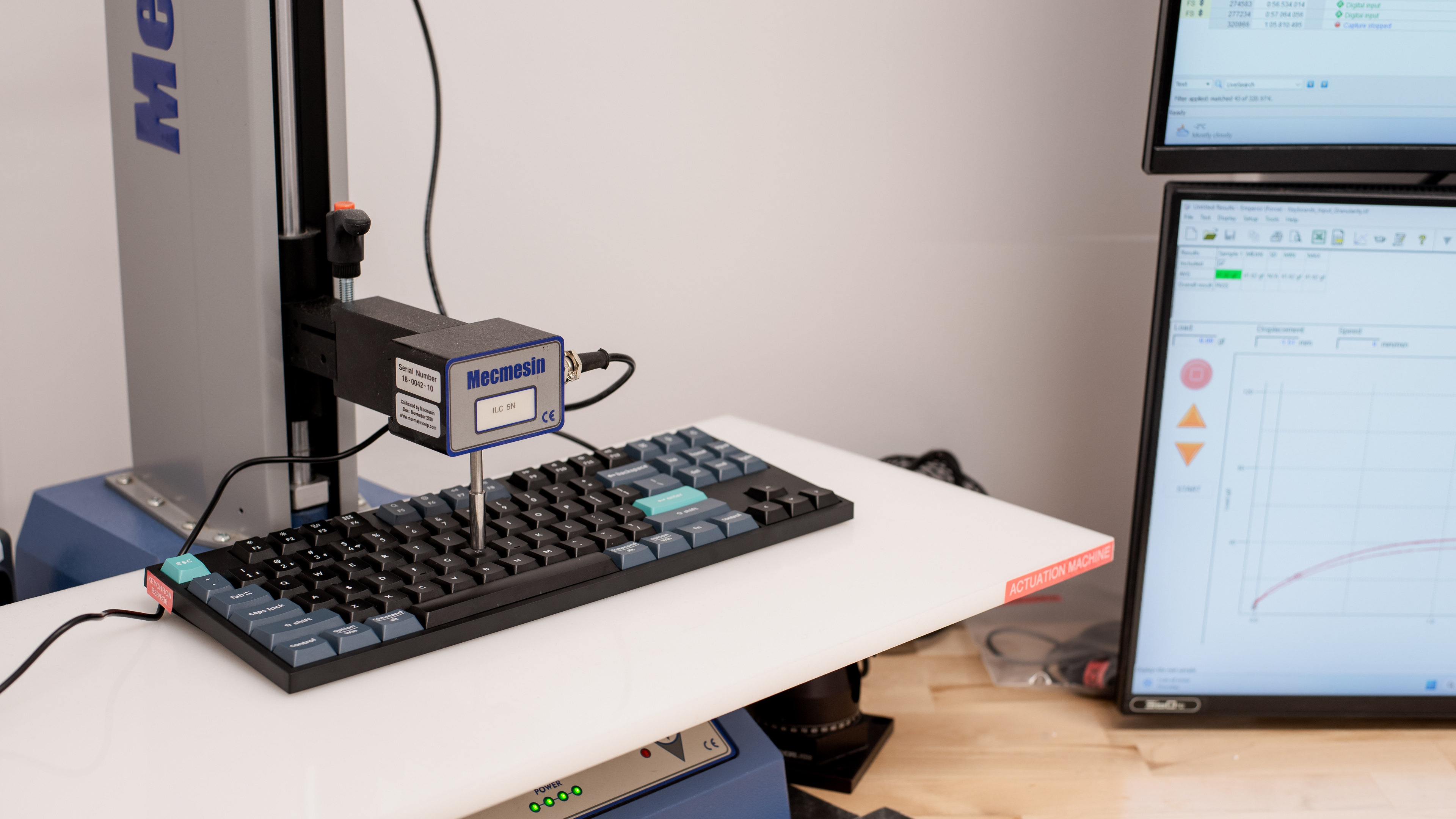
    Pre-Travel
    2.9 mm
    Total Travel
    3.4 mm

    Actuation is at the very bottom of the keystroke, which means you have to press the keys almost all the way down. This may feel unnatural if you're accustomed to mechanical keyboards with shorter pre-travel or more traditional low-profile switches.

    0.0
    Adjustable Input Granularity
    See details on graph tool
    Top Deadzone
    N/A
    Bottom Deadzone
    N/A
    Detection Ratio
    N/A
    Minimum Step Depth
    N/A
    Switches
    Switch Name
    No Marketed Name
    Switch Type
    Scissor
    Feel
    Tactile
    Output Type
    Non-Adjustable
    Performance
    8.7
    Single-Key Latency
    See details on graph tool
    Best Connection
    6.6 ms
    Best Connection Std Dev±0.5 ms
    Wired
    6.6 ms
    Receiver
    22.0 ms
    Bluetooth
    20.9 ms
    PCB (Estimated)
    4.1 ms

    These keyboards have very different results depending on the connection used. A wired connection delivers excellent single-key latency, which is significantly better than what models like the Keychron B1/B6 Pro or the Logitech MX Keys S can offer.

    However, performance takes a big hit if you use the Bluetooth or 2.4GHz wireless connection. A slight performance decrease is typical when switching from wired to 2.4GHz adapters, but in this case, the latency triples, with inconsistent results fluctuating between around 10 ms and 30 ms. This results in latency that's closer to that of Bluetooth on average and isn't suitable for any type of gaming that requires precise input.

    7.5
    Multi-Key Latency
    See details on graph tool
    Connection EvaluatedReceiver
    Key Press
    15.4 ms

    Using the included 2.4GHz receiver, the multi-key latency is generally good, but the results fluctuate significantly, resulting in an inconsistent experience that's not suitable for competitive gaming scenarios where you need to hold press inputs while holding down multiple keys.

    That said, the latency is significantly better in wired mode. As you can see in the graph for the wired connection, the keyboard averaged around 4.8 ms, which is excellent. One thing to keep in mind, though, as mentioned in the Data Transmission test box, is that these keyboards don't support N-Key Rollover, which can be quite limiting in these gaming scenarios.

    7.2
    Data Transmission
    Connection EvaluatedReceiver
    USB Polling Rate
    1,000 Hz
    Effective Update Rate
    1,000 Hz
    N-Key Rollover (NKRO)
    No
    Multiple Keys Per USB Report
    No

    These keyboards use a 1000Hz polling rate over a 2.4GHz connection, and other latency factors do not create a bottleneck. They support only 6-key rollover, and it's enabled by default.

    Also, while you can assign a key to activate NKRO through the configuration software, the feature doesn't function, and the keyboard can't consistently register more than four keypresses at once.

    7.2
    Chord Split
    See details on graph tool
    4 Chord Split Delay
    6.7 ms
    8 Chord Split Delay
    N/A

    These keyboards show okay chord split performance. They register a good 4-chord split delay and allow no more than six simultaneous inputs, so they aren't good options for rhythm games.

    Software and Operating System
    Configuration Software
    Software NameKeychron Launcher
    Software Windows Compatible
    Yes
    Software macOS Compatible
    Yes
    Onboard Memory
    Yes
    Profiles
    6+

    These keyboards rely on Keychron Launcher, a web-based configurator. You must connect the keyboard in wired mode before you use the software. You open it through Keychron's website in any Chromium-based browser. The software lets you adjust common settings such as key assignments, custom profiles, and macros. It also lets you configure up to four layers. The tool provides many features and offers a broader set of options than most keyboards in a similar price range.

    Note that Linux users may need to change udev permissions before using the software.

    10
    Computer Compatibility
    Windows
    Fully Compatible
    macOS
    Fully Compatible
    Linux
    Fully Compatible
    Media Key Compatibility
    Windows, MacOS & Linux

    On Windows, every key functions normally when you switch the keyboard to Windows compatibility mode.

    On macOS, all features work as intended when you switch the keyboard to Mac compatibility mode. Note that Keychron's software doesn't work on Safari.

    On Linux, all key inputs work as they should. You may need to adjust udev permissions for the drivers to work properly.

    10
    Wireless Mobile Compatibility
    Android
    Fully Compatible
    iOS
    Fully Compatible
    iPadOS
    Fully Compatible
    Media Key Compatibility
    Android, iPhone & iPad

    This keyboard is fully compatible with all major mobile operating systems, and all keys work as expected. Note that you should put the keyboard in Mac mode to use these keyboards with an iPad or an iPhone.