![Keychron J2 [J4, J5, etc.]](https://i.rtings.com/assets/products/nvHLgnCP/keychron-j2-j4-j5-etc/design-medium.jpg?format=auto)
The Keychron J2 is one model in Keychron's wider J Series lineup of wireless mechanical keyboards. These keyboards connect with either a 2.4GHz receiver or Bluetooth. They have several layers of acoustic treatment inside the case, durable PBT keycaps, RGB backlighting, and they're available with several switch options and either soldered or hot-swappable configurations at purchase. You can also configure profiles, macros, and other settings using a web-based software client.
We bought and tested the Compact (75%) Keychron J2, but other sizes are available in the wider Keychron J series. For details, see the Differences Between Variants section.
Our Verdict
The Keychron J Series keyboards are excellent for gaming. They have outstanding latency performance and great overall build quality, with no major weaknesses apart from some cheaper-feeling plastic in certain areas and a slightly hollow-feeling spacebar. They also have RGB backlighting with individually addressable keys, customizable effects, and other settings available through the web-based software.
Great build quality.
Excellent latency performance.
RGB backlighting with clear shine-through legends on most colorways.
Tall profile; most comfortable with a wrist rest, but one isn’t included.
The Keychron J2 and other size variants in the Keychron J Series are great for office work. They have impressive overall build quality, with only minor issues such as a somewhat hollow-feeling spacebar and some cheaper-feeling plastic in certain areas. That said, they deliver a quiet and satisfying typing experience and connect wirelessly via either a USB receiver or Bluetooth, with support for multi-device pairing. Due to these keyboards' tall profile, they're most comfortable to use with a wrist rest, but one isn't included.
Great build quality.
Excellent typing quality.
Quiet typing noise.
Connects wirelessly with 2.4GHz receiver or Bluetooth.
Tall profile; most comfortable with a wrist rest, but one isn’t included.
The Keychron J series keyboards are very good for use with mobile devices or tablets, but aren't designed with portability in mind and have tall, bulky profiles, making them troublesome to carry around. That said, they have great build quality and deliver excellent, quiet typing quality. They connect wirelessly over Bluetooth and support multi-device pairing and web-based software.
Connects wirelessly with 2.4GHz receiver or Bluetooth.
Somewhat heavy and bulky.
The Keychron J Series keyboards are great for programming. They have impressive overall build quality, with only minor issues such as a slightly hollow-feeling spacebar and somewhat lower-quality plastic in some areas, but they still deliver an excellent and satisfying typing experience. They also offer flexible wireless connectivity using a 2.4GHz USB receiver or Bluetooth, with support for multi-device pairing. Full RGB backlighting and clear shine-through legends make the keys easy to read if you prefer working in darker conditions. They use VIA web-based software for changing configuration options and support QMK if you want to make more in-depth firmware changes yourself.
Great build quality.
RGB backlighting with clear shine-through legends on most colorways.
Excellent typing quality.
Quiet typing noise.
Connects wirelessly with 2.4GHz receiver or Bluetooth.
Tall profile; most comfortable with a wrist rest, but one isn’t included.
The Keychron J Series boards are passable for use in an entertainment or home theater setup. They support multi-device pairing and have great overall build quality, but they're fairly bulky and a bit heavy for comfortable use from a couch. They also lack dedicated media controls, though they have pre-programmed media hotkeys and a rotary knob that controls volume by default. Most colorways have clear shine-through legends that make the keys easy to read in the dark, but the Dark Blue colorway lacks shine-through legends.
RGB backlighting with clear shine-through legends on most colorways.
Connects wirelessly with 2.4GHz receiver or Bluetooth.
Somewhat heavy and bulky.
Lacks dedicated media keys
The Keychron J series keyboards deliver excellent overall raw performance and are very well-suited for playing games in any genre at a casual or competitive level. These keyboards are limited to a 1000Hz polling rate, but this isn't a significant drawback. Their latency performance is marginally less consistent than most keyboards with 8000Hz polling rates, with occasional variation of a few milliseconds. However, this small degree of inconsistency isn't noticeable while gaming and is likely to be completely inconsequential, even at a competitive level.
Excellent latency performance.
Check Price
Differences Between Sizes And Variants
The Keychron J Series keyboards come in several sizes, colors, and configurations. We've compiled the table below to account for the manufacturer-listed configurations available at the time of publication in June 2026. Please let us know in the comments if you find variants in this series that aren't listed here, and we'll add them to our review.
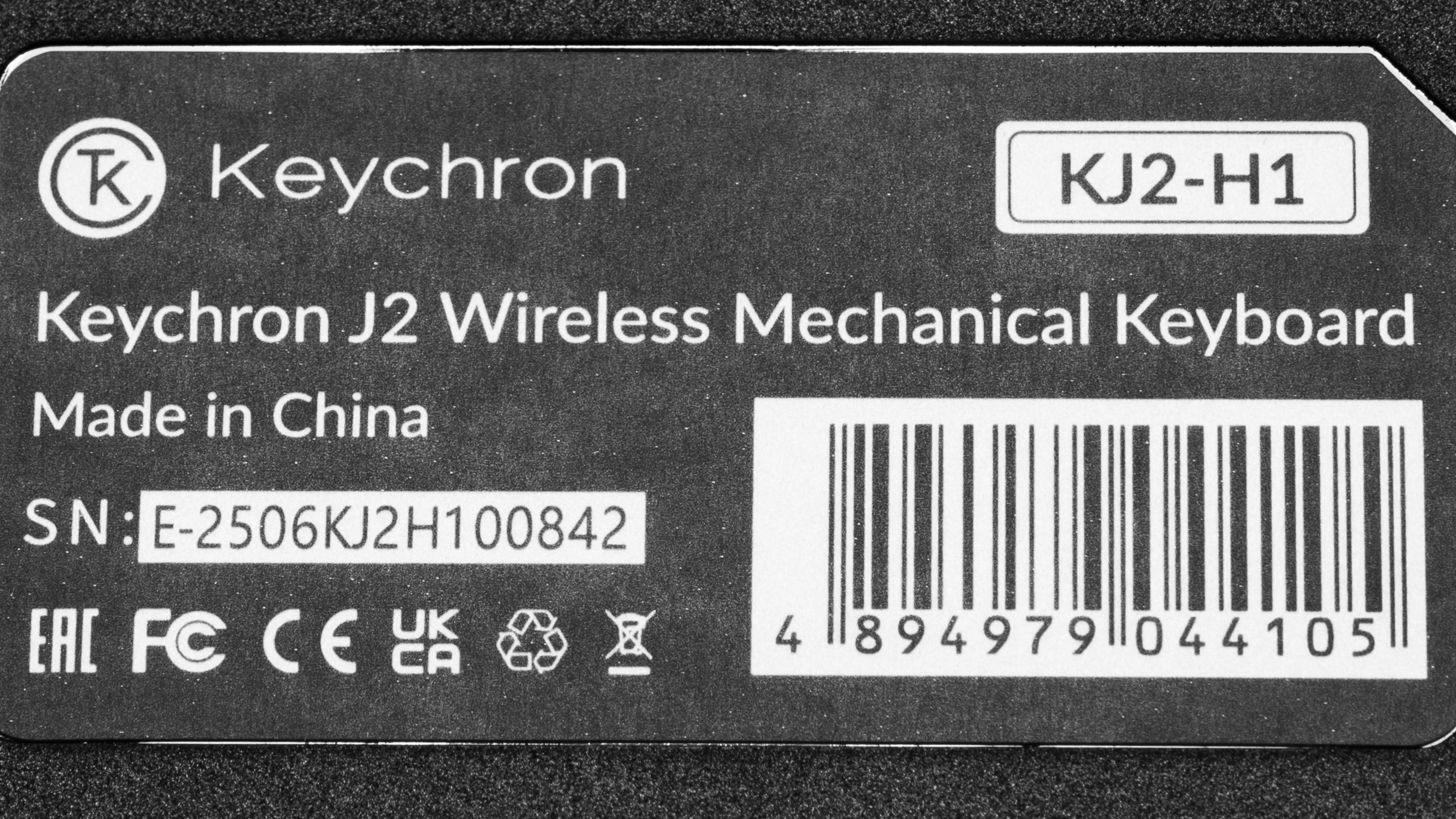
We bought and tested the Keychron J2 in the Black colorway with Keychron Super Red switches and a hot-swappable PCB. See a photo of our unit's label.
| Name | Size | Colorways | Switch Options | PCB Options |
|---|---|---|---|---|
| Keychron J2 | 75% | White, Black, Dark Blue | Red, Brown, Banana | Soldered/Hot-swappable |
| Keychron J4 | TKL (80%) | |||
| Keychron J5 | Full-size (100%) |
Note: The Black and White Colorways have Cherry profile keycaps with shine-through legends, while the Dark Blue colorway has slightly more unusual MDA profile keycaps and lacks shine-through legends.
Keychron also sells other models under their J series umbrella, which we've listed below. However, their designs differ enough that we don't consider our results in this review to be fully representative of them. We expect similarities, but the Keychron J1 in particular has a low-profile design that will produce a noticeably different typing experience.
| Name | Notes | Size | Colorways | Switch Options | PCB |
|---|---|---|---|---|---|
| Keychron J1 | Low-profile | 75% | Black, White, Dark Blue | Low-profile Red, Low-profile Red Brown, Low-profile Red Banana | Soldered/Hot-swappable |
| Keychron J3 SE | Special Edition | 96% | Pink, Pink Blue | Keychron Sakura Milk | Hot-swappable |
Note: You may also find these keyboards available listed as James Donkey J2, J4, J5, etc. To our understanding, these keyboards are simply rebadged but are otherwise identical to the Keychron-branded models.
Popular Keyboard Comparisons
The Keychron J2 is part of Keychron's wider J Series lineup of wireless mechanical keyboards. This lineup joins an increasingly large number of full-featured mechanical keyboards reaching the market at prices typically under $100 USD. It's especially appealing as a starter option for anyone new to mechanical keyboards, or for anyone who wants a versatile wireless mechanical keyboard on a budget.
The J Series is also less expensive than Keychron's more established Keychron K Max and V Max lineups, which have very similar build quality and typing quality scores in our testing and offer the same wireless connectivity and web-based software support. However, those lineups are available in more sizes and offer more extensive hardware customization, and they include toolkits for full disassembly.
The J Series also competes with options like the AULA F99/F75 keyboards and the slightly more expensive Ducky OK-M series, which offer the same wireless connectivity, hot-swappable PCBs, and excellent typing quality. The AULA models have a much softer, almost bouncy typing feel thanks to their very soft gasket-mount design, although they have a comparatively more convoluted software experience. The Ducky models have a stiffer, more conventional top-mount typing feel. Ultimately, all the keyboards we've mentioned here offer broadly comparable wireless mechanical keyboard experiences, so the best choice will likely come down to the typing feel and design language you prefer, along with pricing in your region.
For more recommendations, see our picks for the best wireless keyboards, the best budget and cheap keyboards, and the best mechanical keyboards.
The AULA F99/F75 and the Keychron J2 series keyboards are wireless mechanical keyboards with excellent typing quality. The AULA keyboards come in two sizes: 75% and 96%. The AULA boards also have a much softer, almost springy typing feel because of their gasket-mount design. The Keychron keyboards, on the other hand, have a comparatively stiffer, more stable typing experience. They also have better build quality and are available in 75%, 80%, and 100% size variants.
The Keychron K8 Max and the Keychron J2 are very similar wireless mechanical keyboards that are part of wider respective lineups with several size variants. Ultimately, these lineups offer very similar excellent typing quality, build quality, and raw performance, but the K Max series have more size options available, and they're designed with more potential for hardware customizability in mind, with included toolkits for completely disassembling your keyboard. The Keychron J series keyboards are notable for having shine-through keycaps for some of their colorway options, an option the K Max series lacks.
The NuPhy Node Series and Keychron J series are lineups of wireless mechanical keyboards that come in several sizes. Both offer excellent typing quality, but the NuPhy keyboards have somewhat higher build quality and are available in either high- or low-profile models. The Nuphy models also have a touch bar feature that you can configure to adjust keyboard settings like backlight brightness or volume control, a feature missing on the Keychrons. That said, several of the colorway options for the Keychron boards have keycaps with shine-through legends, while all NuPhy node keyboards lack shine-through legends.
The Ducky OK-M series and the Keychron J series are lineups of wireless mechanical keyboards available in several sizes. They offer similarly excellent typing experiences and the same flexible wireless connectivity. The Ducky keyboards are available in 75%, 65%, and 98% sizes, while the Keychron boards are available in 75%, 80%, and full-size models. The Keychron boards also have better build quality, better gaming performance, and some colorway options have shine-through keycaps, which the Ducky boards lack.
Test Results
![Keychron J2 [J4, J5, etc.] Top Picture Sample](https://i.rtings.com/assets/sample-images/keyboard/dimensions-small.jpg?format=auto)
![Keychron J2 [J4, J5, etc.] Build Quality Close Up Sample](https://i.rtings.com/assets/sample-images/keyboard/build-quality-small.jpg?format=auto)
![Keychron J2 [J4, J5, etc.] Underside Picture Sample](https://i.rtings.com/assets/sample-images/keyboard/underside-small.jpg?format=auto)
for pictures & test results
![Keychron J2 [J4, J5, etc.] Side Picture Sample](https://i.rtings.com/assets/sample-images/keyboard/ergonomics-small.jpg?format=auto)
for pictures & test results
![Keychron J2 [J4, J5, etc.] Customizability Overview Sample](https://i.rtings.com/assets/sample-images/keyboard/custom-small.jpg?format=auto)
![Keychron J2 [J4, J5, etc.] Backlighting Picture Sample](https://i.rtings.com/assets/sample-images/keyboard/backlight-small.jpg?format=auto)
![Keychron J2 [J4, J5, etc.] Brightness Max Sample](https://i.rtings.com/assets/sample-images/keyboard/brightness-max-small.jpg?format=auto)
![Keychron J2 [J4, J5, etc.] Brightness Min Sample](https://i.rtings.com/assets/sample-images/keyboard/brightness-min-small.jpg?format=auto)
![Keychron J2 [J4, J5, etc.] White Shot Sample](https://i.rtings.com/assets/sample-images/keyboard/whiteshot-small.jpg?format=auto)
for pictures & test results
![Keychron J2 [J4, J5, etc.] Extra Features Sample](https://i.rtings.com/assets/sample-images/keyboard/features-small.jpg?format=auto)
![Keychron J2 [J4, J5, etc.] Bundle Picture Sample](https://i.rtings.com/assets/sample-images/keyboard/in-the-box-small.jpg?format=auto)
![Keychron J2 [J4, J5, etc.] Typing Sample Sample](https://i.rtings.com/assets/sample-images/keyboard/typing-sample-small.jpg?format=auto)
for pictures & test results
![Keychron J2 [J4, J5, etc.] Key Switch Actuation Graph Sample](https://i.rtings.com/assets/sample-images/keyboard/feel-graph-small.jpg?format=auto)
for pictures & test results
![Keychron J2 [J4, J5, etc.] Input Linearity Graph Sample](https://i.rtings.com/assets/sample-images/keyboard/keyboard-input-granularity-graph-small.jpg?format=auto)
![Keychron J2 [J4, J5, etc.] Wobble Video Sample](https://i.rtings.com/assets/sample-images/keyboard/wobble-small.jpg?format=auto)
for pictures & test results
![Keychron J2 [J4, J5, etc.] Single-Key Latency Graph Sample](https://i.rtings.com/assets/sample-images/keyboard/latency-single-graph-small.jpg?format=auto)
![Keychron J2 [J4, J5, etc.] Multi-Key Latency Graph Sample](https://i.rtings.com/assets/sample-images/keyboard/latency-multi-graph-small.jpg?format=auto)
for pictures & test results
![Keychron J2 [J4, J5, etc.] Multi-Key Raw USB Sample](https://i.rtings.com/assets/sample-images/keyboard/rollover-small.jpg?format=auto)
![Keychron J2 [J4, J5, etc.] Chord Split Graph Sample](https://i.rtings.com/assets/sample-images/keyboard/keyboard-chordsplit-graph-small.jpg?format=auto)
for videos & test results
![Keychron J2 [J4, J5, etc.] Software Tour Sample](https://i.rtings.com/assets/sample-images/keyboard/software-tour-small.jpg?format=auto)